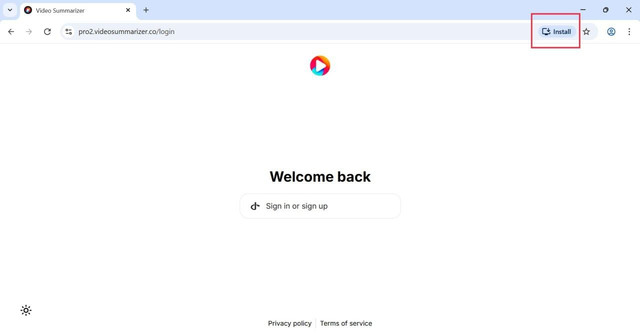
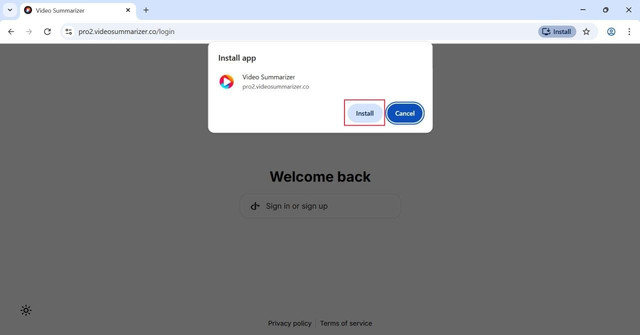
Instructions for Windows desktop-app installation from Chrome.Step #1: click the Install button in the address barFinally: click "Install" buttonThat's it - the Video Summarizer app should now appear on your desktop.