Instructions for Setting Up the Scanner
The ARB365 cryptocurrency scanner offers two options for tracking profitable arbitrage deals: on our website at https://arb365.net or via our Telegram bot @forking_exchange_bot.
Arbitrage deals are updated every 15 seconds on our website and are sent every 2 minutes by the Telegram bot.
To familiarize yourself with the service, users can test the detected deals with a limited percentage for free. This can be done by registering on our website https://arb365.net to access the free arbitrage deals table or by using our free Telegram bot https://t.me/arb365_free.
To properly set up the Telegram bot and the arbitrage table on our website, you need to register at https://arb365.net.

After registering and successfully verifying your profile, you will gain access to your account settings.

To activate our Telegram bot, you need to go to the Telegram section and enter your Telegram username (e.g., coolname).

After entering your username on our website, you can start using the @forking_exchange_bot (begin the conversation by sending the /start command). Under the current conditions (without purchasing a subscription), the bot can provide you with the necessary information, adjust profile settings, and allow you to purchase a subscription.
To test the service at this stage, you can explore the table of free arbitrage deals in the ARBITRAGE tab.

To access the most profitable arbitrage deals, you need to purchase one of our subscription plans. You can review the plans and their differences in the Pricing tab.

After purchasing a subscription, you will gain access to the settings for exchanges, currency pairs, and filters. You can configure these settings through your personal account on https://arb365.net or via the connected Telegram bot using the /settings command. The most convenient way to configure exchanges and currency pairs is through the personal account on the website, as there may be a large number of currency pairs.
The configuration of exchanges and currency pairs on the website is done in the Arbitrage tab. To begin, you need to select the desired exchanges and filters.

The next step is to select the currency pairs.

After selecting the desired currency pairs, you need to Save the settings. Once saved, you can modify the exchanges, currency pairs, and filters at any time.
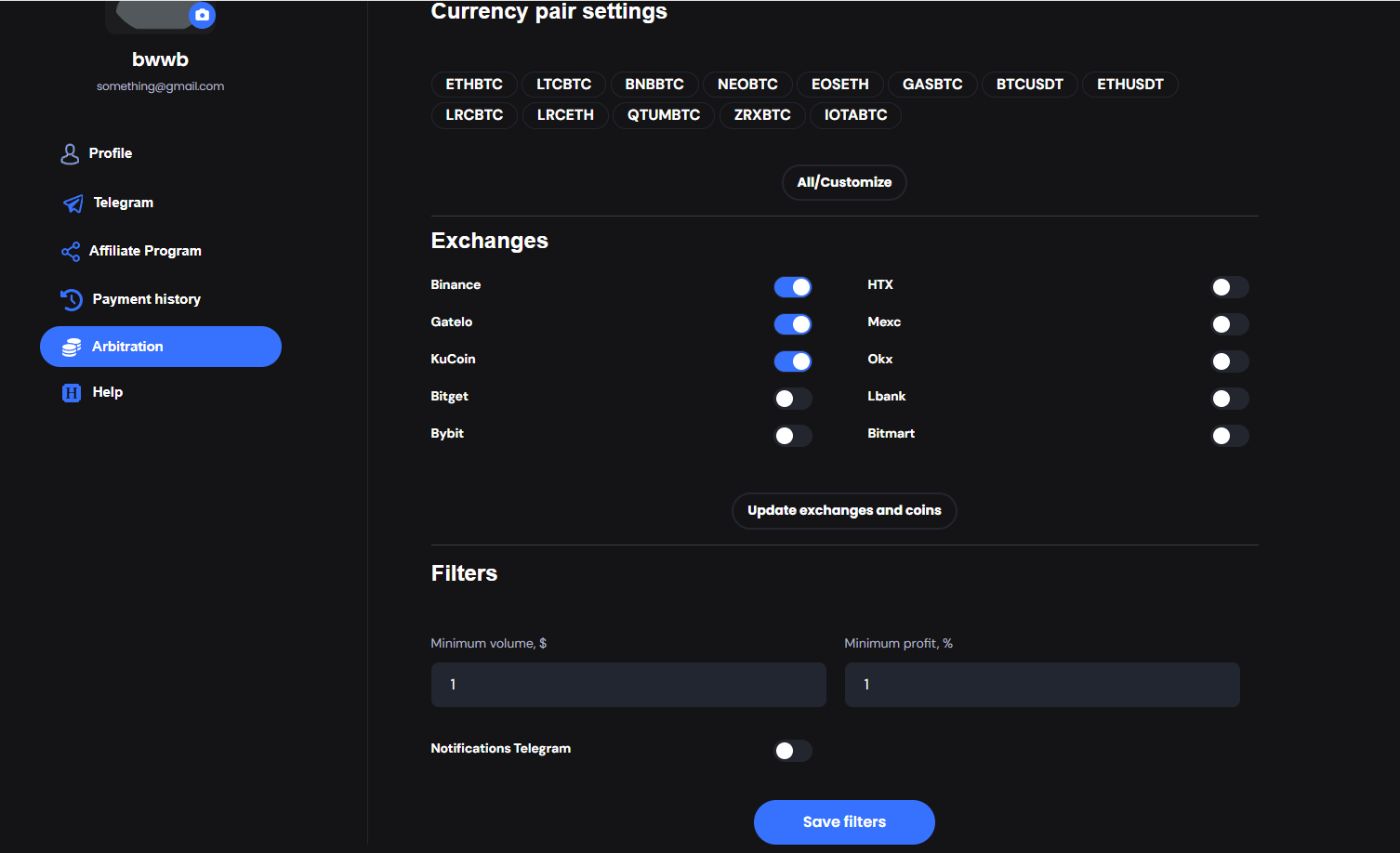
After completing the setup, you will gain access to the paid arbitrage deals table.

In addition to the table, you will receive notifications in your specified Telegram account through our bot.

If you have any questions, you can always contact our support team through your personal account or by reaching out to our support on Telegram.