Instruction to add BASE selpolia
To add the Base Sepolia testnet to your MetaMask wallet or other wallets, follow these steps:
Open MetaMask or other: Launch the MetaMask extension in your browser.
1. Access Network Settings:
Click on the network selection dropdown at the top of the MetaMask interface (it typically displays "Ethereum Mainnet" by default).
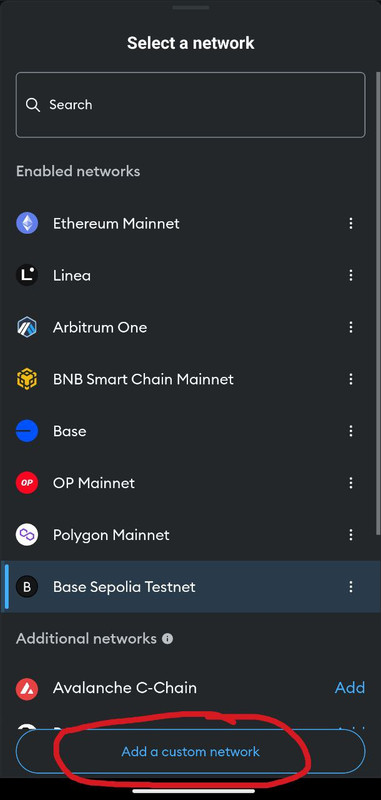
Select "Add network" or "Add network manually" from the dropdown options.
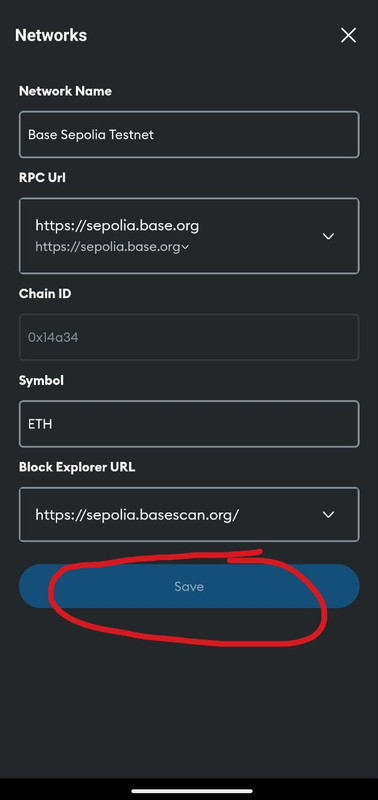
2. Enter Network Details: In the fields provided, input the following information:
Network Name: Base Sepolia
New RPC URL: https://sepolia.base.org
Chain ID: 84532
Currency Symbol: ETH
Block Explorer URL (Optional): https://sepolia.basescan.org
3. Save the Network: After entering the details, click "Save" to add the Base Sepolia network to your MetaMask.
Once saved, you can switch to the Base Sepolia network by selecting it from the network dropdown menu in MetaMask.
For a visual guide, you can refer to the following video:
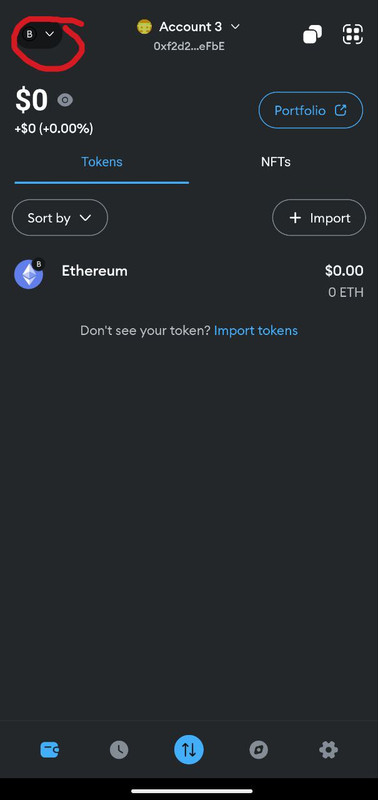
Click on network bottom:
Click "add a custom network":
Enter network details and click "save":
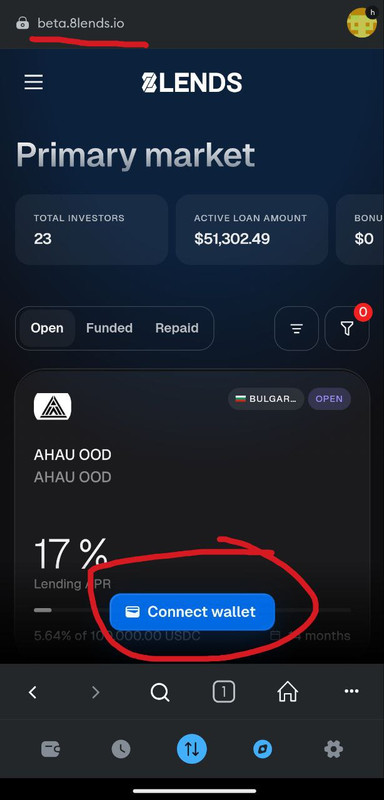
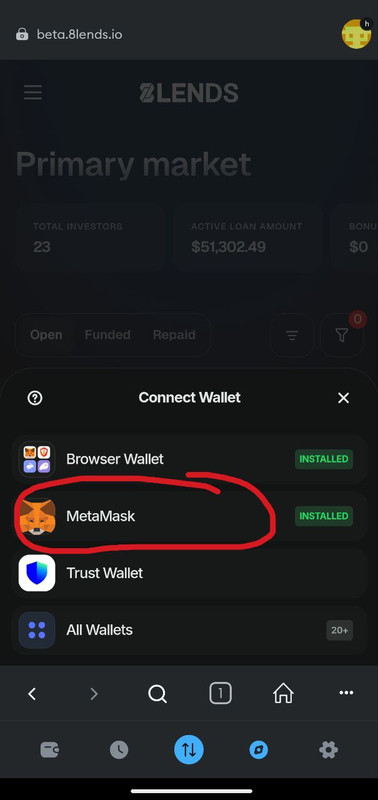
Head to beta.8lends.io, click Connect Wallet:
Choose your wallet:
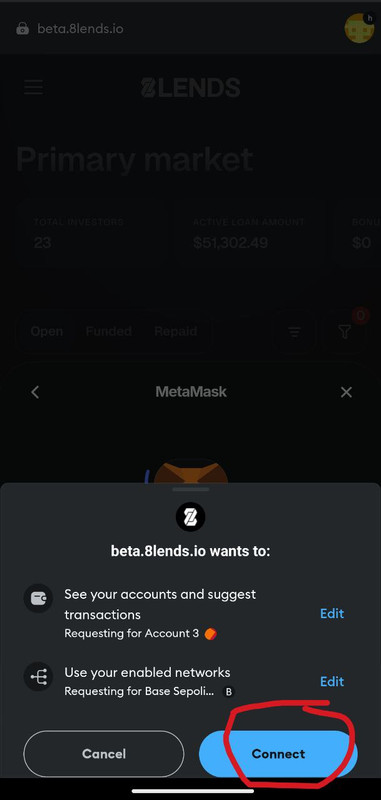
Click "Connect"
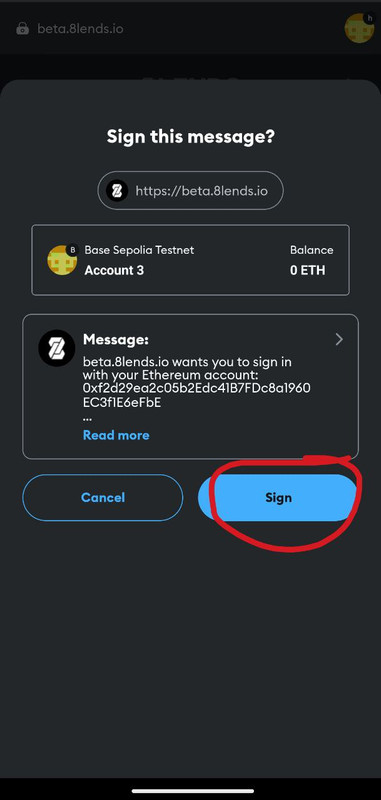
Click "Sign"
After that, you can use our platform!