Instruction set up Copytop BOT
https://t.me/Copytopmanager—> Instruction video
Step 1: Preparing and Login to VPS
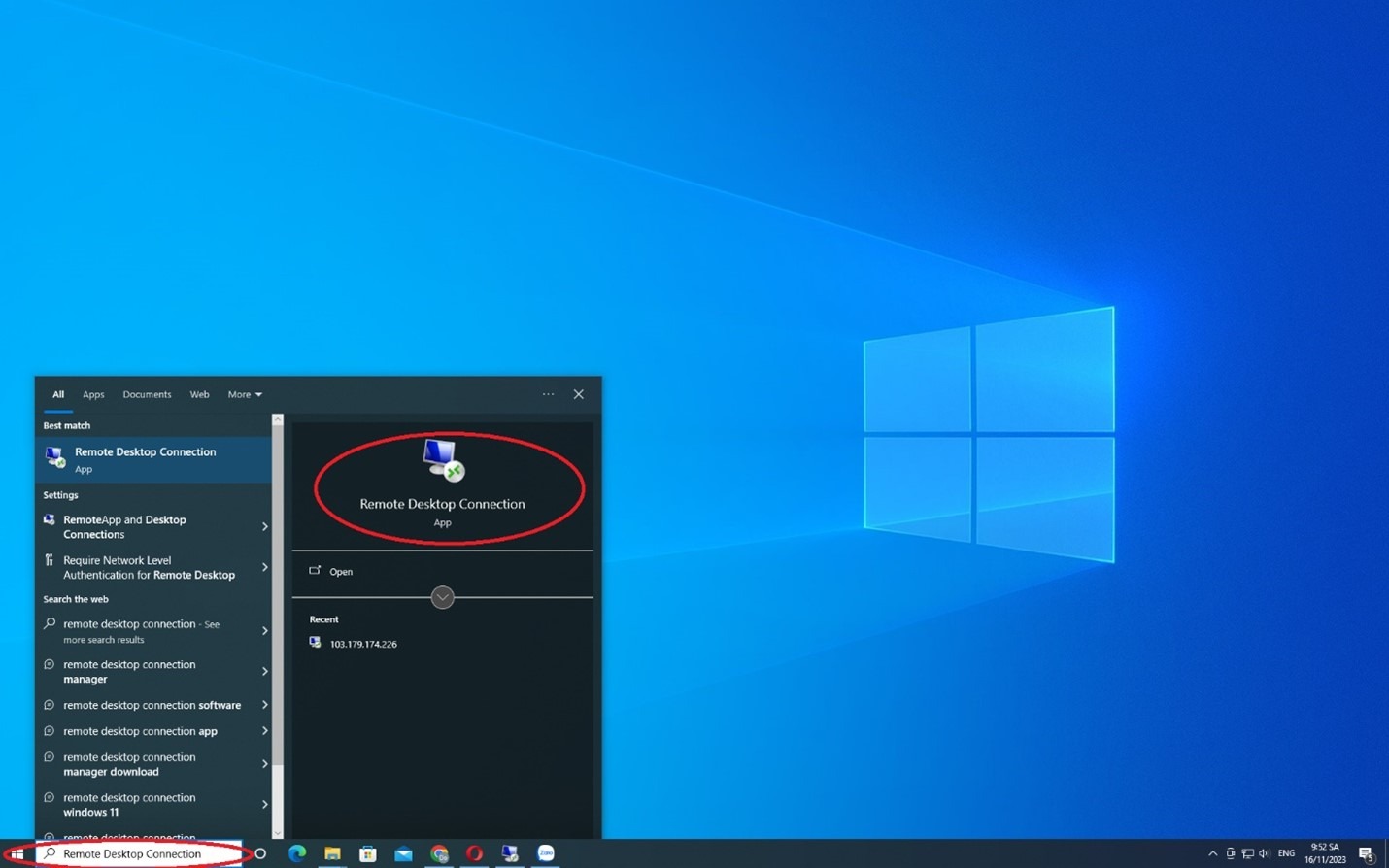
Preparing: VPS is a virtual computer for maintaining MT4/5 and EAs are always available to copy trades. If you do not have vps yet , you can buy via Telegram : https://t.me/copytopsupport . Login to VPS : open computer -> click to "start " on windowns -> find "Remote desktop connection" -> Login IP , Username, Password -> click "Yes"
Step 2: Install MT4/5 and Login Trading account
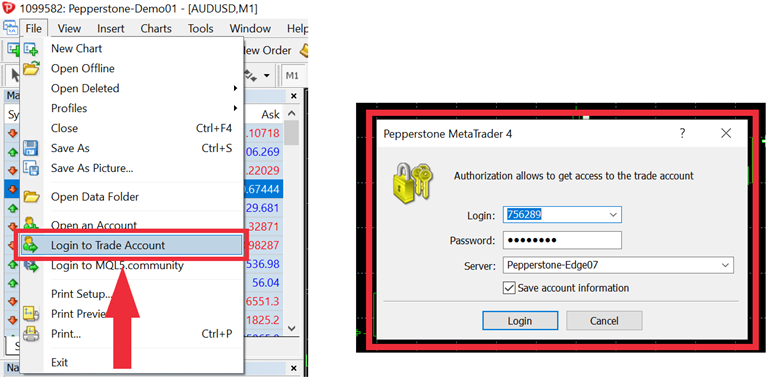
1. Download MT4/5 on your broker -> install it 2. open MT4/5 -> file -> login to trade account -> Enter your trading account number , associated account password and sever.......... 3. If you can not find your sever -> Open an account -> fill your name's broker -> find sever
Step 3 : Download and Install CopyTOP BOT
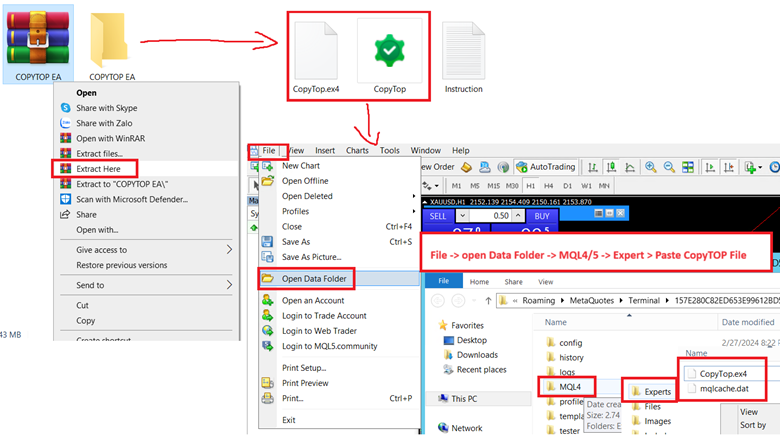
Download CopyTOP BOT below -> Extract file here -> copy (Copytop bot) and paste it to Expert folder ( File -> open data folder -> MQL4/5 -> Expert -> past copytop EA file )
https://drive.google.com/file/d/1-_Yw4Mes2vhBj2NPPrTYCDHNHJK_IU40/view
Step 4 : Setup webrequest (important)
Click to Tool -> Option ->Expert Advisor. Then fill webrequest : http://copy.copytop.vn to accept to server of service.
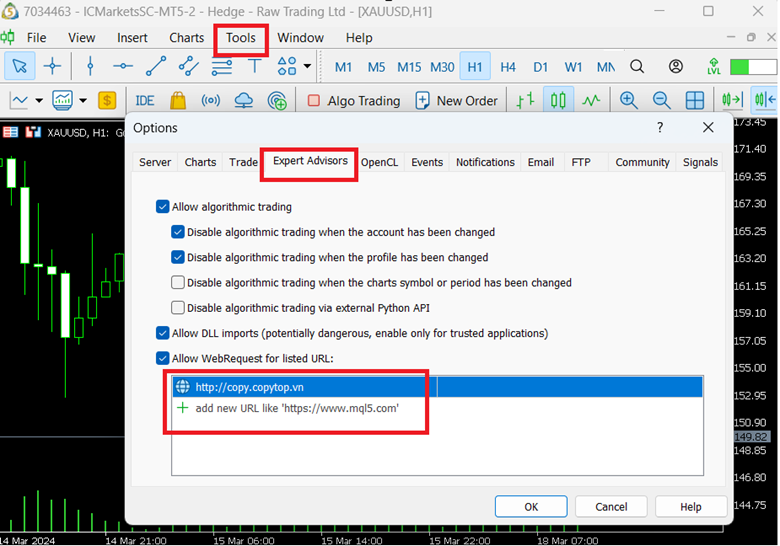
Step 5 : Confirm activation
At this step, you must confirm whether your account has been activated or not . If you pay the sub fee by the packages, your account will be automatically activated. If your account is under our system, please contact to be supported for manual activation . Then continue to set up.
Step 6 : Setup
6.1 View -> navigator -> Right click to Refresh folder Expert Advisor in left tab to show CopyTOP BOT
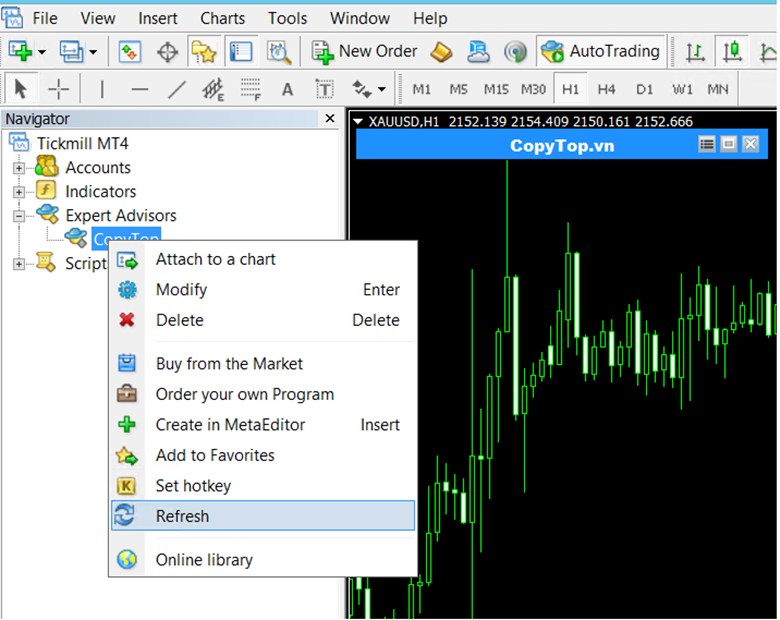
6.2
Open a Chart => Double click on CopyTOP BOT file, you will see input panel as well => Be allowed to click to [Auto trading] => Click to OK to skip main input
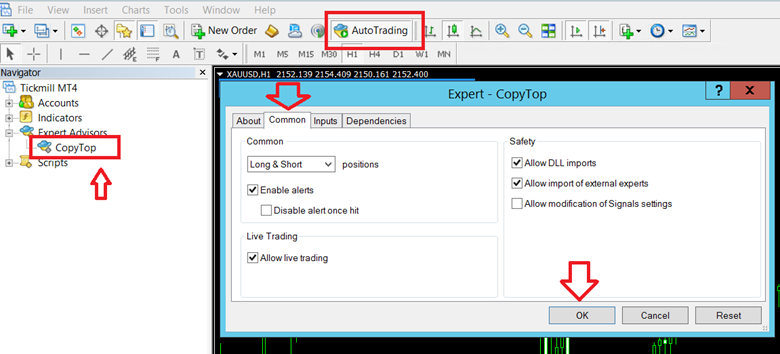
6.3
Click to [Provider list] to add Provider number (Top signals page) . You only install BOT in a chart, then you add all Providers number to one panel
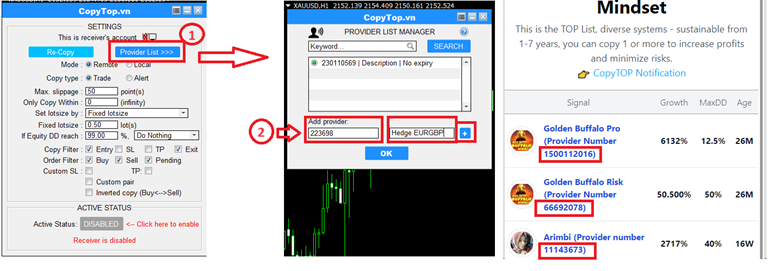
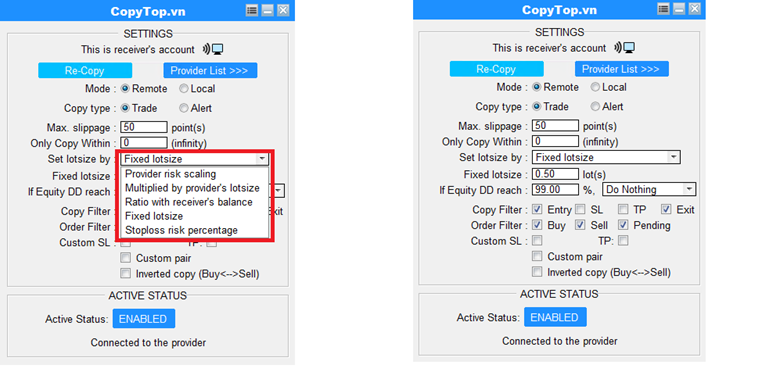
6.4 : Understand every options in panel
1.PROVIDER'S RISK SCALPING (Recommend this option) Percentage of balance used for each signal. For example: scale factor of 0.2 means 20% of the balance is used to copy each.
2. MULTIPLIED BY PROVIDER'S LOTSIZE: the ratio of your lot size to the provider's account. For example: Multiply factor: 1. If the provider opens a trade of 0.1 lots per trade, your account will also trade 0.1 lots per trade. Multiply factor: 2, the copied trades will be opened twice the size of the provider's, which is 0.2 lots for the case above.
3. RATIO WITH RECEIVER'S BALANCE: the ratio of lot size per trade based on the balance of your account. For example : the lot size per trade will be 0.1 / 1000$, meaning for every $1000 in balance, the lot size per trade will be 0.1 . When the balance increases to $2000, the lot size per trade becomes 0.2
4. FIXED LOTSIZE: a constant lot size opened for all trades.
5. STOP LOSS RISK PERCENTAGE : Cut loss when your balance reach Drawdown
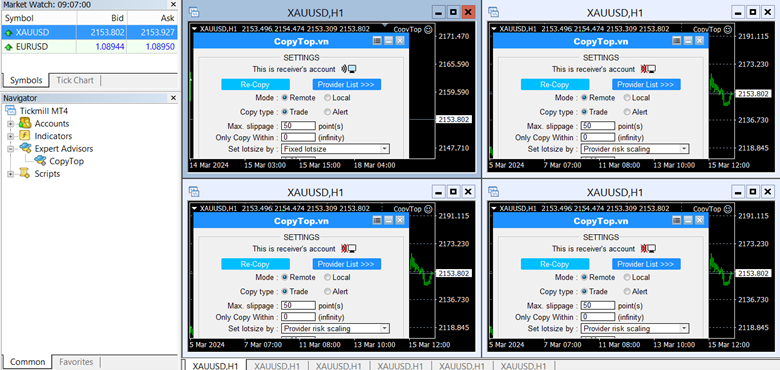
6.5 : Many charts
You can setup COPY BOT on many charts like this if you want to choose many options from many signals (example Signal 1 10%, signal 2 20%, signal 3 fix 0.5...) . Choose your way!
6.6
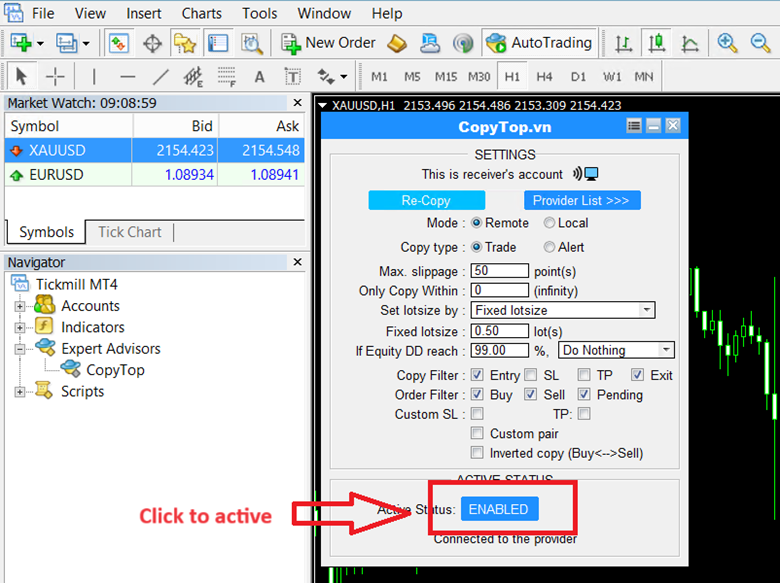
Click to Active ( Enable is copying ) and enjoy your way with CopyTOP!