Install hidden eye in Linux or android
Geekcode
Install Hidden Eye in Linux or termux
Step 1:
To install Hidden Eye you just have to copy-paste this command directly in Termux and press enter and just wait for it to install everything automatically.
pkg install git python php curl openssh grep -y && git clone -b Termux-Support-Branch https://github.com/DarkSecDevelopers/HiddenEye.git && chmod 777 HiddenEye && cd HiddenEye && pip install -r requirements.txt && pip install requests && python HiddenEye.py

Now you just have to press Enter if its ask to press Enter.
Step 2:
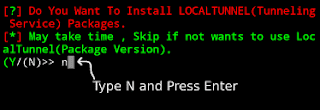
It will ask If you want to install Local Tunnel, This step is not working Properly just type N and Press Enter and everything will work fine.
Step 3:
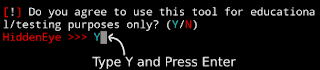
Now it will ask "Do You Agree To use this Tool for Educational/Testing purpose only? (Y/N)" Press Y and then Enter to Start The Hidden Eye Tool.
How To Use the Hidden Eye tool in Termux.
Now Hidden Eye will be installed in Termux. You just have to select the social media you want to hack and then it will ask you about the port forwarding methods just read and go as this tool say and you will be able to use this tool Easily.
