IMEI FIX for Redmi Note 8 Pro
@Rick EarthIf you have forgot to backup imei, when you flash rom or use SP Flash Tool with Format All + Download you will lost the IMEI. If you get message : Unable to get IMEL when you dial *#06#. You need to repair the IMEI.
Follow my instruction to get your Signal or Call back, and repair your IMEI, first .
you need download all the file in the link:
https://drive.google.com/drive/folders/1yq5Jxe2_bmg5mNLYiDvMtuzN4X1oheJT?usp=sharing
Step 1: install Driver Mediatek(CDC, USB VCOM, ADB drivers). If you have installed then continue and go to Step 2
extract MTK_USB_All zip file and run MTK_USB_All_v_**.exe
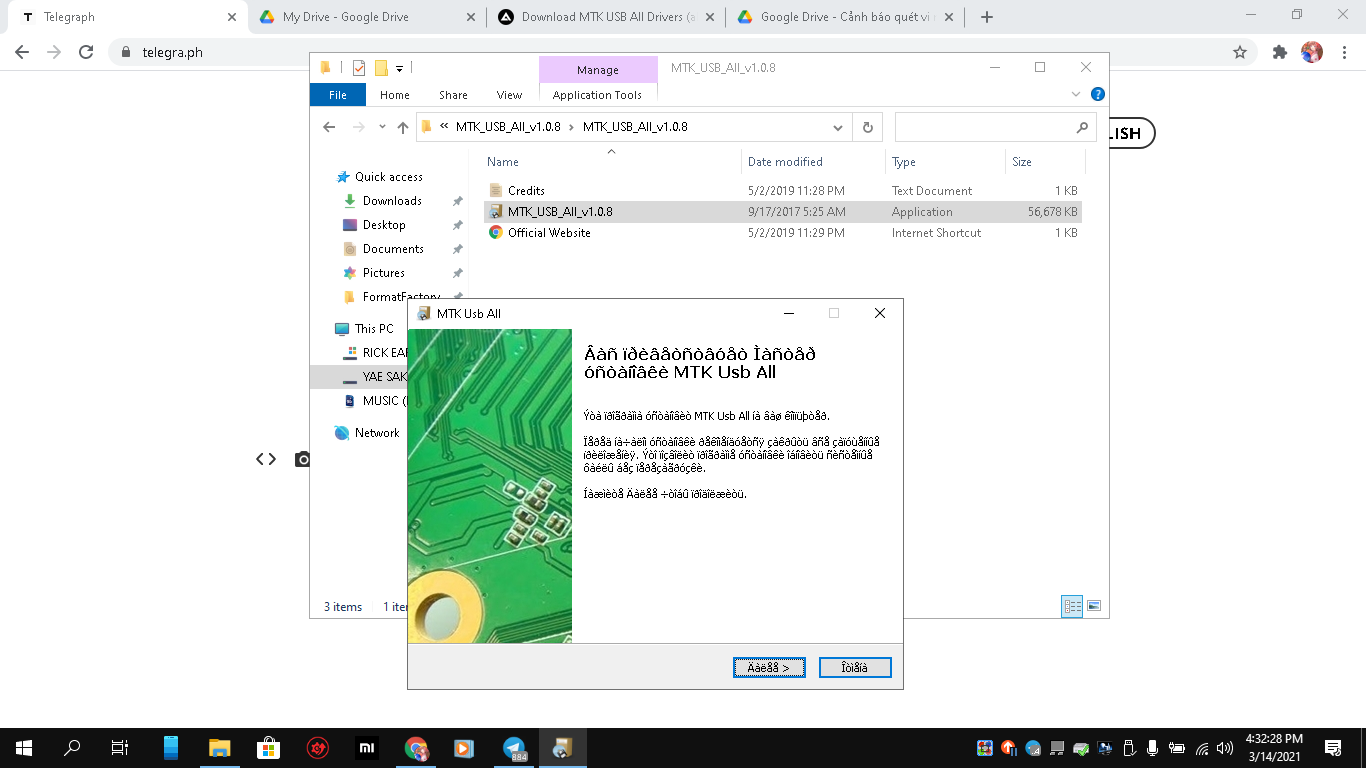
next ever >>> and finish
now go to folder you have extract . find the Folder Driver Auto Installer newest version and run Driver Install
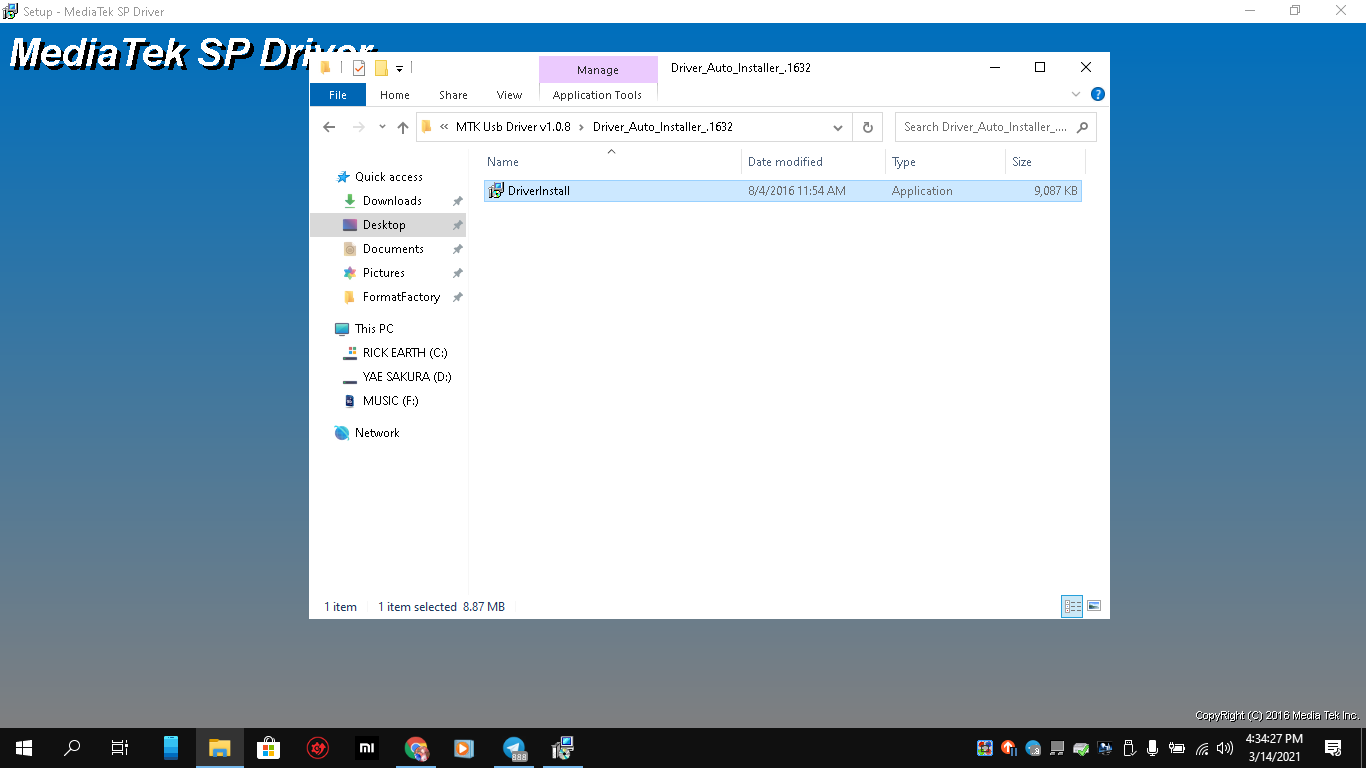
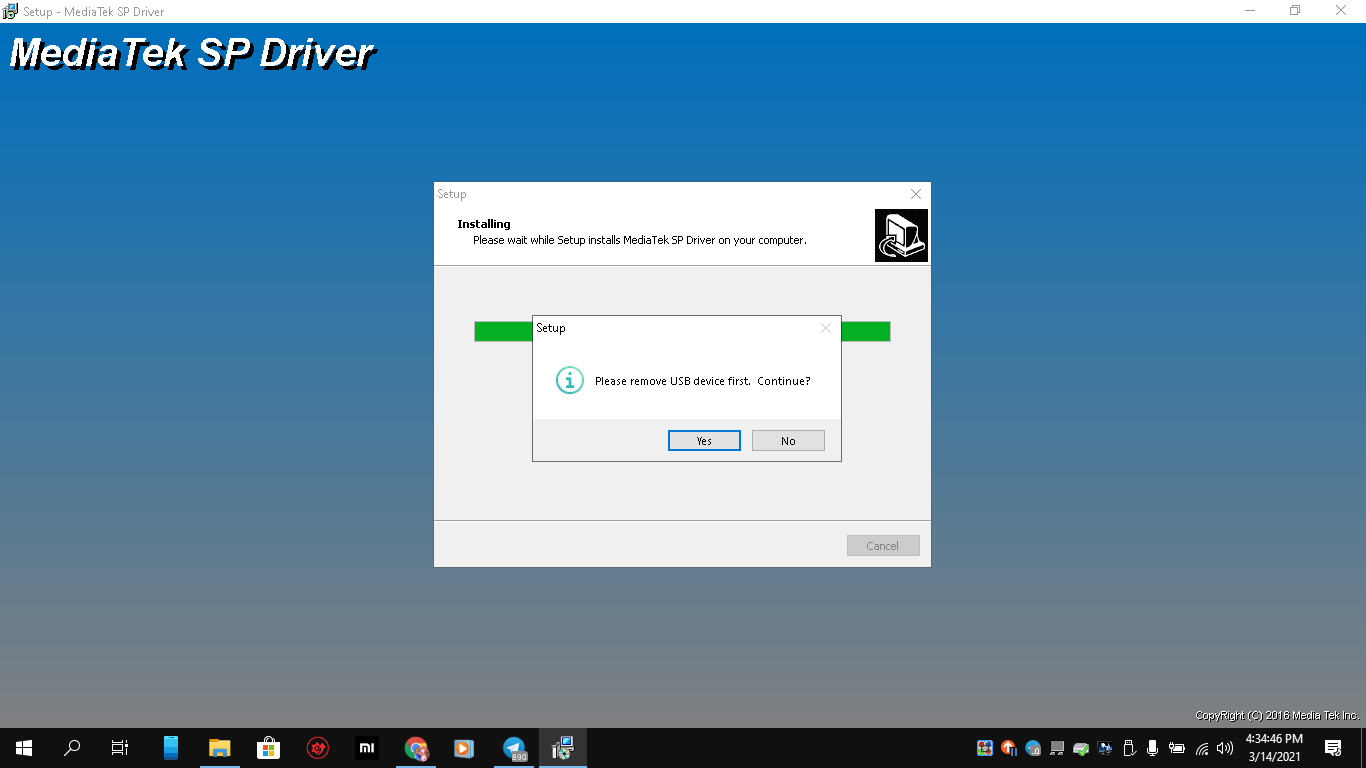
next and yes. the install take a few minutes, be wait and finish reboot your computer.
Step 2: Extract the Engineer ROM Redmi Note 8 Pro. Use SP Flash Tool no auth to flash rom to your device. Reboot to Download EDL Mode and flash it. when you Flash OK, dont power on your device, then you unplug your cable. press volume up + Power ON
you will show under here
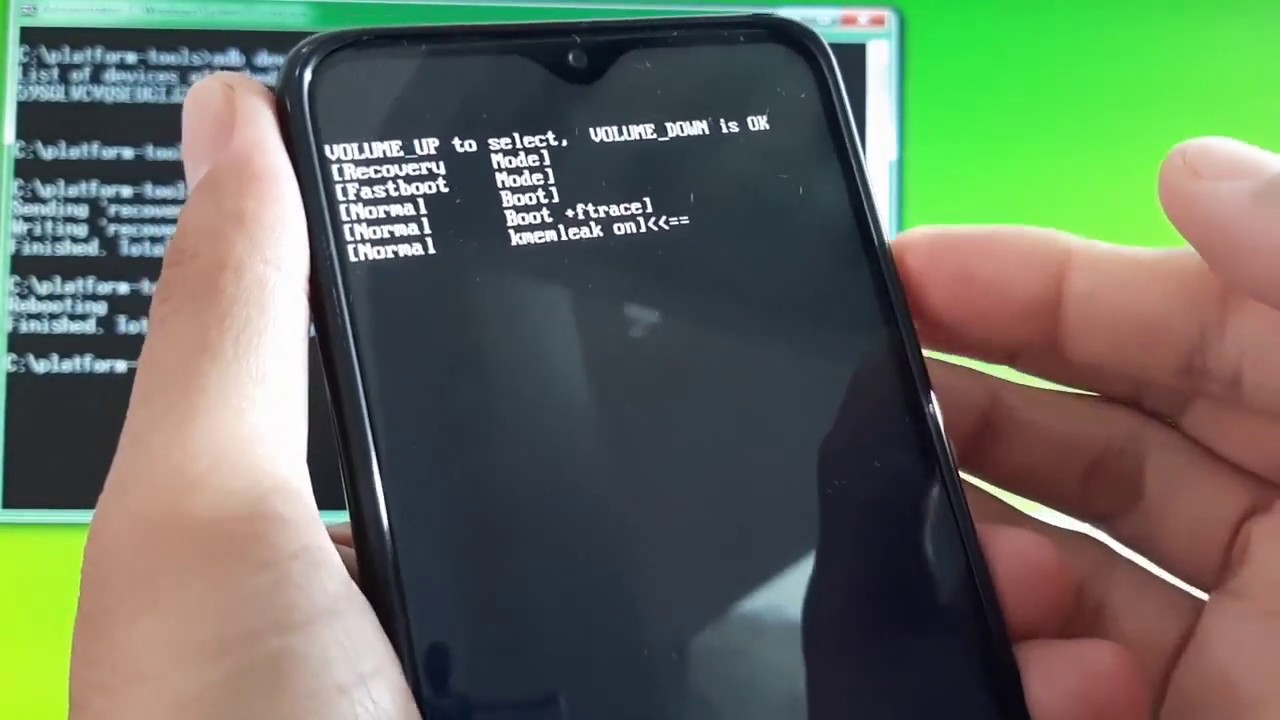
volume up select to fastboot mode and volume down to ok, you will show Fastboot Mode Status on screen
next plug your cable on phone and type on ADB Fastboot command:
fastboot devices
fastboot erase nvram
fastboot erase nvdata
this command will be erase NVRAM and MVDATA partition (same here)
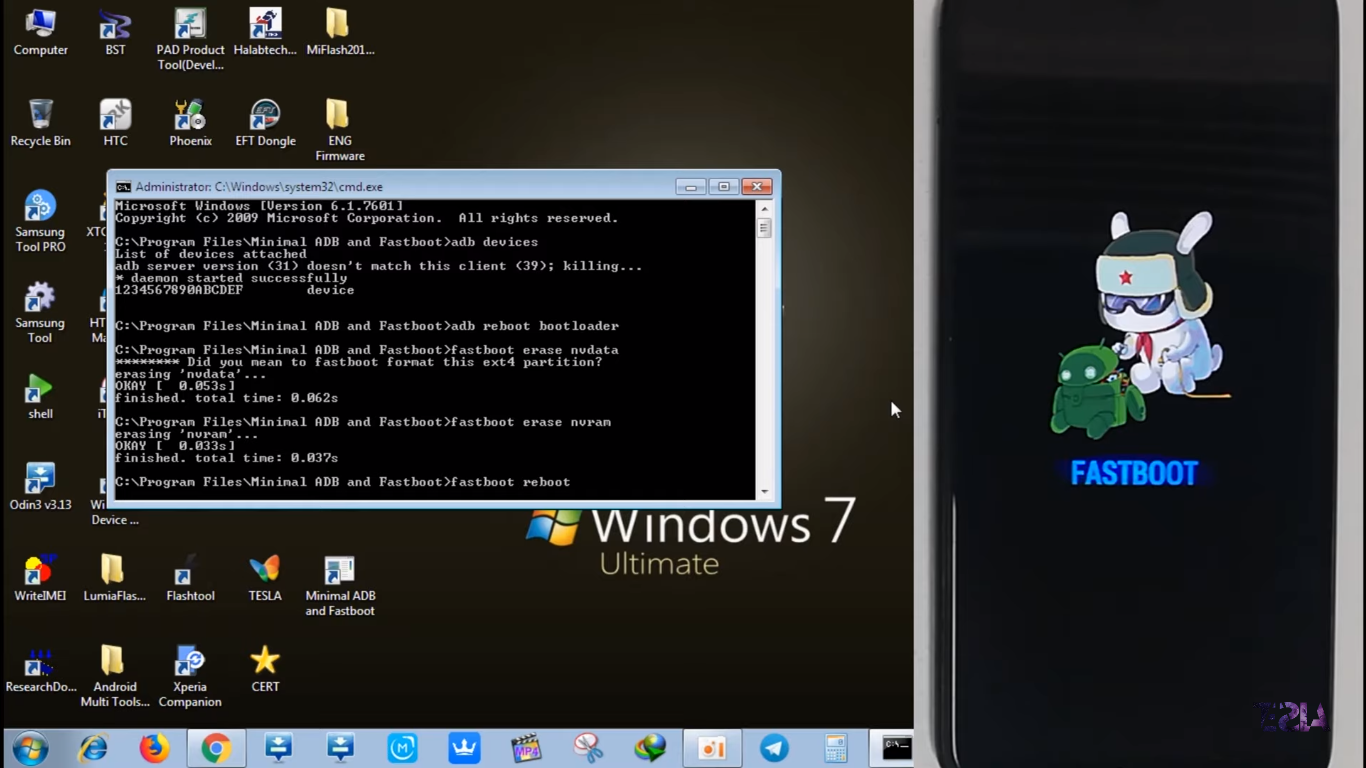
now type fastboot reboot to reboot normally
Step 3 install the Maui Meta SP Flash Tool .
Extract the tool in zip and run Maui Meta Installer exe file
when you installed , in the desktop will show Shortcut Maui Meta. click on shortcut to launch application .
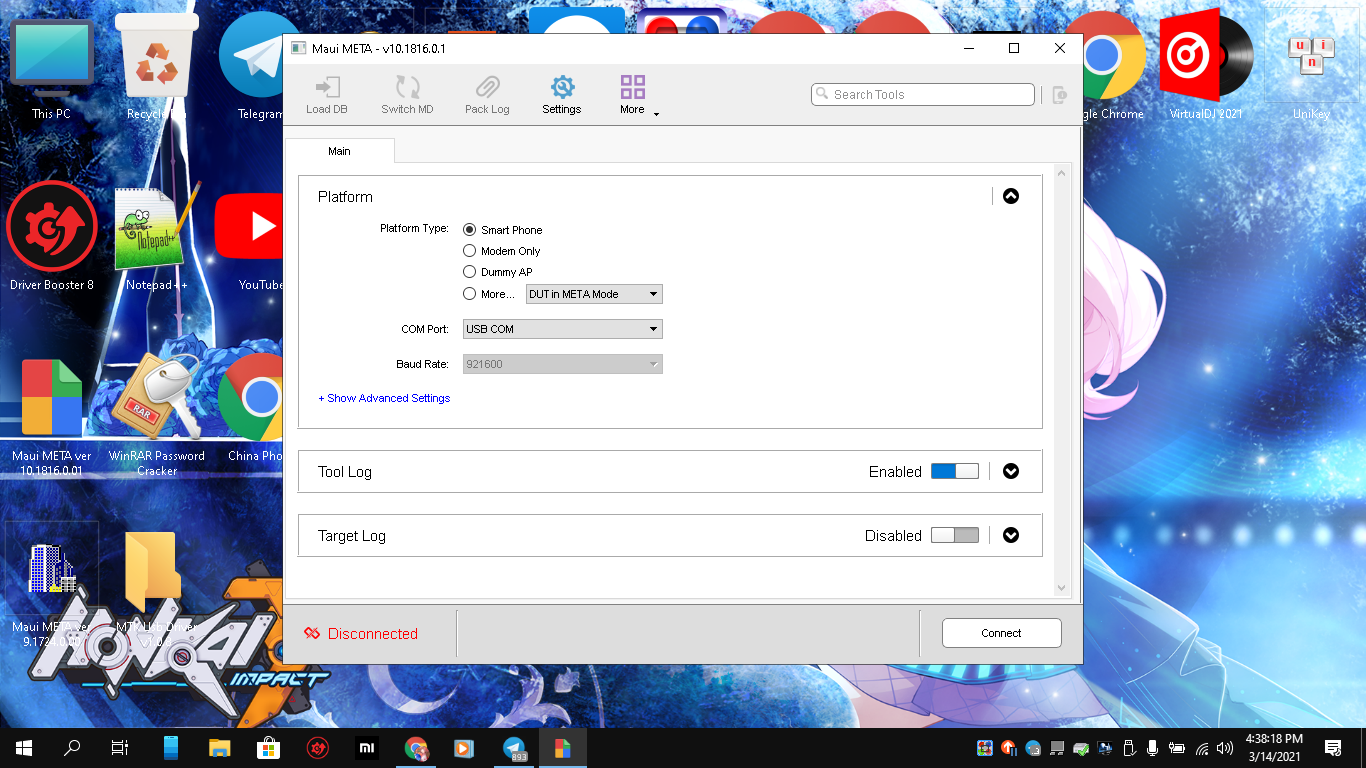
now in your tool MAUI META , tap to connect, on the phone , press power on to turn off your device and wait your device connected to tools on META MODE
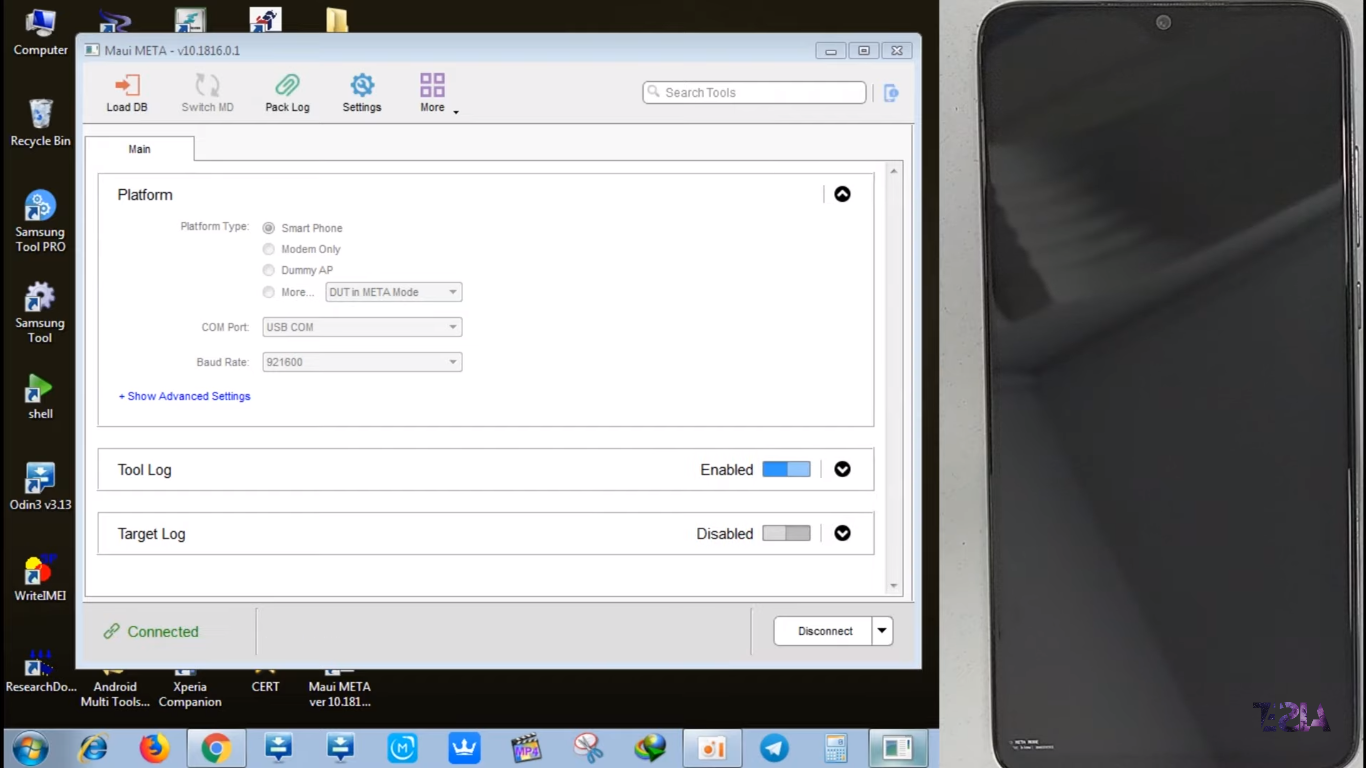
Step 5: Load DB File from file. The File is MDDB_MT6785.xml
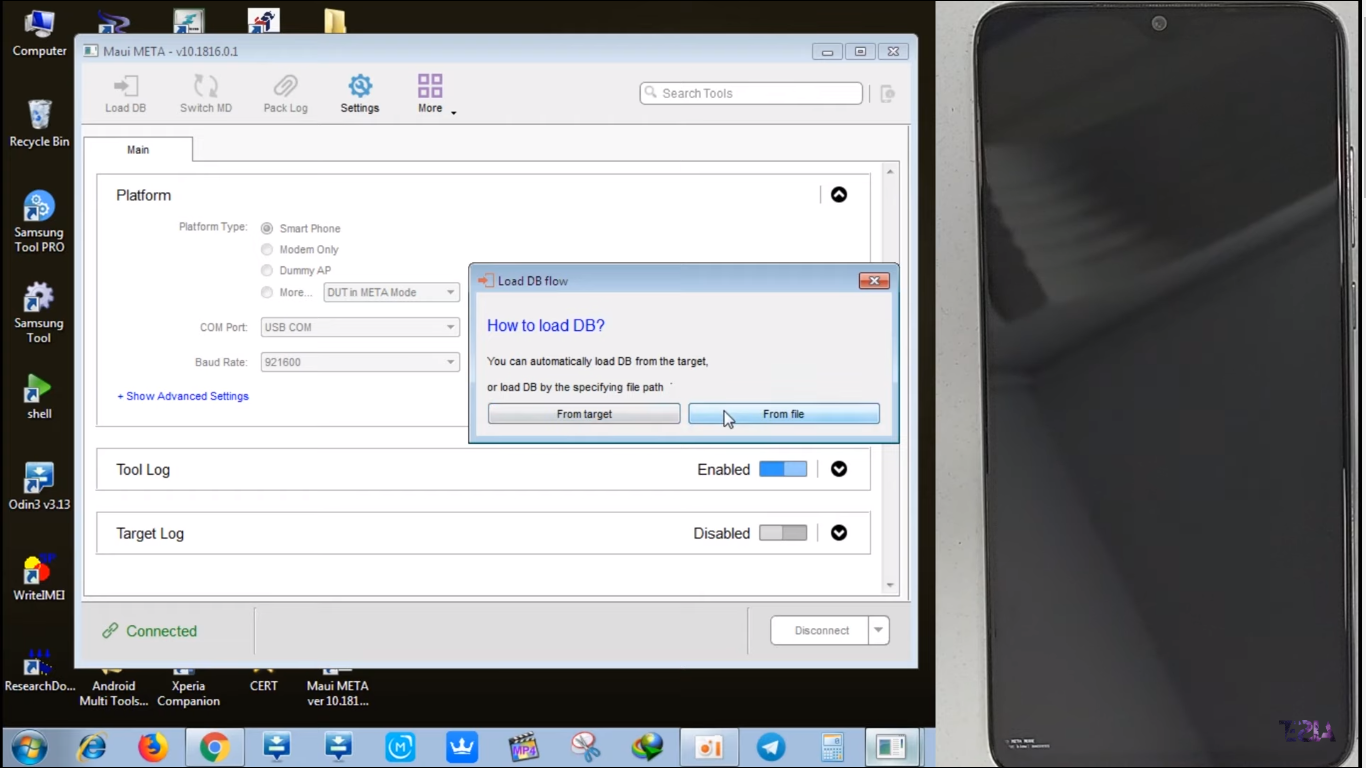
wait for loading done. Next type on Search BOX IMEI Download and click it. Type your generate random IMEI on SIM 2 if you have Bridge SIM Slot, Type your generate random IMEI on \SIM 1 or SIM 2 if you have 2 SIM Slot (important : you can work only SIM 1 or SIM 2, not working both sim).
then click Write.
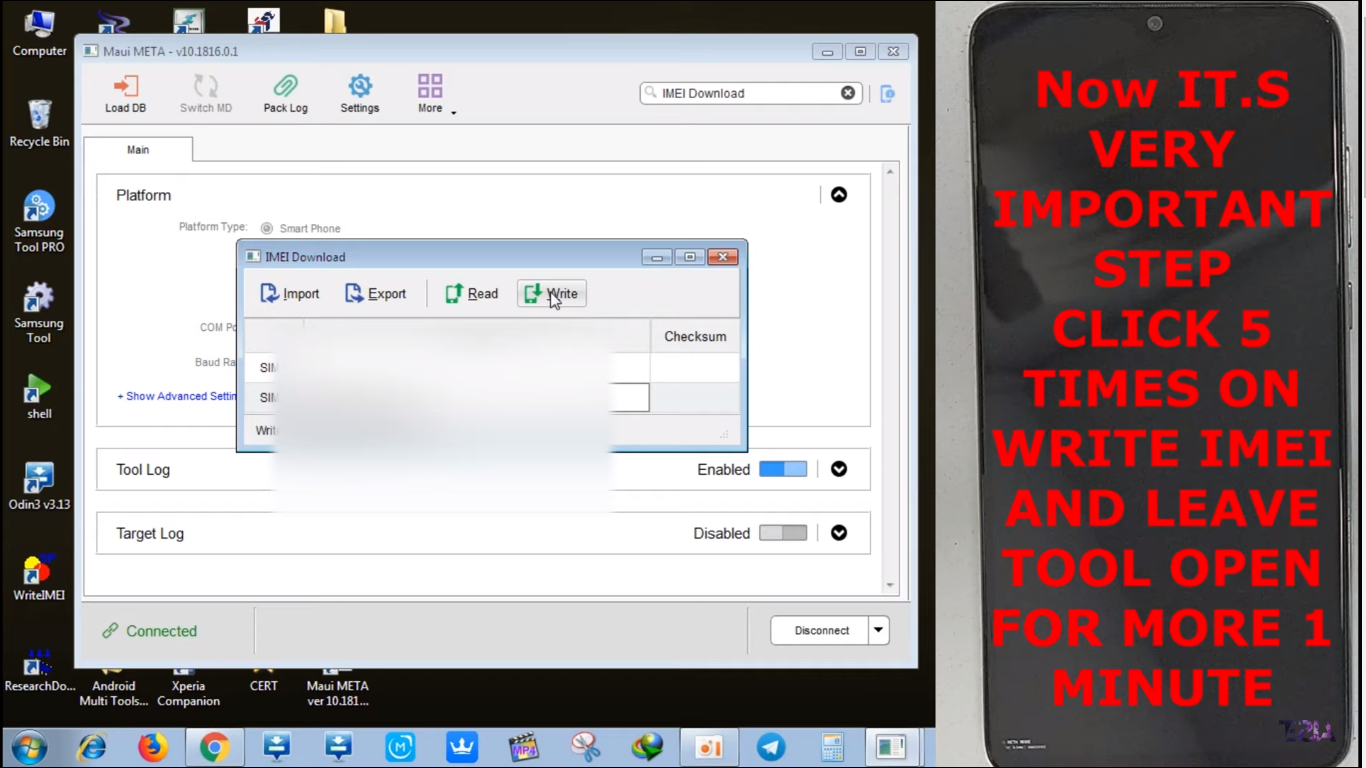
the box will show message Write IMEI successfully . then press power on your phone 30s to reboot Redmi by xiaomi screen.
check imei by dial *#06# again, you will get IMEI again.
now use SP Flash tool again to flash your stock rom .load your rom scatter and Download. Enjoy.