ILUMA ONE Reset: How to Reset Your IQOS ILUMA ONE Safely
Devices misbehave. Buttons get held too long in a pocket, firmware hiccups, a TEREA stick isn’t recognized, or the LED ring seems stuck in a pattern that doesn’t match anything in the manual. If you own an IQOS ILUMA ONE, a proper reset solves a surprising range of glitches without affecting the device’s long‑term health. The key is knowing which kind of reset to apply, and when to stop and look for a deeper cause.
I work with ILUMA devices regularly, across the ILUMA ONE, ILUMA, and ILUMA PRIME lines, and most odd behavior has familiar fingerprints. Below, I’ll walk through safe resets for the ILUMA ONE, plus the context behind each step so you know what’s happening under the hood. I’ll also cover signs you might be dealing with something beyond a quick reset, how this differs from approaches on ILUMA and ILUMA PRIME, and how to avoid the pitfalls that lead to “mystery” issues in the first place.
What a reset does on ILUMA ONEOn the ILUMA platform, reset routines clear temporary faults in the control logic and radio functions without wiping permanent calibration or affecting coil-free heating hardware. You aren’t erasing your device identity or voiding warranty by performing the standard reset. Think of it like power cycling a smartphone. A reset can release a stuck sensor state, reinitialize the LED driver, and settle battery reporting. It does not fix physical damage, a faulty battery cell, liquid ingress, or debris lodged where the stick enters the cap.
ILUMA devices differ from older blade-based IQOS models. There’s no blade to break, and the TEREA sticks are designed for induction heating, not direct contact. That reduces the need for deep cleans, but errors still happen when magnet sensors or temperature checks get an unexpected reading. A reset can help there.
When a reset is useful, and when it isn’tA reset is worth trying if your IQOS ILUMA ONE shows any of these patterns: the LED ring flashes in a loop that never resolves, the device doesn’t respond to a short press, heating starts but ends early, the device thinks a session is running when it isn’t, Bluetooth pairing with the app stalls, or the charge status looks wrong after a power bank top‑up. In most cases, a reset restores normal function in under a minute.
If you see physical swelling of the body, cracked casing, corrosion around the port, a drop into water, or a burnt smell that persists, skip the reset and go straight to support. Resets won’t cure mechanical failure, liquid damage, or a battery cell that has aged out. Also, if you’re trying to use HEETS in an ILUMA device, the device will refuse to heat them. HEETS are for earlier IQOS generations; ILUMA uses TEREA for IQOS ILUMA. That incompatibility looks like an error, but it is exactly how the device should behave.
The quick reset for IQOS ILUMA ONEThe simplest reset is a timed button press sequence. It interrupts whatever the device thinks it is doing and restarts core processes. Charge level and usage counters remain intact.
Here is the short, safe procedure:
Ensure the ILUMA ONE is not in an active heating session. Remove any TEREA stick. Press and hold the main button for a full 10 seconds, then release. The status lights will blink, then the device will power-cycle. Wait until the lights finish their pattern. After the lights settle, give the device 30 seconds of rest. Then tap the button once to check charge and responsiveness. If needed, insert a fresh TEREA stick and start a session.That’s the everyday reset. It addresses the majority of minor errors. If the device doesn’t respond to the 10‑second hold, try a 20‑second hold, release, and wait for the light sequence to complete. Timing matters more than force. A gentle, continuous press works better than repeated jabs.
A deeper reset through the IQOS appSome issues relate to Bluetooth control or firmware. If your ILUMA ONE still behaves oddly after the button hold, pair it with the official IQOS app where available, then use the app’s device controls to trigger a software restart. On certain app versions, you can also prompt a firmware check. If an update is available, install it with the device on stable power. Updates tend to repair persistence bugs: LED misreporting, early cutoffs that aren’t user-limited, or pairing instability.
In practice, I’ve seen a stubborn early‑end session issue on two ILUMA ONE units that only cleared after a firmware refresh. The button reset reduced it but didn’t eliminate it. After the app-initiated check and update, both units returned to normal behavior.
Reading the LED ring like a mechanic reads a dashboardThe LED ring on the ILUMA ONE communicates more nuance than most people realize. Solid segments usually reflect state, while pulses and blinks indicate transitions or faults. A few reliable cues help triage without guessing. If the LEDs bounce up and down repeatedly right after a reset, the device is reinitializing. A progress-like sweep during charging means the battery is taking power, and a single short pulse when you tap the button with no stick inserted means the device is awake and idle.
Rapid repeated flashing that won’t stop, especially if it continues after a reset and a rest period, suggests either a sensor reading that sits out of specification or a permanent fault. If you’ve had a habit of pocket-starts, the device might be interpreting heat or magnetic presence where there is none. Use the reset, then keep the device away from magnets and heat sources for several minutes. Your car’s phone holder magnet and some laptop lids can confuse these sensors. I’ve seen that happen in an office where an ILUMA ONE sat next to a magnetic screwdriver set. After moving it and resetting, the device behaved normally.
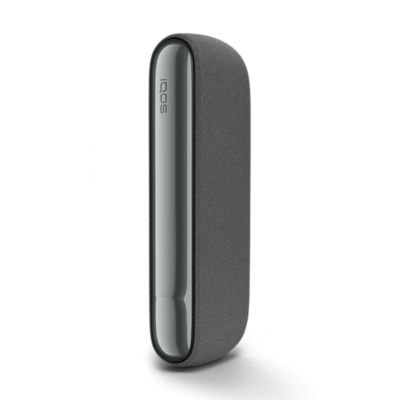
The difference between ILUMA ONE, ILUMA, and ILUMA PRIME resetsAll three use similar logic, but hardware layouts and button feel differ. ILUMA PRIME has a hinged door and a different tactile response, while ILUMA ONE is a single-piece, pocket-friendly stick. On PRIME and the standard ILUMA, many users perform the same 10 to 20 second press to reset, yet the LED patterns vary slightly. The ONE’s ring is compact and easy to miss if you’re outdoors in bright light. Shade the device with your hand to read the pattern, and wait the full 30 seconds after a reset so the internal clocks align.
If you own multiple ILUMA devices, resist the urge to swap sticks across devices mid-session to test a fault. A TEREA stick partially heated in one unit won’t always be recognized correctly by another. Finish or discard the stick and start fresh when diagnosing. That simple habit avoids chasing false errors.
Common triggers for ILUMA ONE glitches, and how a reset helpsEarly session cut‑off has several causes. A weak battery near the end of its charge curve can drop voltage under load. A reset doesn’t recharge the battery, but it forces the device to recalibrate its state-of-charge estimate. After a reset, the readout may show a lower state than you expected, which is often the real reason the session ended early. Charge the device fully and test again before assuming a fault.
Unresponsive button behavior is usually a state mismatch. The device thinks it is cooling down or already heating. The 10‑second hold resolves that. If this repeats, check for a long press habit when inserting the stick. Pressing too early or too long can put the device into a standby path you didn’t intend.
Bluetooth pairing problems tend to sit in the phone more than the device. Clear the pairing on the phone’s Bluetooth list, reset the ILUMA ONE, then pair again through the app. The reset clears the advertising state, which helps a lot when you’ve attempted multiple pairings or switched phones.
Odd charge reporting after using a power bank is common when the bank cuts power quickly once it sees a low draw. The ILUMA ONE uses short top‑ups that confuse some banks. After a reset, plug the device into a steady wall adapter or a higher-quality power bank and let it sit uninterrupted for 20 to 30 minutes. The indicator should stabilize.
The safe way to handle TEREA sticks and avoid false errorsILUMA devices expect TEREA for IQOS ILUMA. https://blogfreely.net/zoriuszoed/iqos-iluma-i-a-day-by-day-setup-plan-for-new-users If you insert HEETS, or a TEREA stick that’s been peeled or deformed, expect refusal. The device detects conditions it doesn’t like and signals accordingly. If you pulled a TEREA early and try to reinsert it, the device may reject it. This can look like a hardware issue, but switching to a fresh stick resolves it. If you frequently change sticks mid-session to test, you’ll see more errors. Work with fresh sticks when diagnosing.
Some users ask whether old stock TEREA can cause problems. I’ve not seen age alone cause consistent refusal, but extreme dryness can alter heat transfer. If a pack has been open for weeks in a dry home, a reset won’t solve weak aerosol. Fresh stock matters more than people think, especially in winter with indoor heating.
Cleaning ILUMA ONE without creating new problemsWhile there’s no blade, the entry path still collects lint and fine tobacco particles. Avoid liquids, sprays, or swabs with alcohol. The sensors are sensitive. A soft, dry brush designed for electronics, a clean air blower, or the official tools are enough. If you’ve used an aggressive cleaner and the device now throws errors, let it dry for a full day, then try the reset. If symptoms persist, assume the liquid compromised a component and contact support.
I keep a small lint brush in the same pouch as my ILUMA ONE. A quick sweep every few days means I rarely see misreads. Most of the “my ILUMA doesn’t recognize the stick” complaints I hear in person trace back to pocket lint and traces of sugary drink around the cap. Prevention beats resets.
Troubleshooting sequence that works in the real worldYou can save time by following a simple escalation path rather than jumping around steps. It reduces the chance of masking a persistent fault.
Check basics: charge the ILUMA ONE for at least 20 minutes on a stable charger, remove any TEREA, and wipe the entry path with a dry, soft brush. Perform the 10‑second button hold reset. Wait 30 seconds after lights settle. Test with a fresh TEREA stick in a neutral environment, away from magnets and direct heat. Watch the LED pattern closely in the first 5 seconds. If early cutoff or recognition issues remain, pair with the official IQOS app, run a device check, and apply any firmware update. Restart the device via the app if available. If problems persist across fresh sticks, different chargers, and after updates, document the LED behavior and contact support. Repeated rapid flashing after resets typically indicates a hardware fault that needs service.Following that order narrows the variable set. I’ve seen people go straight to app pairing, only to discover later that their power bank never charged the device properly. When you control power, environment, and consumables, the reset has the best chance to stick.
UK specifics: availability, pricing context, and where resets fitIn the UK, the ILUMA line rolled out in stages. The IQOS ILUMA, ILUMA ONE, and ILUMA PRIME are all available, with the ILUMA ONE positioned as the lighter, travel-friendly option. Prices shift with promotions, bundles, and seasonality. Expect the ILUMA ONE kit to sit below ILUMA PRIME, and look for bundles that include a starter set of TEREA sticks. Retailers range from IQOS boutiques to larger chains and selected supermarkets. Some users mention buying at Tesco or other high street stores; stock can vary by location. If you’re investigating an issue, in-store staff often perform the same 10‑second reset and a quick device check before considering a swap.
Buying online through the official UK store gives you the cleanest route for firmware updates and support eligibility. Prices in the UK typically range within market norms for heated tobacco devices, and you may see limited editions like ILUMA Sienna finishes or seasonal colors. The color doesn’t affect reset behavior, but dark shells make LED patterns harder to read under bright light. Shade the ring before deciding you have an error.
ILUMA ONE compared with ILUMA and ILUMA PRIME for reliabilityFrom hands-on experience, the ILUMA ONE is robust for its size. The single-piece body accepts more casual pocket carry, which is a blessing and a risk. Pocket presses cause accidental long holds, which in turn park the device in a standby state that confuses users. The larger ILUMA and ILUMA PRIME, with their different ergonomics, get fewer accidental presses. On the other hand, the ONE’s simplicity makes resets straightforward. I rarely need more than the 10‑second hold and a stable charge to clear day-to-day issues.
A note on longevity: after a year of daily use, batteries naturally lose capacity. As the pack ages, voltage drop under load appears as early ends. No reset fixes battery chemistry. You can stretch life by avoiding full discharges, not leaving the device on a hot dashboard, and using decent chargers. If your ILUMA ONE is approaching two years of heavy use, consider that early ends might be age, not a fault.
TEREA for IQOS ILUMA is the correct stick family for ILUMA devices. The device enforces this. If you ask whether HEETS can be used in ILUMA, the answer is no. The induction system and stick format differ by design. You may see marketing for “ILUMA sticks” or “TEREA ILUMA” in various regions, sometimes with sub-brand names. They refer to the same compatibility family. If you see “ILUMA HEETS” in a forum post, it’s usually shorthand or a mix-up, not an official name.
Storing TEREA properly affects performance. Keep them sealed, away from heat and direct sun. If your ILUMA ONE seems weak across multiple sticks, test a new pack. If power feels normal with a new pack, the device is likely fine. The reset won’t change aerosol strength if the stick itself is compromised.
The role of accessories, cases, and magnetsILUMA ONE cases that use flap magnets can occasionally trip the proximity sensors, especially during resets. If your ring keeps pulsing oddly when inside a case, remove it and try the reset again. I’ve also seen slim metal skins alter heat dissipation enough to cause early ends on back-to-back sessions. A reset temporarily masks this by spacing sessions, which misleads users. The fix is to give the device more time between sessions or use a case designed for heat flow.
Stick removers and cleaning tools marketed for earlier IQOS generations don’t apply to ILUMA the same way. There is no blade to scrape, and aggressive cleaners can do more harm than good. If a stick breaks, use a gentle, straight pull. If fragments remain, do not pry with metal. Let support handle it. After a mishap, expect a reset to be necessary once the path is clear, because the device likely recorded an abnormal end.
Edge cases that look like device faultsCold weather thickens aerosols and shifts sensor readings. On icy mornings, the first session may end slightly early. Warm the device in a coat pocket, not on a heater, then try again. A reset won’t fix cold physics, but it helps the device re-stage its expectations after a temperature shock.
Travel can throw devices off. Airport security bins, X‑ray belts, heavy magnetic clasps on carry-ons, and repeated long button presses during packing can all combine into odd behavior. I make a habit of performing a quick reset after long travel before the first session in a new place. It avoids the dance of partial heats and misreads when you just want a reliable start.
Finally, if you bought a used ILUMA ONE or an older ILUMA ONE kit from a marketplace, you may inherit a device on outdated firmware. Everything looks fine until you test back-to-back sessions, then faults appear. Pair it, update it, and reset. If abnormalities persist, consider whether the price you paid reflected an underlying issue.
Safe reset summary you can rememberIf you only keep one thing in mind, make it this: remove any TEREA, hold the button for 10 seconds until the lights react, release, wait half a minute, then test with a fresh stick on a solid charge. Use the app to update firmware if the first reset doesn’t hold. Don’t force sticks, don’t clean with liquid, and don’t expect HEETS to work in ILUMA.
People often ask if frequent resets are a bad sign. Occasional resets are normal with any smart device. If you need one every day, the device is telling you it wants a better charger, a new pack of TEREA, or professional attention. Solve the upstream cause, and the resets fade into the background.
Buying, pricing context, and support routesFor the UK market, you can buy IQOS ILUMA, ILUMA ONE, and ILUMA PRIME through official channels, boutiques, and selected retailers. Prices vary with bundles and promotions. The IQOS ILUMA ONE price usually comes in below the PRIME, and the IQOS ILUMA kit sits between them. If you see a bundle labeled IQOS ILUMA ONE starter kit or IQOS ILUMA ONE bundle, check what’s inside: some include a carry case or a voucher for TEREA.
If you prefer brick-and-mortar, call ahead to confirm stock, especially for specific colors like ILUMA Sienna or limited runs that sell fast. For support, the official channels are helpful once you can describe your LED behavior and the steps you’ve tried. Mention that you performed the 10‑second reset, tried a fresh TEREA, and tested on a stable charger. That short list signals you’ve done the basics.
A final note on expectations and careThe ILUMA ONE is a solid piece of kit when used with the right sticks and reasonable care. Treat it like a small, sensor-rich device, not a rugged flashlight. Keep it dry, avoid magnet-heavy storage, charge it on decent power, and give it a quick reset when it shows oddities. That approach has kept my test units reliable across thousands of sessions.
If you’re comparing within the ILUMA family, the choice comes down to feel, aesthetics, and how you carry it. ILUMA PRIME has a premium build and door mechanism, ILUMA sits in the middle, and ILUMA ONE aims at portability. All respond to the same reset logic. Whichever you choose, keep compatible TEREA on hand, resist the urge to force a fix with liquids, and use the reset as a tool, not a crutch.
When something seems off, start small, reset once, and observe. Nine times out of ten, the device falls back in line. For the tenth time, you’ll have ruled out the simple stuff and can get help fast.