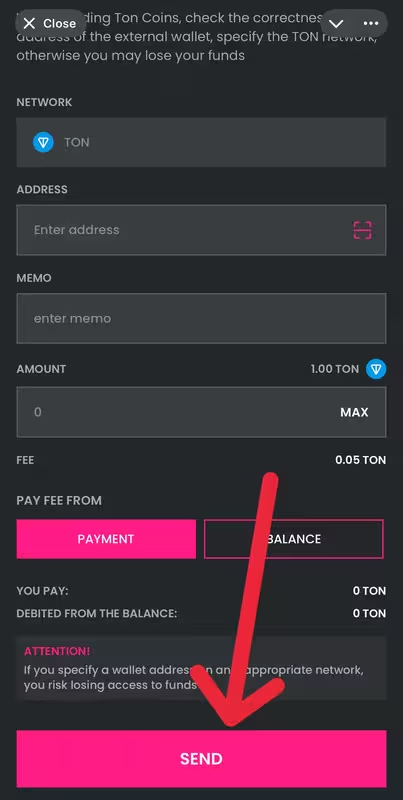
How to withdraw TON to another wallet
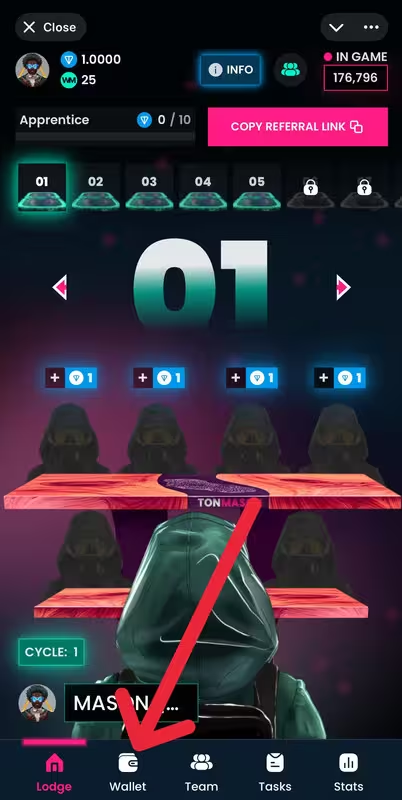
Ton Mason1) Open the main menu and go to the “Wallet” section.
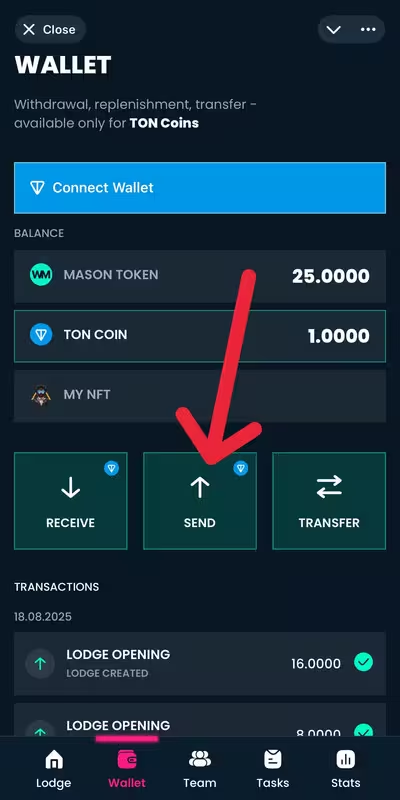
2) Press the “Send” button in the center.
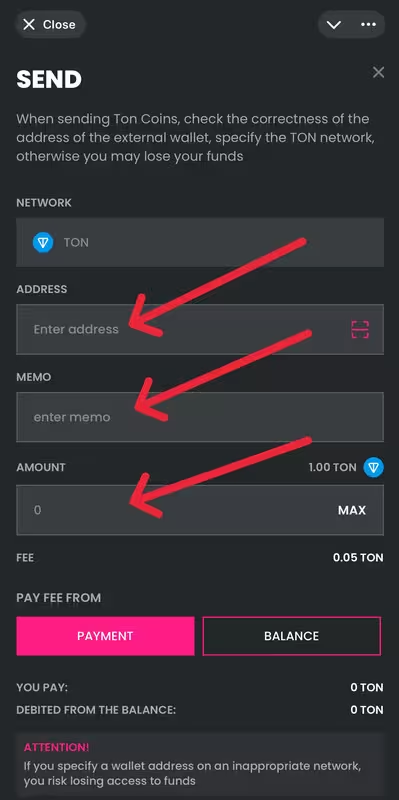
3) Fill in the withdrawal details and be sure to double-check everything before sending.
In the “Address” field, enter the details of your external crypto wallet (TON address). In the “Memo” field, specify the MEMO if your wallet requires it for the deposit. If MEMO is not required, leave the field empty.
In the “Amount” field, enter the number of TON you want to withdraw. If you want to withdraw the entire available balance, press the “Max” button on the right.
4) In the “Fee” section, choose how to pay the fee:
From payment – the fee will be deducted from the withdrawal amount.
From balance – the fee will be charged separately from your balance, and the full amount will be received.
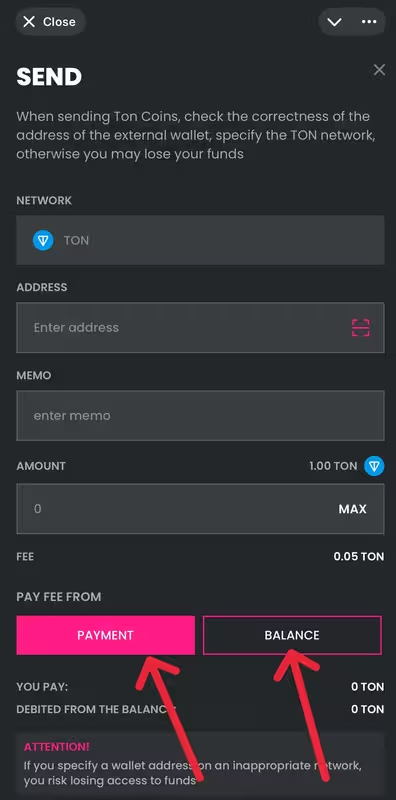
5) After filling in all the fields, carefully check the correctness of the entered data: your TON wallet address, the amount, the MEMO (if required), as well as the fee payment method. Once you are sure everything is correct, press the “Send” button. The funds will be transferred to your specified TON address within a few seconds.