How to use Soundbound?
@twapple
- Install Soundbound on your device;
- Open Soundbound;
- 2.1. With the app open, click on Settings (⚙️ icon);
- 2.2. Select "Available Source Repo's";
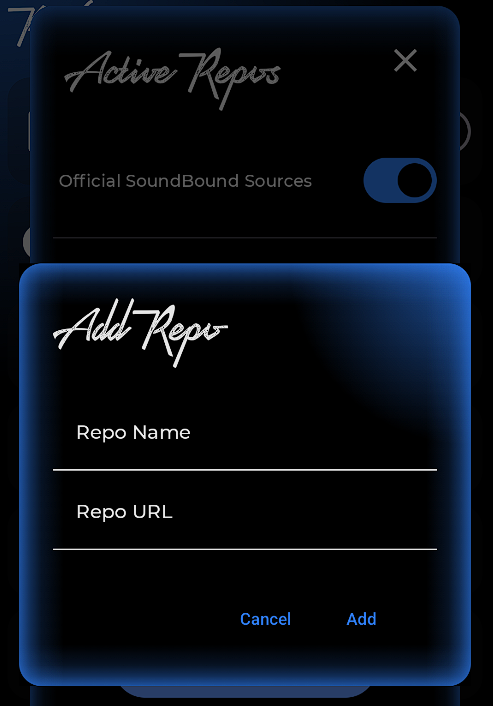
- 2.3. Click on "+ Add Repo";
- 2.4. Enter any name in "Repo Name" and open or copy and paste the following link into "Repo URL":
- https://soundbound.app/private-repo
- 2.5. Click the "Add" button, and you're done.
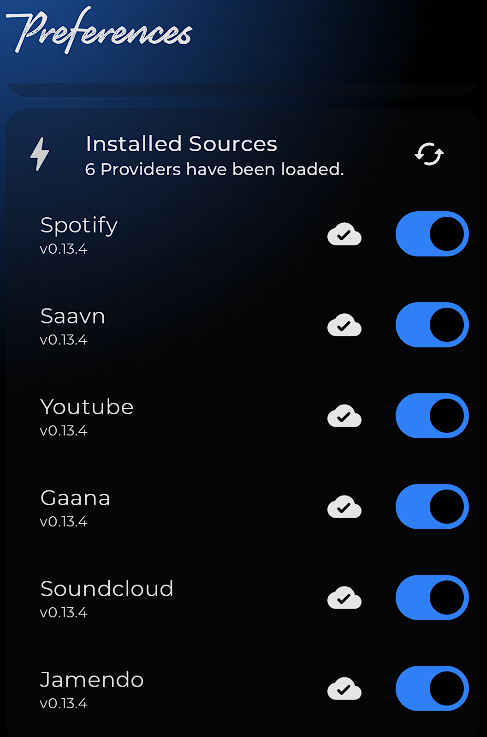
By following these steps, you'll notice that at least 6 providers have been installed, including Spotify, YouTube, SoundCloud and others.
You can also connect your Spotify account by clicking on "Log in to Spotify".
If you want to listen to any music on Soundbound, simply copy the link from the streaming service and paste it into the search bar on the app's home screen.