How to use File Sharing Bot?
Oleg Polikhronidi
To begin with, we need to start the process of communicating with the bot.
To do this, we will send it the initial /start command.
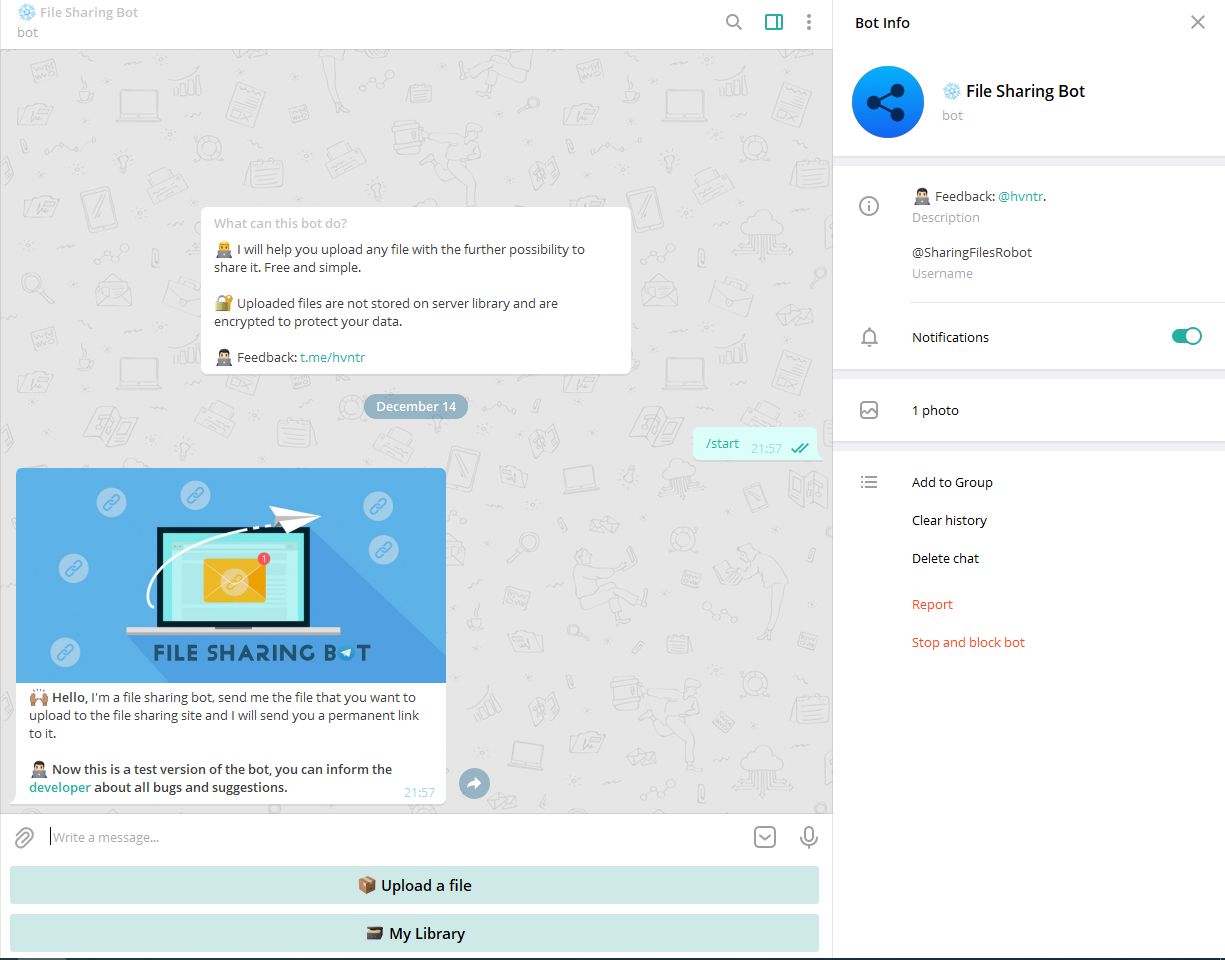
After the bot has identified you and recorded you in the database as a user, it will prompt us to upload the desired file to its secure storage.
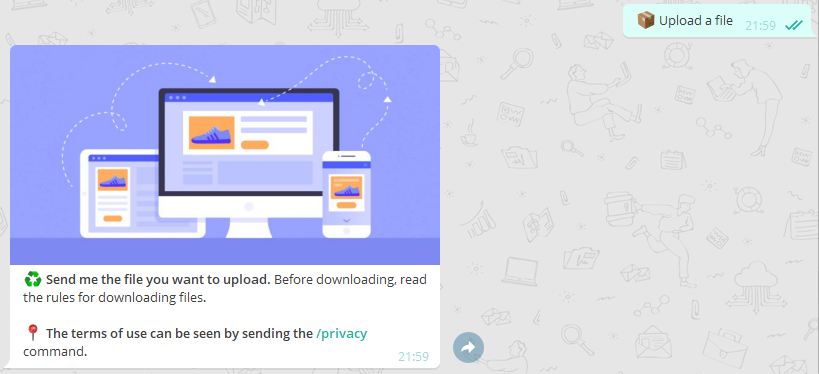
Be sure to familiarize ourselves with the rules of using the bot. In case of violation of the rules, your account in the bot may be suspended. By using further functions of the bot, you automatically agree to the terms of use.
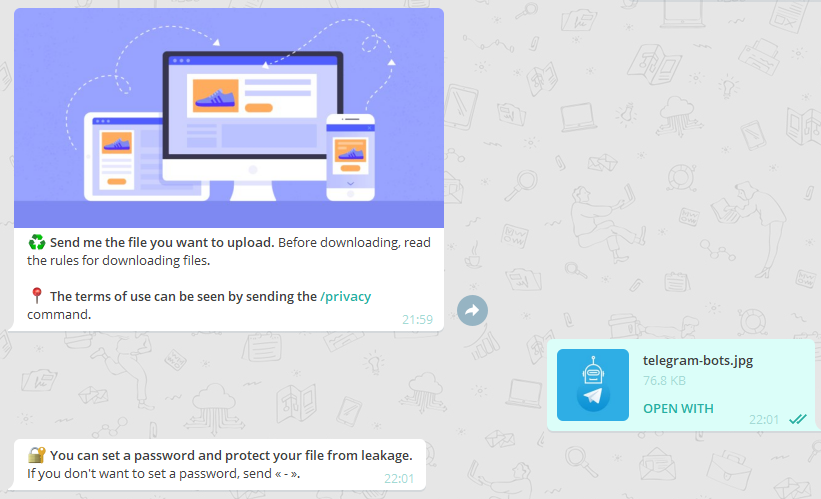
After sending the file, the bot will prompt you to install additional protection on the file. This is provided in cases of loss of access to links. Suddenly, attackers will receive this link in the future. Optionally, you can set a password. If you don't want, just write "–".
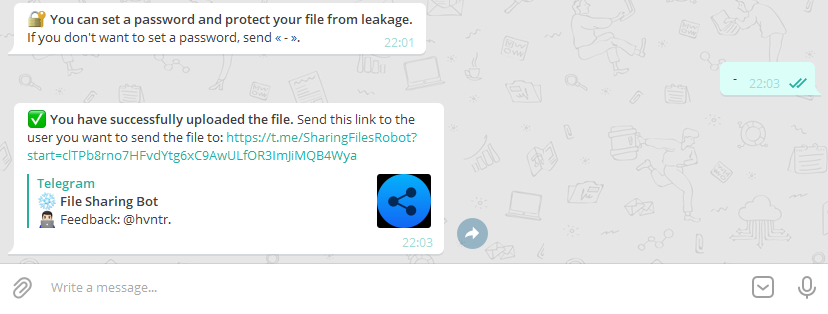
Copy this link and send it to whoever you want to share it with.
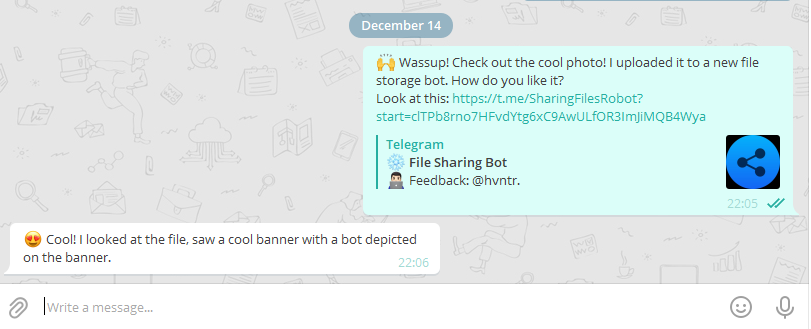
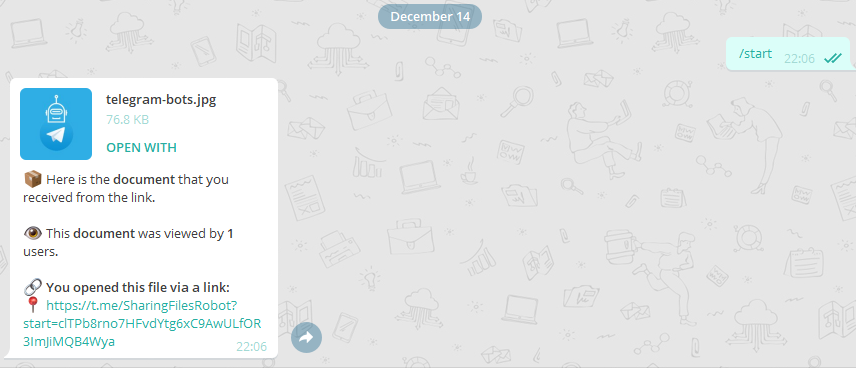
After the user has opened the link, he will see a little information about the file. The user will see how many people have viewed the file, as well as a link to the same file.
Now imagine a situation that you want to delete a file. How to do it?
Select the keyboard in the dialog with the bot, which is called "🗃 My Library". By clicking on this button you will get the following:

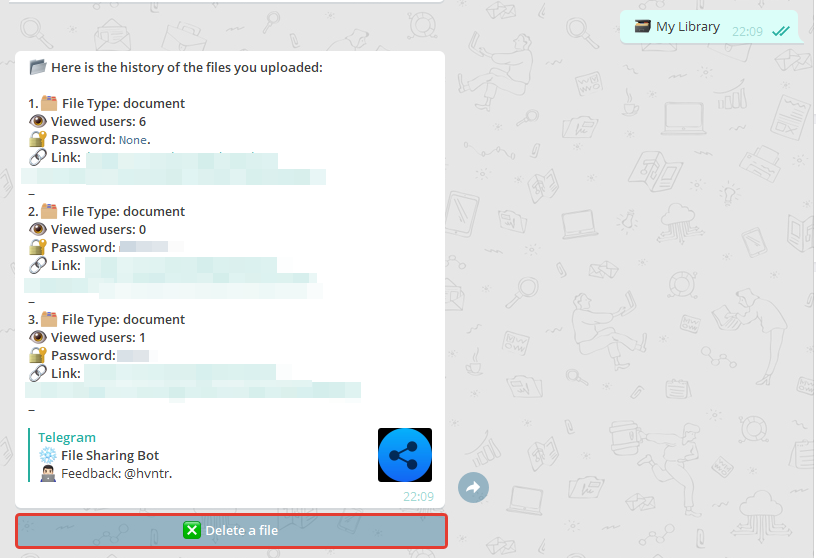
After sending the message, the bot will send you a list of files that you downloaded.
Select "Delete a File" to completely delete the file from the library.
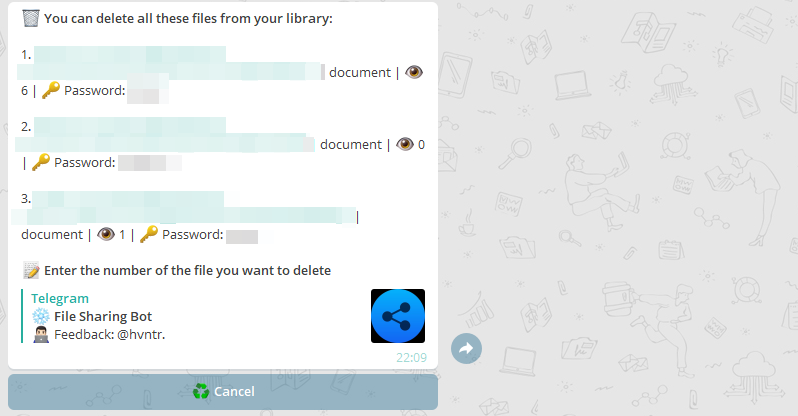
After we clicked on deleting the file, the bot sent us a choice: we need to send the number of the file we want to delete.

Success. The bot has deleted the file and the file is no longer available to anyone. To you, the user who had it before – it is not available.
This ends a little documentation on the bot. Good luck to everyone. If you have any problems, suggestions, or you have found a flaw, please let me know – Oleg Polikhronidi.