How to trade MND using MetaMask 🦊
EdwardSetting up MetaMask and using Pancakeswap to purchase MND in under 15 minutes. Hope it helps and DM me to @edward_crypt0 in case of any issues.
1. Download the wallet app:
Skip this step if you already have MetaMask installed.
- 🍏 iOS: MetaMask on App Store
- 📟 Android: MetaMask on Google Play
- 🖥 MacOS/Windows: MetaMask on Chrome Store
2. Set up your wallet:
Skip this step if you have already configured your MetaMask wallet.
- Open MetaMask and select "Get started" → "Create a new wallet".
- The app may ask you to read the user agreement. Click "I Agree", then scroll down and click "Agree" again.
- Create your password (I do not recommend to enable "Unlock with Touch ID / Face ID" option).
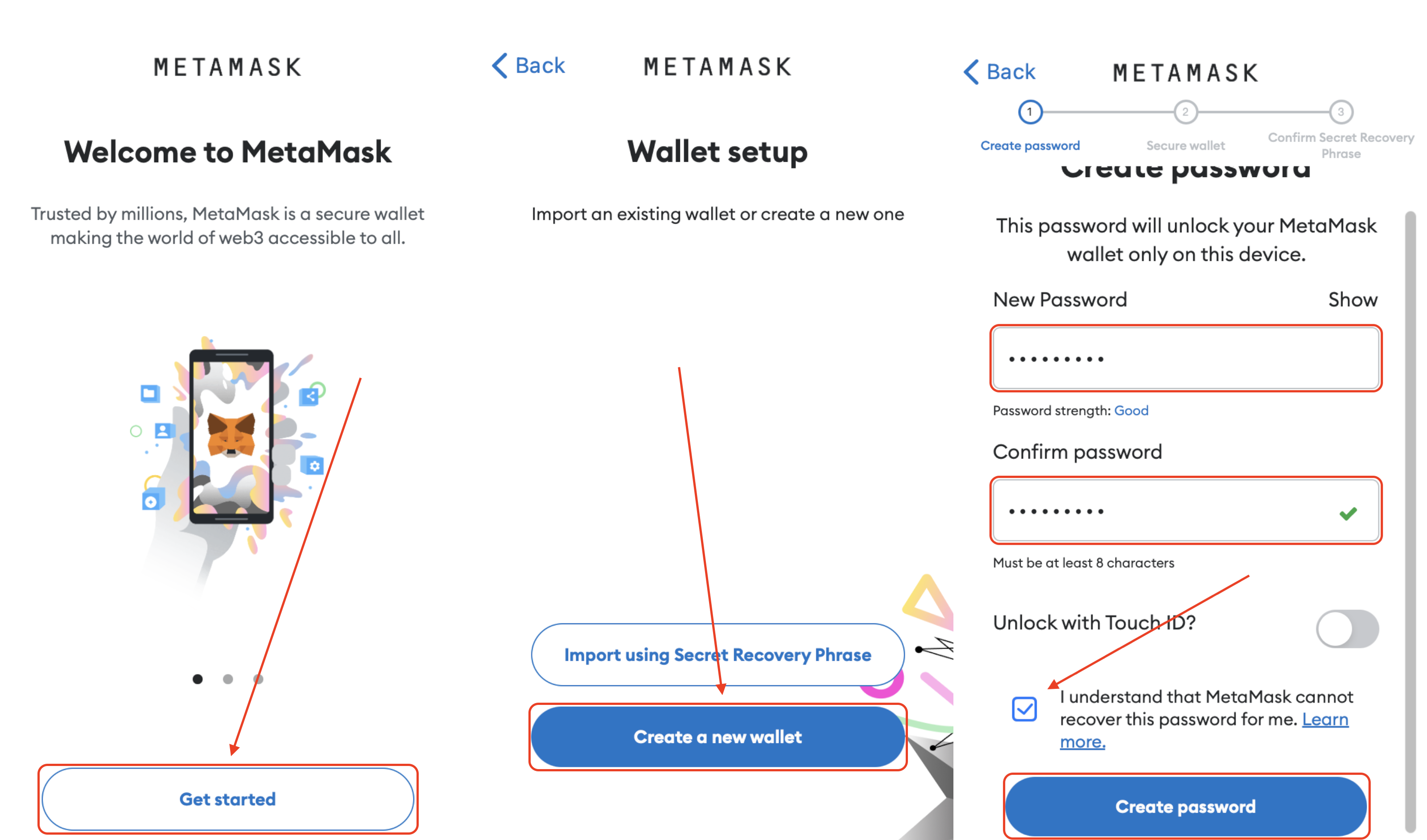
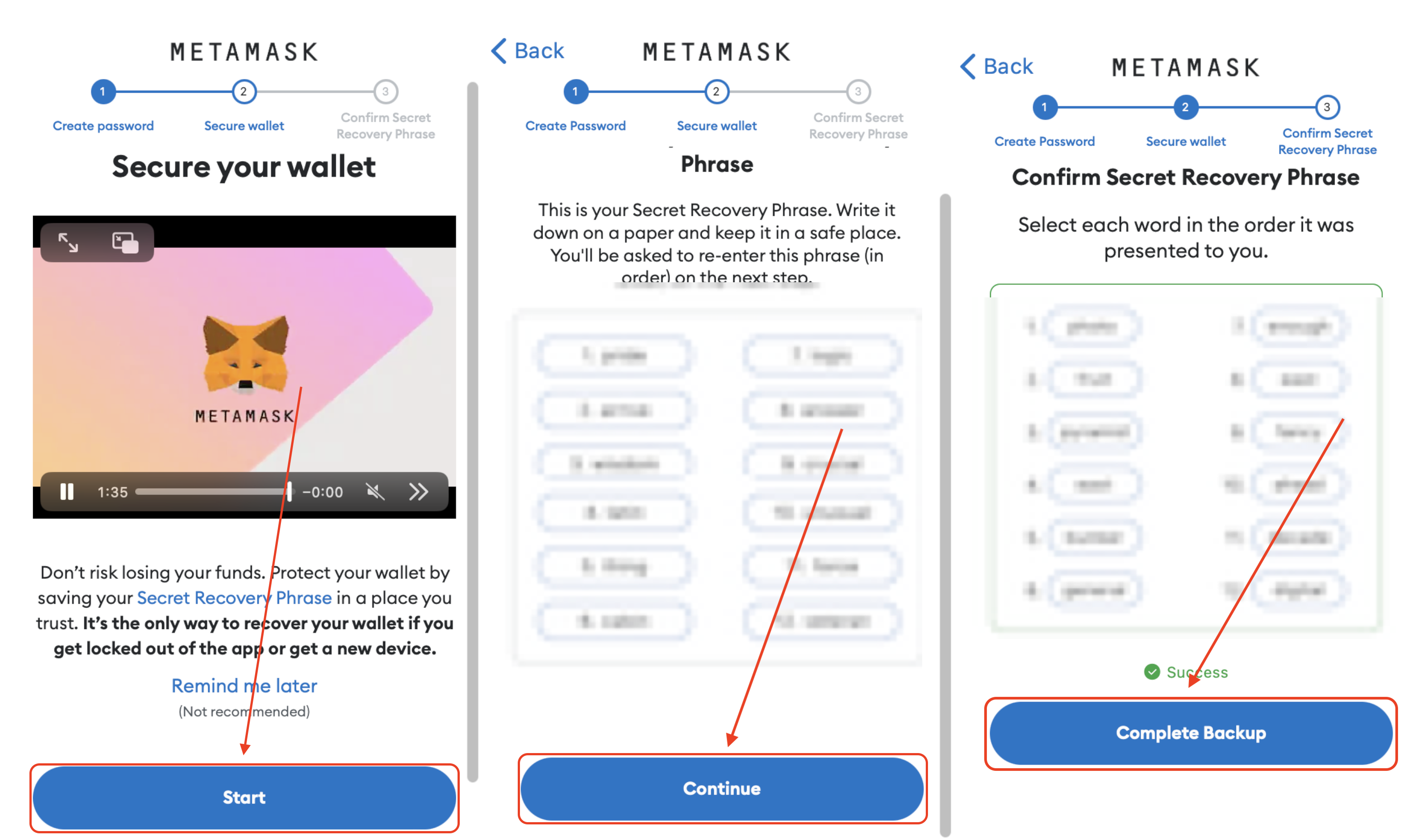
- Save your seed phrase in a secure place. This is crucial for recovering your assets if you lose or remove the wallet app!
- Confirm that you've saved the seed phrase.
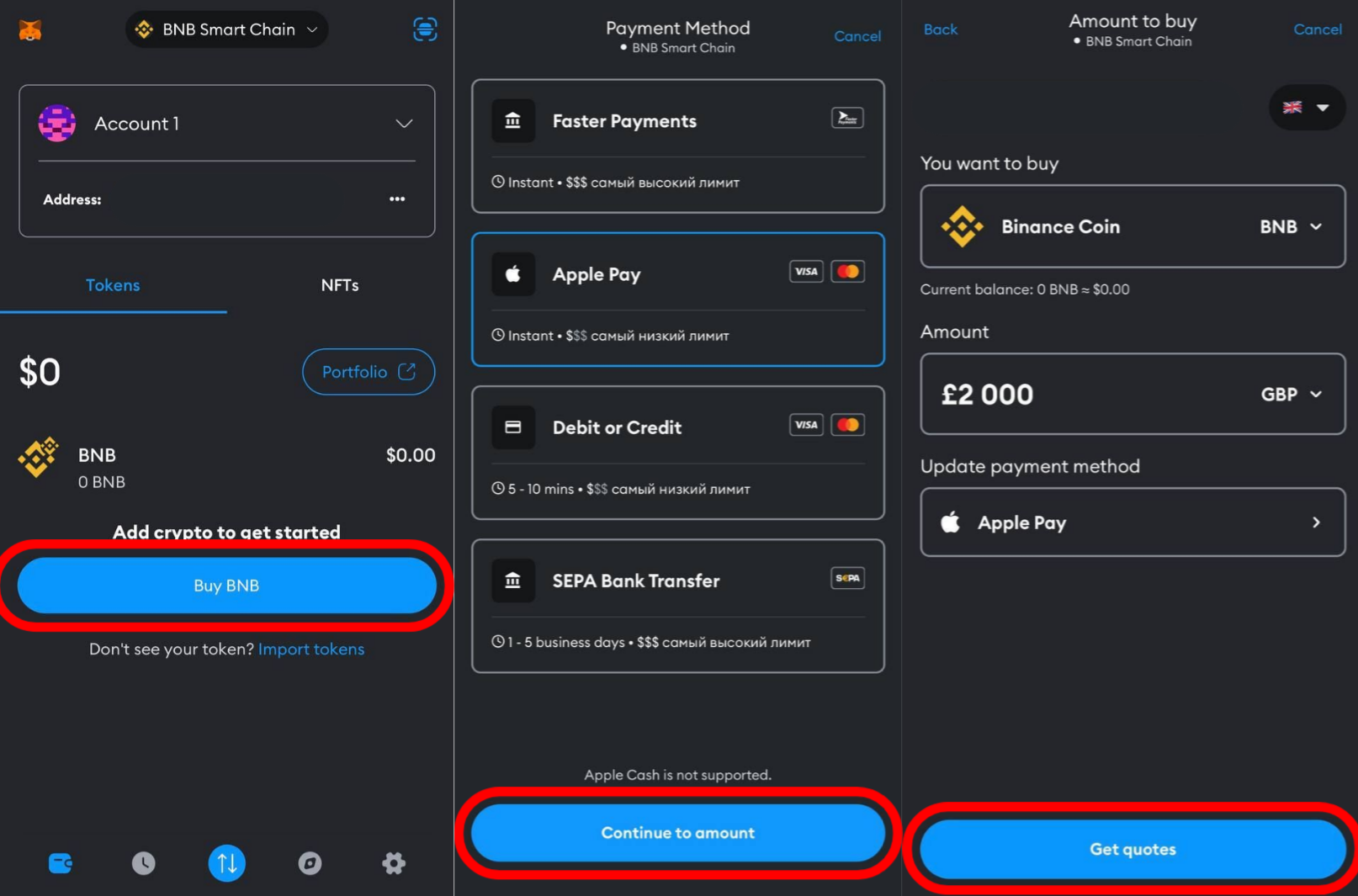
2.1 Purchase BNB using a bank card:
❗ This is to help those who are not registered on Binance, Huobi or any other exchange. If you have an account on an exchange, I'd recommend to swap your assets to BNB and withdraw it to your MetaMask wallet.
- Click "Buy BNB".
- Select your region and enter the desired amount in EUR or USD.
- Click "Get quotes" and choose an operating partner, for example "MoonPay".
- Provide your email address and verify it.
- Enter your billing address and provide your card details.
- Wait for the confirmation of your purchase.
3. Buy MND:
Make sure your wallet is connected to Binance Smart Chain and has sufficient BNB balance.
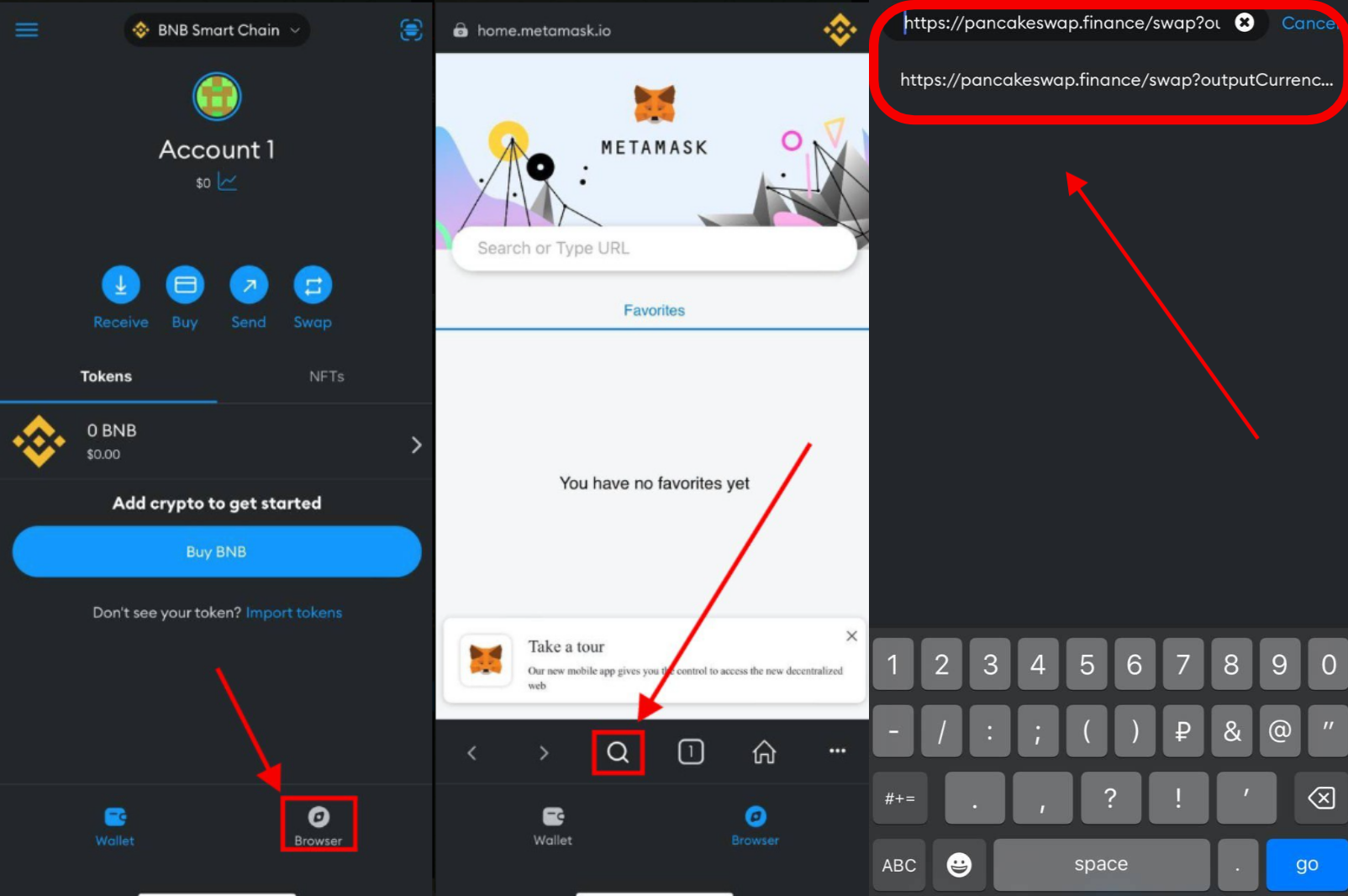
- At the bottom, click the "Browser" (🧭) button.
Copy the link to the address bar and open the website: https://pancakeswap.finance/swap?outputCurrency=0x2D1251e11022C8adFCC8657D7a932aAd2614Cd02&inputCurrency=BNB
- Click "Connect Wallet", then select "MetaMask". Confirm connection in your wallet.
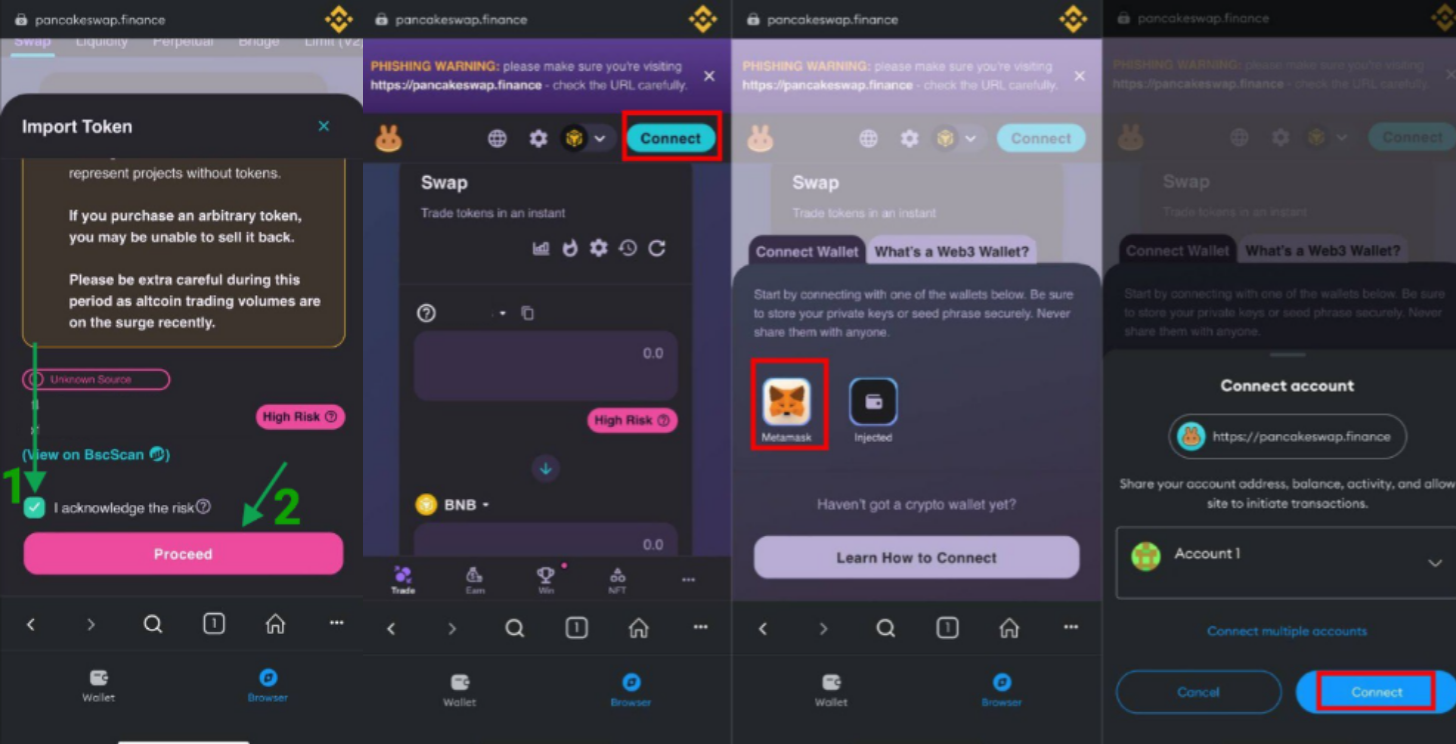
- Select the input (top) token and make sure the output (bottom) token is MND. If you can not find it by name, try searching by the contract address:
- Enter the amount of input tokens you want to exchange in the top field (I recommend clicking MAX).
- Check the output amount: keep in mind that it's fine if it displays that you'll receive smaller amount in USD, the actual value of tokens you are receiving is always equal to the value of tokens you are giving (minus 0.3% exchange fee).
- Press "Swap" button and confirm the swap. Don't be confused by "Swap" button changing its color, this doesn't affect the trade. Type "confirm" if requested by the website.
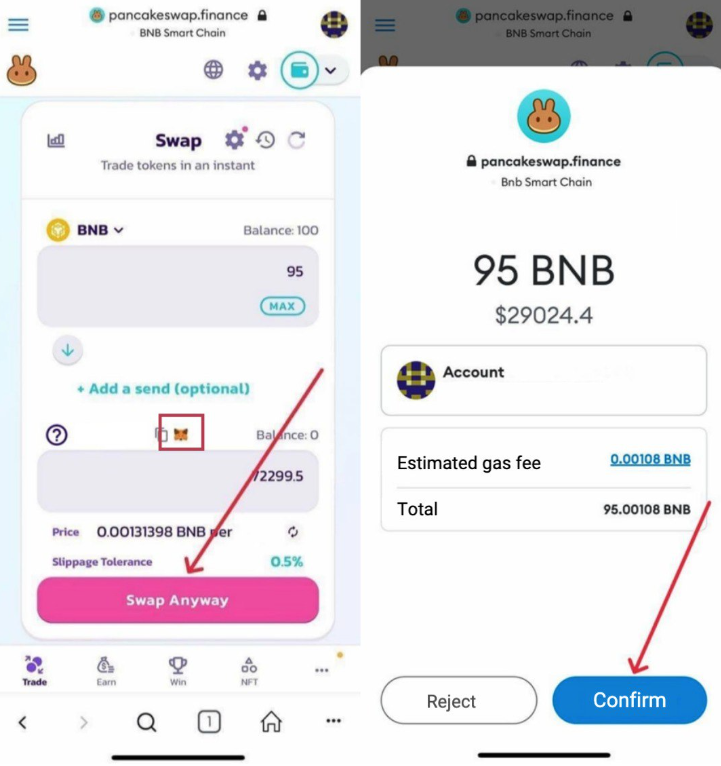
- Congratulations! You've just purchased MND!
4. Extra: Troubleshooting
🙋♂️ MNDdo not appear in my wallet!
💁♂️ Make sure you have imported Monad Protocol smart contract in MetaMask. To do this, go to the main page and click "Import". Select "Custom Token" and copy the contract address: