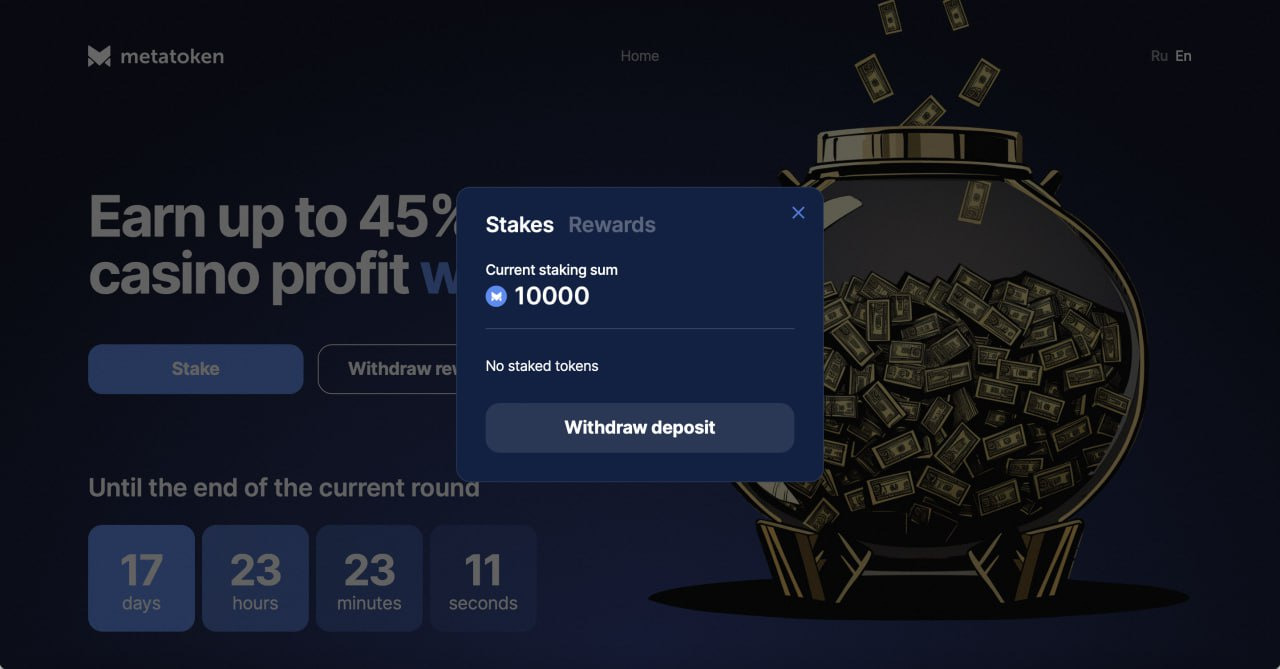
How to stake $MTK?
MetaToken
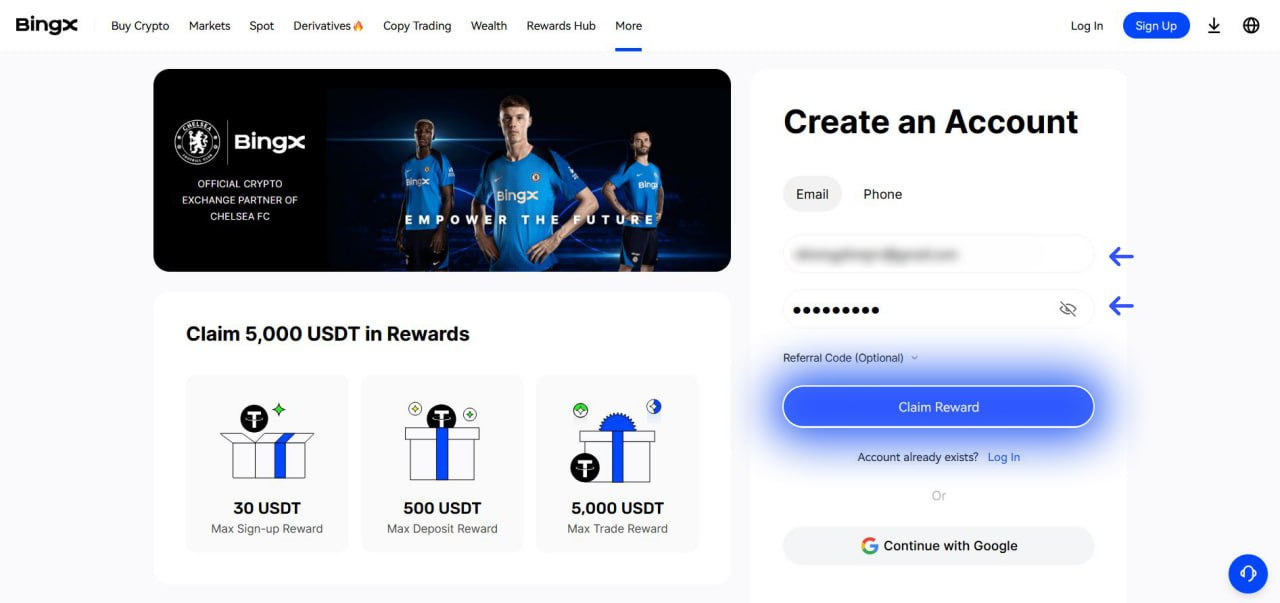
1. Register on BingX using the link. Enter your e-mail, password and tap ‘Claim reward’.
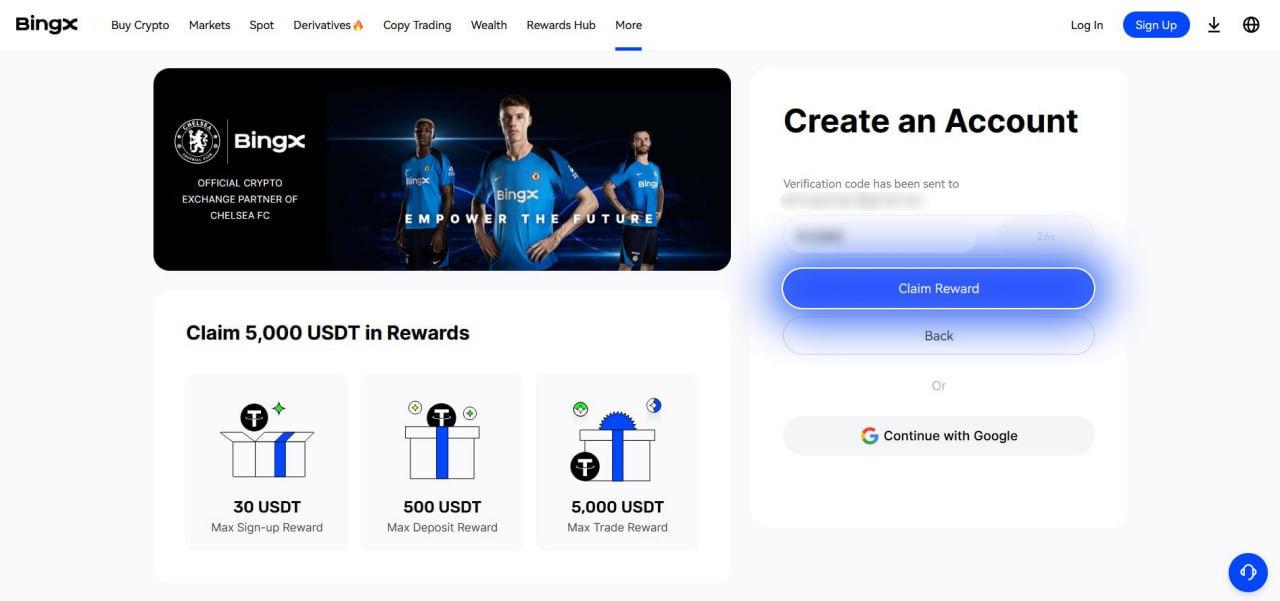
2. Enter the code sent to the e-mail address you registered with and tap ‘Claim reward’.
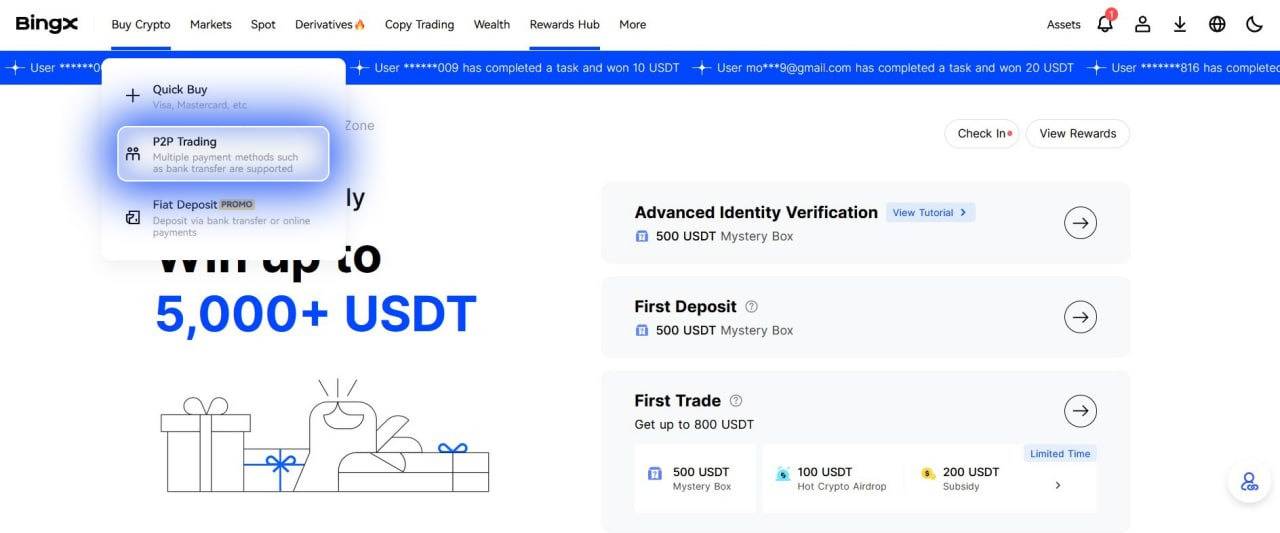
3. Choose ‘Buy Crypto’ in the top menu, then ‘P2P’.
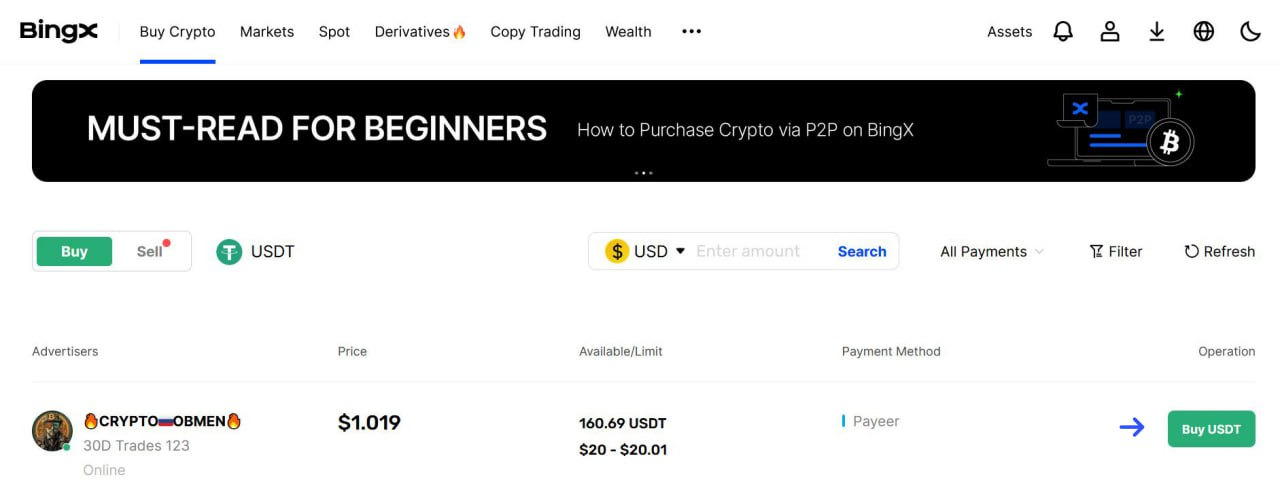
4. Tap the ‘Buy USDT’ button.
5. Verify your account — tap the ‘Get Verified’ button.

6. Pass the basic verification first, then the advanced verification. Tap the ‘Verify Now’ button on the left.

7. Enter your personal data and tap ‘Done’.

8. Now let’s pass the advanced verification — tap the ‘Verify Now’ button on the right.

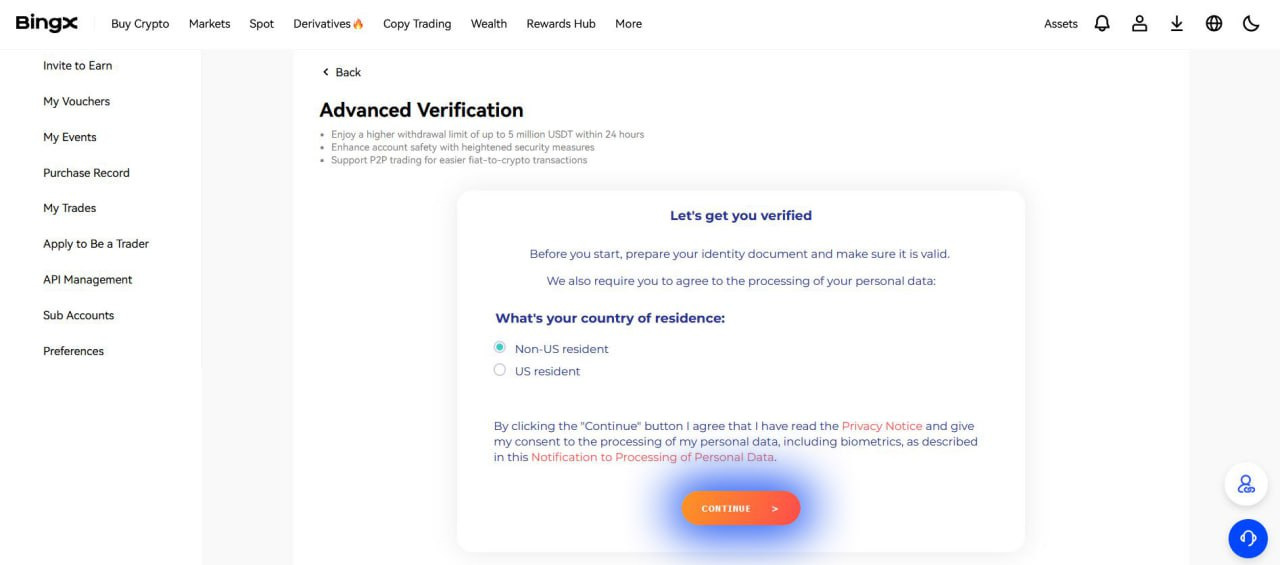
9. Confirm that you are not a US resident and tap ‘Continue’.
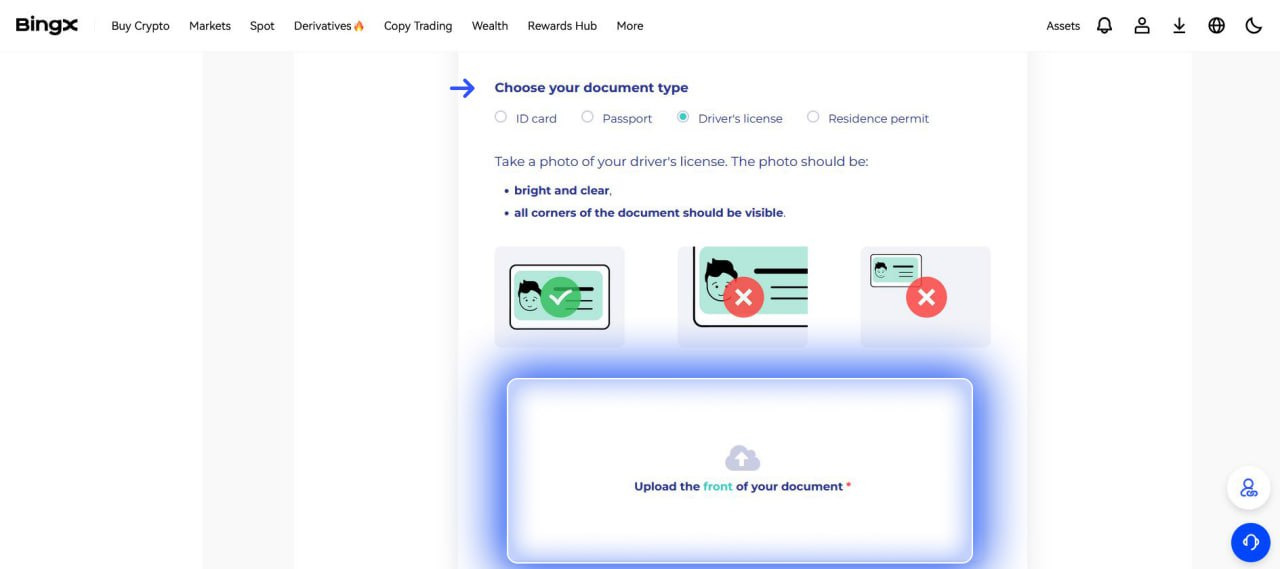
10. Choose the country of issue of the document, its type and upload a photo.
11. After uploading the photo, tap the ‘Next’ button.

12. Tap ‘I’m ready’ and scan your face.
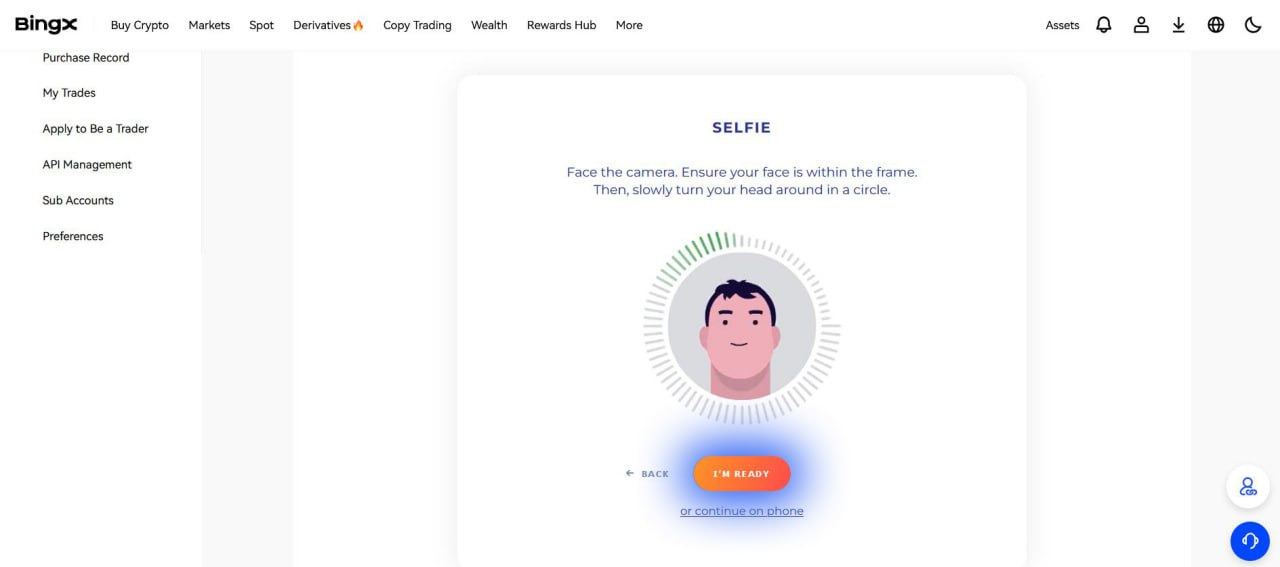
13. Tap ‘Next’ once again.
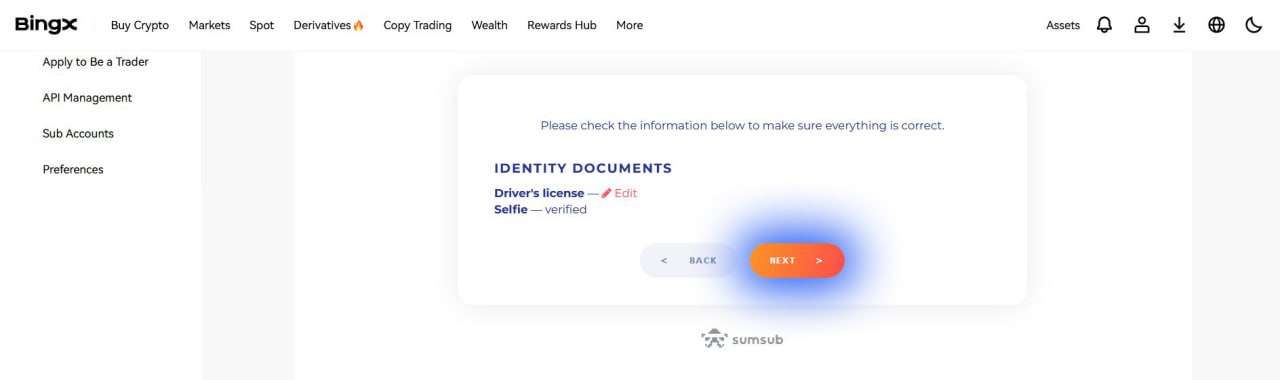
14. You will see the following screen, refresh the page to continue.
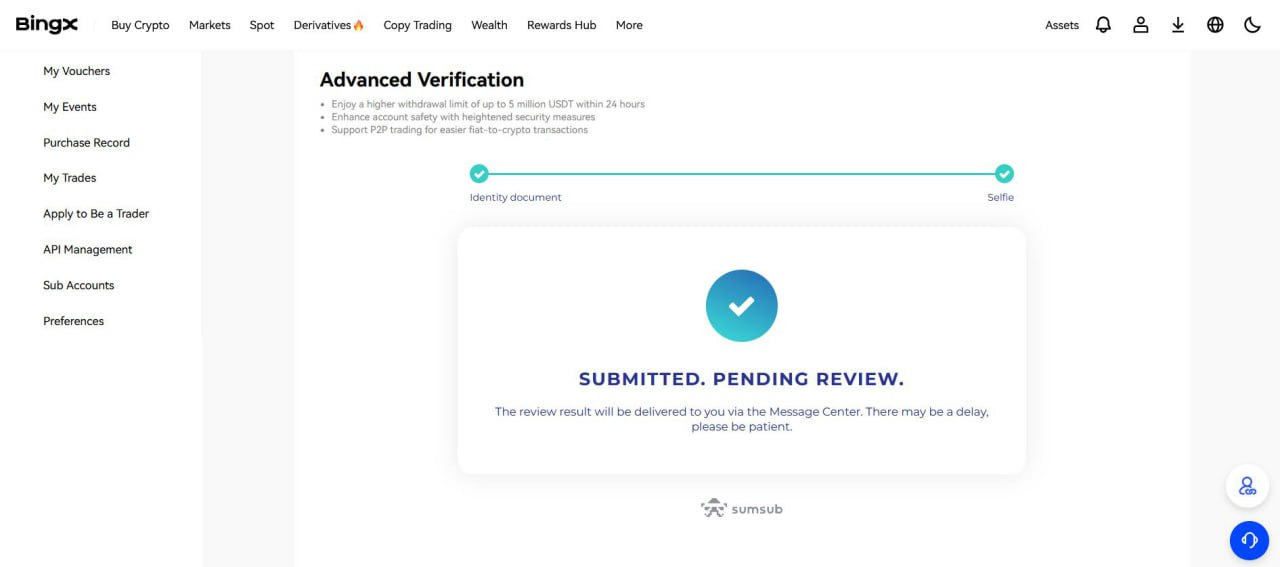
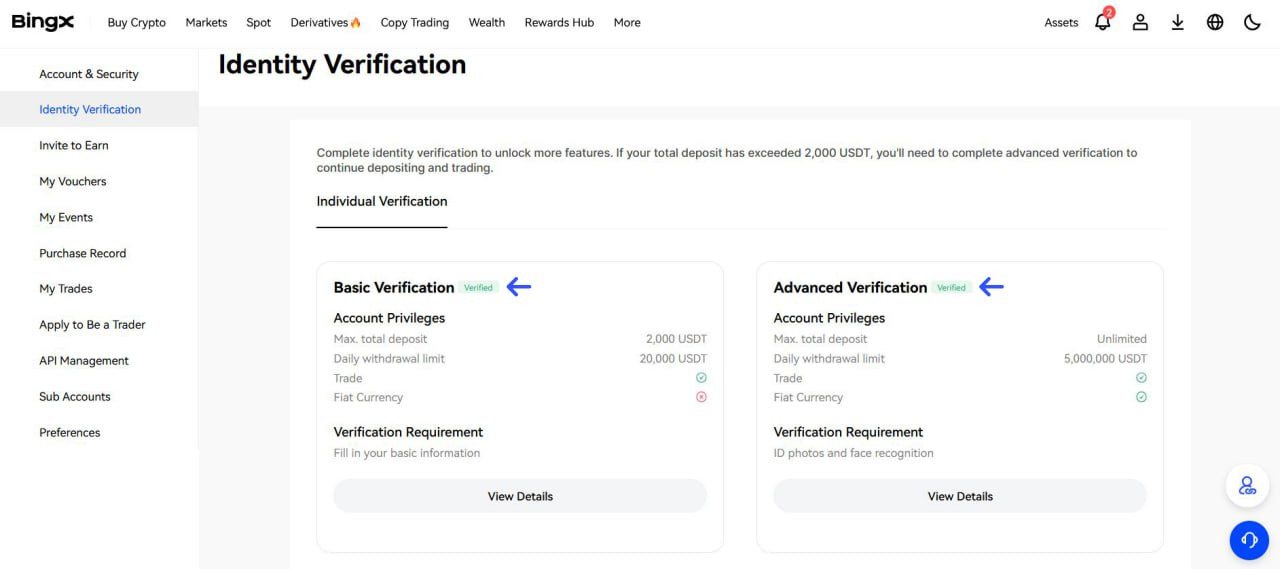
15. Congratulations, your account has been verified. You can now buy $USDT via P2P and then exchange it for $MTK.
16. Go back to the P2P section on the ‘Buy Crypto’ page. Choose USD in the currency choice window. Choose an advertiser with a suitable limit and tap ‘Buy USDT’.

17. Specify the amount of the transaction in USD and tap ‘Buy USDT with 0 Fee’.

18. You are on the payment page. Send USD to the seller using the chosen method and click ‘Paid & Proceed’.
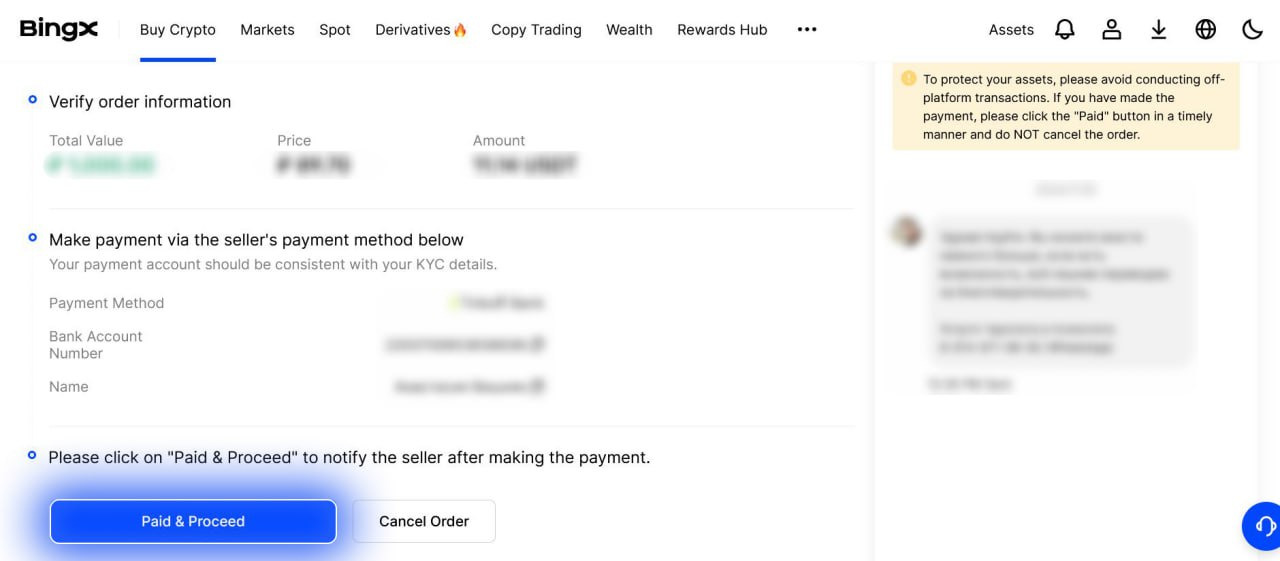
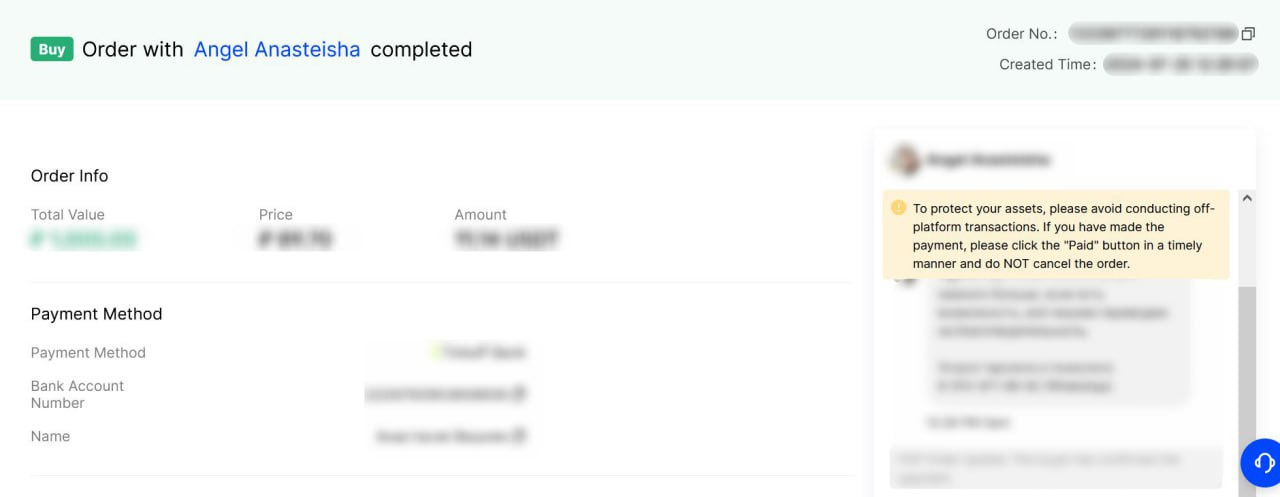
19. Confirm the transfer. If necessary, send the transfer receipt from the mobile banking app to the transaction chat. After the seller confirms the payment, you will see an inscription as in the screenshot below. Congratulations, you have successfully purchased USDT on BingX.
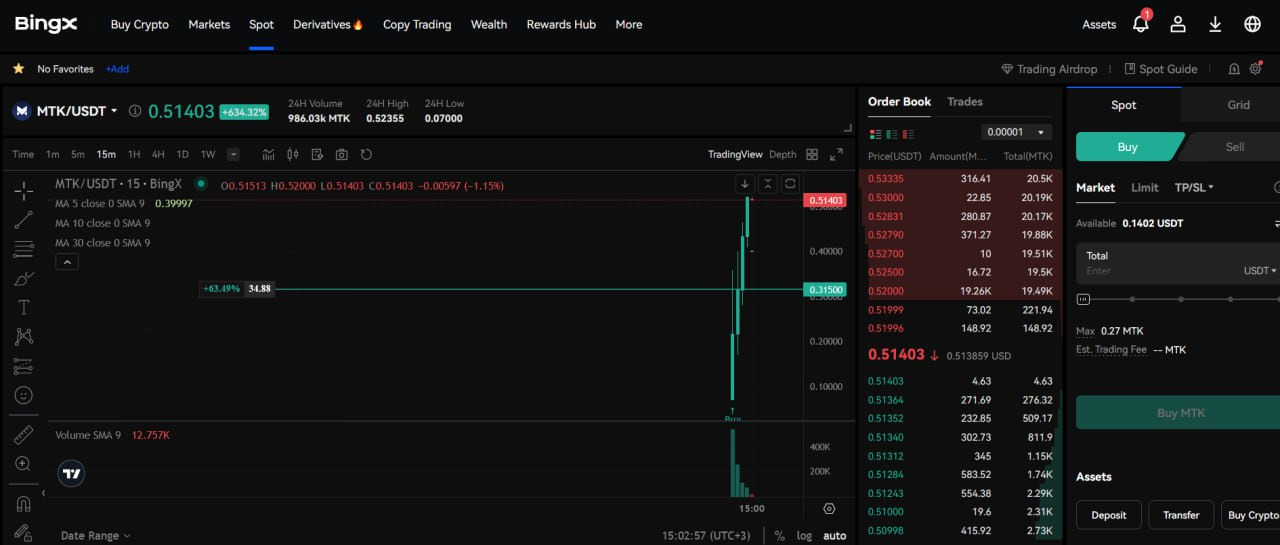
20. Buy $MTK using the link. Find the BUY window, enter the sum and tap the 'Buy MTK' button.
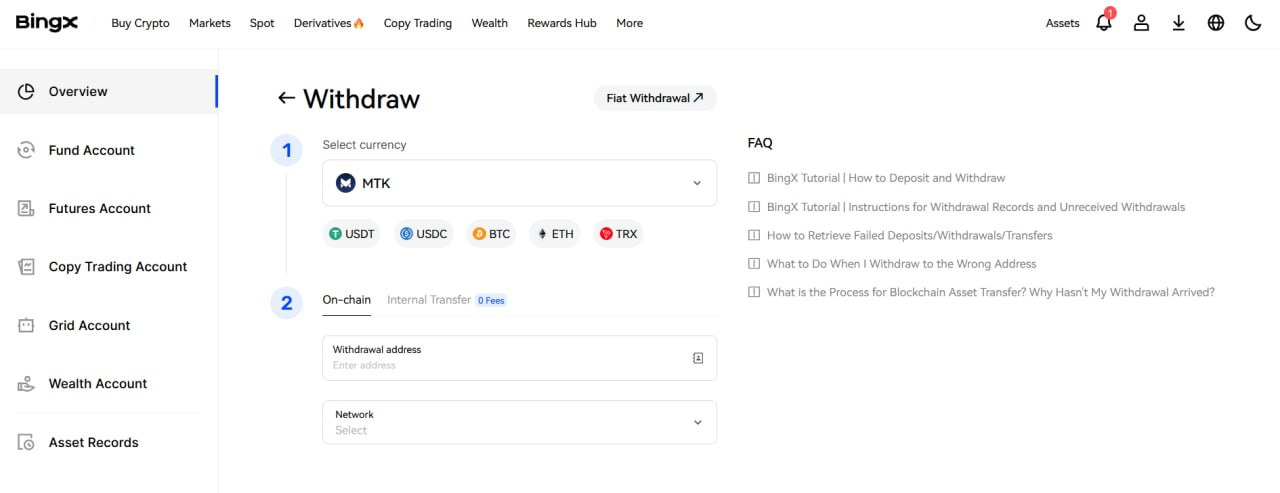
21. On BingX website go to the ‘Assets’ section and tap the ‘Withdraw’ button. Then choose $MTK token and transfer it to your Web 3 wallet on TON blockchain. Attention, only custodial wallets like TONKEEPER are suitable for staking.
22. Go to app.metatoken.gg and connect your Web 3 wallet to which you just transferred $MTK.

23. Go to the ‘Staking’ section and click on the 'Stake' button.
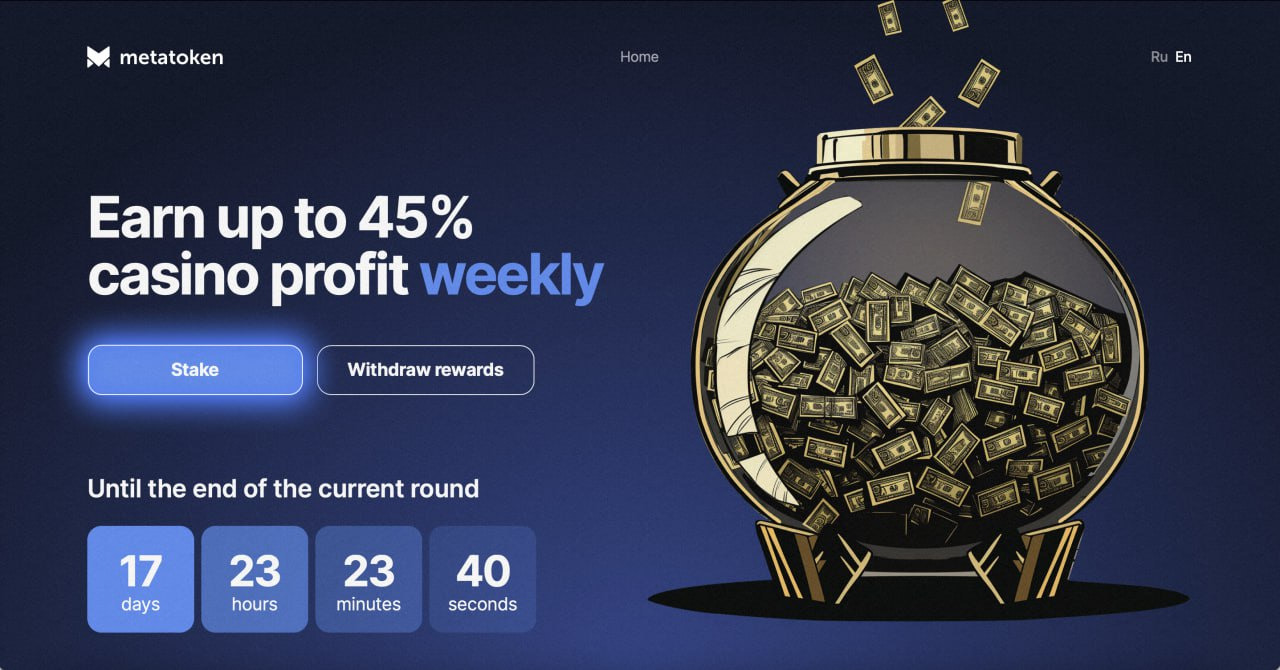
24. Specify the number of $MTK tokens you want to stake and tap ‘Stake’.
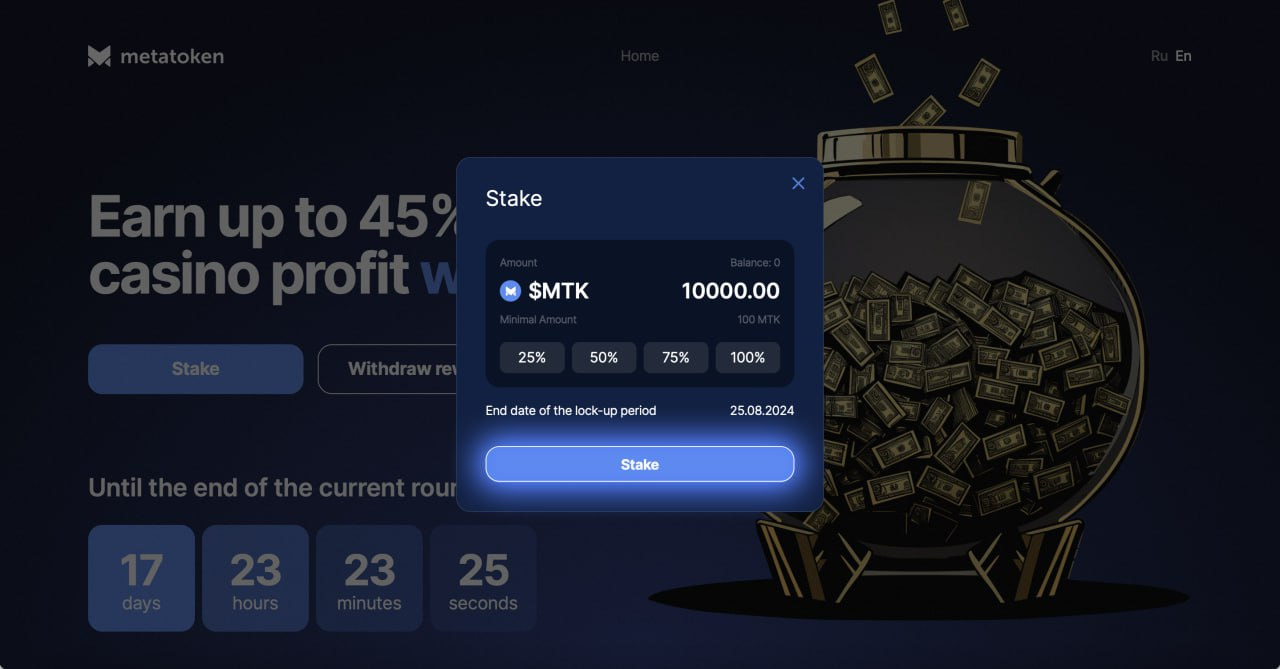
25. Congratulations, you have staked $MTK tokens. In 7 days we will distribute the profit and the first stakers will be able to withdraw it by tapping the ‘Withdraw rewards’ button at app.metatoken.gg.