How to 'solve' deadboot POCO M3
By General KenobiDISCLAIMER: THIS IS A GUIDE WRITTEN BY A NOOB WHO WAS LUCKY.
IT'S POSSIBLE THIS DOESN'T WORK FOR YOU.
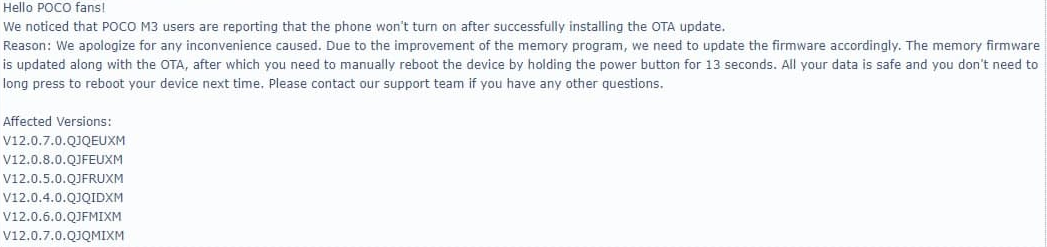
If your phone only goes to EDL, boots to system and dies again if you reboot or turn off, this guide is for you.
Background: Xiaomi Devs screwed up and pushed updates with an unknown problem, which makes your phone useless if turned off or rebooted / Other alternative, is hardware fault in PMIC.
***Follow this guide carefully, and have lots of patience, cause it will take long.***
MIUI METHOD (Sergej's experience)
If you were using miui when you got deadboot, then you are in luck, this is the easiest way to recover your phone.
*You must flash your phone with latest version -12.0.10- through OTA
How?
- Wait for your device to discharge. How do you it's discharged? If you plug the charger or connect it to your pc you will see this icon in your phone's screen:
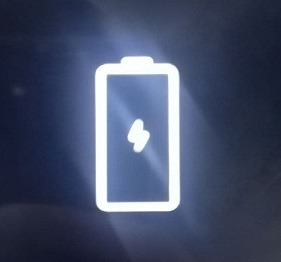
2. When you see that icon press your power button so you can boot to system. If you can, go and ota update to latest. Reboot. Let it discharge.
You will boot it again following the previous instruction and when you boot, check that you are on 12.0.10. If you are, go and factory reset. This will get you deadboot again. Let it discharge.
Now the third time booting it up, you can actually reboot your phone. Nevertheless, you can't still turn it off. *It's remotely possible you can turn on if you press the power button for 10+ seconds. *
*** NOTE: Sometimes the phone will boot on its own, sometimes it won't. If it doesn't, do the clicking method. Don't let the screen turn off.
*It is advised you never charge your phone more than 10% (except for the ota update or it won't go through/ miui won't let you update) or you'll have to wait a lot for the phone to discharge unless...
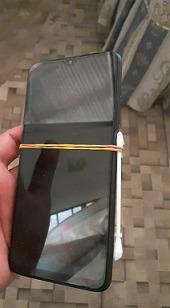
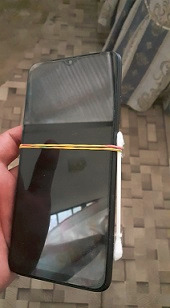
*** You force discharge leaving the power button pressed with a band and cotton swab or something else***
CUSTOM ROM 'method' (Gen. Kenobi experience)
This is my experience following Sergej's input. I was originally using SparkOs when I got deadboot. I never updated past global 12.0.6.
- The same first steps as MIUI (discharge) with the exception we have to find a way to get to fastboot.
2. FASTBOOT TROUBLE: In EDL mode it's nearly impossible to get fastboot or recovery screen. However, I could access fastboot Doing this + volume down.
If you are lucky to get fastboot screen go to miflash as fast as you can, and flash miui 12.0.10, and follow the instructions for miui in the beggining of the guide.
*I used miflash 20180528 with clean all option.
NOTE: Try getting to fastboot when you're connected to your pc using fast discharge technique, or while you plug the charger. +Don't let the charger more than 5 min if you couldn't get to fastboot.