How to set up BSC network in MetaMask Wallet
Ammy Heart ❤️Let's set up a Binance Smart Chain (BSC) network in MetaMask wallet so that we can freely buy and store Exilon (EXL) token in our wallet.
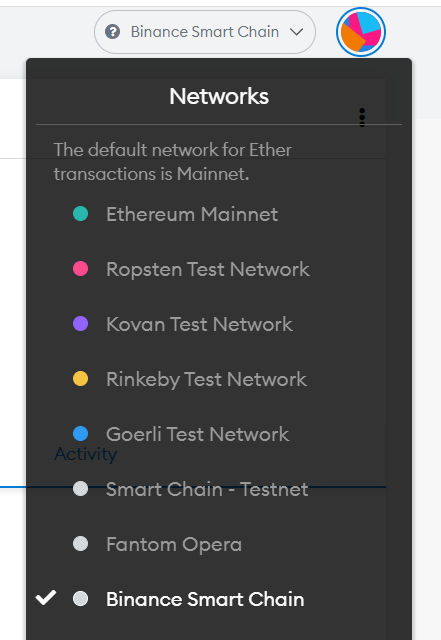
To add a BSC network you need to click on the account logo in the upper right corner.
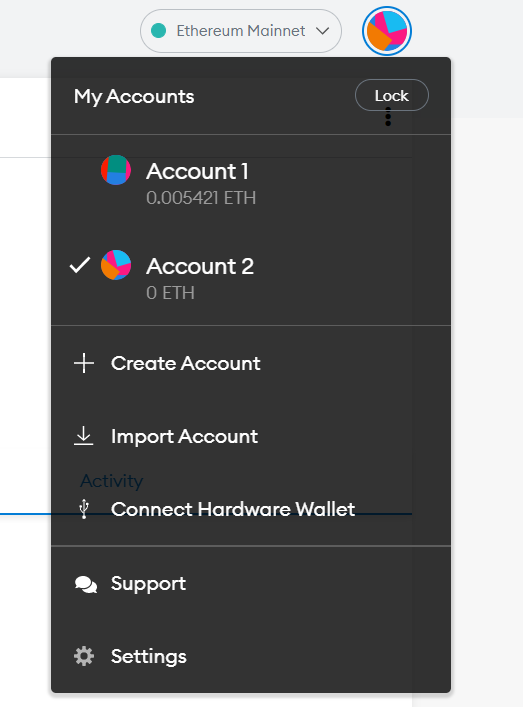
Then select the menu item "Settings".
Find "Networks" section and click on it.
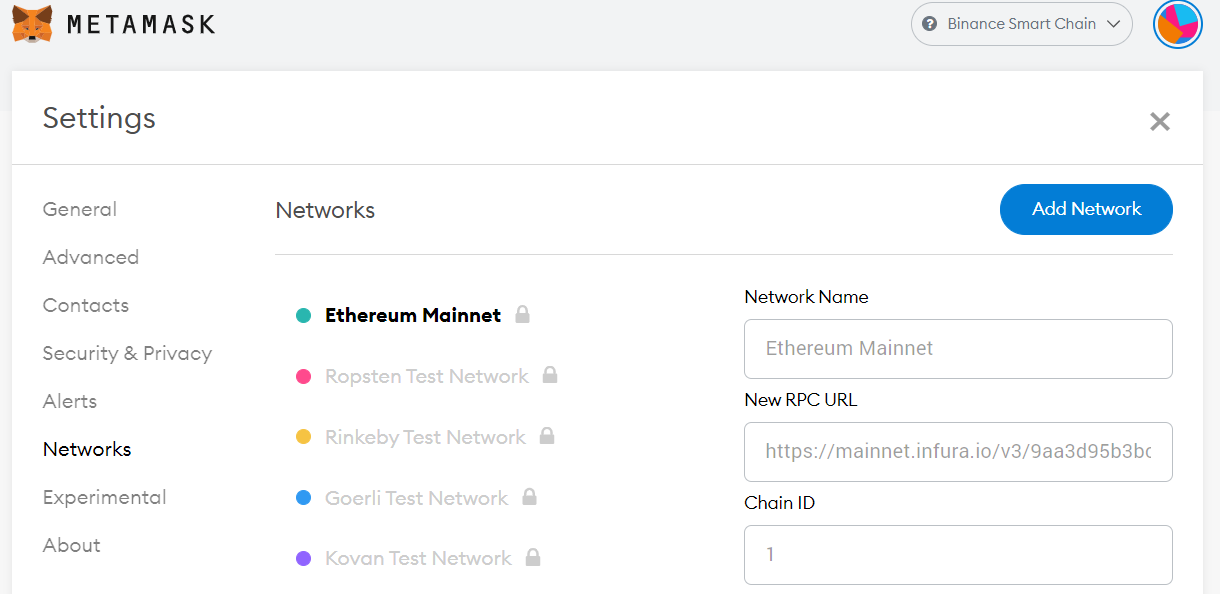
Then we will see a list of all the added networks, click on the "Add Network" button.
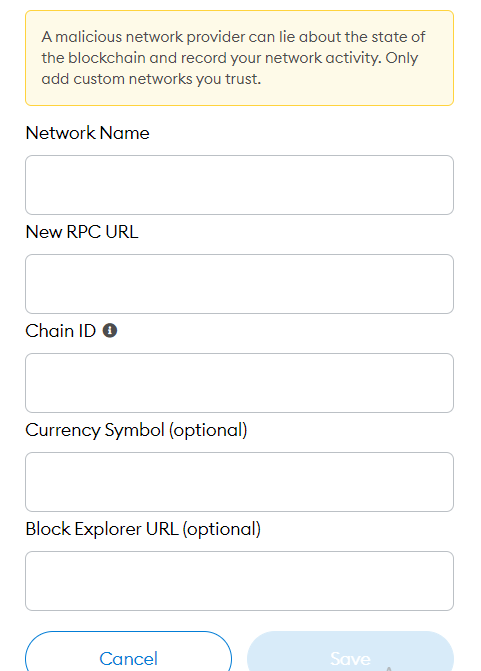
A form for adding a network with empty fields is in front of us, fill it in according to the sample.
The name of the network: Binance Smart Chain BEP-20
New RPC URL: https://bsc-dataseed.binance.org/
Chain ID: 56
Currency symbol: BNB
Block conductor URL: https://bscscan.com
The name of the network can be set to any name, but most often it is named Binance Smart Chain.
After filling in all the fields, click "Save".
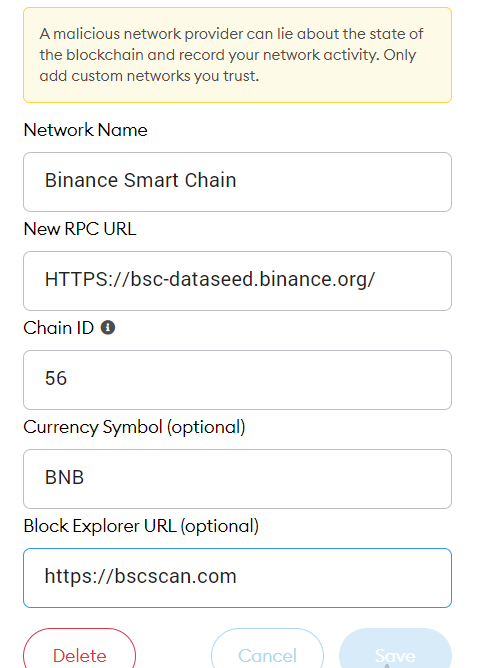
Congratulations, you have added Binance Smart Chain to your MetaMask and now you can store BEP-20 standard tokens in it, including Exilon token.
Read how to buy EXL token on popular exchanges like PancakeSwap and Poocoin in the article at the link:
https://telegra.ph/How-to-buy-EXILON-11-18
More information and news about the Exilon DeFi project and their activities can be found at:
Telegram-channel: https://t.me/exilon_official
Telegram-chat: https://t.me/exilon_global
Discord: https://discord.gg/mV3dAh6G24
Twitter: https://twitter.com/exilon_official
Medium: https://medium.com/@exilon_official
Website: https://exilon.io/
Telegram-bot: https://t.me/exiloninfobot
Load new reality with Exilon.