💬 How to run an AML check via inline command in a Telegram chat
Crypto OfficeCheck a wallet address directly in a conversation — no copy-pasting or extra steps required.
This guide explains how to run an AML wallet check in the Crypto Office system in just a couple of taps — via an inline command directly in a Telegram chat.
Telegram bot 🤖
1️⃣ go to the desired chat or group
2️⃣ enter the inline command: @officeapp aml wallet_address
always put a single space between each element of the command - @officeapp, the address, the currency name, or the keyword.
🔹 For TRON:
@officeapp TUMYCD...PPjqKz@officeapp aml TUMYCD...PPjqKz
🔹 For ETH:
@officeapp aml 0xDf9f...A7FBB7@officeapp 0xDf9f...A7FBB7 eth
🔹 For BNB:
@officeapp aml 0x2351...5ab960 bnb@officeapp 0x2351...5ab960 bnb
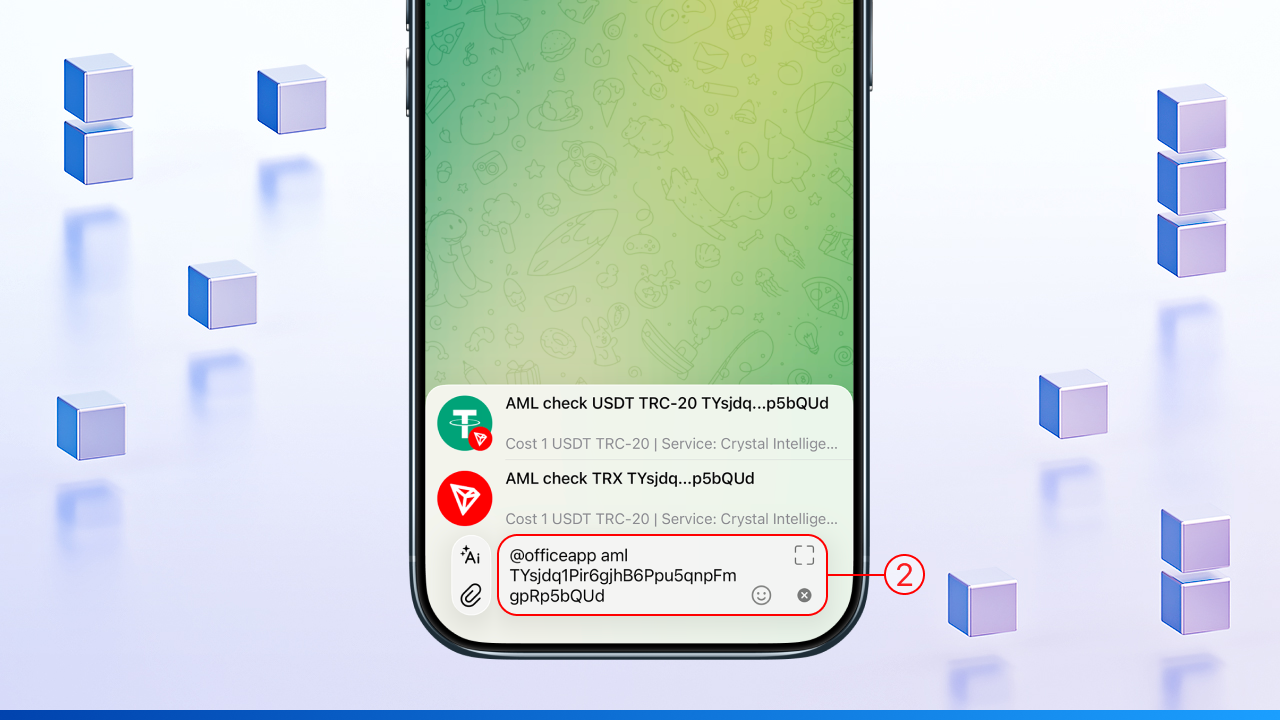
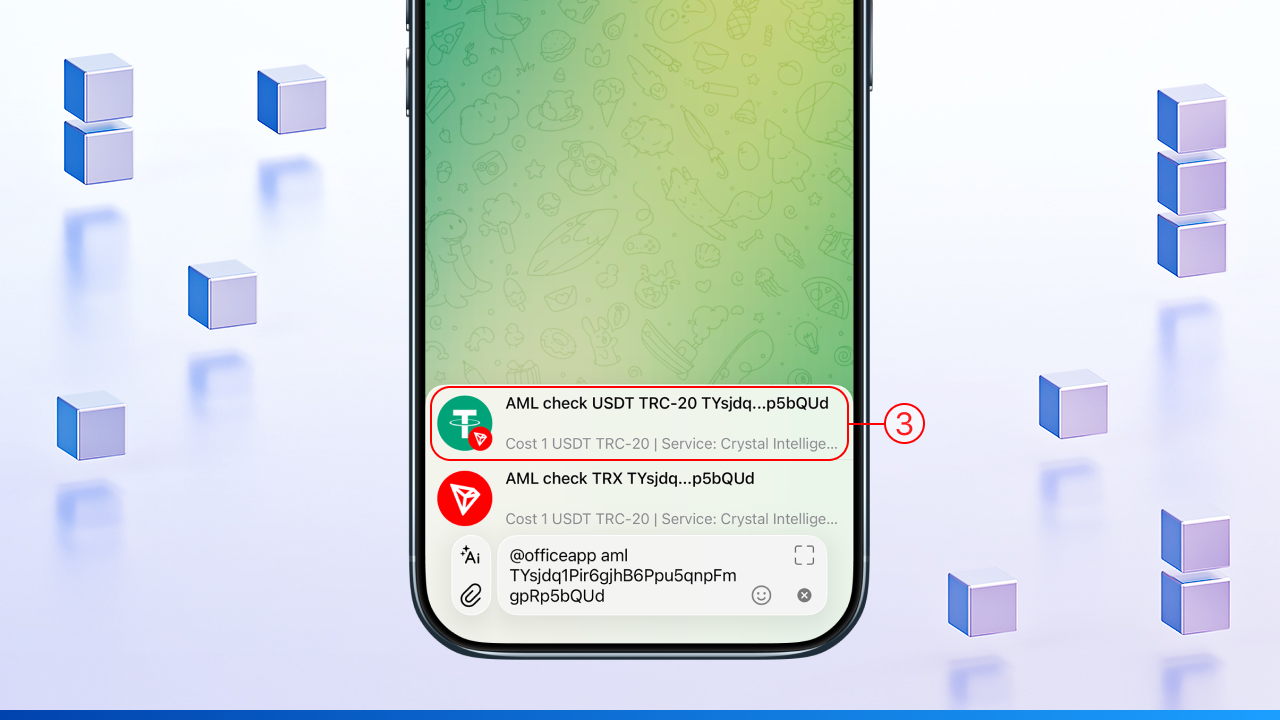
3️⃣ tap the AML check card that appears above the input field
4️⃣ a payment request notification will arrive in bot @officeapp:
— open the bot and check the wallet address and the AML check cost
— choose which balance to pay from by tapping the desired currency
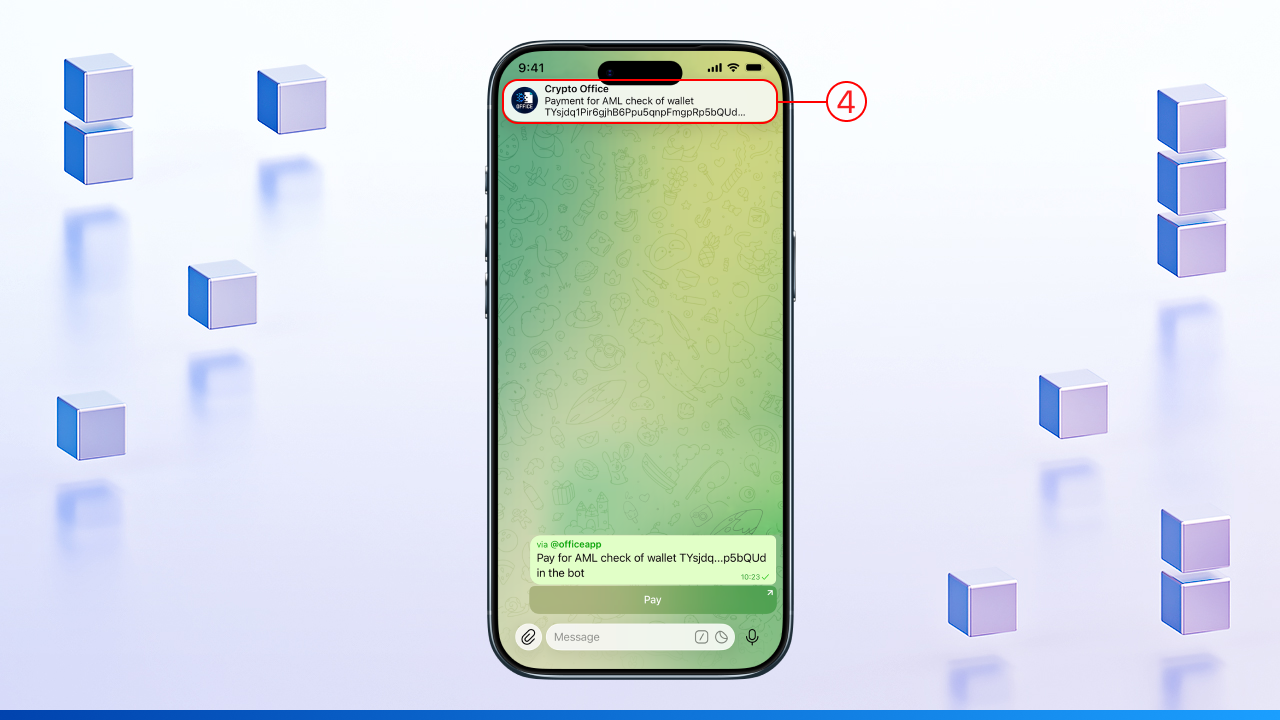
⚠️ The notification is valid for 10 minutes — after that a new request will be required.
5️⃣ confirm the check by tapping "Yes, сheck"
6️⃣ the bot will offer to enable auto-payment for future AML checks — confirm or decline
📄 The report with the check results will be sent to the chat where the command was entered and to the bot @officeapp
⚙️ How AML check works with auto-payment
When auto-payment is enabled, the check runs immediately after the command. The steps below describe how the process works.
Telegram bot 🤖
1️⃣ in any chat or group, enter the command with the full wallet address
— always put a single space between each element of the command — @officeapp, the address, the currency name, or the keyword
🔹 For TRON:
@officeapp TUMYCD...PPjqKz@officeapp aml TUMYCD...PPjqKz
🔹 For ETH:
@officeapp aml 0xDf9f...A7FBB7@officeapp 0xDf9f...A7FBB7 eth
🔹 For BNB:
@officeapp aml 0x2351...5ab960 bnb@officeapp 0x2351...5ab960 bnb
2️⃣ tap the AML check card - the check will start immediately using auto-payment
3️⃣ a notification with auto-payment settings will arrive in bot @officeapp
— if needed, you can disable auto-payment or change the currency with a single tap
📄 The report with the check results will be sent to the chat where the command was entered and to the bot @officeapp.
🔧 How to disable auto-payment or change the currency before starting a check
Manage auto-payment before running an AML check - via the settings in the bot.
Telegram bot 🤖
1️⃣ in the bot, tap "Full menu" → "Settings"
2️⃣ select "AML Settings" and then the "AML Auto-payment" section
3️⃣ to change the currency - tap the desired one; it will be marked with a checkmark ✅ and used for auto-payment
4️⃣ to disable auto-payment - tap "Disable auto payment"
✅ Check addresses directly in a Telegram chat - via inline command, with auto-payment and instant results, no extra steps required.