How to play with Coinbase Wallet
cryptofights.pro
🔻Step 1: Buying MATIC with USDT.
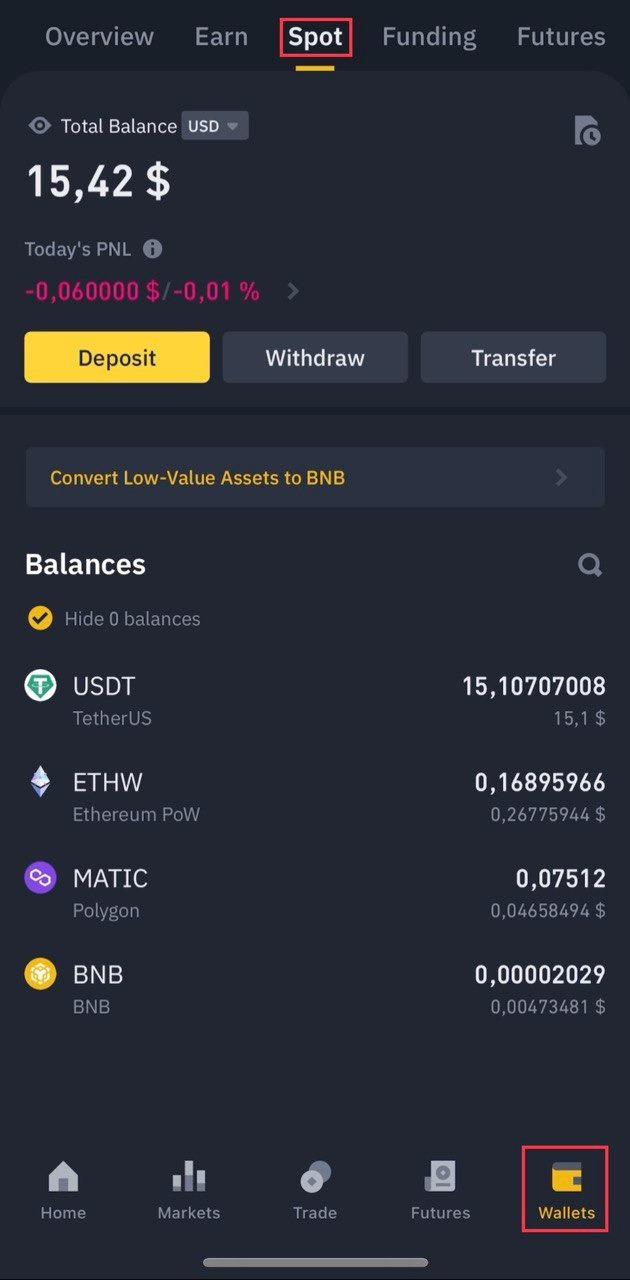
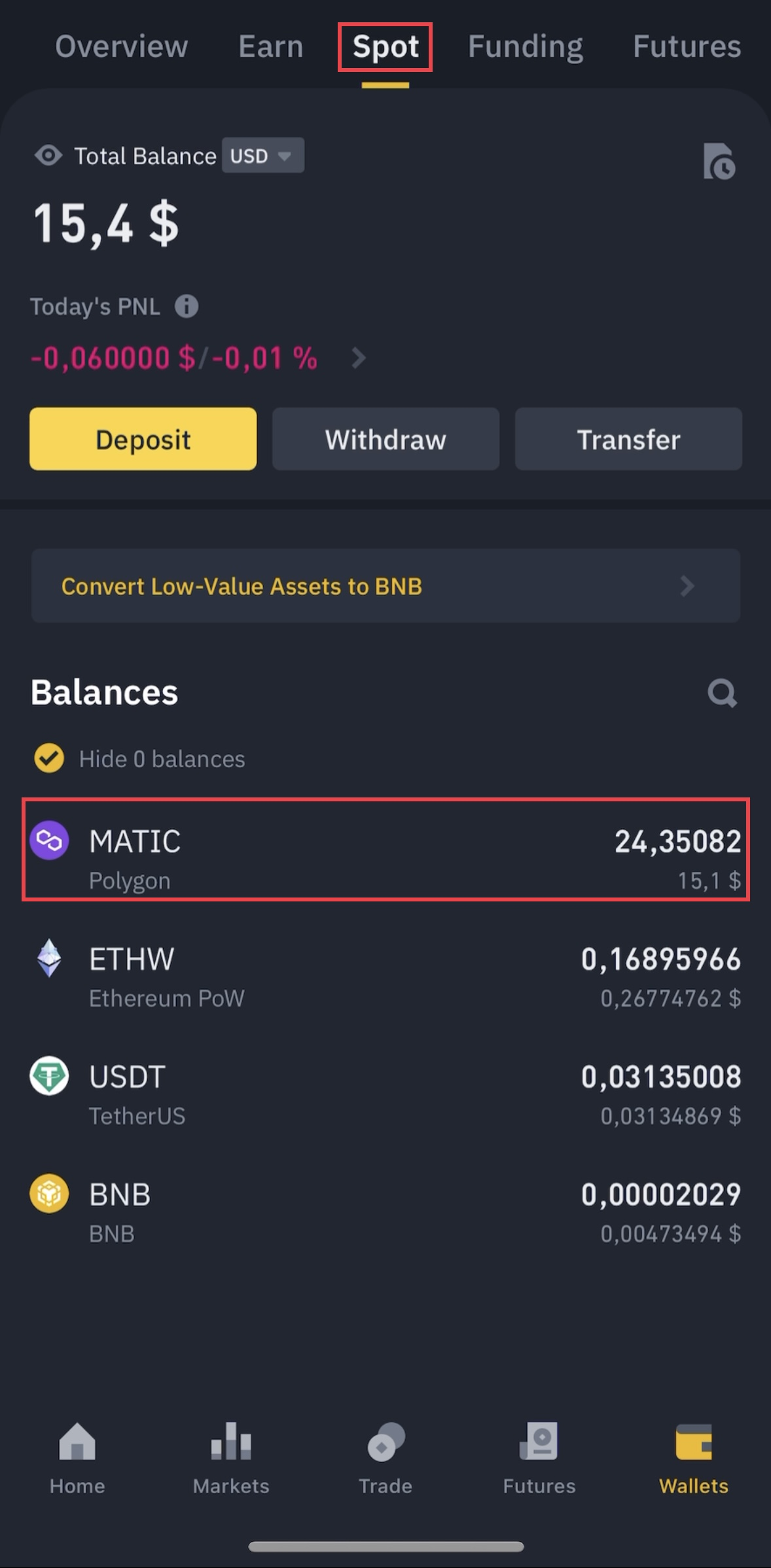
Before buying a MATIC coin you need to make sure that your USDT is in the Spot wallet.
To do this click the wallets item at the bottom right and the Spot item at the top.
USDT is in the Spot wallet.
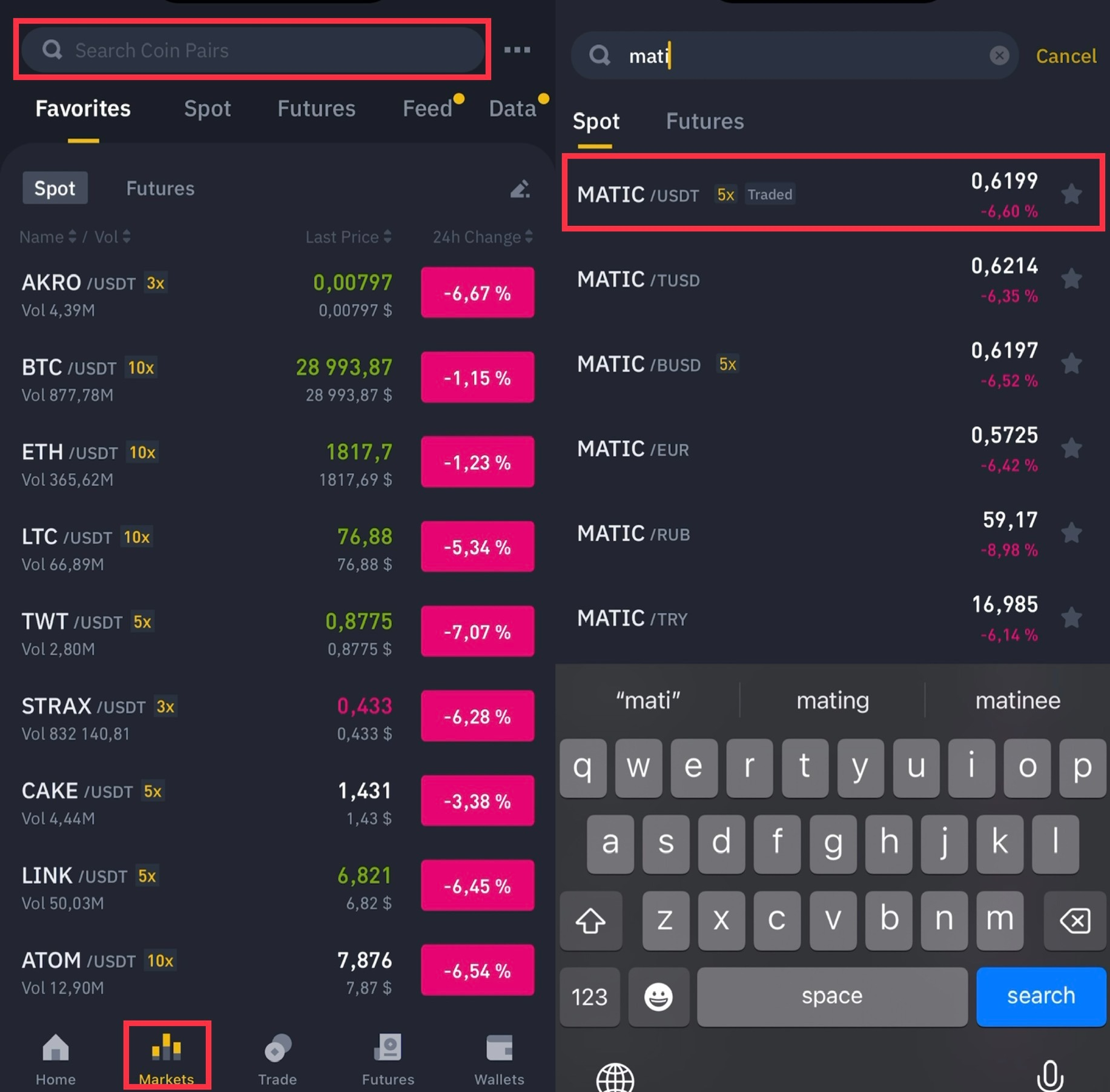
Next at the bottom we find the item Markets.
At the top in the search we write MATIC just below we find the pair MATIC/USDT and click on it.
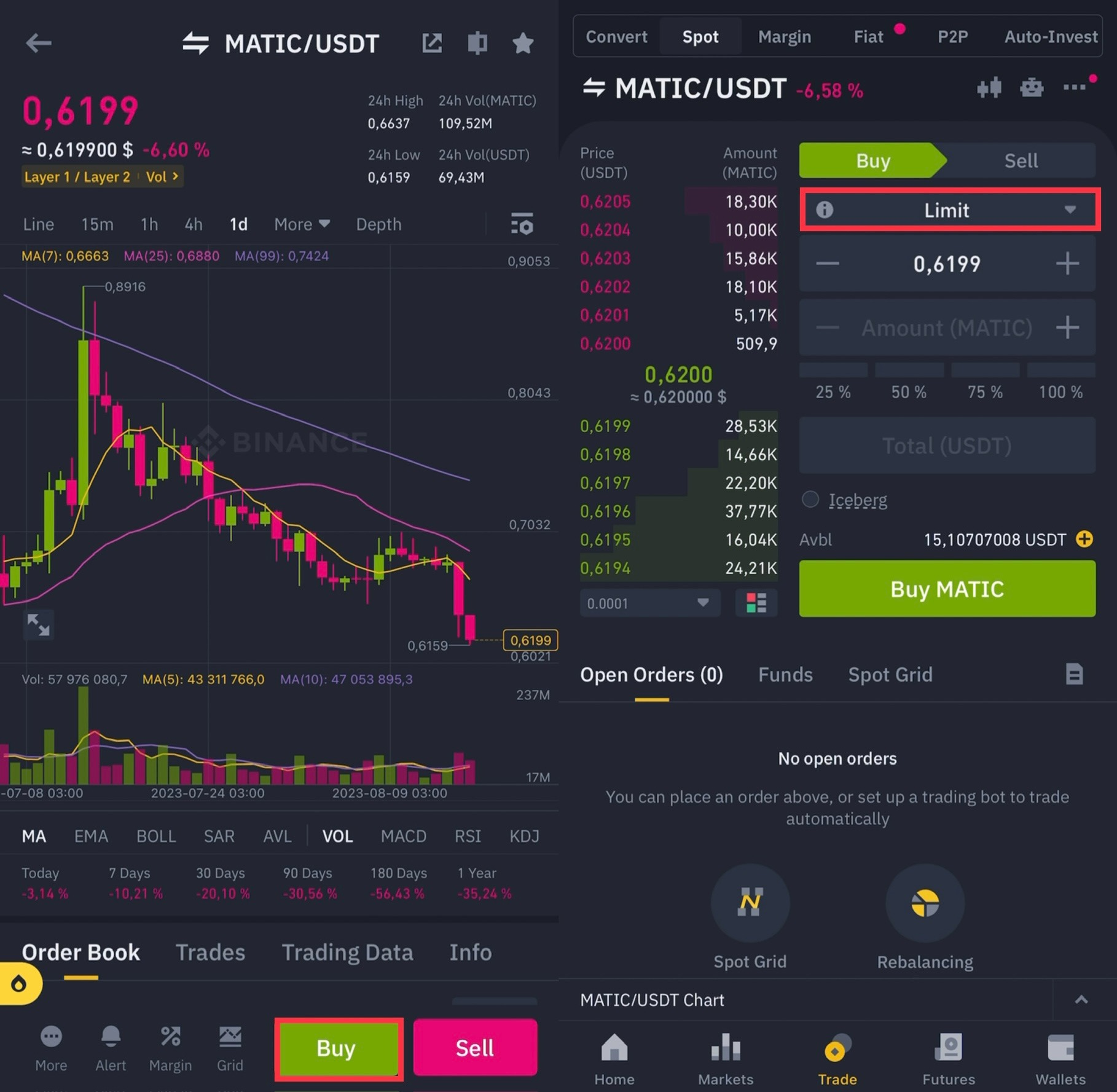
At the bottom click Buy then click on Limit and change to Market order.
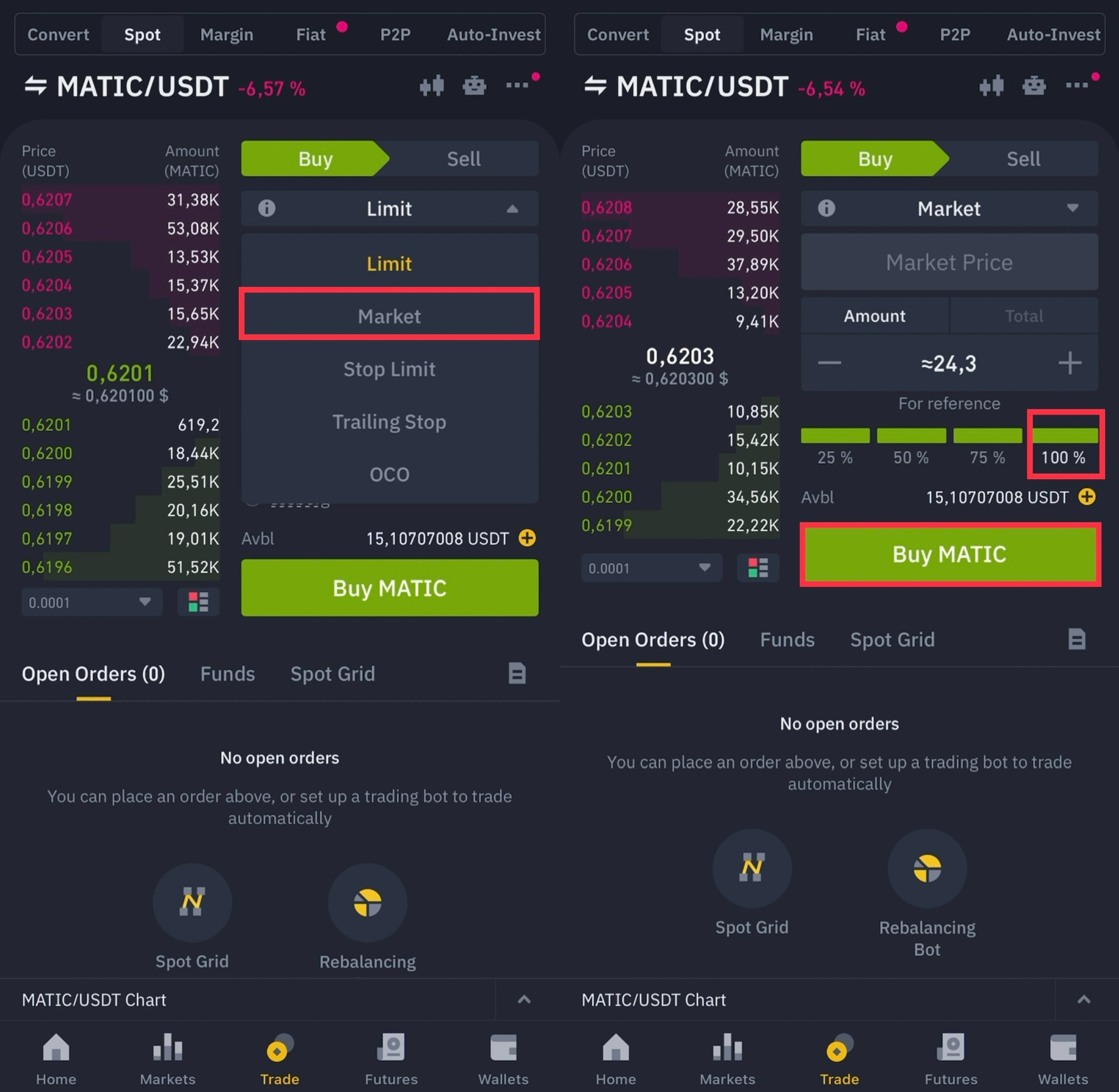
After placing a Market Order, click on the 100% rectangle below.
Click Buy MATIC below.
Then click Wallets at the bottom.
Spot at the top.
Your MATIC coins should appear in your Spot wallet.
🔻Step 2: Copy the address for replenishment MATIC.
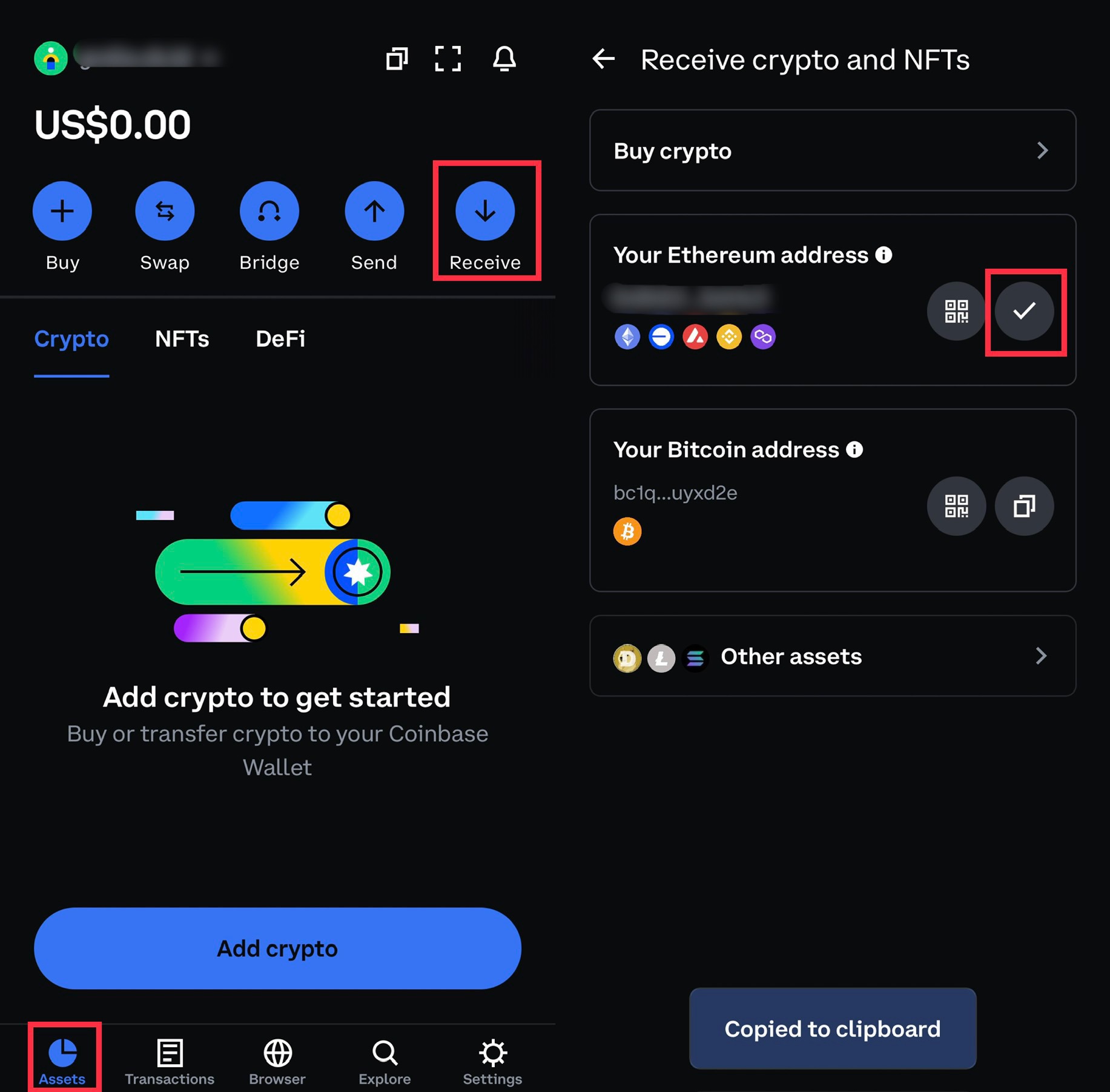
1) Log into Coinbase Wallet.
2) Select Assets on the bottom left.
3) Next Receive.
4) We copy your address in Ethereum on the right.
🔻 Step 3: Fund your Coinbase Wallet.
After we copied the wallet, we need to return to Binance.
Select Spot Wallet and click on MATIC.
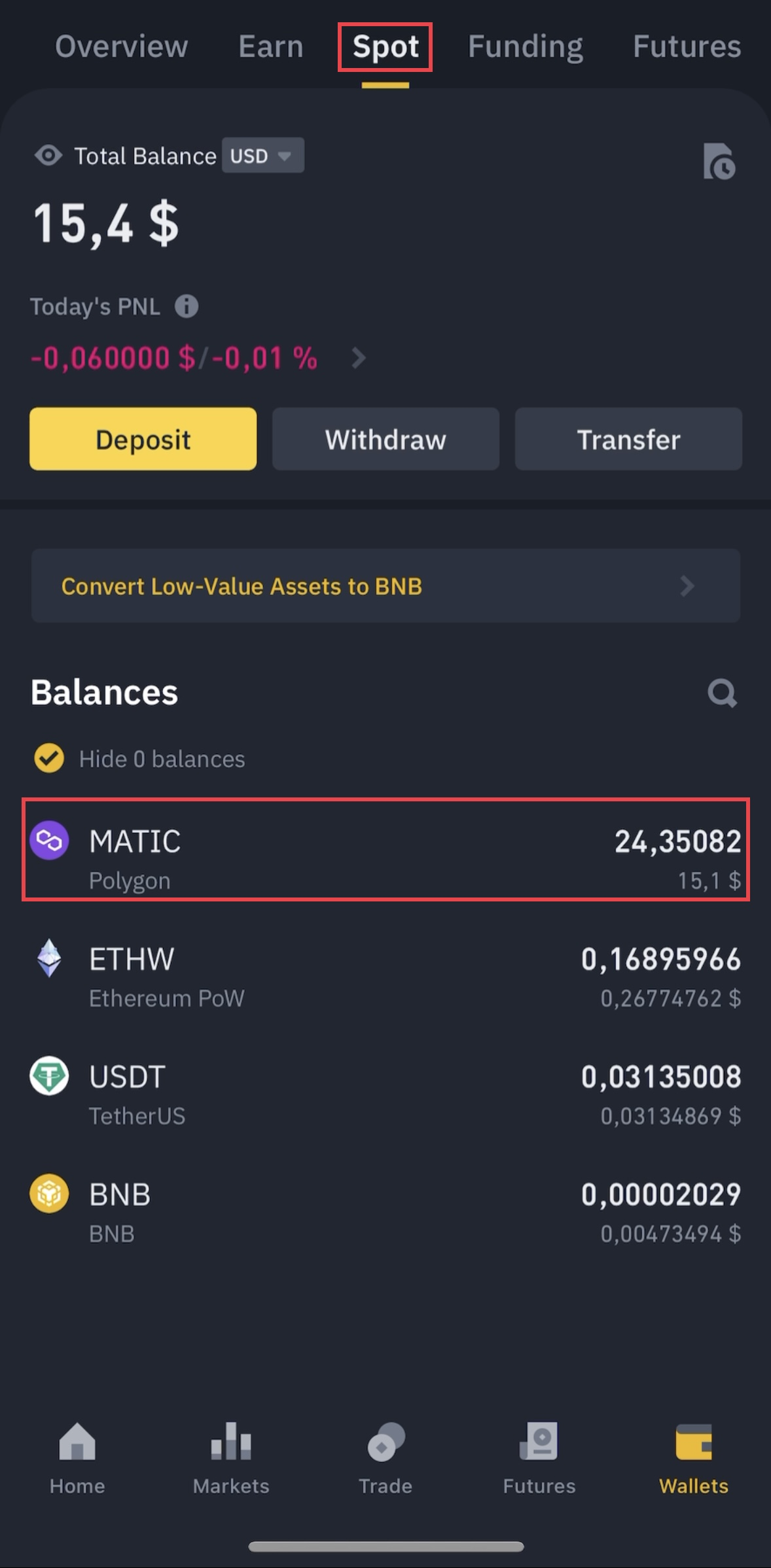
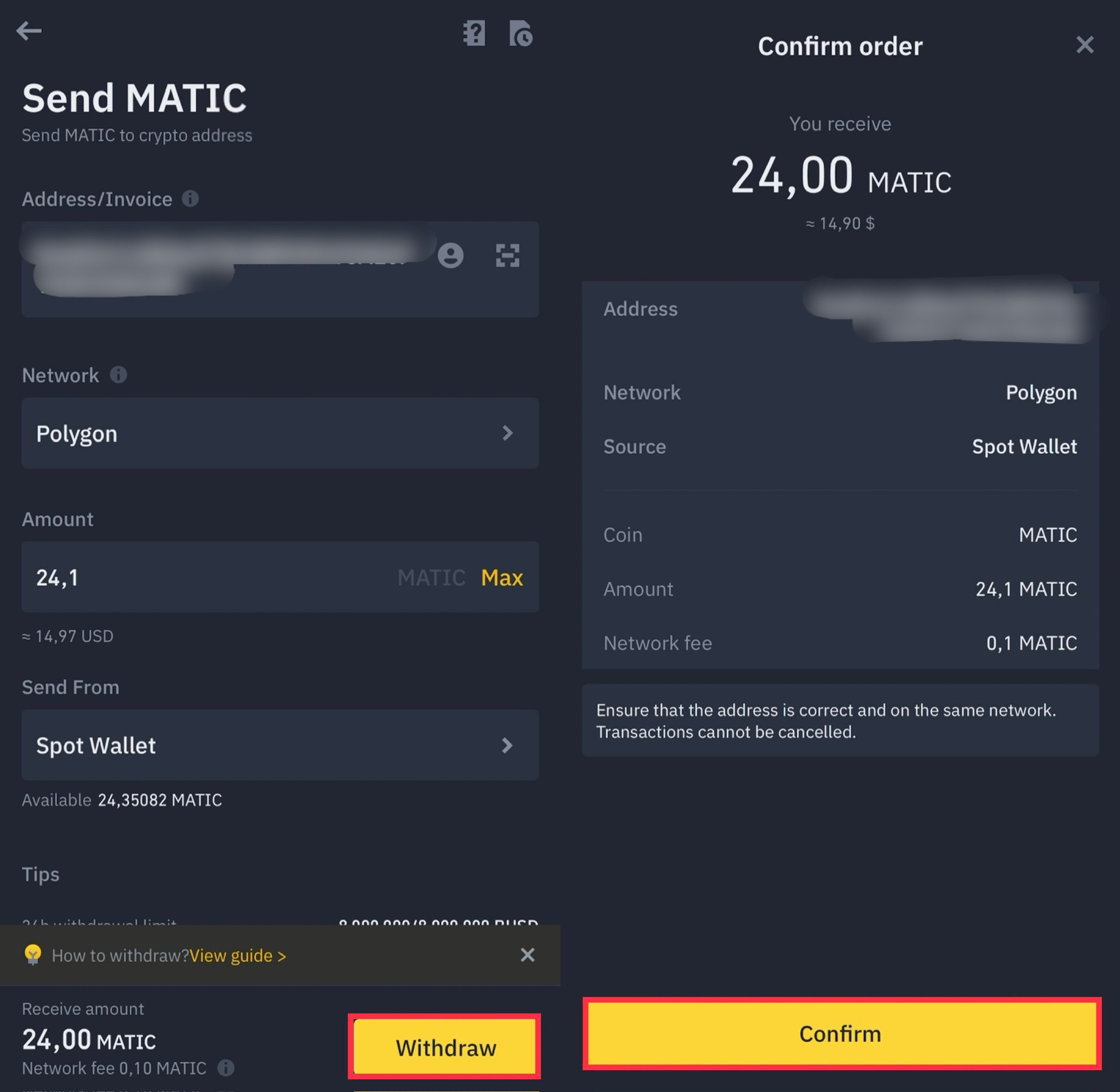
Next at the bottom left click on Withdraw.
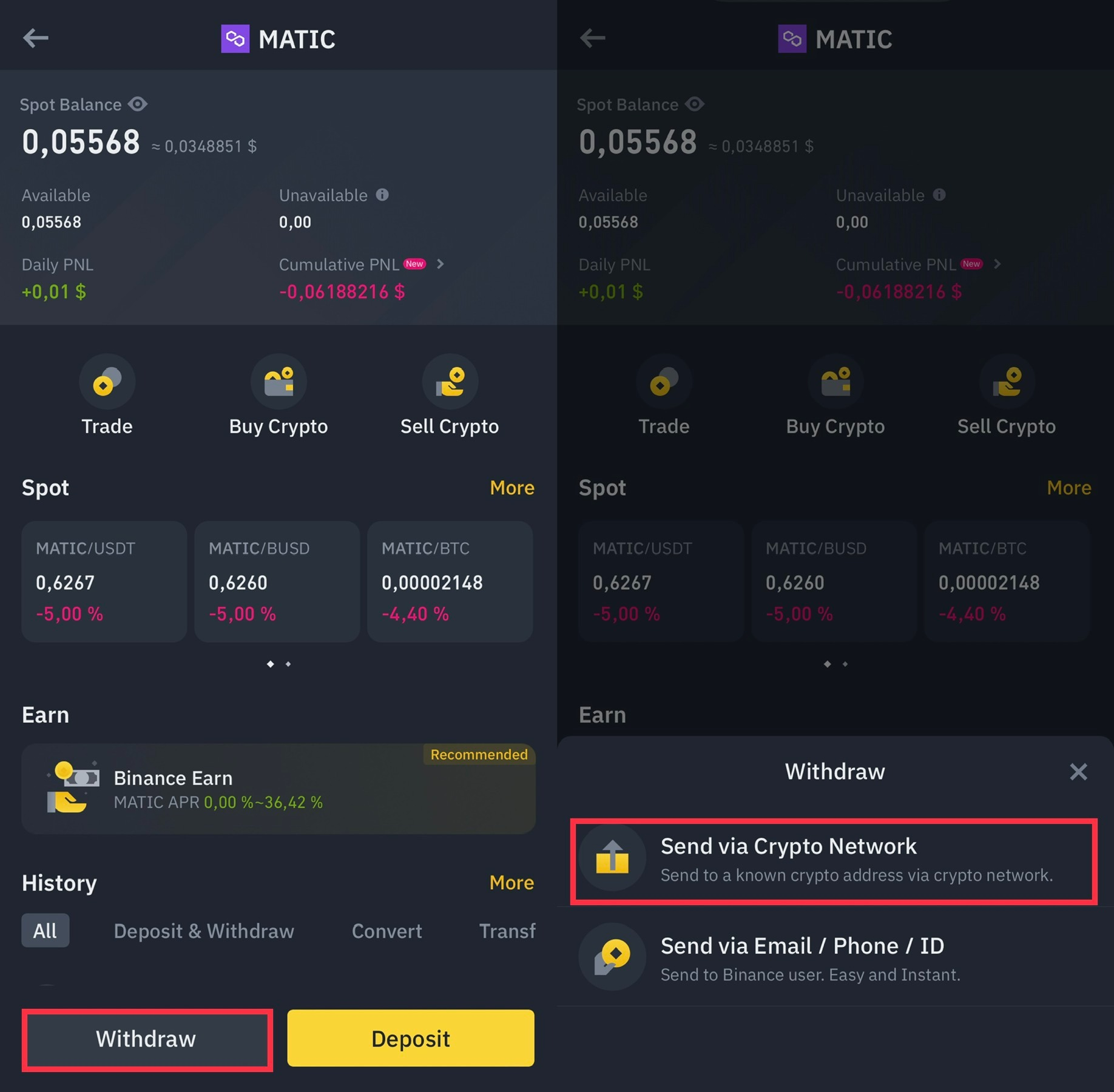
The following is the information:
Address/Account - the wallet that was copied from the Coinbase Wallet
▪️ Network - Polygon
▪️ Amount - Max. (or write your own amount)
▪️ Sent from Spot Wallet.
Click the Withdraw button below.
We carefully double-check (especially the address) and click Confirm.
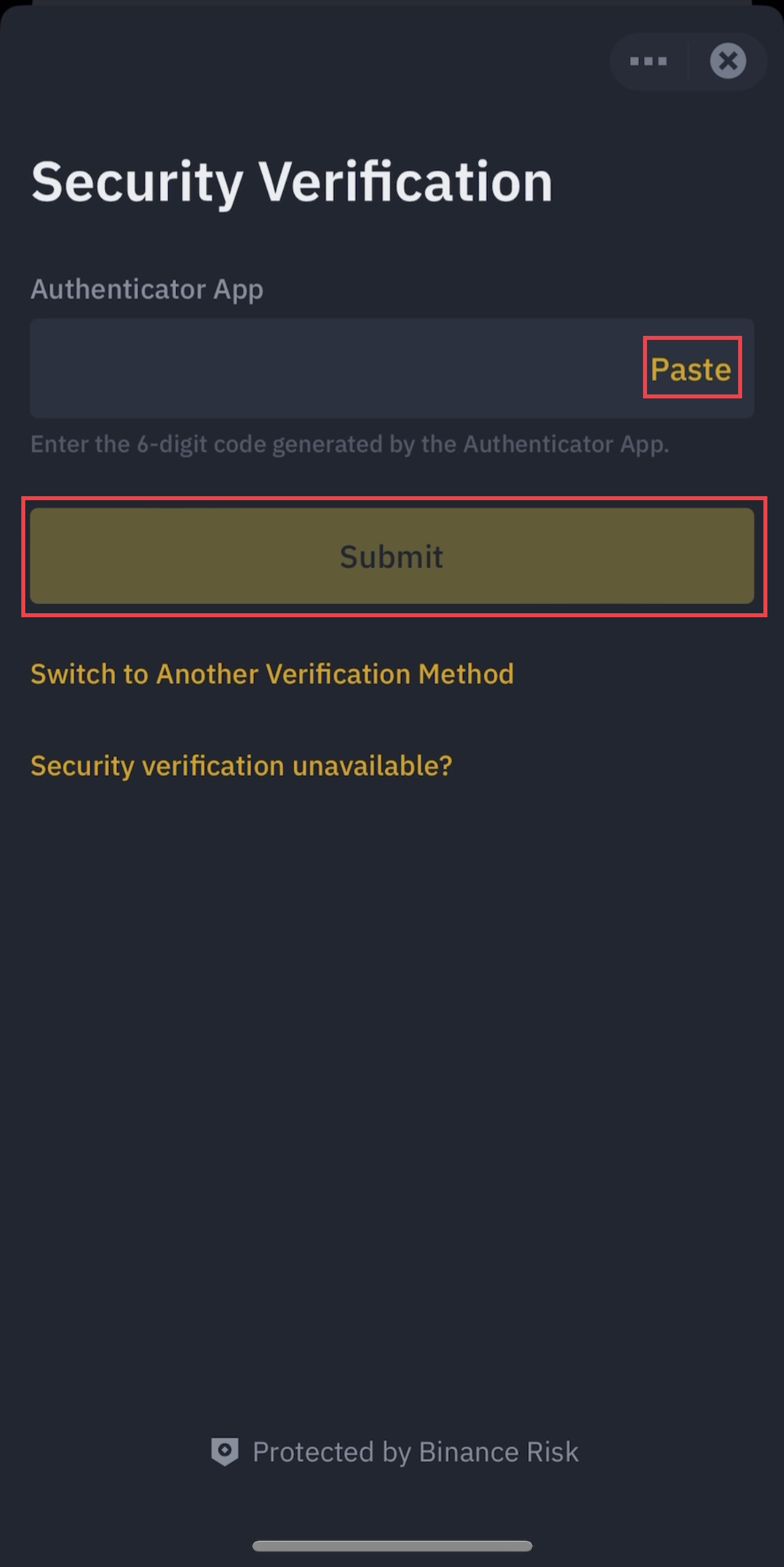
We're going through a security check.
We receive the code by mail, phone, enter the authenticator.
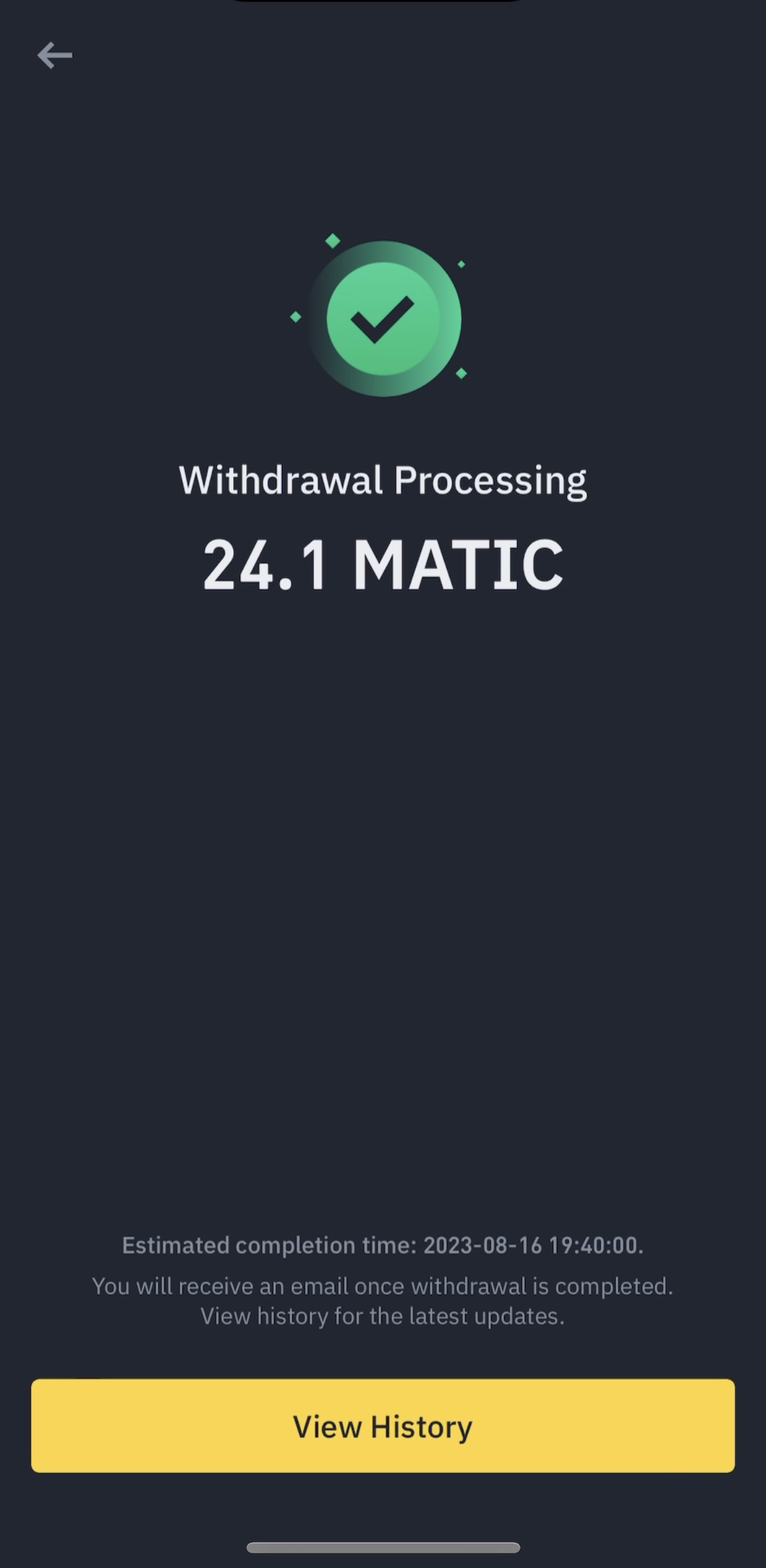
After entering all the information, the payment will automatically be sent.
Done, you sent MATIC ☑️
🔻 Step 4: Log into the Cryptofights game through the Coinbase Wallet web browser.
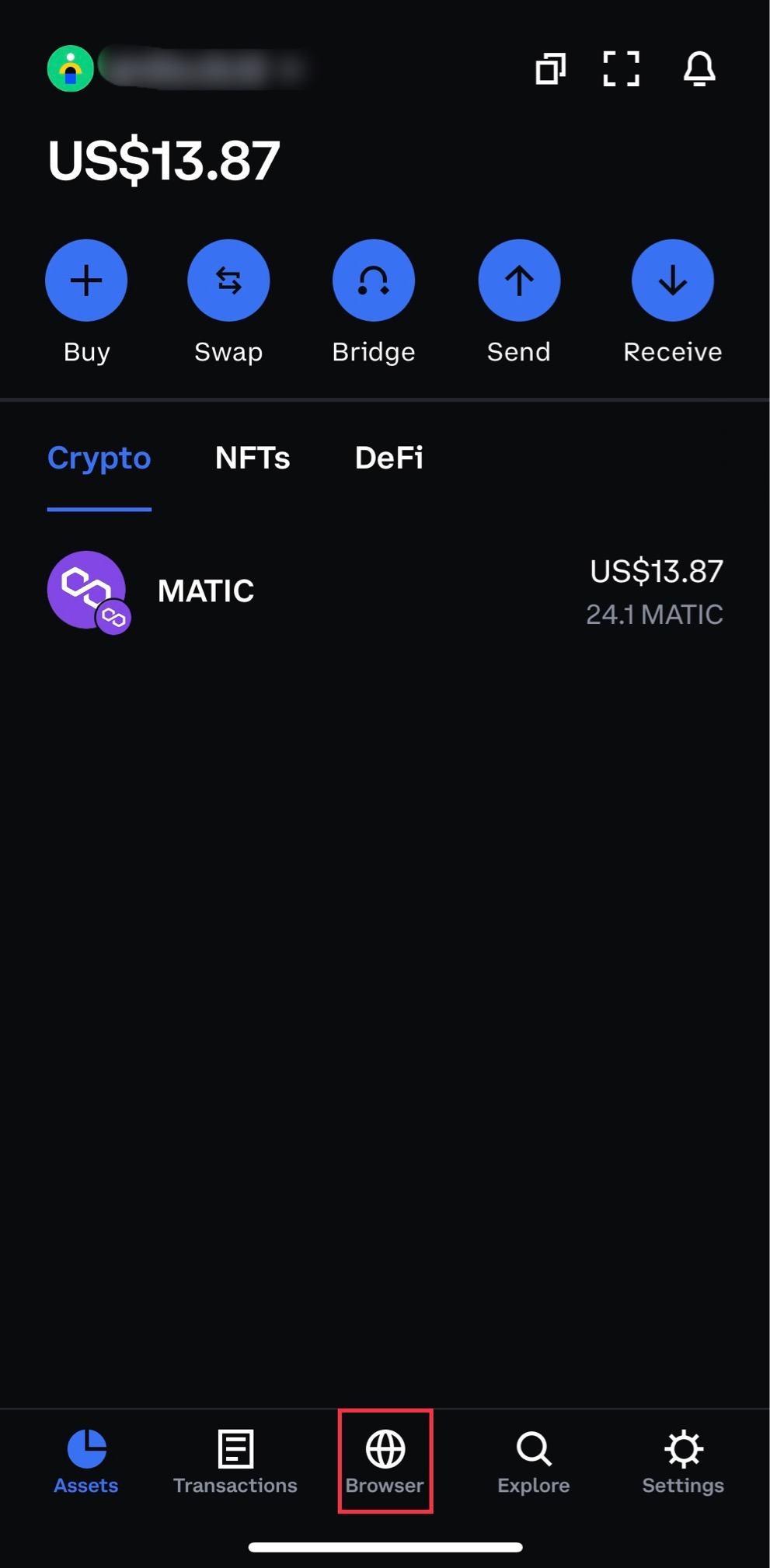
On the main page we see MATIC on the wallet.
Click Browser below.
At the top, click on Search and paste https://cryptofights.pro/

Click Connect Wallet.
Choose Coinbase.
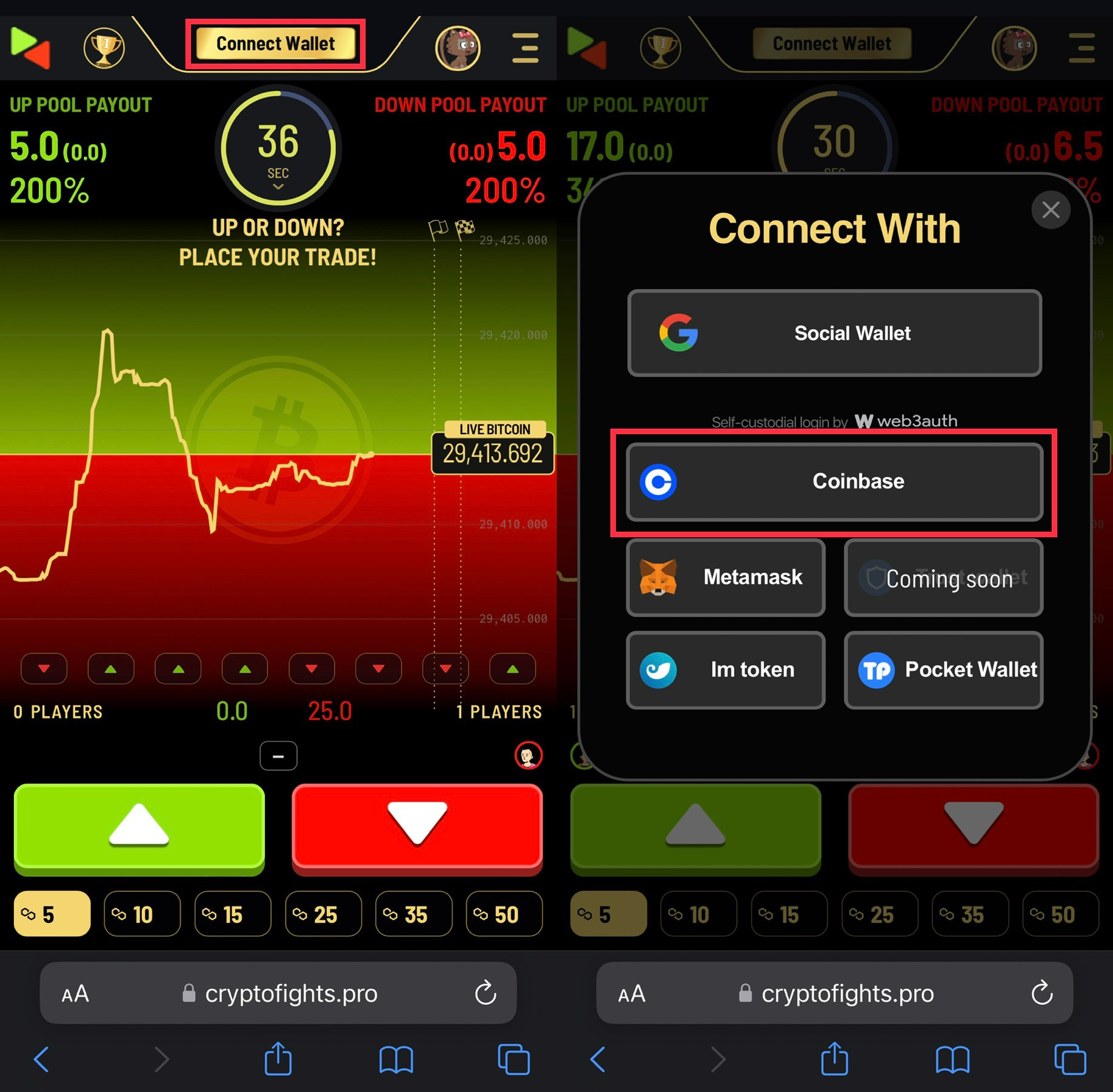
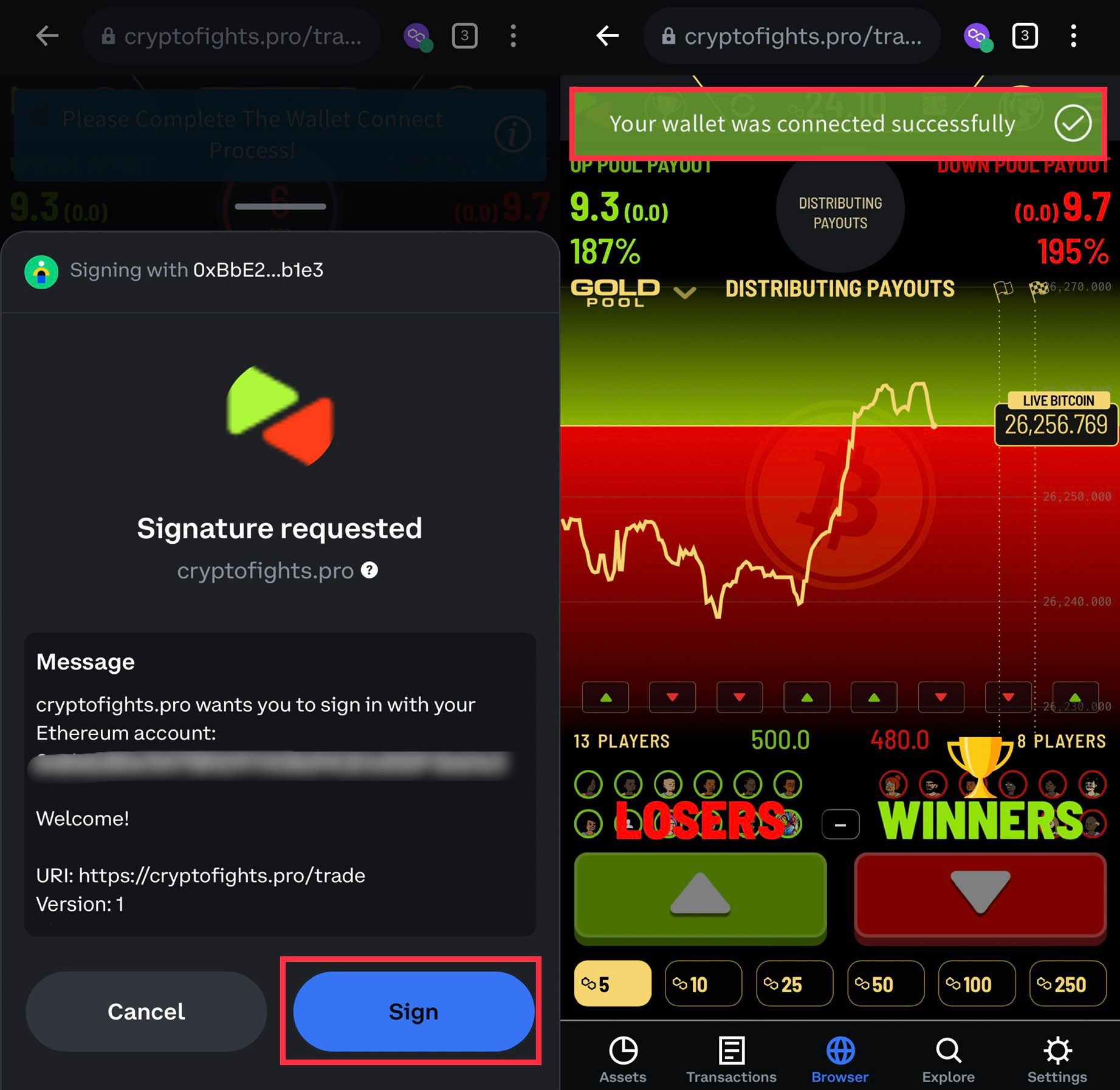
Next, select Sign.
Ready! Your wallet is connected ✅
🔻 Step 5: Open trades in Cryptofights.
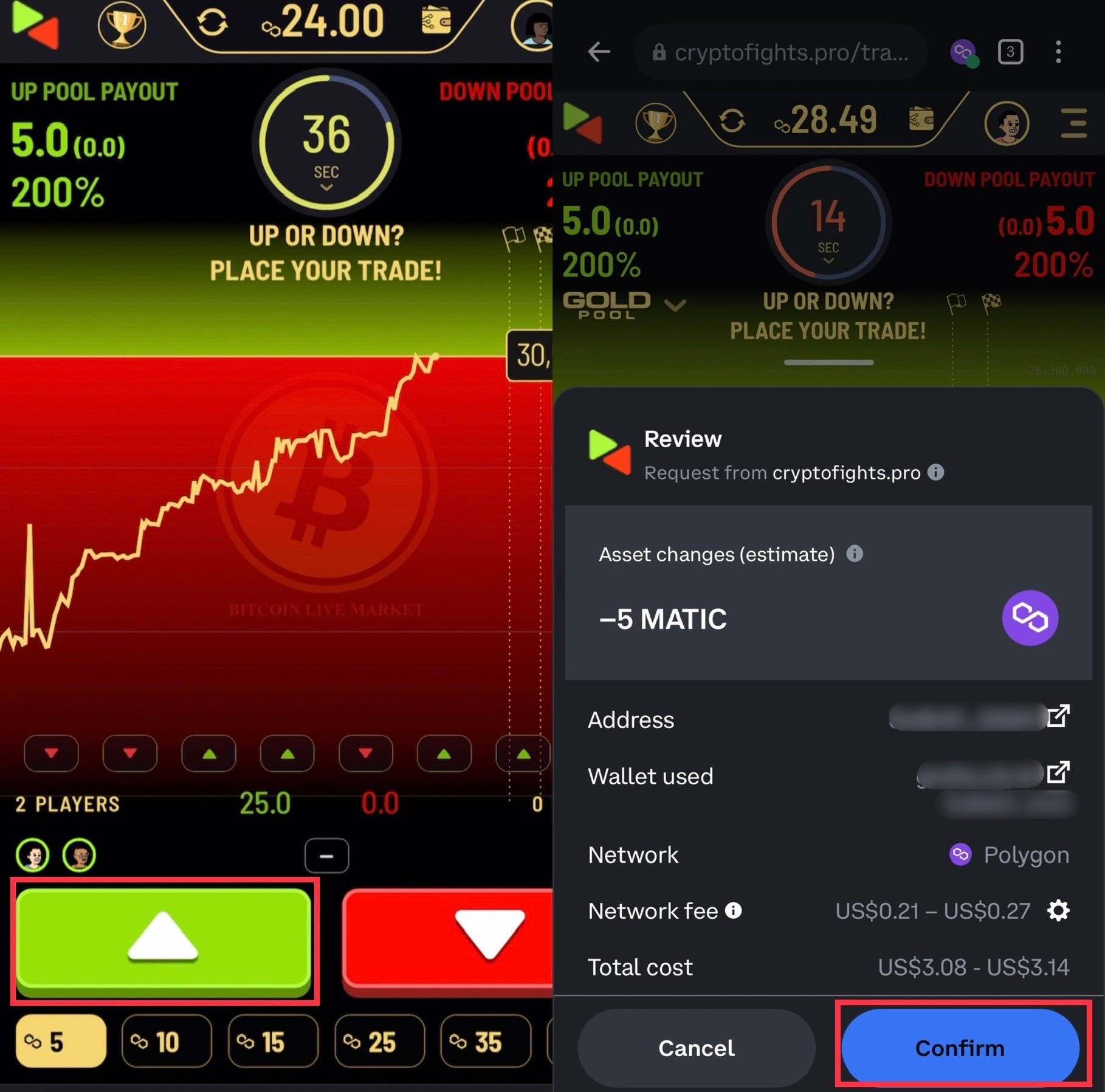
Trying to open a deal in Up.
Above we can see our number of MATIC - 24.
Click Confirm below.
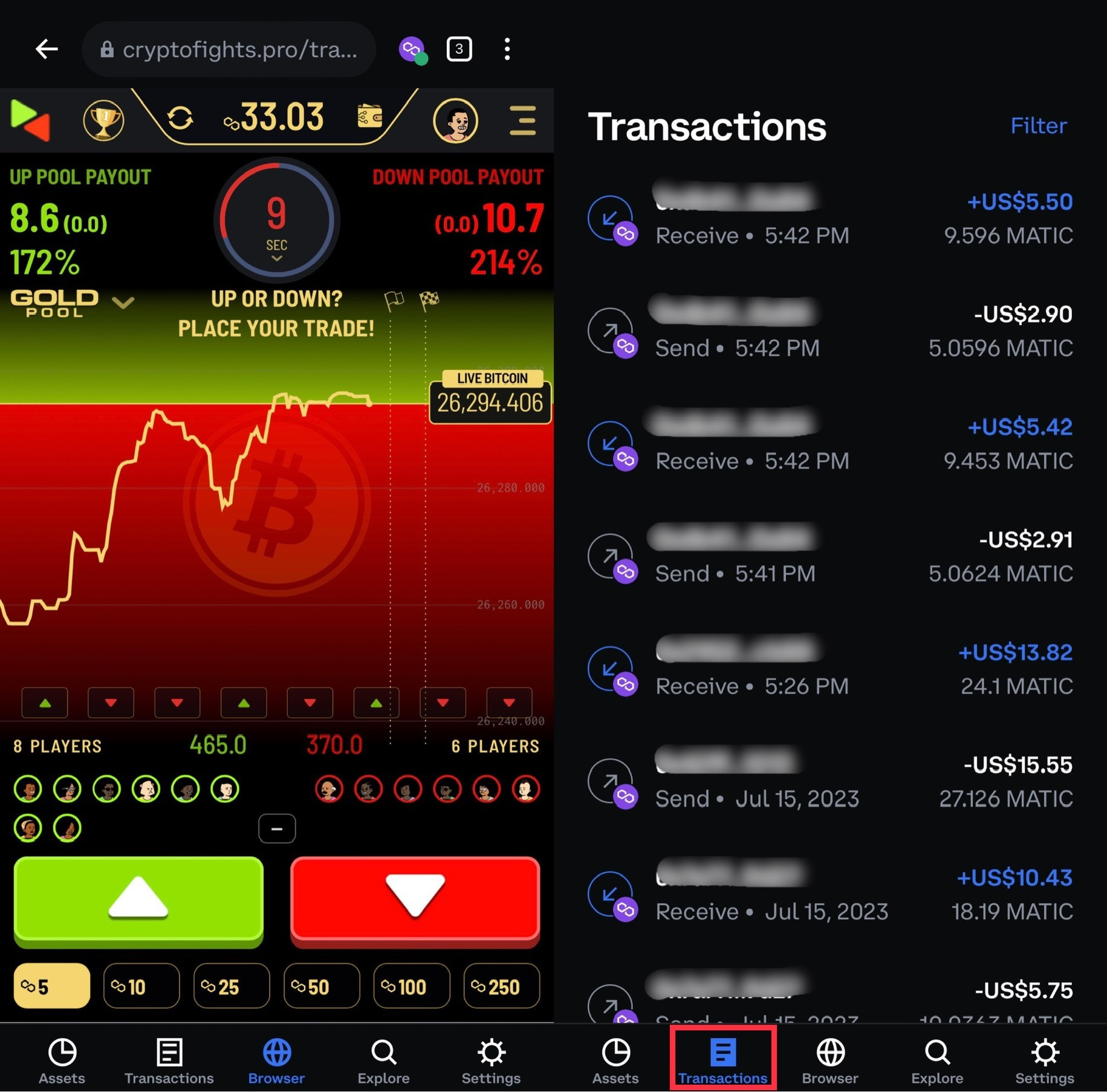
After two transactions on the Balance - 33.03 MATIC.
In the Transactions tab, you can see the withdrawal and replenishment from the wallet.
🔻 Step 5: Withdraw Matic to Binance.
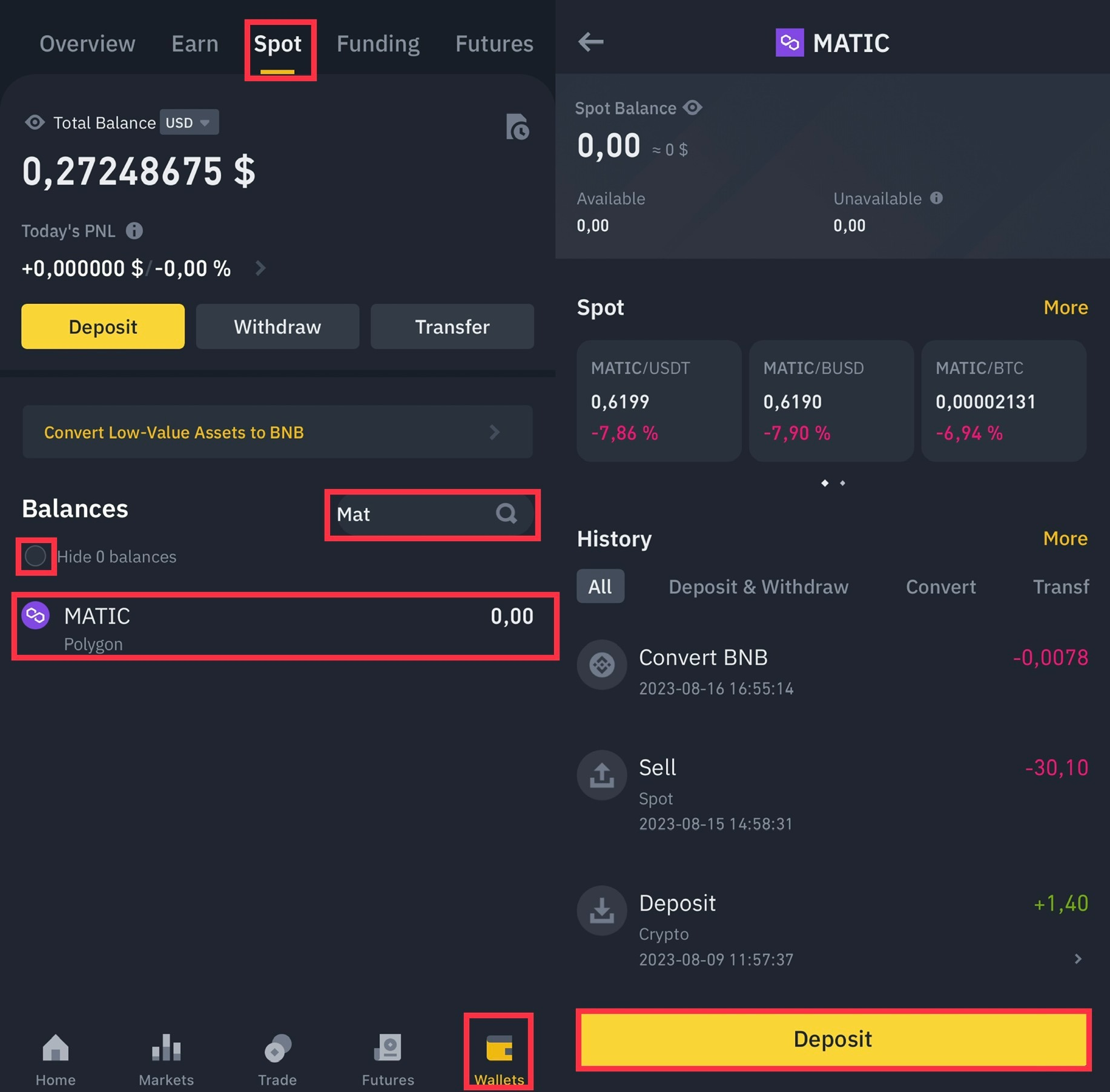
Copy the MATIC wallet to deposit with Binance.
Click on the MATIC coin.
Select Deposit below.
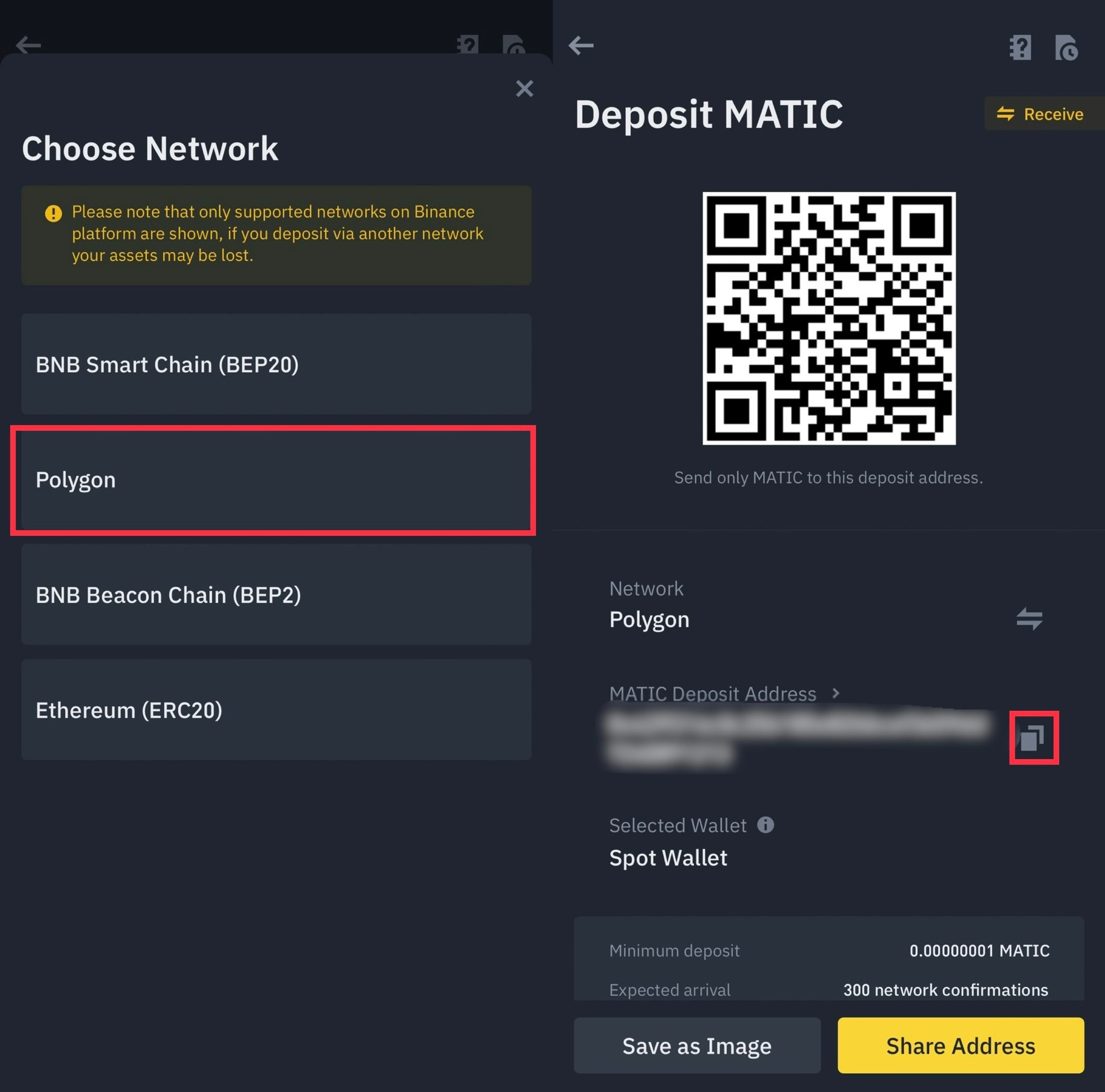
Select Network - Polygon.
Click on the symbol to copy the address to replenish MATIC.
Back to Coinbase Wallet.
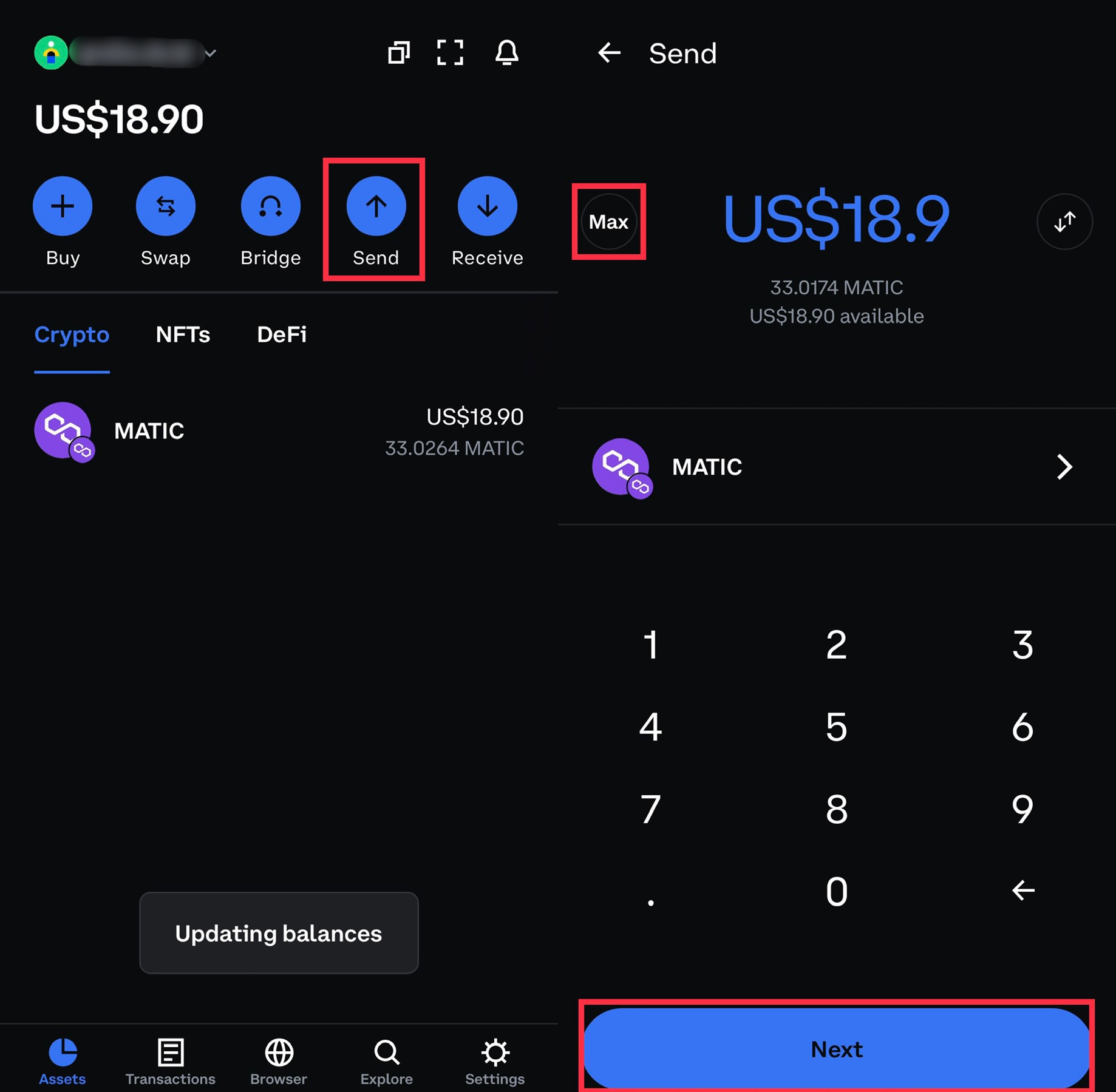
On the main page in the Assets section at the top select Send.
Select Max.
Click Next below.
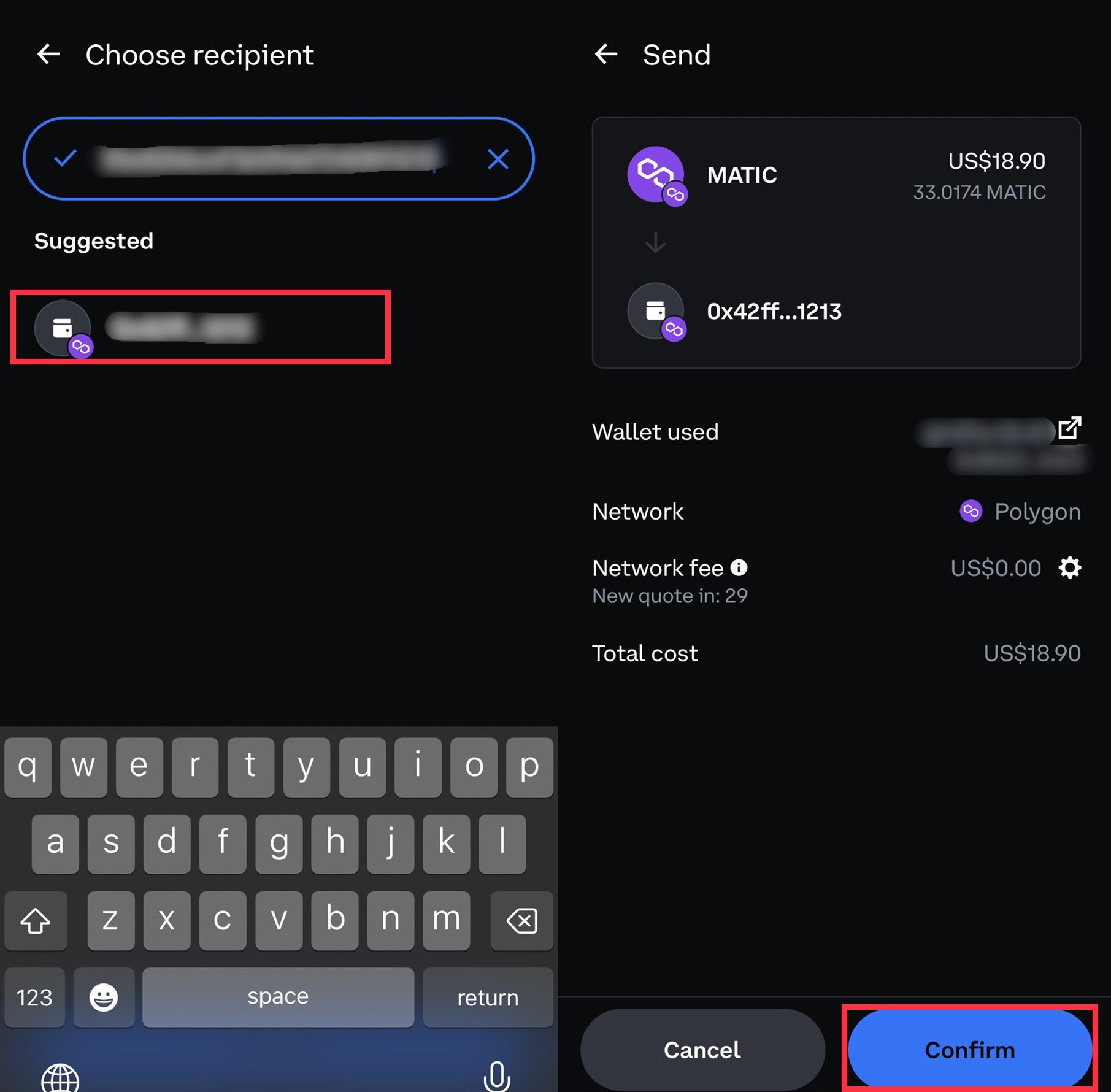
We insert our wallet from Binance.
Click on our address.
Click Confirm.
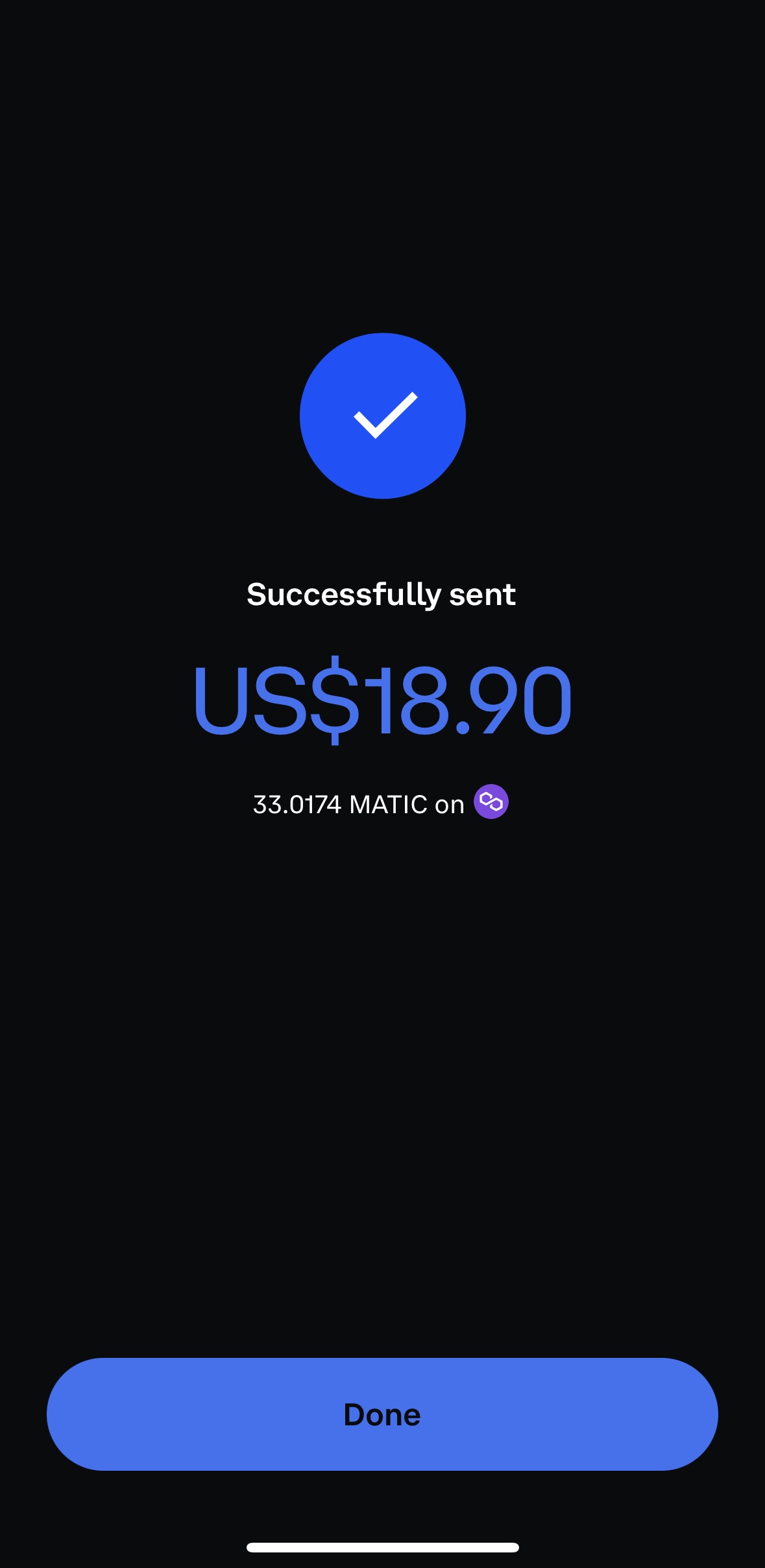
Withdraw sent successfully ✅
We are waiting for the receipt of coins on Binance.
After 3-5 minutes, the coins arrived on the Binance spot wallet.
Ready! ☑️

How to further withdraw money to a bank card was written in this article (Step 2).