How to play hotstar match links
follow our telegram channel https://t.me/hotstar_live_matches------------------------------------------------
Android Users:
Download MX Player first, if you don't have
Step 1: Open MX Player
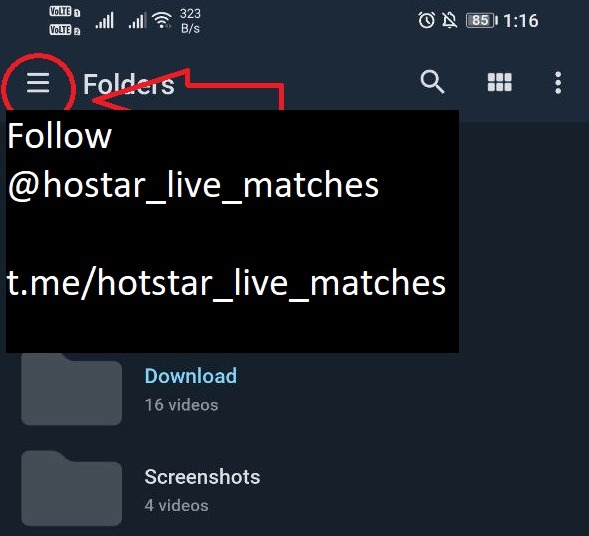
Step 2: Select 3 lines at the top left corner in MX Player
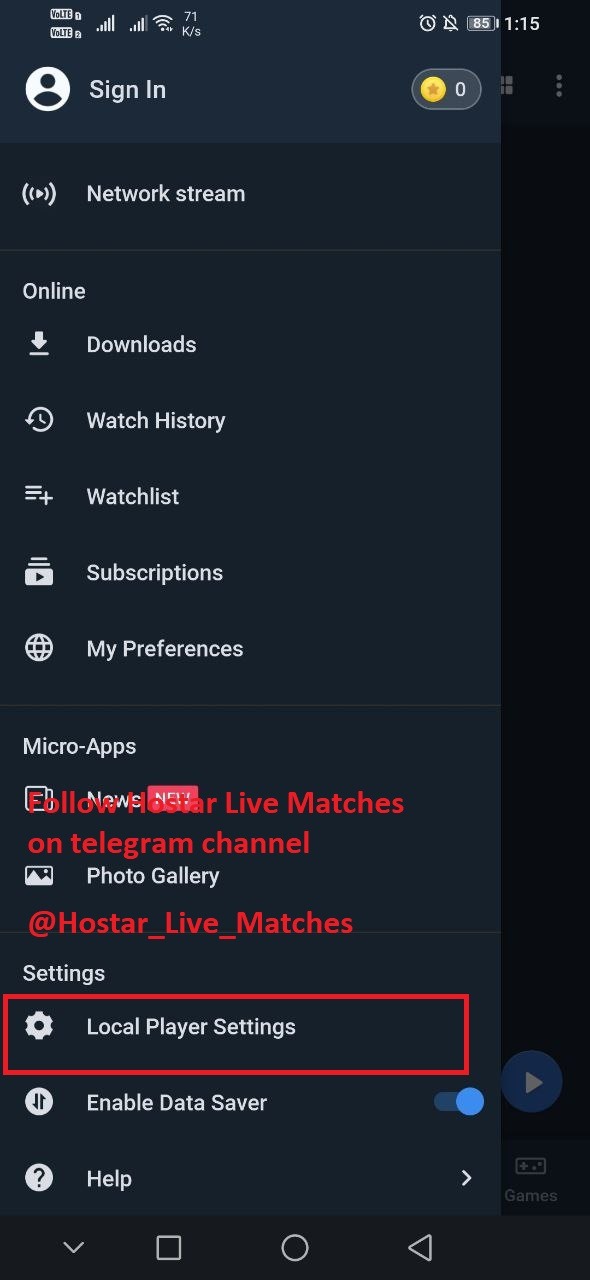
Step 3: Select Local Player Settings
Step 4: Select General
Step 5: Select Http user-agent
Step 6: Type the code given in the screen shot above or directly copy and paste from here
Code: KAIOS
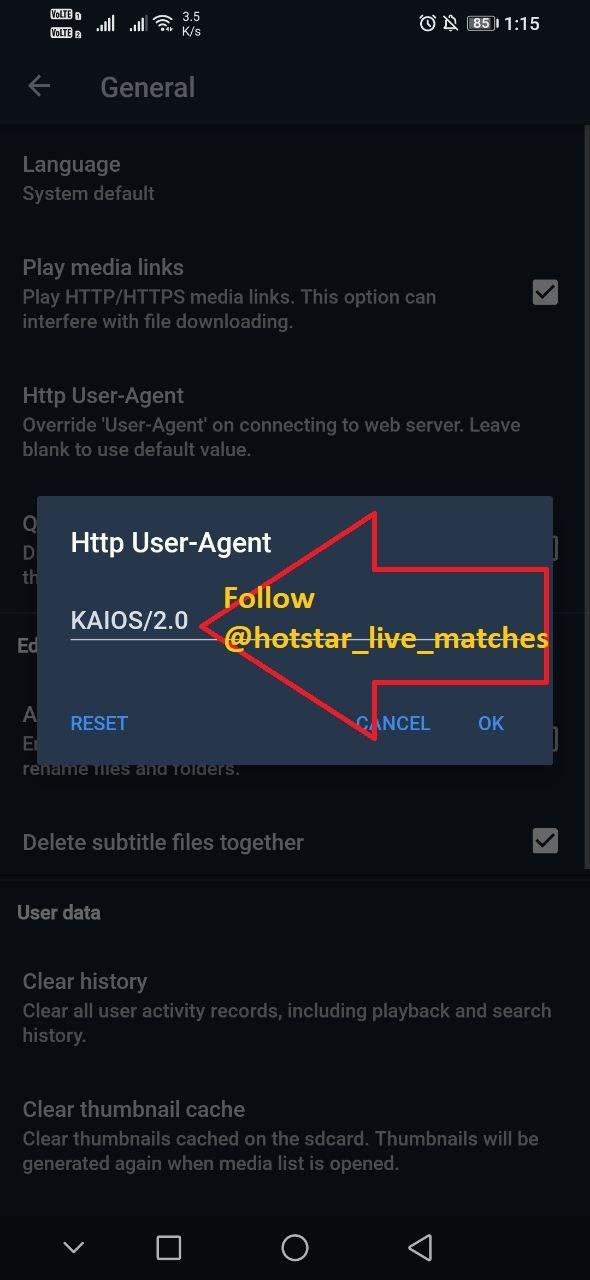
(IF POSSIBLE JUST COPY THE CODE AND PASTE)
(ITS "I"(eye) in the code not L)
After typing the code press OK
Come back to our telegram channel now
Channel link: https://t.me/hotstar_live_matches
Step 7: Select the quality as per your internet speed using the buttons given in the channel.
Step 8: Now while opening the link Select MX Player to open
ENJOY!!!!!!!!!!!
If by any chances your links are opening in chrome or any other browser dont panic!!!
Just copy the link from that opened page of your browser
And paste that link in MX Player Network Streaming option
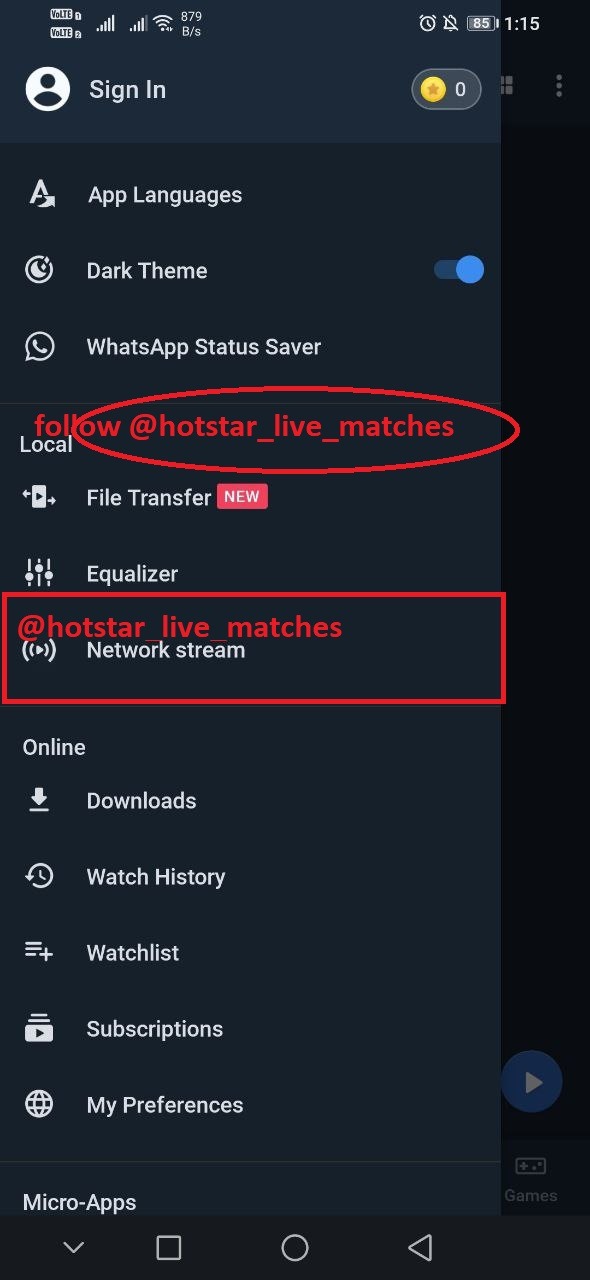
After opening Network Streaming paste that link in it and press ok
------------------------------------------------
PC USERS: (DOWNLOAD VLC PLAYER)
Copy the live match link you want to watch from our telegram channel
channel: https://t.me/hotstar_live_matches
OPEN VLC PLAYER on your Desktop/Laptop/Computer
1) Press CTRL+N on VLC Player
2) Paste the link in network URL field as shown in the image below:
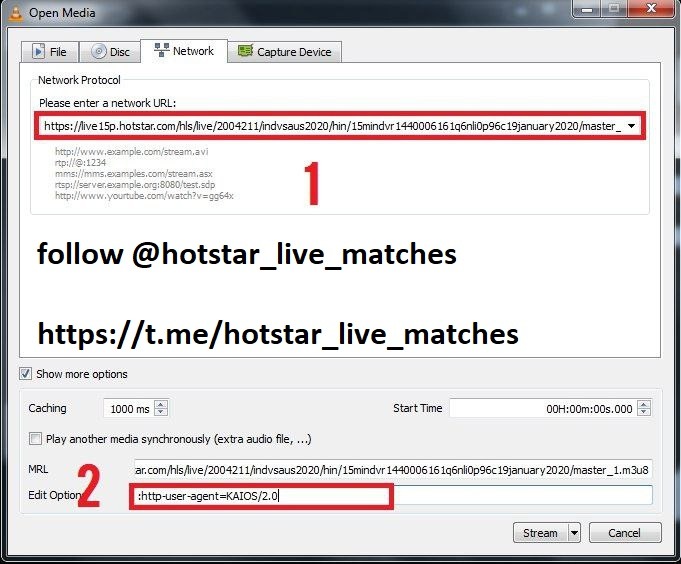
3) click on "Show more options"
4) Copy the below code
:http-user-agent=KAIOS
5) paste this code in "Edit Options" field replacing whatever inside as shown in the image above
6) select Play from the drop down list button on the left side of cancel button
PEOPLE SELECT PLAY FROM THE DROP DOWN LIST NOT THE STREAM
ENJOY THE MATCH GUYS!!!
FOLLOW https://t.me/hotstar_live_matches