How to pay via hipolink using PayPal
h8dogThis is guide how to pay for commissions, YCHs or adopts via hipolink. You can use PayPal or card for it. You don't need to create a account. If you have any questions, scroll down for QnA.
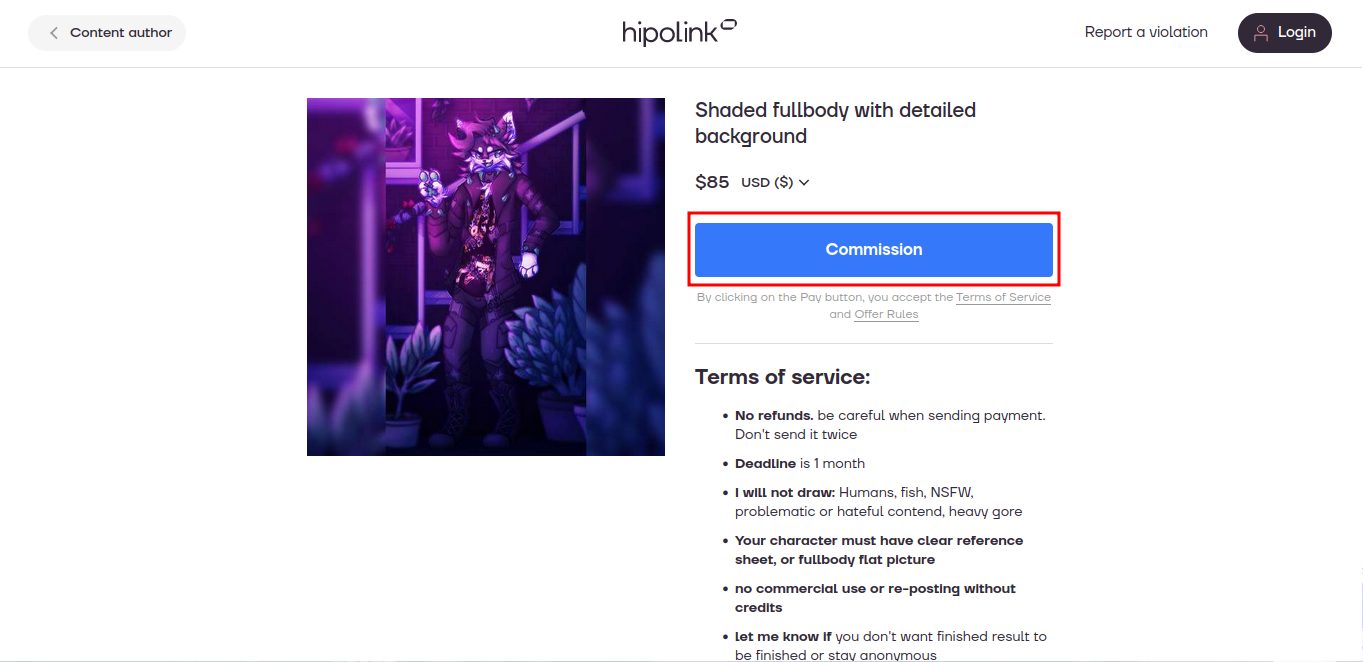
Step 1
Click on pay button
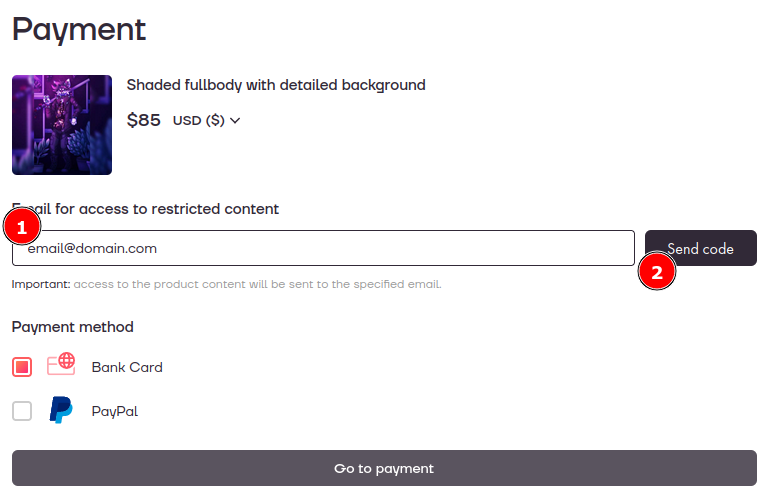
Step 2
Enter your email and click "send code". You will get confirmation code in a minute
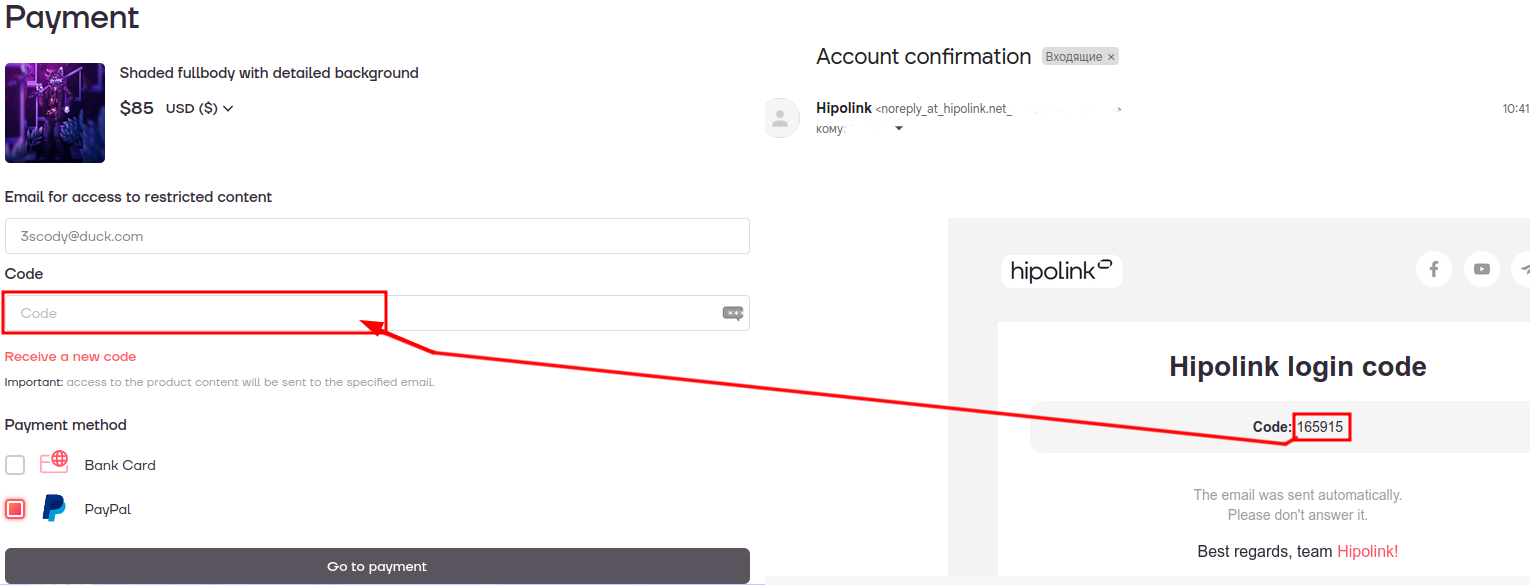
Step 3
Enter confirmation code from email
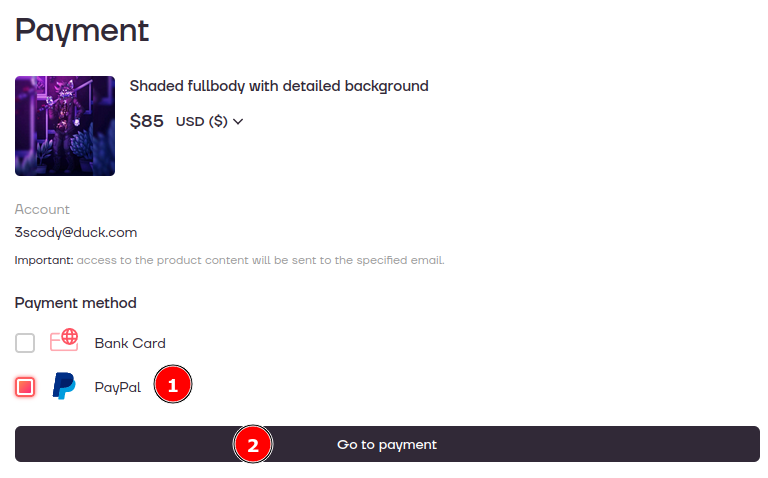
Step 4
Choose PayPal (or card) and click "go to payment"
Questions and answers
What is hipolink?
Is multi-link tool that allows to sell content
Why you can't use just PayPal?
It's blocked in my country
Why don't use boosty?
It's doesn't work with PayPal anymore
What email should I use?
any email you have access to. Just remember what email you used. If you paying for adopt you will also get files on this email, but I can send them to you directly
What if I get an error?
tell me about that and send a screenshot. I will check just in case payment was sent. If I didn't get a Payment, you can try again. If it didn't work, you can contact their support team
May I just try again if I get an error?
No, you can accidentally send it twice