How to participate in the pump
James McgowanStep One
Download apps TrustWallet and Binance in Apple Store or Play Store
Step Two
- Create an account in Trust wallet and save a 12-word recovery code
- Create an account in Binance and pass verifocation
Step Three
In order to take part in the pump, you need to upload a BNB coin to the trust wallet, for this we need to purchase it on the binance exchange.
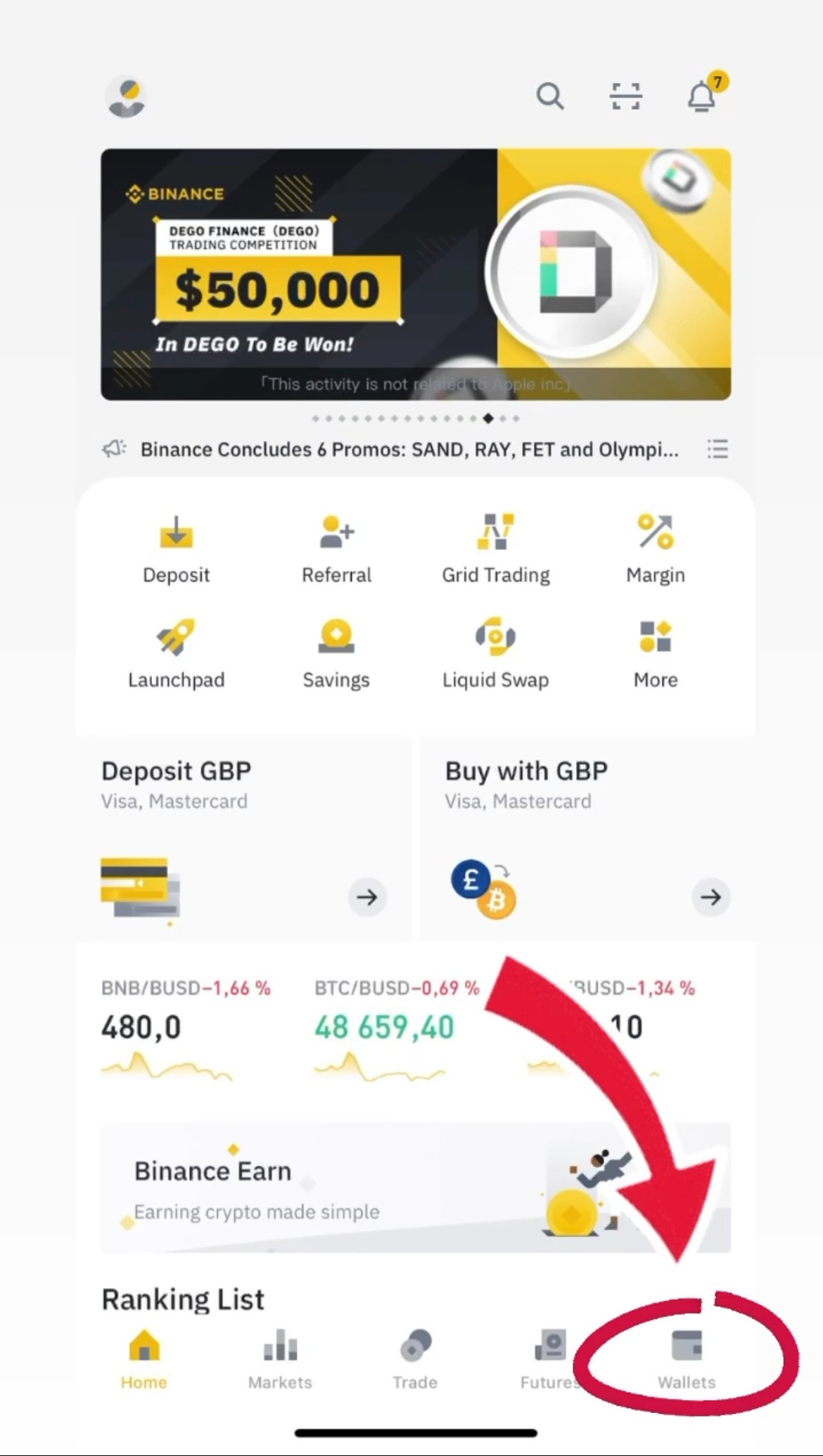
To do this, go to the main binance page and click "Wallet"
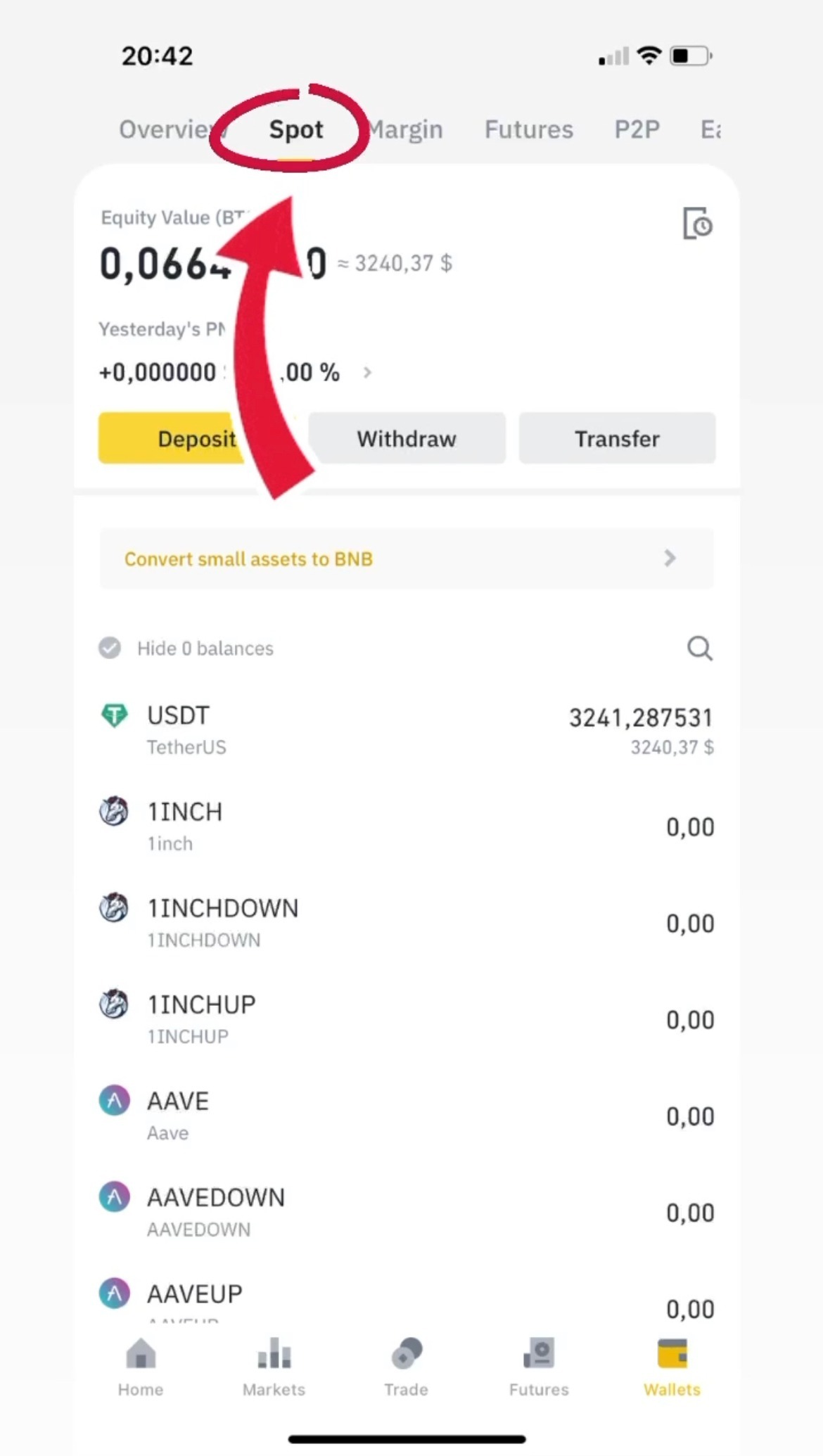
When you are on the 'Wallet' page in the 'Overview' section you need to go to the 'Spot' section at the top of your screen
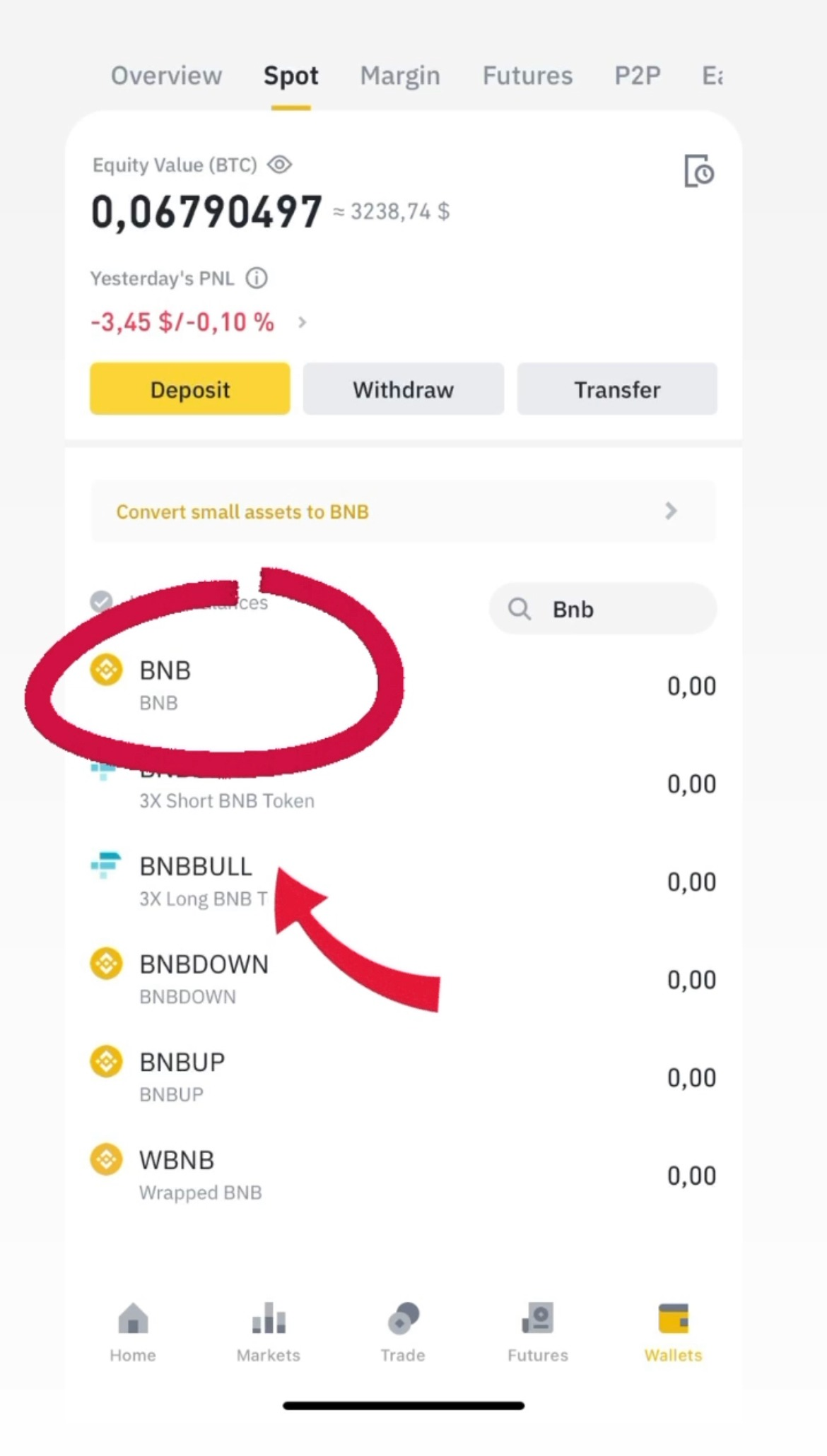
At the 'Spot' press the magnifying glass to find the coin you need, exactly BNB and than press it.
After switching to BNB, select ‘Buy with card’ and re-select BNB which will automatically be at the top of the list.
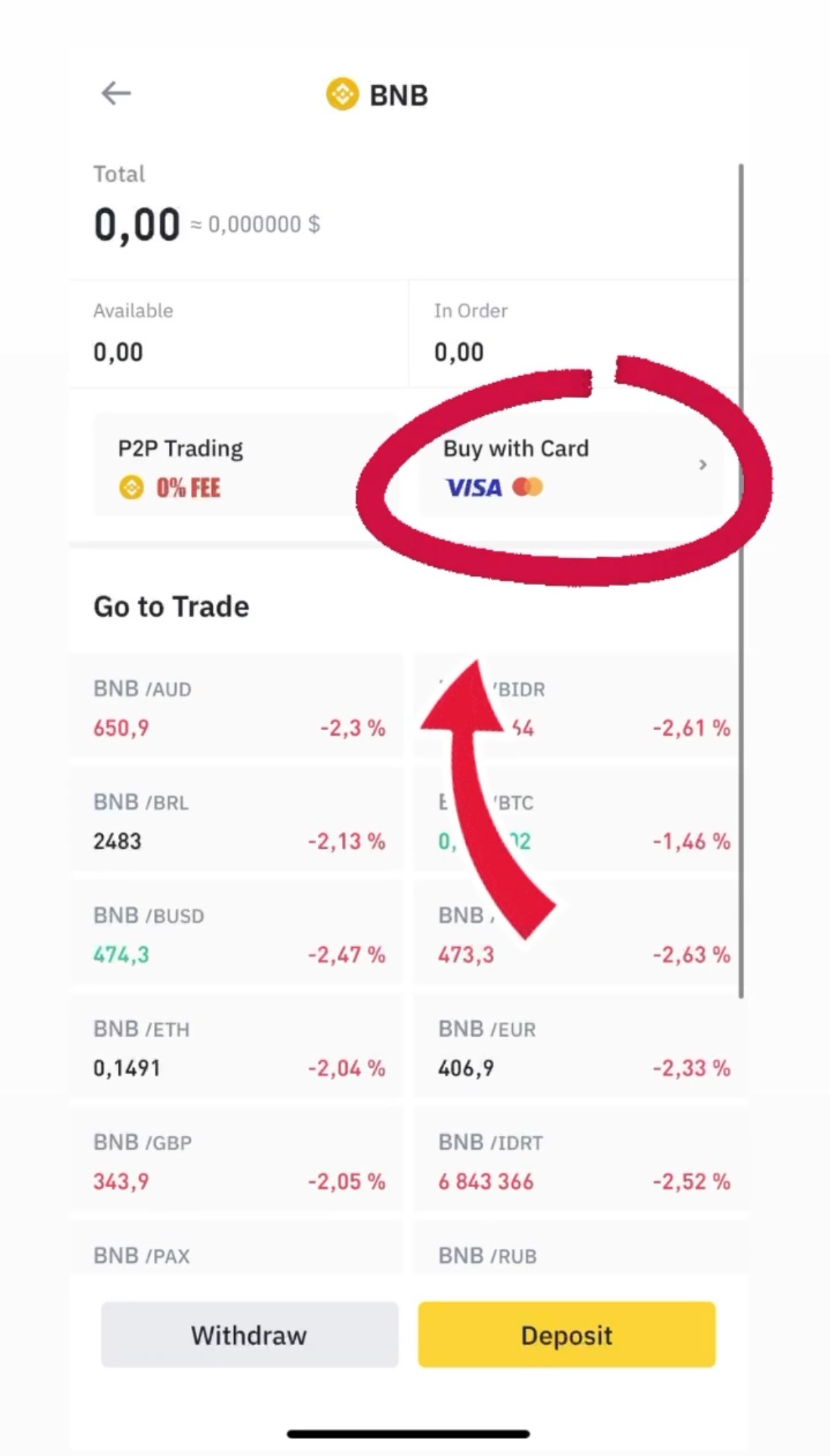
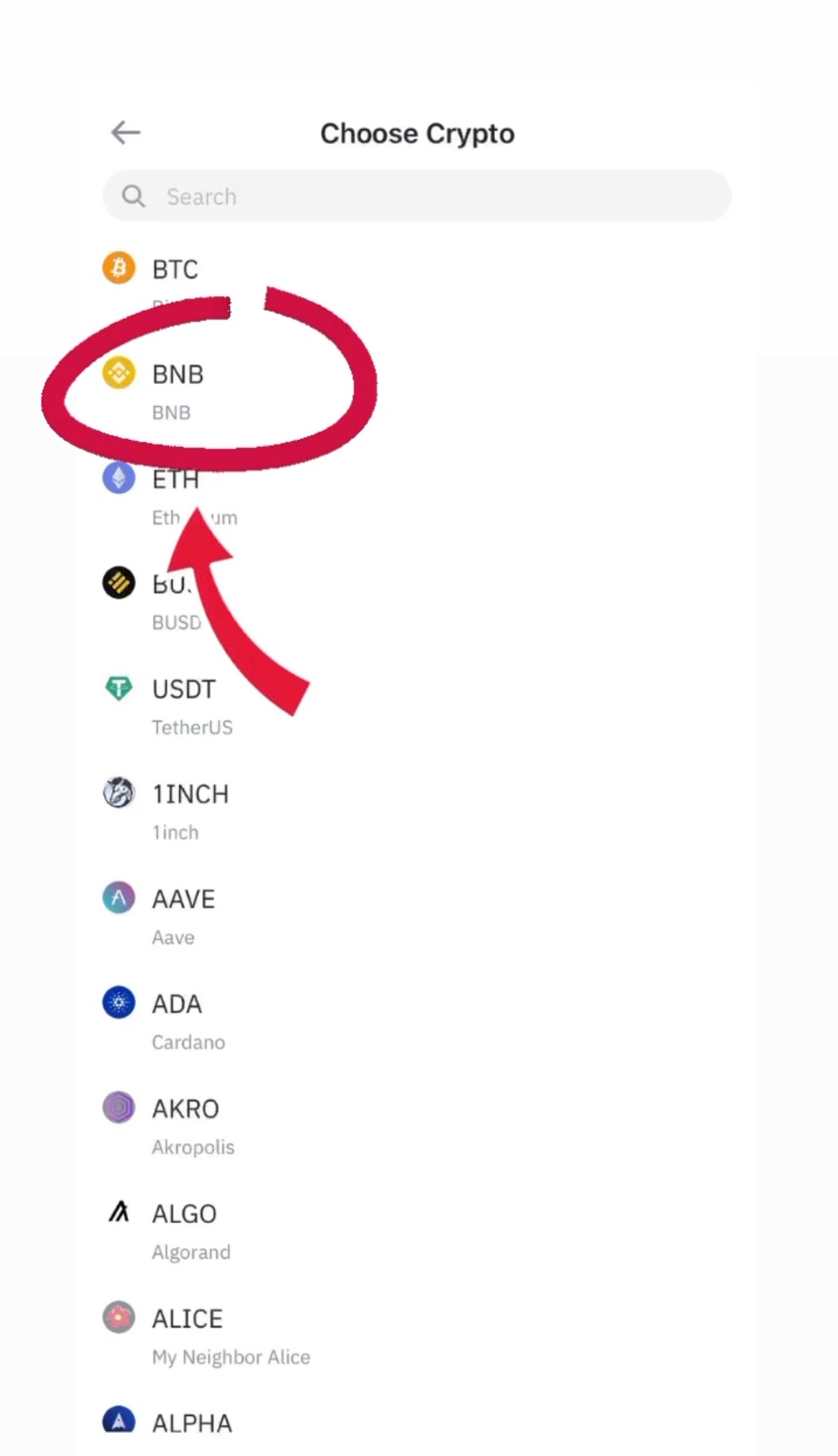
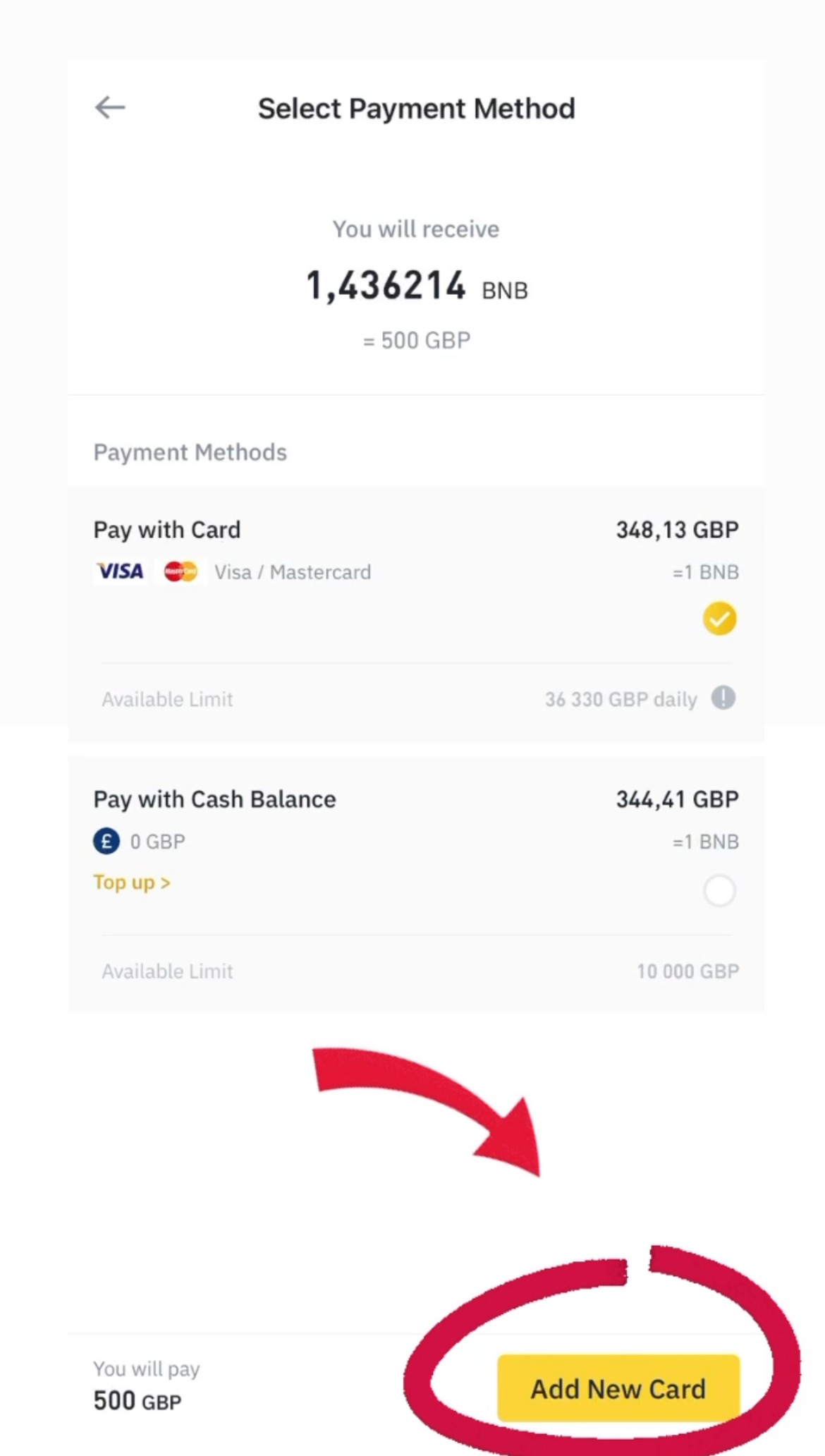
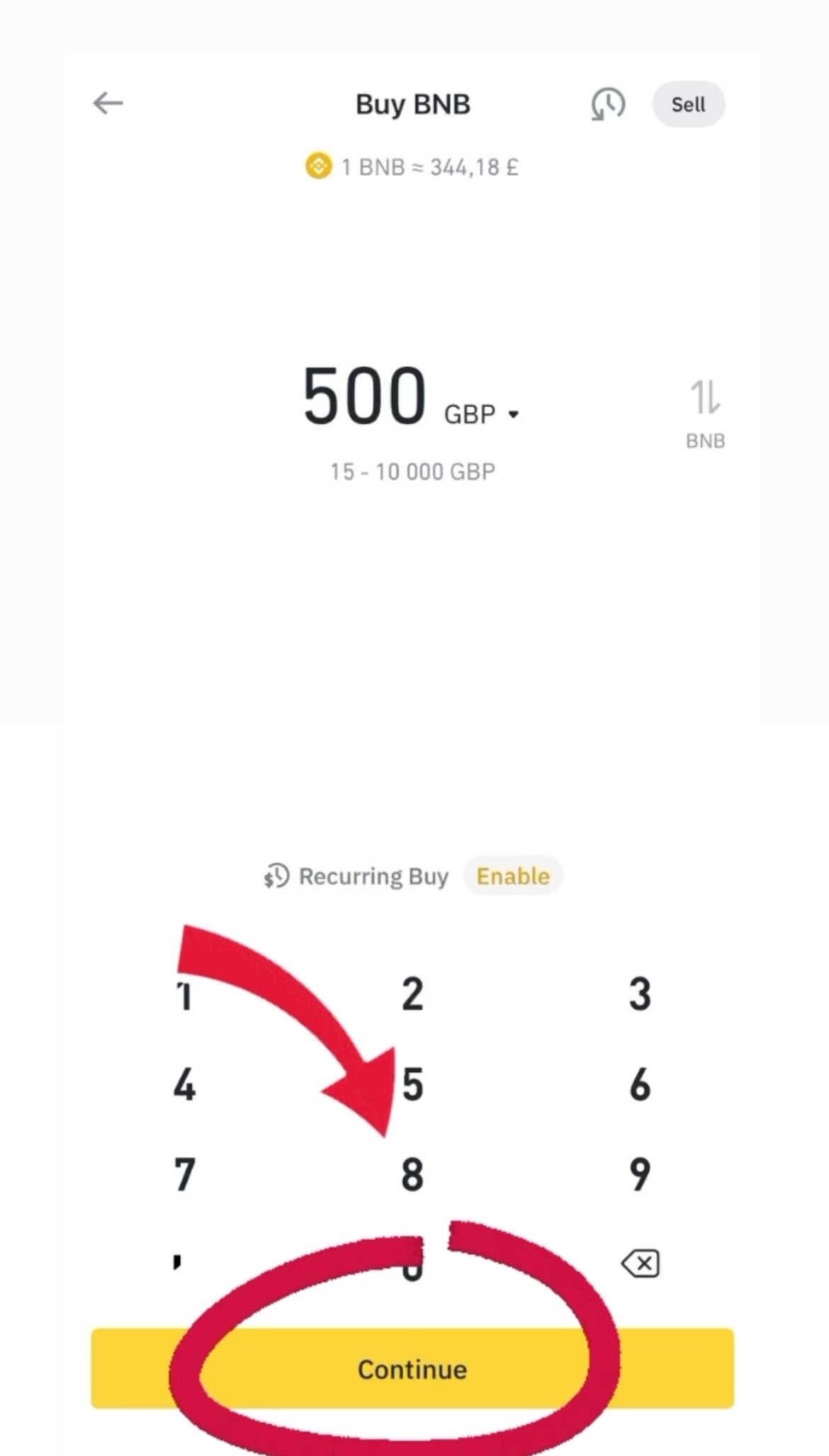
Enter the amount you need and click Continue. Then add your card details and complete your BNB purchase
Step four
After buying BNB you need to sent this currency to another wallet, exactly Trust wallet
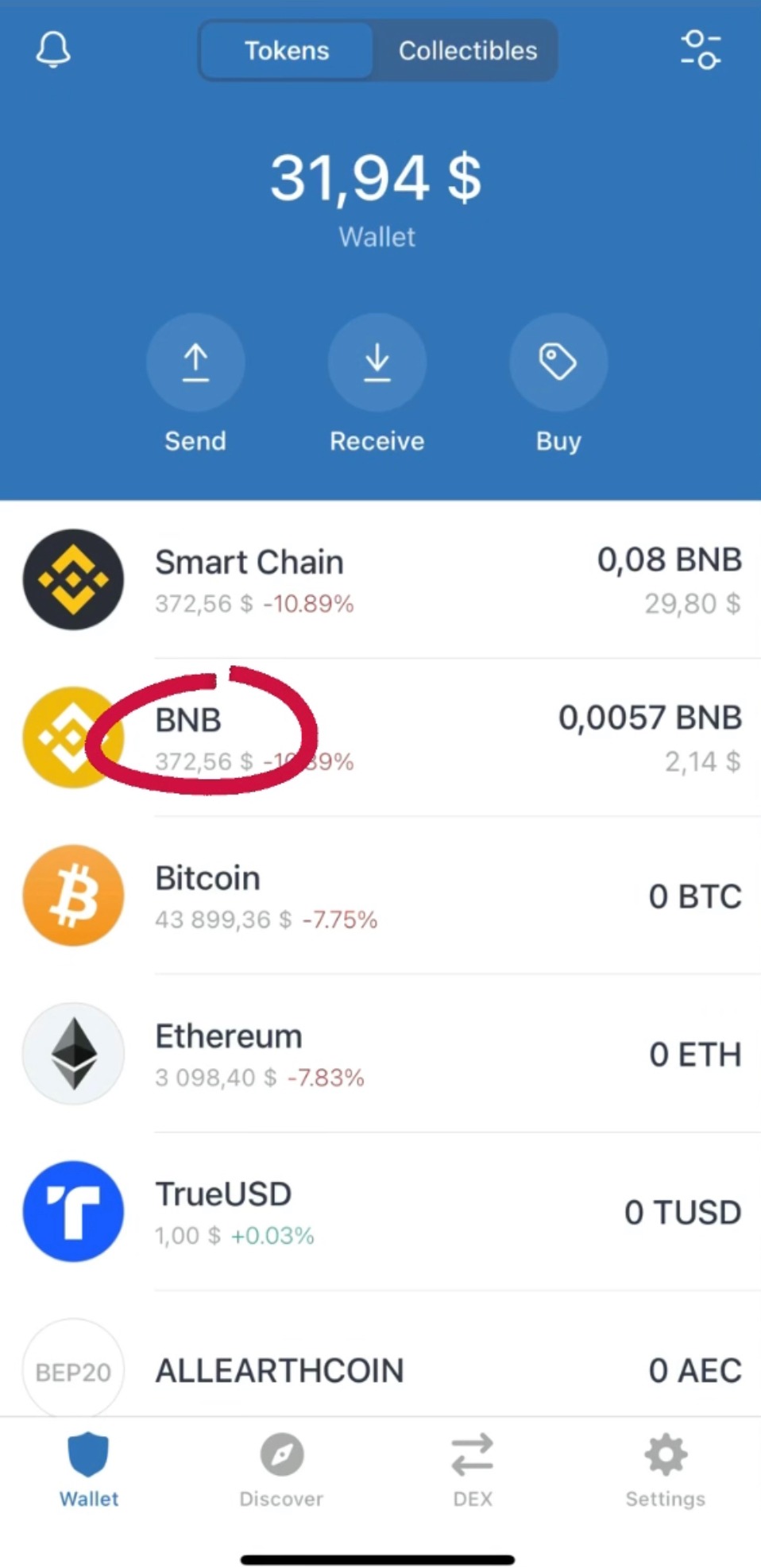
When you get to the start page of your ‘Trust’ wallet, press to go to the “BNB” coin
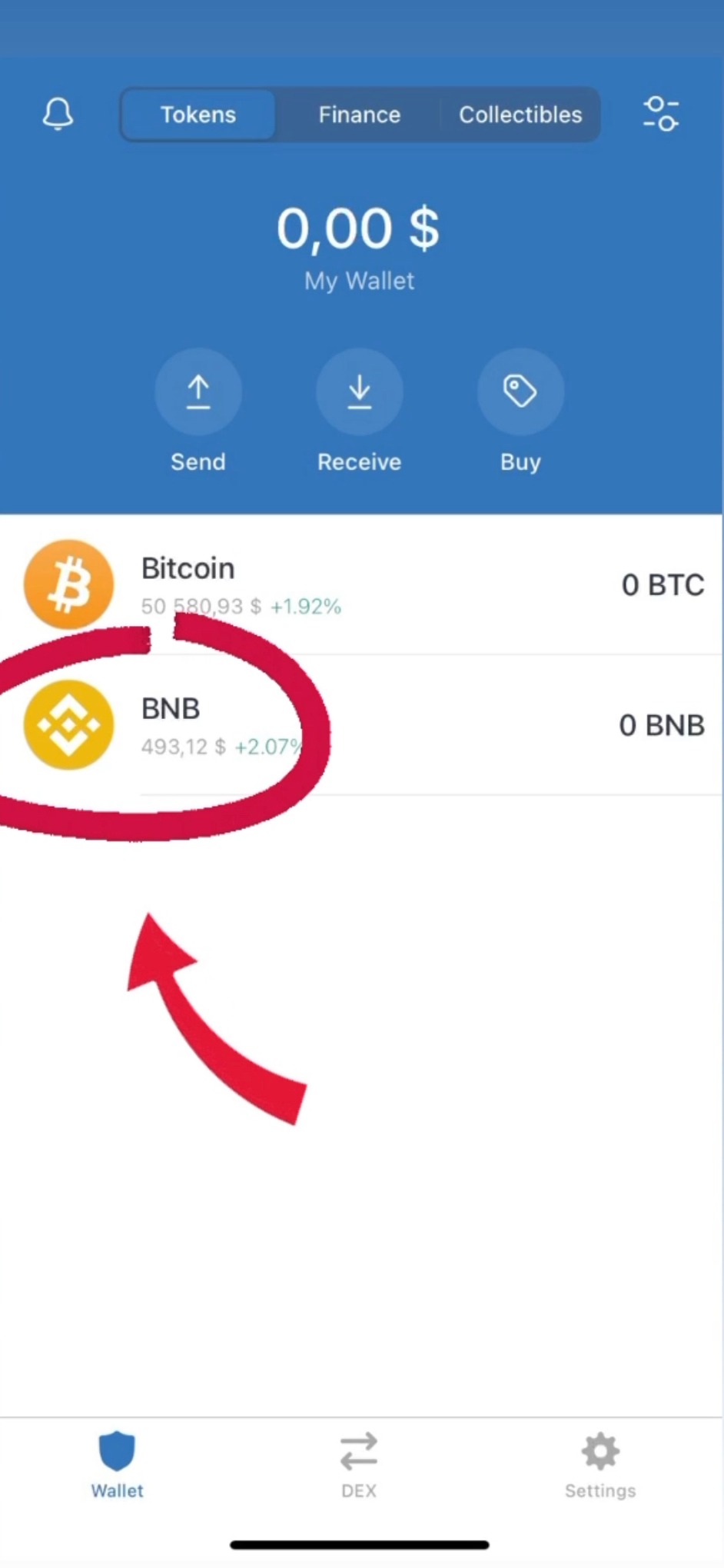
Than click on 'Receive' where the address of your wallet will be displayed to which we will send ‘BNB’ from the Binance that was replenished earlier.
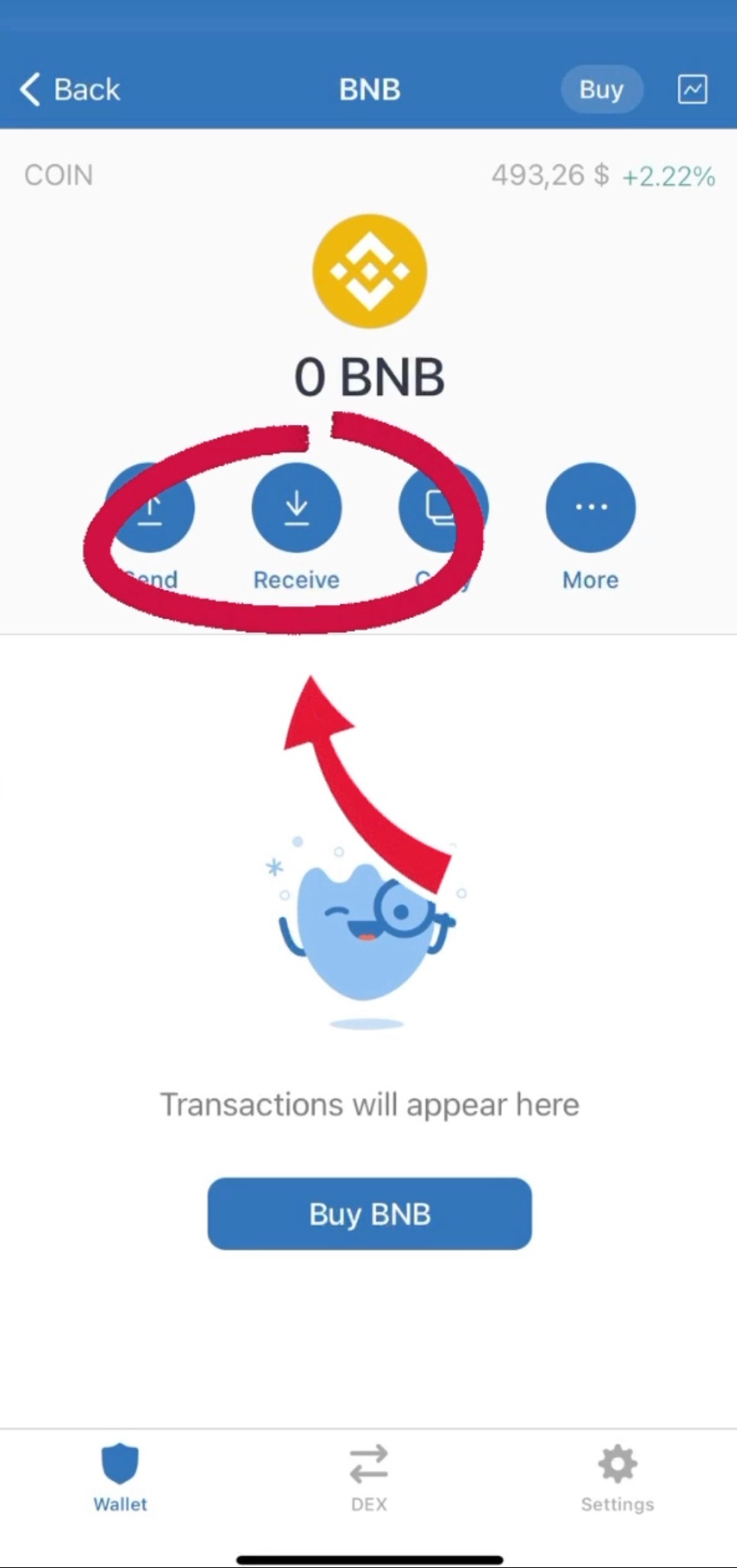
Click "copy" to copy our wallet number to Trust Wallet
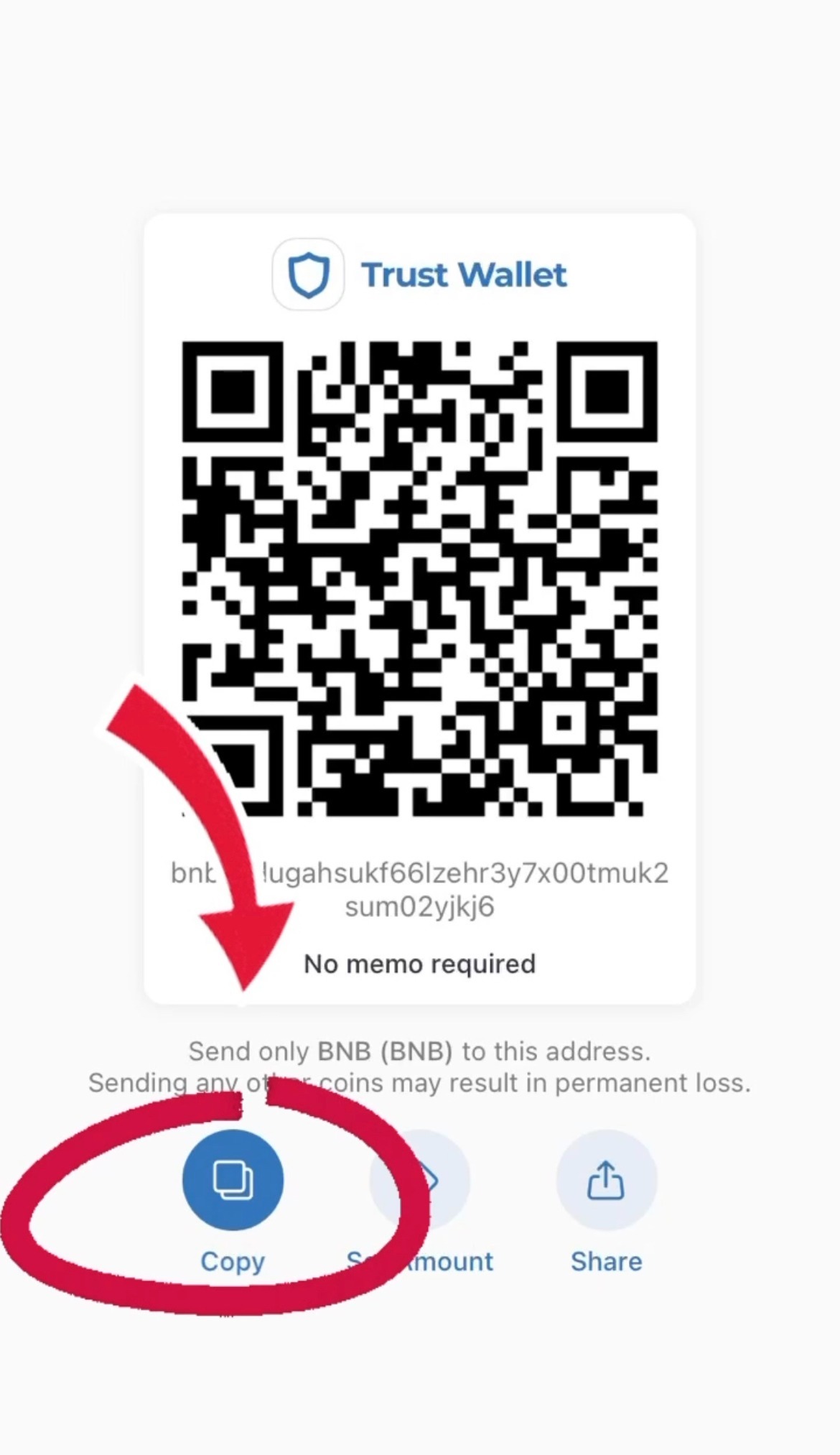
Returning to the Binance app. Now we need to send our “BNB” which we bought earlier from our Binance wallet to our Trust wallet.
Go into the wallet, click 'Overview' and than 'Withdraw'
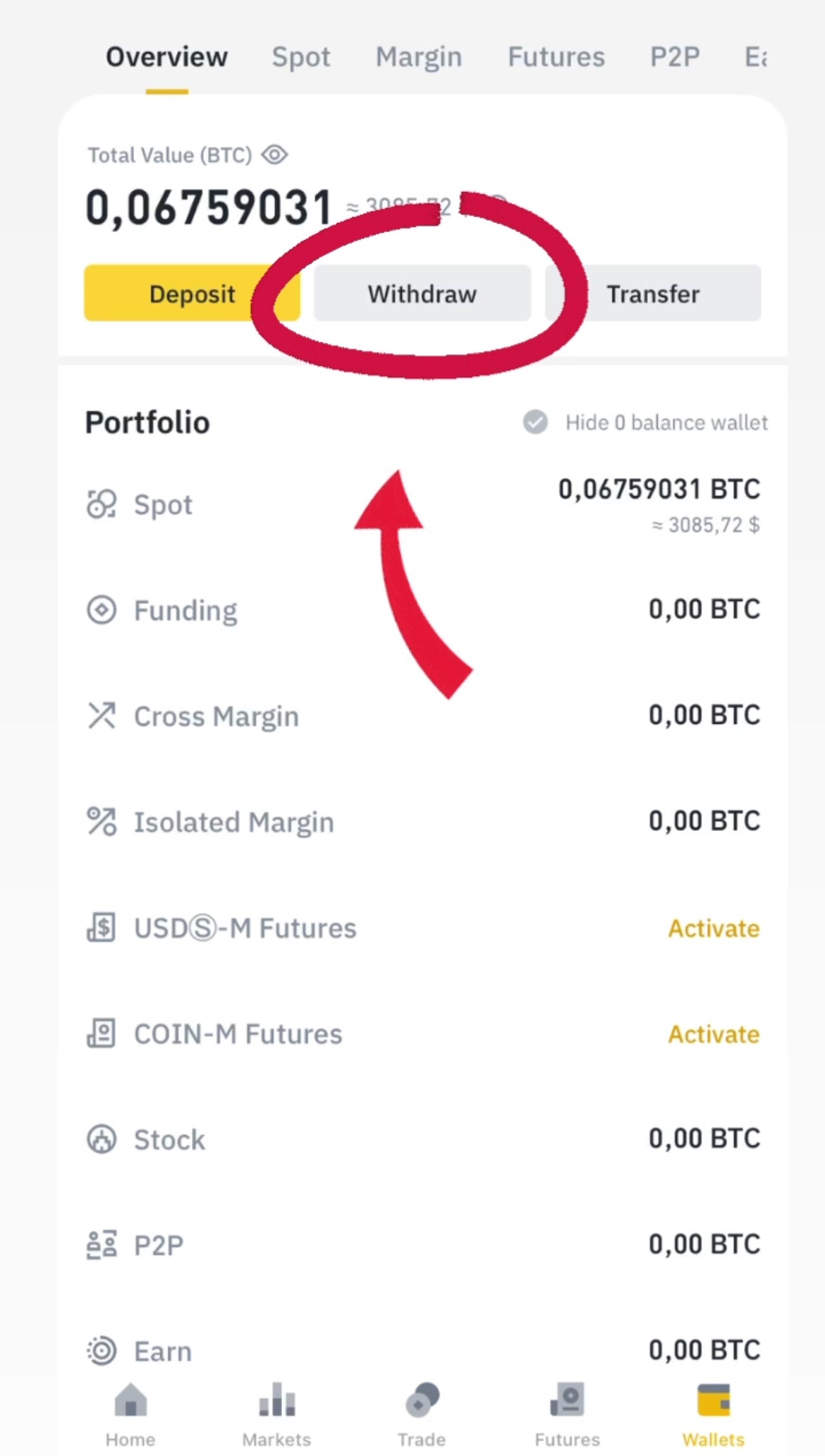
Click 'BNB'
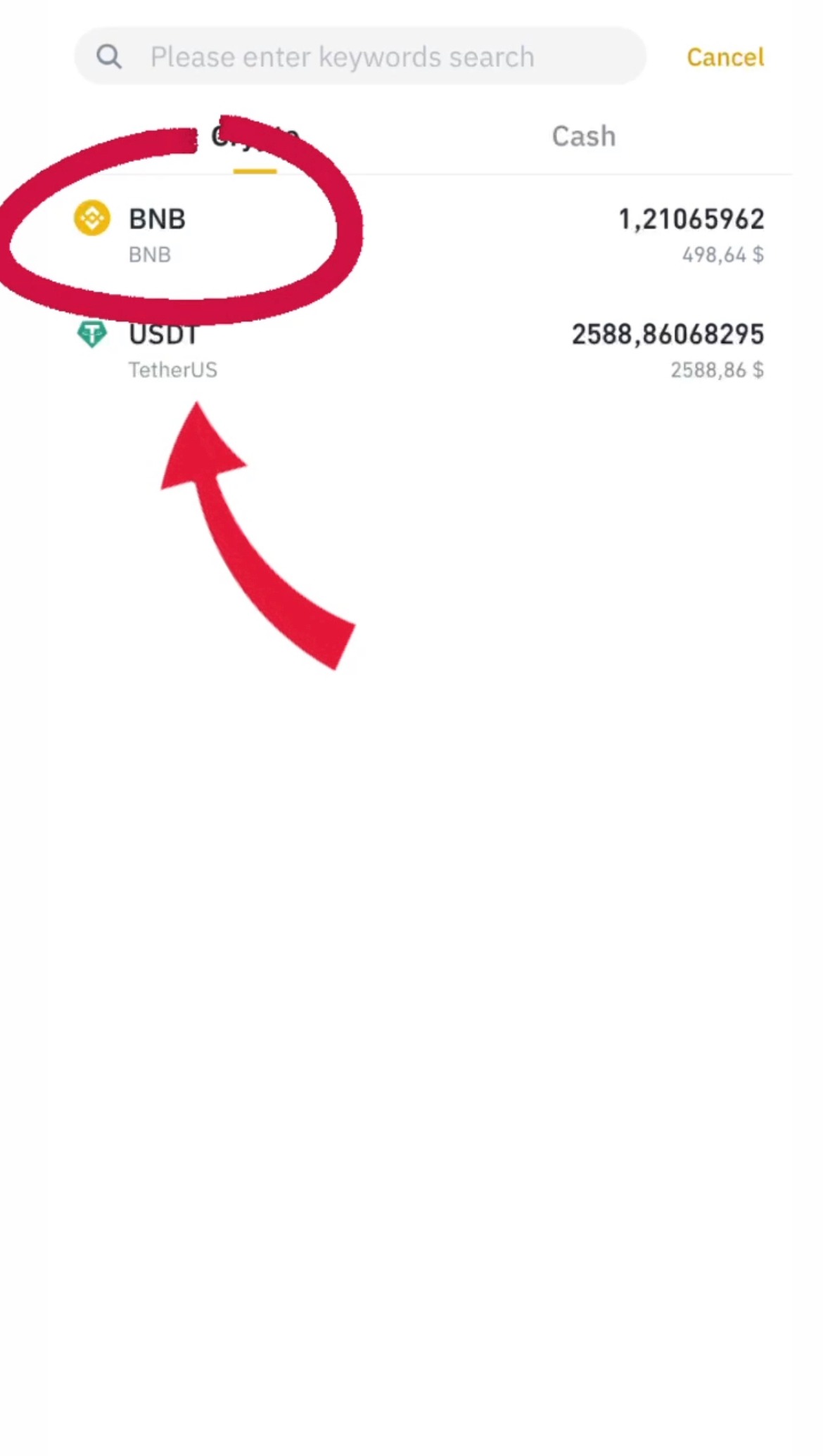
Insert the address which we copied in the Trust Wallet, select Network "BEP2", specify the sum and click "Withdraw"
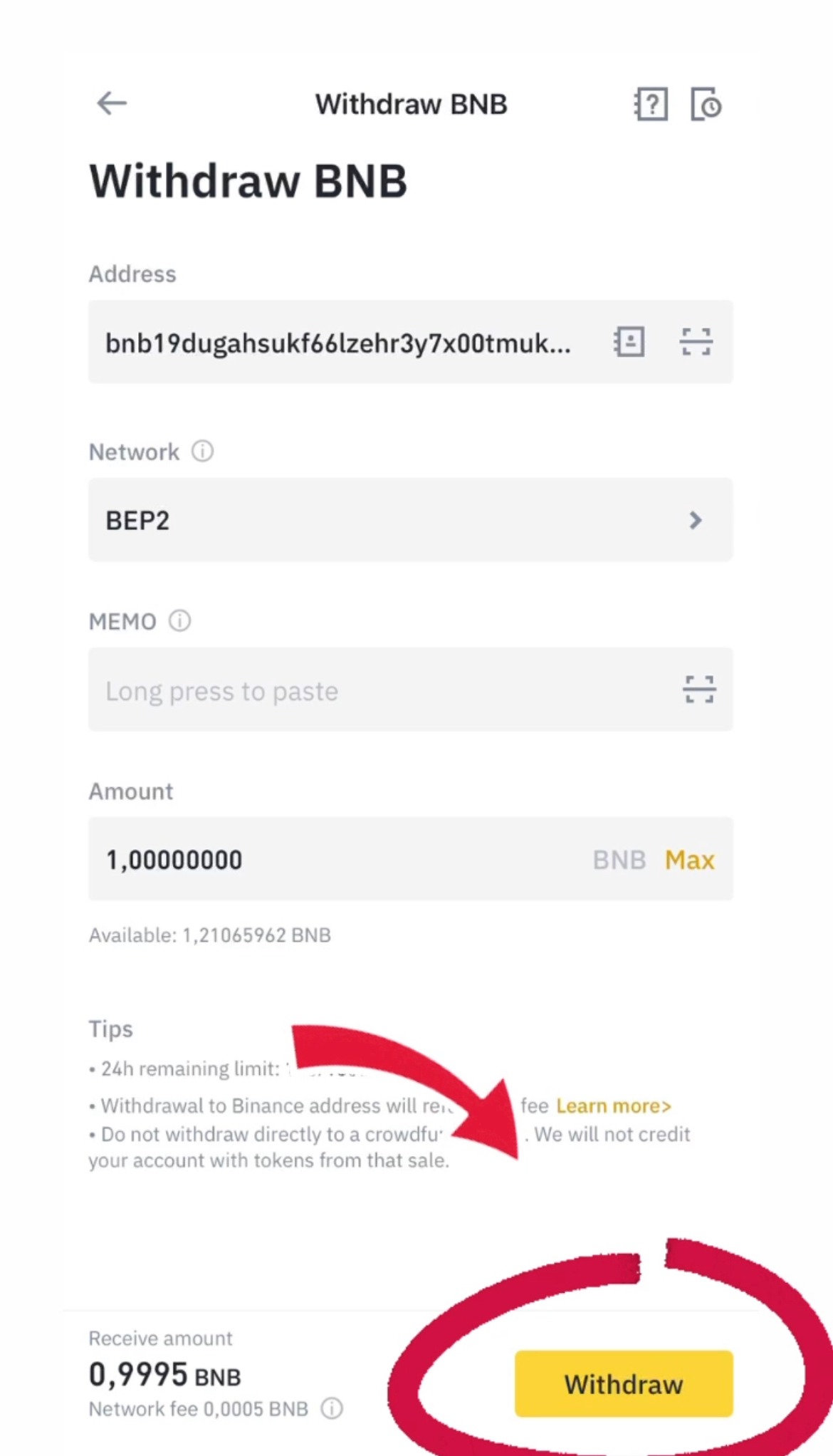
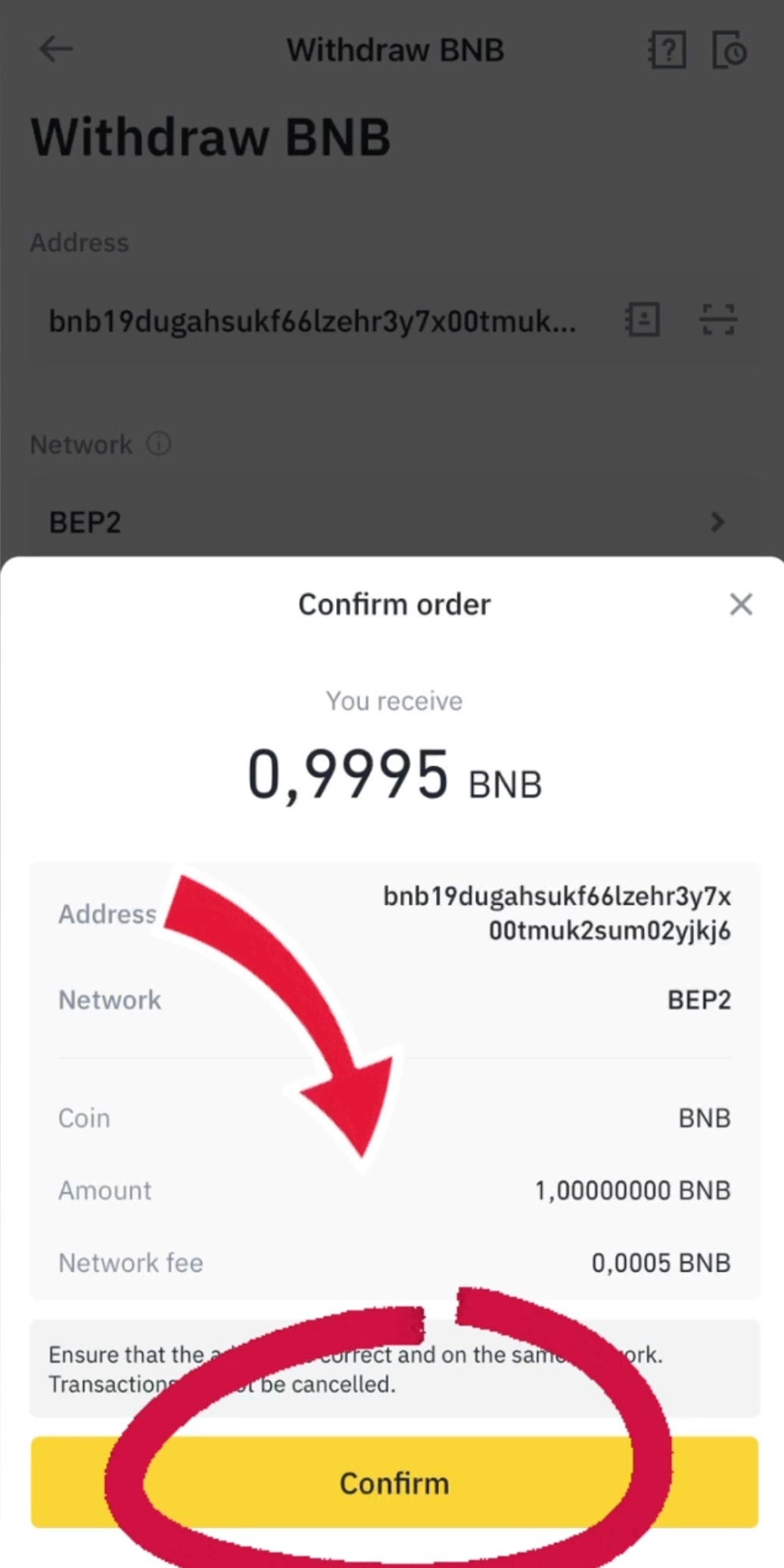
Confirm the transfer
You have BNB on your balance!
Step five
Select and click 'BNB' coin
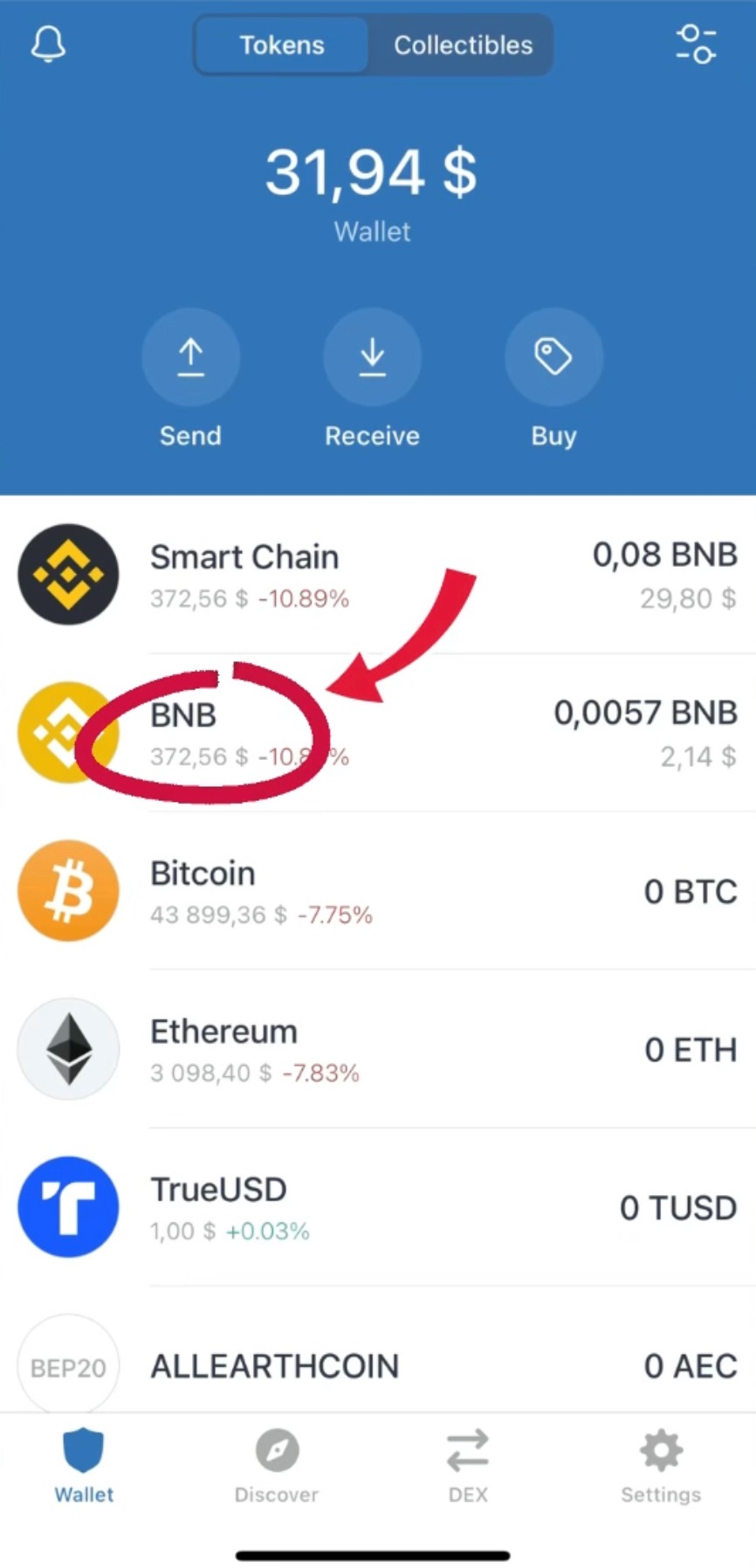
Change the network BNB to Smart Chain, click 'More'
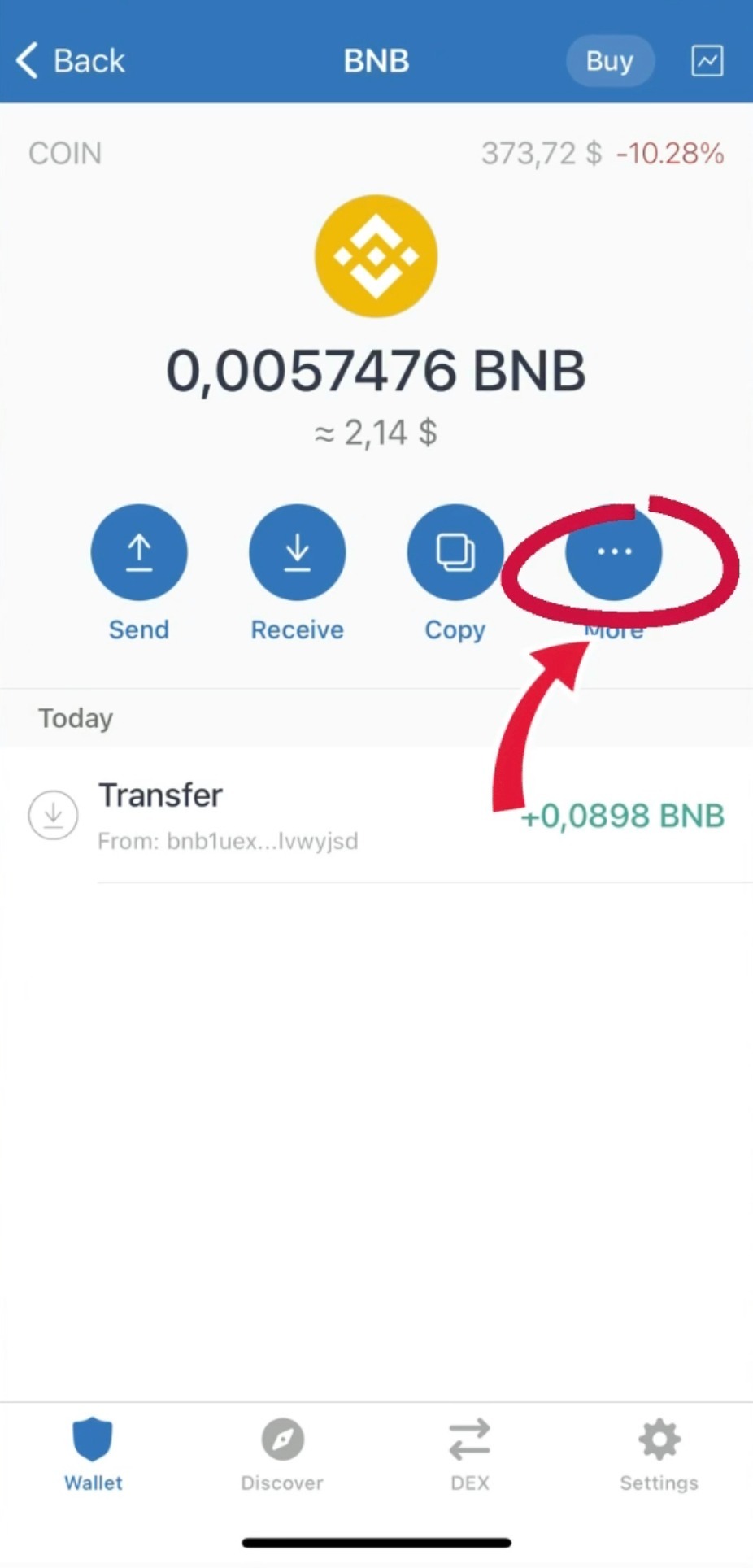
Click 'Swap to Smart Chain'
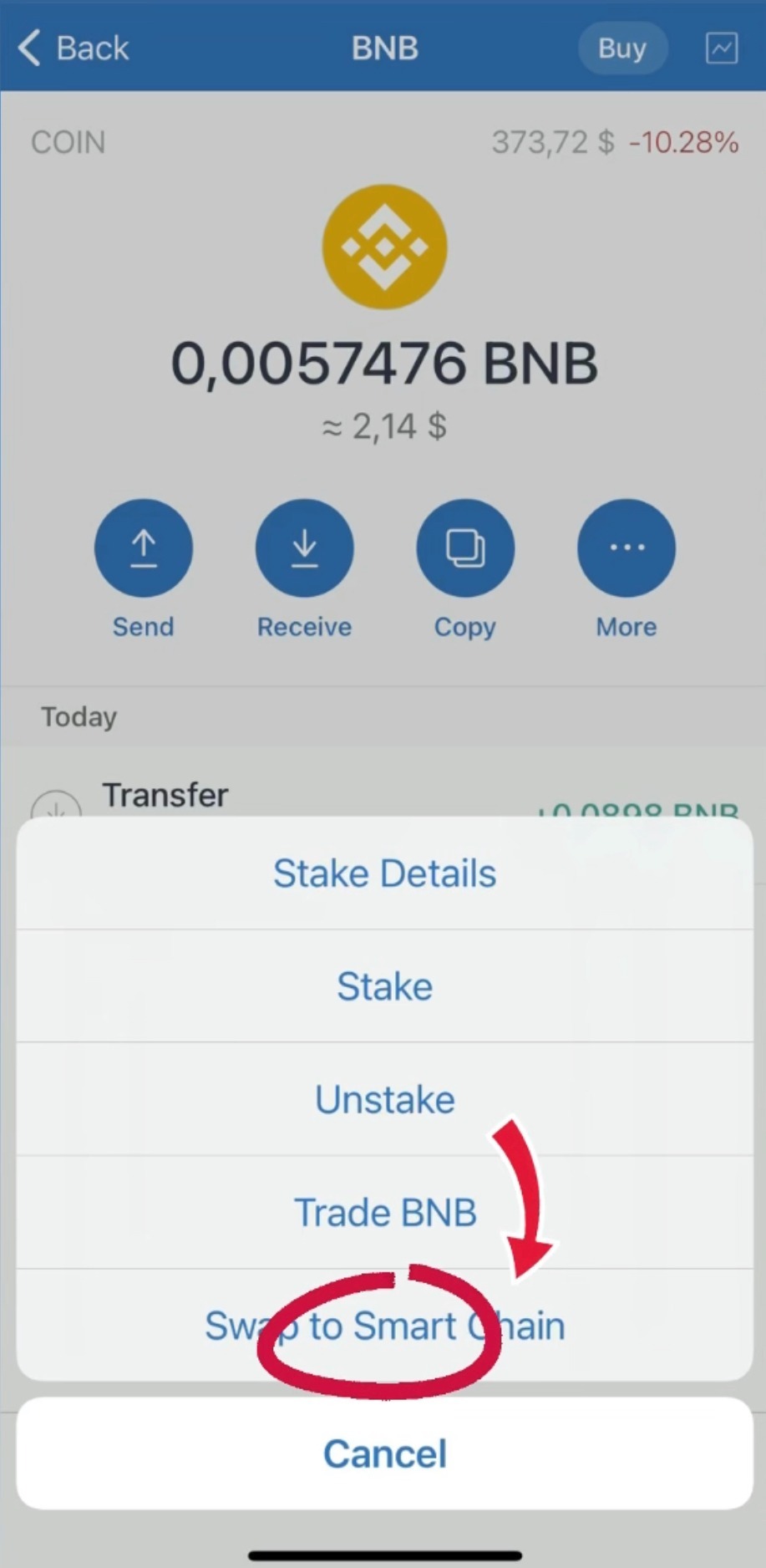
Done, we created and transferred BNB to the Trust Wallet, congratulations.
Step six
The next step is to connect our wallet to the pancake swap, click "Connect wallet"
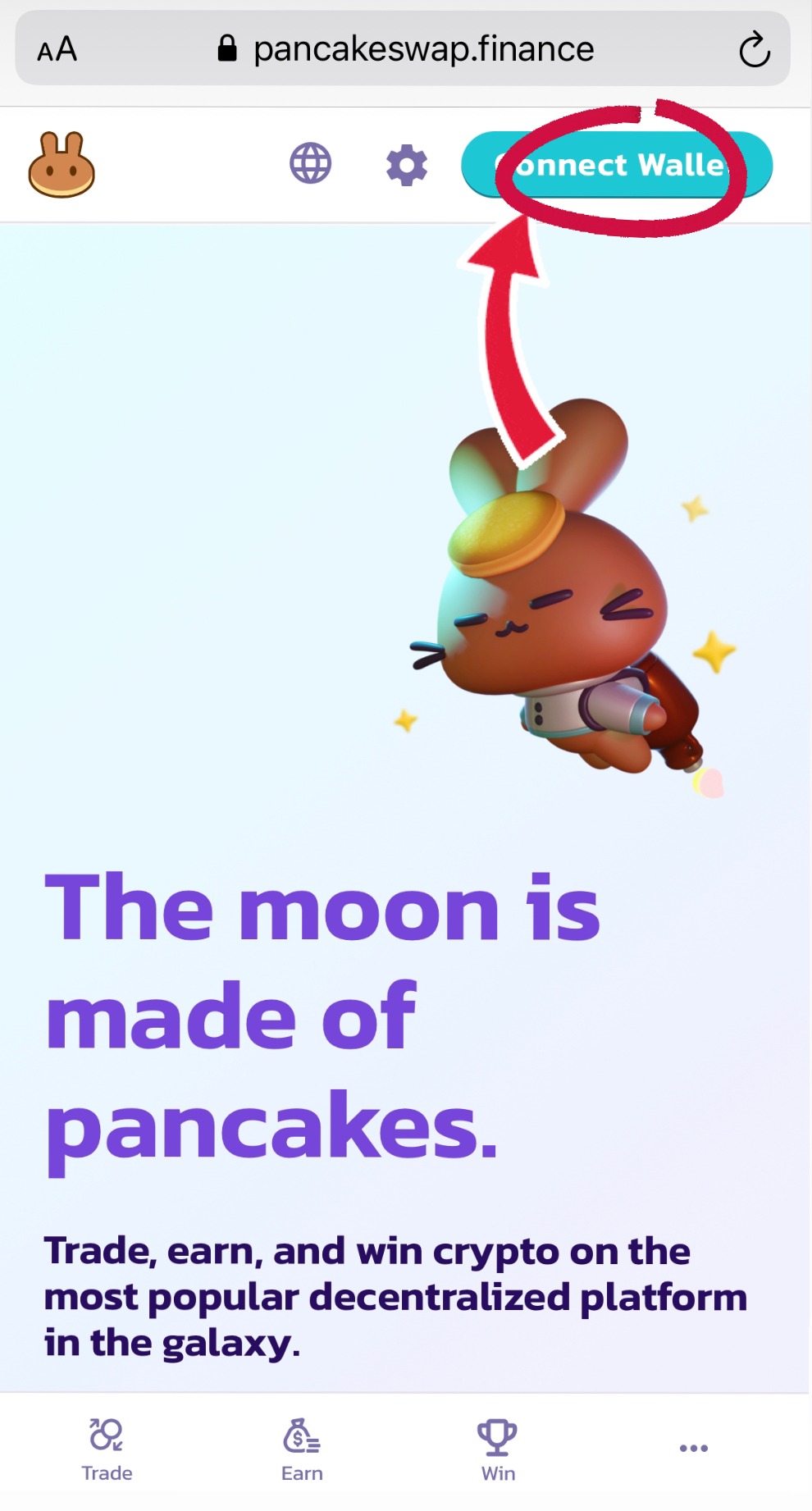
Click "Wallet connect"
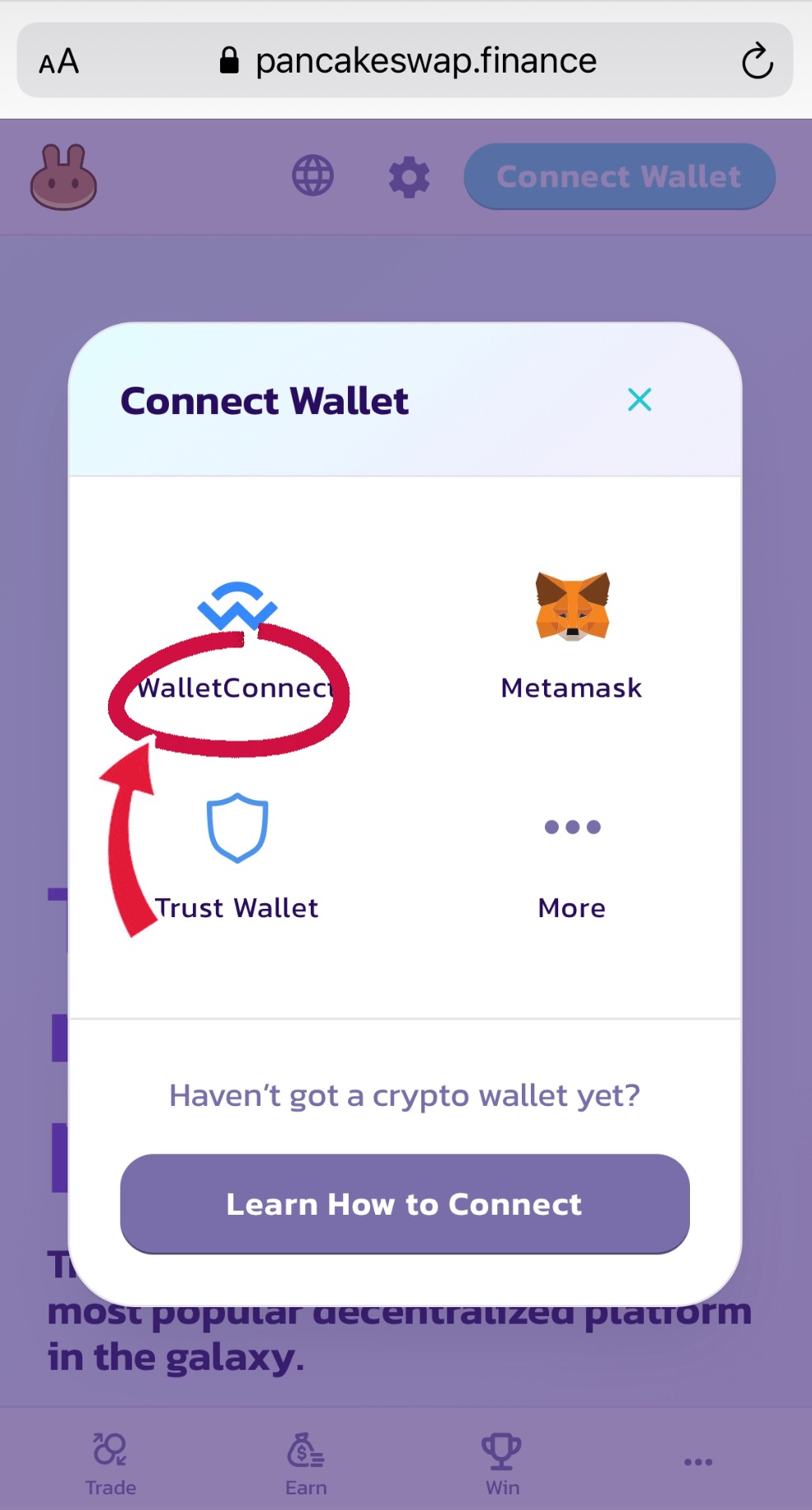
Click " Trust wallet"
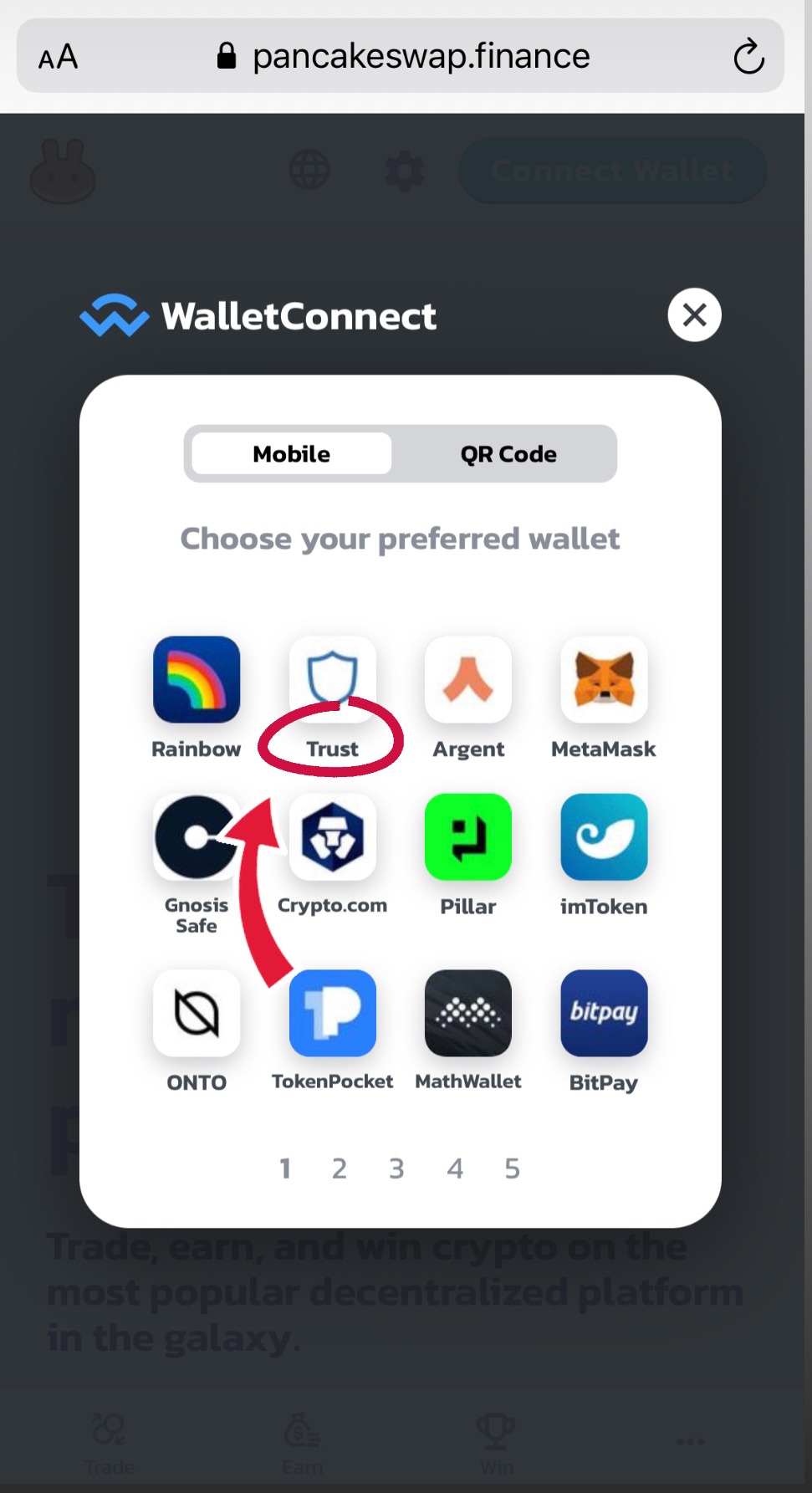
Click "Connect"
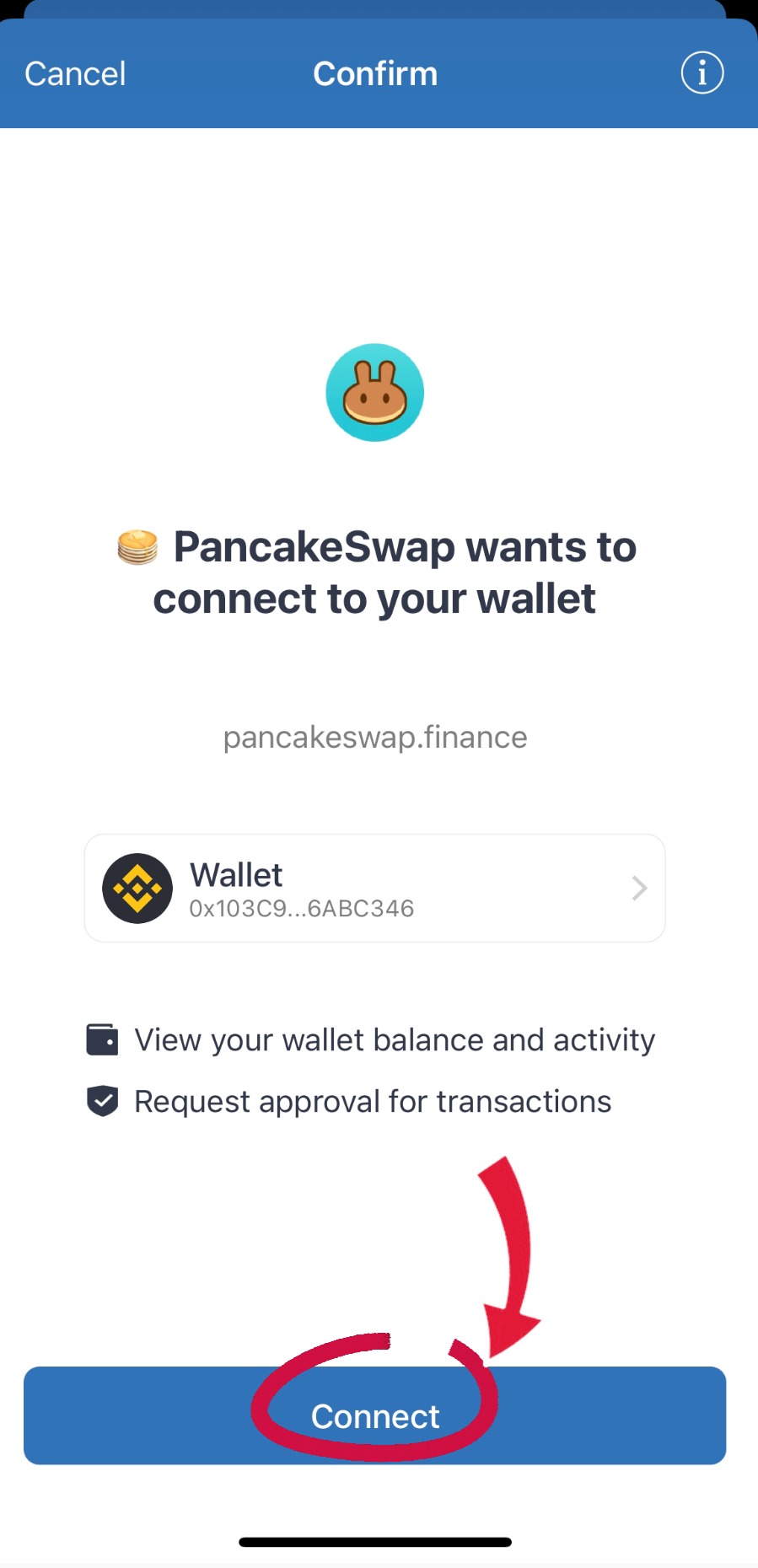
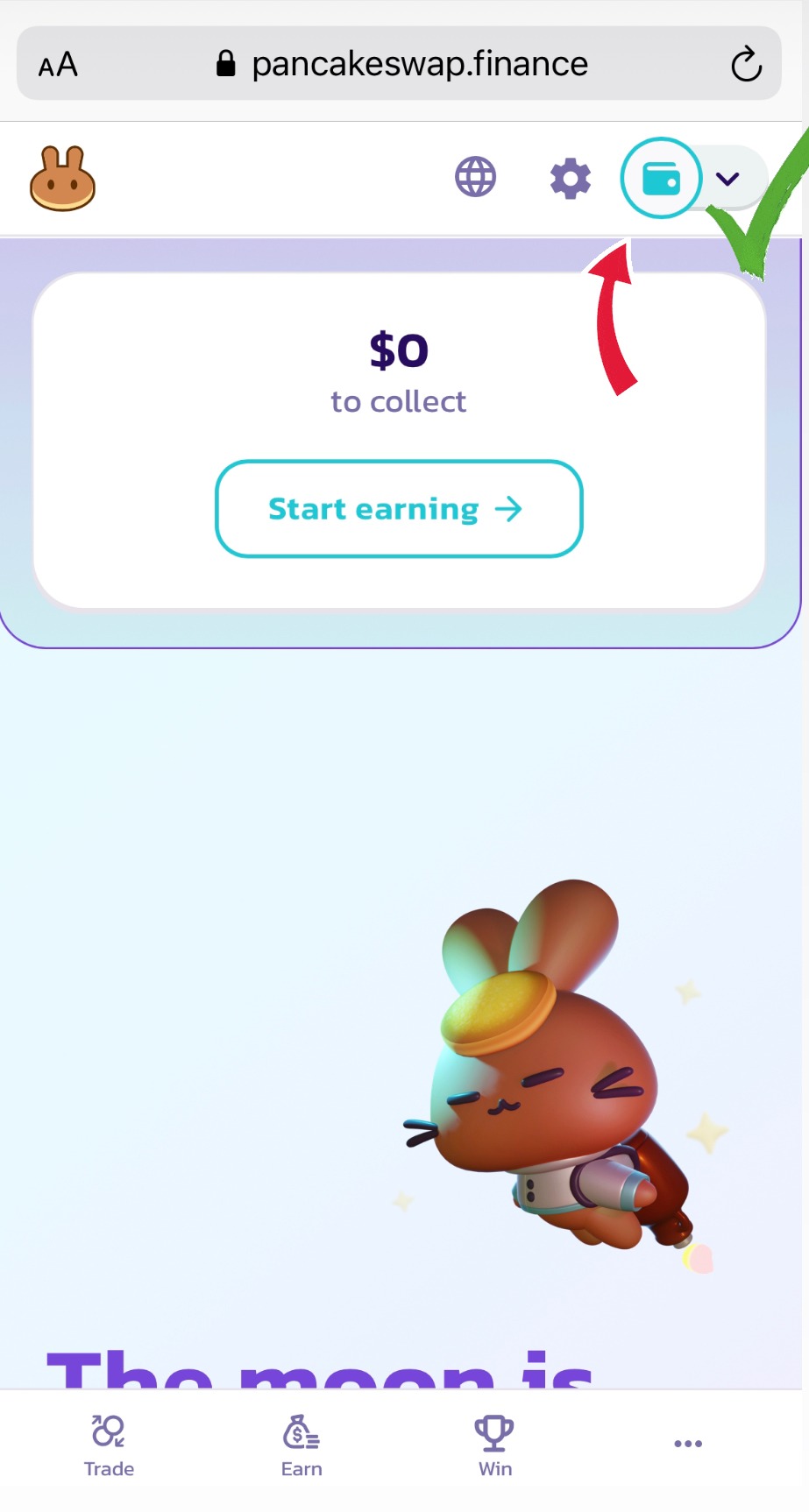
Back to the browser, wallet is connected !
Step seven
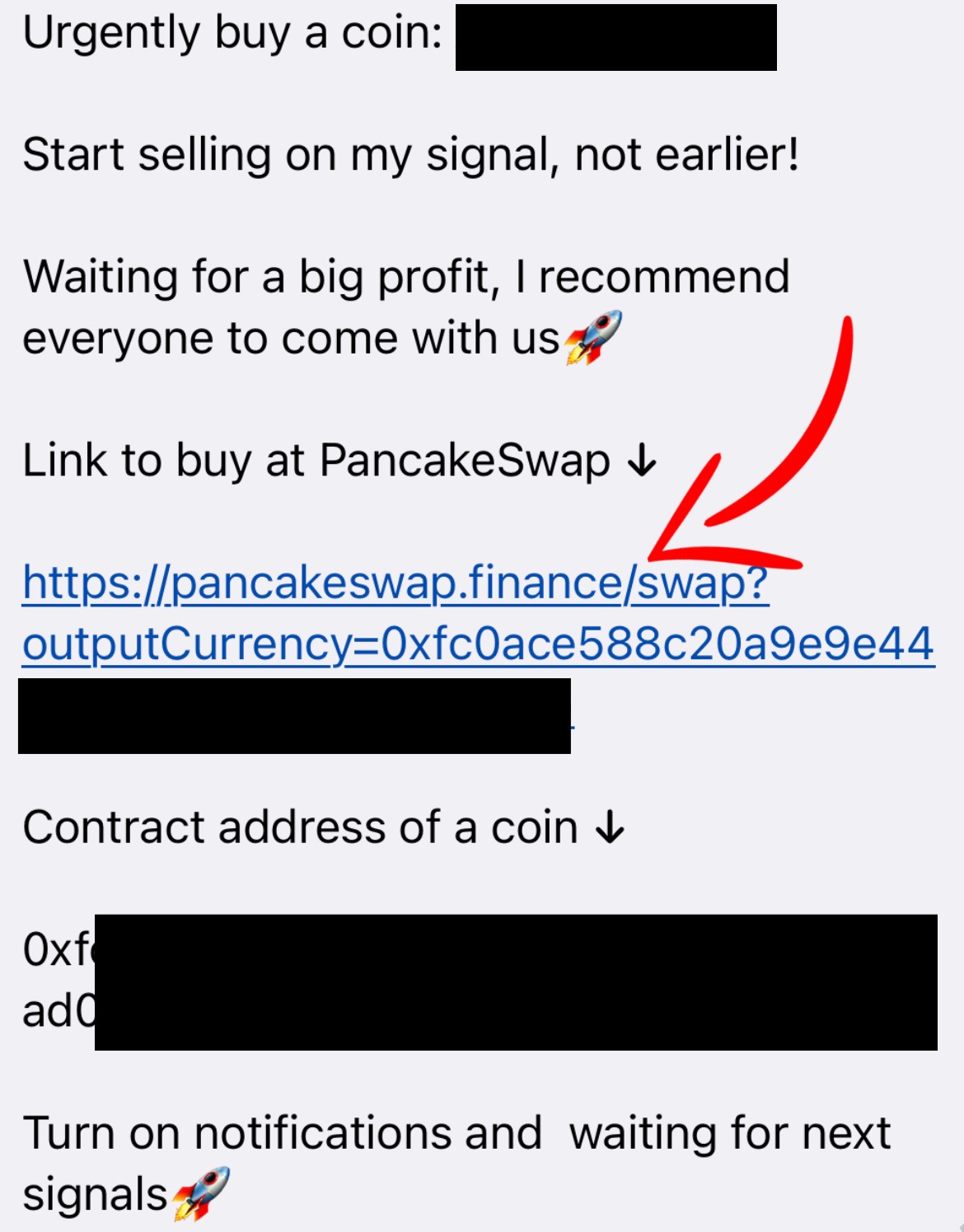
Now it remains to purchase a coin at our signal, all signals about pumps are posted in our telegram channel, in this format 👇
Click on the pancake swap site link, after clicking on the link, we expect 5 - 10 seconds after which we will see a window where we must click the "I understand" checkbox
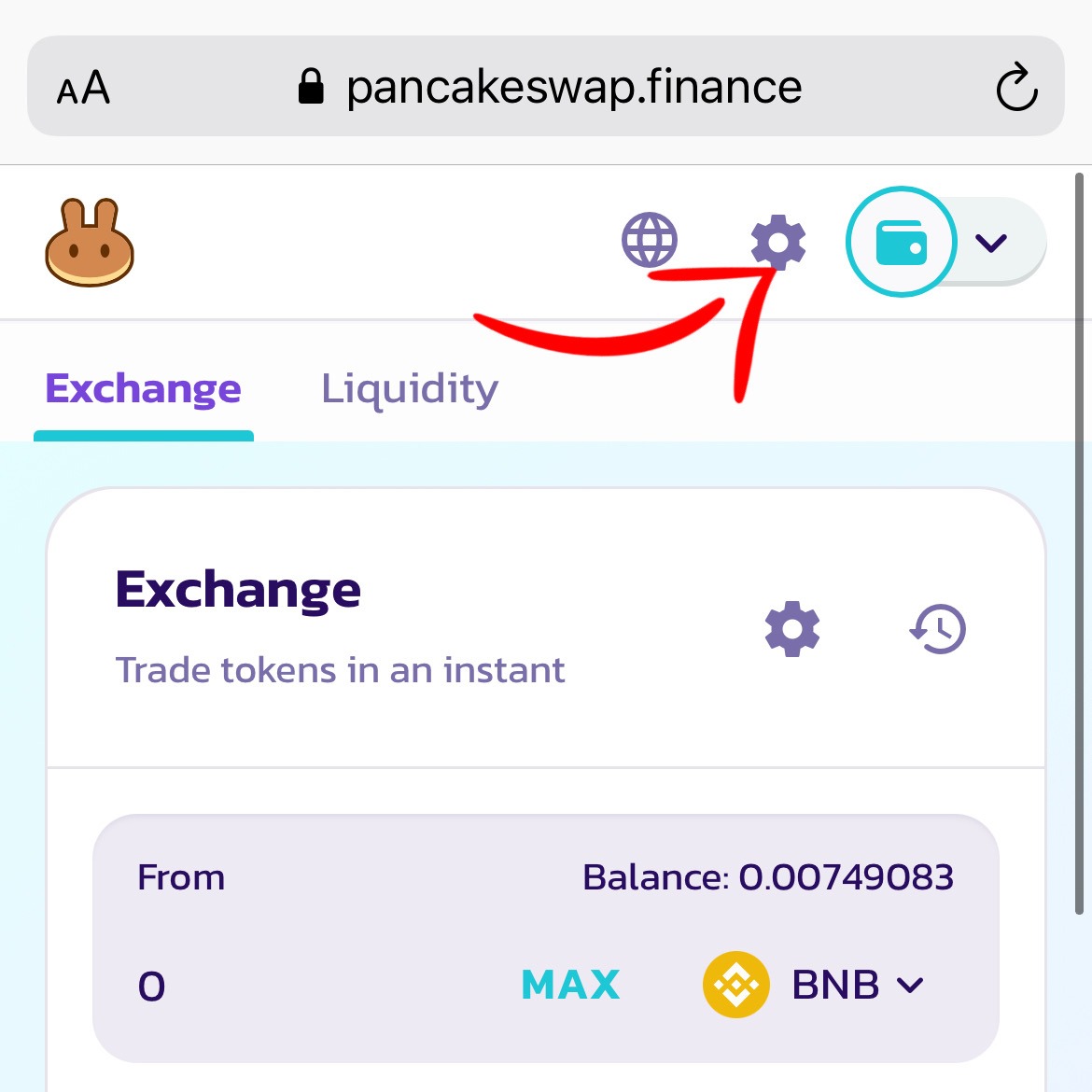
Press "Settings"
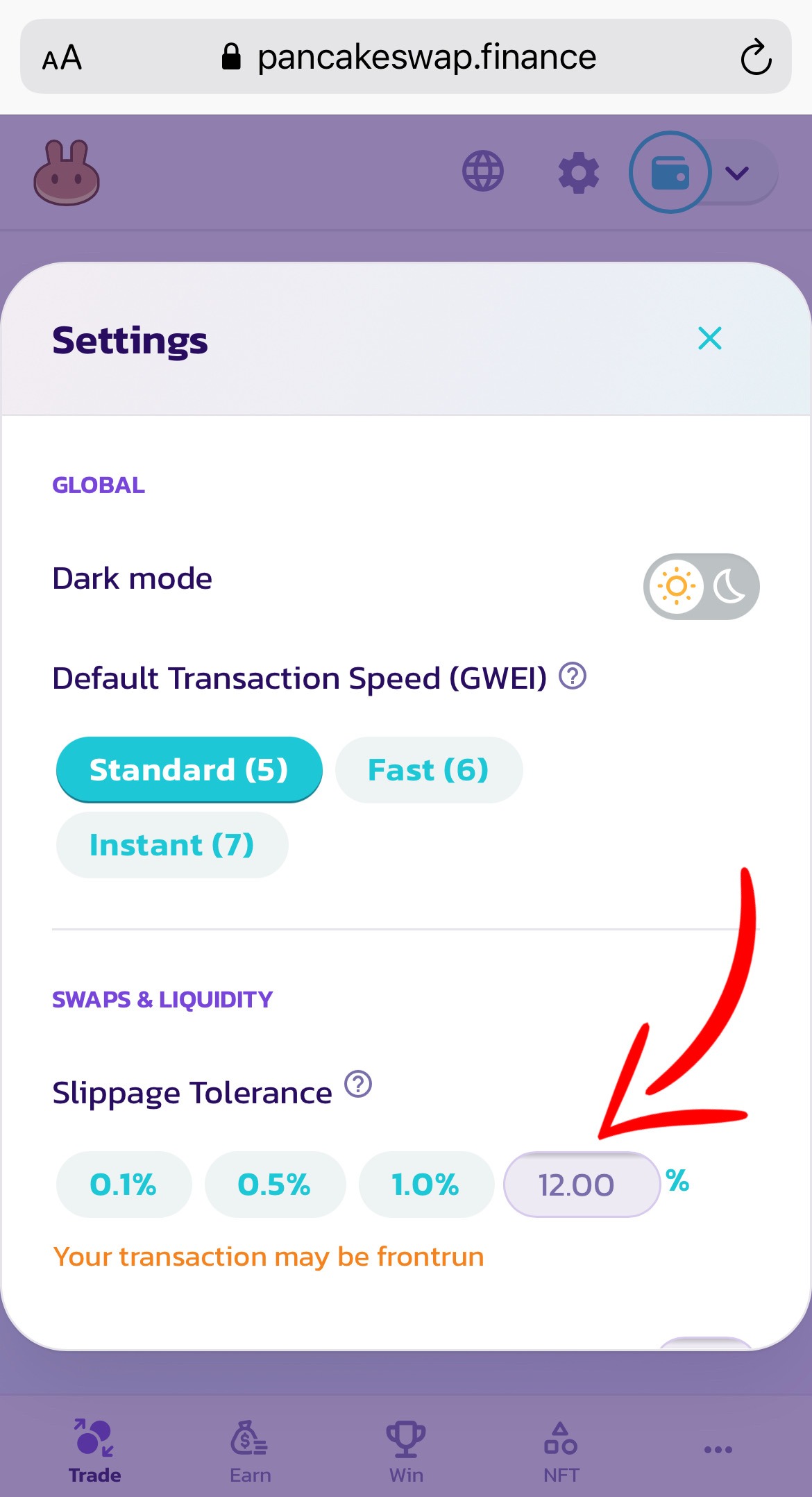
Choose "slippage" 12%
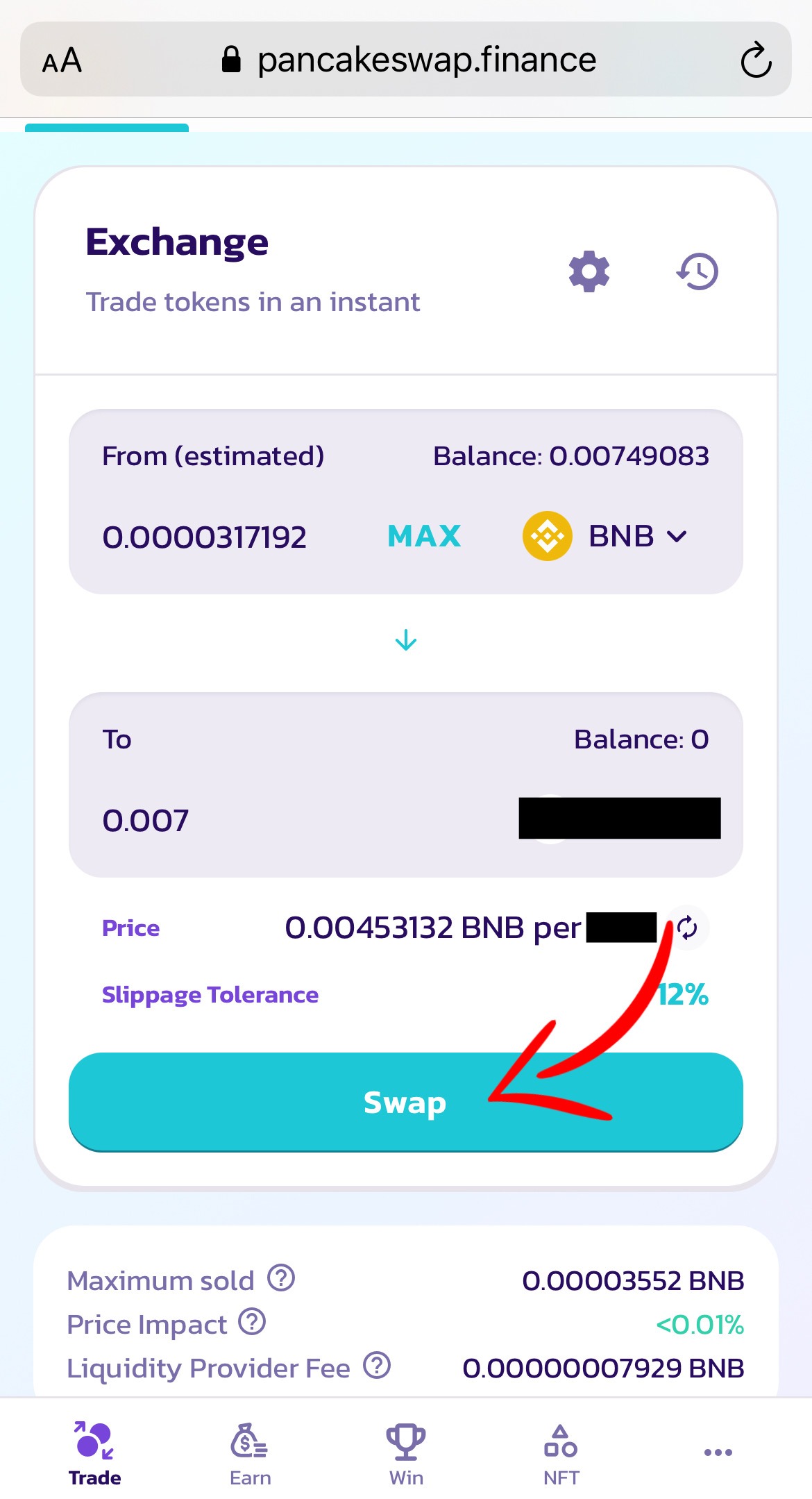
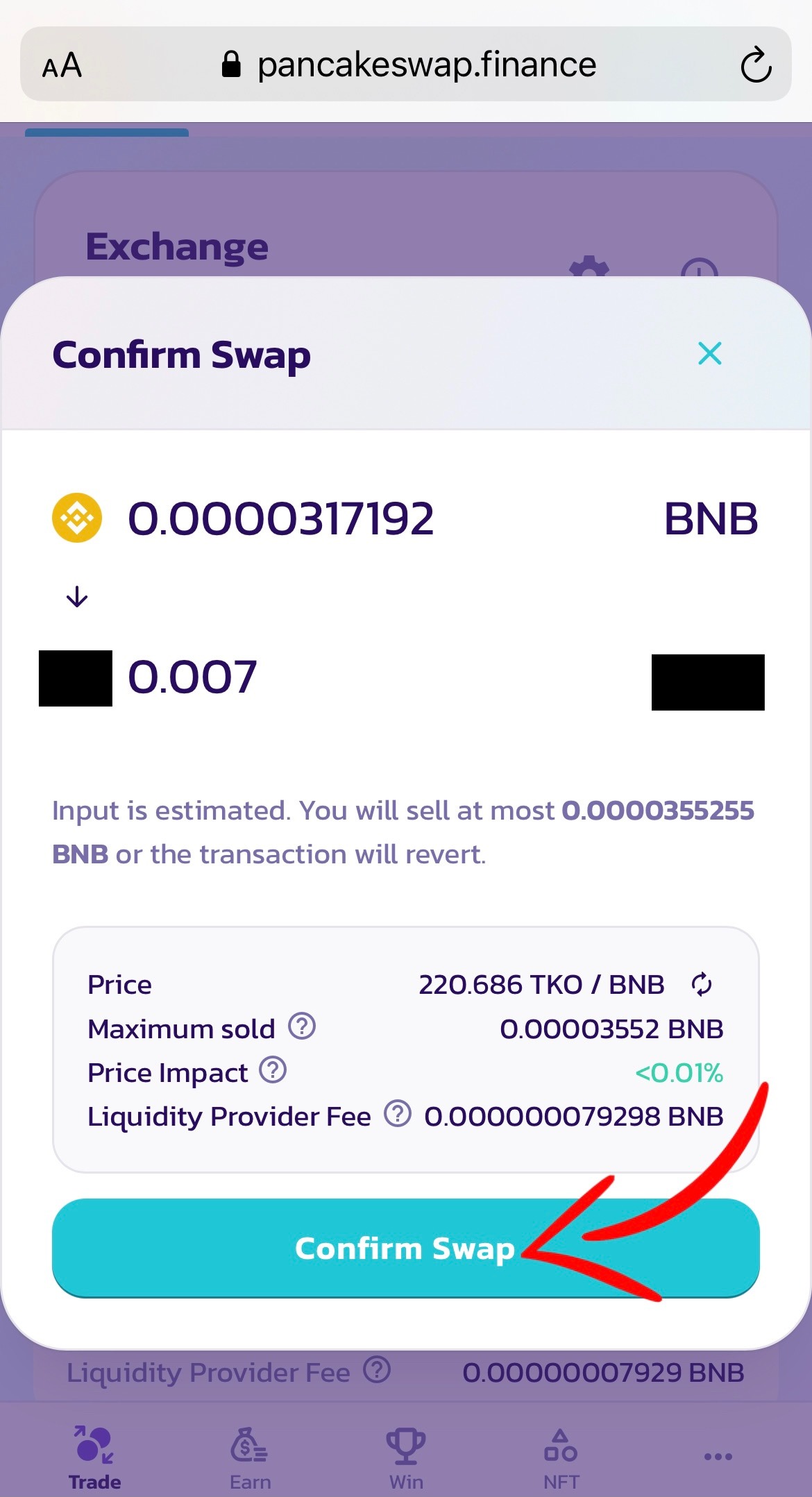
Select the amount and press the "swap" button
Confirm Swap
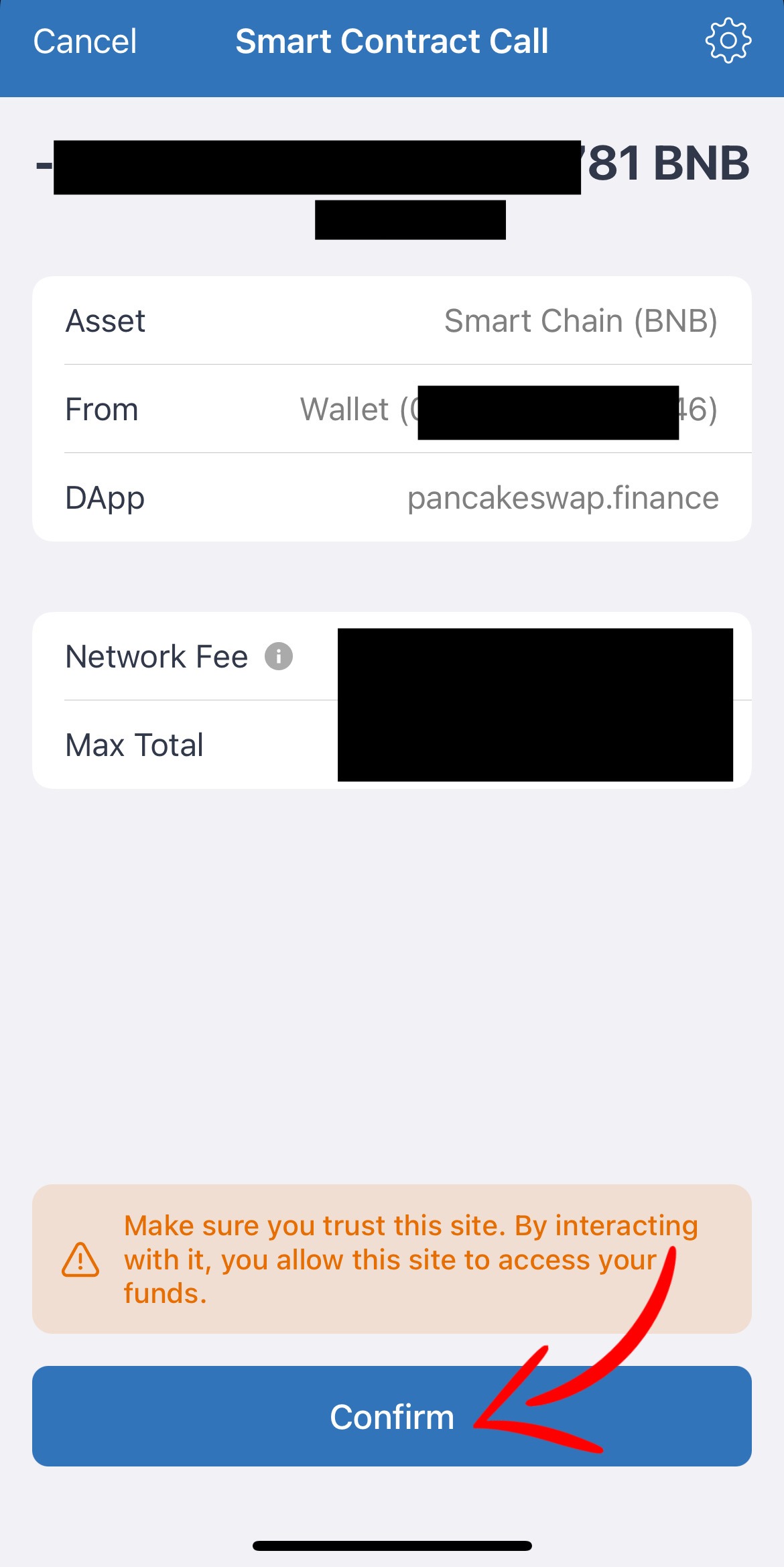
We return to the trust vallet and click Confirm
Congratulations, you have purchased a coin, then we are closely following the further signals in our telegram channel.
Do u have any questions? @James_Mcgowan