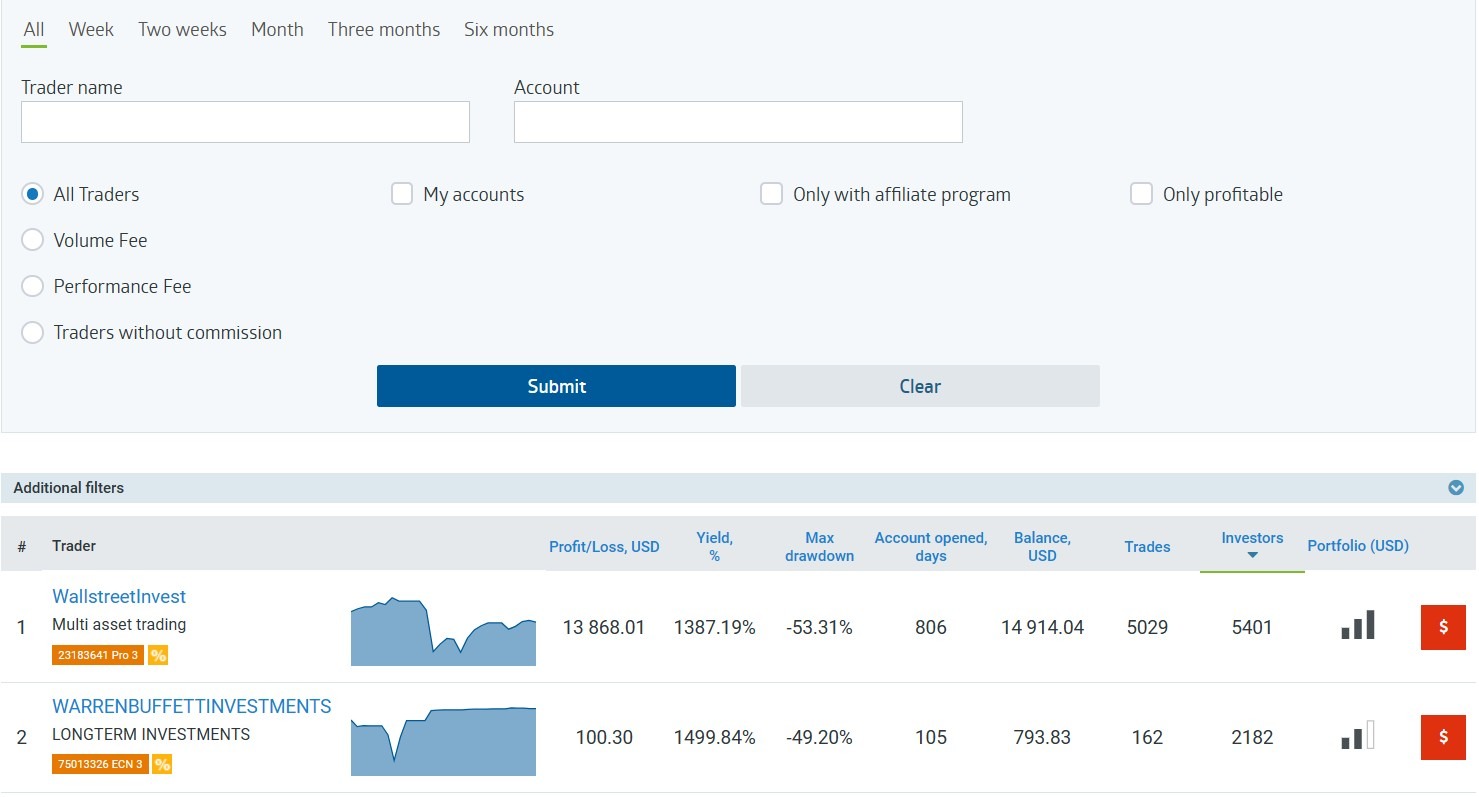
How to open a trading account in Roboforex
Copytrading clubRegistration with a broker
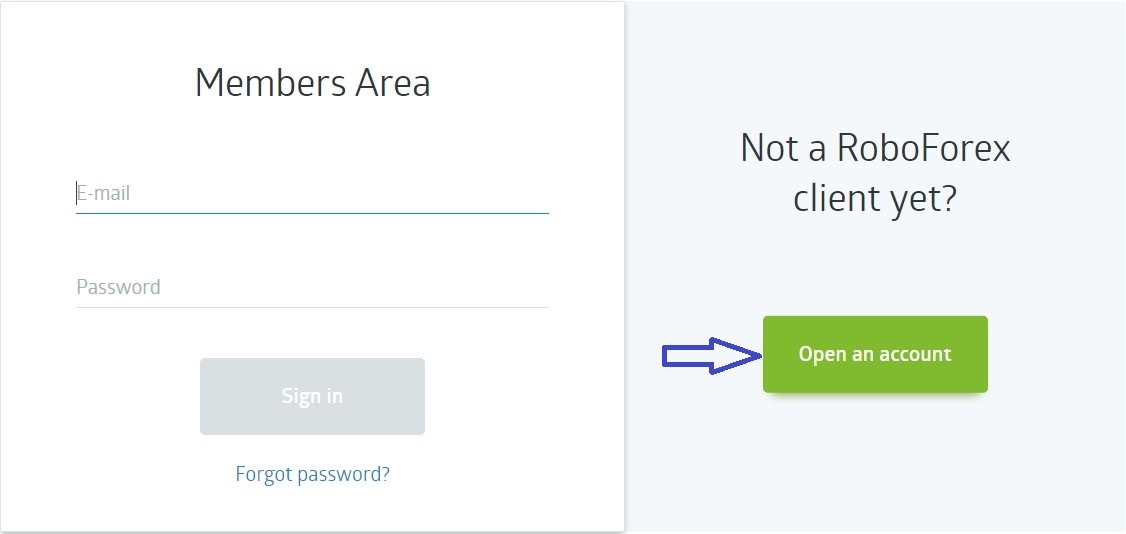
- Click on this link: https://my.roboforex.com/en/?a=hwap
- Open a new account
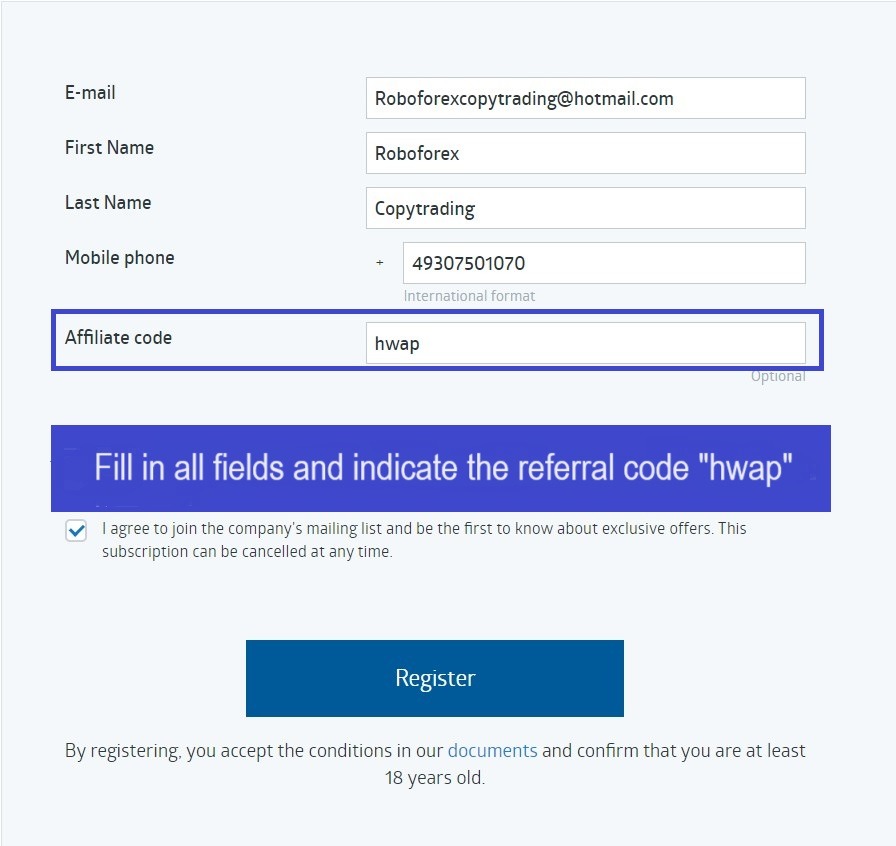
3. Enter your first and last name, phone number and click on "I have the affiliate code" and enter the code "hwap" in this field
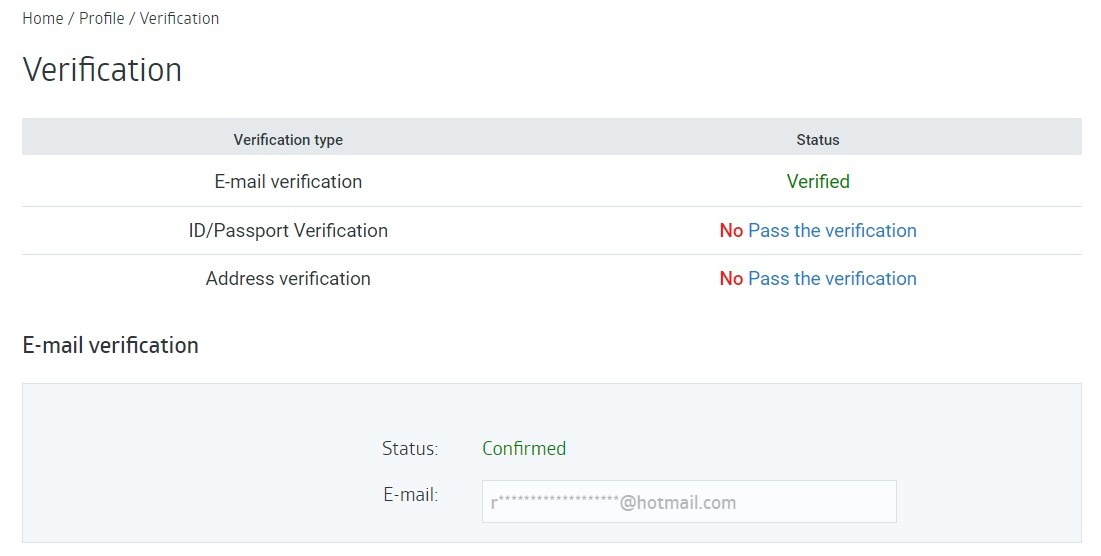
Account verification
- To be verified, select Profile, then Verification
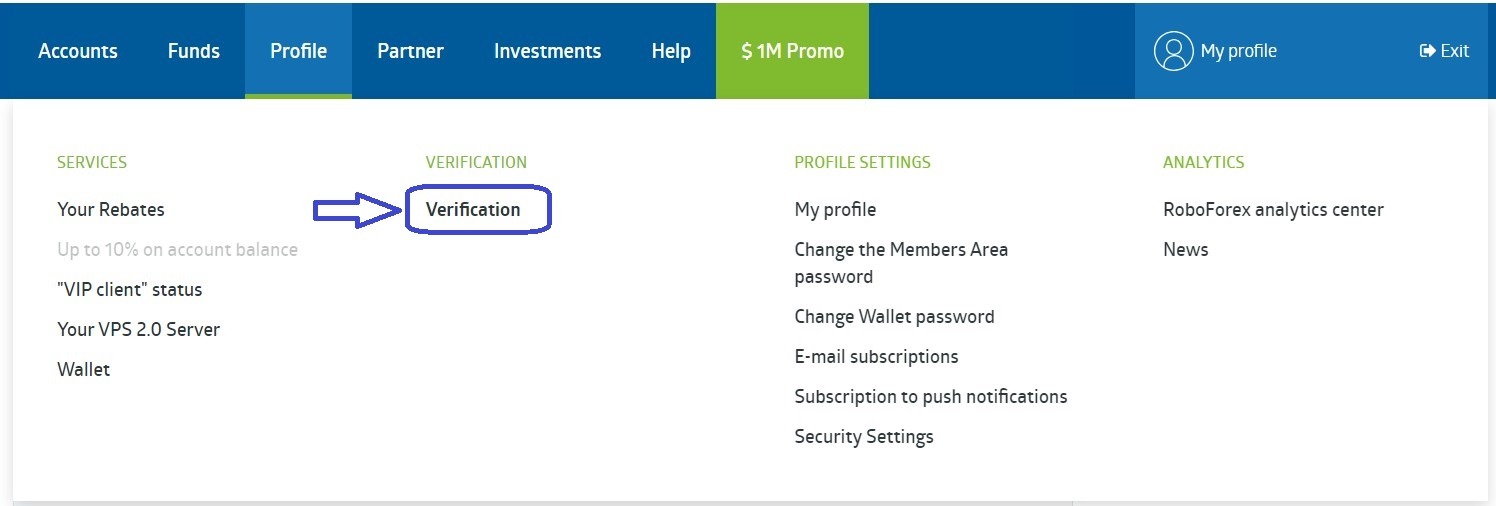
2. Verify your email, passport and address
Let's open a trading account
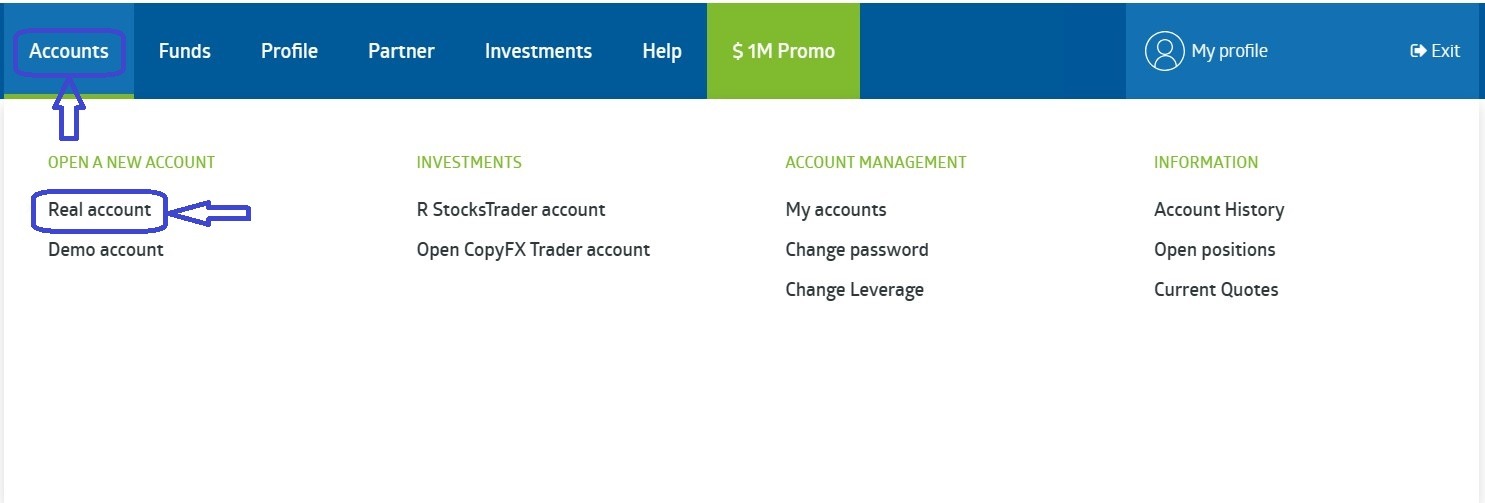
- Right-click on Accounts
- Click on Real Account
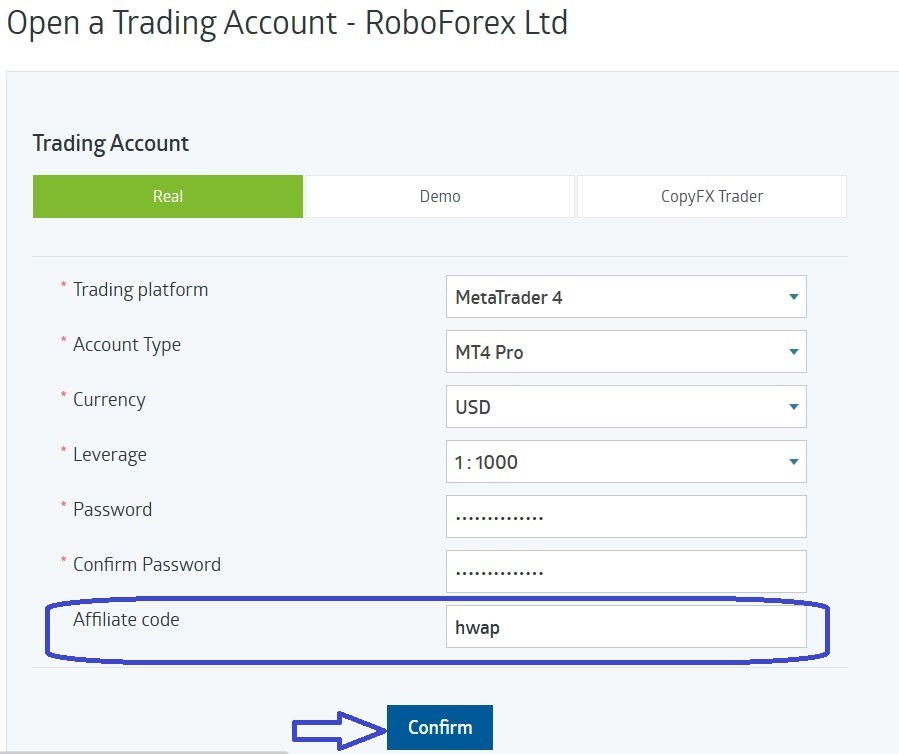
- Next, open the account you need, select the leverage
- Affiliate Code - hwap
- Click on "Confirm" and your account will be opened
Deposit process
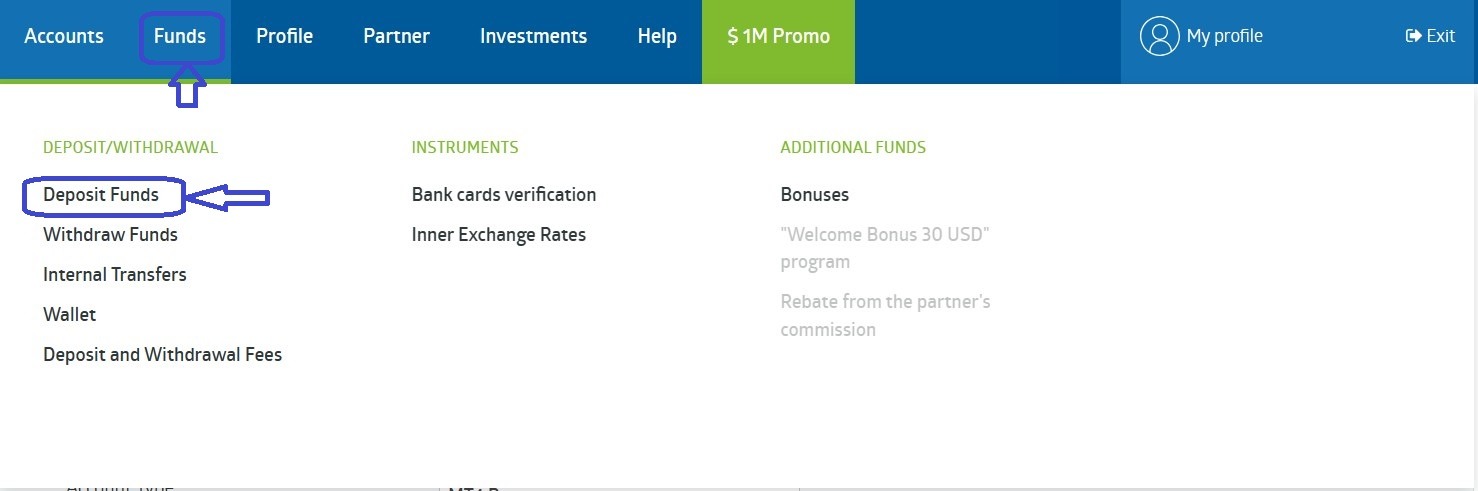
- To deposit, go to the "FUNDS" section and select the appropriate option Deposit Funds
2. Choose any convenient deposit method
Selecting the CopyFX signal for copying
- You can follow the link to any trader we talk about in our channel Copytrading club or choose a trader yourself. To do this, go to the "INVESTMENTS" tab, then select MT 4 Traders rating or MT 5 Traders rating
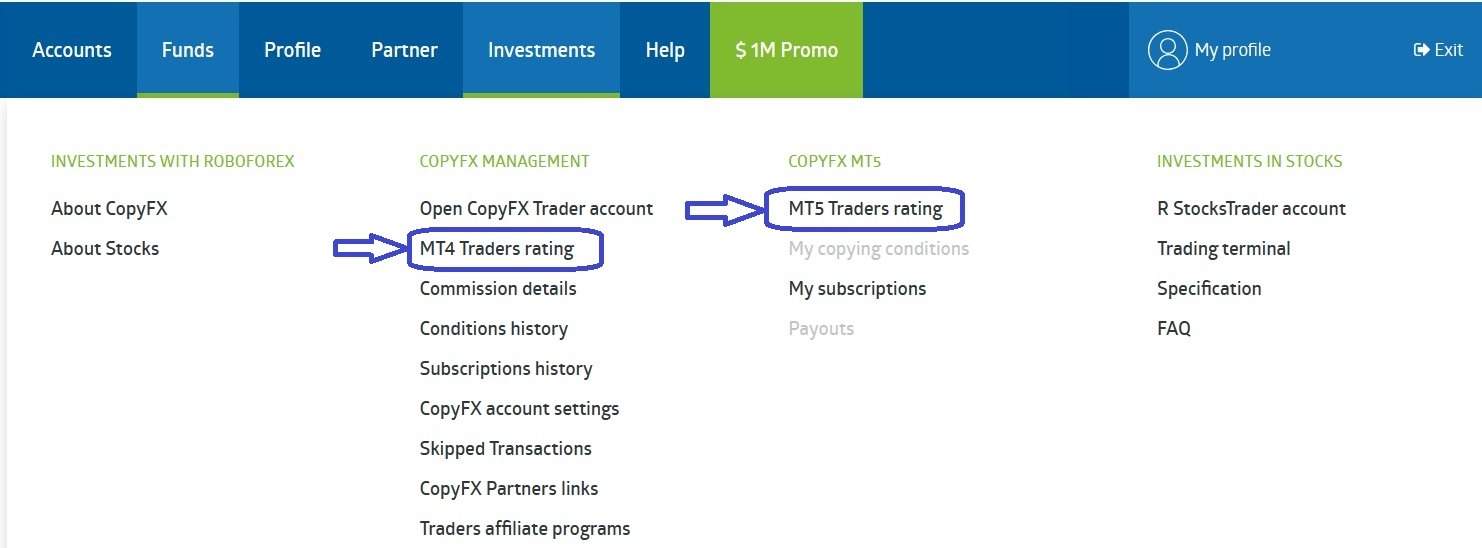
2. After this, you are taken to the trader selection page. Here you can study the performance of each trader and start copying his signal