How to login Twitter with Auth_Token
SAMOREG SHOP
Nice to meet you! Thanks you for visiting SAMOREG.SHOP!
In this short guide you will learn how to easily sign in to your Twitter account using the Auth_Token that comes with the account.
This token allows us to log in to our Twitter account without entering a username and password. It's very easy to do, follow the instructions:
1. Download Google Chrome and install there extension Cookie Editor, which allows us to work with cookies of any site. You can use another browser and other extensions, but I will show you by the example of these two.
2. Go to the Twitter site.

3. Open the Cookie Editor extension and click on the "+"
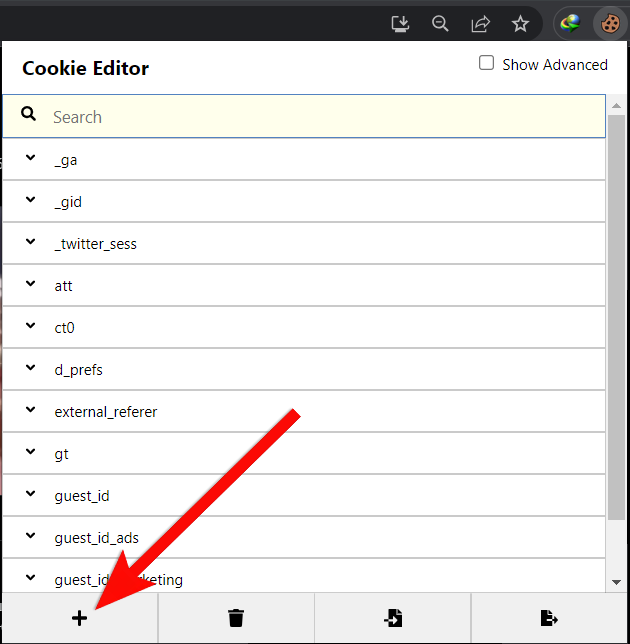
4. In the "Name" field enter the variable "auth_token", and in the "Value" field enter directly our token, which came with the account. And click on "Save" (cassette icon)

5. Press F5 (refresh page) and we are in the Twitter account without entering the username and password!

5.1 If such an error appears (Something went wrong) , then just click OK and repeat steps 3-5. That is, click OK and just add auth_token again and refresh the page.


I hope this instruction will make your life easier and make your work with Twitter accounts more comfortable, thanks for choosing SAMOREG.SHOP!