How to link the mail to the wallet
Yaro_TailIn order to use the app, you need to link your email to your wallet on the MysteryCave platform.
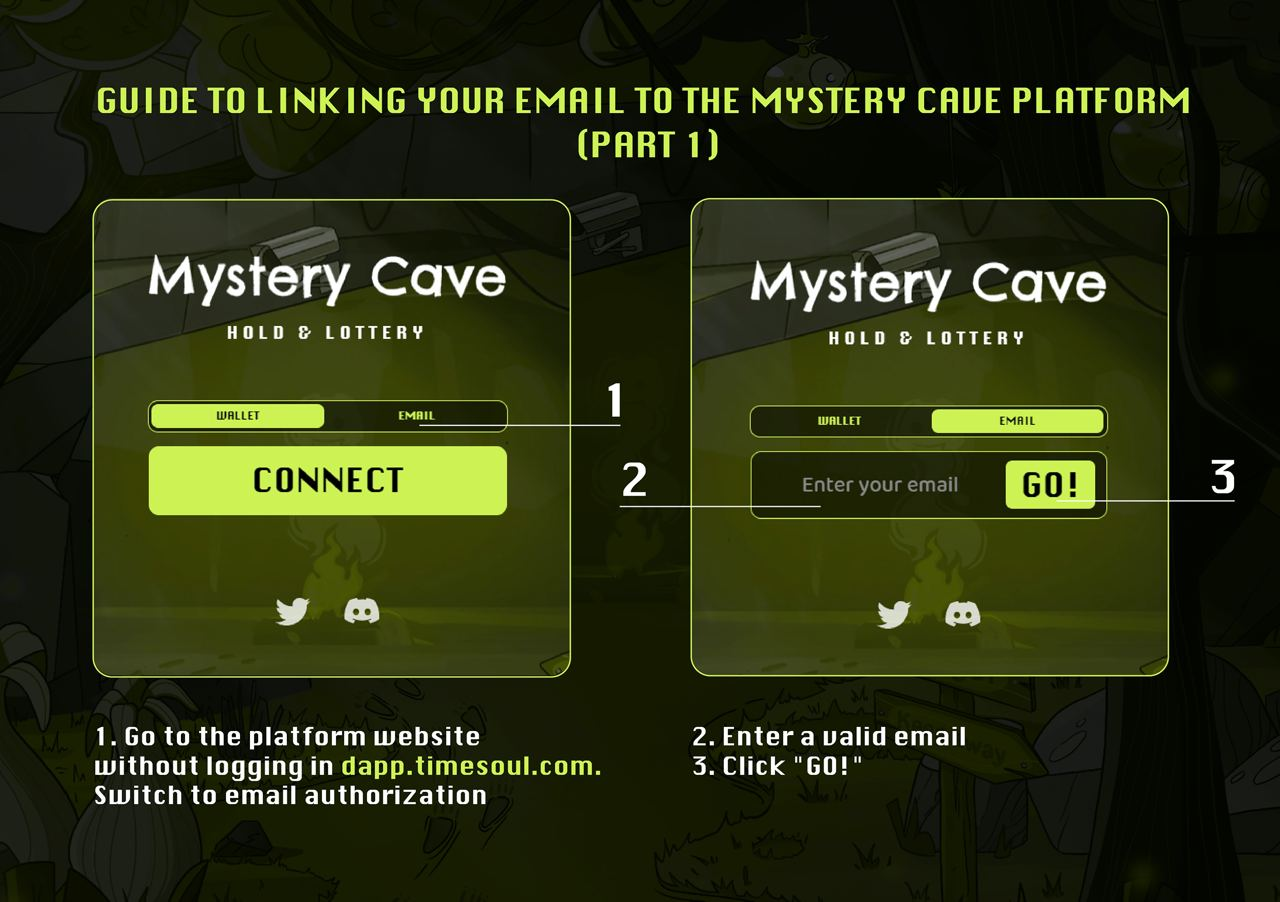
1) Go to the platform website
2) Choose authorization by mail
3) Enter your email (user@***.com) and click GO!
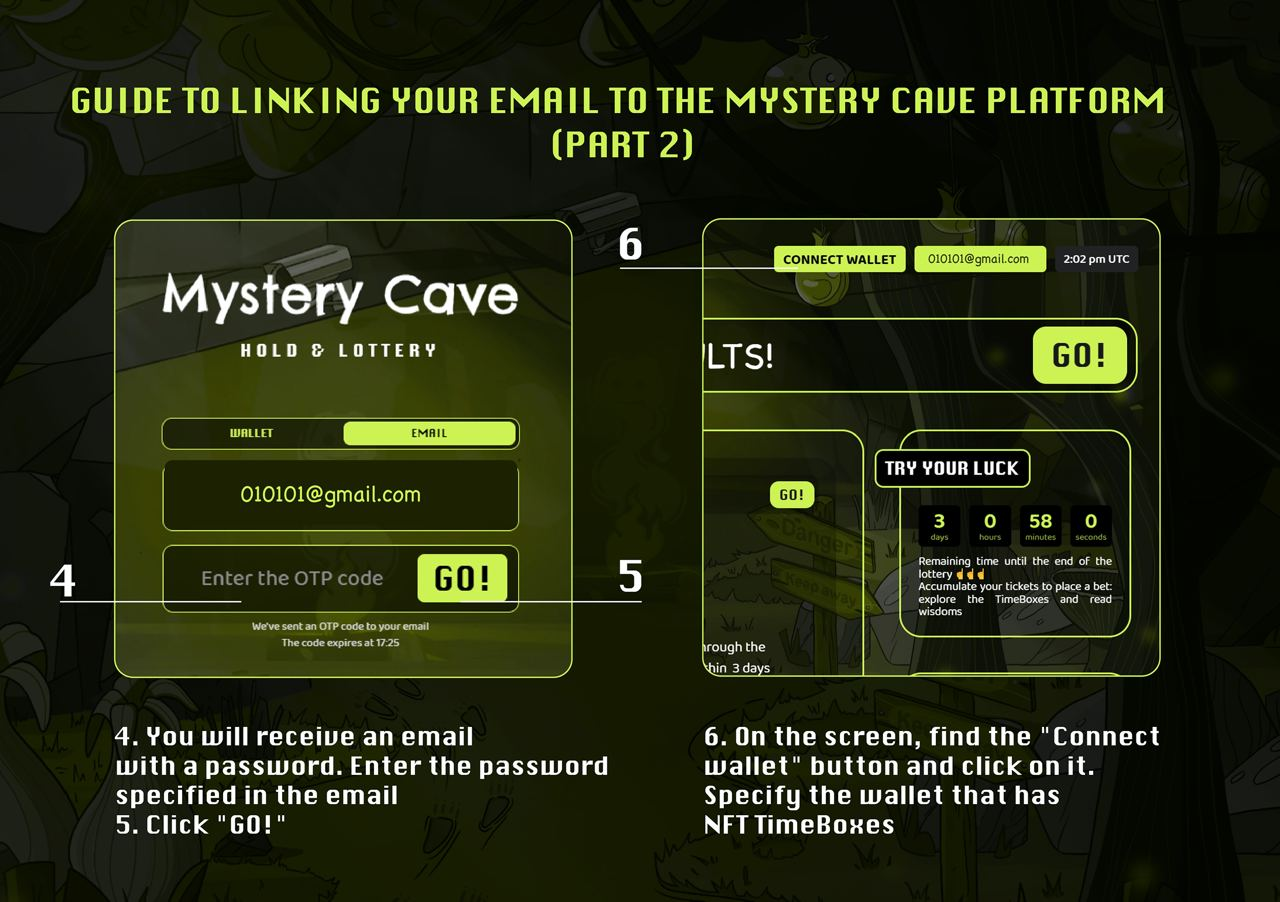
4,5) Enter the code given in the email and click GO!
6) In the upper right corner click on the "connect wallet" button and specify the wallet where the project assets are located.
You can check if you managed to bind mail to the wallet. To do this, repeat steps 1-5. If you can see all your assets by going to your mail, then everything has worked out!