How to link Payoneer bank to US PayPal
EasystealthIn this guide we will show you in details how to link your Payoneer bank to US PayPal account, so you could use Payoneer to cash out PayPal.
1. Go to Global Payment Service from the main menu

2. Click on your US receiving bank

3. Here you can check Routing and Account numbers. IMPORTANT: it has to be First Century bank. Other banks not supported.

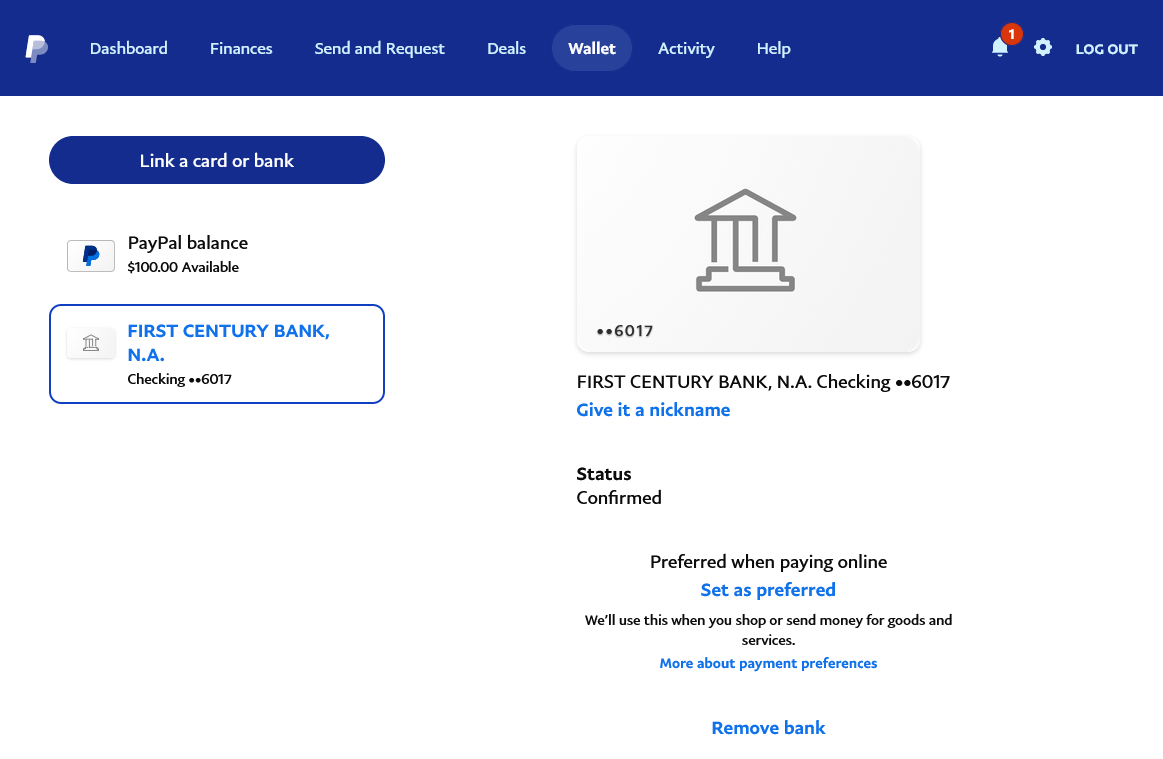
4. Go to your PayPal account, open "Wallet" menu, click on "Link a bank"

5. The list of supported banks will appear

6. Type "first century", then click on "Enter your bank details"

7. Enter Routing and Account numbers of your First Century bank provided by Payoneer

8. Usually you will get an error "Please check your information and try again." In this case you need to call PayPal and ask them to fix this. Just tell them about the error you received so they could help you.

9. It's pretty complicated to find the right support agent and may take multiple attempts, but eventually some of them will be able to make some adjustments on your account and you will be able to link Payoneer bank to your PayPal.

10. Now you just need to wait 1 business day to receive mini deposits from PayPal to confirm a bank account.

11. Simply enter mini deposits on PayPal and that's it! 🥳 Now you can transfer money from PayPal to your Payoneer account 🔥
If you need any help with linking Payoneer, our specialists are always happy to assist you, simply message us 😊