How to install and update Adb
@kaikeFirst off all, we can use Adb for install zip on recovery, so I'm going teach you how to install it.
1- First, Lets install 2 programs.
2- Lets update it! Extract this rar somewhere.
3- Now open the folder, you'll see a lot of archives, select all of them and copy (CTRL + C), after you'll enter in your windows folder and you'll see an folder called by "adb", open this folder and paste the archives inside of the folder, now it's important, will appear that has some duplicate archives inside of the folder, select to substitute all, and its done.
4- To check if adb sideload is working is easy
Open a cmd and type adb version
5- Now go to your custom recovery and go to advanced settings, search for Sideload or ADB sideload, on TWRP is like this:
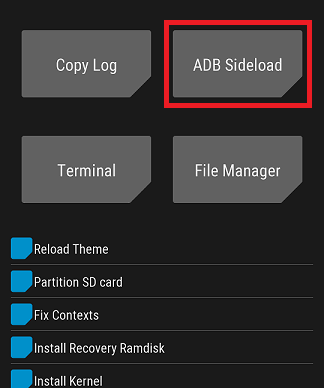
Select and wipe cache if you want, now on your pc open a cmd, and follow this example
adb sideload (archive)
To you select the archive in a way more easier, you can just drag the file after you type sideload (dont forget the space)
Type enter and its starting, if you're having some difficult, tag me at Fabin Backup.
Just that, thanks. (Sorry for my bad English)