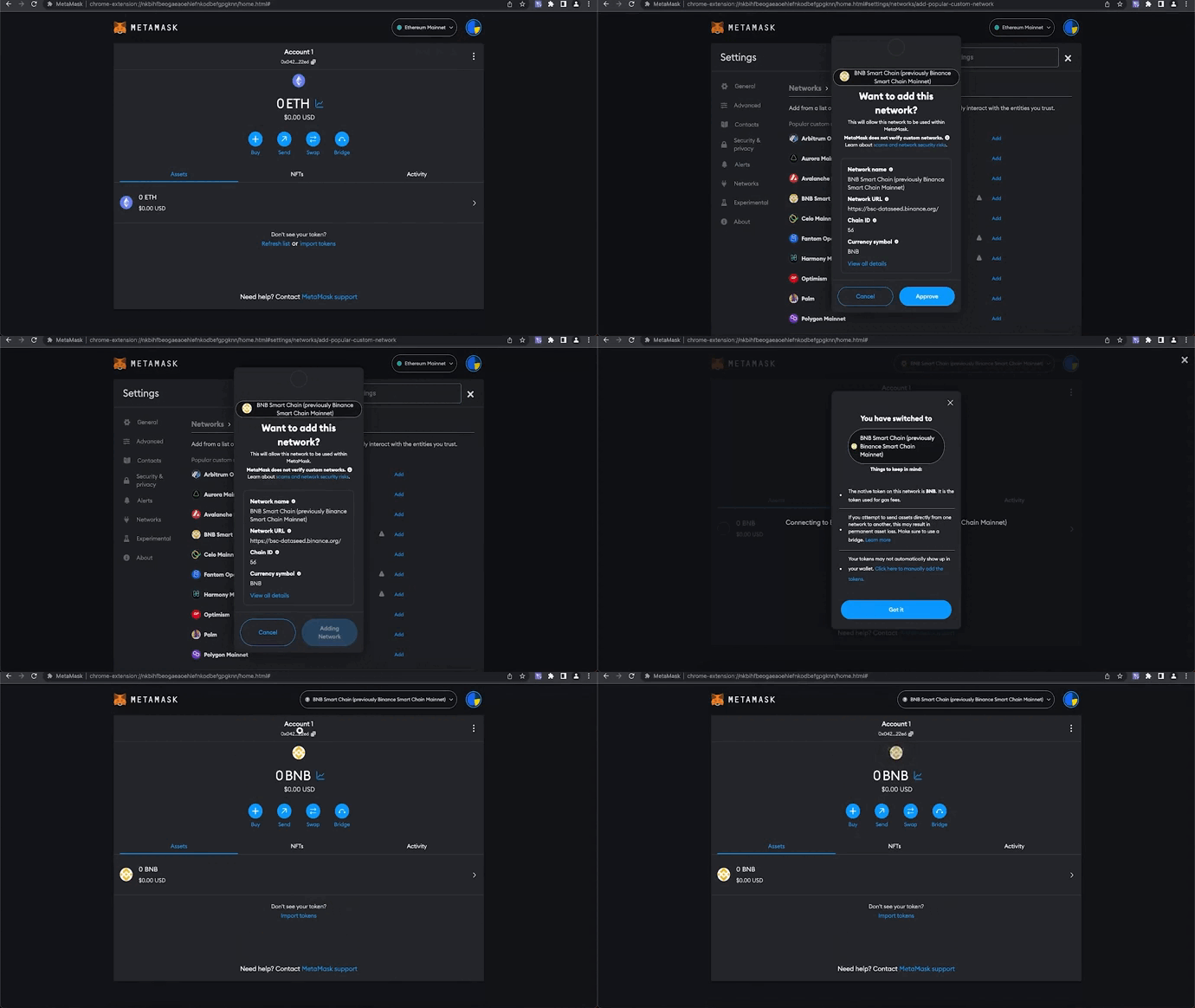
How to install and set up "MetaMask" wallet ↓
💻 Windows / Mac1. Install MetaMask from official source:
– 💻 PC: https://metamask.io/
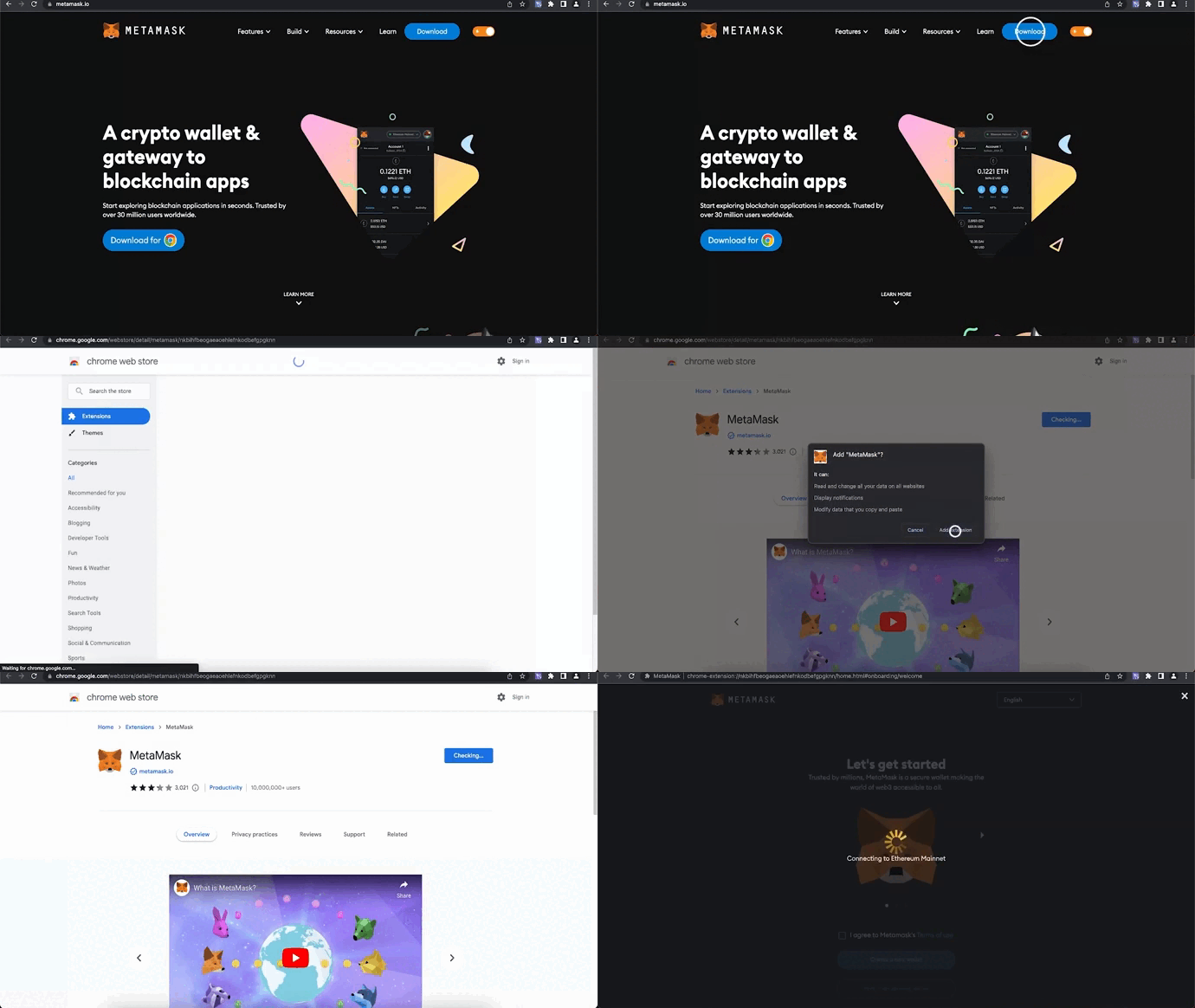
2. Press "Create a new wallet" > "No Thanks" > Choose password > "Create a new wallet" > "Secure my wallet"
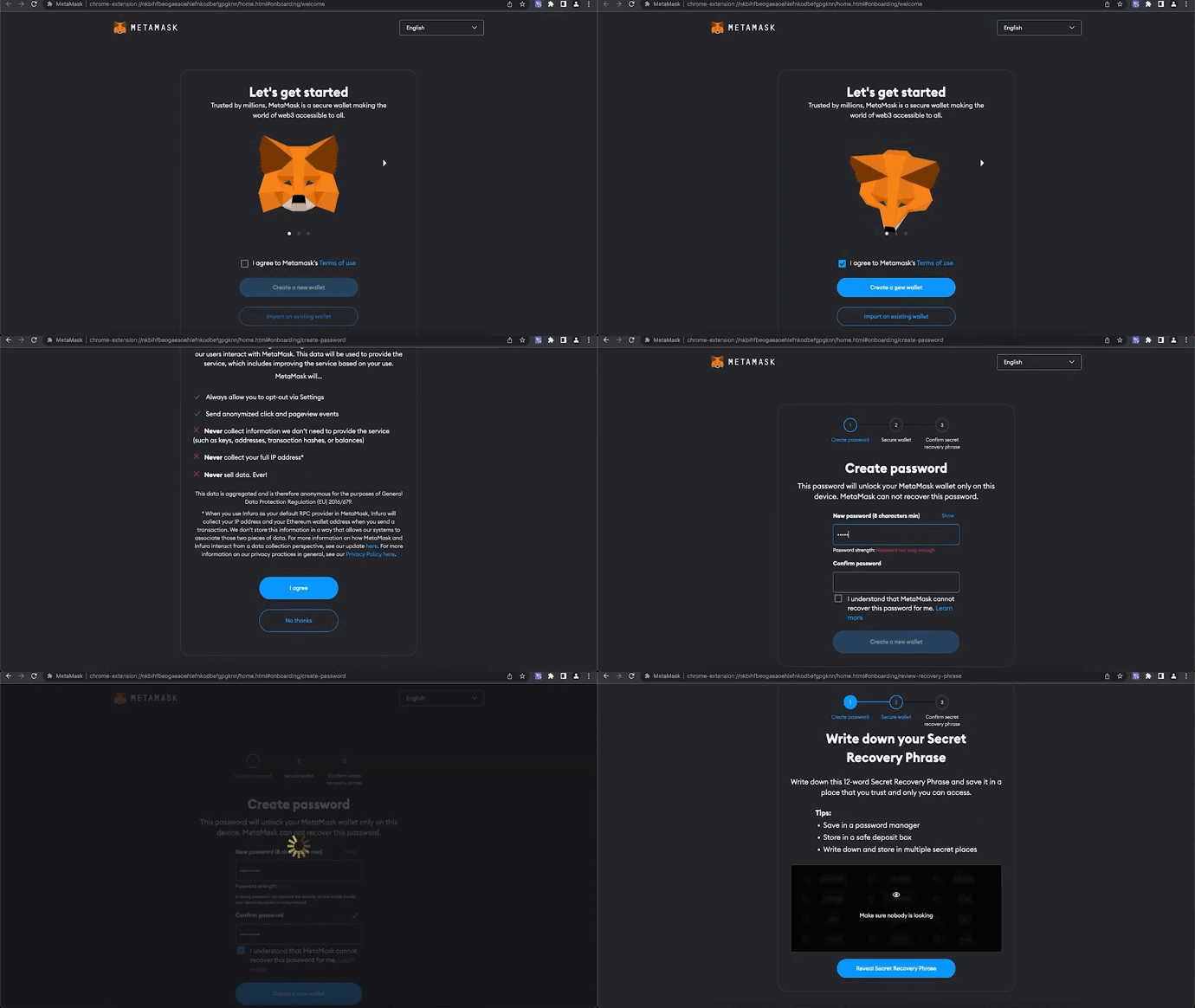
3. Save secret phrase and confirm it on the second page
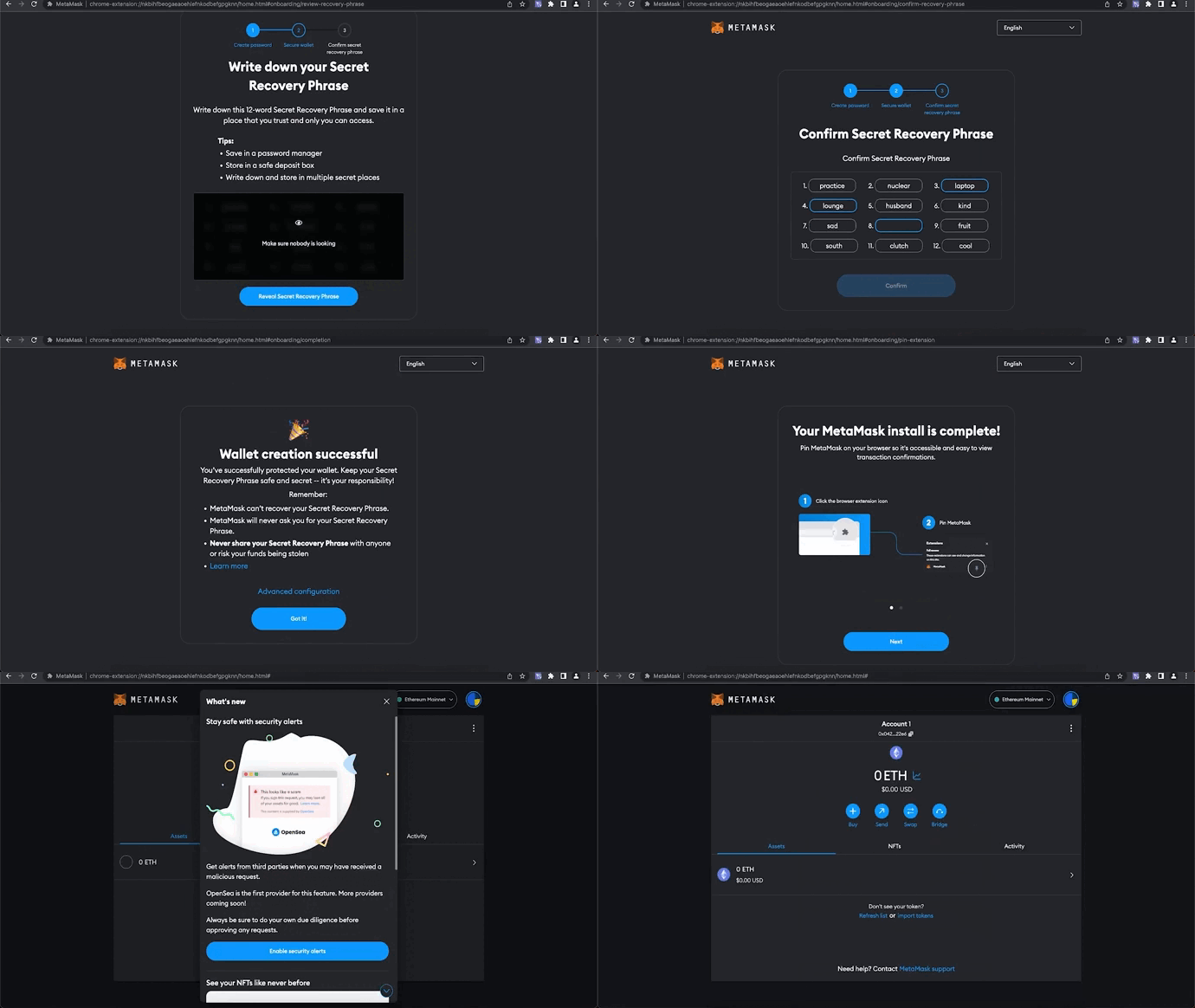
4. Press on the top on "Ethereum Main Network" > Add Network > BNB Smart Chain > Switch network to BNB Smart Chain