How to install BorisFX sapphire(MAC_OS)
k1y0mi_-The installation was performed on a MacBook Pro(2023). On macOS Somoma 14.5
1 STEP. Download SAPPHIRE plug-in from - https://appstorrent.ru/1137-sapphire.html
2 STEP. Move the downloaded file to your desktop. Unzip it by double-clicking on it. After that you will see a folder named spphrae2023.
PHOTO-- 2.0
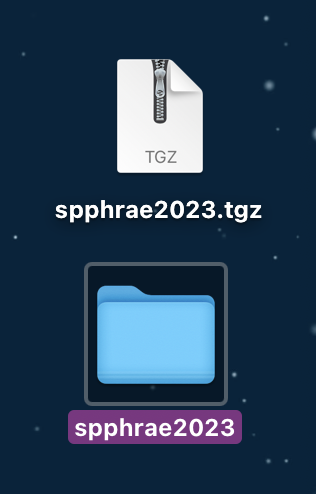
3 STEP. Open the unzipped folder. After that you will see a folder and two files: Crack_MacOS, SapphireAEInstall-2023.01.dmg, x-force.nfo. Open the Crack_MacOS folder and run the file named BorisFX-RLMServer-14.1.1.1.0.dmg.
PHOTO-- 3.0
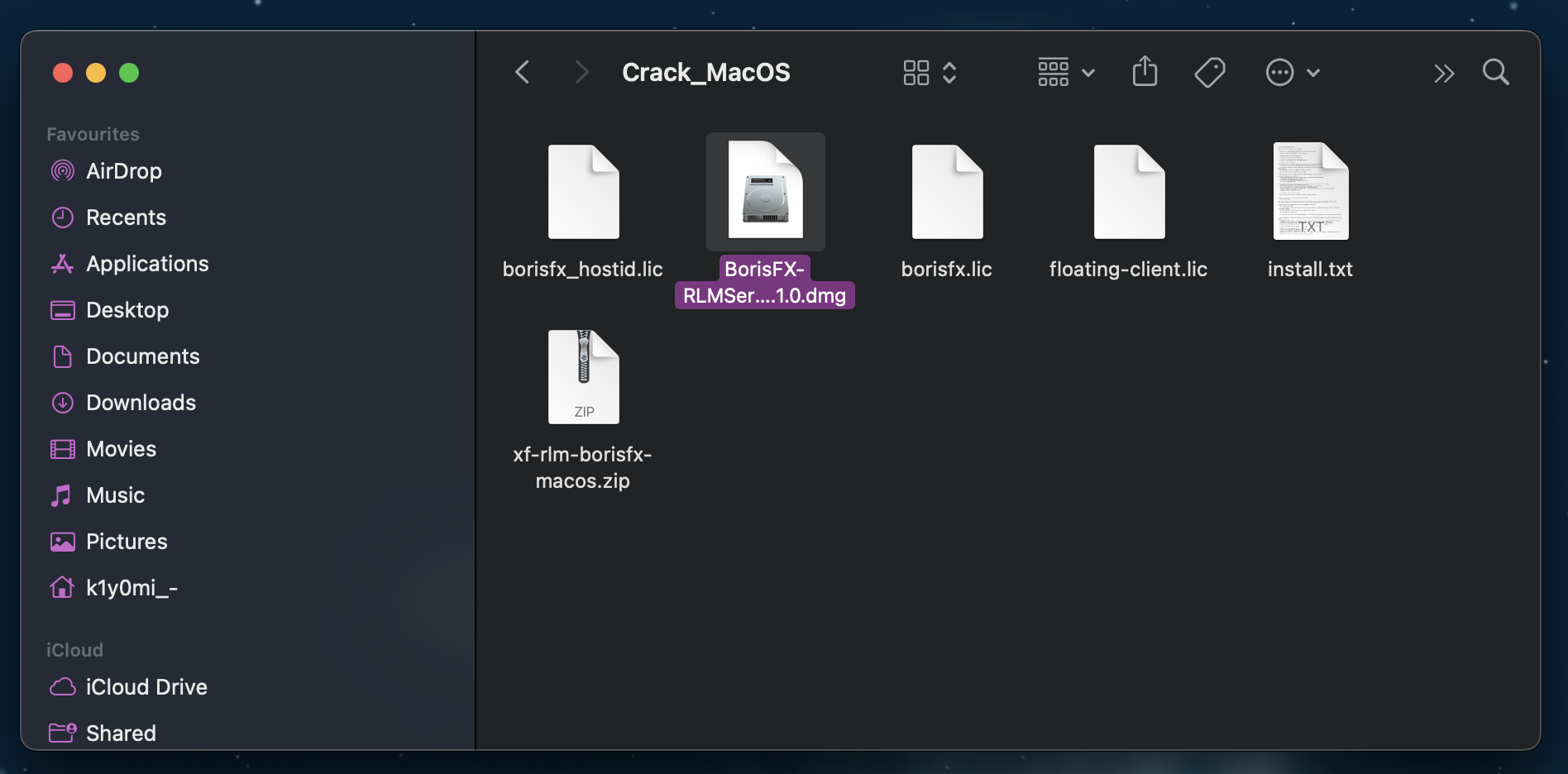
Perform a complete installation of the file: BorisFX-RLMServer-14.1.1.1.1.0.dmg.
4 STEP. After the installation is complete, open the terminal position. In it, type this command: open /Library/Application\ Support/BorisFX/rlm
PHOTO-- 4.0
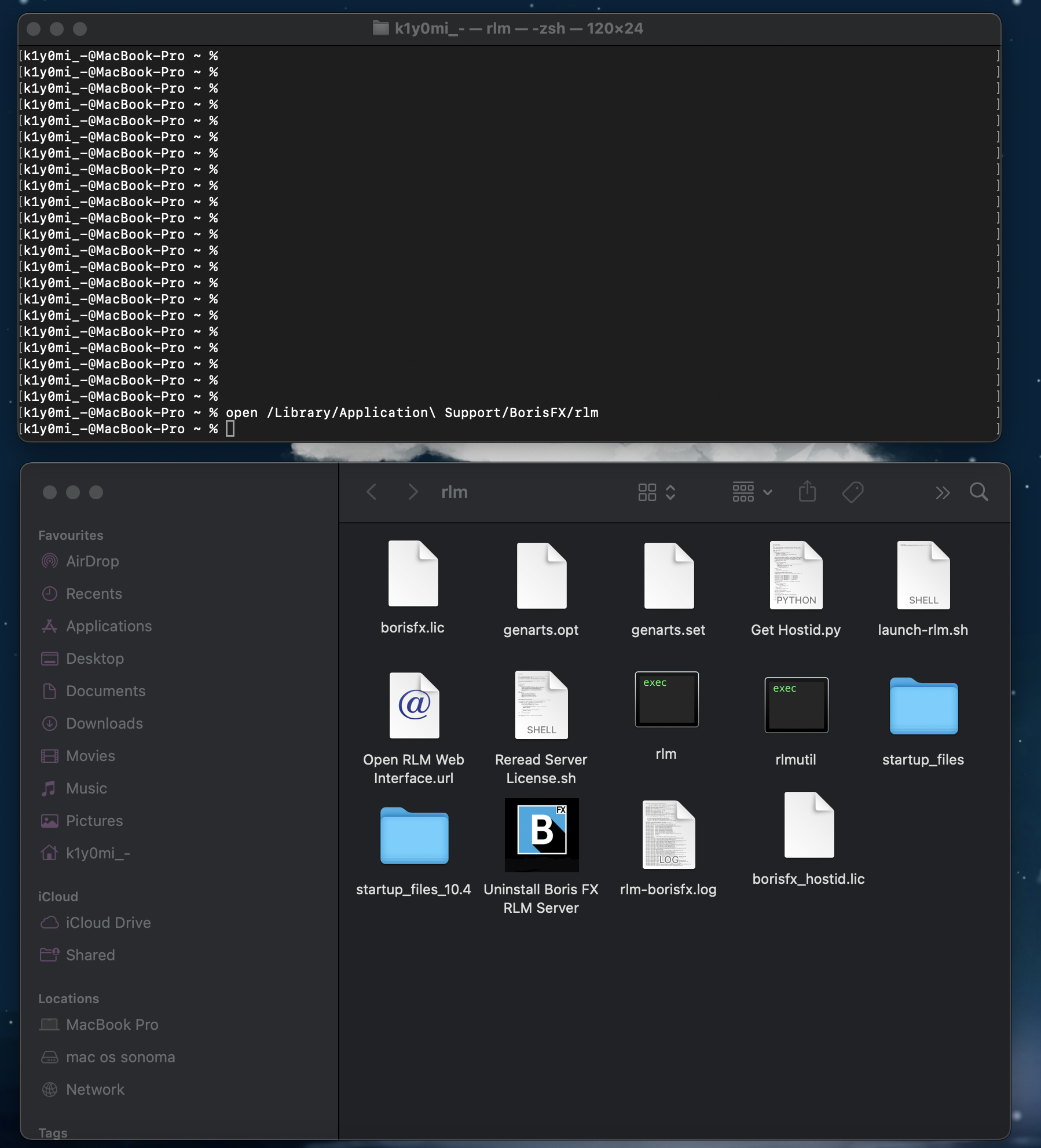
5 STEP. In the Crack_MacOS folder, open the zip file xf-rlm-borisfx-macos.zip. After opening the zip file you will see the rlm file. Move the rlm file to the /Library/Application\ Support/BorisFX/rlm folder and replace the rlm file with the one you got in the Crack_MacOS folder.
PHOTO-- 5.0
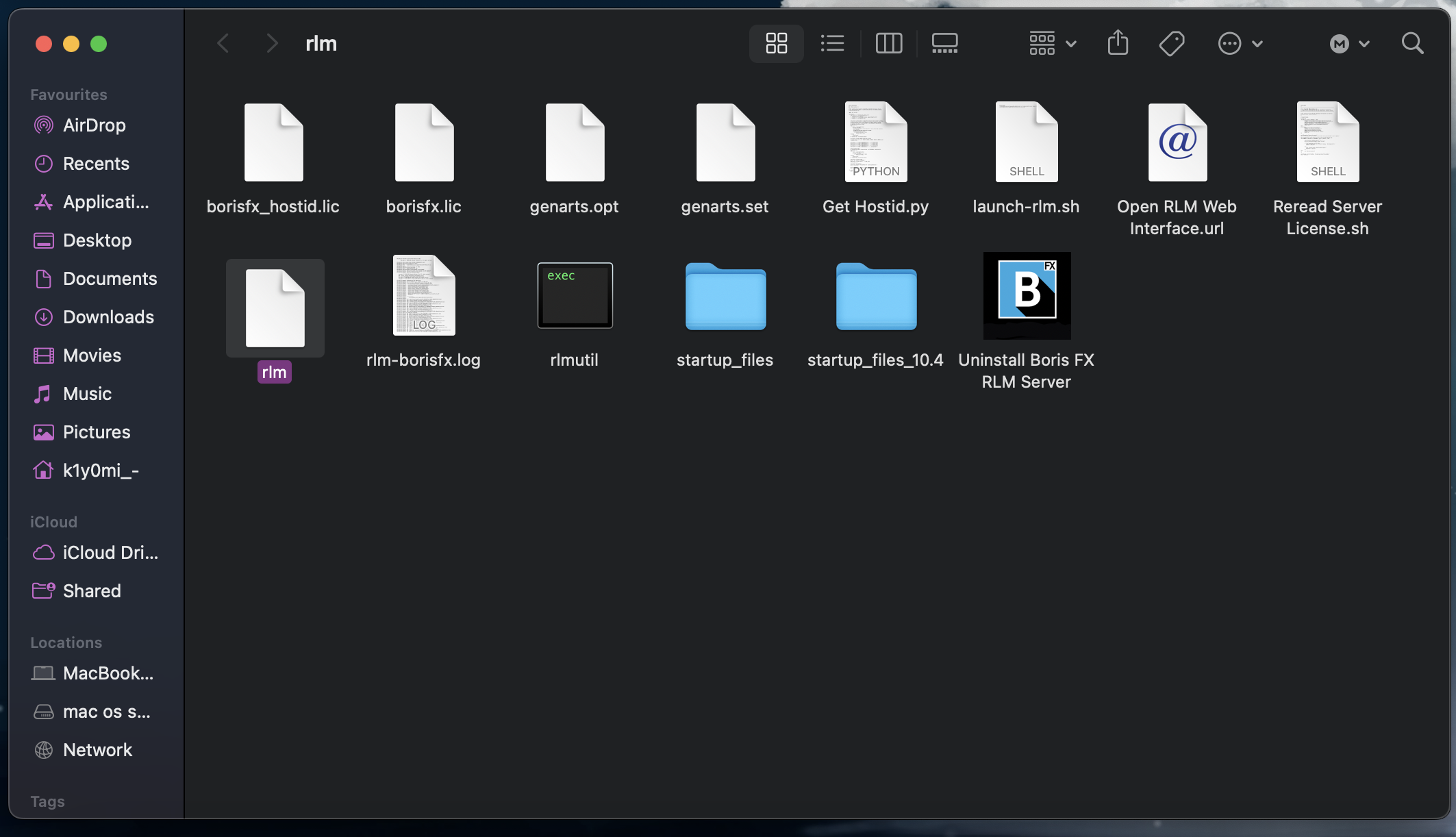
6 STEP. Open the terminal application and type this command: cd /Library/Application\ Support/BorisFX/rlm
After you enter this command you will see the following. Look at the photo 6.0
PHOTO-- 6.0

After that, type the command: chmod +x rlm. It will replace the rlm file from (5 STEP) with rlm.exec.
After you enter this command you will see the following. Look at the photo 6.1
PHOTO-- 6.1

PHOTO-- 6.2
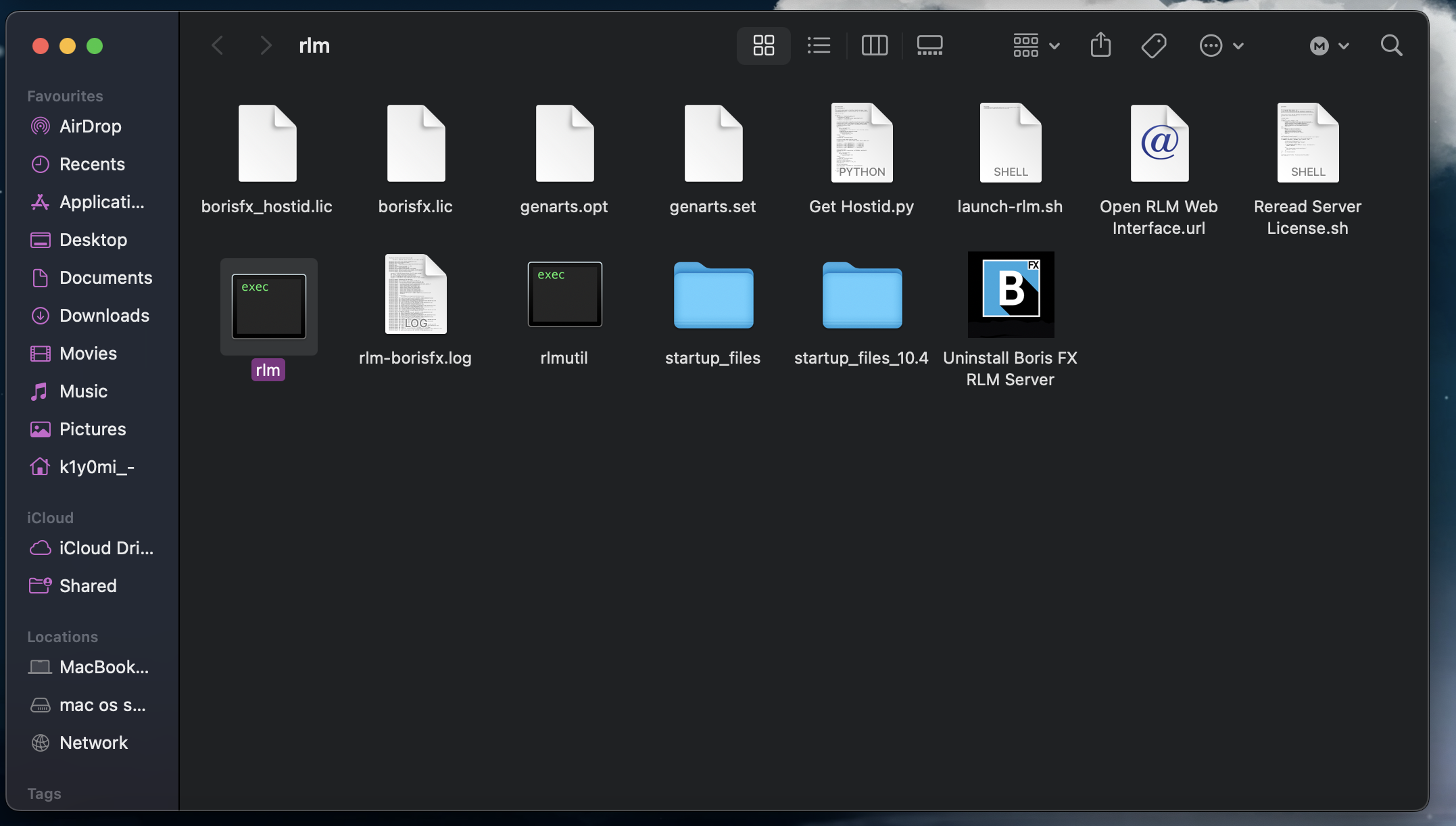
Then enter the command: /Library/Application/Support/BorisFX/rlm/rlmutil rlmhostid ether
After you enter this command you will see the following. Look at the photo 6.3
PHOTO-- 6.3

Then you saw the line : Hostid of this machine: xxxxxxxxxx yyyyyyyyyy yyyyyyyyyy yyyyyyyyyy yyyyyyyyyy
I have blacked out my data for personal safety. You must copy the value xxxxxxxxxx, you will have letters and numbers there.
7 STEP. After we have copied this value, we open the Crack_MacOS folder and open the file: (borisfx_hostid.lic) and in the first line change the HOST_ID value to the one you copied earlier.
PHOTO--7.0
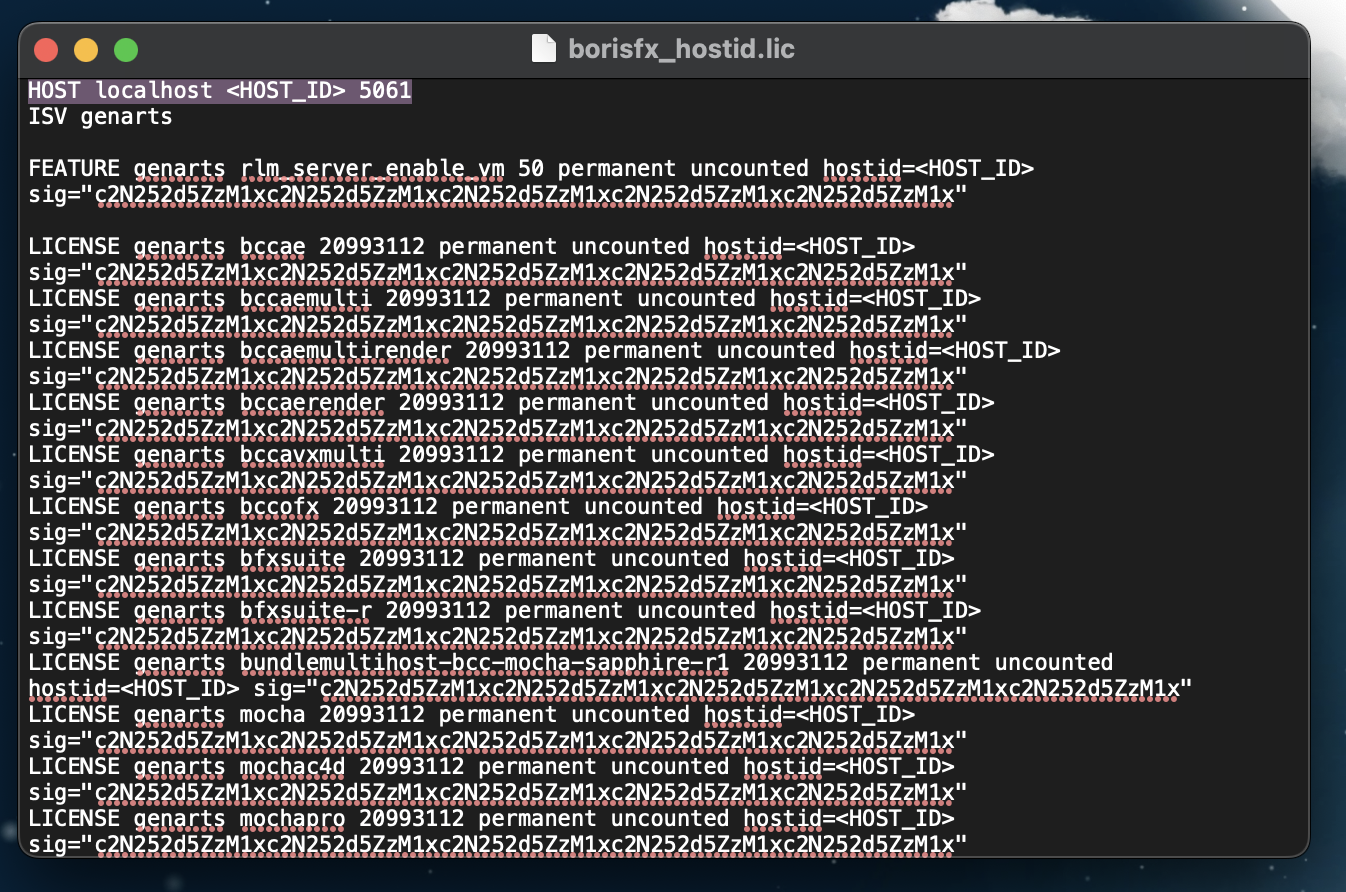
Replace xxxxxxxxxx , with the previously copied value. Look at the photo 7.0
PHOTO--7.0

8 STEP. From the Crack_MacOS folder, transfer the files: borisfx_hostid.lic and borisfx.lic , to the rlm folder ( open /Library/Application\ Support/BorisFX/rlm ) and replace them.
PHOTO-- 8.0
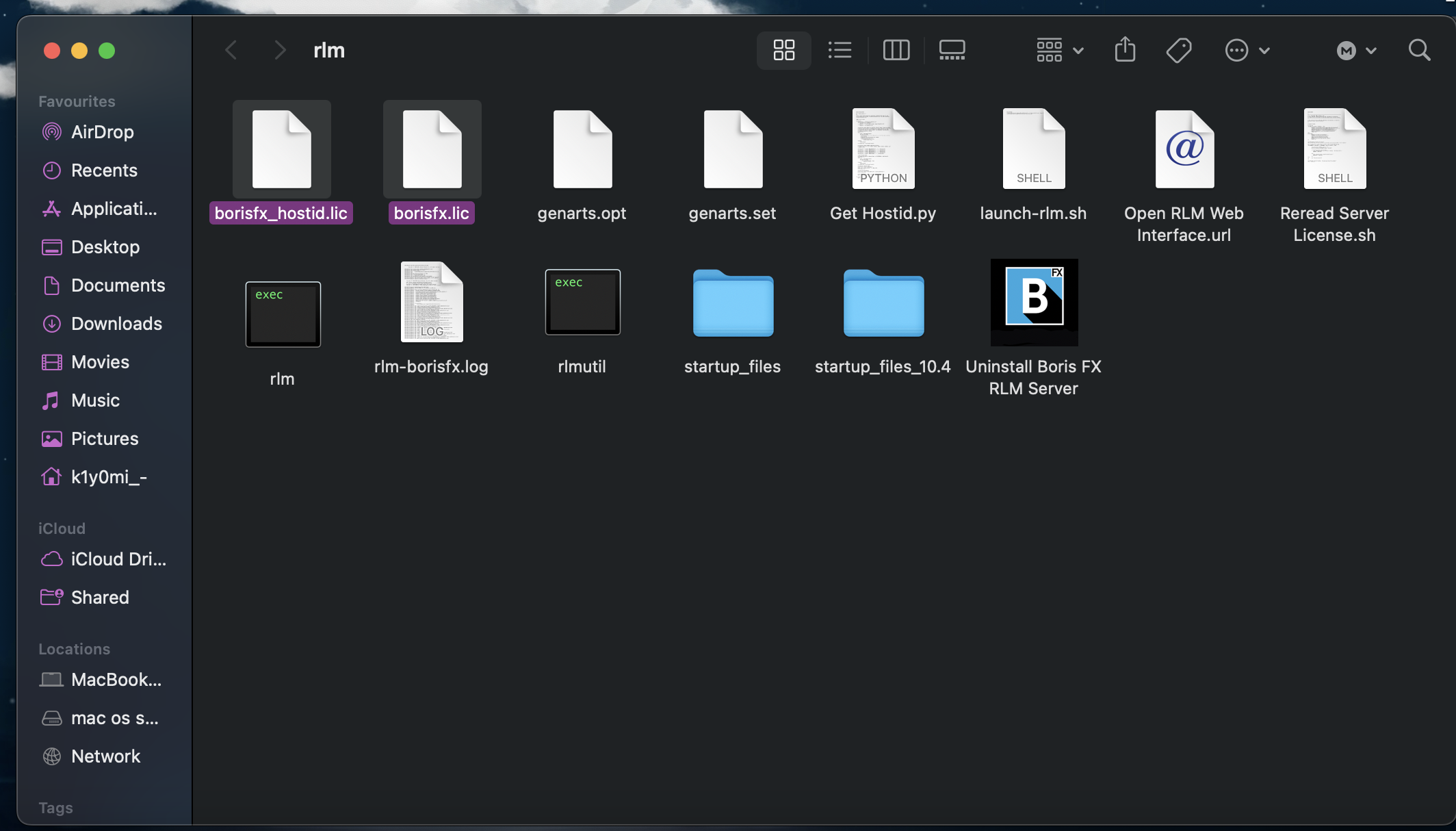
Run the rlm.exec file
9 STEP. Then open the "spphrae2023" folder and run the file: SapphireAEInstall- 2023.01.dmg. During the Sapphire installation process, when you are prompted to license the software, choose to "Enter an existing RLM license" and in the window that appears, type and copy and paste the HOST line from your "borisfx.lic" license.
PHOTO-- 9.0

Now your license is working, you can run AE and check it out.
If you still have questions about installation, you can write me in discord and I will try to help you.
Если у вас остались вопросы по установке, то вы можете написать мне в дискорд и я постараюсь вам помочь.