How to have the Trading View Style on Metatrader
Marco Scazziespecially for those who do technical analysis on Trading View it is a shame to give up his unmistakable style

After 1 month I succeeded in my intent and accomplished the merger.
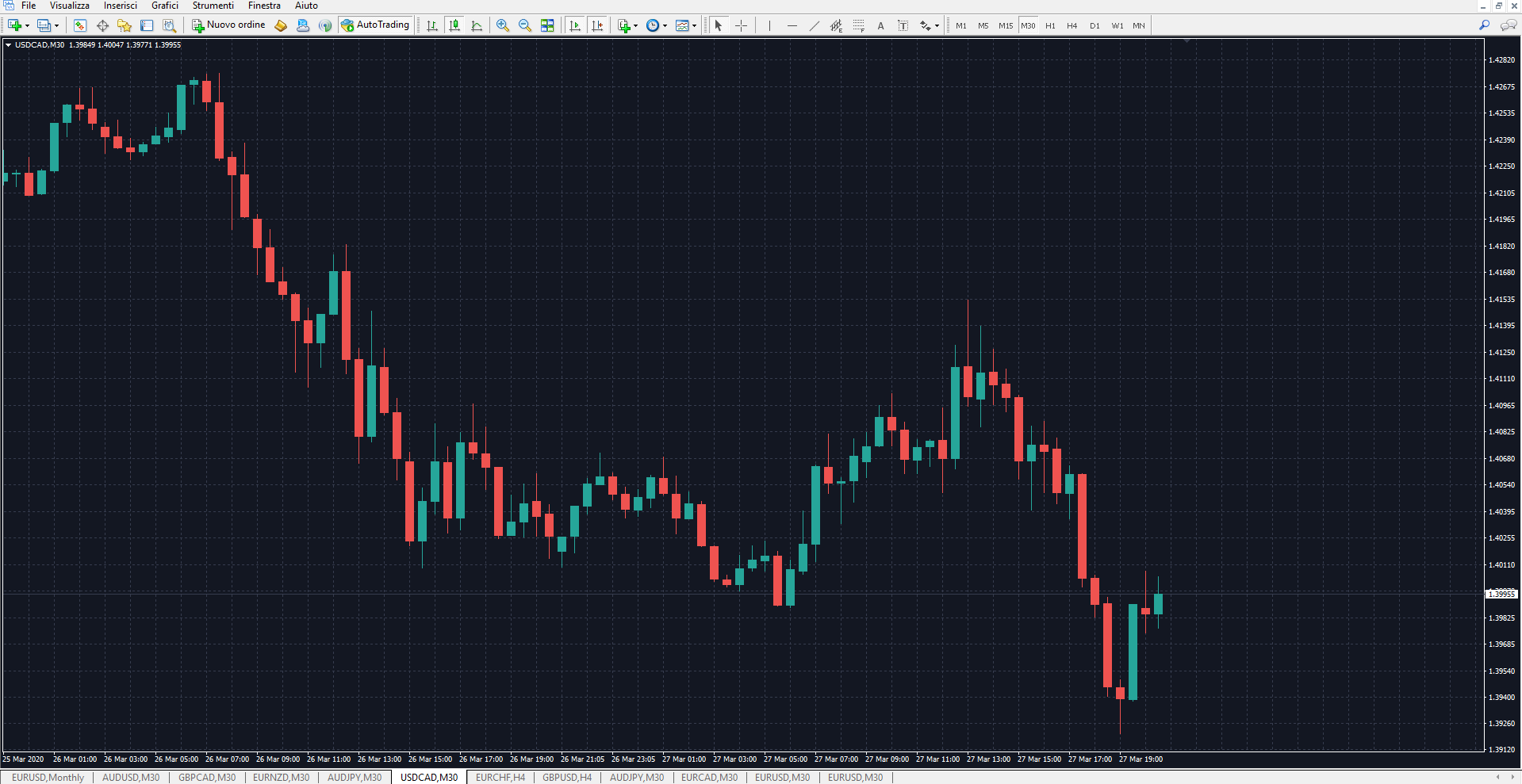
Dark theme
I show you below the theme made with the same Dark colors.
You can download it for free here
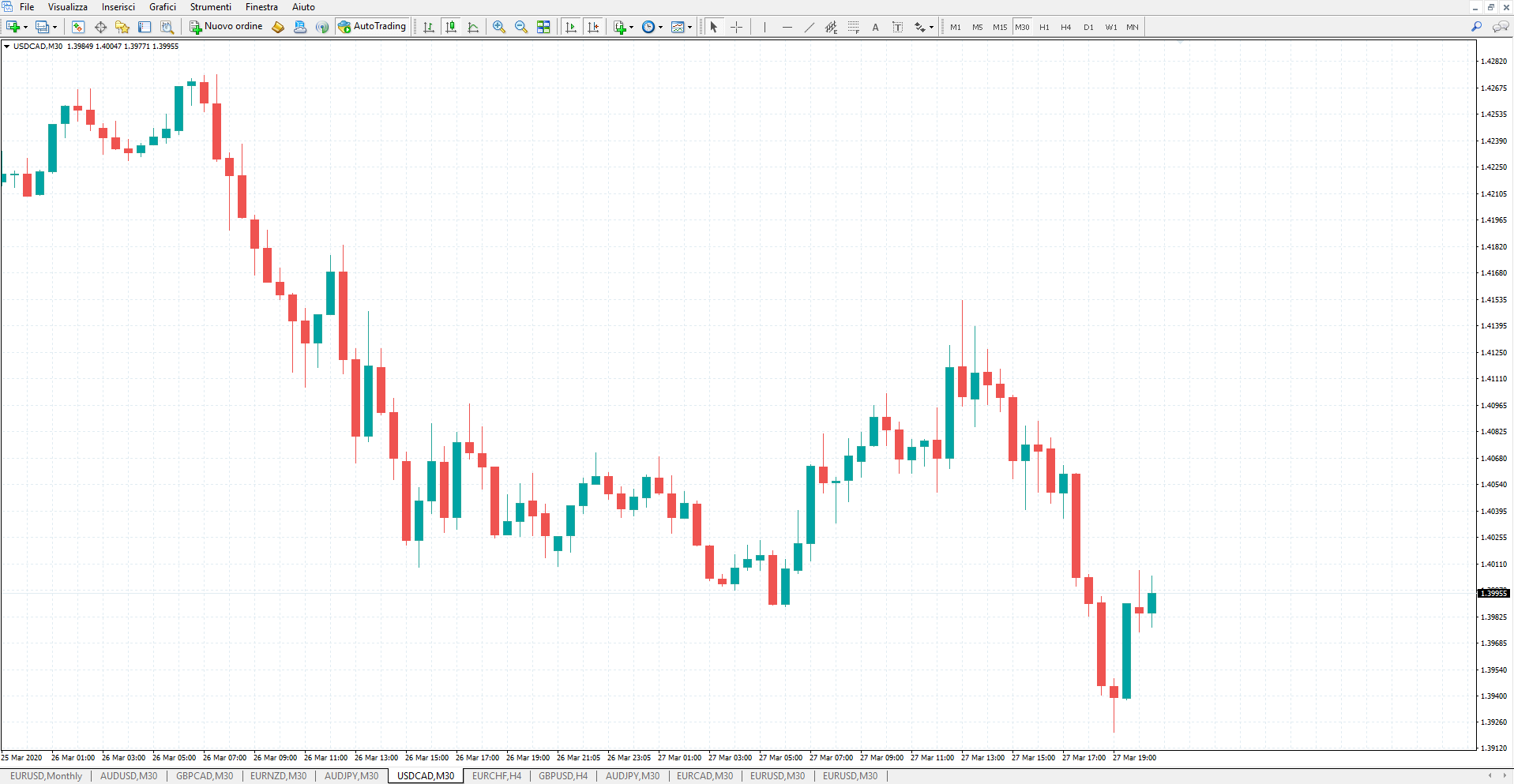
Light theme
Below I show you the theme created with the same colors in the Light version.
You can download it for free here
Then, not happy, I decided to also create the identical order management panel. You know it's a mange:
- Know the precise spread in Real Time
- Calculate lots to risk the right investment percentage
- Calculate the risk-return ratio
- Know exactly the profit of the TP and the loss of the SL ...
For this reason I also made the 2 Light / Dark panels in trading View style
Order Management Panel - Light
This extraordinary panel can be found on the Market at this link. I made it for myself, to make life easier during trading with the aim of knowing everything before placing the position.
- Metatrader 4 Light / Dark Panel that you find here
- Metatrader 5 Light / Dark panel that you find here
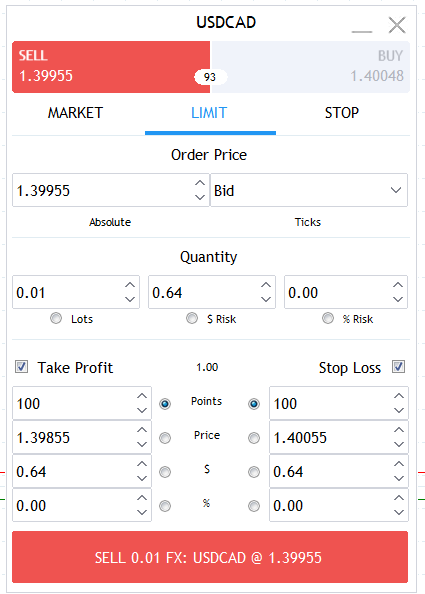
This extraordinary panel can be found on the Market at this link. I made it for myself, to make life easier during trading with the aim of knowing everything before placing the position.
I no longer make mistakes in evaluations. I see the straight lines of TP and SL and I'm calm!
Order Management Panel - Dark
This is also always included in the same link that you find here
- Metatrader 4 Light / Dark Panel that you find here
- Metatrader 5 Light / Dark panel that you find here
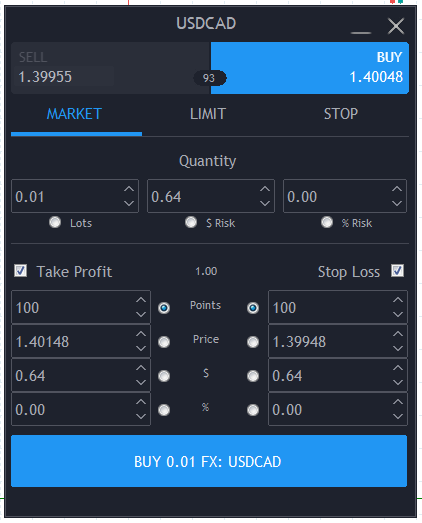
Come on, it's too cool and simple
To recap:
- Template Light Free to download here
- Template Dark free to download here
- Metatrader 4 Light / Dark Panel that you find here
- Metatrader 5 Light / Dark panel that you find here
Let me know, I leave you my contacts:
email: scazzimarco@gmail.com
Facebook : https://www.facebook.com/scazzi