How to download latest adobe cc 2020 ISO in Google Drive
Raymond BoLast updated: 2020-4-3
Step 1:
Click this invite link:
https://groups.google.com/forum/#!forum/adobe-cc-latest-cracked-iso-monkrus-hosted-in-google-drive
And click "join group"
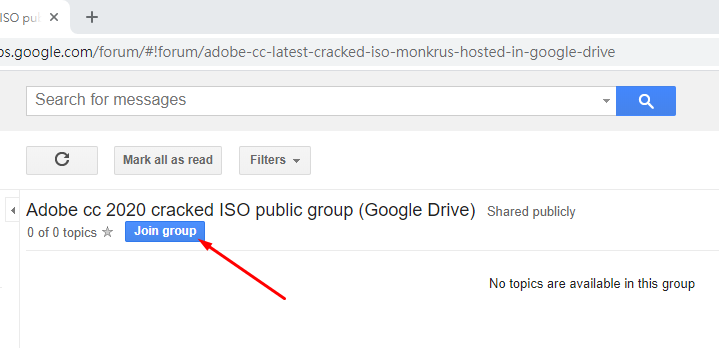
A message will pop out, just ignore what it is saying and click "Join this group"

After it is done, close the tab.
Done! Now you have access to the download links!
Step 2 (How to find the download links):
You can find our team drives in this link: https://drive.google.com/drive/shared-drives

You will see the three server. Choose one of them and download the software cracks that you need.
If you have problem finding the servers, here are the direct links of them:
Adobe ISO release Server 1 :
https://drive.google.com/drive/folders/0AOBp8sUeMESVUk9PVA
Adobe ISO release Server 2:
https://drive.google.com/drive/folders/0AMC8jW1_2ZG3Uk9PVA
Adobe ISO release Server 3:
https://drive.google.com/drive/folders/0APTxJSOC5sc2Uk9PVA
If any of the files are missing please contact me directly:
Telegram: https://t.me/raymond1006
Email: james01061005@gmail.com
My telegram group: https://t.me/raymondfreesoftware
Noted that I will only answer message about adobe software update request and errors of the download links.
I will not answer any other problems such as problem in installing! If you have problems in installing the ISO, you should contact monkrus directly. You can:
Leave a comment in his website in the respective software: www.monkrus.ws
Or contact him via email directly: MONKRUS@GMAIL.COM
Or you can leave your question in my telegram group: https://t.me/raymondfreesoftware
Download:
For single file:
Right click the .iso document and click download: (Notice that the .iso document is the largest file in the whole folder)
You ONLY need to download the .iso file, other files are not necessary.
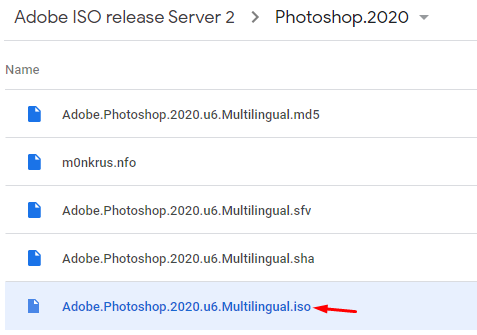

The other files are NOT nessesary. You just need to download the ISO file to run the installment.
If you want to check the software version and more info:
Download the .nfo file. (Note that is just for checking the release info, it has nothing to do with the installing and cracking process.)
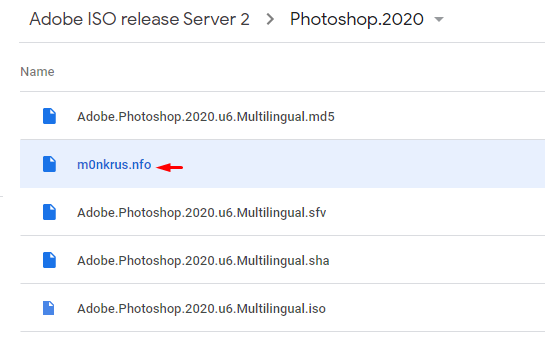
Click the little down arrow next to the open button.

Click: "Use other programs to open"

Find the notepad icon and select it, also check the box.

For a whole folder:
NEVER download a folder directly in google! The zipping process is very long
Correct way:
Use Air explorer pro:
- Download link: (Google Drive)
https://drive.google.com/uc?id=1jAmCPO-2WUTvhei9cPi3adzdowA6I2uO&export=download
(Wait for 15 seconds and the download will start.)
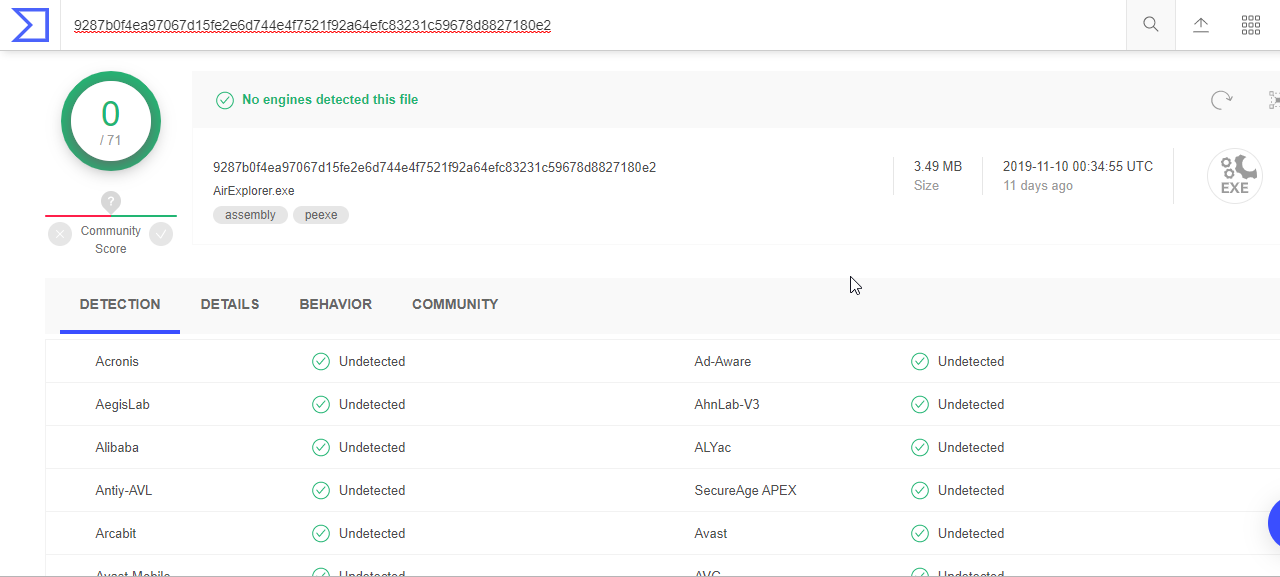
VirusTotal Reports:
2. Follow its instruction to crack the software.
Using Air explorer to download a whole folder to your desktop:
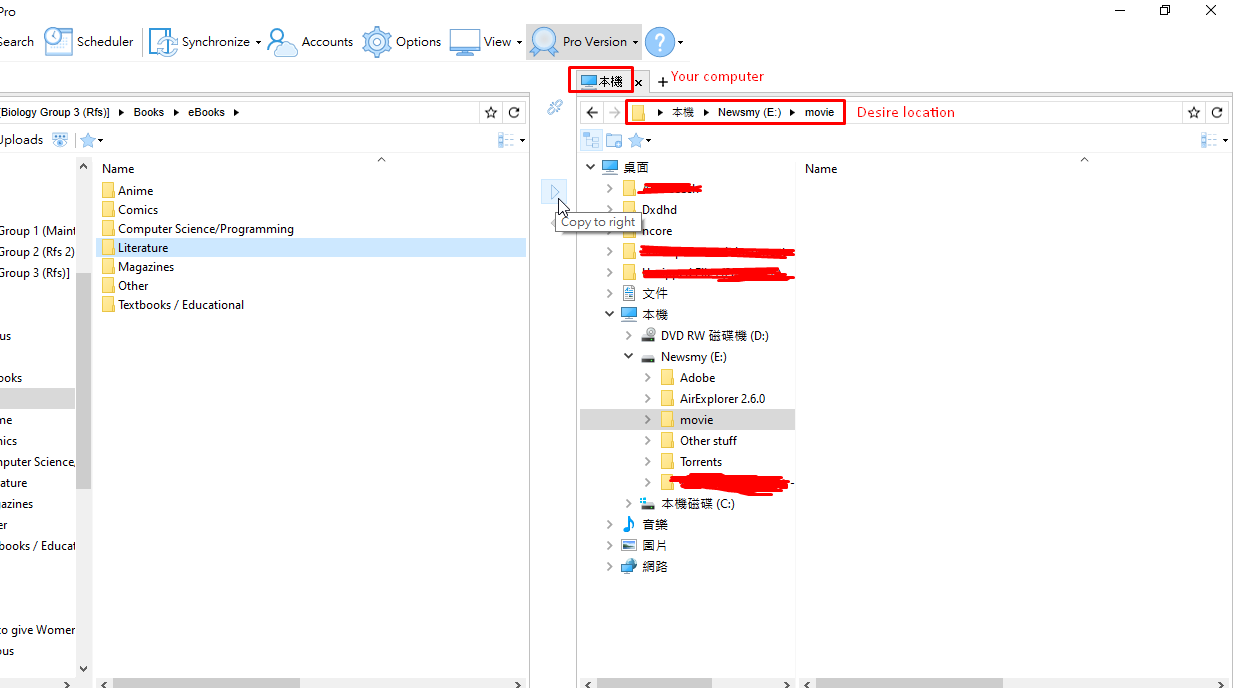
How to leave my team drive:
https://telegra.ph/How-to-leave-Biology-Group-Team-Drive-12-13
Reminded that if you leave, you cannot rejoin the group again! So think clearly before leaving.
Some more things you may find useful:
Sites for getting large numbers of free team drives/shared drives:
https://telegra.ph/Script-for-getting-free-team-drives-01-30
Team drive guide and FAQs:
https://telegra.ph/A-complete-guide-of-shared-drive-Team-drive-01-23
**Any problem feel free to ask in my telegram main group: https://t.me/raymondfreesoftware