How to deposit into a cryptocurrency wallet
As an example, we use USDT.
Step 1. Open the bot, select "Wallet" → "Deposit"
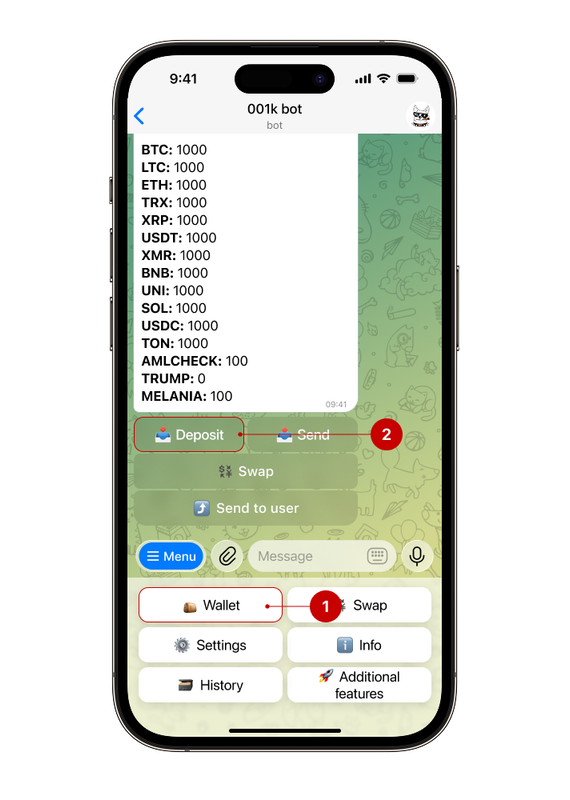
Step 2. Next, choose the desired currency and a convenient deposit method
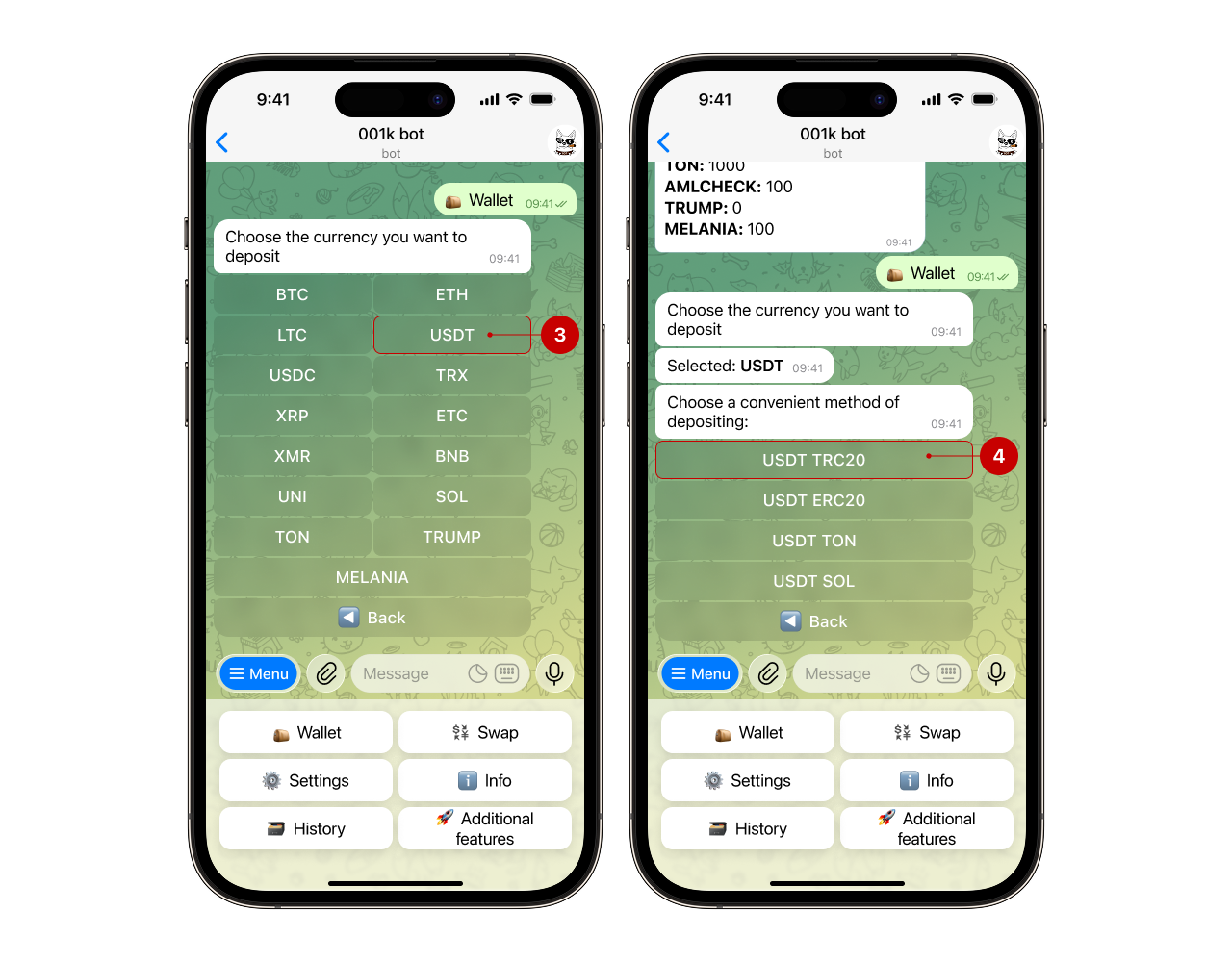
Note: Each currency requires a certain number of confirmations in the blockchain; please consider this before making a transaction.
Step 3. Getting the cryptocurrency wallet address
You will see a message about your balance being topped up. Read the information provided (top-up method, minimum deposit amount, fee). Then click on the “Get deposit address” button (5).
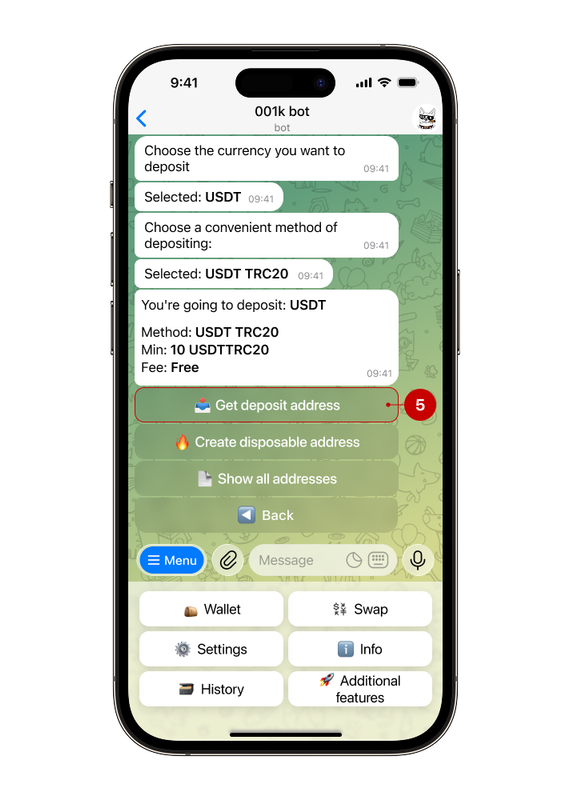
In addition to obtaining an address for a deposit, the bot also offers to create a disposable address. What it is and when it is used, read in our guide
Step 4. Top up your balance
The bot will send a special QR code (6) that you can scan with another device and proceed to top up.
The wallet address is automatically highlighted in a different font (7); to copy the address, simply click on it.
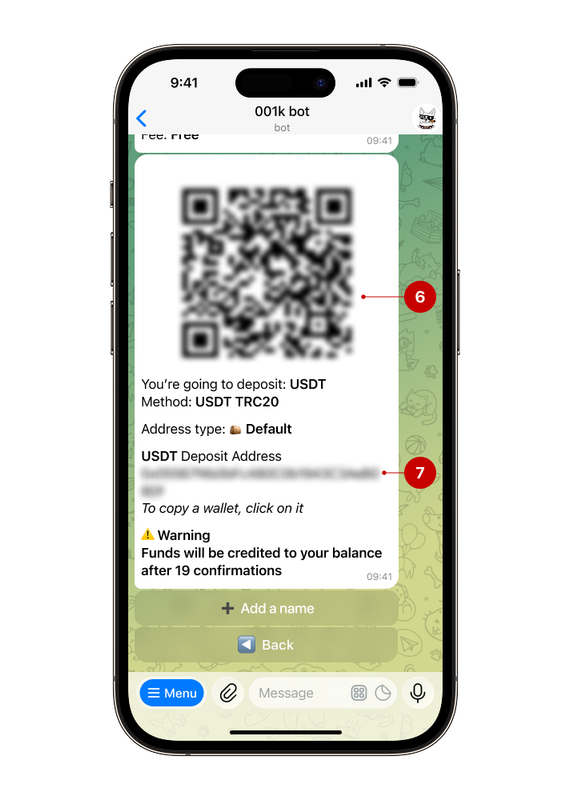
Please check the address carefully before making a deposit. Incorrect information may result in the loss of funds.
Note: before depositing the Ripple (XRP), be sure to specify both the address and the Tag. Without the Tag, the transfer will not be credited to your account.