How to create deal in @GrossProBot
GrossBefore creating a deal, both users need to log in to @GrossProBot and install PIN-code on account (if you have not done this before - instruction). The buyer must also have enough money on the balance to start the deal.
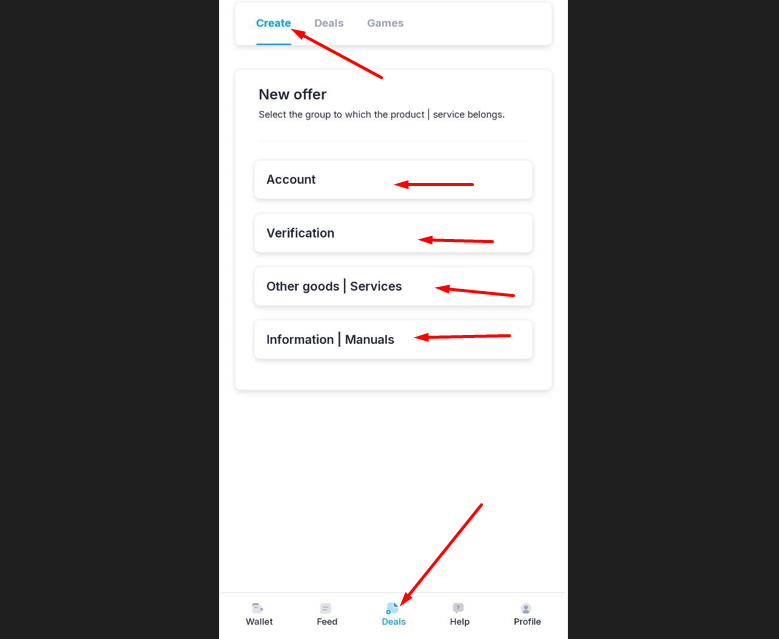
After that, go to the "Deals" section and select the Deal category you need:
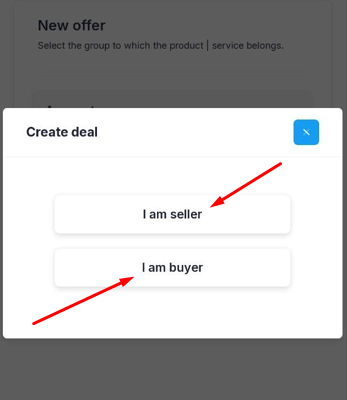
After that, choose who you are in this deal (buyer or seller):
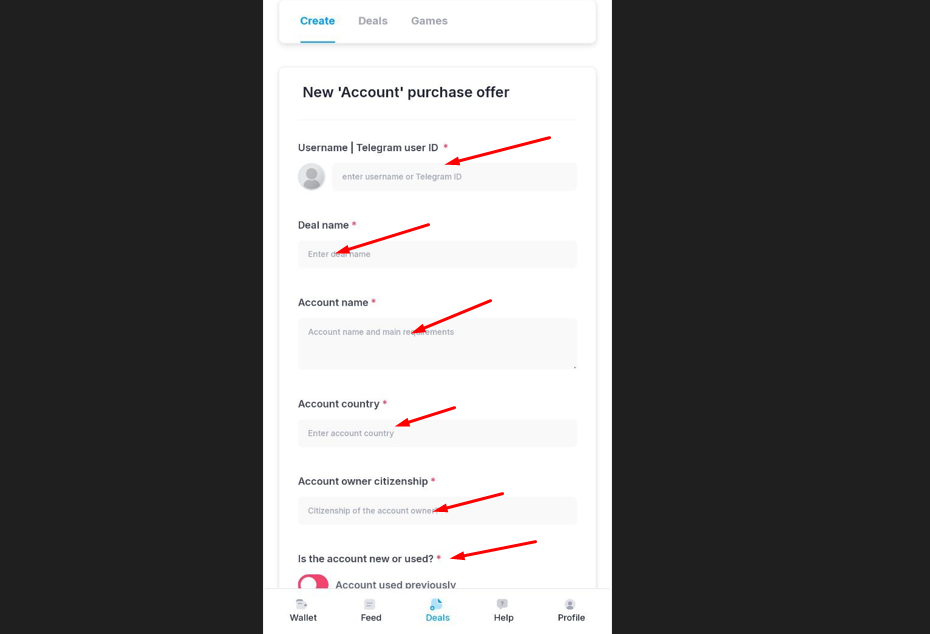
On the next page, you need to fill out the terms (having previously agreed them with the second participant of the transaction):
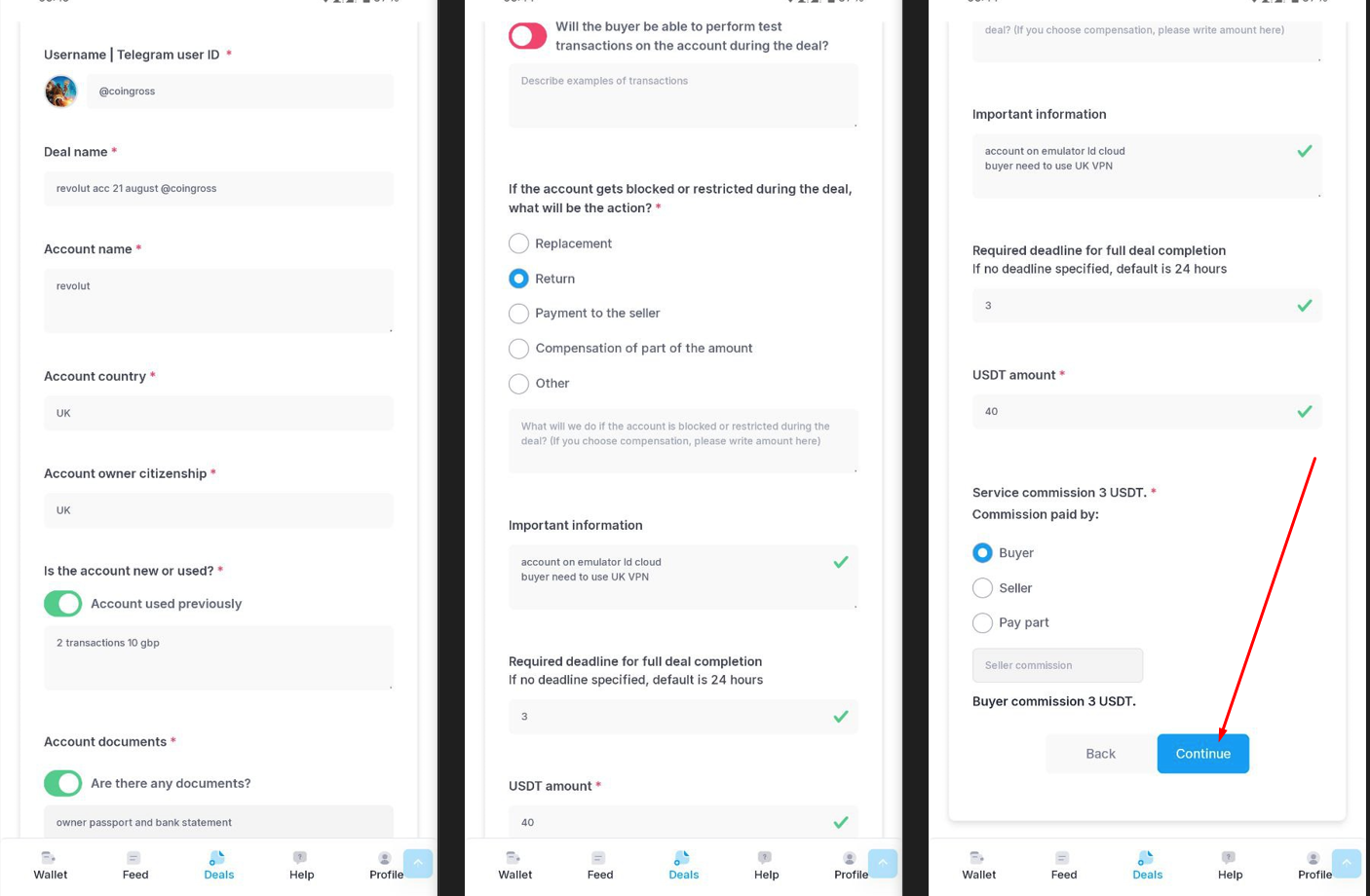
After filling in all the conditions, check them and click "Continue":
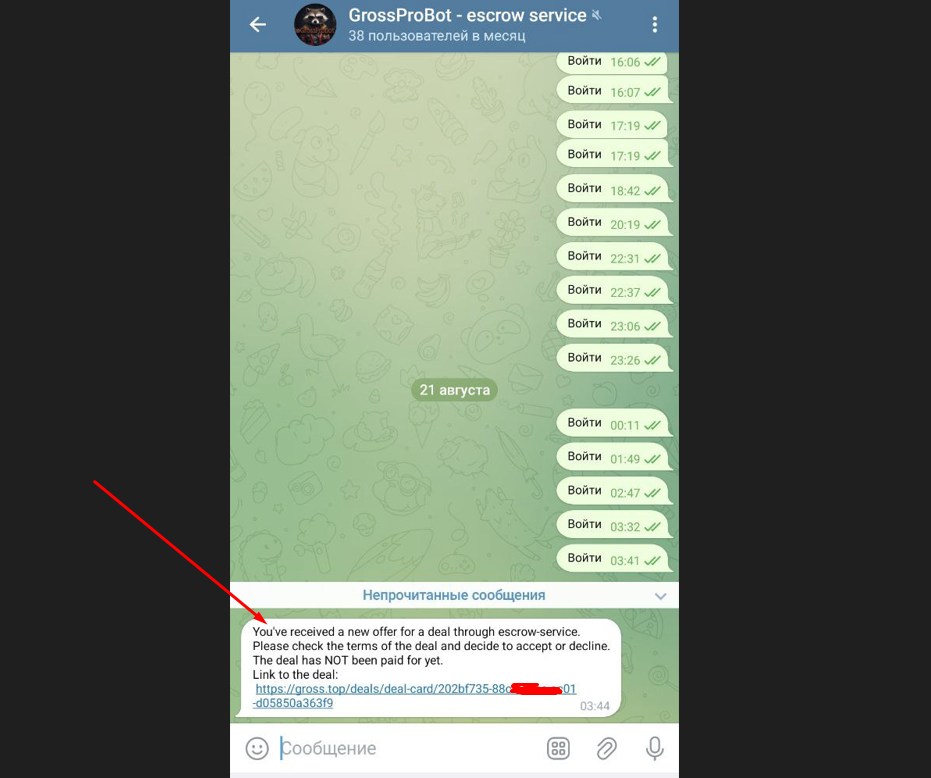
After that, the second participant of the deal will receive a notification in @GrossProBot about the deal and will be able to accept the deal with link:
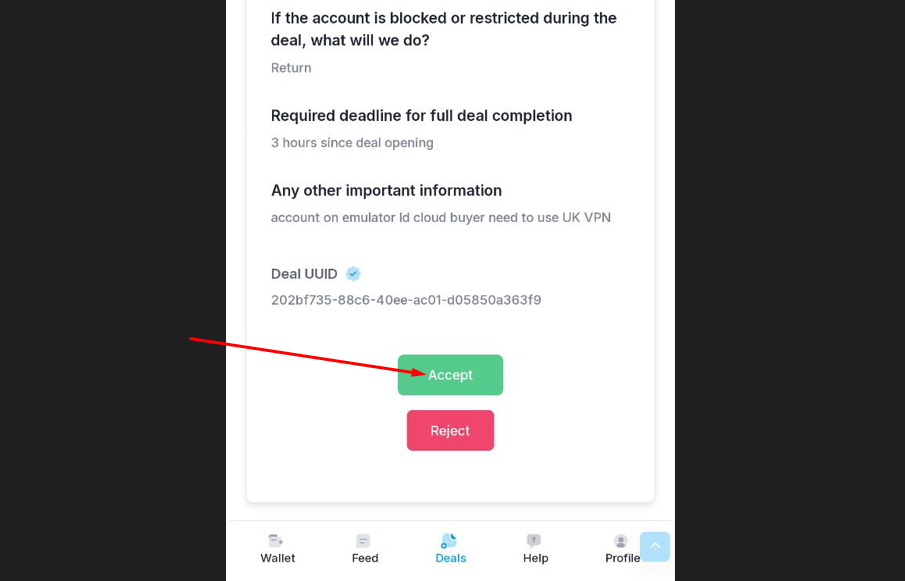
He can tap on deal link and check all conditions. If he will agree - he need to click "Accept":
After accepting conditions - you are receive notification in @GrossProBot about deal start:
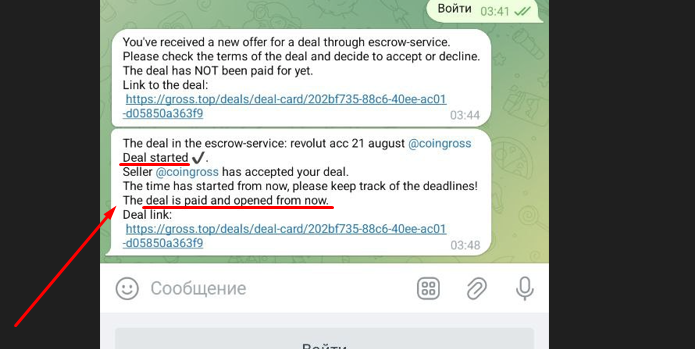
After this notification you can start work with other participant.
Please remember that your safety is in your hands. describe the terms in more detail and take screenshots and screen recordings as you work on the deal, so that in case of a dispute you can provide sufficient evidence to the arbitrator.