How to create auto filter Bot
Kunal DiwanAs many of you guys want to create your own auto filter bot.
Auto filter bot is very nice bot and it always help you to filter all filters from channel to group instead of searching files by own .
Example bot - @AutoFilterV2Bot

Let's start -
1. First of all create one bot from @Botfather .

2. Now create 2 account - Github and heroku. If you don't know how to create account watch on youtube.
3. Then go to this link 👉https://github.com/Kunal-Diwan/AutoFilterV2bot 👈

4. On that opened link you will see one button [ Deploy To heroku ] . Click on that button.

5. After clicking that button one link will opened and that link ask details for deploying your bot.

6. Now Go to @Api_HelperBot and Enter your phone number . Then you will receive a code from telegram enter that code in bot . Then you will get your api details.

7. After generating api details go back to browser deploying page in opened and fill your api id and api hash there.

8. Then go to Botfather again and copy api token and paste in required field .

9. Now we need Mongo DB database uri . You have to do many procedures to generate that so I am giving mine database. 👇
mongodb+srv://Kunaldiwan:kunaldiwan@cluster0.1fgui.mongodb.net/myFirstDatabase?retryWrites=true&w=majority
👆👆👆👆👆👆👆👆👆👆👆👆👆
That is my database use this and paste In required database field.
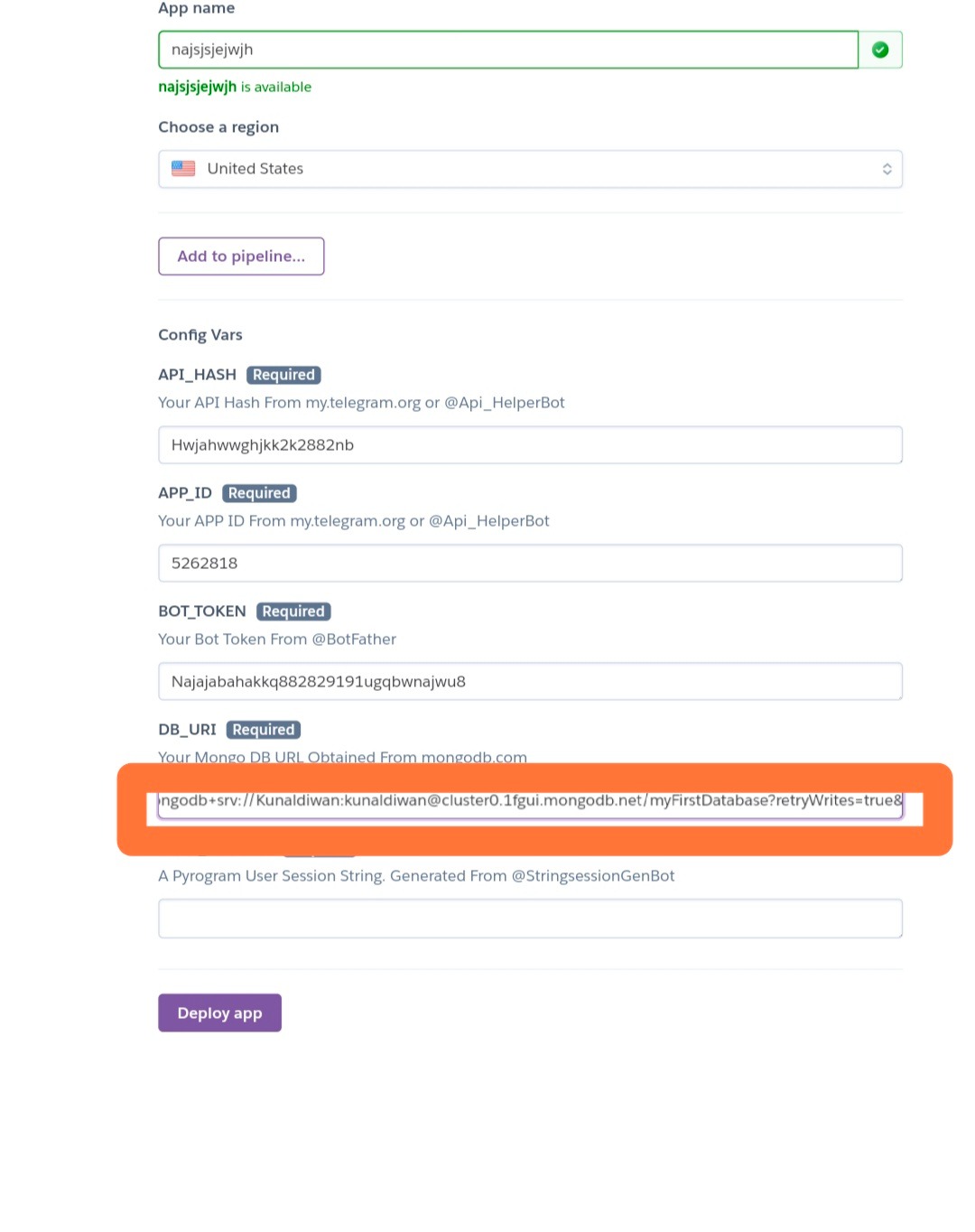
10. Now we need last thing that is pyrogram session string. So go to @StringsessionGenBot and start generating string if you don't know how to generate watch video from below 👇
After generating string session paste that pyrogram session string at required field.

Now all process done now click on Deploy app 👇👇

Then one process will be start after deploying your bot will work successfully.

⚠️ If you got any issues ask in @DevelopedBotz .
Written by kunal
➖➖➖➖➖➖➖➖➖➖➖➖➖➖