How to create an assignment in turnitin instructor account with No Repository?
TurnitinBACK TO HOME
Contact for Turnitin and TurnitinUK deal:
📩 Contact on Telegram: https://t.me/eduandtech_admin
📧 Contact on Email: eduandtech@proton.me
Here are the steps to create a "No Repository" assignment in Turnitin using an instructor account:
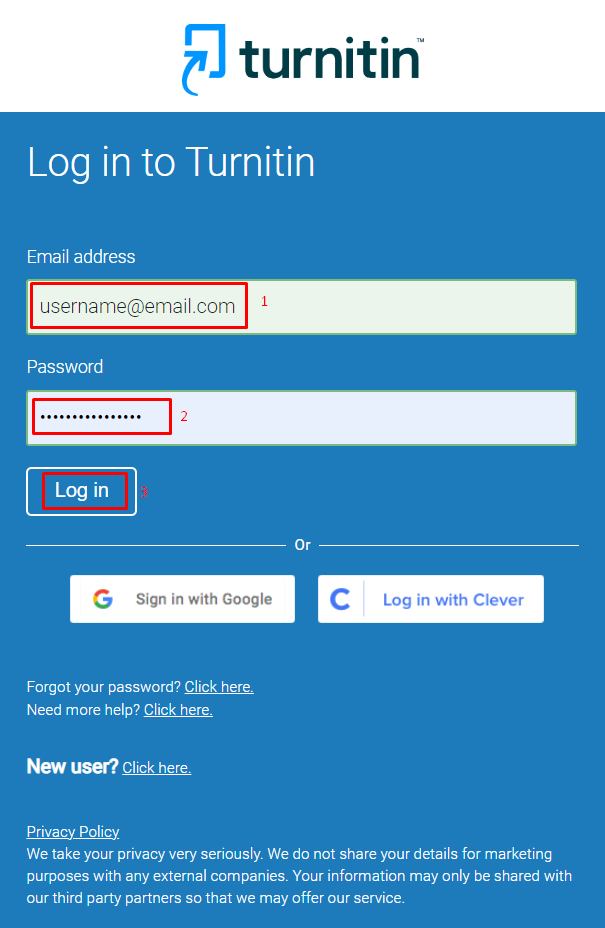
Step 1: Log in to your Turnitin instructor account.
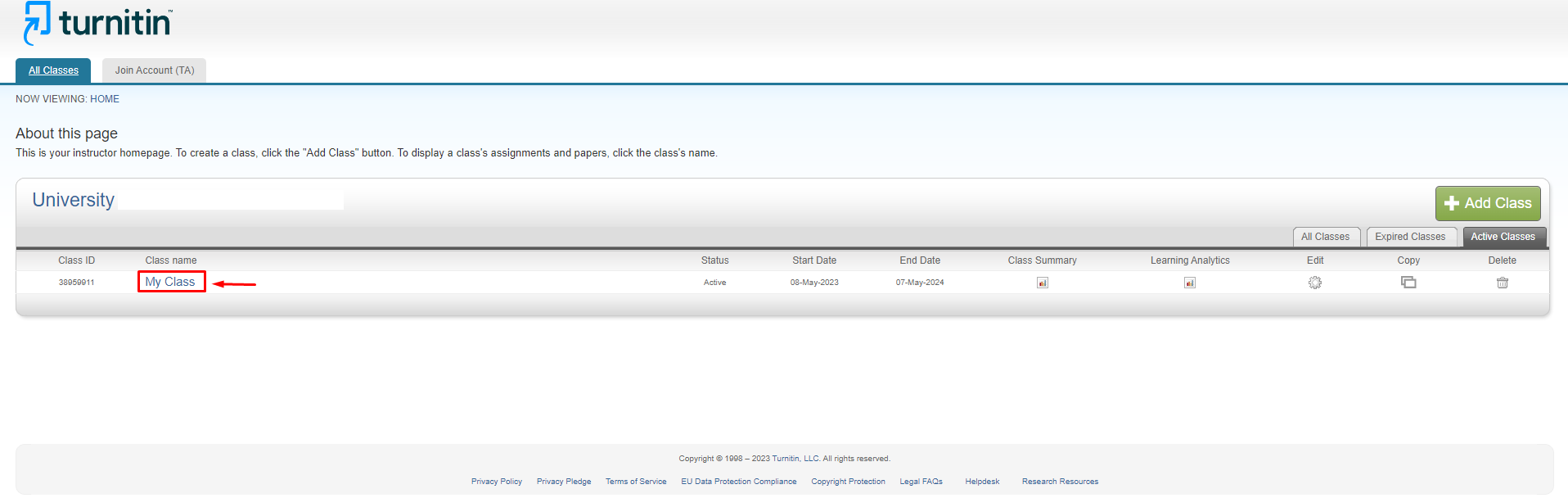
Step 2: From the "Instructor Homepage," locate the class you want to create an assignment for, and click on its name to open the class homepage.
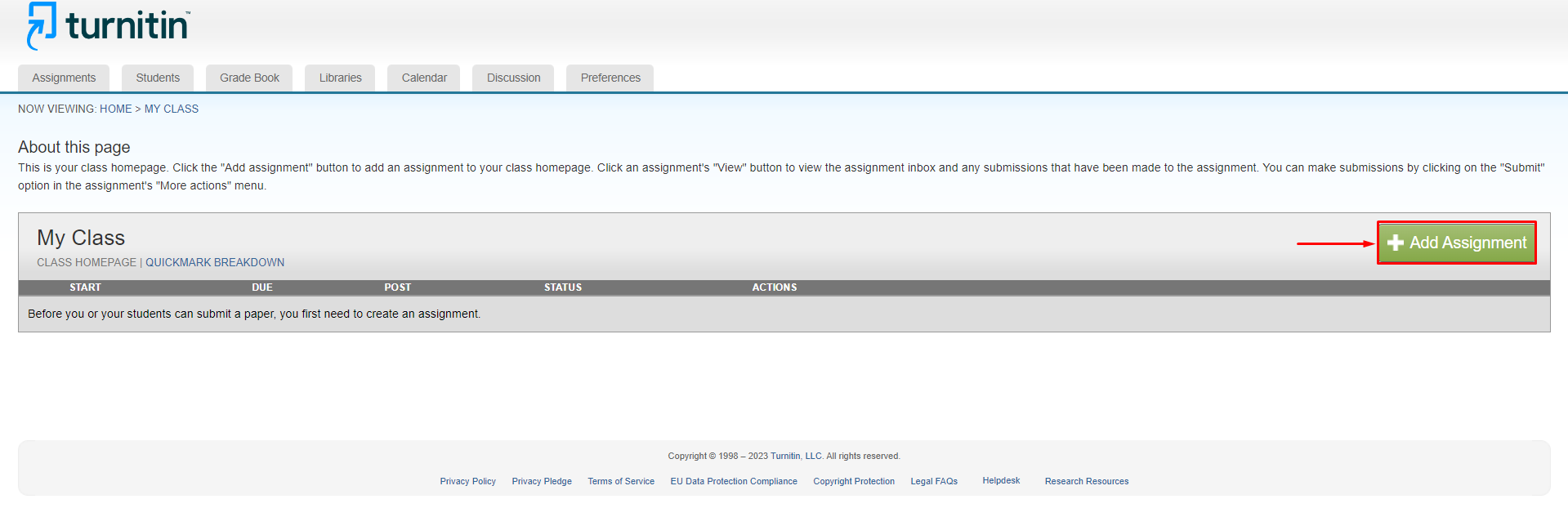
Step 3: On the class homepage, click the "Add Assignment" button, usually located near the top-left corner of the page.
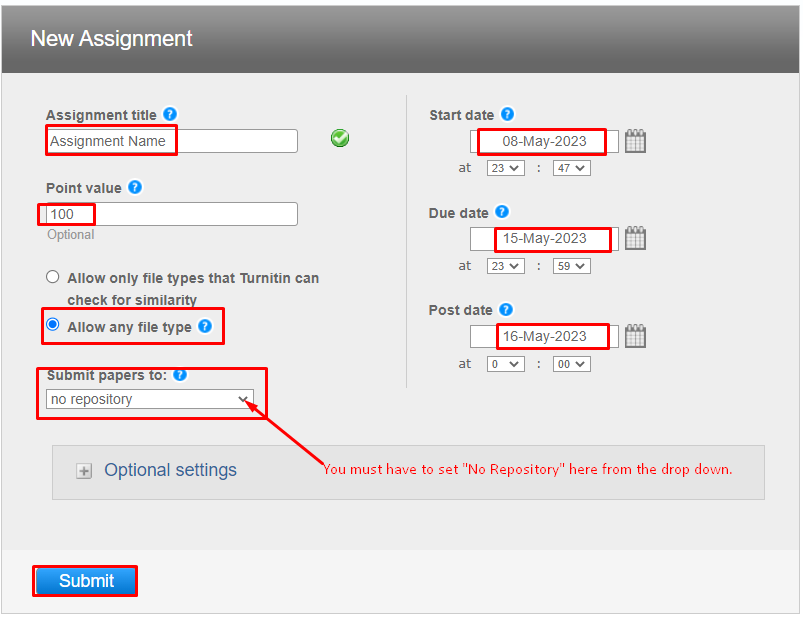
Step 4: Enter the required details for the assignment:
▶️ Assignment title: Give your assignment a unique and descriptive name.
▶️ Point value: Enter the point value for the assignment (e.g., 100).
▶️ Start date: Set the date and time when students can start submitting their work.
▶️ Due date: Set the date and time when the assignment is due.
▶️ Post date: Set the date and time when grades and feedback will be available to students.
⚠️⚠️IMPORTANT⚠️⚠️
Locate the option labeled "Submit papers to: " Select "No Repository" from the dropdown menu. By choosing this option, you're telling Turnitin not to store student submissions in any repository. This means the submitted papers will not be checked against future submissions.
After configuring the settings, click the "Submit" button at the bottom of the page to create the assignment.
Your new assignment will now appear on the class homepage and you can submit your paper to check.
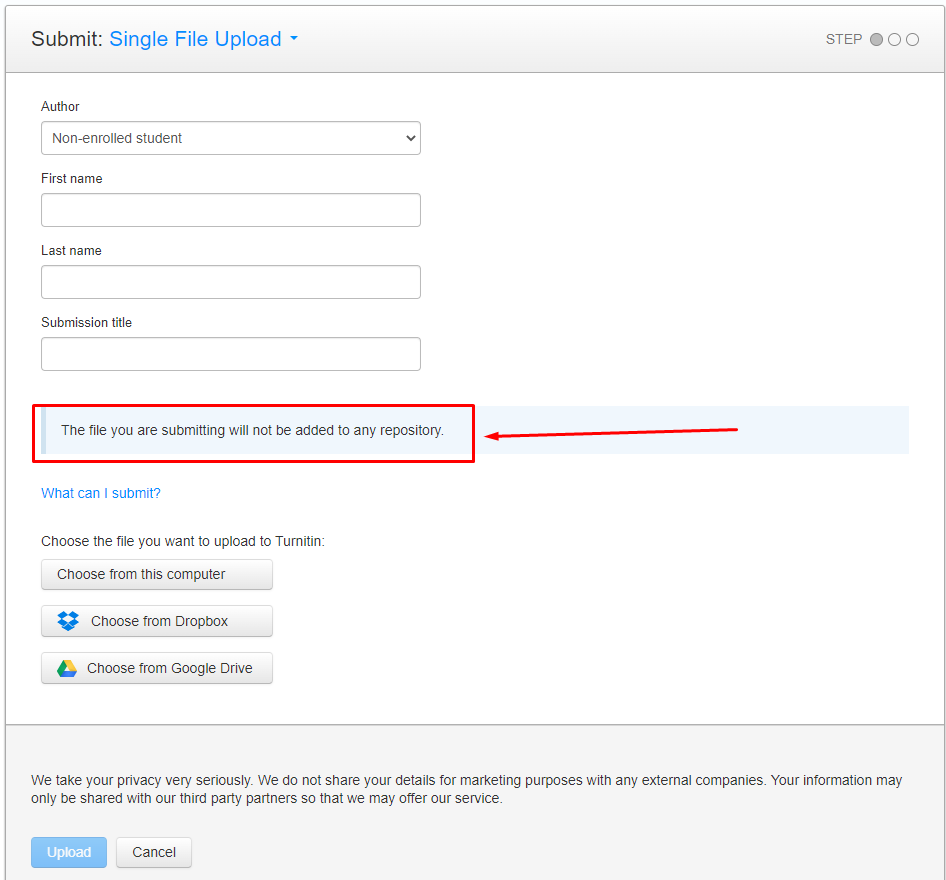
❇️❇️ Bonus Tips: If your assignment is under "No Repository." This message is on the submission page: "The file you submit will not be added to any repository."
It means if you submit the paper, your paper will not get stored in the database.
If you cannot see this line, your file will be saved to the database.
Contact for Turnitin and TurnitinUK deal:
📩 Contact on Telegram: https://t.me/eduandtech_admin
📧 Contact on Email: eduandtech@proton.me