How to create a profile?
PLAYMUSE
Hello! If you haven't done it yet, open the manual and join us right away.
We'll show you how to create and fill out a profile on the Playmuse marketplace. It is located here - click on it.
Step 1.
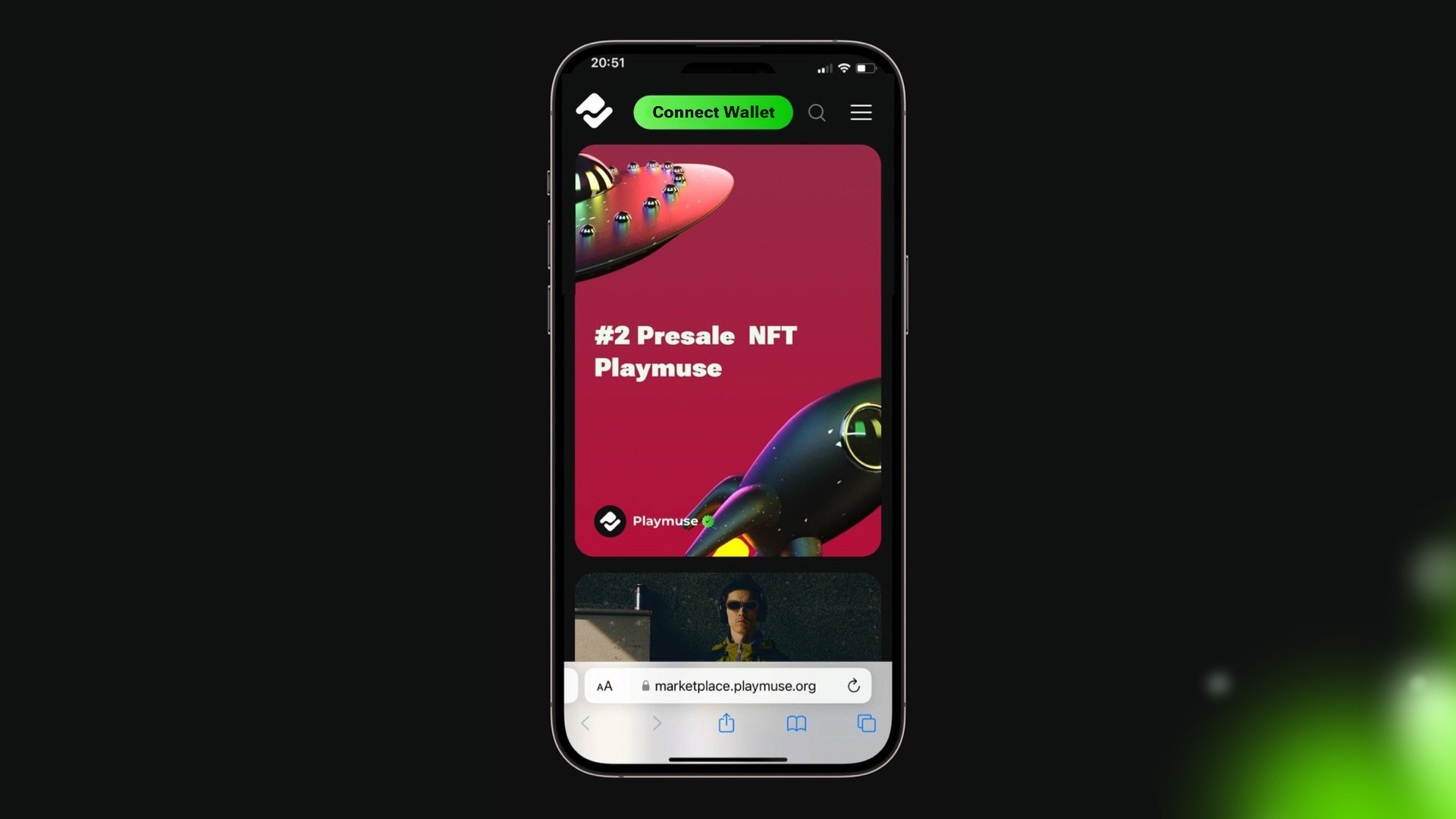
Go to the website and at the top, you will see a green button that says "Connect Wallet". Click on it.
Step 2.
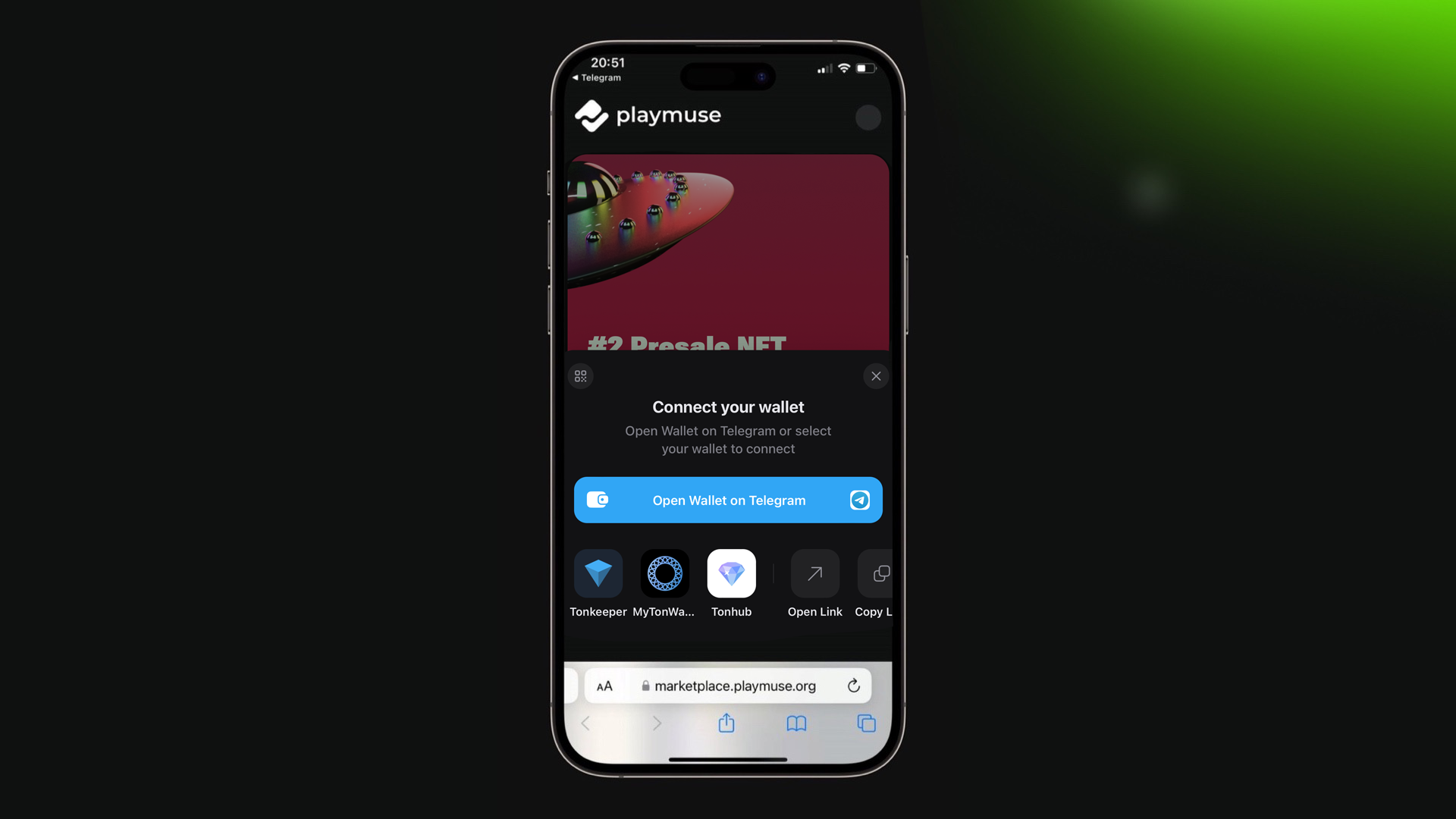
To create a profile, you will need a wallet. Click on the "Tonkeeper" button.
Step 3.
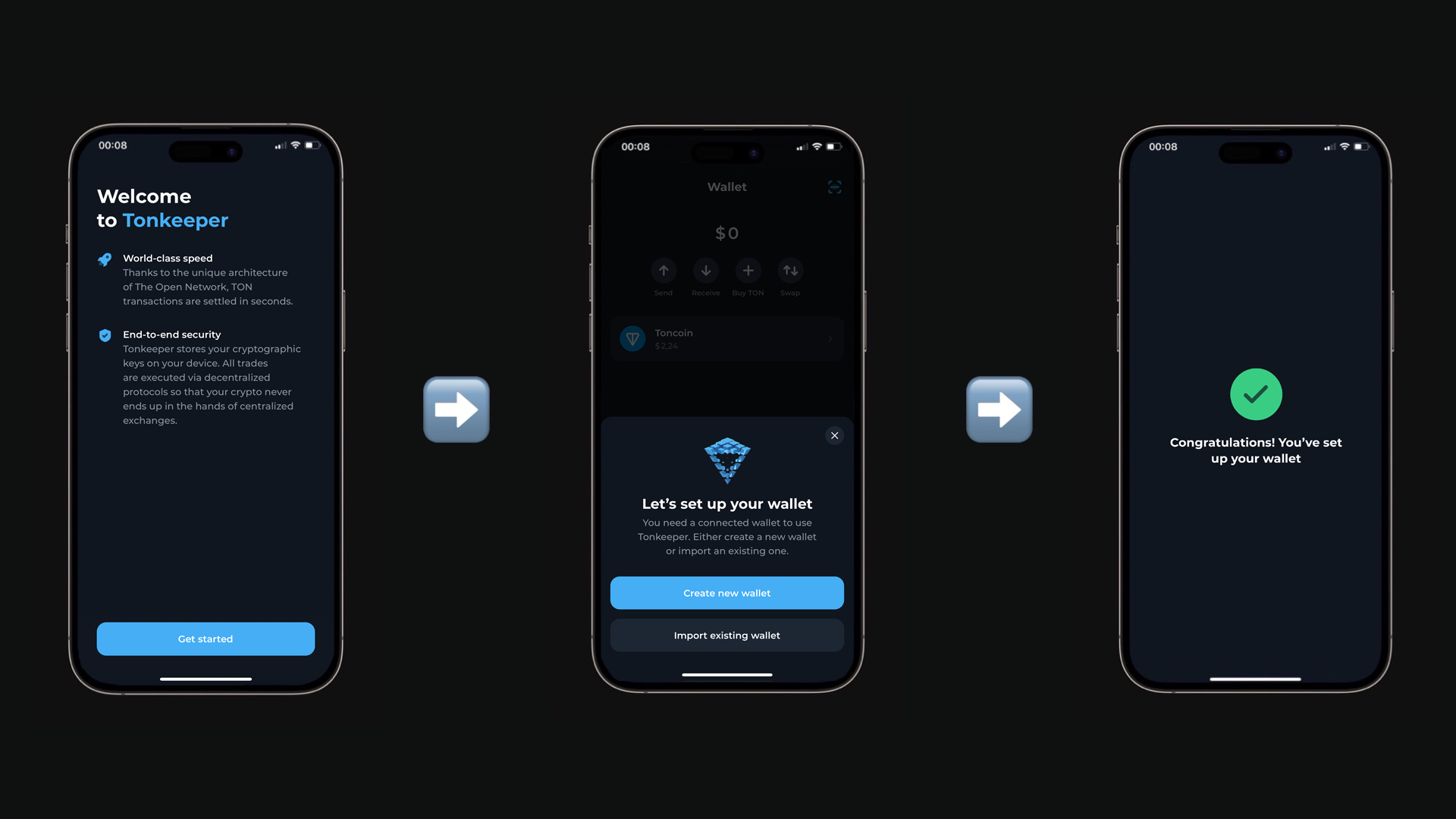
If Tonkeeper is not installed, please do so. If you don't have a wallet yet, create one. If you already have a wallet, you will be automatically redirected to the authorization application.
After downloading the application, you can create a new wallet or connect an existing one. Choose whichever is more convenient for you. To create a new wallet, no data is required and the process takes a few seconds. After clicking the "Create new wallet" button, you will be prompted to write down the secret key to be able to restore access to the wallet. After that, you will see the phrase "Wallet created".
Step 4.
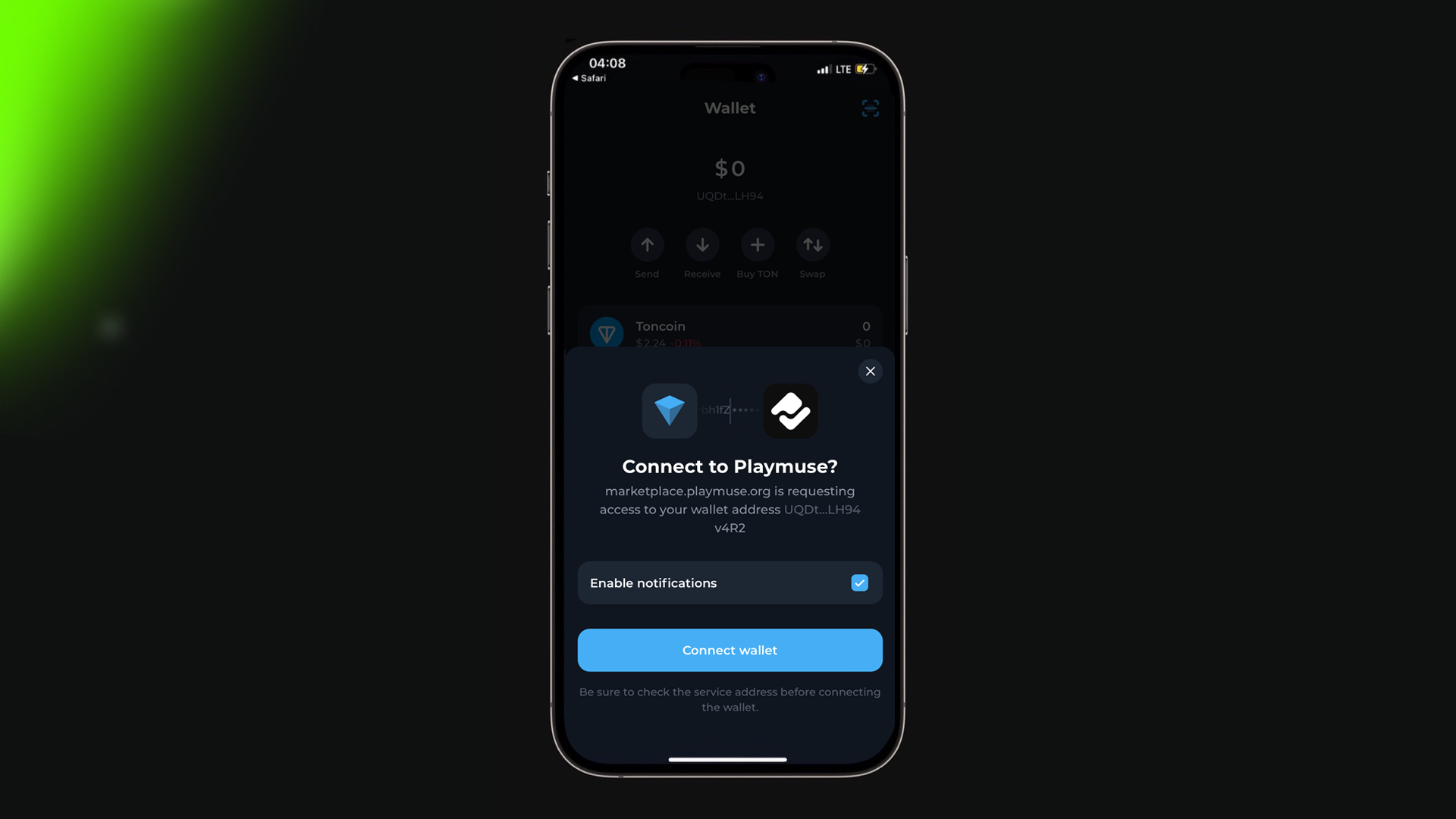
And in the open application, you will see this. Leave notifications on and click the "Connect Wallet" button. Wait a few seconds and...
Step 5.
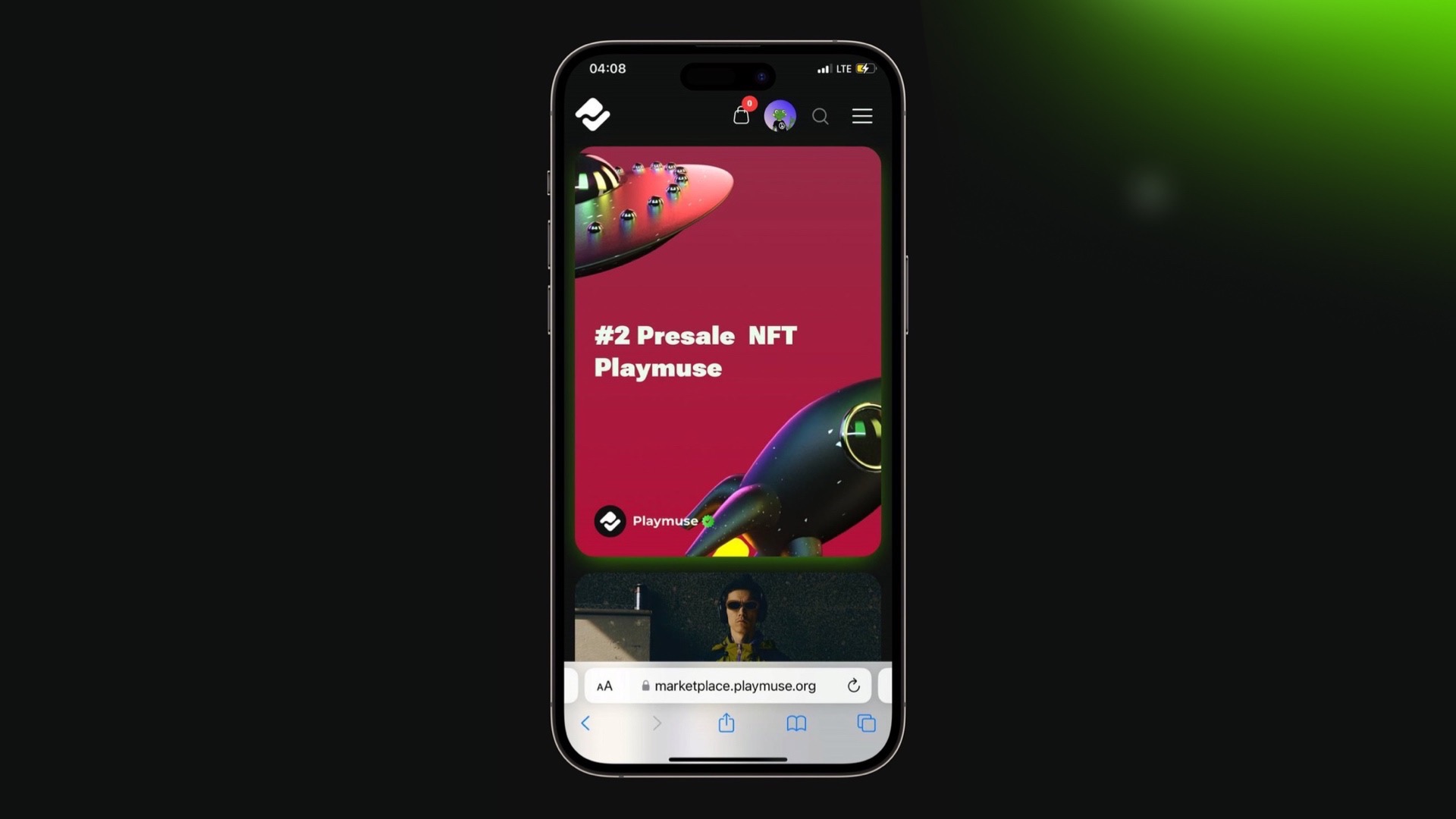
...and we see that the profile has been created 🔥
Step 6.

Now it needs to be filled. Press the green button.
Step 7.
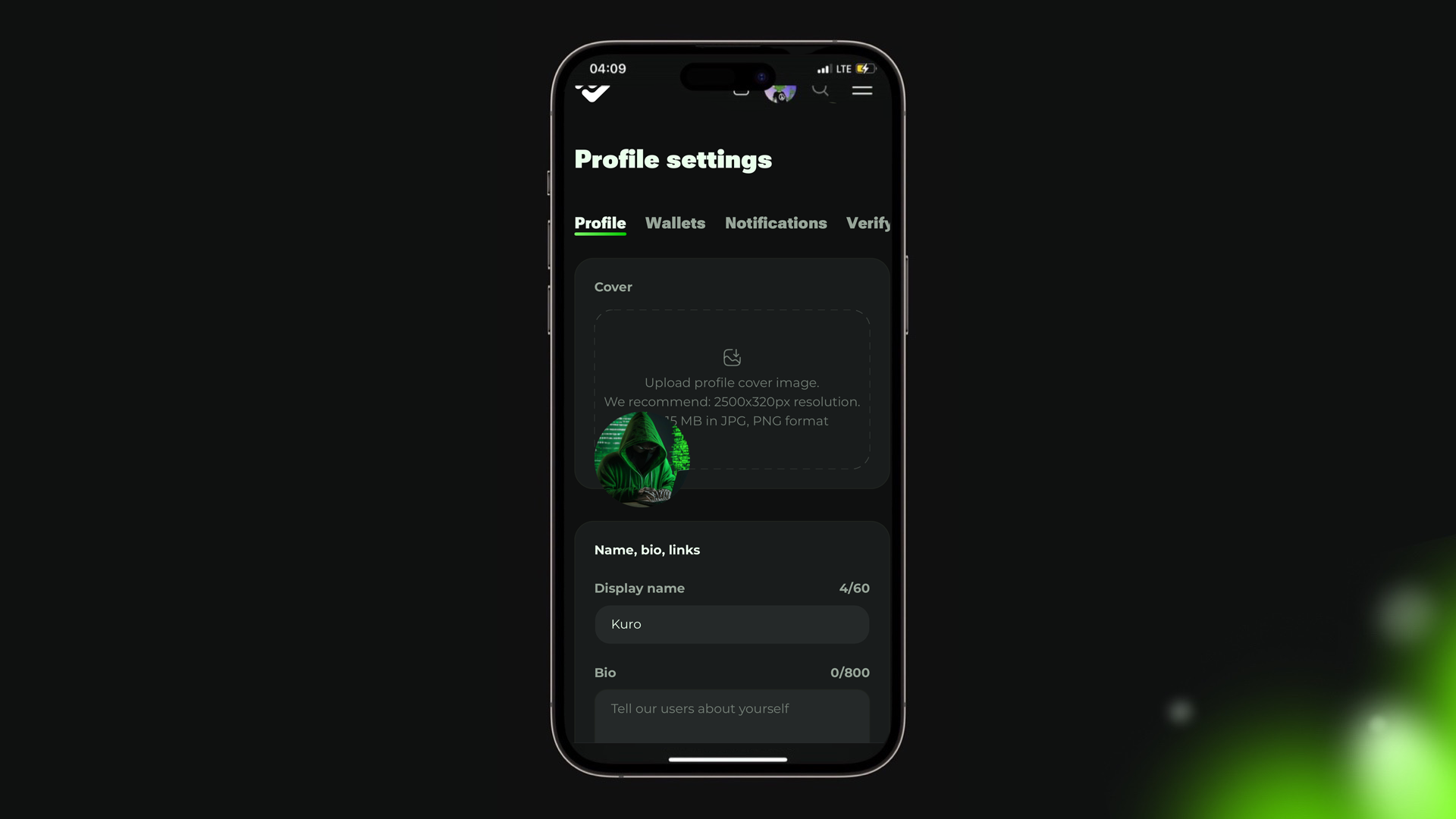
Enter the data: name, a little bit about yourself, username, links to social networks, and so on. It will take 3-4 minutes.
Done, you are amazing! Now you can follow other creators, buy NFTs, and create your own collections.