How to connect Meta Mask to Haqq Network
To set up your wallet for work with ISLM tokens of the IslamicCoin project, please follow this instruction.
Step 1
Open the MetaMask wallet’ browser or mobile version and unlock if needed.
Step 2
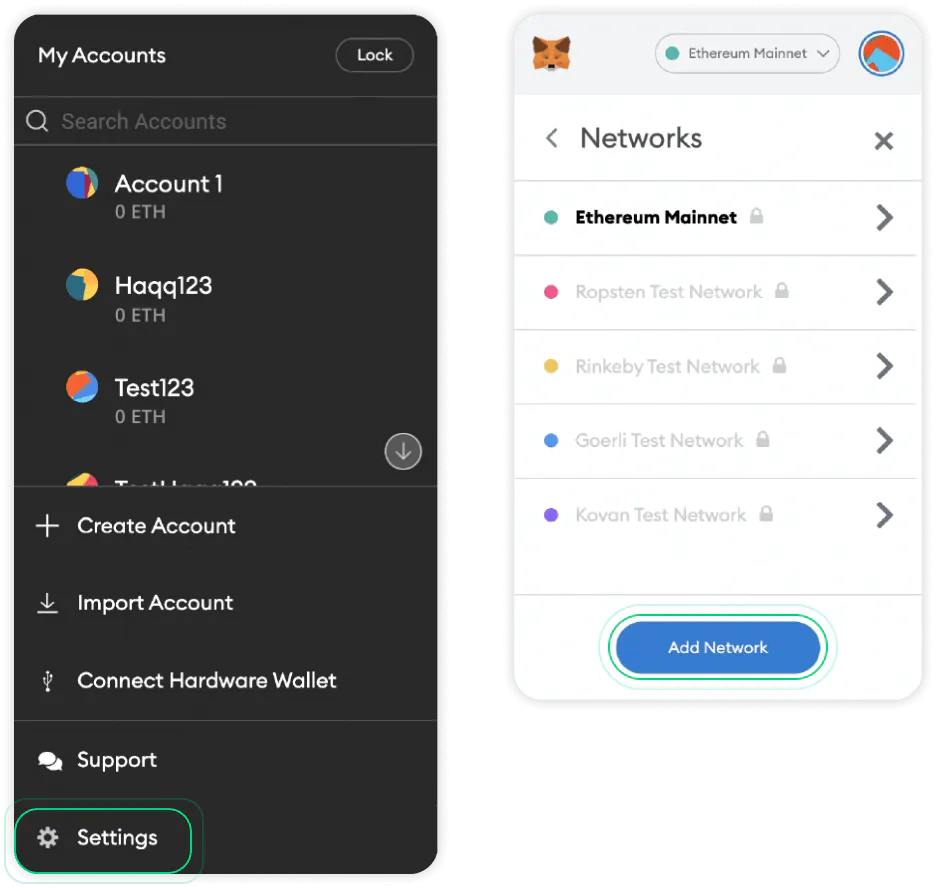
After this you will need to go to “Settings > Networks > Add Network”, you can find “Settings” after clicking on your wallet avatar.
Step 3
After clicking on the “Add Network” button you see this window and now you need to enter “Network Name”, “New RPC URL”, “Chain ID”, “Currency Symbol”.
Network Name: Haqq Network
New RPC URL: https://rpc.eth.haqq.network
Chain ID: 11235
Currency Symbol: ISLM
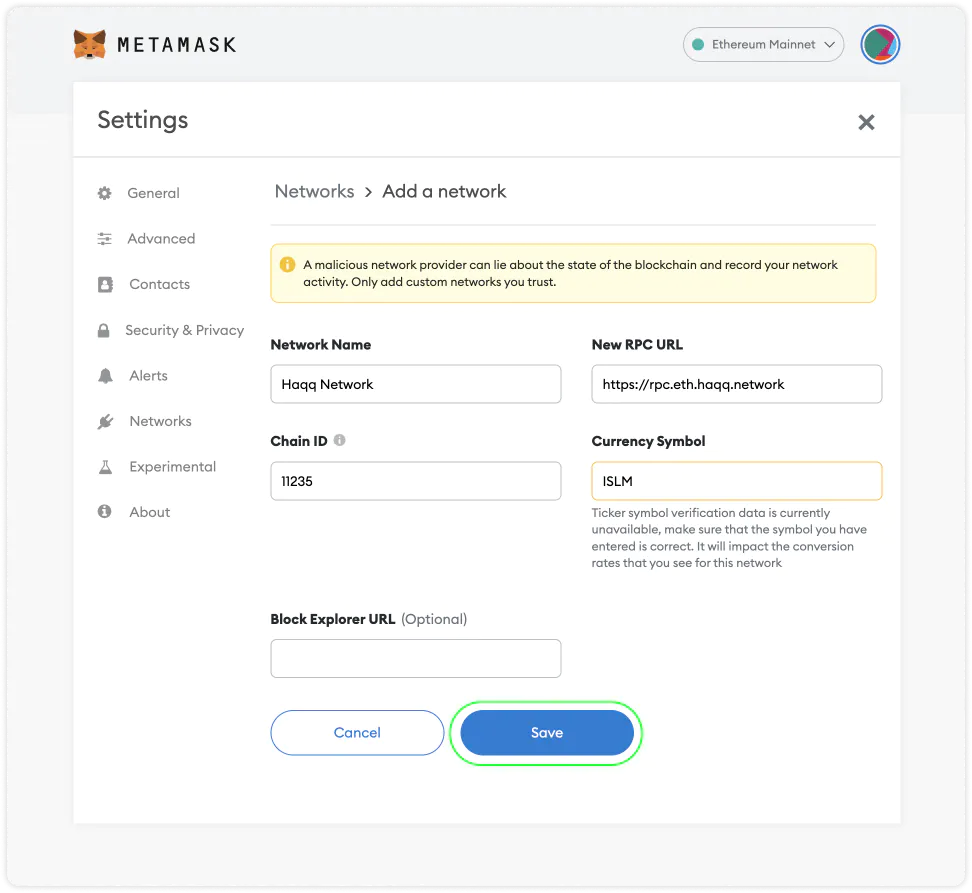
Now it’s good, just click Save. Haqq Network was successfully added!