How to bypass 1132 on Mac
@Fix1132BotClose zoom completely
In terminal copy and paste the following:
open ~/Library/Application\ Support/zoom.us/data/
Then press return/enter button.
In the folder you just opened, open the following files using TextEdit:
- viper.ini
- zoomus.enc.db
- zoommeeting.enc.db
If some of these files are missing, simply skip that file. In each of the files, delete the contect by using the command ⌘ + A on the keyboard, press Delete, then save it with the command ⌘ + S, do this for all files you opened.
Open a Terminal window.
Paste this text (do NOT press enter):
chmod 400
After the text, make a space (press the spacebar). Now you will select the three files you just edited by selecting them in Finder and then you will drag them to the terminal window, it will insert the path files to all the files.
This is how the Terminal should look like more or less:
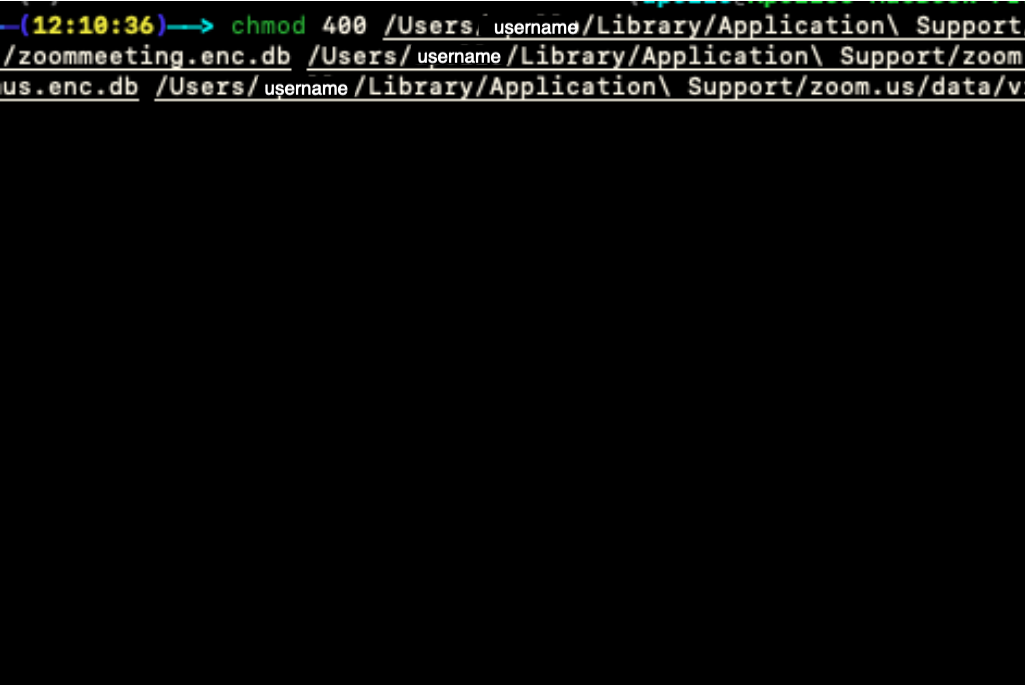
Press enter, then you can close the Terminal.
Open Zoom and join meetings as usual.