How to buy $Drago
✙ ValentinödysseyYou may be wondering: how to buy this rosy, stunning token called $Drago?
There's a myriad of different ways of buying tokens on Solana network, but the easiest and the best ones are to use a BitGet Wallet or a Telegram bot named BonkBot.
Without further ado, let's buy some Drago!
As far as BitGet Wallet is concerned, we have to download this application first. You can find it on AppStore or Play Store.
When you're registered, you need to choose a Solana Network. Subsequently, you'll be given an account.
Having done that, choose a "Token management" button:

Paste here the address of $Drago (I also pinned it at the very end of this article):
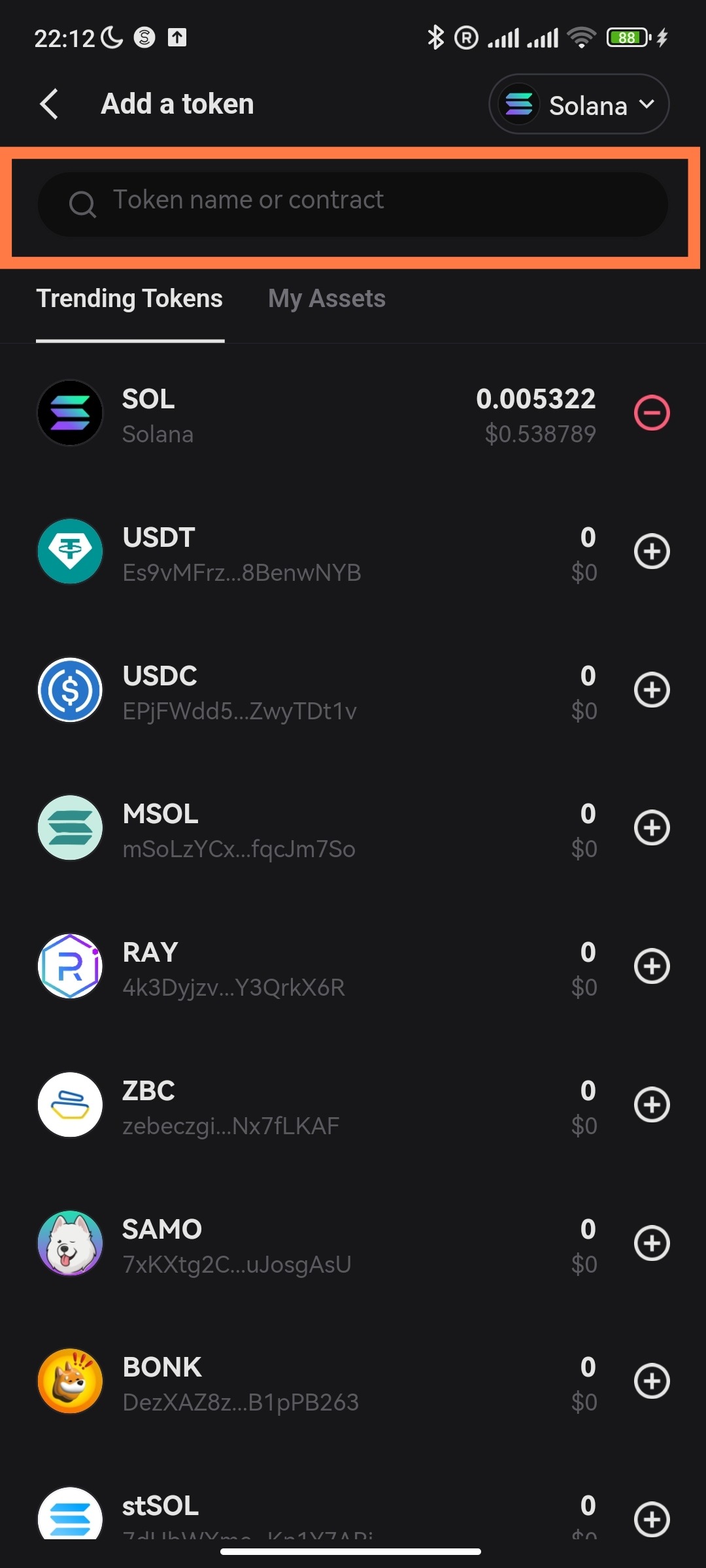
When $Drago is added, come back to the main page and tap on SOL:
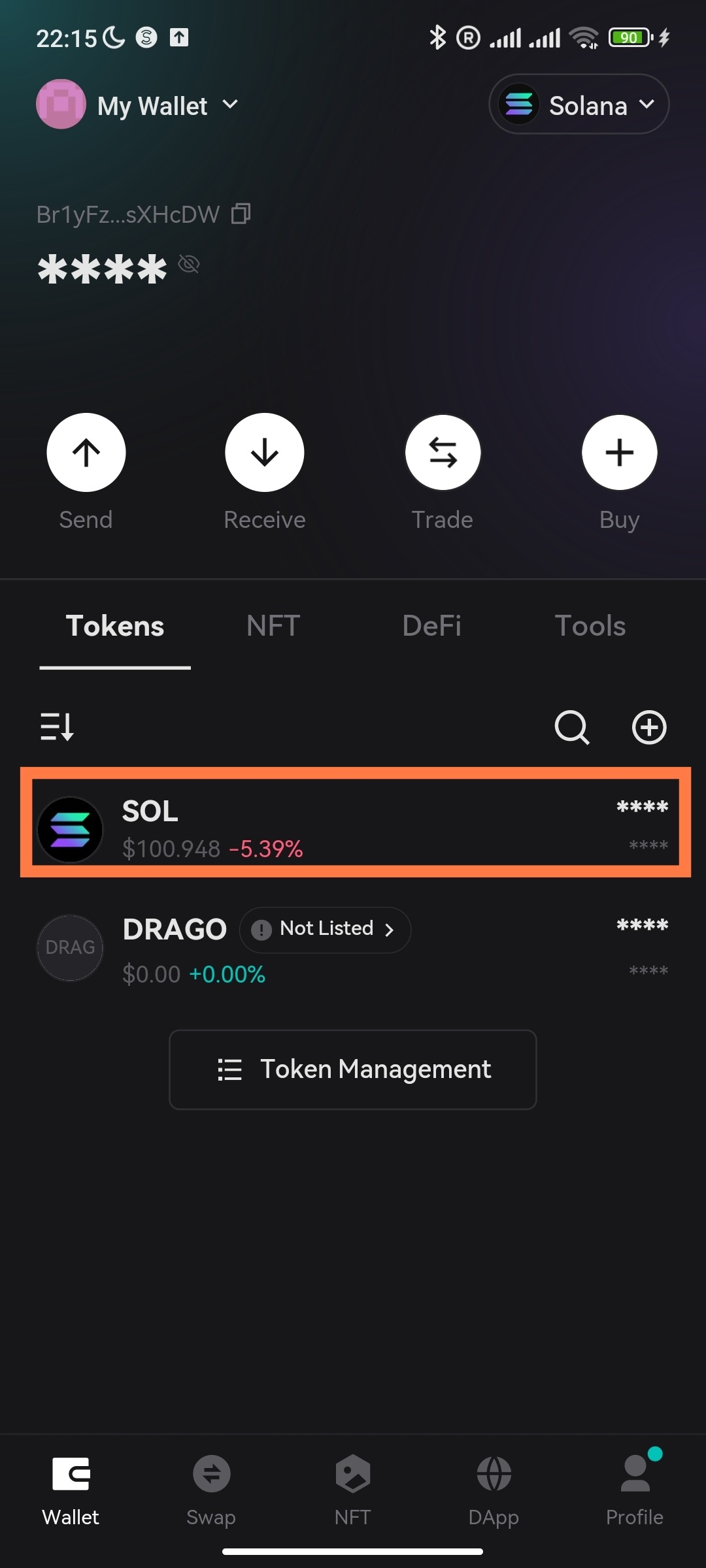
And choose button "SWAP". After that you need to choose a token you would like your SOL to swap for.
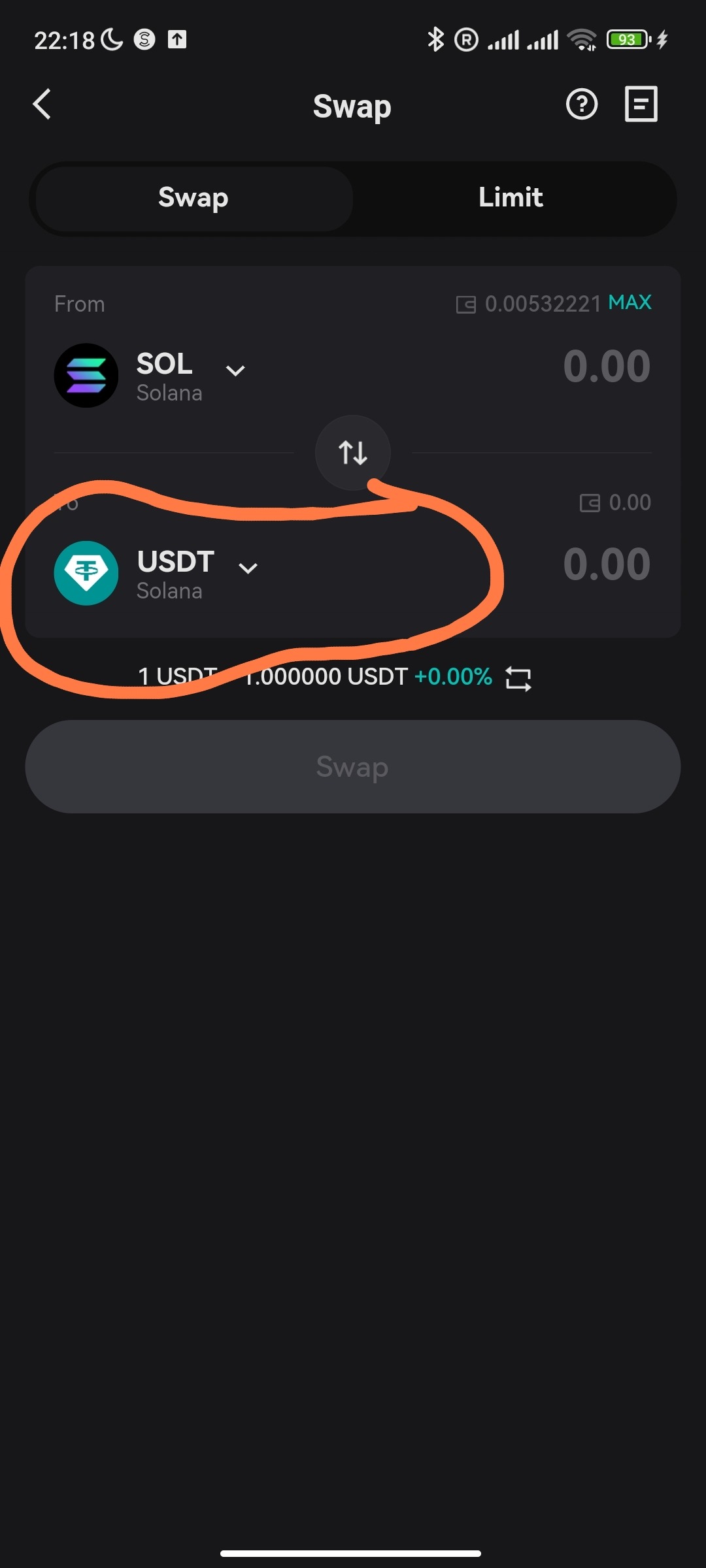
Don't forget, that we need $Drago and it'll be found right here:
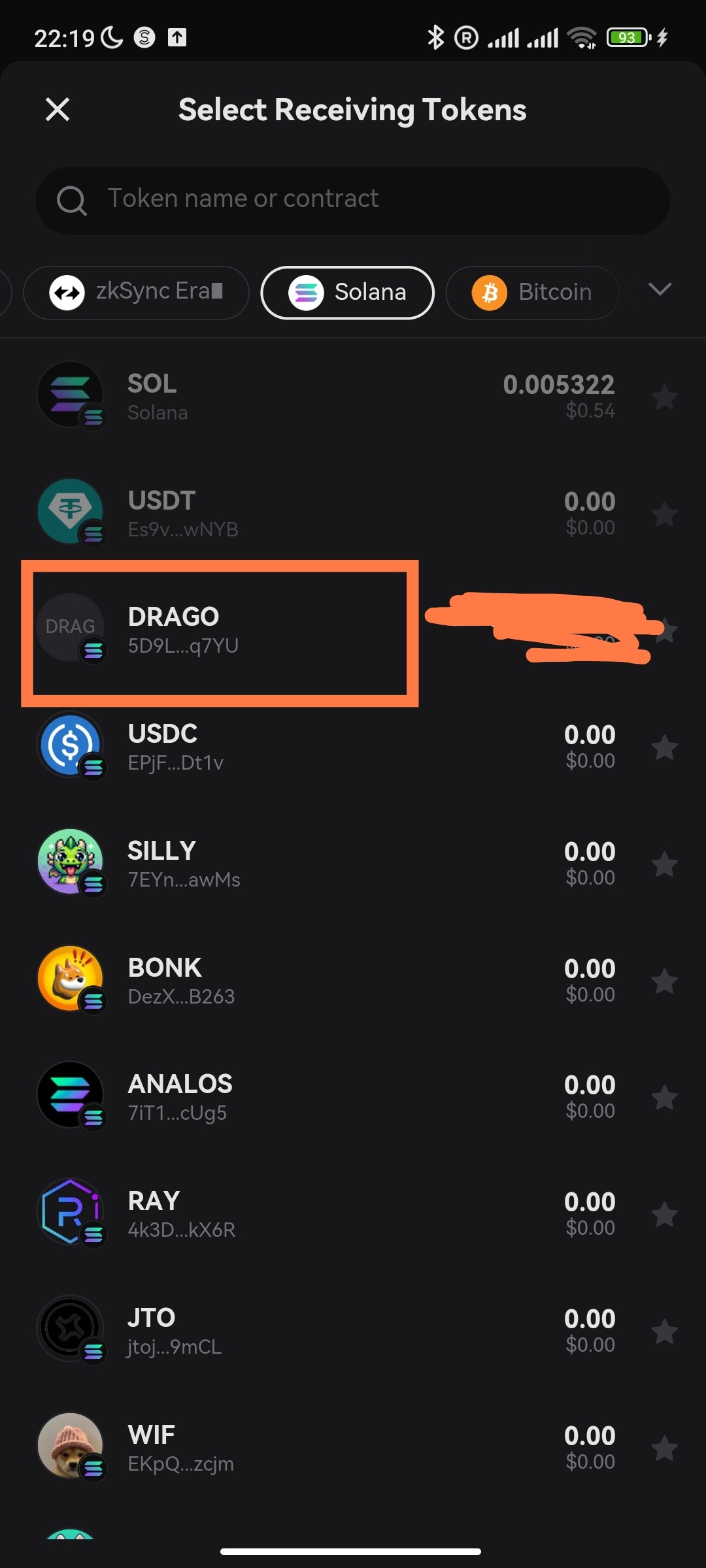
That was the last step. Now hold till the price reaches 1$.😉
How to replenish your BonkBot account:
1. First and foremost, you gotta find the bot. You can use the link above.
2. When the first step is done, you'll see such a picture:
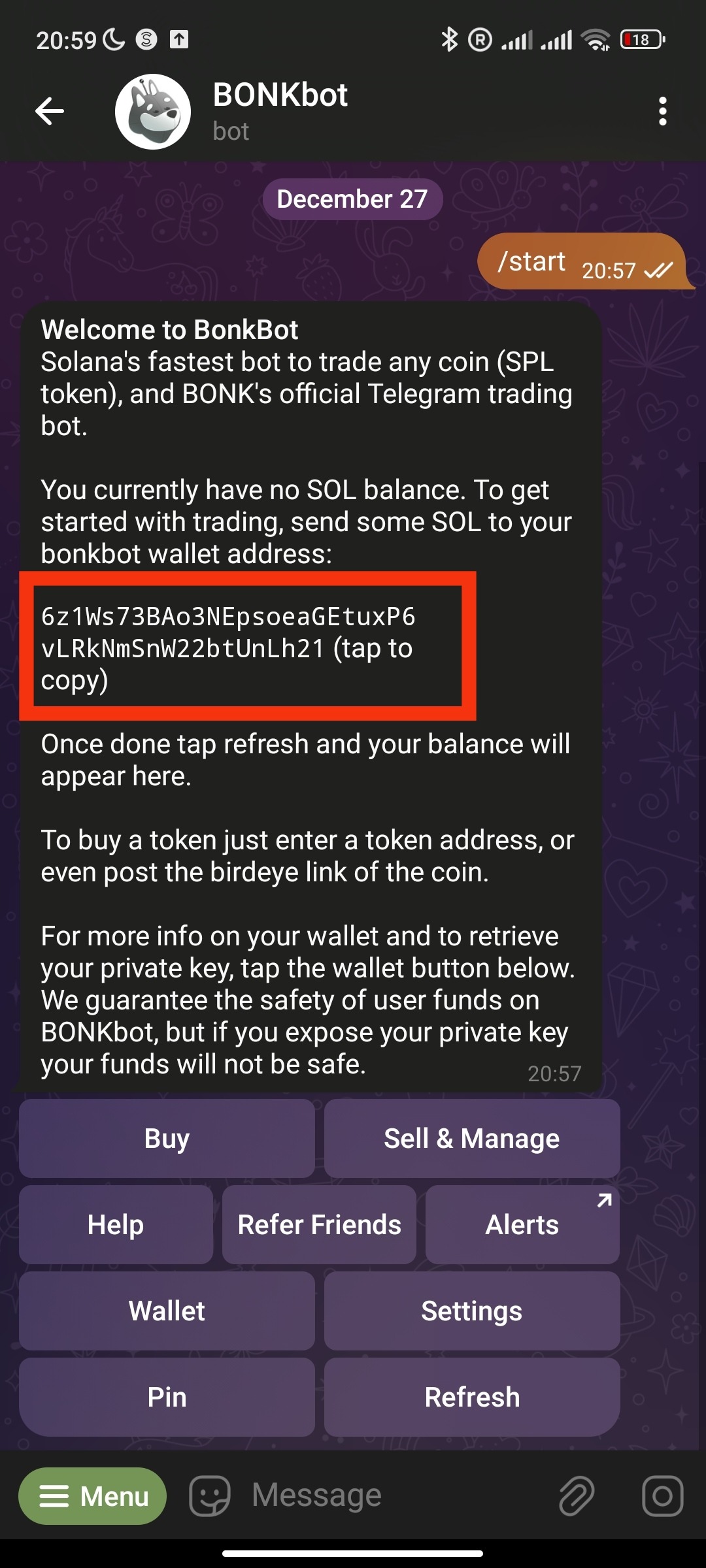
and the only line needed is the address in a red rectangle. This is your Solana Address!
3. Copy the address, go to an exchange you use and buy some Solana.
4. Having the use of the Solana address we copied earlier, withdraw the Solana you bought.
5. In some time the Solana will be delivered to your BonkBot and you'll be faseble to buy coins, but I would also like to bring you up to speed about some settings of BonkBot.
Recommended BonkBot settings:
Settings are here:

We are about to change these default settings:
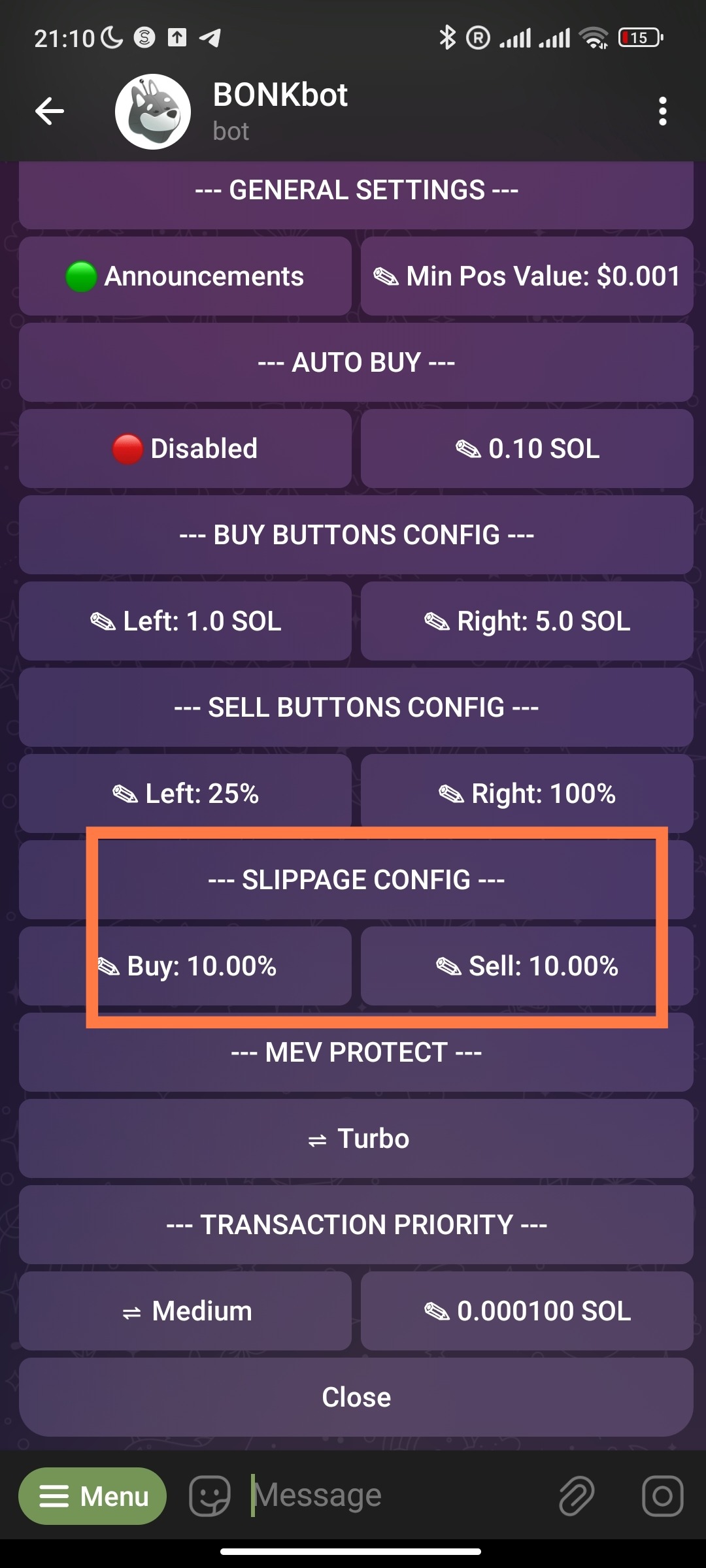
Why should we do it? On and off, the bot doesn't work properly when the values are default and it's recommended to modify them into 40-50%. Let's do it!
Tap this button:

And write the percentages you need. For the most part, I apply 35-40%.
Do the same steps with a "sell button".
Buying $Drago
In order to buy Drago coins, we need to copy the address of the coin and paste it to BonkBot.
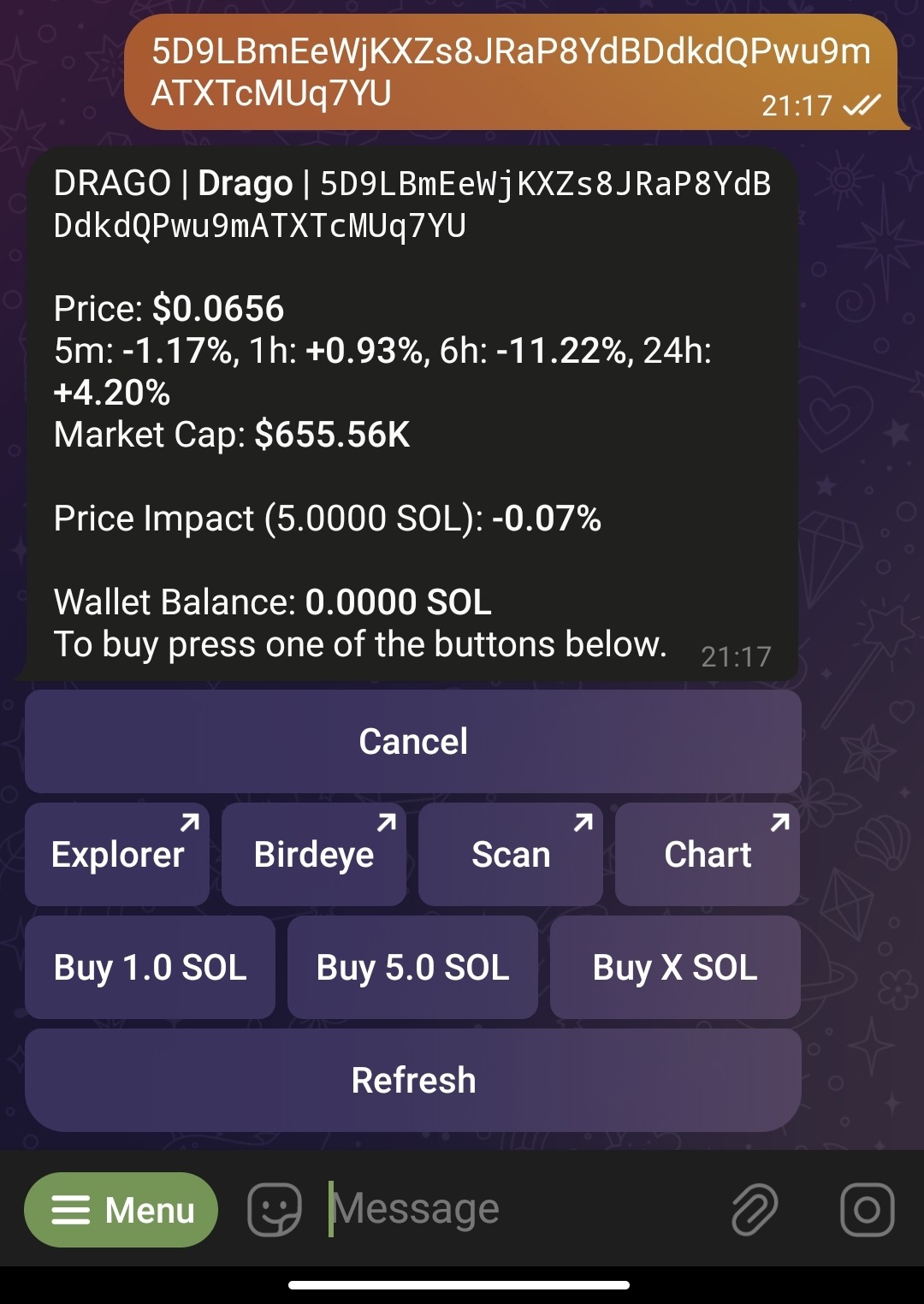
Having done that, you can buy for 1 SOL or 5 SOLS. You can also tap "Buy X SOL" in order to use the amount of SOL you want.
The $Drago address is:
5D9LBmEeWjKXZs8JRaP8YdBDdkdQPwu9mATXTcMUq7YU
That's it! From now on you're a $Drago holder! Congratulations!