How to buy $ARG ArgonTrust Token using Metamask
Jay Hunter | TradingAfter installation and configuration, a standard wallet opens on the ETH network, but it is not suitable for us. We need MetaMask on the BEP-20 (BSC) network. To do this, we click on Ethereum Main Network (indicated with an arrow).
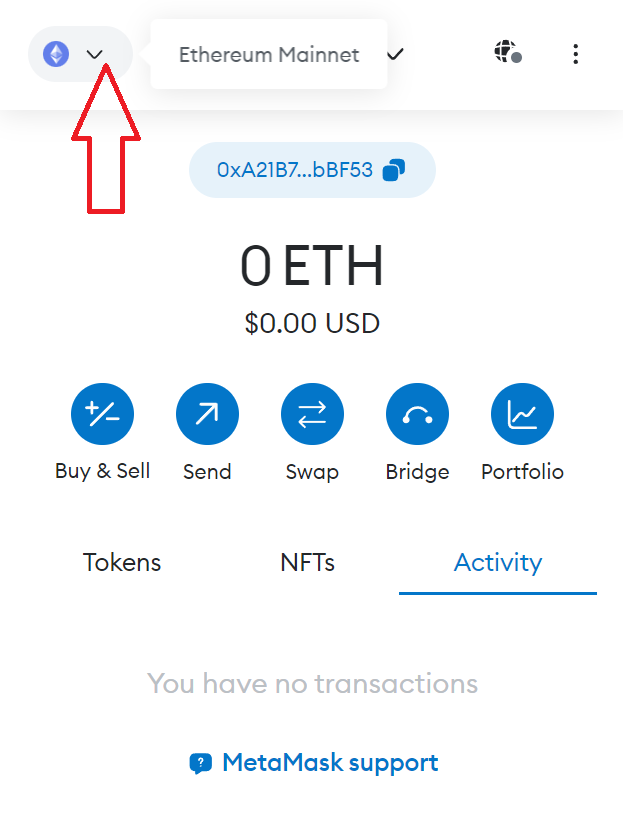
2. And press Select Network
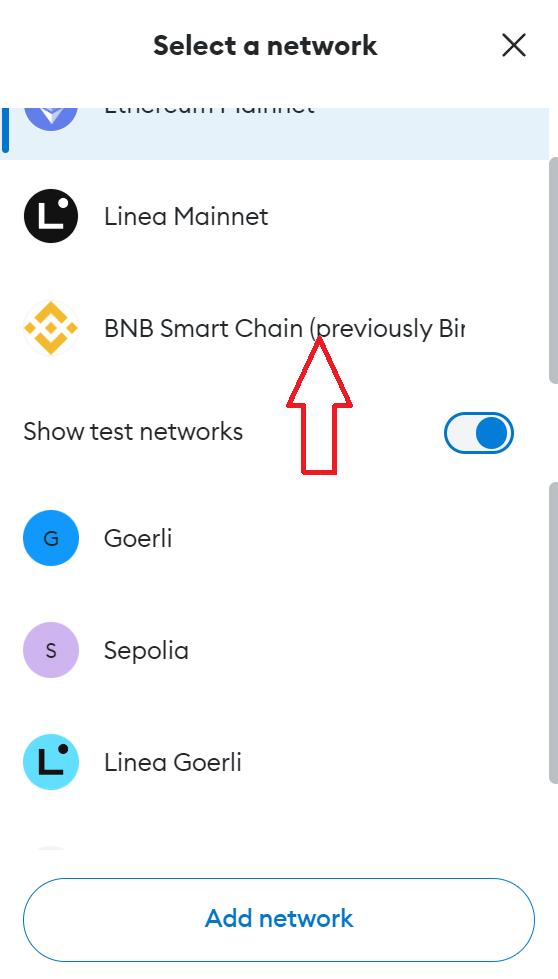
3. Select BNB Smart Chain
4. After successfully changing the network, we need to top up the wallet balance. It's very easy to do! Click this icon to copy ypur wallet address
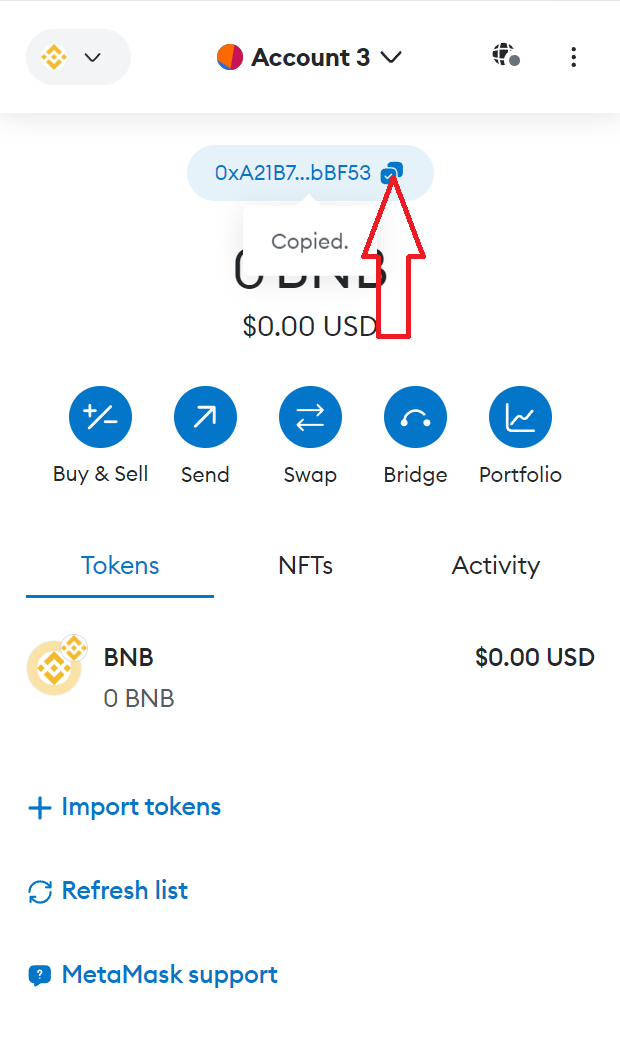
5. Then you may transfer BNB to thios address from your exchange or another wallet.
6. After you loaded your Metamask with BNB enter the following link to buy ARG into your browser https://pancakeswap.finance/swap?outputCurrency=0x73310E3e2dD9B3DeE11B1651728f6EaDC51517b4
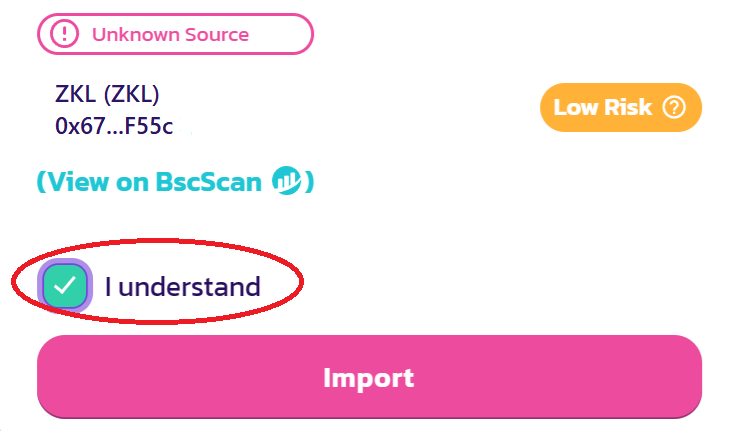
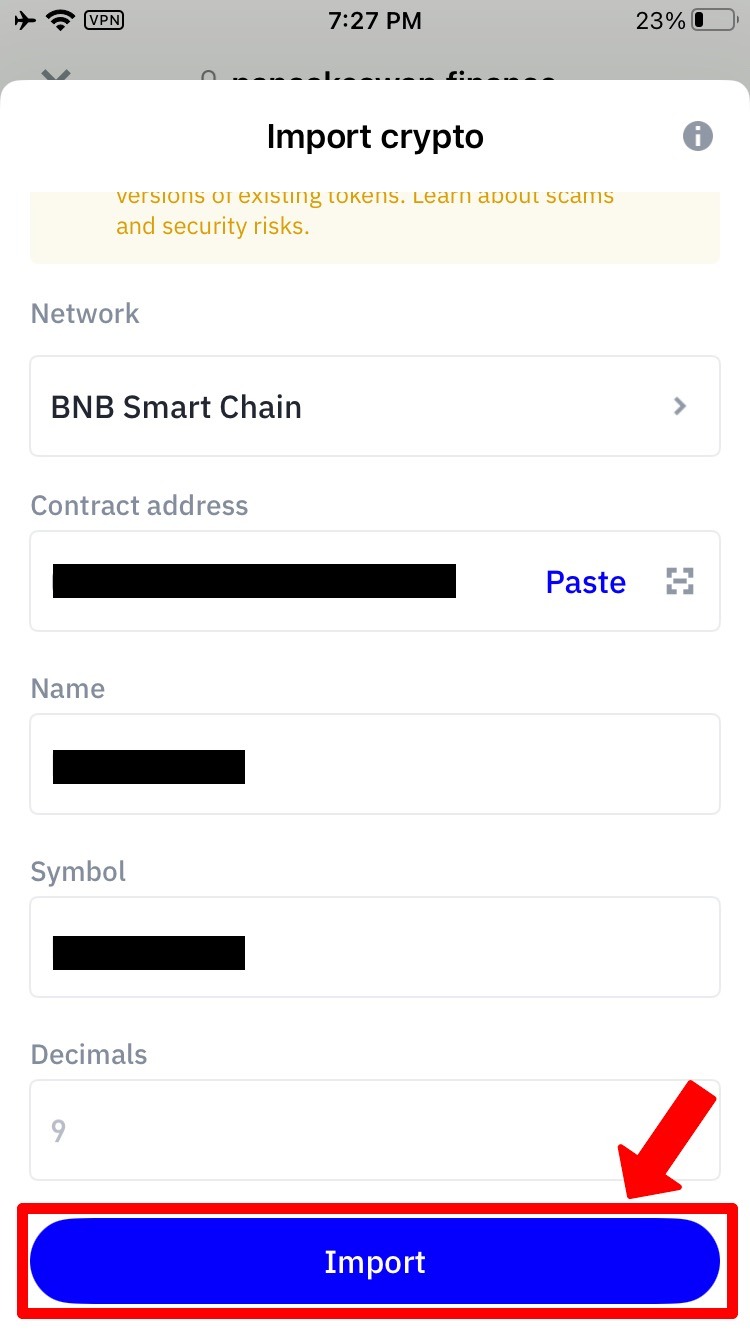
7. Then click "I understand", and press "Import"
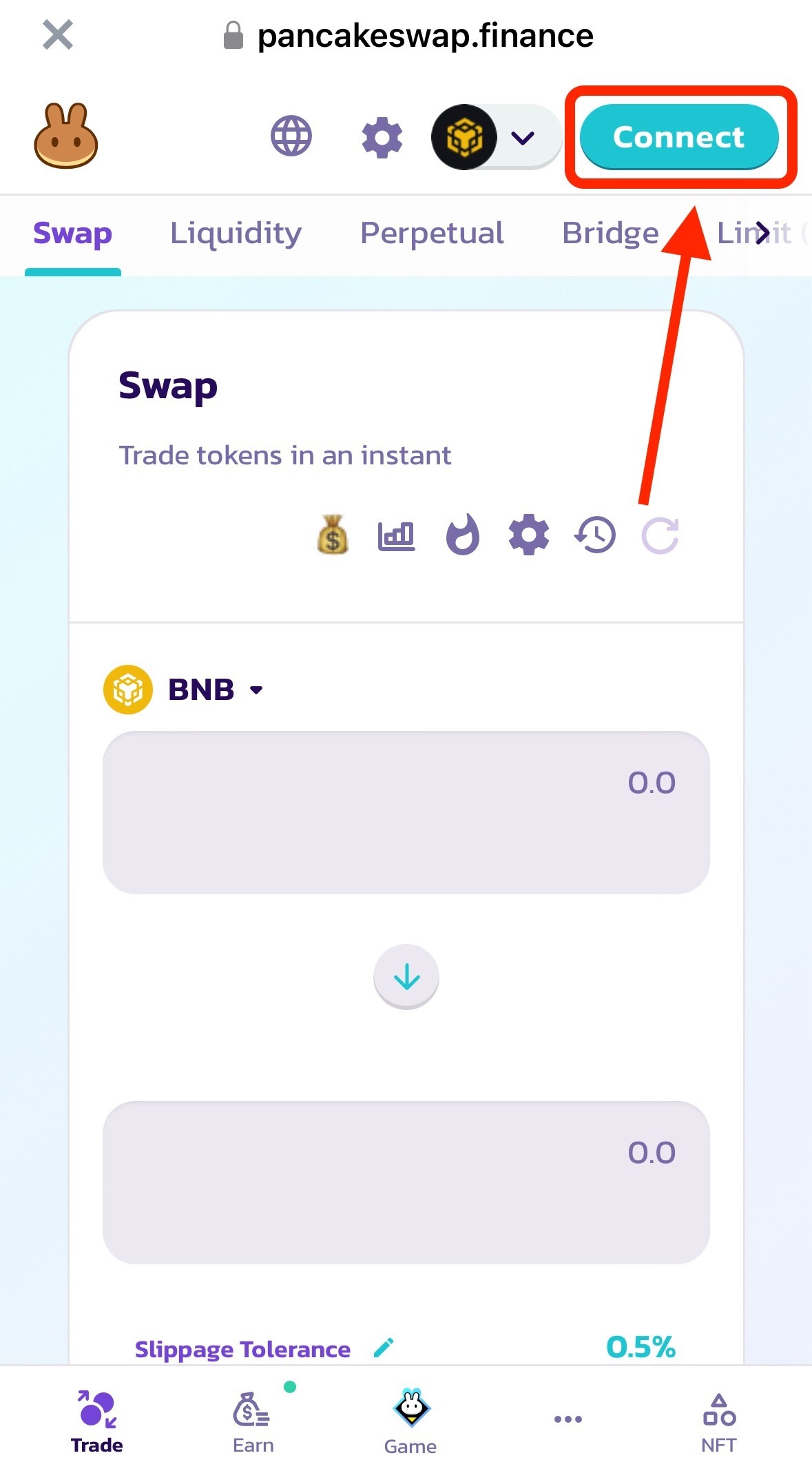
8. Press Connect to connect your Metamask to Pancakeswap.
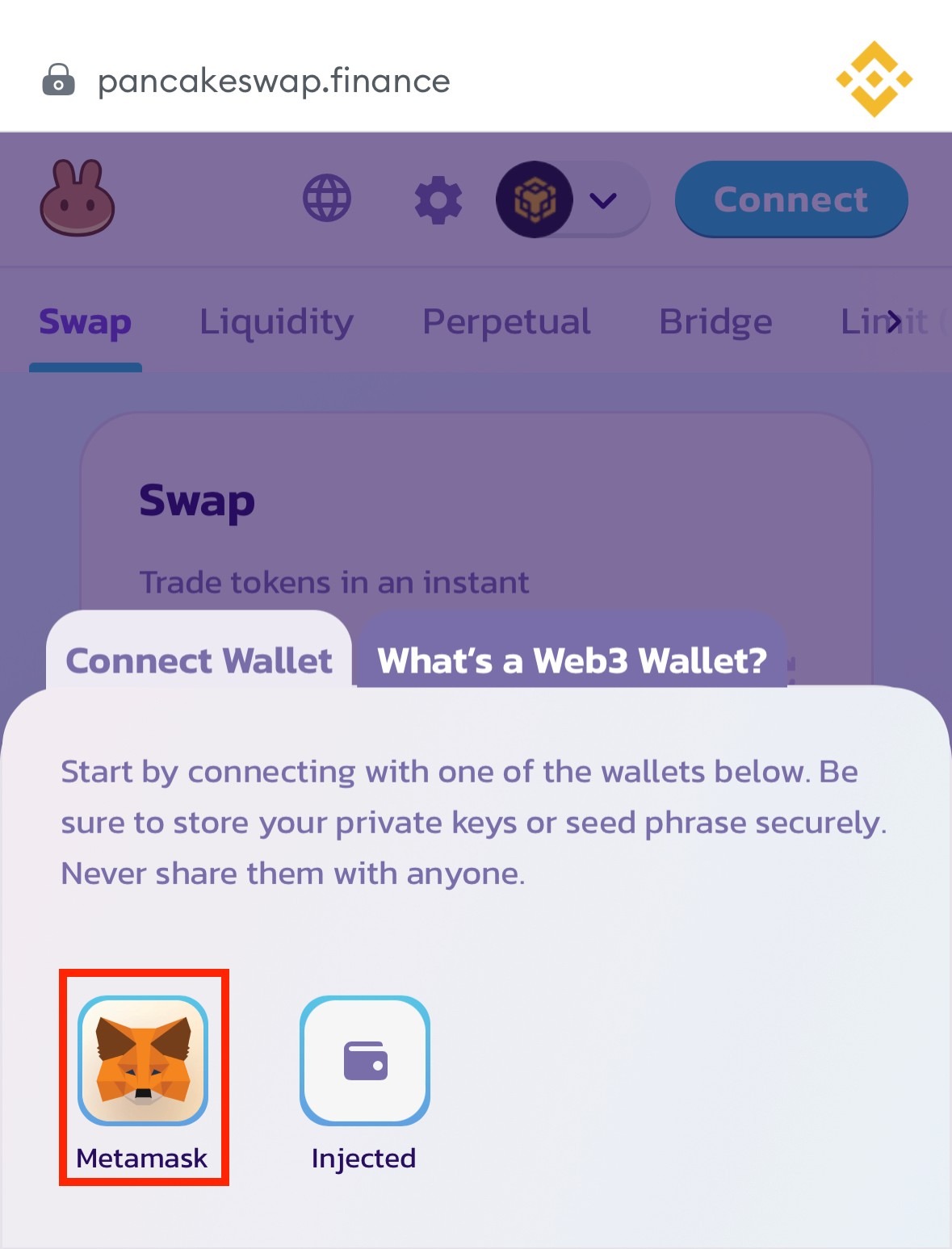
9. Select Metamask and connect it
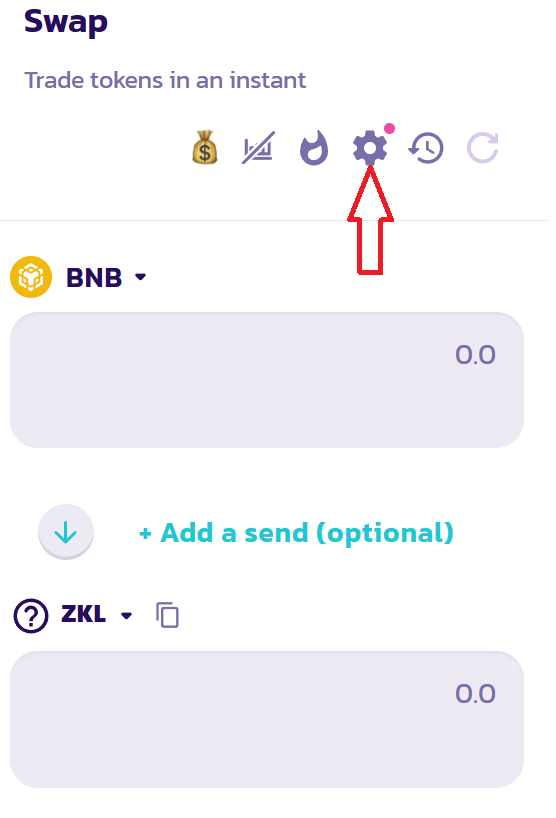
10. Then press the Gear Box
11. And check the box next to “Expert Mode”, after which we write “confirm” in the window that appears. (This will help you buy the token even despite the slippage if it grows strongly)..

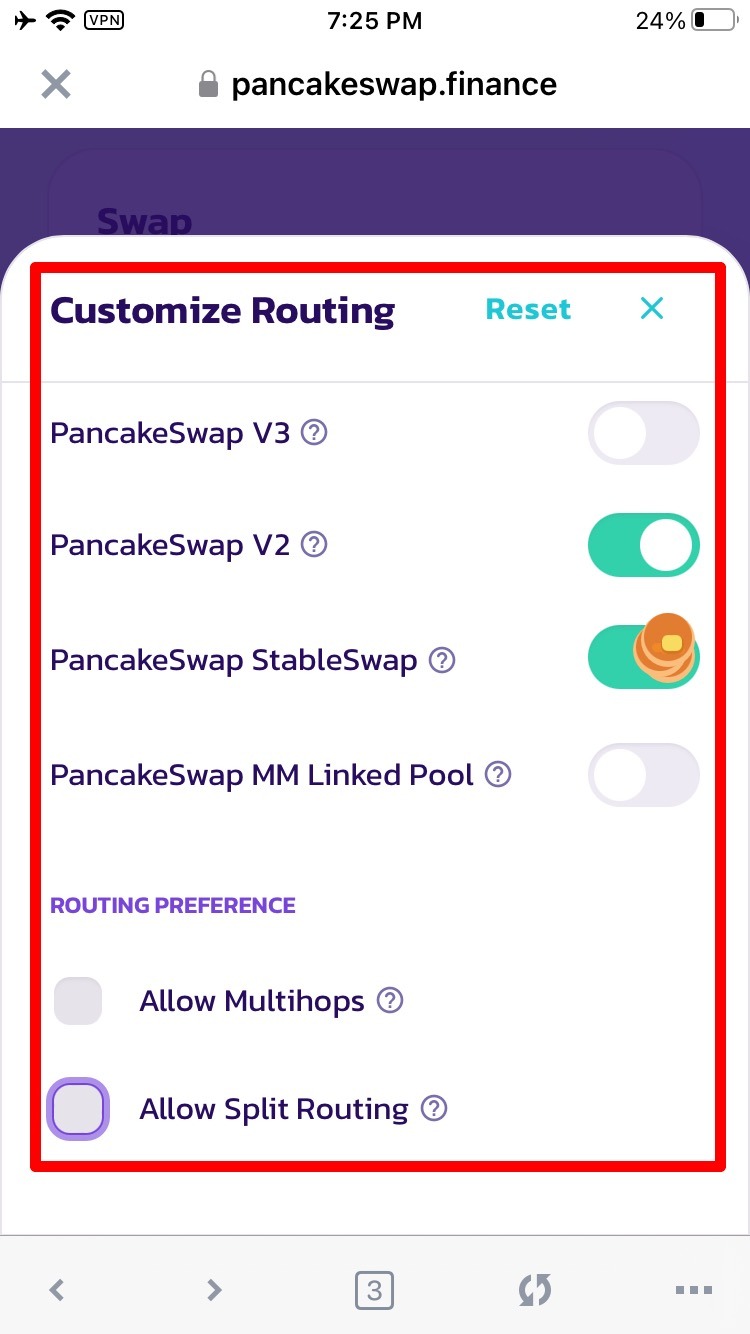
Then press Customize Routing
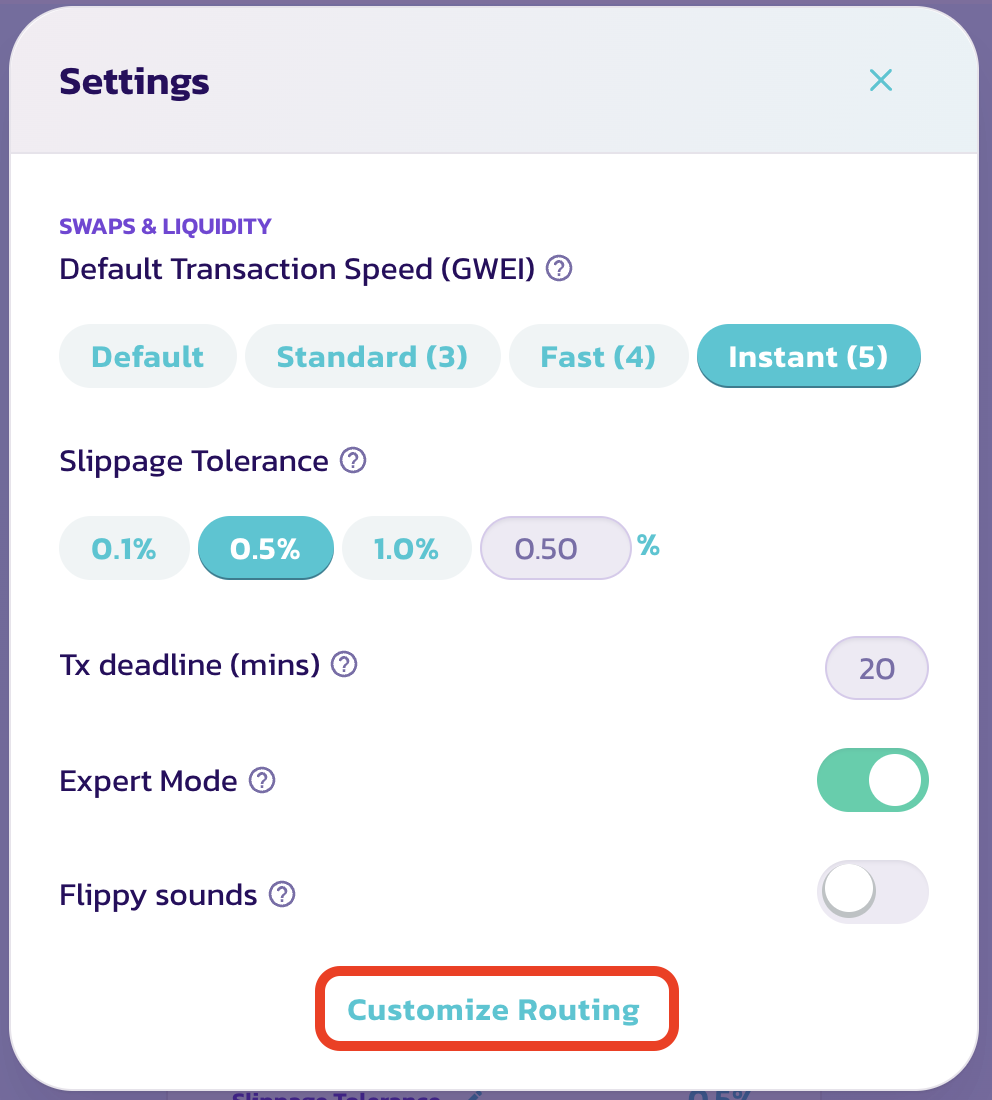
A window containing switches and checkboxes will appear.
Ensure that all your settings correspond to the screenshot!
STEP 13:
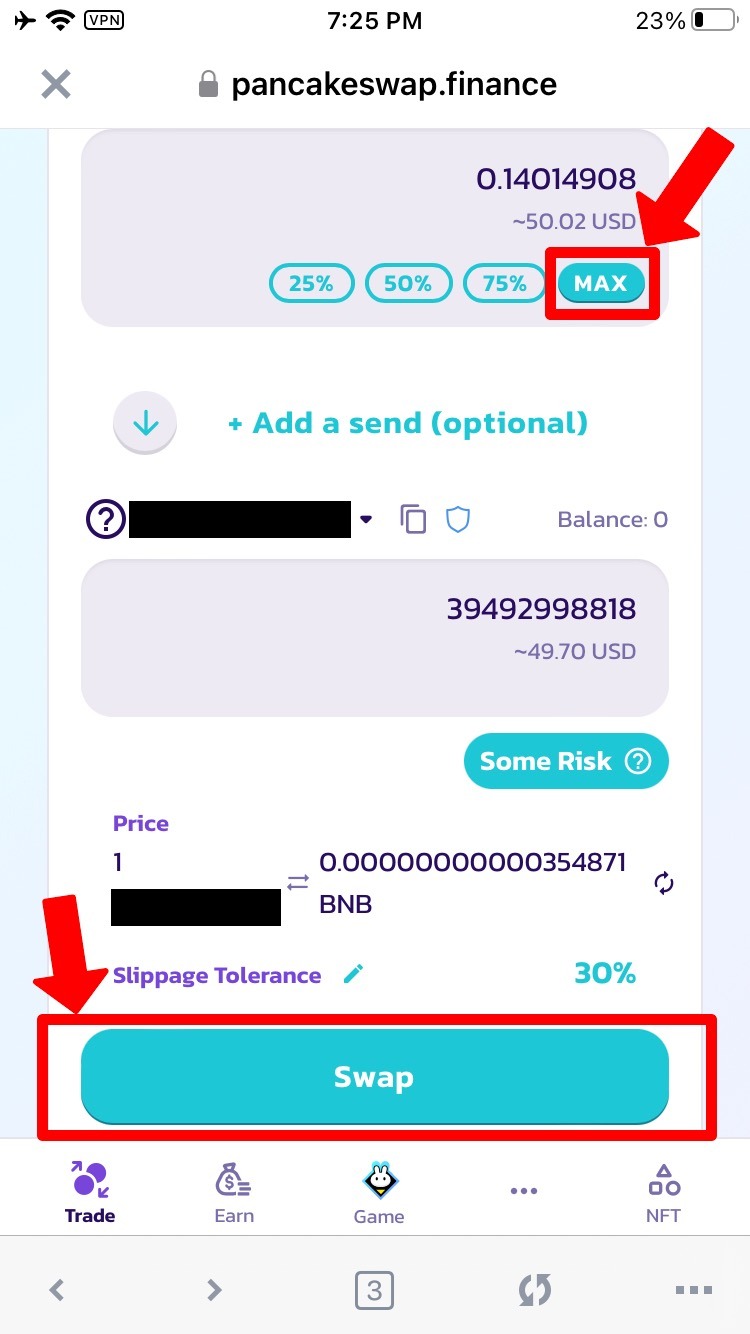
Now, proceed with the purchase.
In the top window, select the "MAX" button, then proceed to click on the "SWAP" button.
STEP 14:
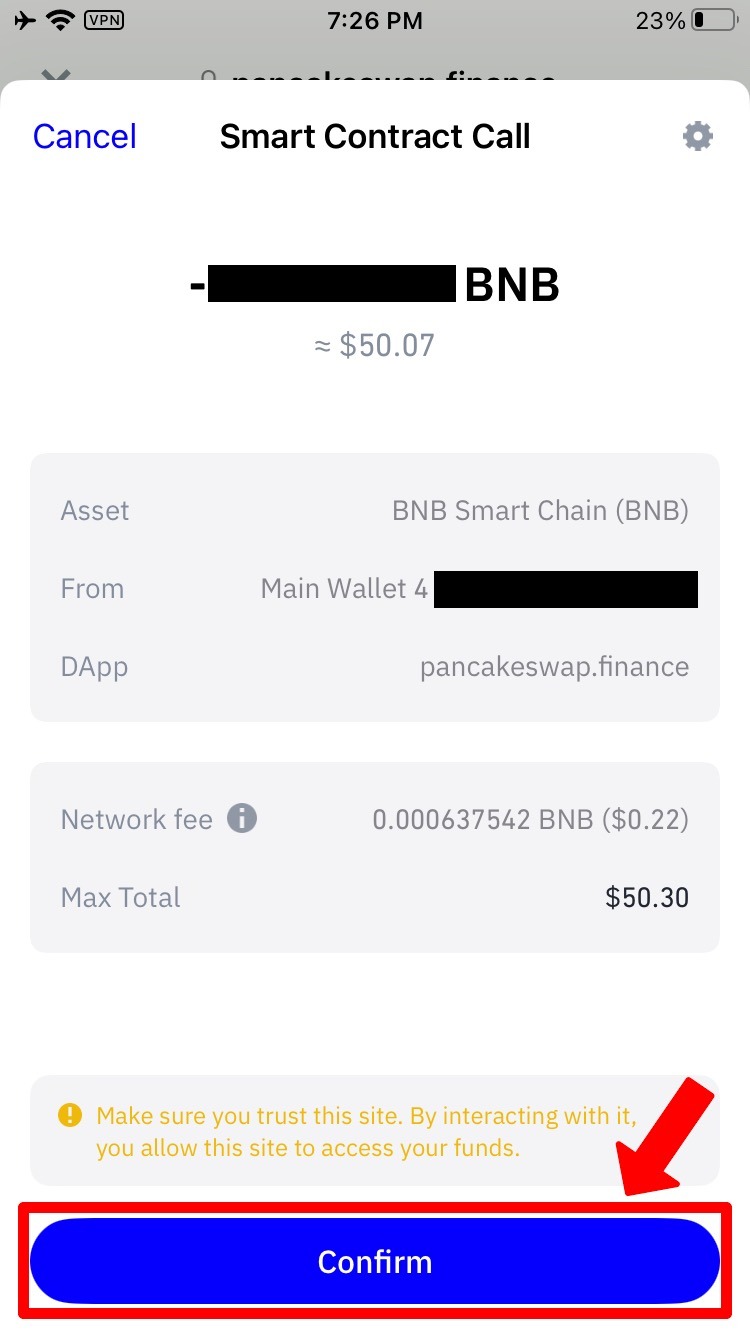
Confirm the transaction by clicking on the button located at the bottom of the screen.
STEP 15:
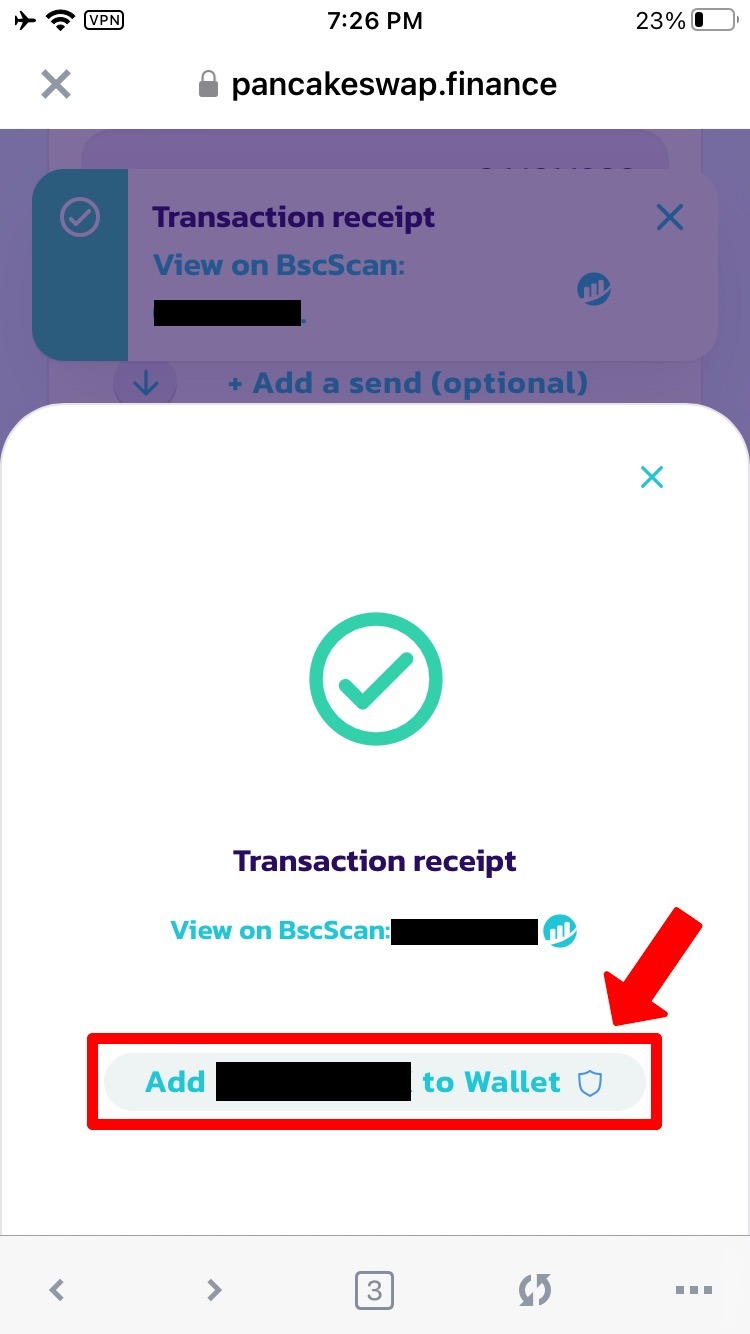
Great! The coins have been successfully purchased.
Now, proceed to click on the "Add $ARG to Wallet" button.
This step ensures that the coins are accurately displayed in your wallet!
STEP 16:
Click on the "Import" button located at the bottom of the screen.
IN CONCLUSION:
There you have it!
Now, we await growth and stay updated with the news on the channel!