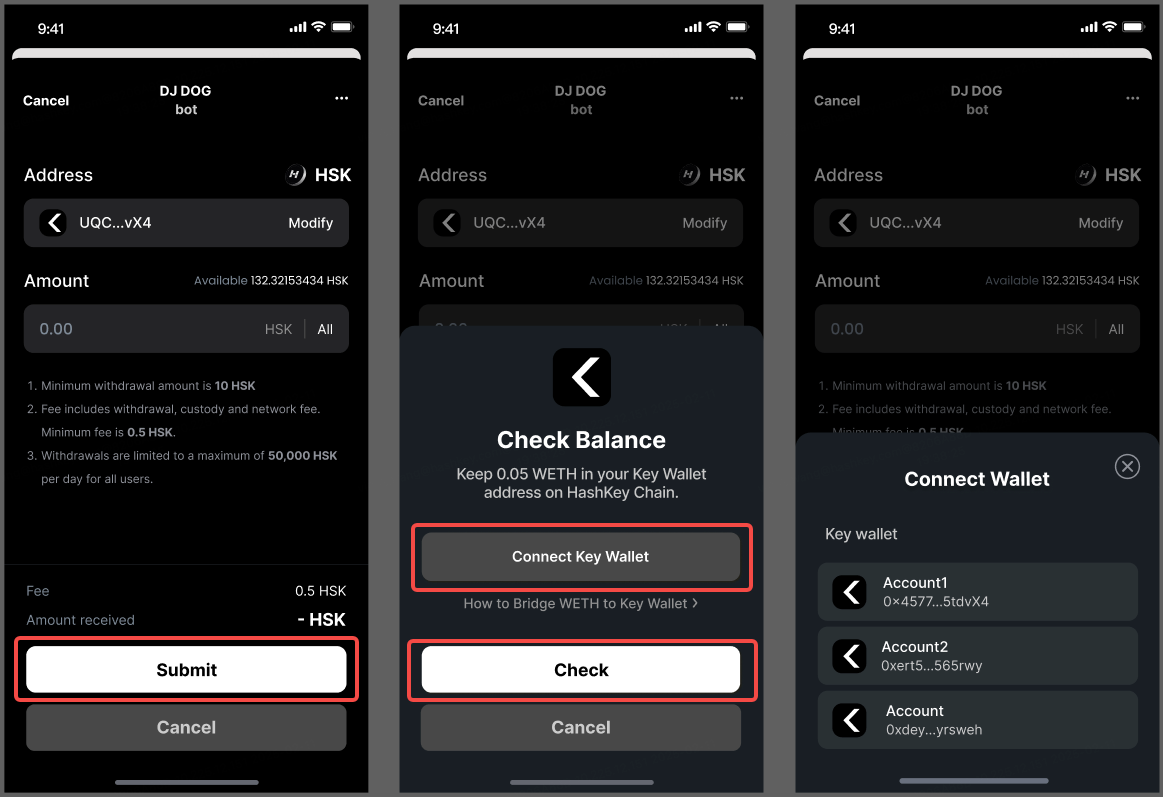
How to bridge ETH to Key Wallet on HashKey Chain
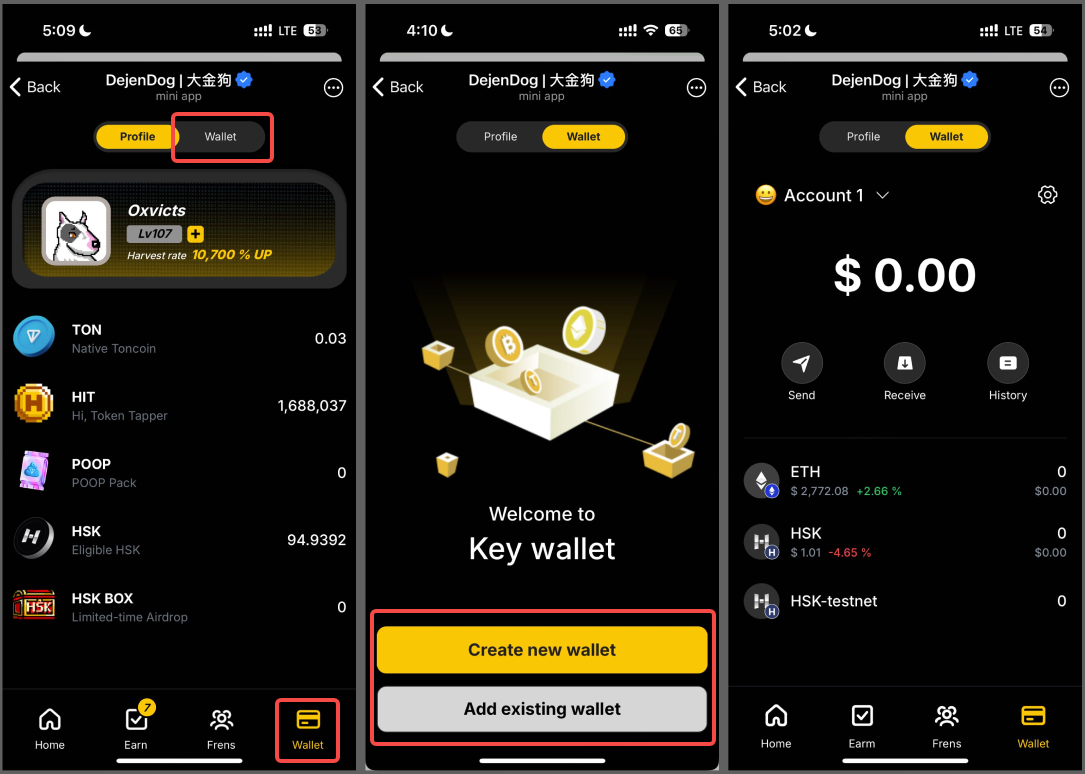
DJ Trump1.Create or import wallet to key wallet in DJDOG.
Note: please make sure you have recorded your recovery phrase. Loss of recovery phrase will result in assets loss.
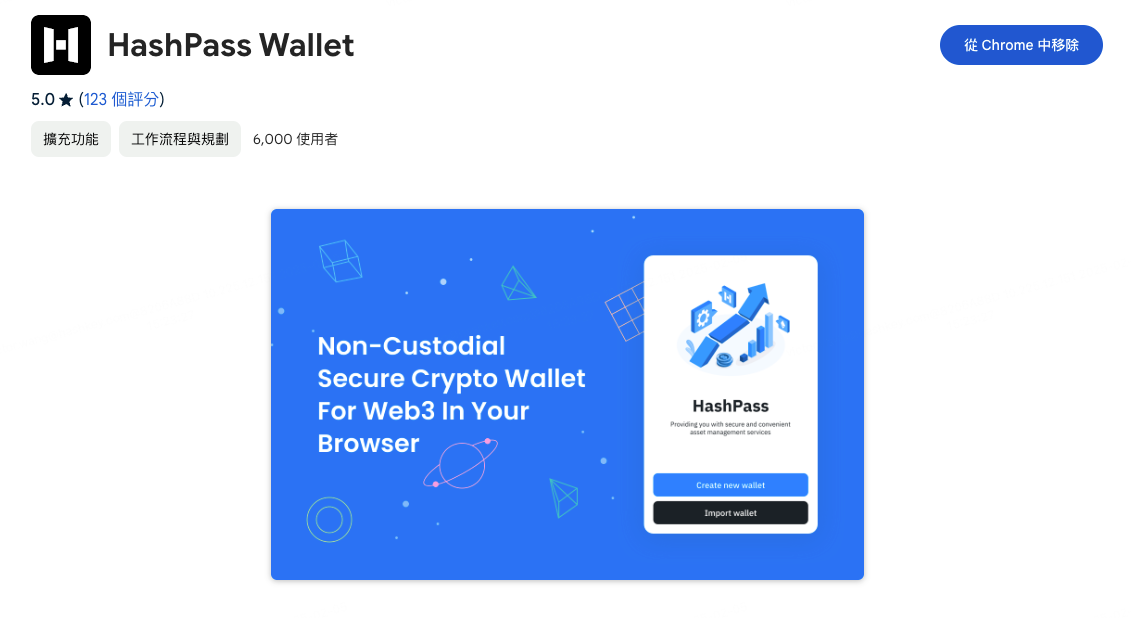
2.Download HashKey official wallet in PC chrome. Download now.
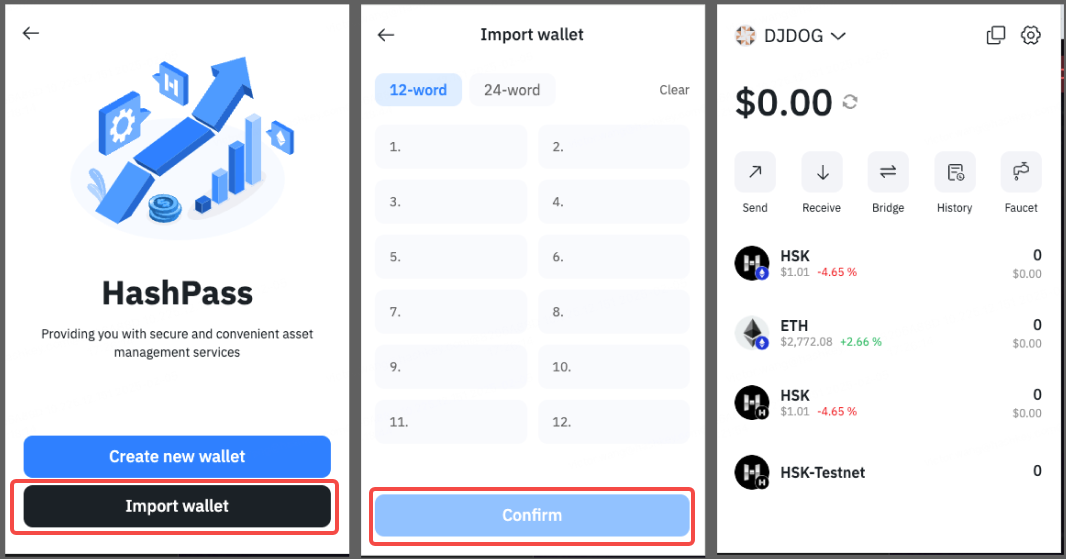
And import your key wallet in DJDOG to Hashkey official wallet in PC chrome.
3.Bridge 0.05 WETH to your HashKey official wallet by Hashkey chain bridge.
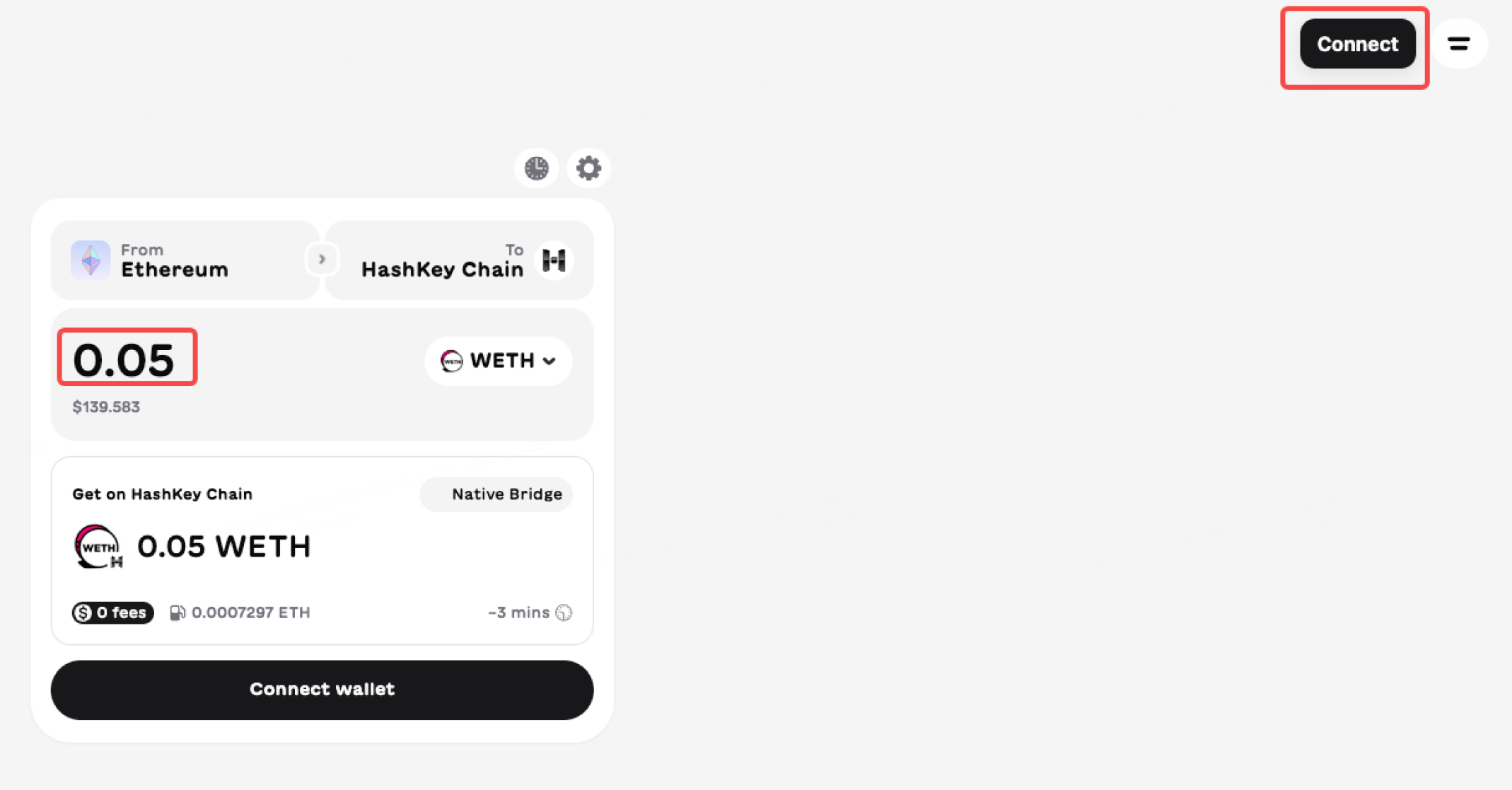
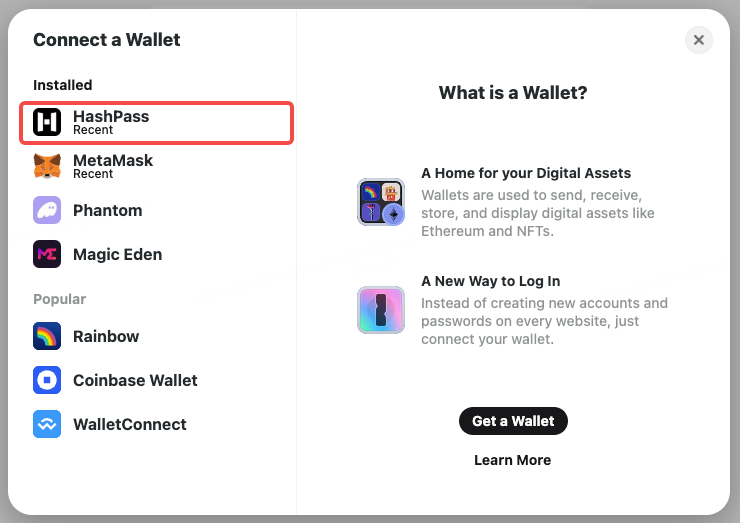
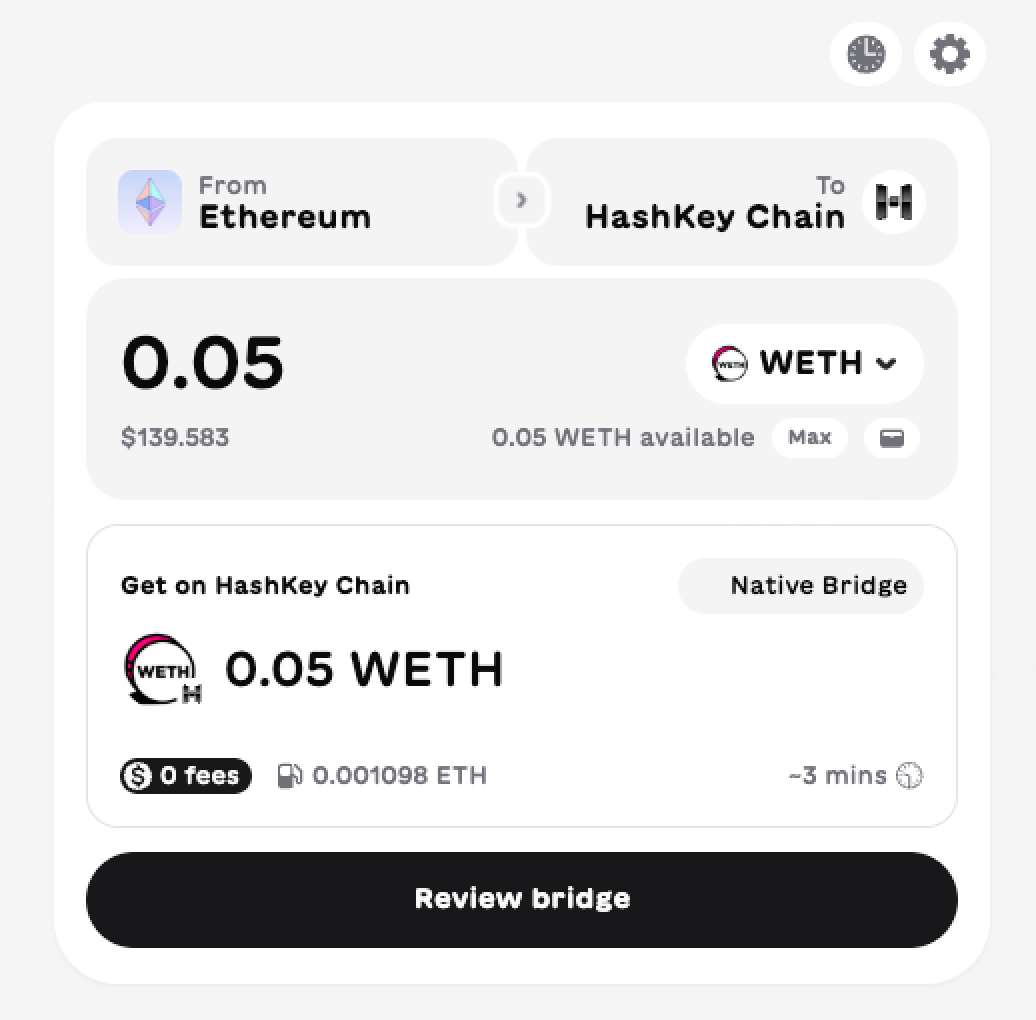
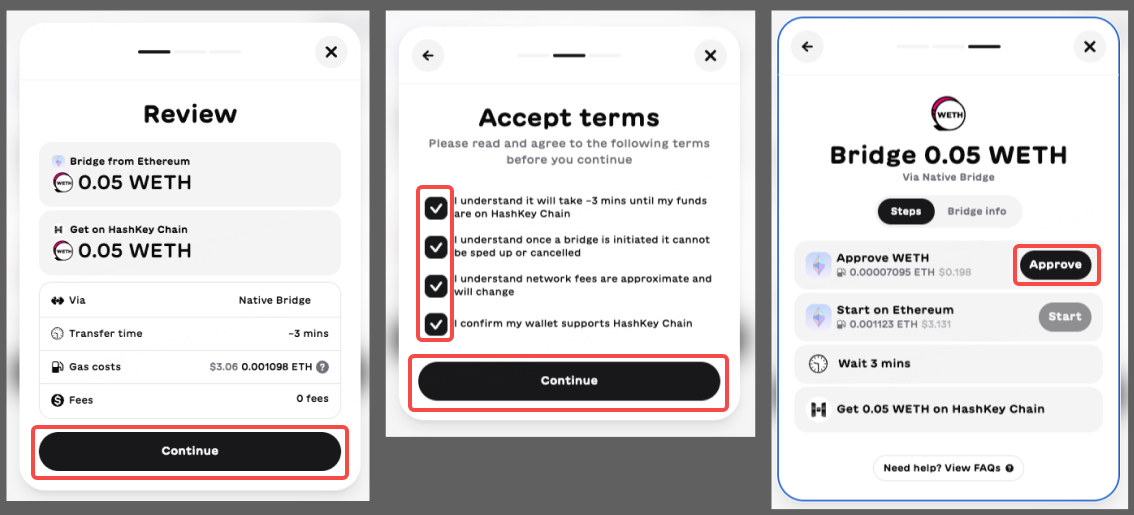
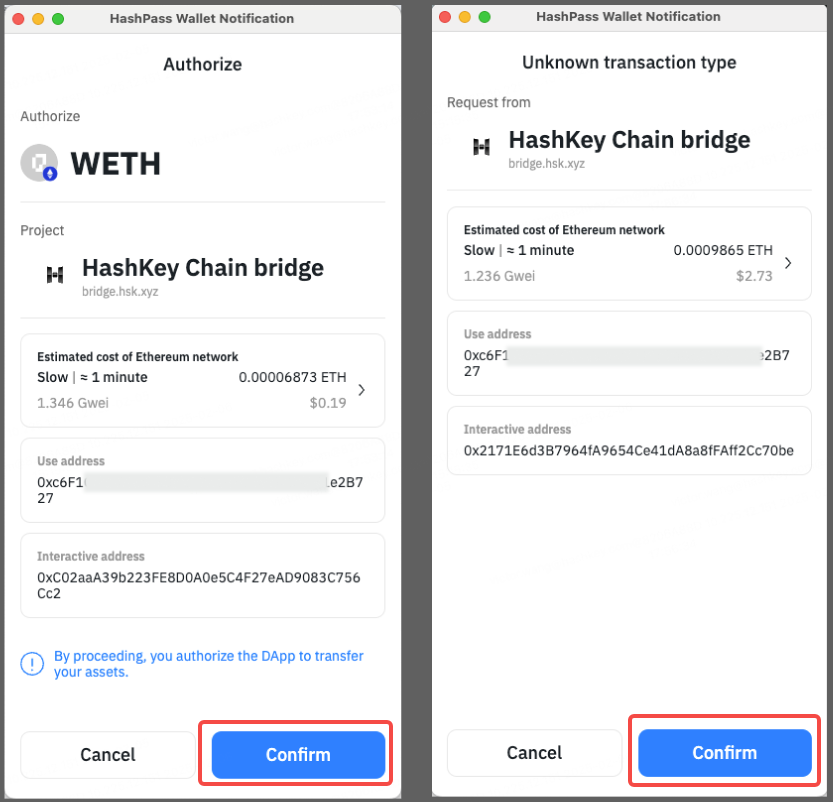
You could also bridge at least 0.05 WETH to key wallet on HashKey Chain by orbiter.finance.
Read the tutorial Hashkey Chain add network +cross-chain tutorial
Notes: After cross-chain, import your external wallet (e.g., Metamask) to DJDOG's Key Wallet using the recovery phrase.
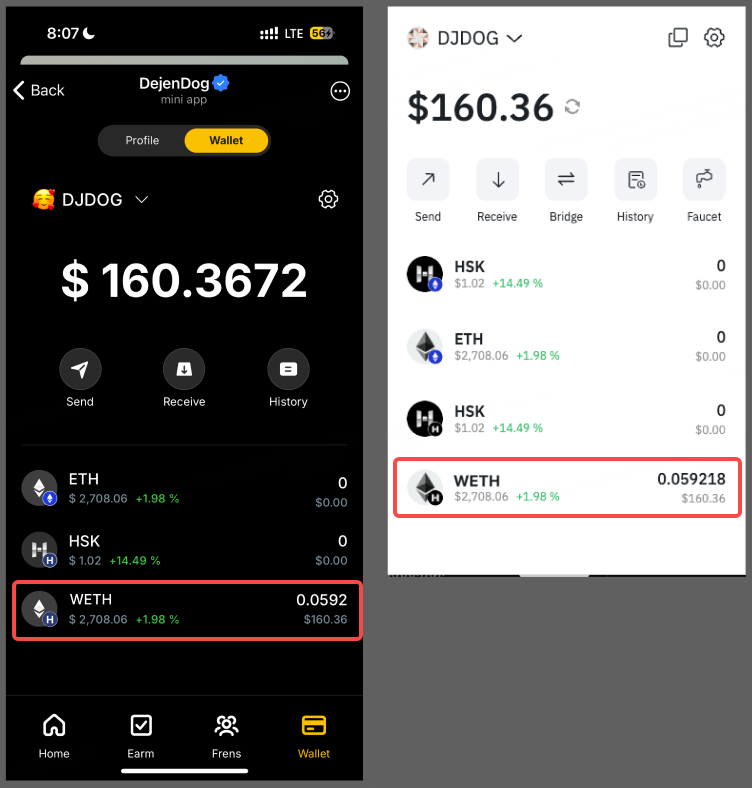
4.Check at least 0.05 WETH balance in Key Wallet. And then withdraw HSK in DJDOG account to your Key Wallet.