How to add UPI & PayTM in P2P
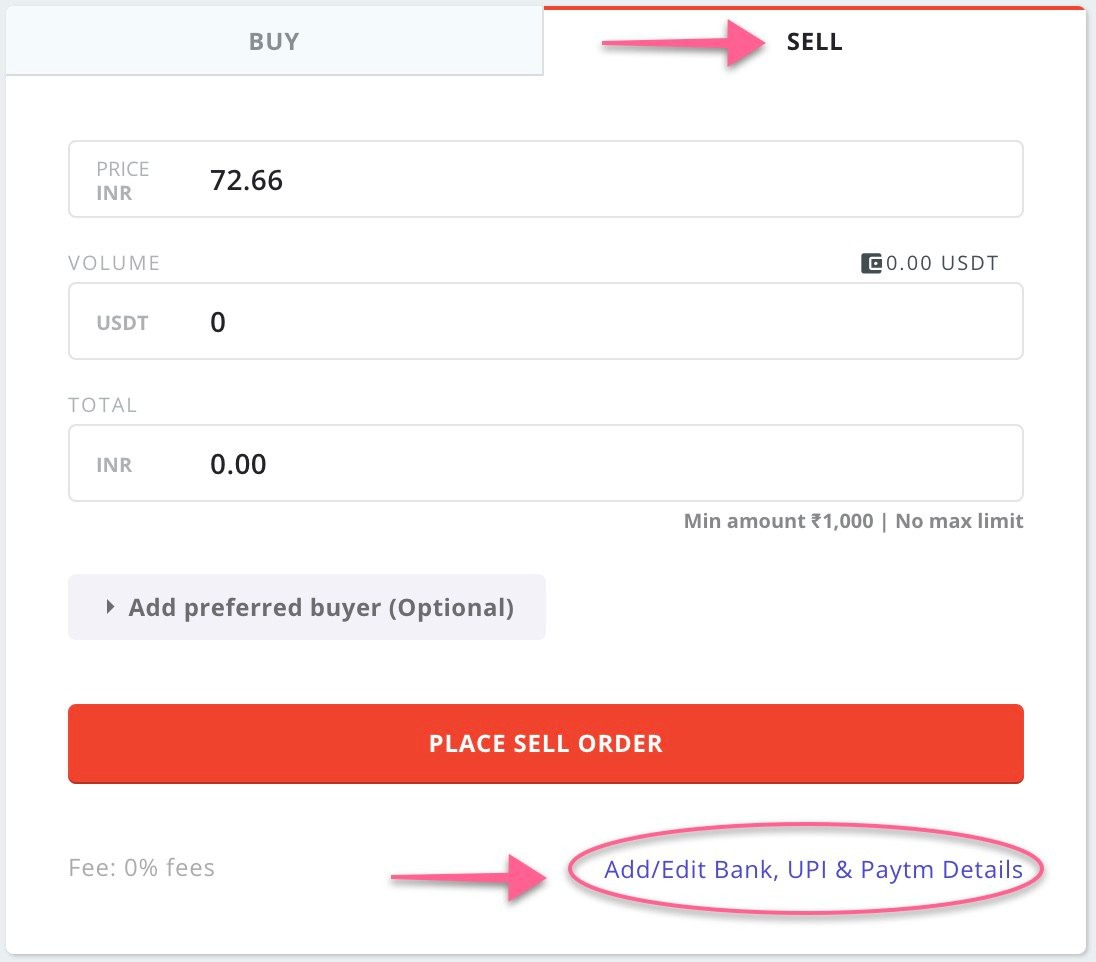
WazirX P2P पर UPI और PayTM कैसे डालें- Go to WazirX P2P (WazirX P2P पर जाएँ)
- Tap on "Sell" (“सेल” पर क्लिक करें)
- Tap on "Add/Edit Bank, UPI & PayTM Details" on the bottom right (नीचे दाएँ तरफ़ “बैंक अकाउंट, UPI & PayTM डिटेल्ज़” डालें)
- Add your UPI id or PayTM number (अपना UPI ID या PayTM नम्बर डालें)