How to Use Visual Composer Website Builder With WordPress
Visual Composer rtl theme is a ReactJS-based drag-and-drop website builder for WordPress that offers a wide range of features so developers and designers can create their websites from scratch with full creative freedom.
The Visual Composer page builder provides full control to non-tech-savvy users because it requires zero coding skills. But it does offer customization via API for professional web developers as well.
In this article, you’ll get an overview of both the free and premium versions of Visual Composer Website Builder for WordPress. There’ll be insights about the interface, features, and activation, so you can decide if Visual Composer page builder is the right fit for you.
Why Choose Visual Composer Website Builder?
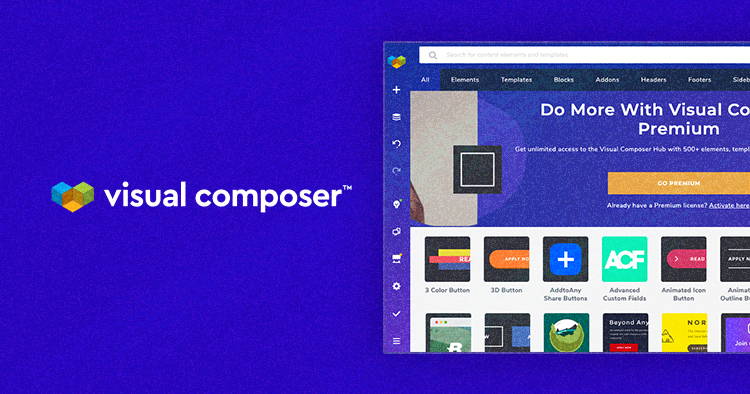
Visual Composer for WordPress websites offers over 500 content elements and pre-designed templates to help you create a complete website, including headers, footers, and sidebars. And, if you need any additional options, the editor supports the most popular plugins in the official repository (and counting). It is also compatible with any WordPress theme.
As for the software, the modern technologies used in Visual Composer for WordPress ensure that you get better site performance, better SEO, and faster-loading pages, making sure that your site ranks higher, gains more traffic and increases the conversion rates.
More interestingly, the next-generation Visual Composer Website Builder is created by the same team as WPBakery Page Builder (shortcode based, drag-and-drop builder) – the original website builder with over 4.3 million active installs to this day. Both are independent products that differ in performance, functionality, and features that these plugins offer.
Features of Visual Composer Website Builder
Visual Composer Hub
The Cloud is available for both the free and premium versions. Here you can find all content elements, templates as well as add-ons, and integrations. By simply downloading them, you can add them to your content library.
The best part is the regular updates that introduce new features and tools weekly, enhancing the possibilities to better the user experience.
Role Manager
The Role Manager addon can save you time by securing your website against human errors caused by a lack of competence with users managing your site. This gives you complete control over user permissions within your WordPress site by adjusting access to different features, options, and rights for any user role.
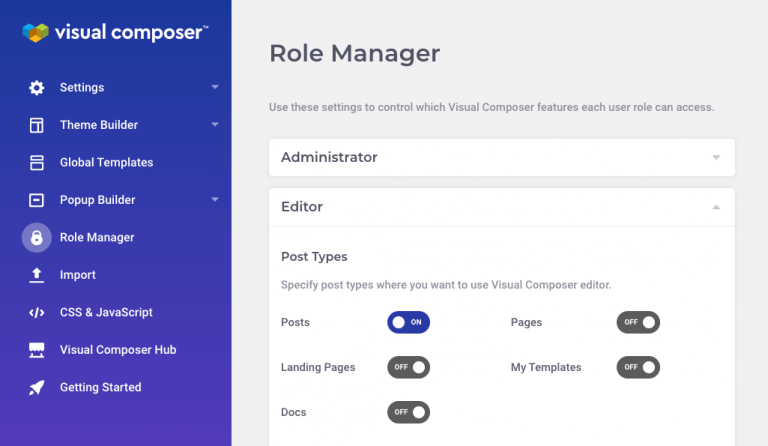
More importantly, the Role Manager comes with an element lock option. Using this option, you can control both editor functionality and content for the user roles you set. And, of course, it’s compatible with plugins such as Yoast SEO and WooCommerce, offering additional roles.
Page Design Options
Page design option is one of the most powerful features of the Visual Composer WordPress plugin. Offering a set of adjustable parameters for margins, borders, padding, and radius (known as the “onion controls”), as well as multiple options for styling the background of not just rows but whole posts and pages of your website.
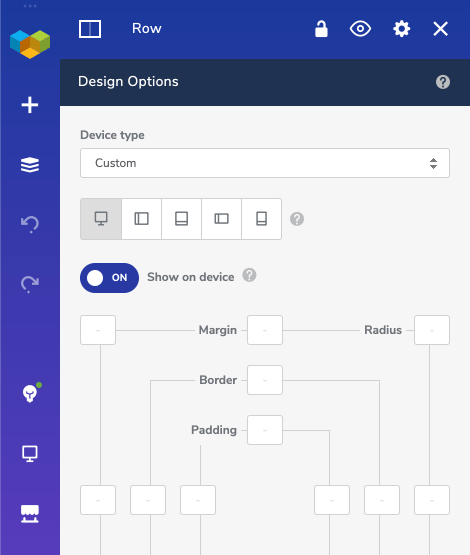
Style your page by choosing from different background design options, like parallax effects, animations, video background, image slideshows, or CSS gradient overlay, for starters.
Visual Composer Insights
Visual Composer Insights tool analyzes your content and gives you smart scenarios that help design better websites while building.
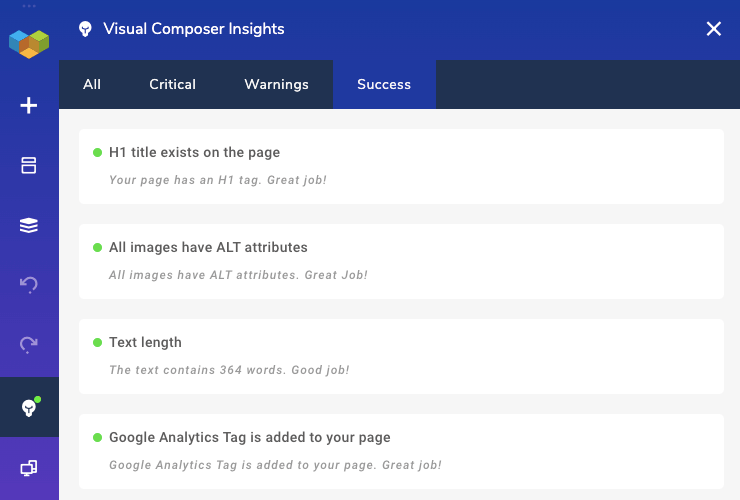
With Insights tips, you can improve your site performance, SEO ranking, and overall user experience.
Responsive Design
Responsiveness for different device types is a confirmed Core Web Vital. For that reason, Visual Composer comes with built-in automatic adjustments to ensure your website is desktop, tablet, and mobile-friendly as you build. Or, if you want, customize the responsive settings for each device individually.

Page design options also support responsive design settings. Backgrounds, paddings, margins, and animations are also adjustable to fit a specific device as you imagined.
Visual Composer Website Builder: Pros and Cons
Pros:
- Easy interface in the frontend editor;
- Great amounts of content elements, templates, and design options to carry out any of your or your client’s wildest ideas;
- Best price for developers with 1000 sites, as well as a friendly price for single and 3-site licenses;
- Automatic optimization for high performance, speed, and SEO;
- Live editing, with the option of undoing & redoing actions;
- Theme builder options for creating custom layouts;
- Regular updates and high-class support.
Cons:
- A learning curve, as you would face with adjusting to any new plugin.
Incompatibilities Users Face with Visual Composer Website Builder
The following are a list of issues with Visual Composer that is most commonly reported:
- Activation issue: In most such cases users report that the activation limit is reached. This is because the client has a license active on another domain or is trying to activate it on the staging site which has a different domain. To resolve this issue users can go to My Visual Composer to manage their licenses – deactivate unused ones so they can be activated elsewhere.
- An issue with saving a page: In this case, users get a red tick mark instead of green while saving a page, meaning that the saving limit has been reached. This can happen due to a JavaScrip error caused by another plugin. Just in case, it is recommended to save the page from time to time. To clear this issue users need to check the page revisions, if a lot of revisions are stored, we recommend clearing them. We also recommend updating the Memory Limit and Post Max Size.
- An issue with changing payment methods: This is related to users that want to change the card associated with the account for renewal payments in the future. In this case, we recommend the users follow these steps. In cases where the plugin was purchased before 22nd Jan 2020, the client receives an email when the card fails to process a payment and they can then use the link in the email to update the card.