How to Update your Old File Sharing Bot to get Broadcast Feature in Heroku
Sʜᴀʜsᴀᴅ Kᴏʟᴀᴛʜᴜʀ
Step 1: Update your App in Heroku, Using GitHub
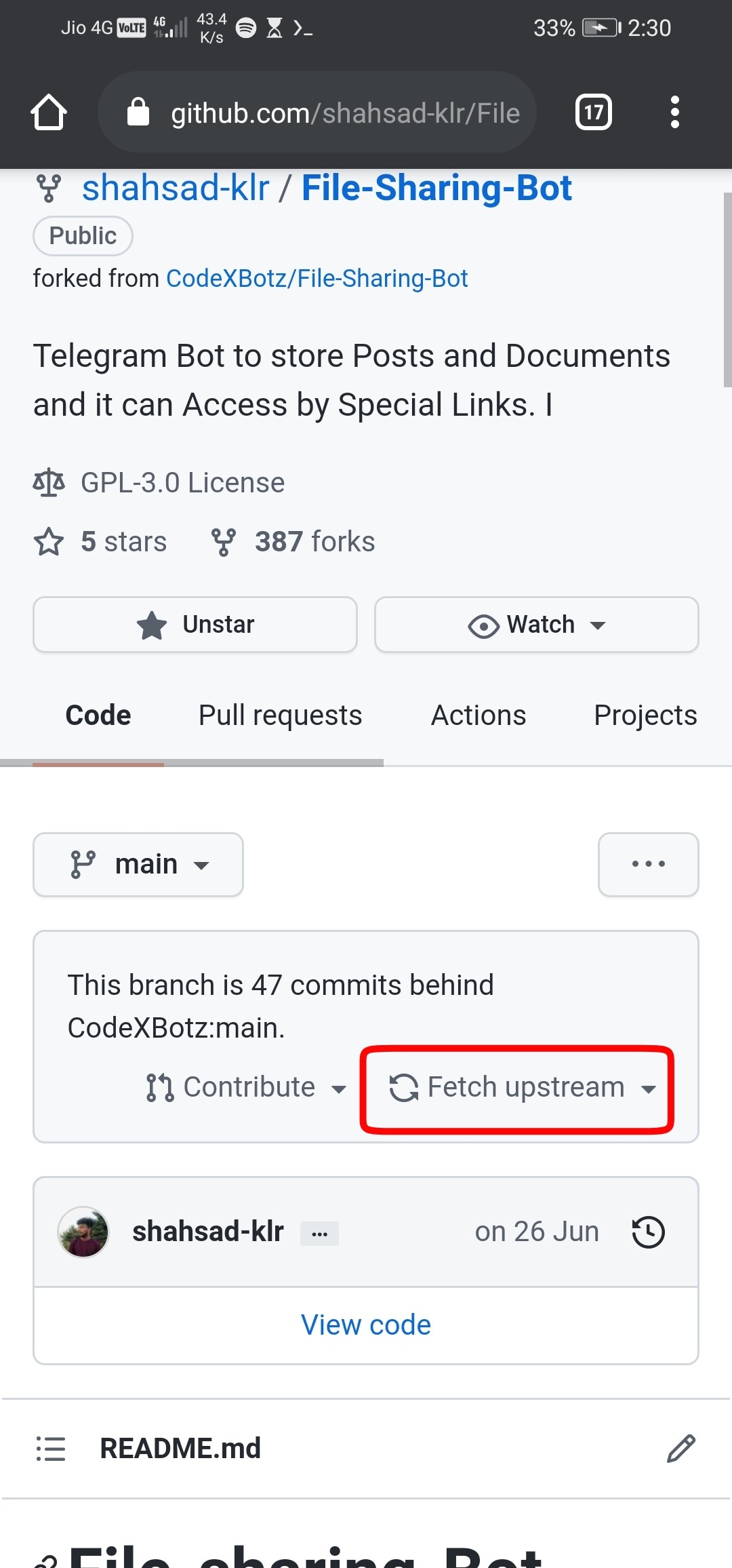
○ Step 1.1: Fork https://github.com/CodeXBotz/File-Sharing-Bot or Click Fetch Upstrem in your Forked Repo
○ Step 1.2: Connect GitHub Repo
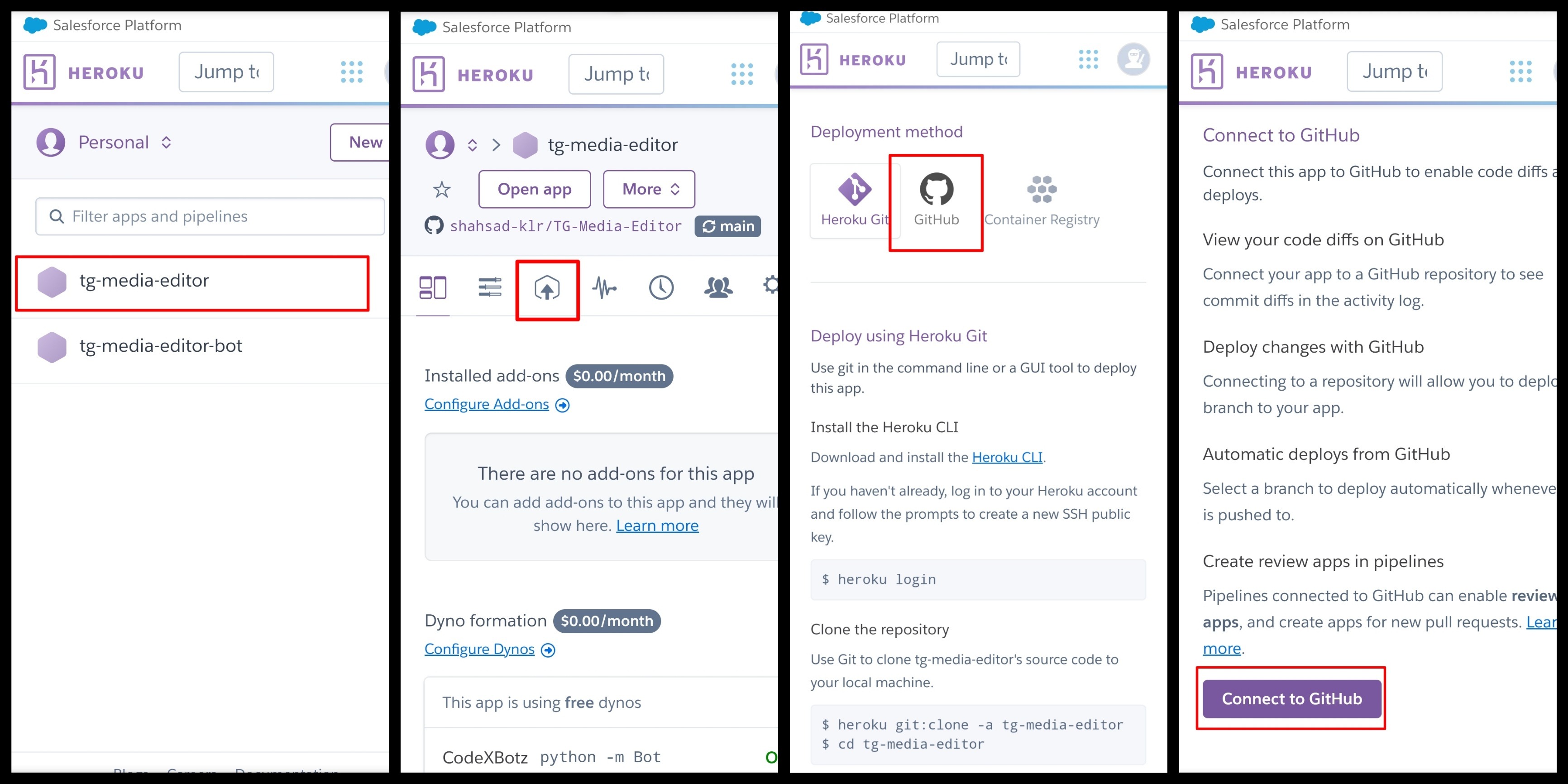
I. Open https://dashboard.heroku.com Click on your Bot's Application Name
II. Click on Deploy Icon
III. Scroll down and Click on GitHub icon.
IV. Scroll Down and Click on Connect to GitHub Button
V. Enter your GitHub Credentials and Login then Give access to Heroku
○ Step 1.3: Connect GitHub Repo and Update your App
I. Search Repo Name (File-Sharing-Bot)
II. Click on Connect Button
III. Scroll Down and Click on Deploy Branch

Step 2: Install Heroku Postgres in your Application
○ Step 2.1: Go to https://dashboard.heroku.com/provision-addon?addonServiceId=6c67493d-8fc2-4cd4-9161-4f1ec11cbe69&planId=062a1cc7-f79f-404c-9f91-135f70175577
○ Step 2.2: Scroll Down and Click on Install Heroku Postgres
○ Step 2.3: Select your Heroku Application by searching and Click on Submit Order Form
All Set Now Restart your Application