How to Take Logs in Android Device?
Arnav PuranikHey Guys, this is a quick short guide on how to take logs! This guide will teach you how to take logs through 3 methods, so basically these are the 3 methods
- ADB and Minimal Fastboot Method (Requires PC)
- Recovery Method (Doesn't require PC)
- Termux Method
Different method is used in Different case and I will tell you which method to use in which case.
So let's start with the ADB and Minimal fastboot method, this one is typically used when the ROM is not booting for some reason. But before you take logs make sure that you've Flashed the ROM Correctly. Check out how to flash a custom ROM - Here
If it still doesn't boot, here are the Steps -
1. Plug in your device into PC
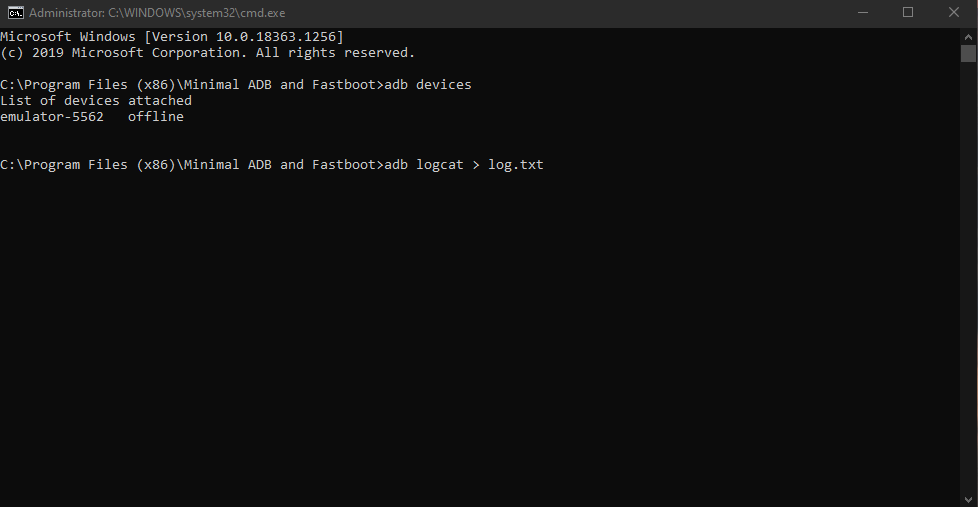
2. After flashing ROM, just hit reboot and immediately enter this command
adb logcat > log.txt
3. Within 5 secs press ctrl + c
4. Make Sure your log is less than 1 MB
5, Copy it to device and send it to the dev!
Now let's get to the Recovery Method -
Again this is just mostly used to check errors in Device Kernel and if Kernel is causing some issue.
Here are the steps -
1. Flash the ROM
2. Don't Reboot, go back
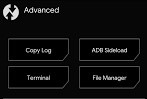
3. Go to advanced
4. Copy log
(Select Include kernel log as well)
5. You will see 2 files in storage - logcat.txt and dsmesg,txt
6. Send both of them to Dev
Now here comes the last method, Termux Method,
The log taken from this method is generally used when crashes occur, like any app crashing/any system function not working (ex. Hotspot)
1. Install Termux From Playstore
2. Reboot device
3. Repeat the exact steps where any crash/issue occured
4. Go to Termux and then type these commands
su
logcat -d -f /sdcard/logcat.txt
5. You will see logcat.txt in storage, send it to dev
That's it for this one guys! Hope it helped you! Thankyou :)