How to Solve Fingerprint and Face Unlock not Unlocking Screen in ZenUI :
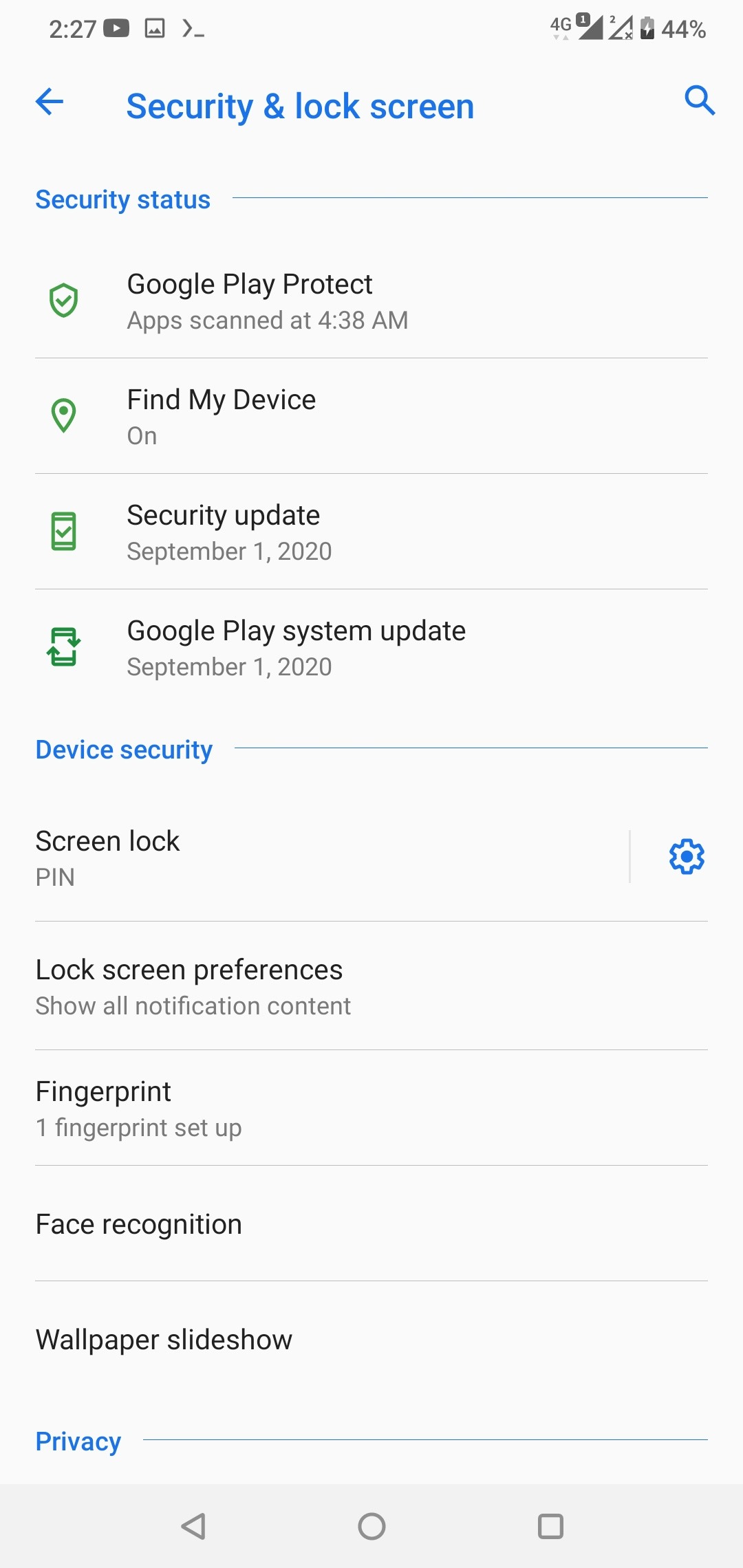
SkyLinX1. Go to Settings > Security & lock screen
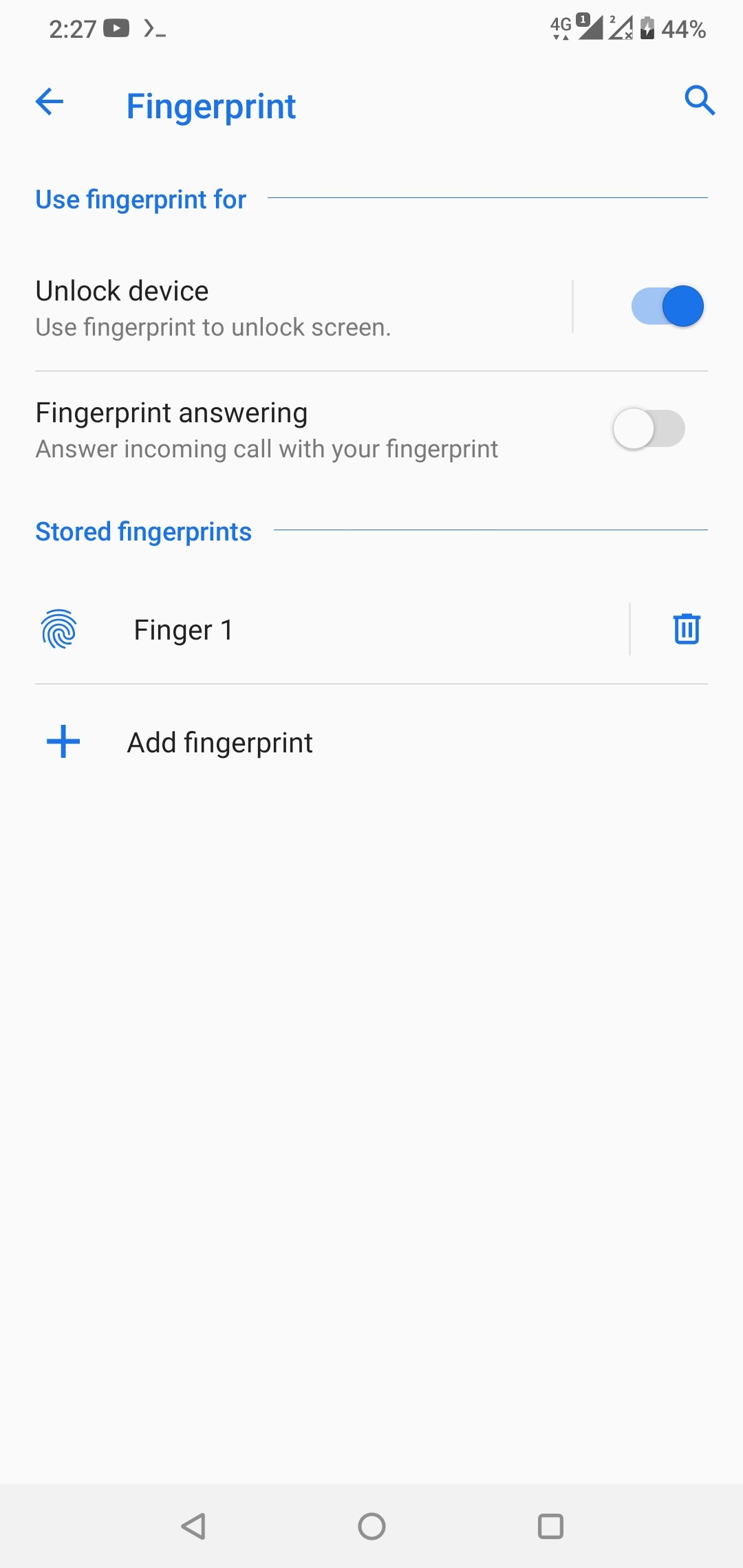
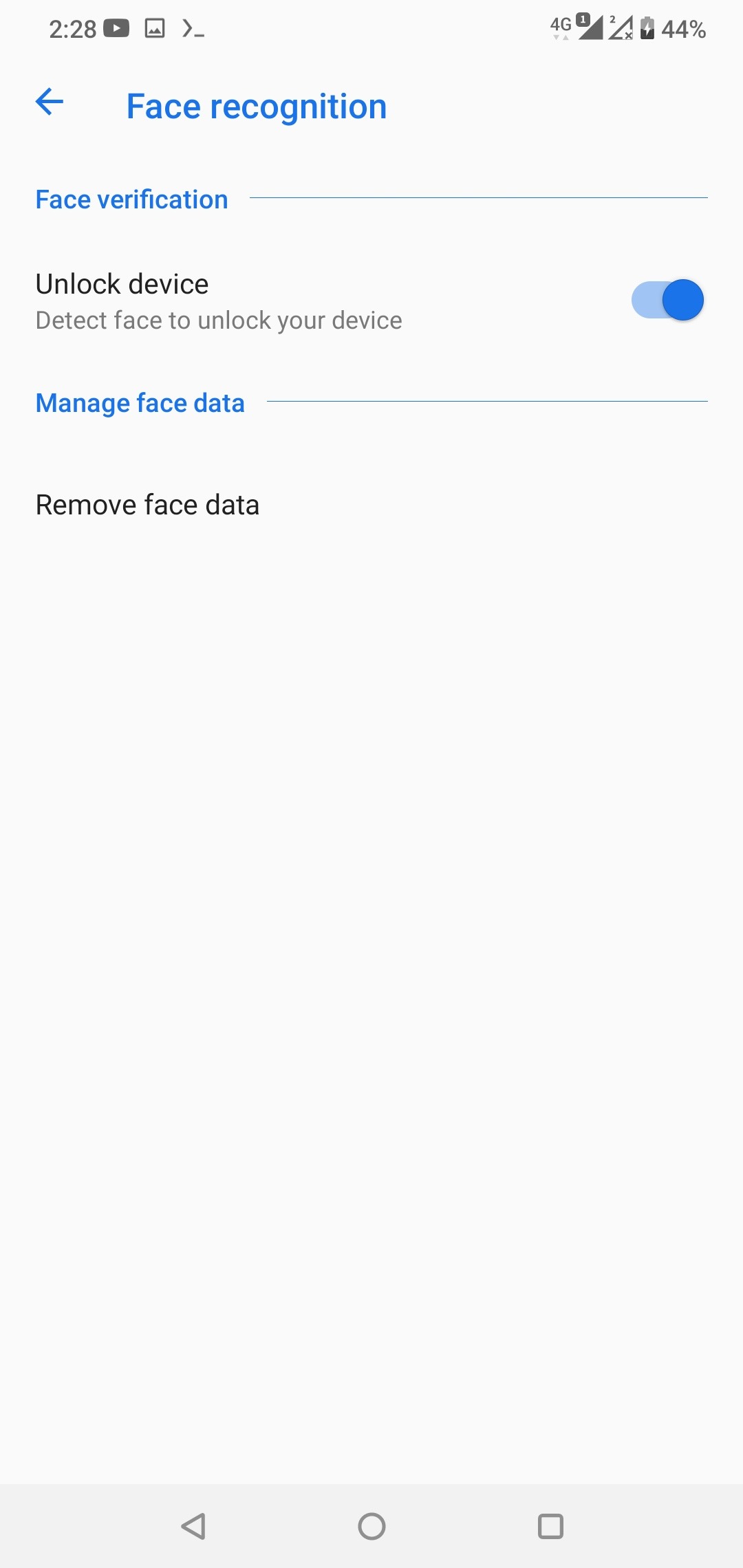
2. Go to Fingerprint / Face recognition
3. Enable Unlock device
1. Go to Settings > Security & lock screen
2. Go to Fingerprint / Face recognition
3. Enable Unlock device