How to Sign up on ApeX Pro?
ApeX Pro TeamFOLLOW THE GUIDE TO SIGN UP FOR FREE WITHIN 1 MIN.
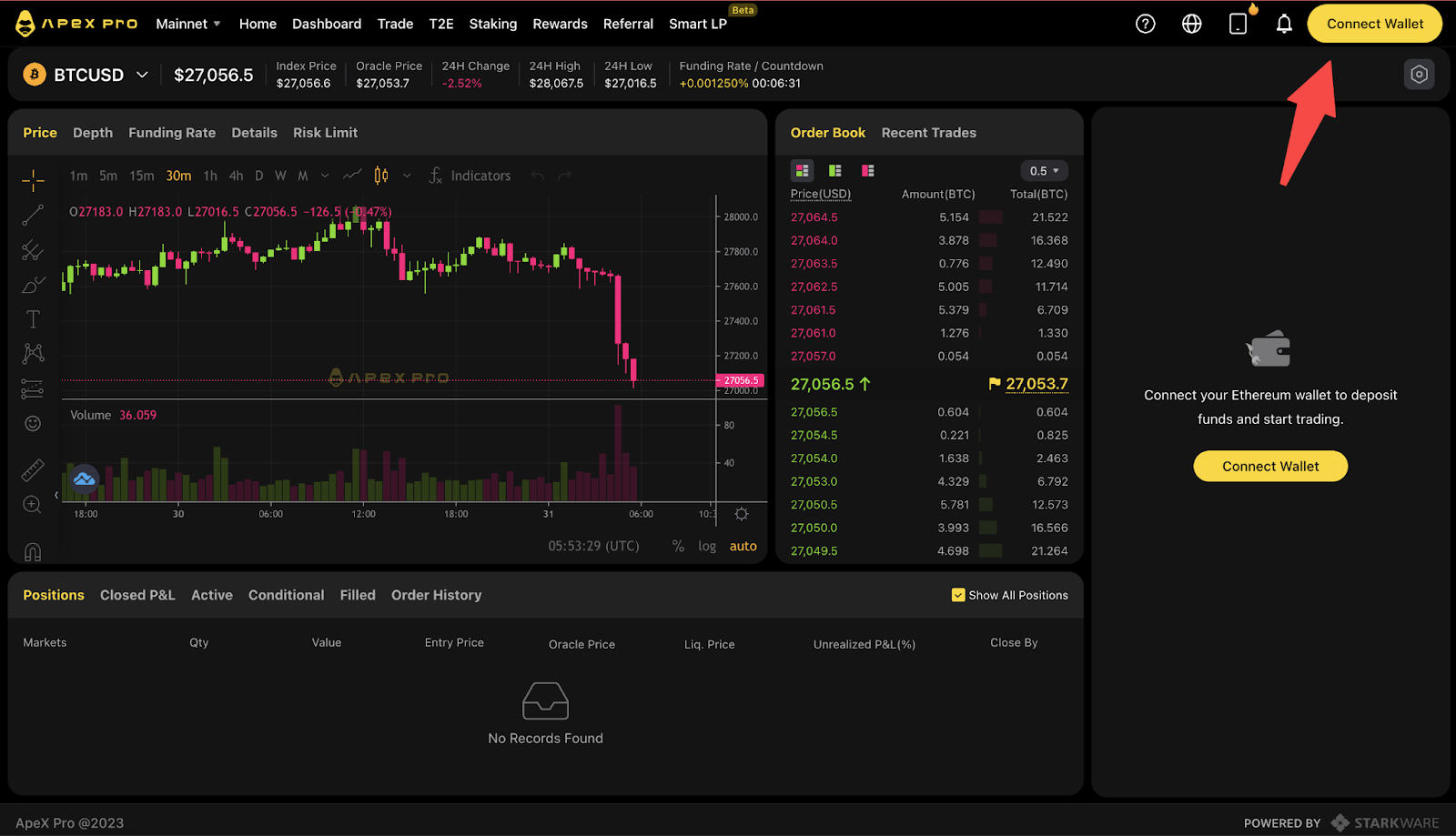
- Head to https://pro.apex.exchange/
- Click on “Connect Wallet”
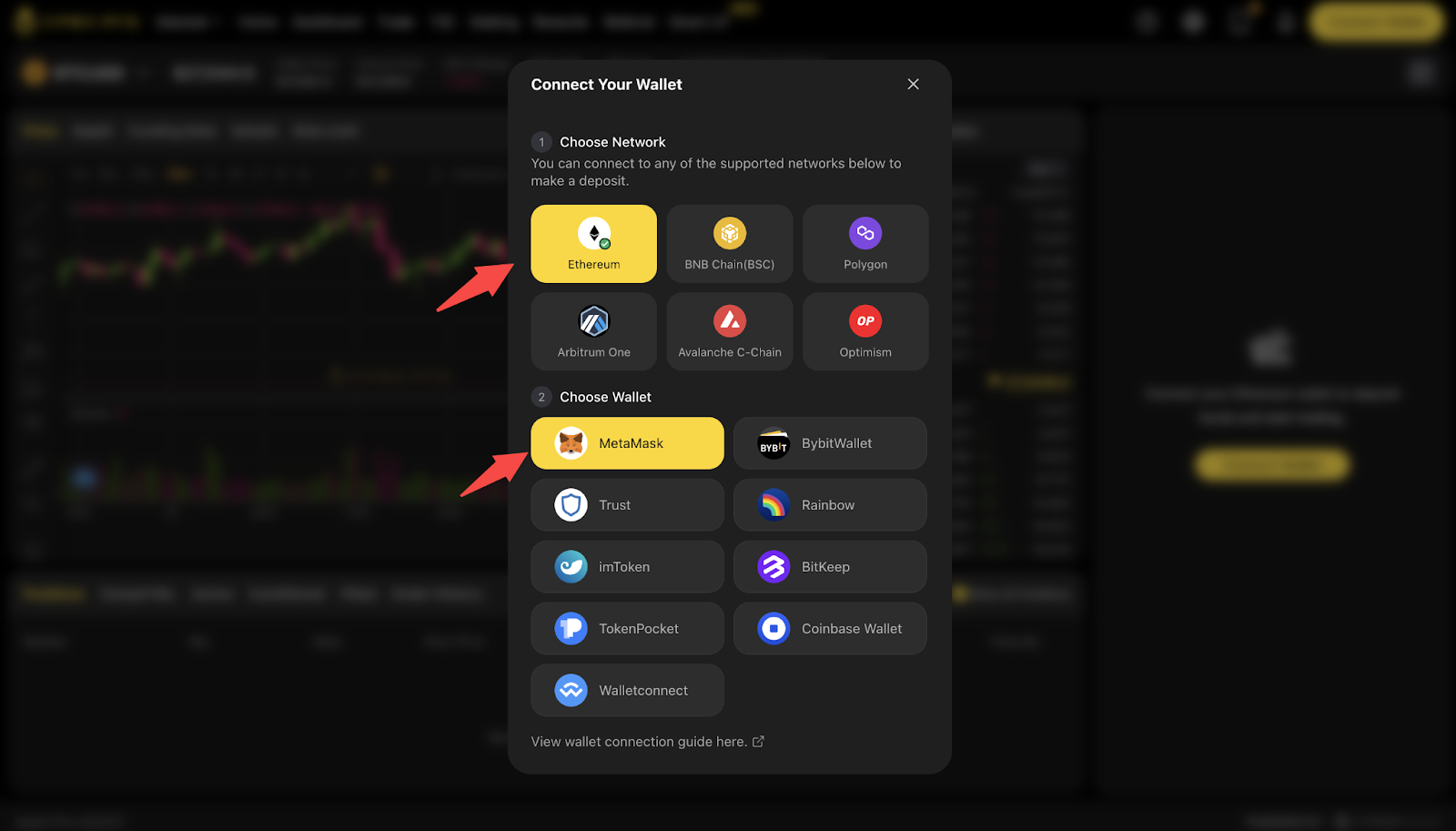
3. Choose Network and Select Wallet
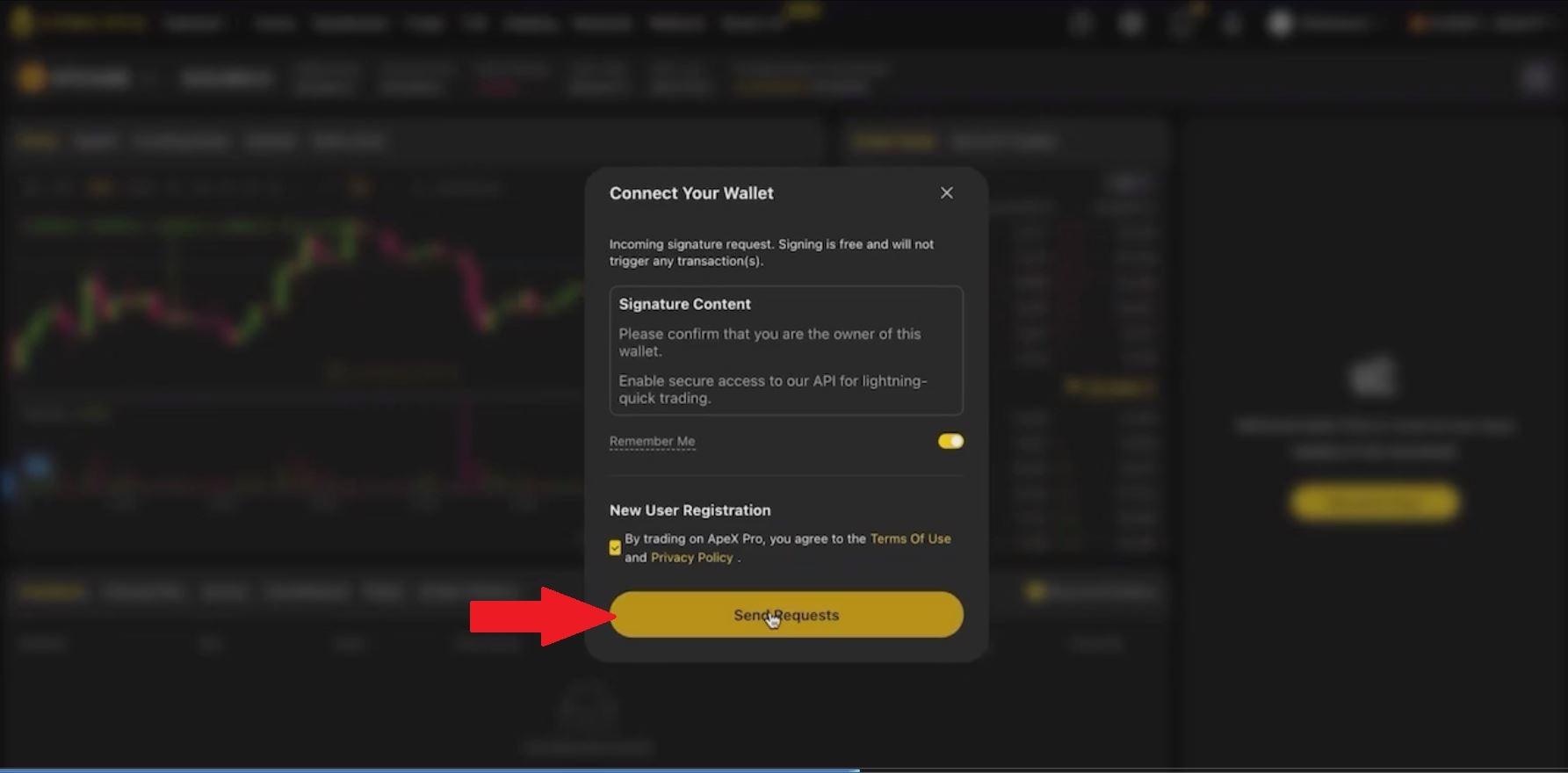
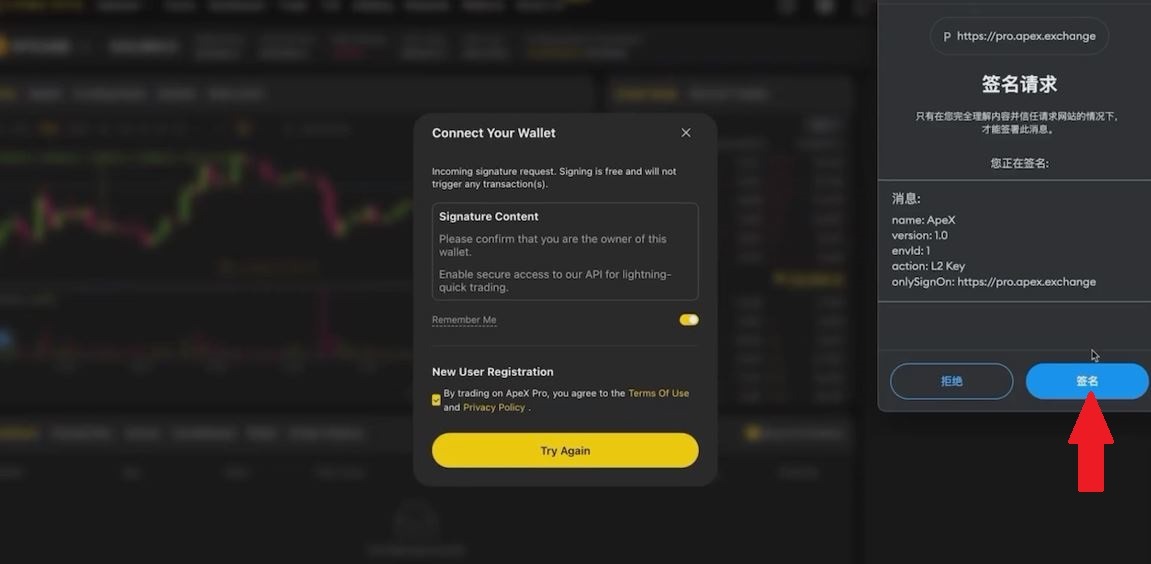
4. Click on “Send Requests” and approve the transaction.
5. Create a username [optional] and submit your email address [optional] and click “Confirm”
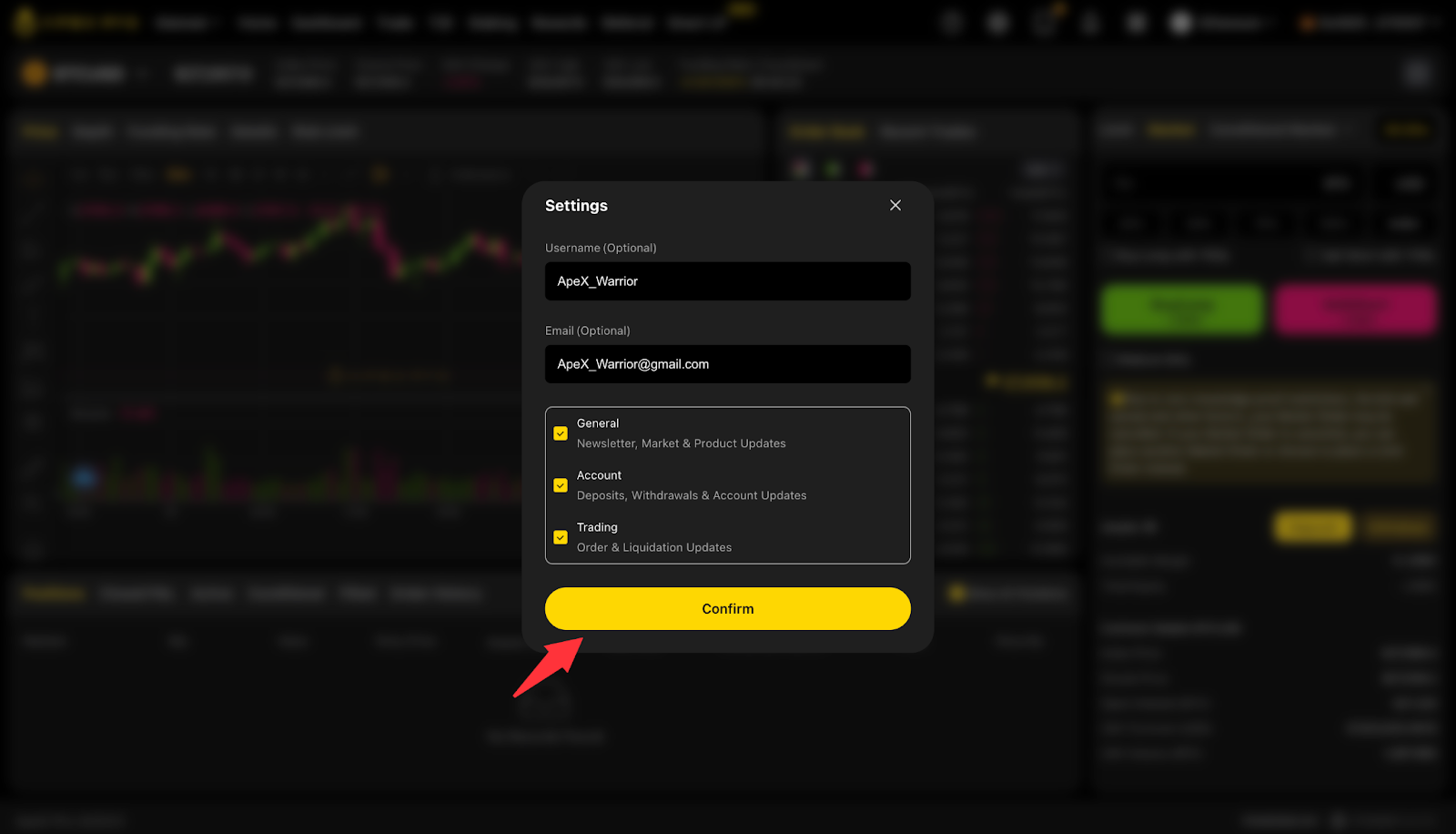
Congrats, now you are signed up on ApeX Pro!
Welcome ApeXer!