How to Set Up Social Commerce Trading 🐸
@Chameleon_elite_tradersSocial copying is when you link your wallet to mine on the Pocket exchange, and your trades are automatically copied. In this article, I'll explain how to connect and what settings work best.
Step-by-Step Guide to Setting Up Social Trading
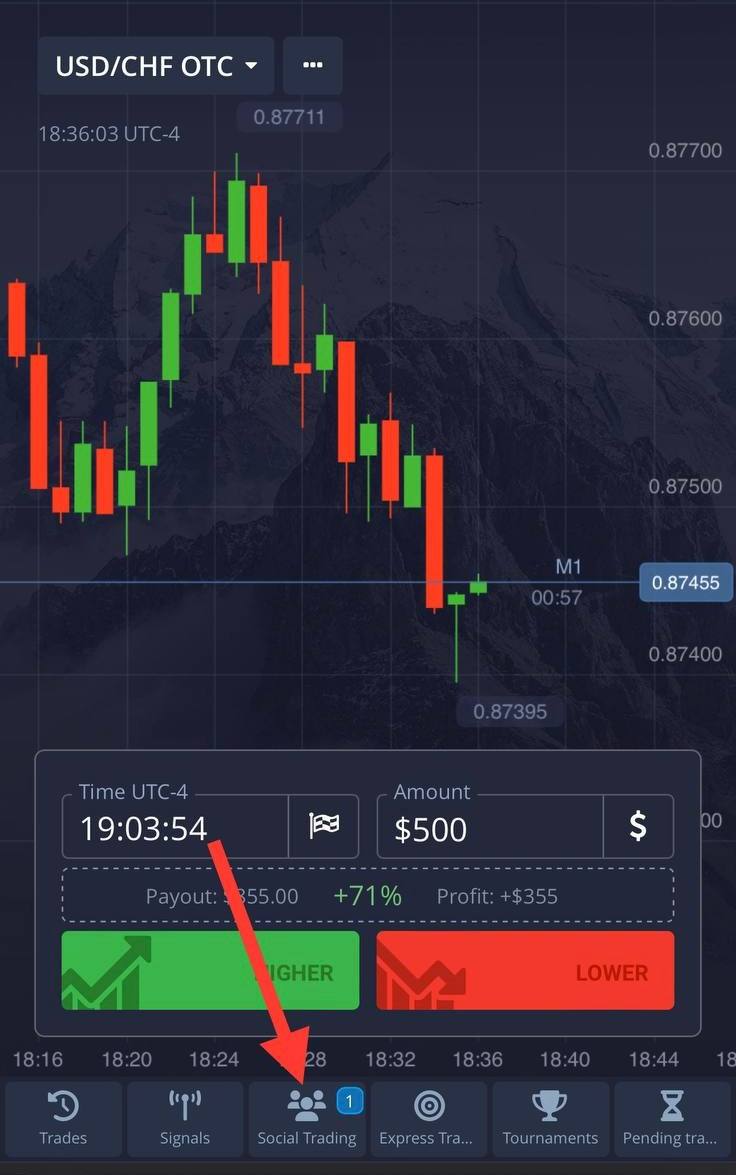
Step 1: Go to the exchange and, at the bottom center, click on "Social Trading"
Step 2: Click "Top Traders in 24 Hours" then "Search"
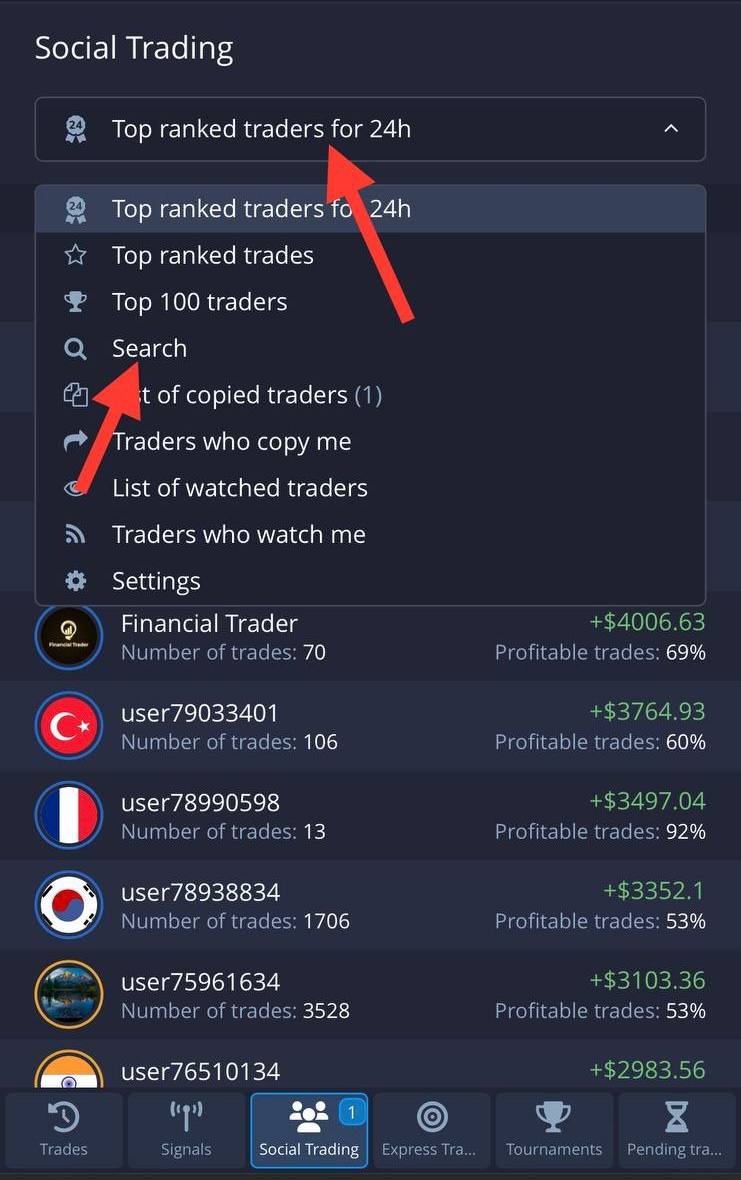
Step 3: Enter my ID - Its in the “CET VIP COPY TRADING CHANNEL 🐸”, select me, and click "Copy"
Next, you'll need to choose your settings. We'll go over each option in detail to ensure you understand everything.
Step-by-Step Guide to Setting Up Social Trading
You will have four parameters to set up social trading:
- Copy Proportionally
- Stop Balance
- Minimum Copy Trade Amount
- Maximum Copy Trade Amount
Three of these are straightforward, so let's start with the simple ones.
Stop Balance - This is the amount at which social trading stops. I recommend setting it at 1%. There might be a drawdown, causing your social trading to halt, while we'll start recovering our losses and turn a profit.
Minimum Copy Trade Amount - This should be set to $1.
Maximum Copy Trade Amount - I suggest leaving this parameter unlimited.
Now, let's move on to the more complex parameter — Copy Proportionally. I'll explain with an example to make it clearer. Suppose I enter a trade with $500. If you set 100%, your trade will also be $500. If you set 10%, your trade will be $50, and if you set 1%, your trade will be $5.
❗️❗️❗️It's important to check with me to see what amount I'm trading with so you can set this parameter correctly. Currently, I enter trades with $500.
Example Settings for a $200 Deposit:
- Copy Proportionally: 1% (which equals $2)
- Stop Balance: $1
- Min. Copy Trade Amount: $1
- Max. Copy Trade Amount: Unlimited
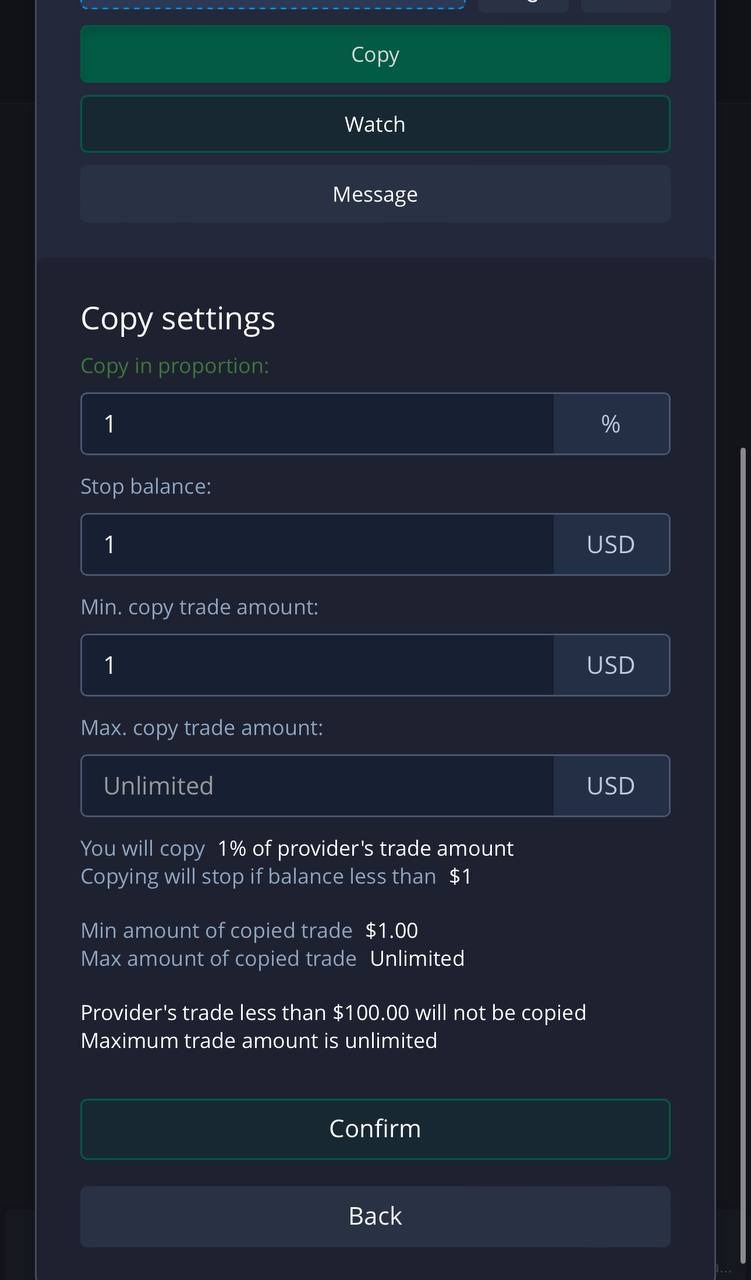
Once you’ve set all the parameters, click "Confirm" and you're all set. See, I told you it’s super easy! 🐸