How to Participate in the Pump with the MetaMask Wallet
@paul_wittgensteinStep One
Download apps MetaMask and Binance in Apple Store or Play Market
Step Two
• Create an account in MetaMask and save a 12-word recovery code
• Create an account in Binance and pass verifocation
Step Three
In order to take part in the pump, you need to upload a BNB Smart Chain coin to the MetaMask, for this we need to purchase it on the binance exchange.
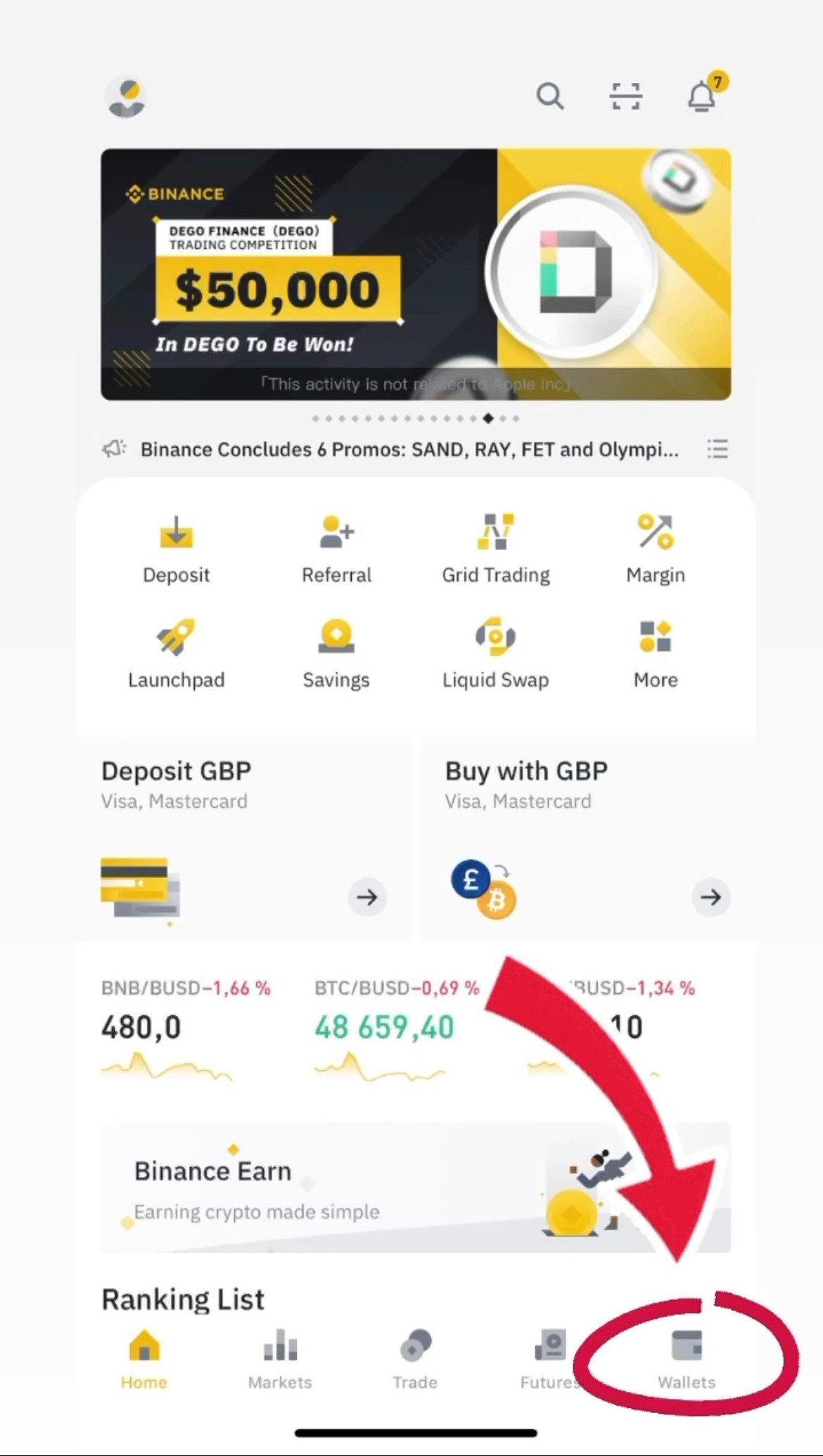
To do this, go to the main binance page and click "Wallet"
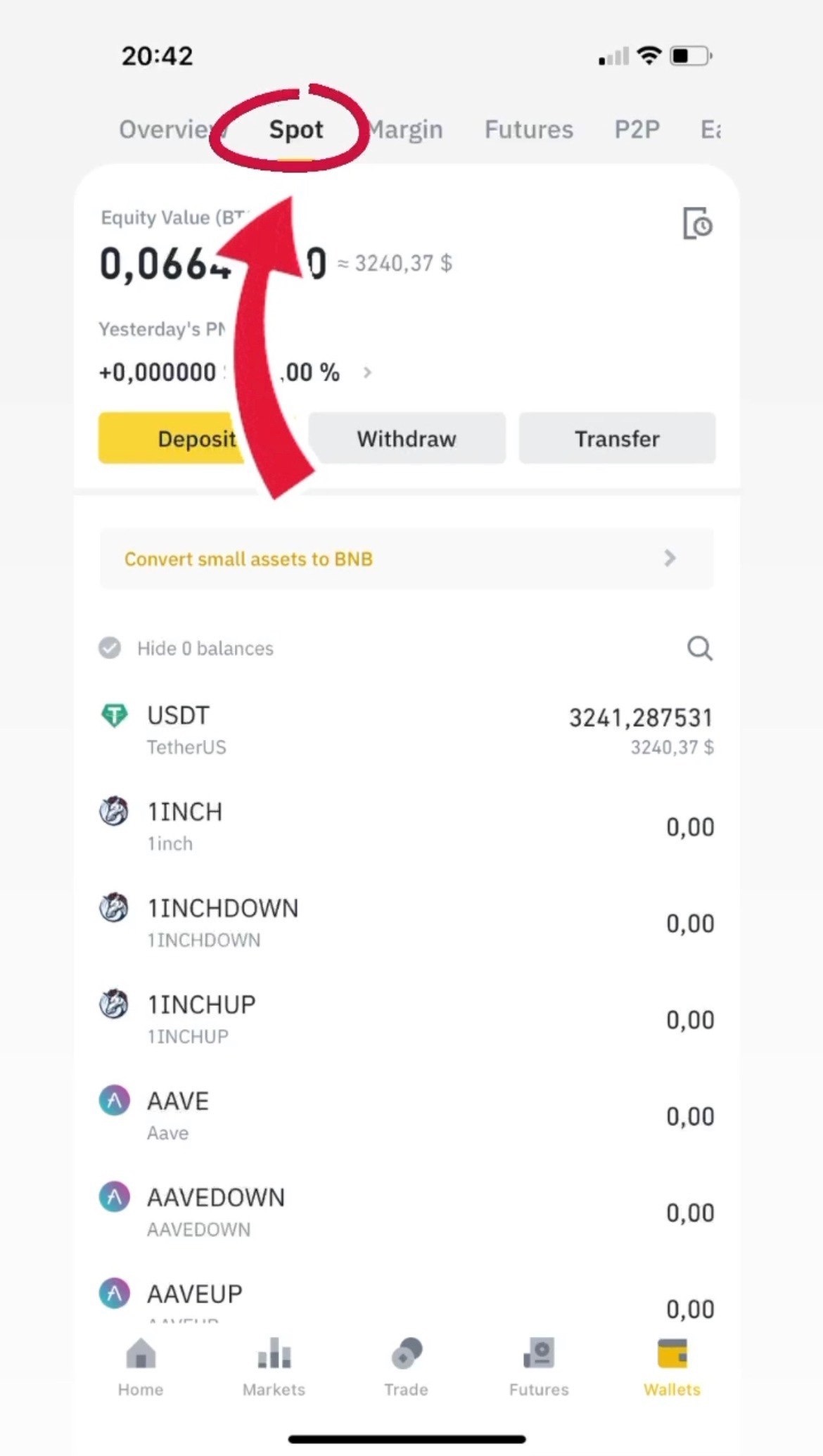
When you are on the 'Wallet' page in the 'Overview' section you need to go to the 'Spot' section at the top of your screen
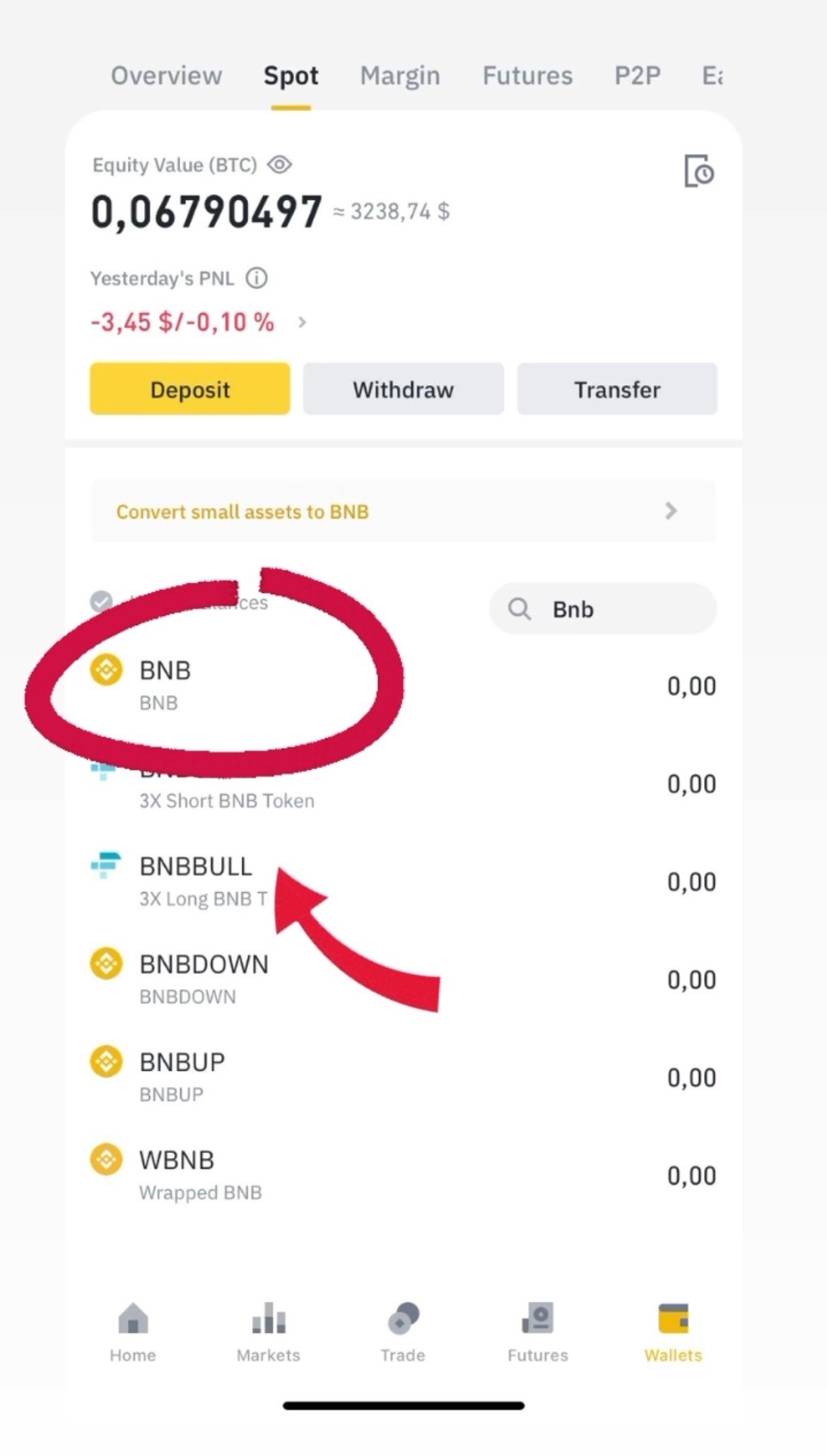
At the 'Spot' press the magnifying glass to find the coin you need, exactly BNB Smart Chain and than press it.
After switching to BNB Smart Chain, select ‘Buy with card’ and re-select BNB which will automatically be at the top of the list.
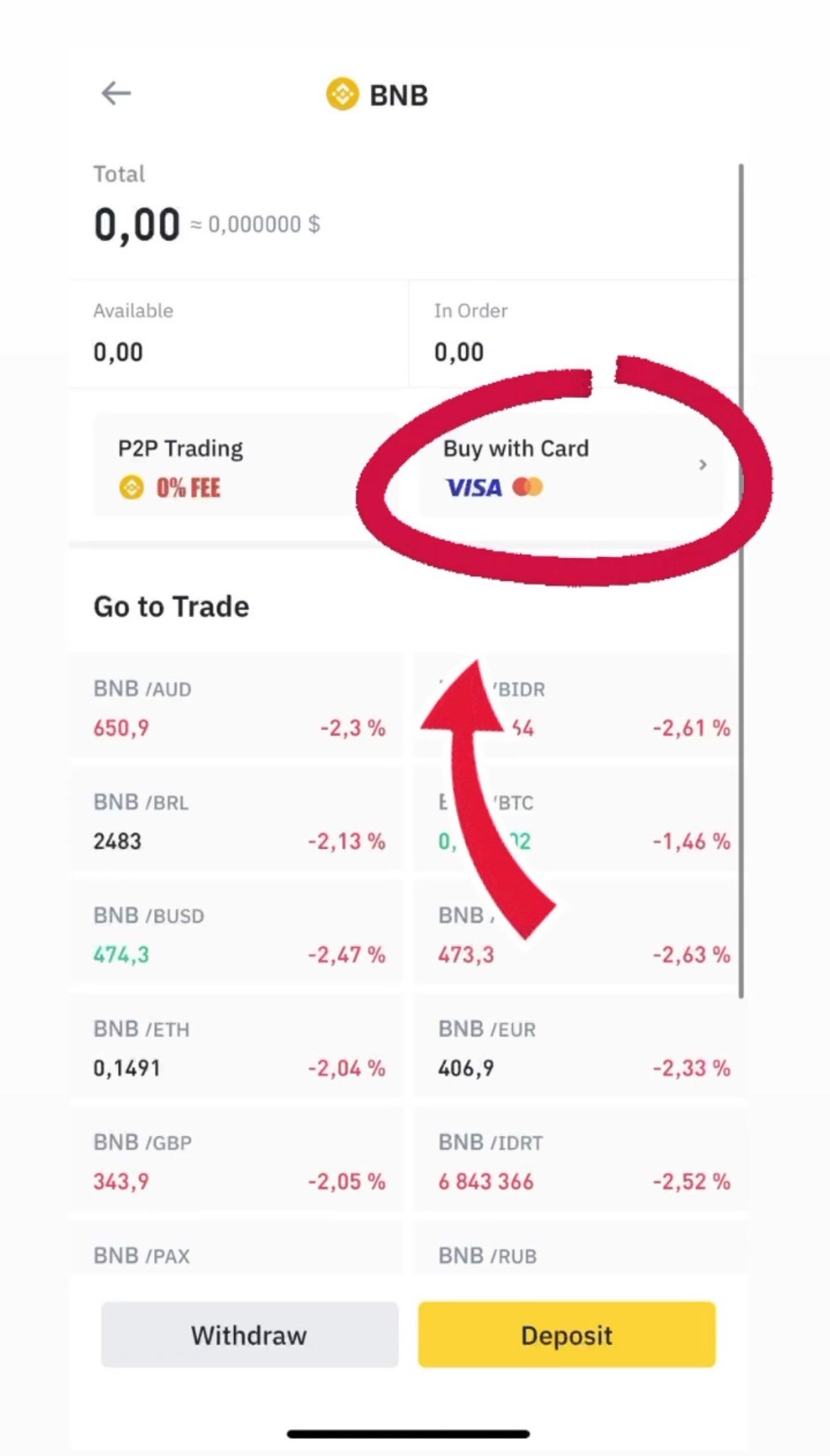
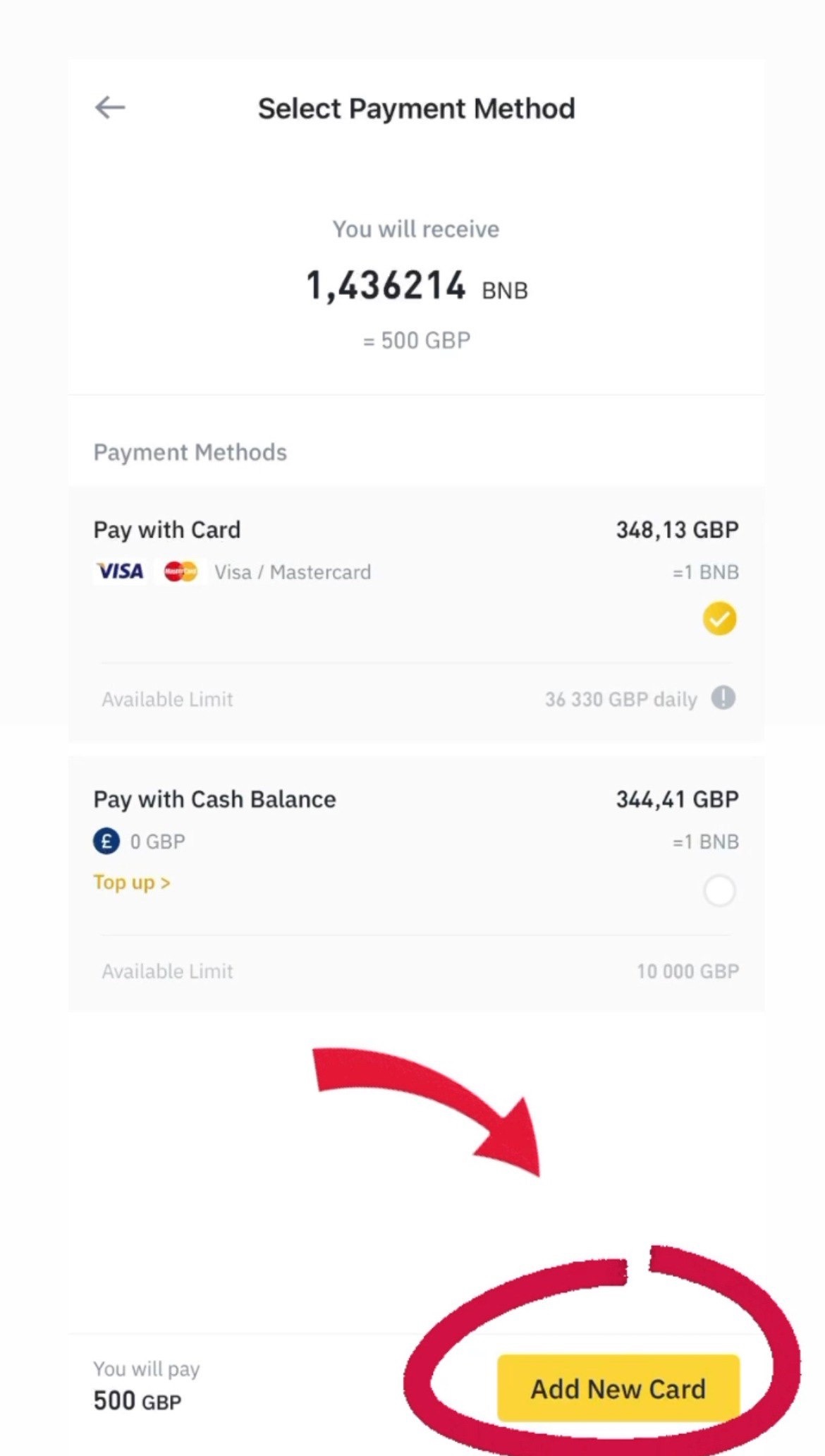
Enter the amount you need and click Continue. Then add your card details and complete your BNB Smart Chain purchase
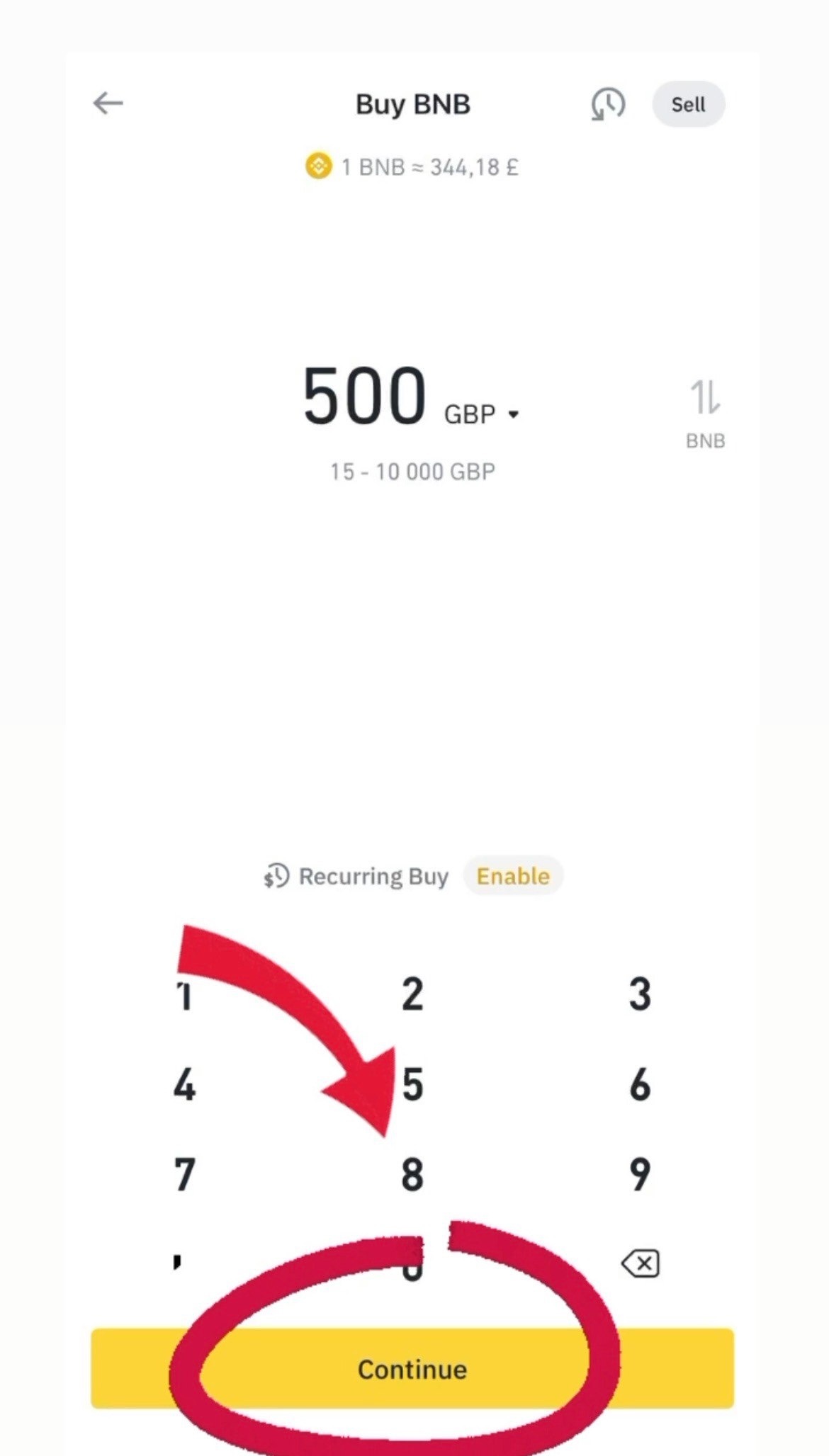
Step four
After buying BNB Smart Chain you need to sent this currency to another wallet, exactly Trust wallet
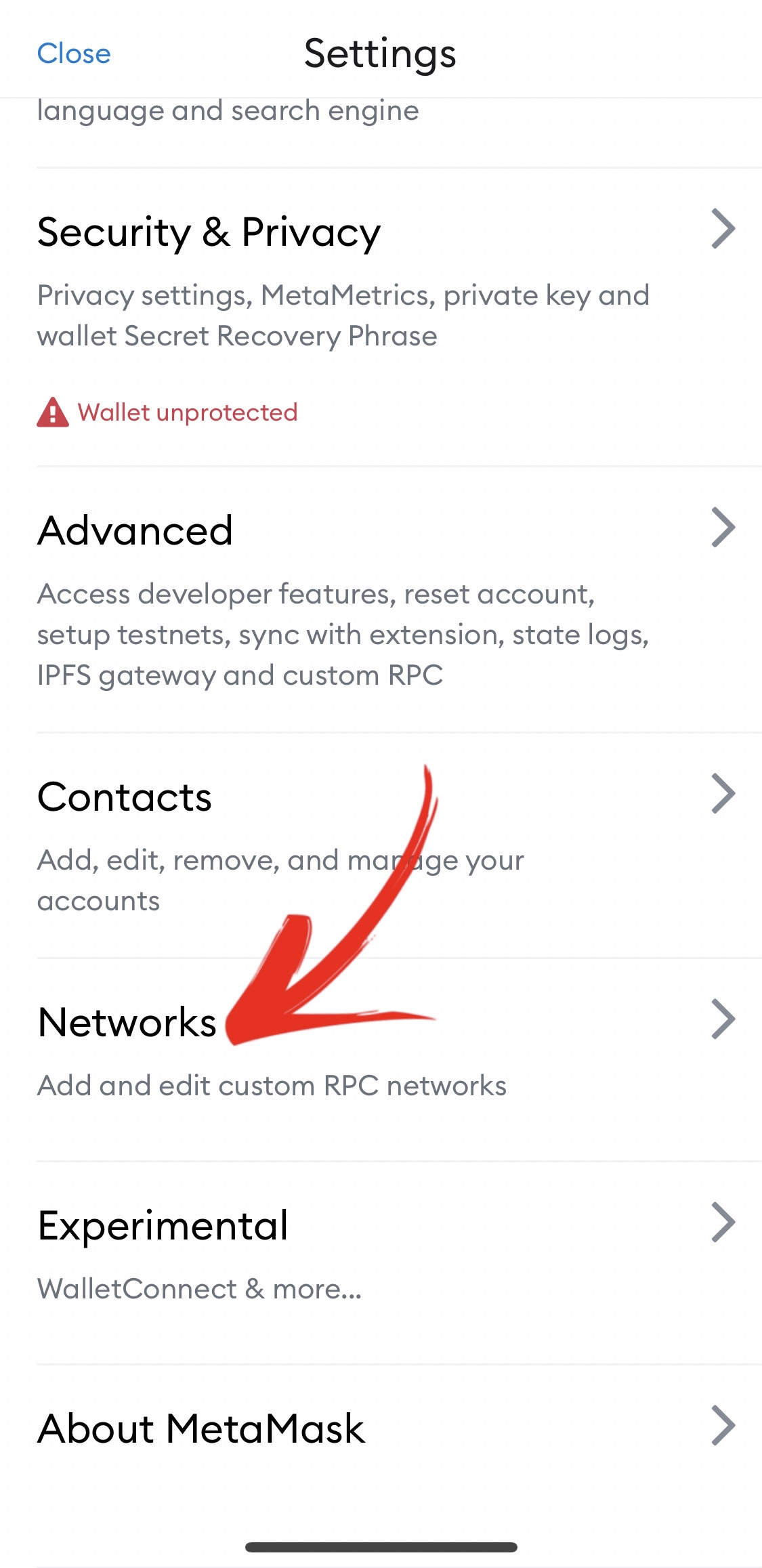
When you get to the start page of your MetaMask wallet, press to go to the settings

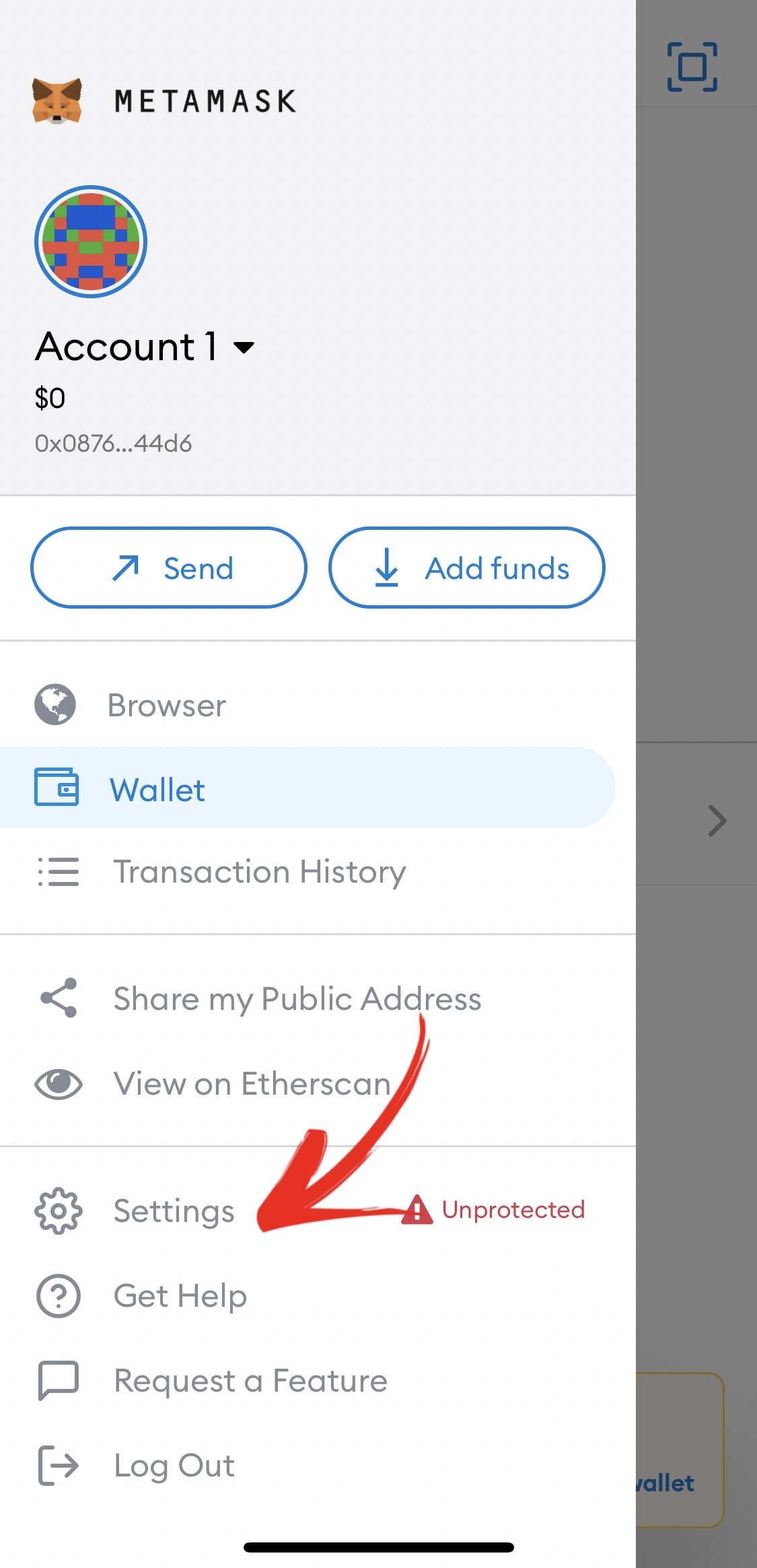
Click "Networks"
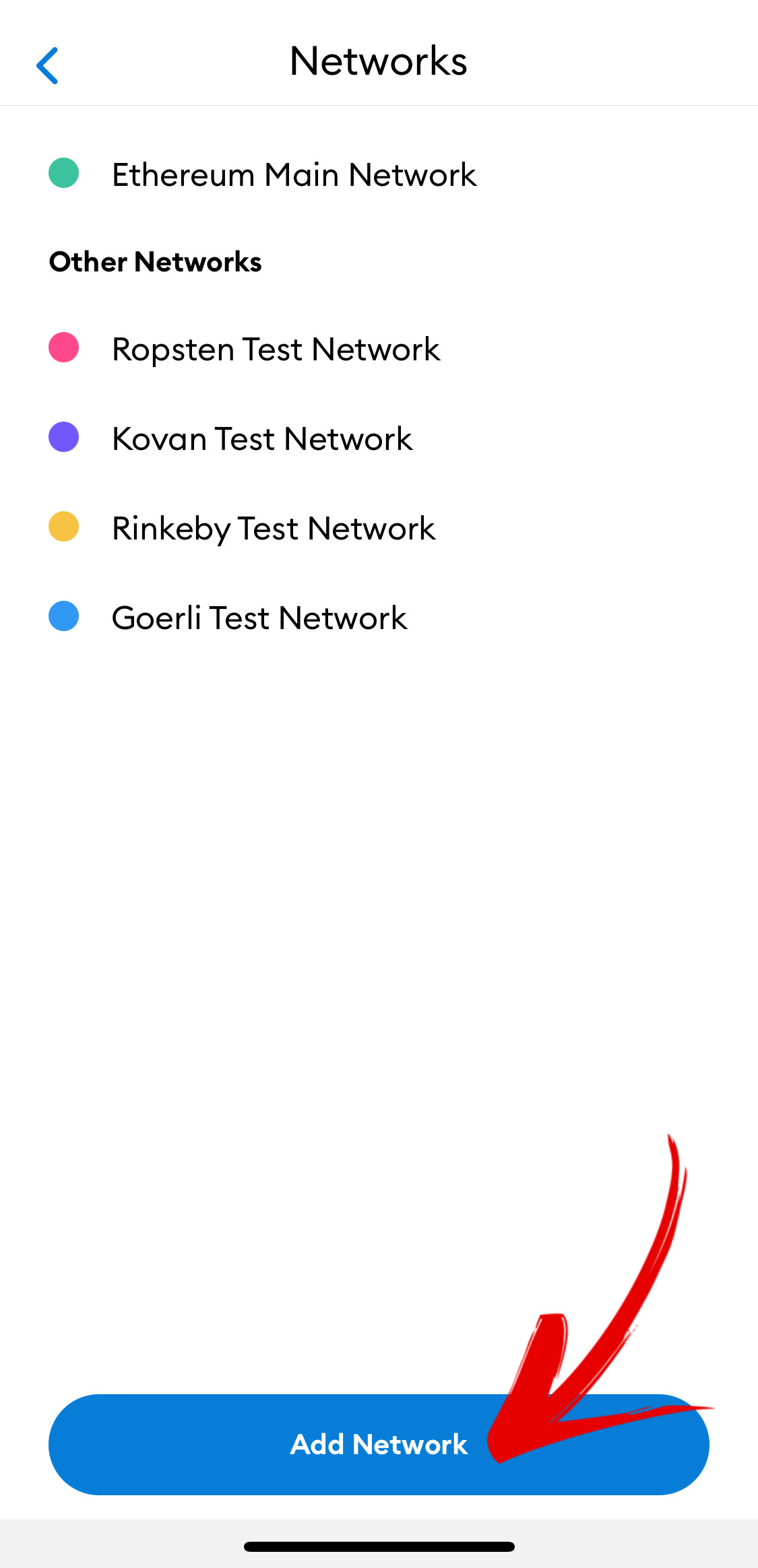
Click "Add Network"
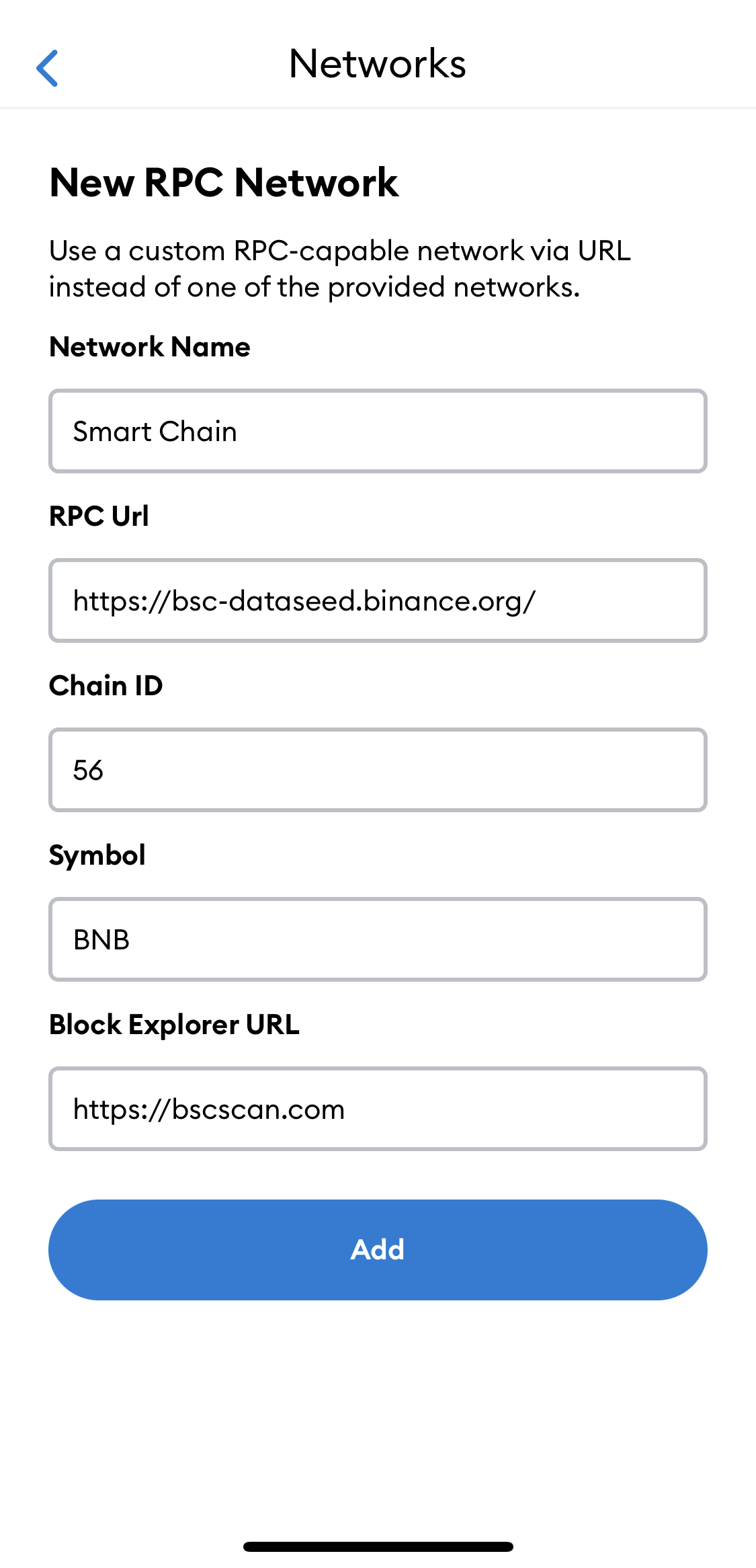
Enter the data that is indicated in the screenshot below, and click "Add"
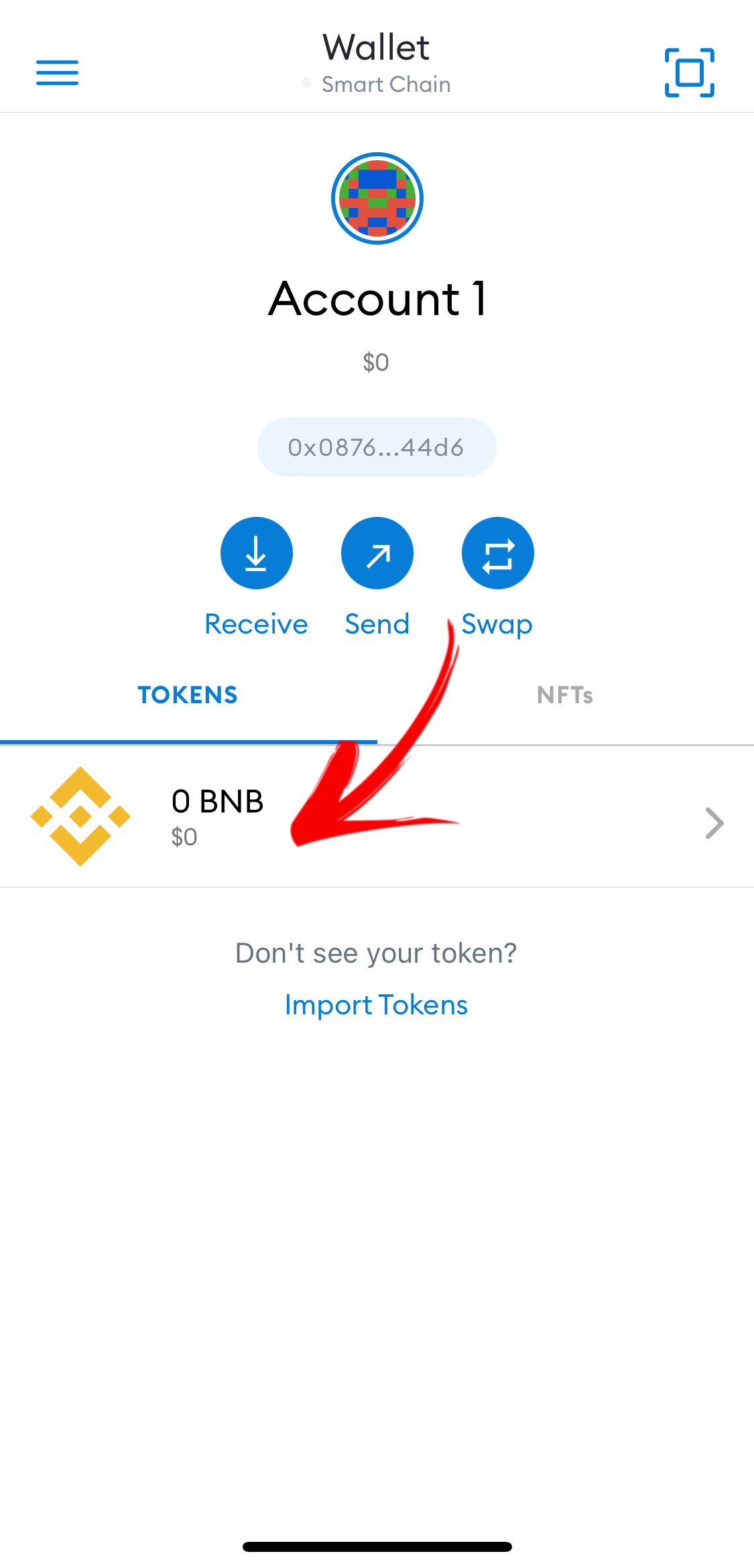
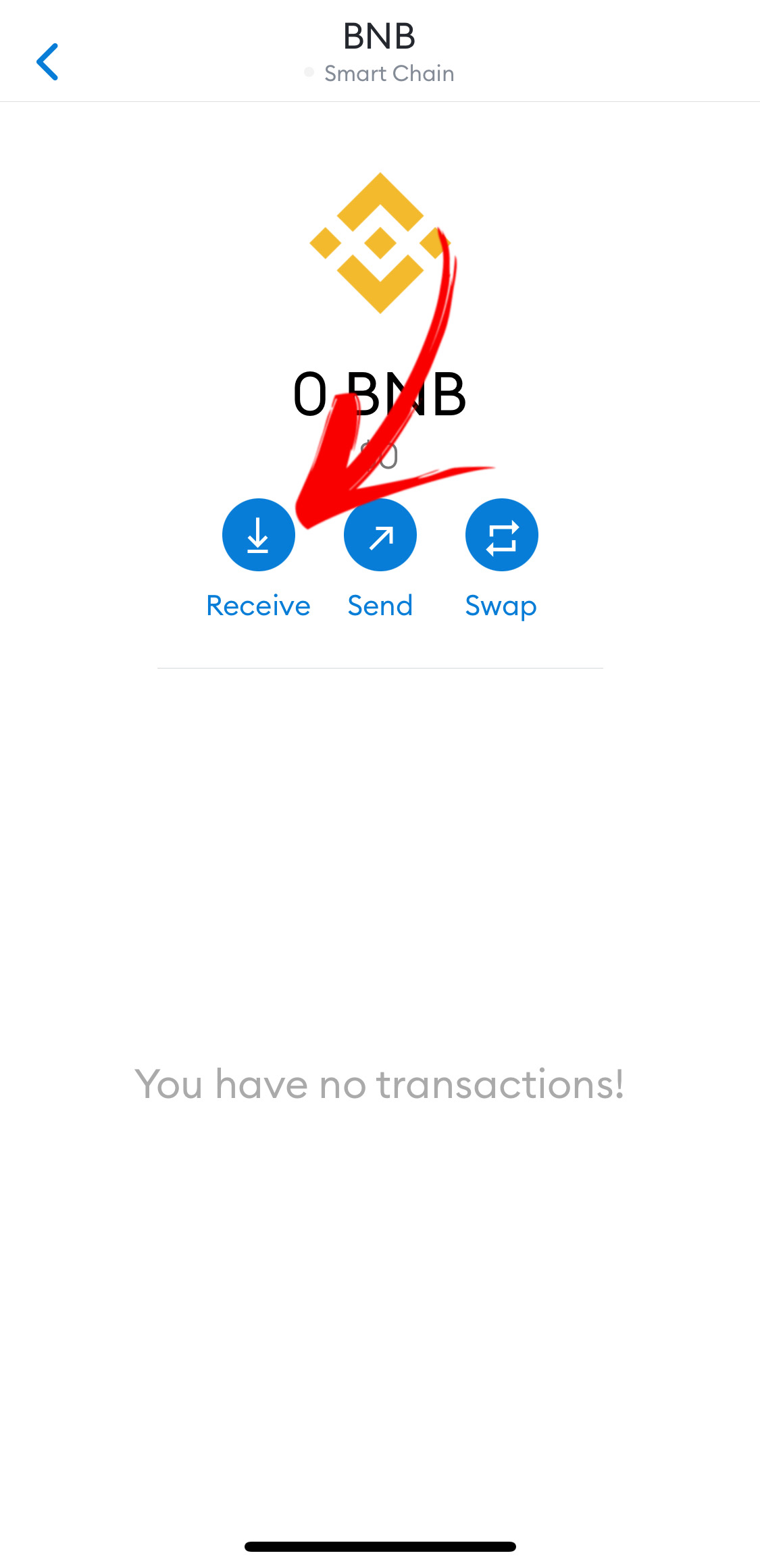
Congratulations, you have added BNB Smart Chain to your wallet, now click on it
Click "Receive"
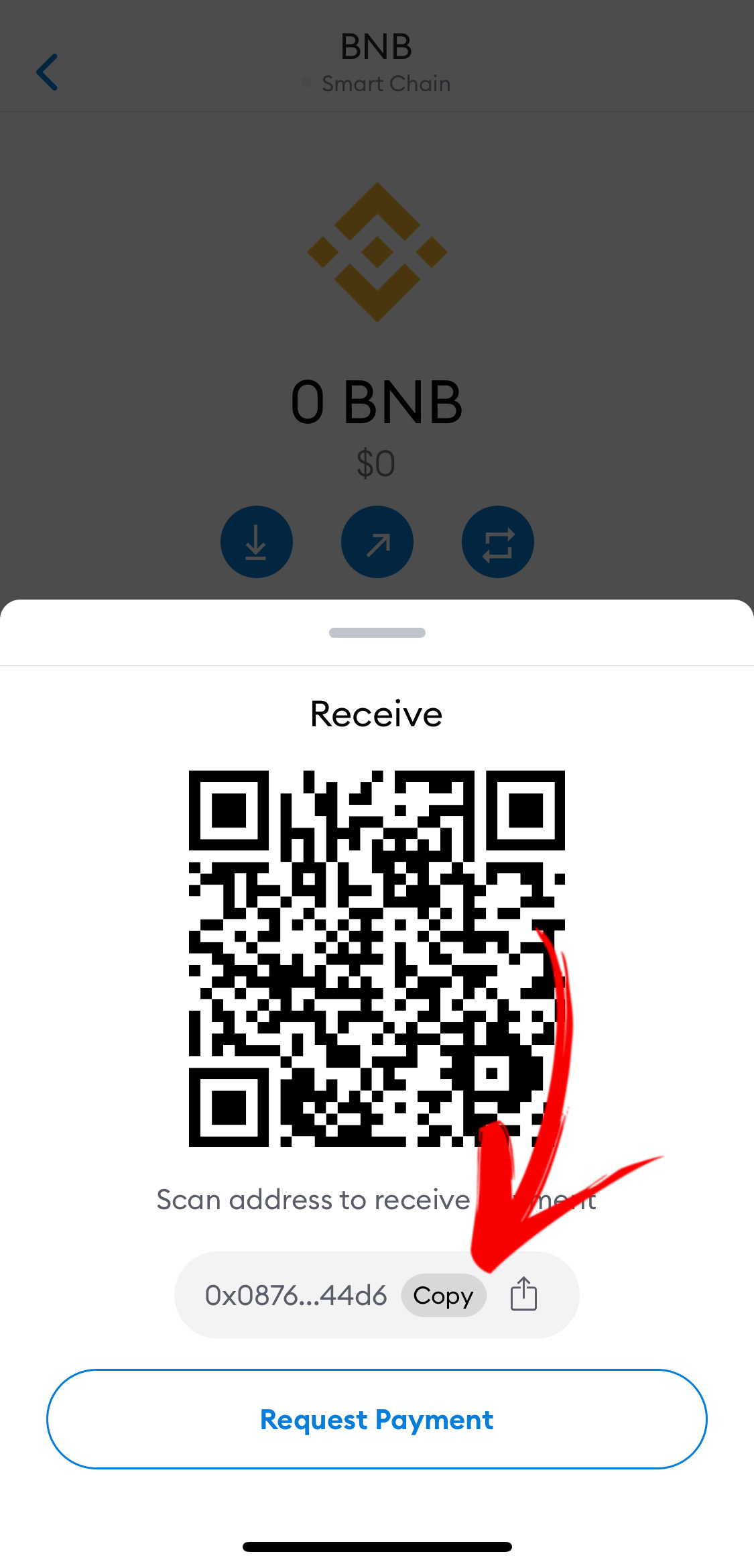
Copy Address
Returning to the Binance app. Now we need to send our “BNB Smart Chain” which we bought earlier from our Binance wallet to our Trust wallet.
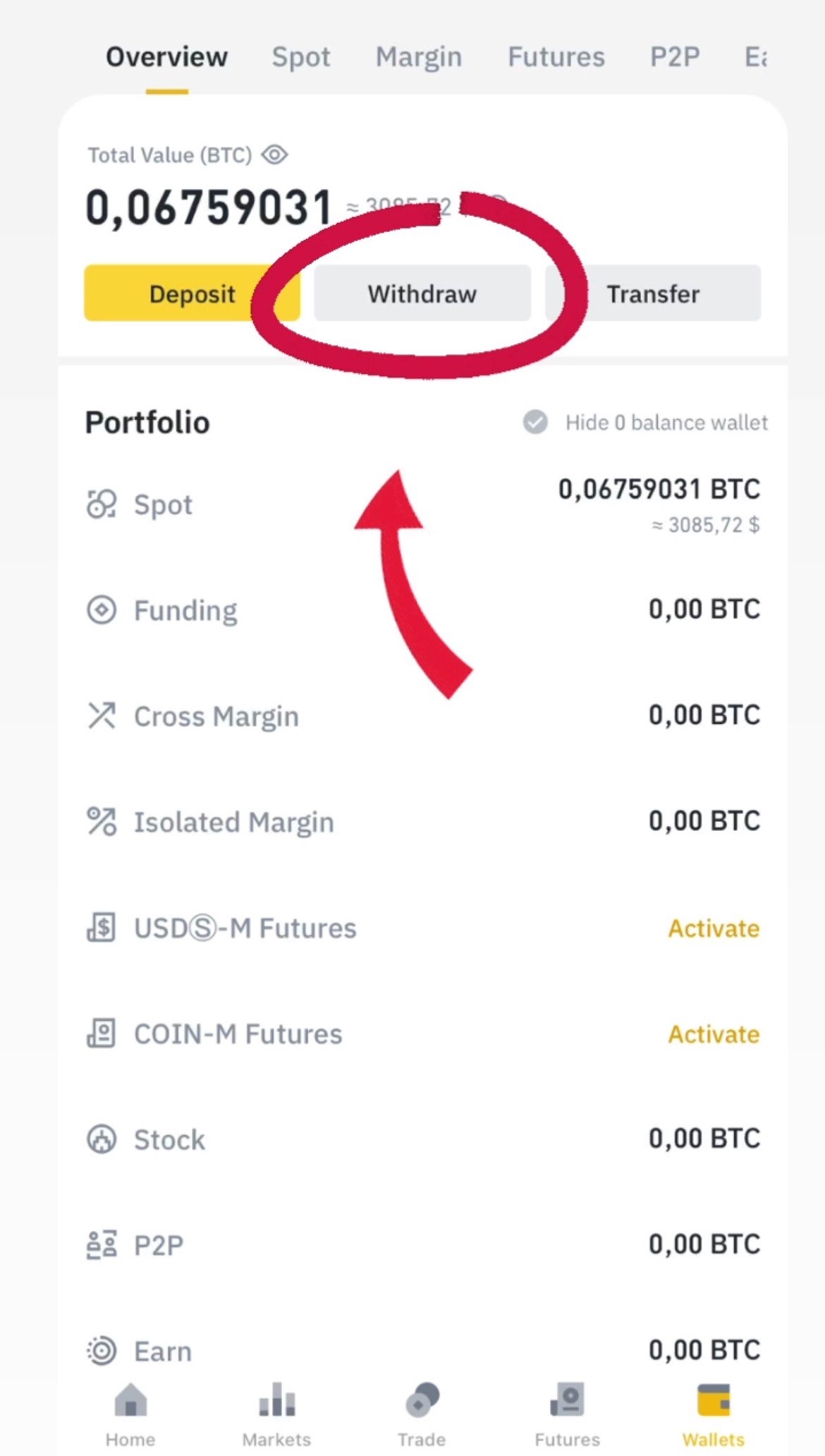
Go into the wallet, click 'Overview' and than 'Withdraw'
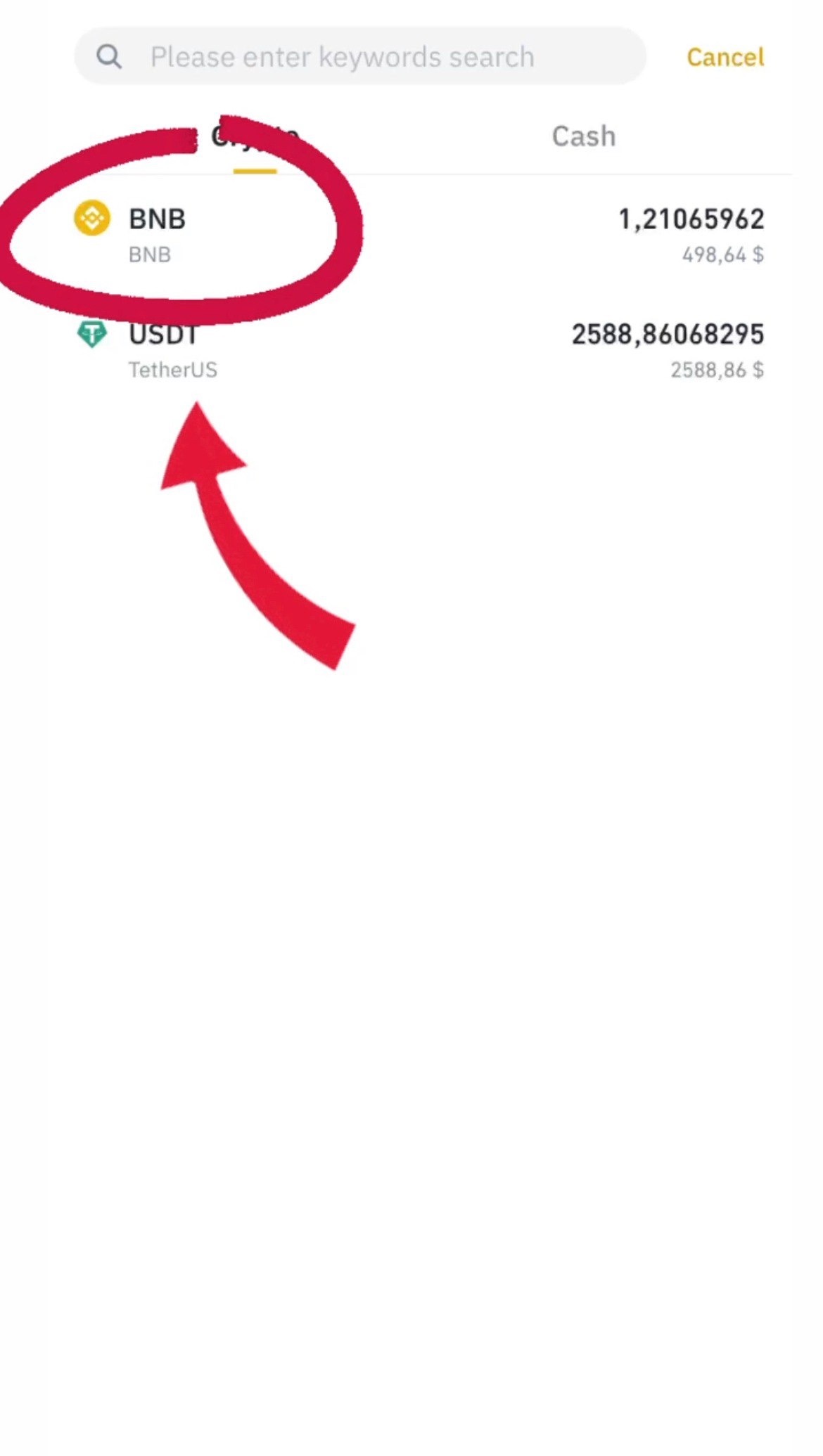
Click 'BNB'
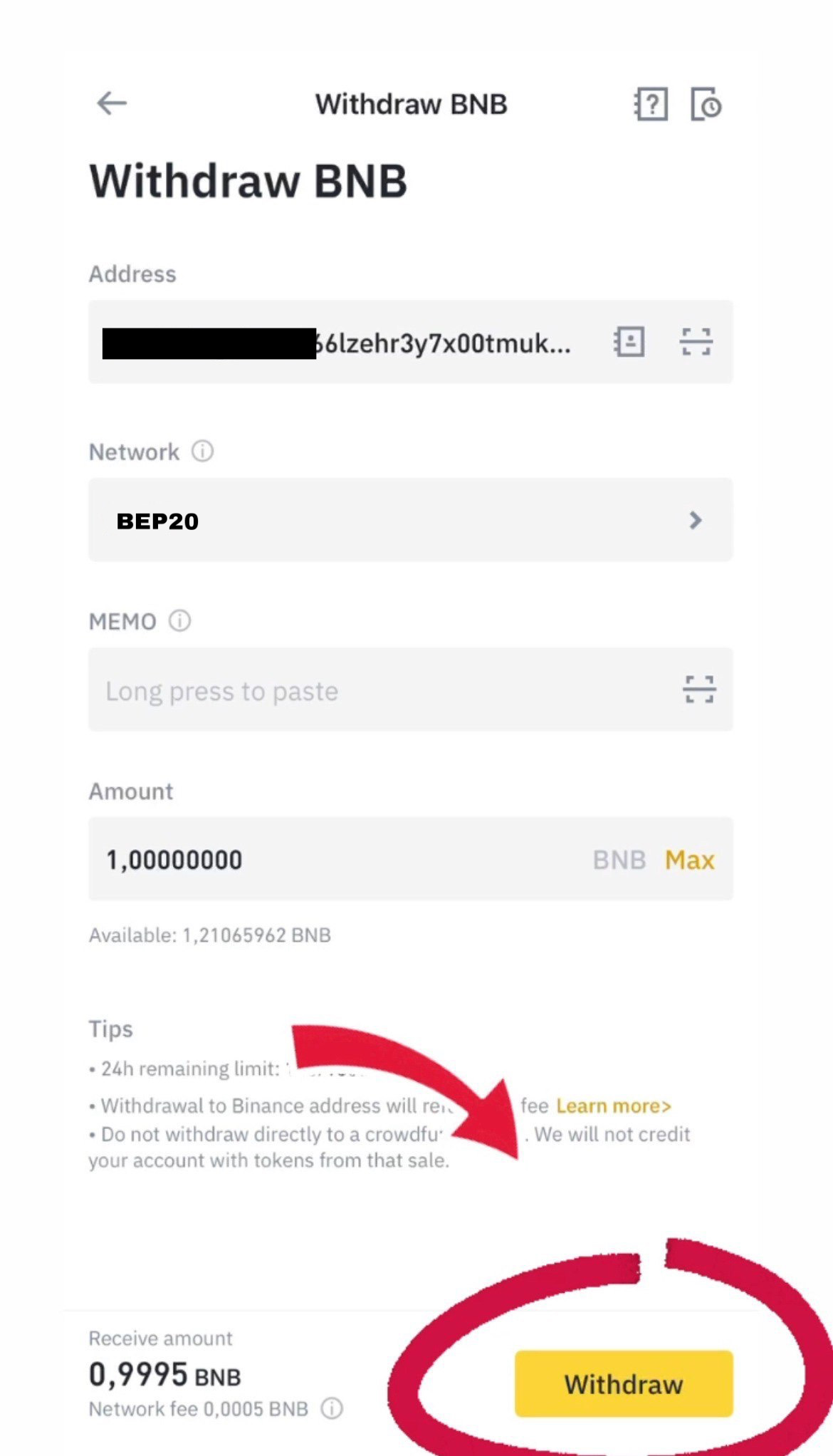
Insert the address which we copied in the Trust Wallet, select Network "BEP20", specify the sum and click "Withdraw"
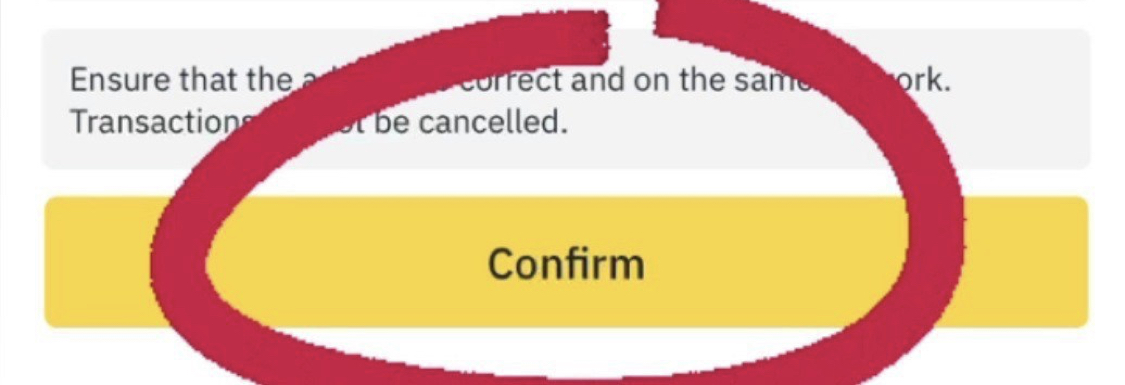
Click "Confirm"
Congratulations, you now have BNB Smart Chain in your wallet.
Now that you have BNB Smart Chain in your wallet, we can move on to the next step.
Step Five
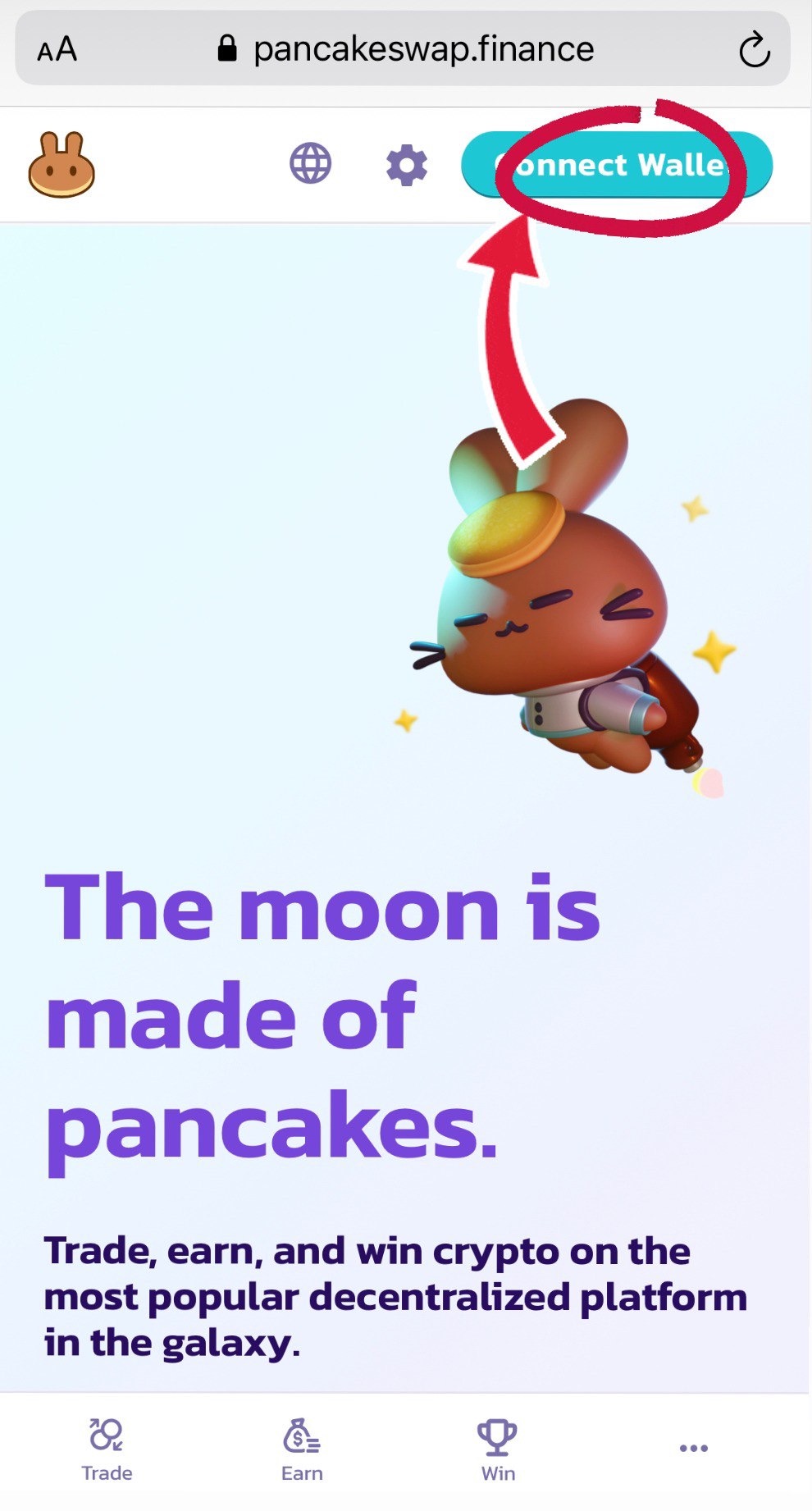
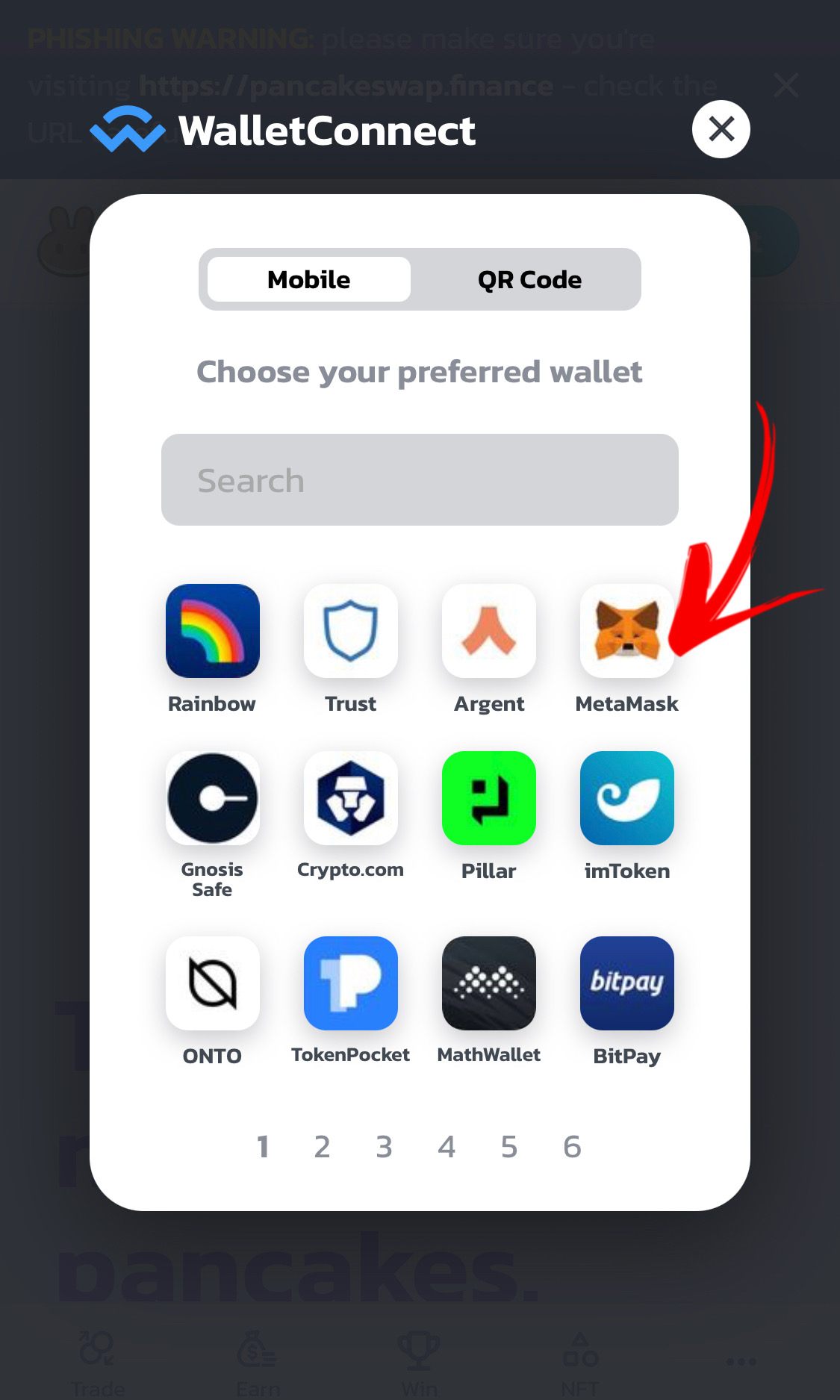
The next step is to connect our wallet to the pancake swap, click "Connect wallet"
Click "Wallet connect"
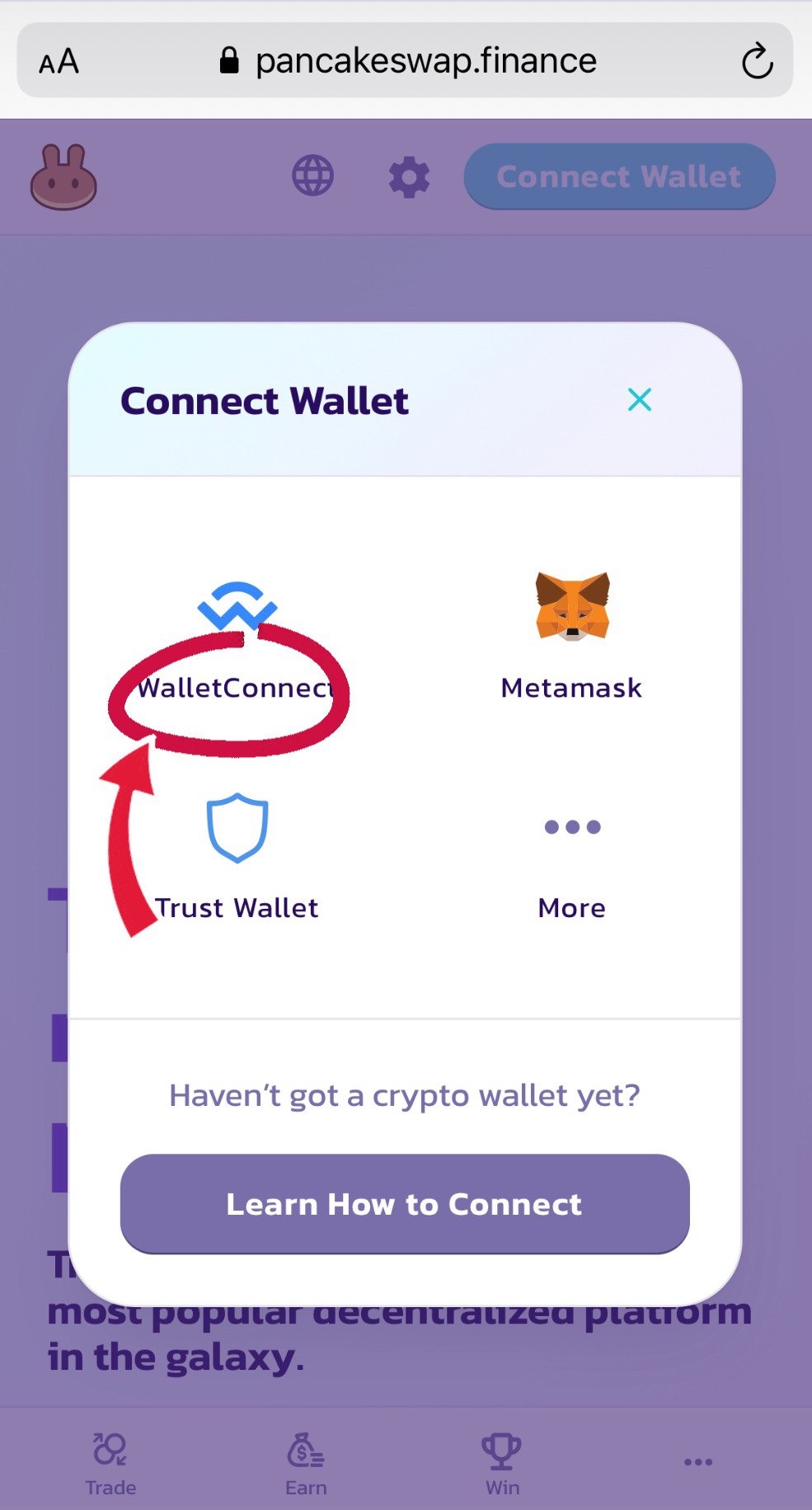
Click "MetaMask"
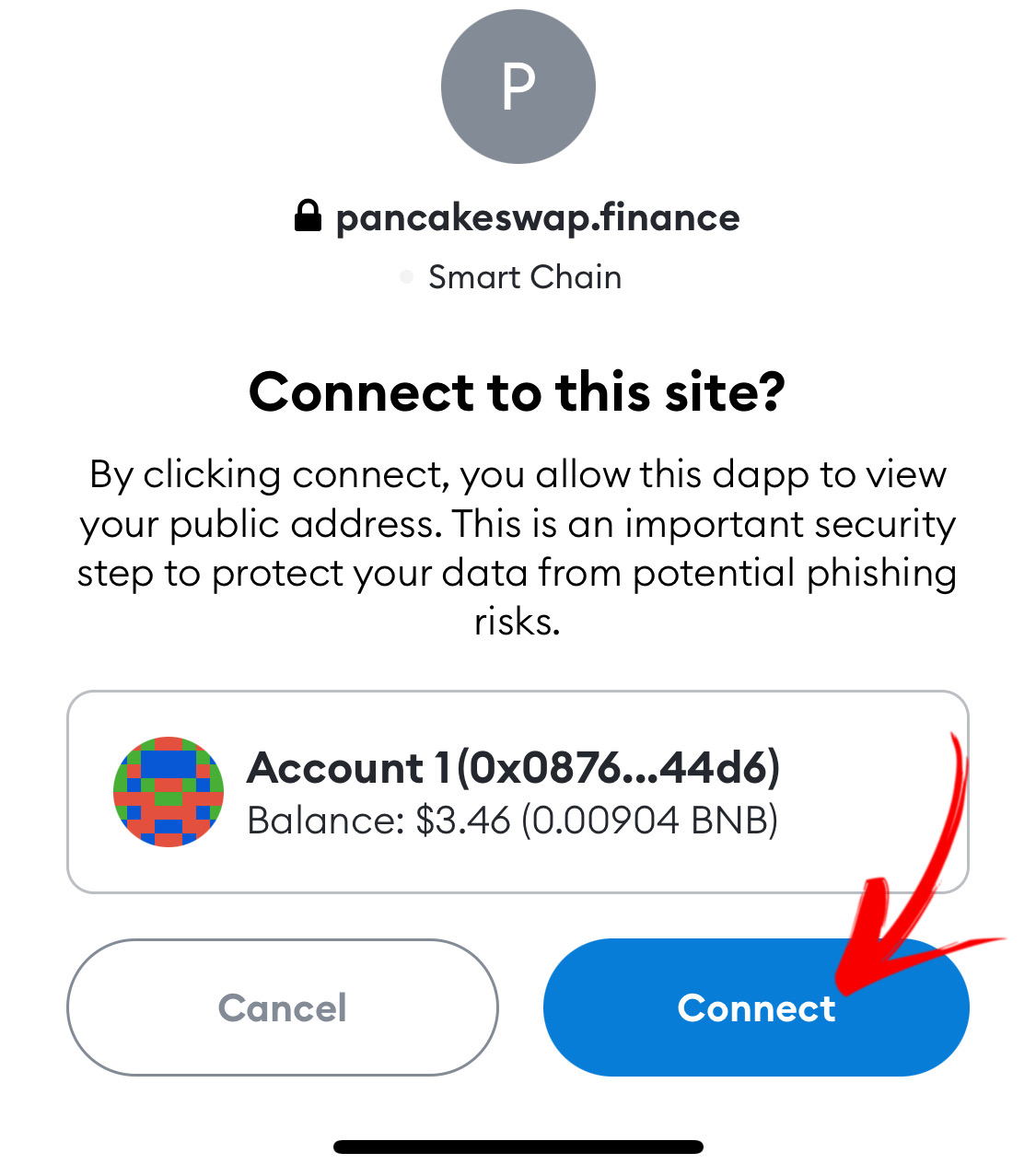
Click "Connect"
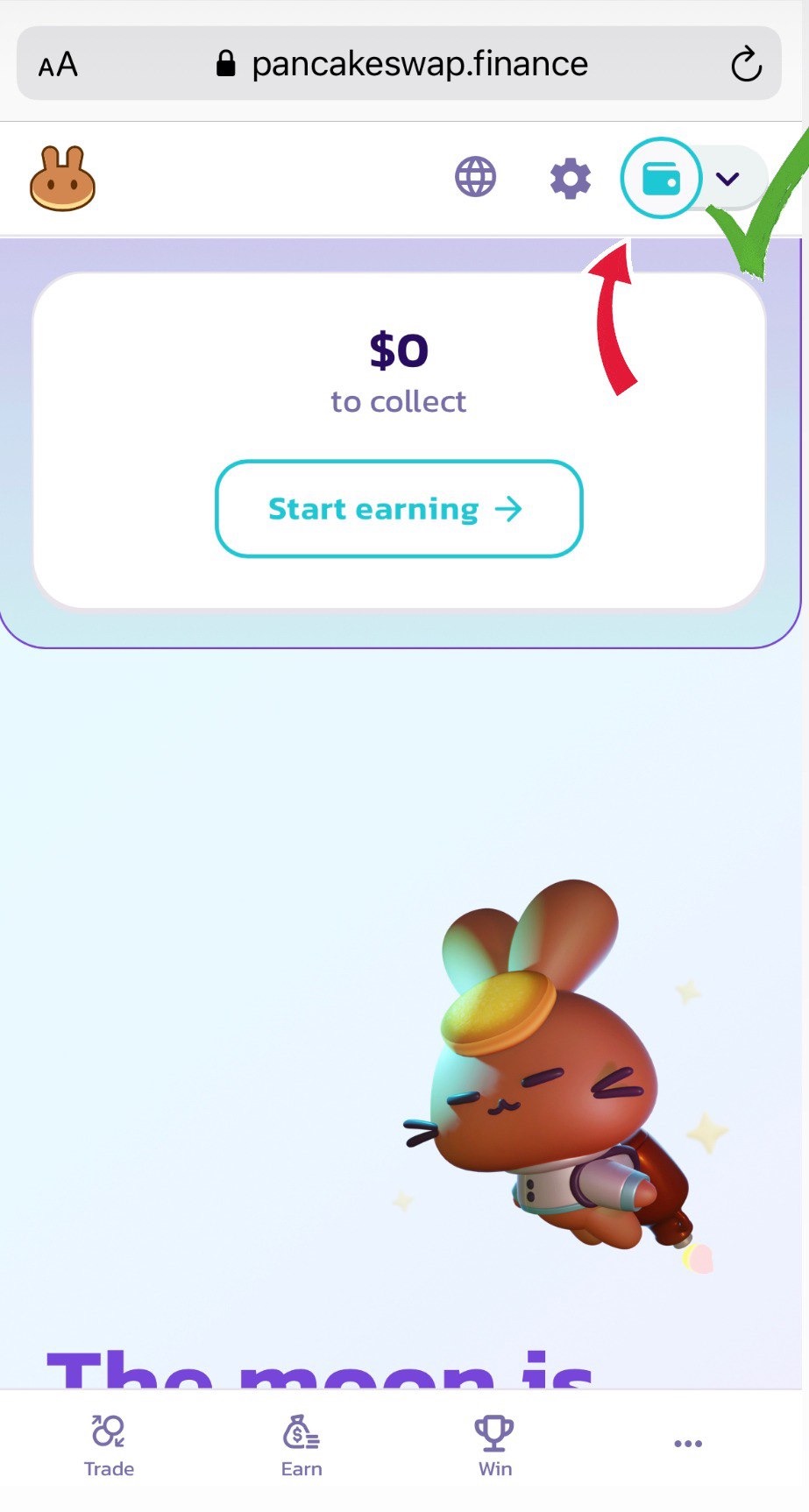
Congratulations, you have now connected your wallet to MetaMask
Step six
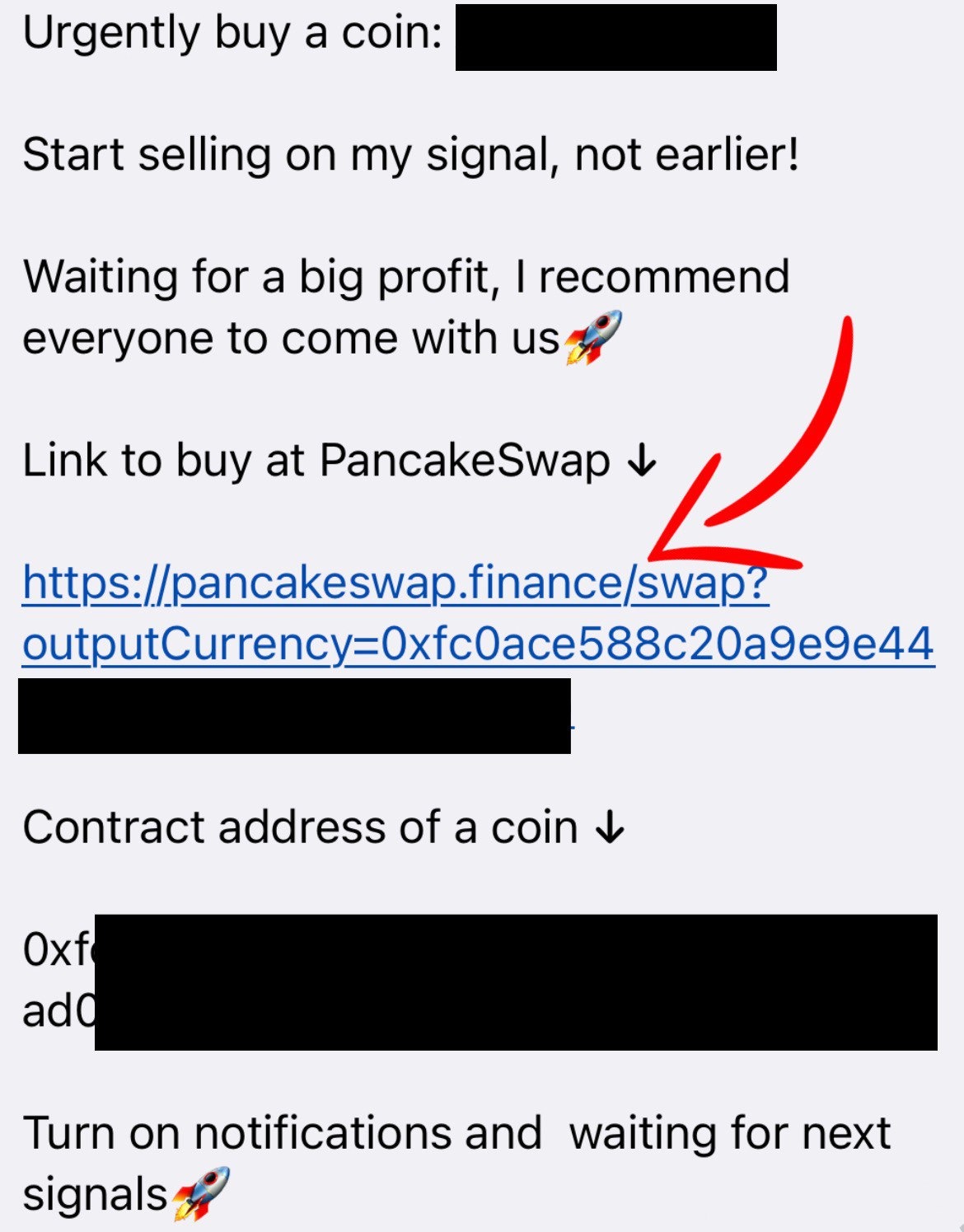
Now it remains to purchase a coin at our signal, all signals about pumps are posted in our telegram channel, in this format 👇
Click on the pancake swap site link, after clicking on the link, we expect 5 - 10 seconds after which we will see a window where we must click the "I understand" checkbox
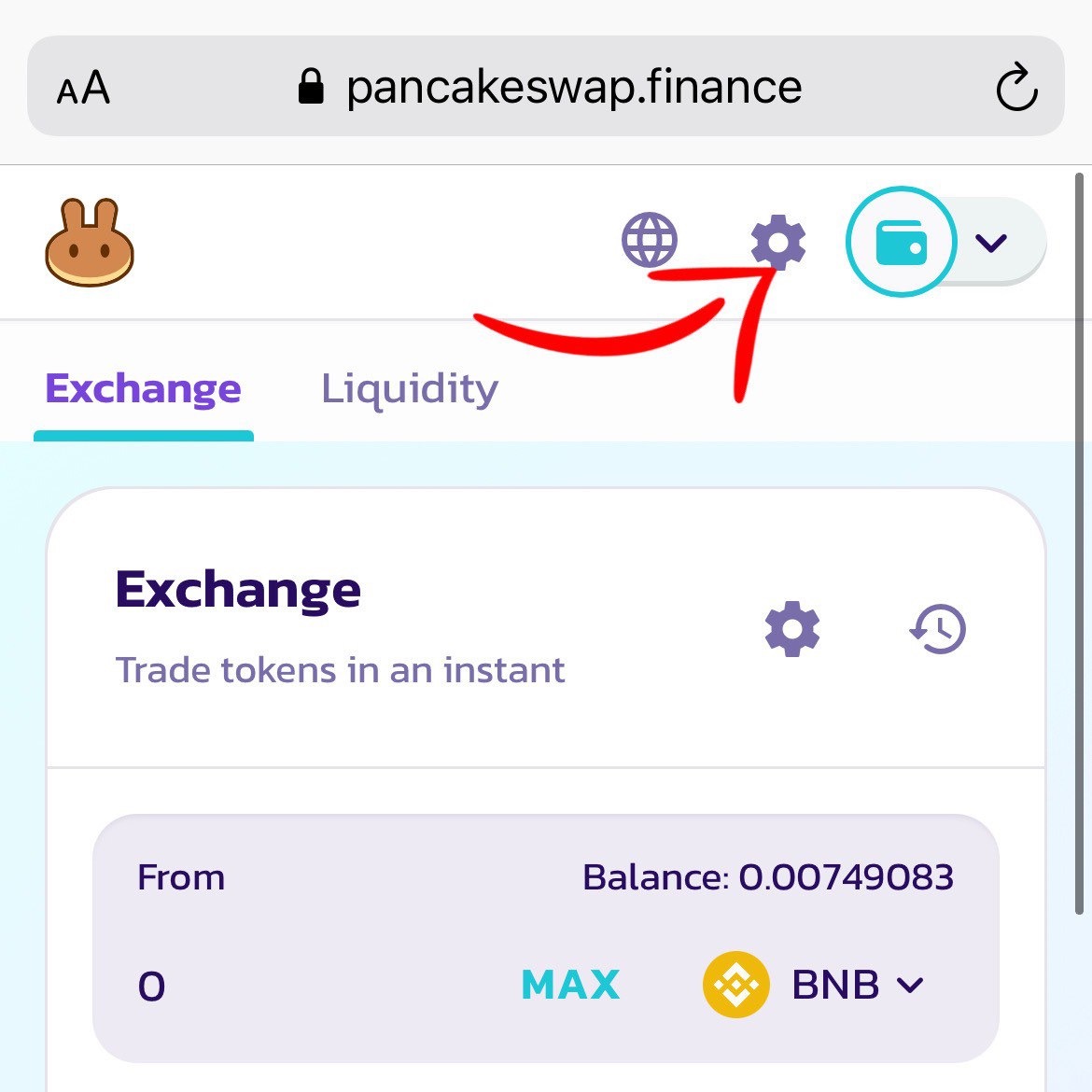
Press "Settings"
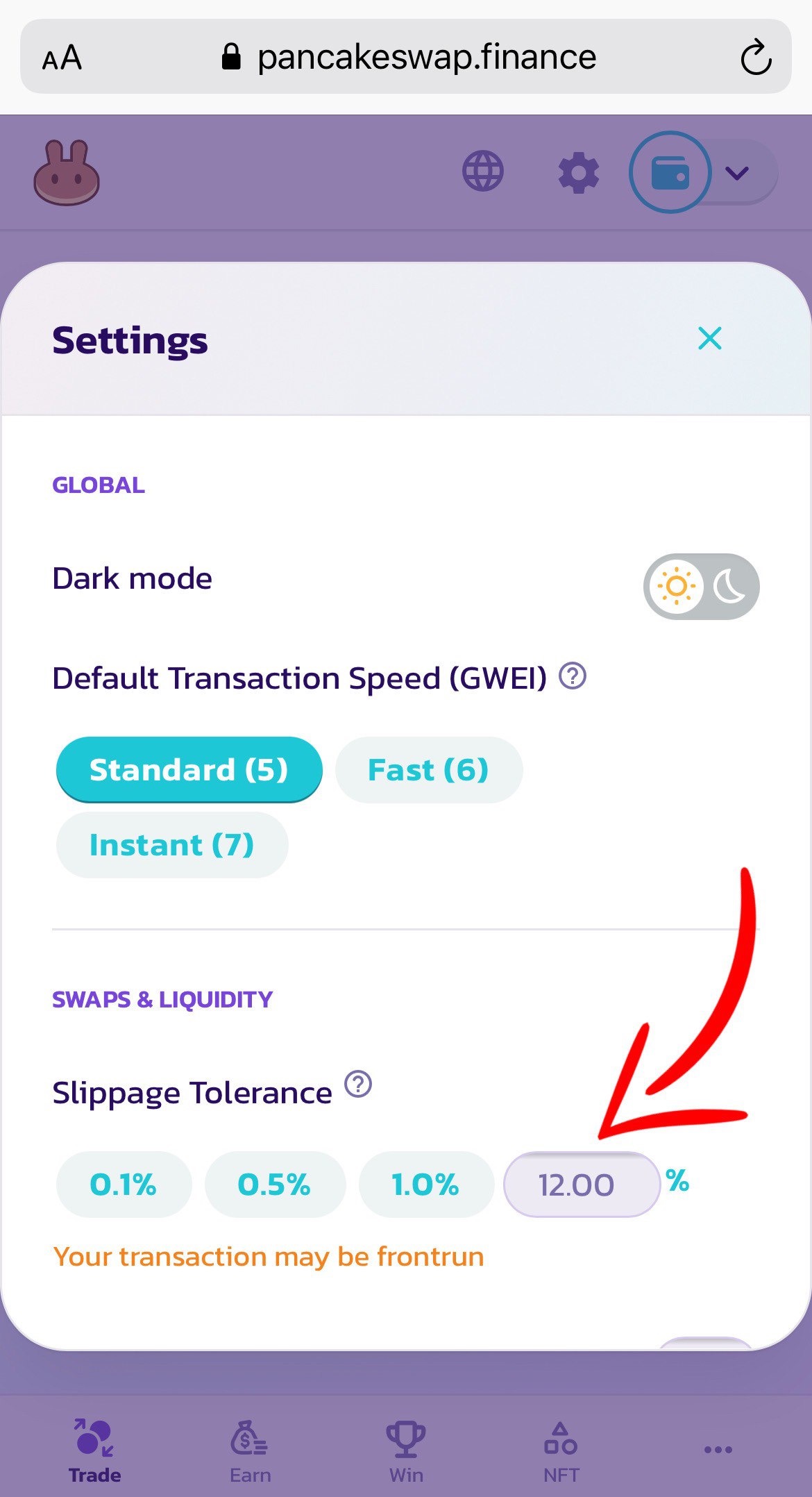
Choose "slippage" 12%
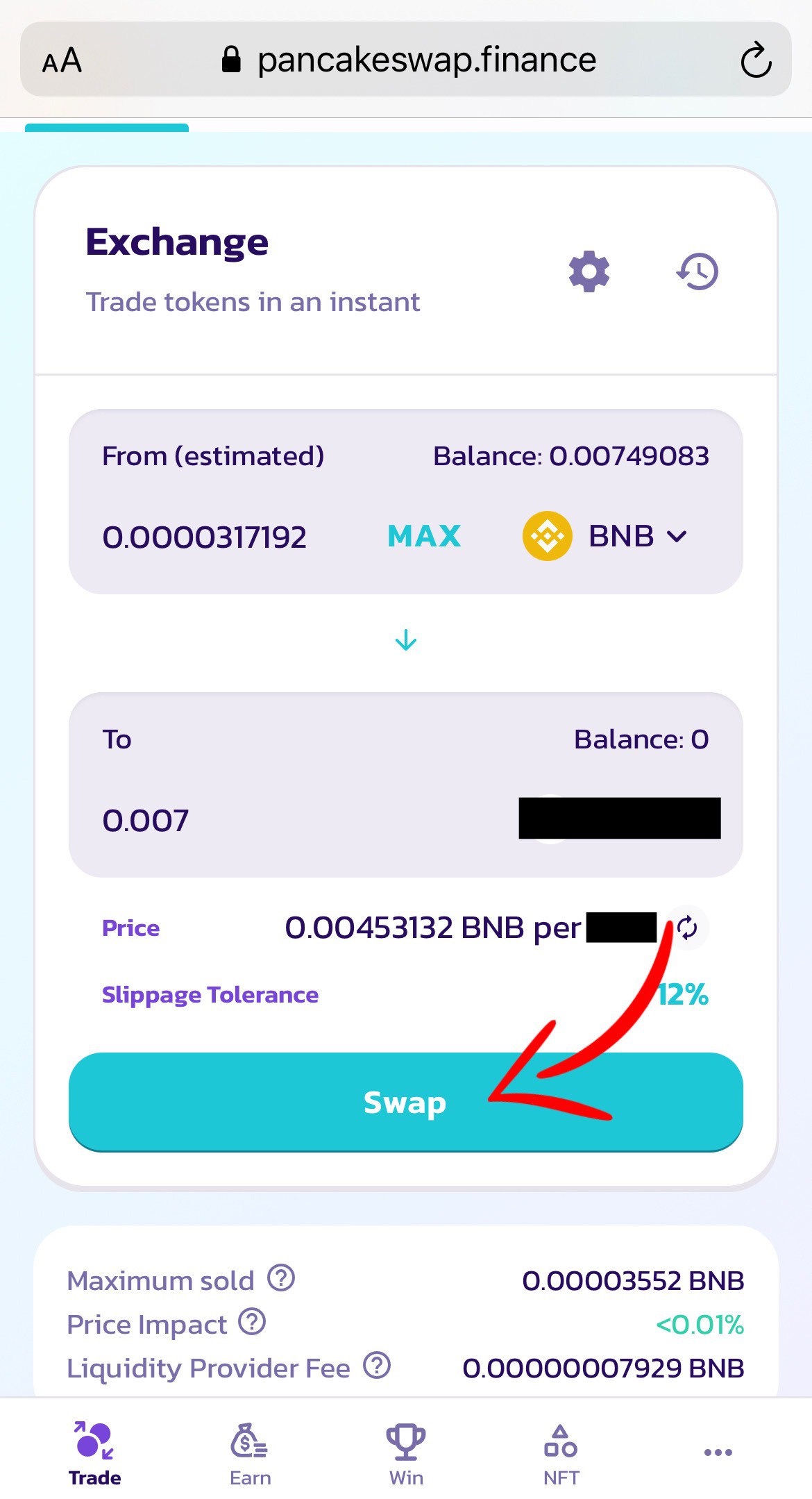
Select the amount and press the "swap" button
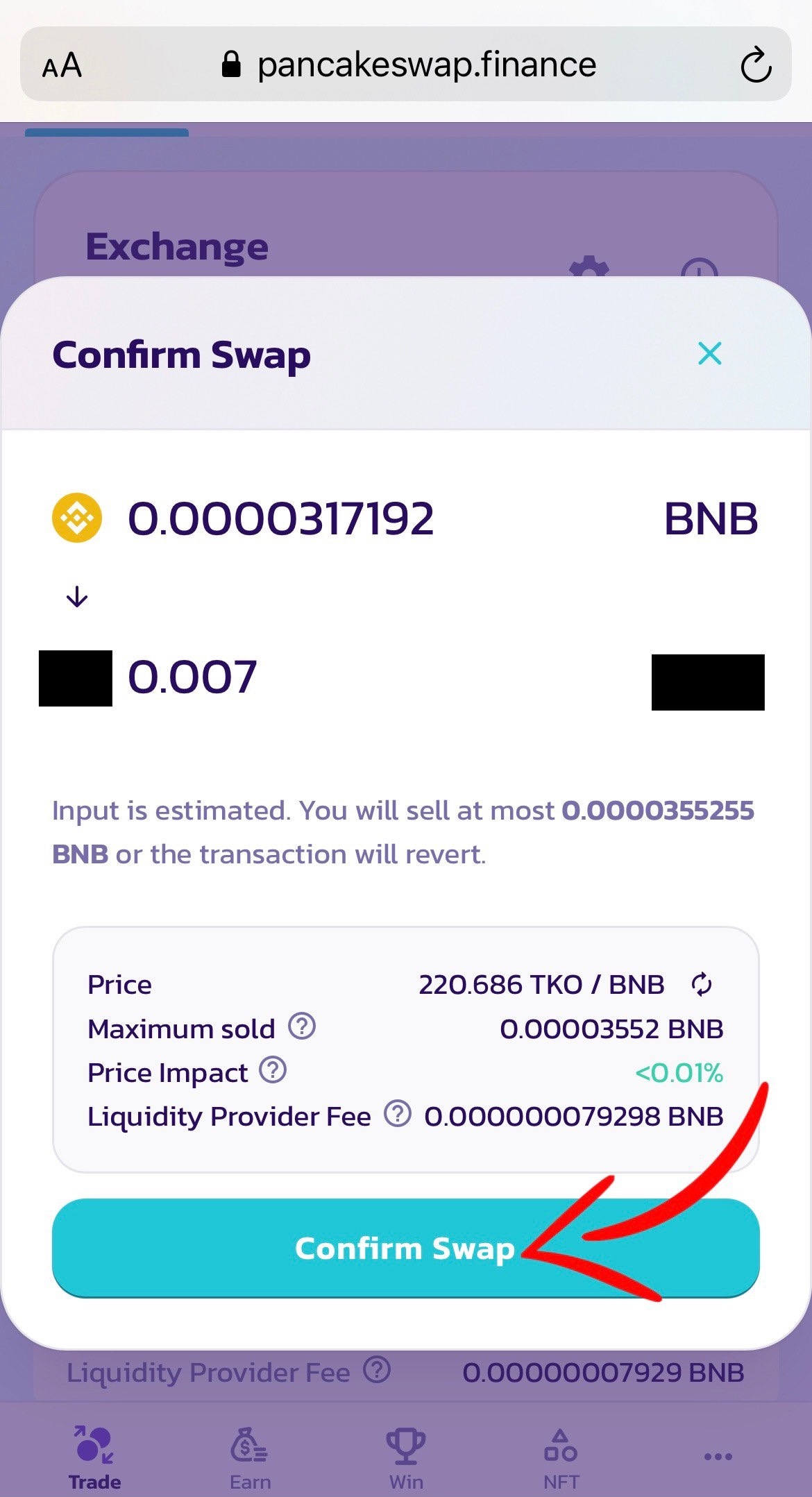
Confirm Swap
We return to the MetaMask and click Confirm
Congratulations ! You have purchased a coin, then we are closely following the further signals in our telegram channel.
Do you have any questions, write them to me @paul_wittgenstein