How to Get Started with Fbpix CAPI v012
fbpix.tech @webloyMain Idea
The main idea — you send me three things (bot token, your ID and channel ID), and in return you get an already configured server + domain and a ready-to-use connection "landing → pixel → channel"
Contact me - https://t.me/webloy
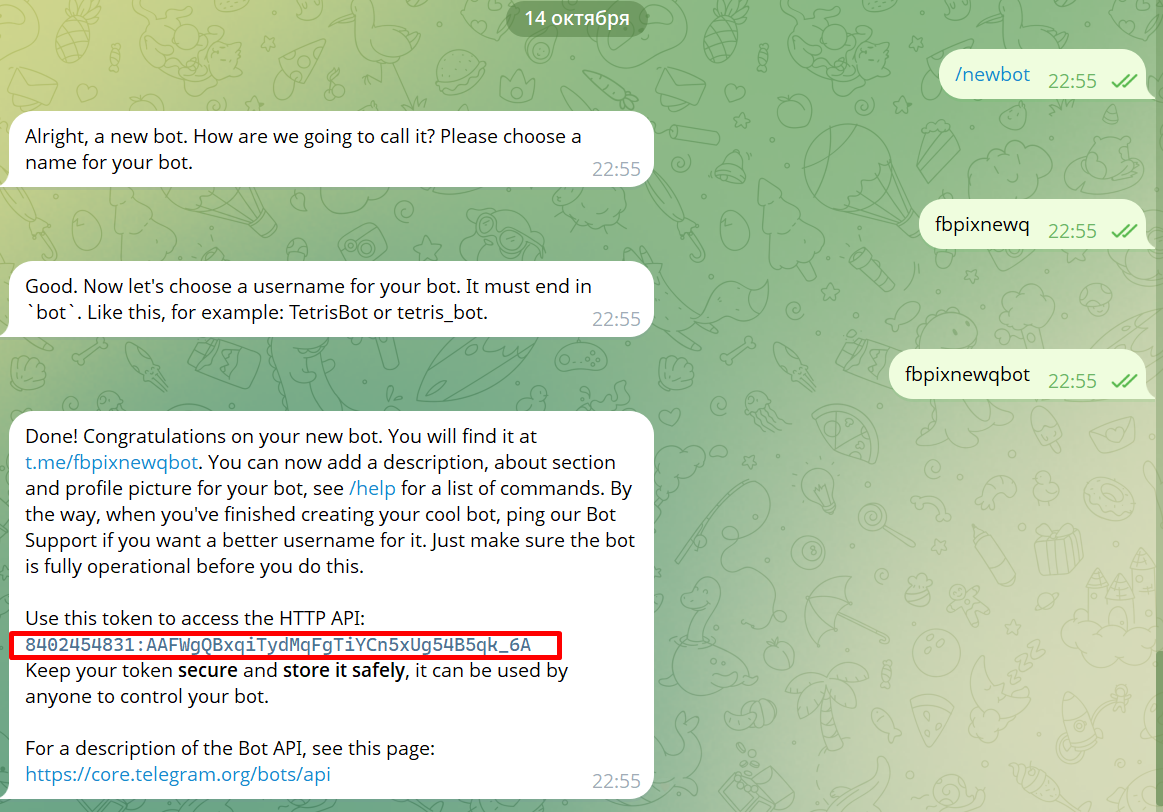
Step 1. Create a Telegram Bot and Get Token
Open @BotFather → /newbot.
- Give a name and username (must end with …bot).
- Copy the long string like:
- 7404061111:AAGGcnbXsTOKaon3aijprJda8HO4B9zPq68 ← this is the token.
- Nothing else to do — just save the token.
Step 3. Get Private Channel ID
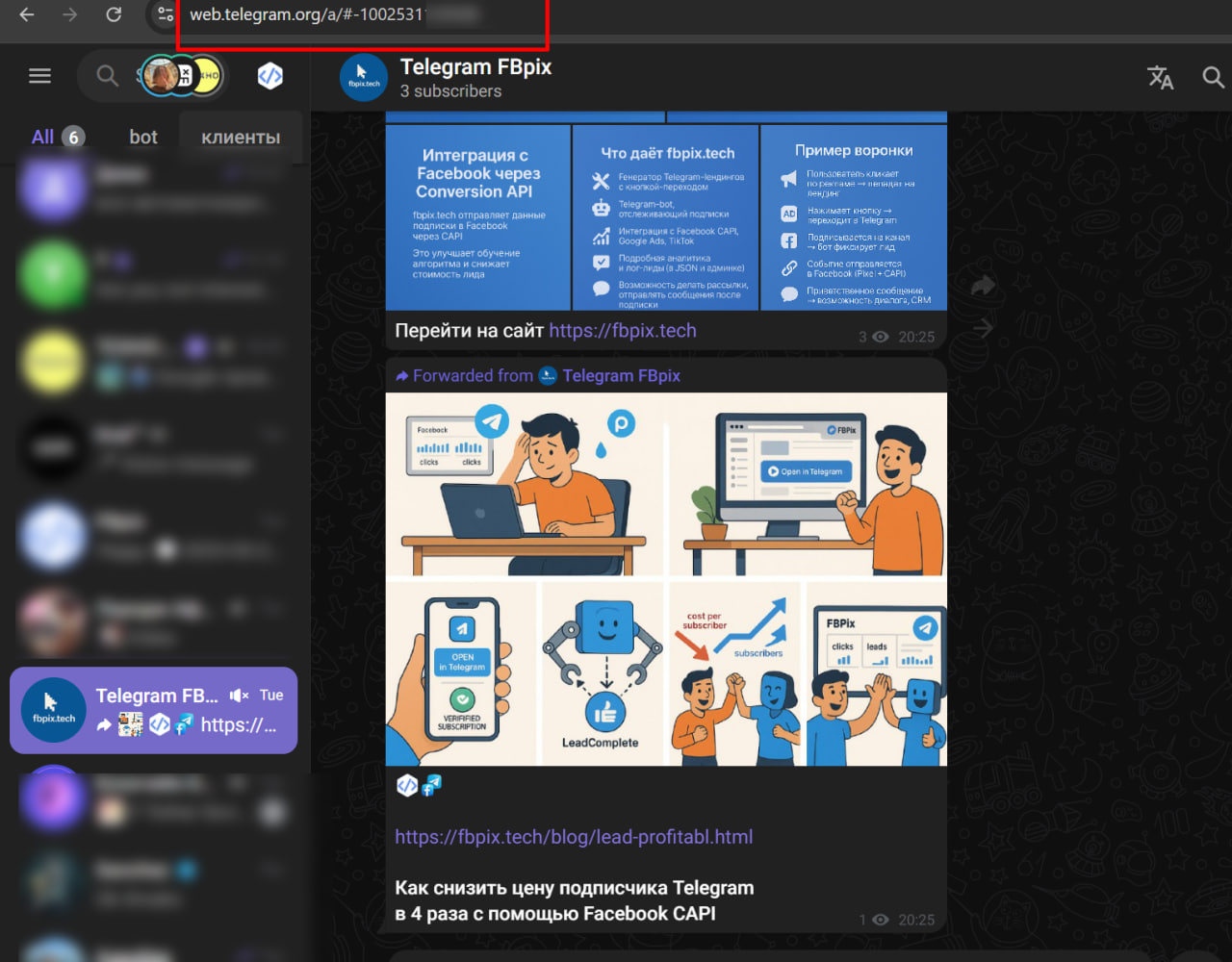
- Go to web client: https://web.telegram.org/a/
- Open the required channel; in the address bar you'll see something like:
- https://web.telegram.org/a/#-1001234567890
- Copy the entire number, including -100 at the beginning — this is the Channel ID.
Your channel identifier must start with the "-100" prefix. For example, if your identifier is "23356", the correct format will be "-10023356".
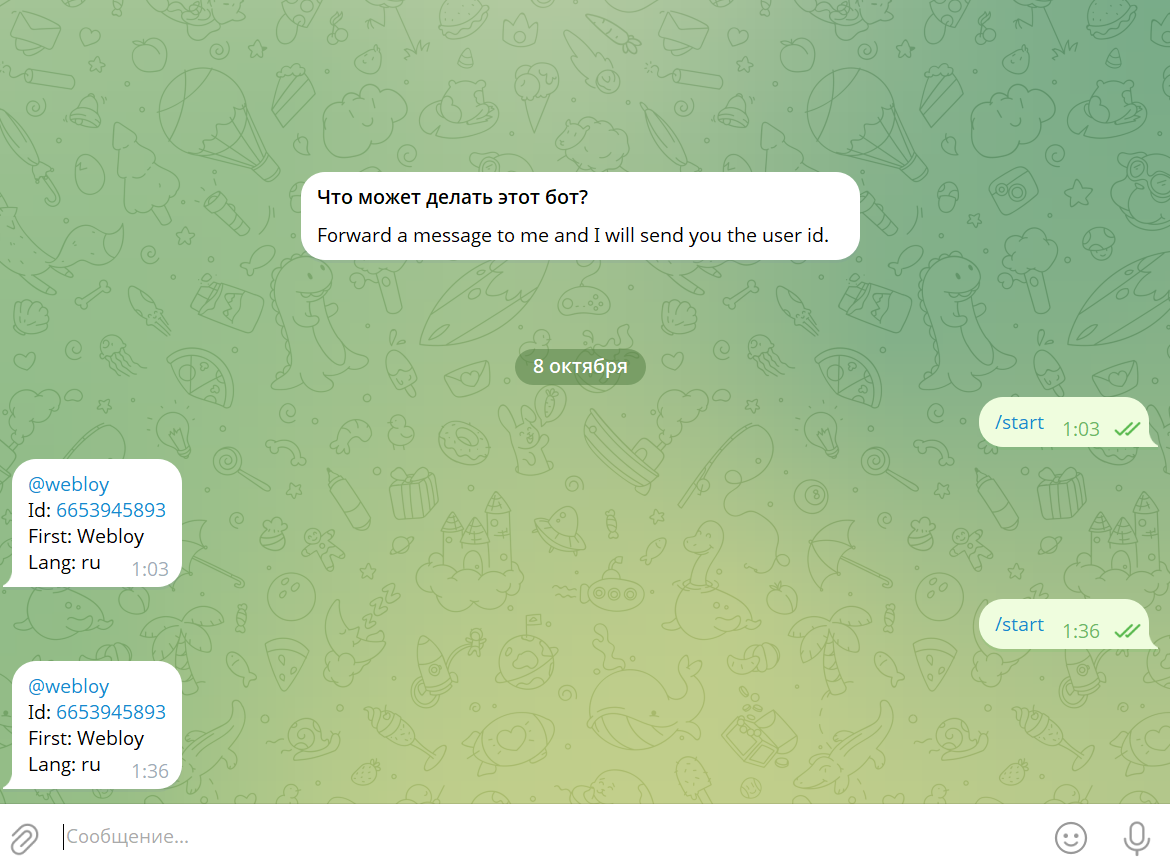
Step 3-1. Get Telegram ID via @userinfobot
Go to @userinfobot, press /start, forward a message to it.
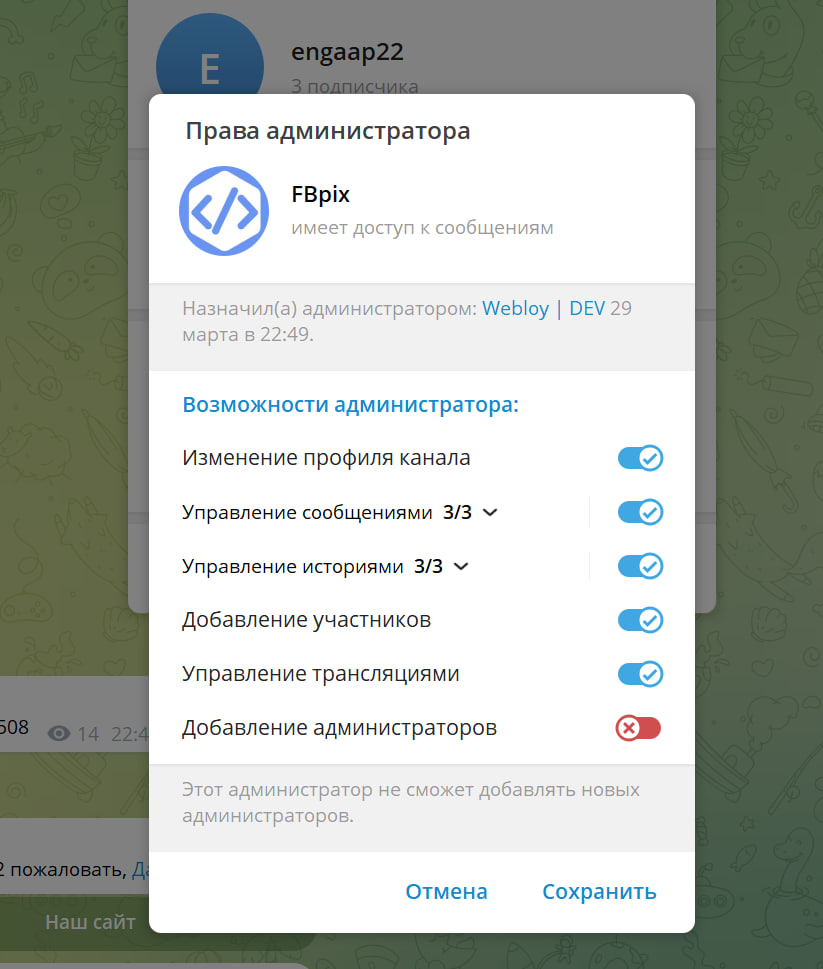
Step 4. Add Your Bot (whose token you created) or Telegram Account as Channel Administrator
- Go to "Manage Channel" → "Administrators" → "Add" → select your bot.
- It's not necessary to give "Send Messages" permission; "Add Members" is enough.
- It is forbidden to additionally connect another bot that accepts subscription requests to the channel.
Step 5. Send Me Three Lines
text
1️⃣  Bot Token
2️⃣  Your User ID
3️⃣  Channel ID (with -100…)
Contact me - https://t.me/webloy
☑️ Fbpix CAPI v12. Main System Features:
Conversion Api - Optimization of all types of Telegram: Bot, Account, Group, Channel.
Web Analytics Panel - General statistics by company (Visits, Button Clicks, Subscriptions, Unsubscribes).
Landing Constructor - Adding, selecting and uploading TG Landing Templates (7 pieces).
Custom Domain Addition - Add your own domains via A-record.
Automatic Meta Pixel Installation - Automatic setup of Meta Pixel on Landing and Telegram.
Automatic and Manual Request Reception - Flexible request handling options.
Auto Messages - Automatic messages via bot or Telegram account when subscribing to a Channel or Group.
CRM for Client Processing - CRM with pre-made messages and chat history saving.
⭐ Team Access Expansion
No limits on the number of channels, pixels, or landings.
📊 Triple Meta Pixel Optimization System
Landing Visit - Telegram Transition - Action (Subscription, Bot Start, Chat)
🌎 Unique Server IP and Domain
System and Domain Unique IP. Automatic System Installation