How to Generate Your Wallet on Cube Exchange
Spell WalletCreate a wallet to unlock your magical reward for completing the HAMSTER mission!
Dear Wizards! Please enable your Cube wallet to enjoy your magic boxes. A simple wallet activation move unlocks it for replenishment with your rewards!
Steps to Create Your Wallet:
- Enter Spell Wallet, and click on Task 2 within the HAMSTER mission.
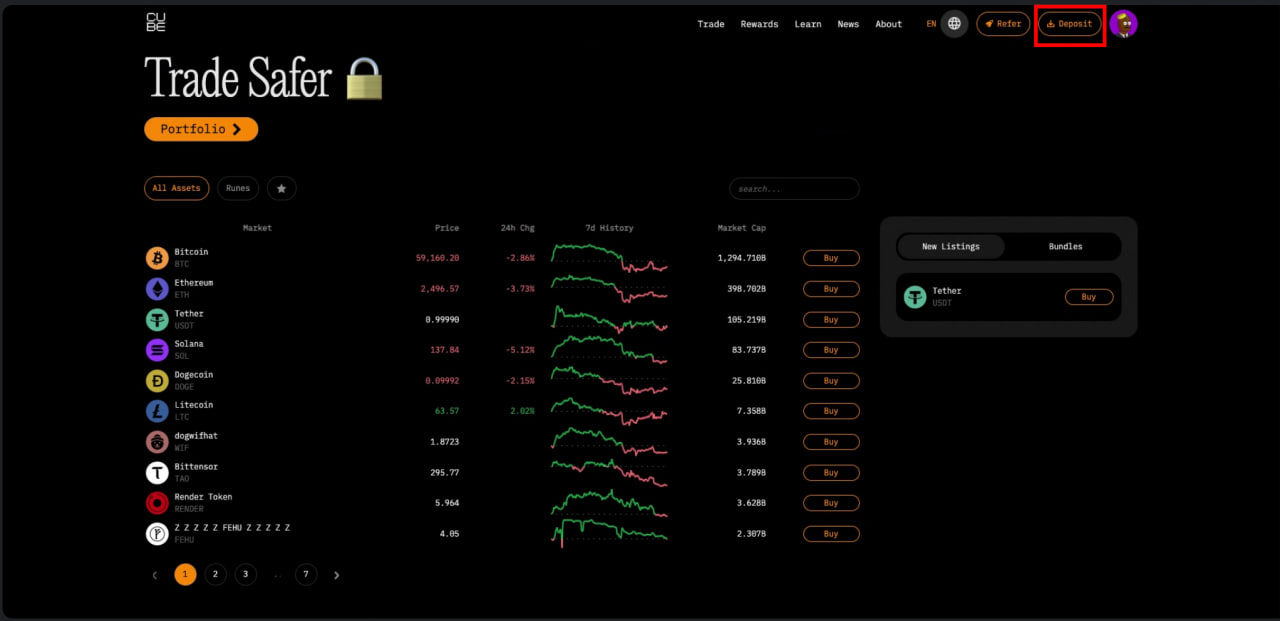
- Log in to Cube and click “Deposit” to access the wallet creation section.
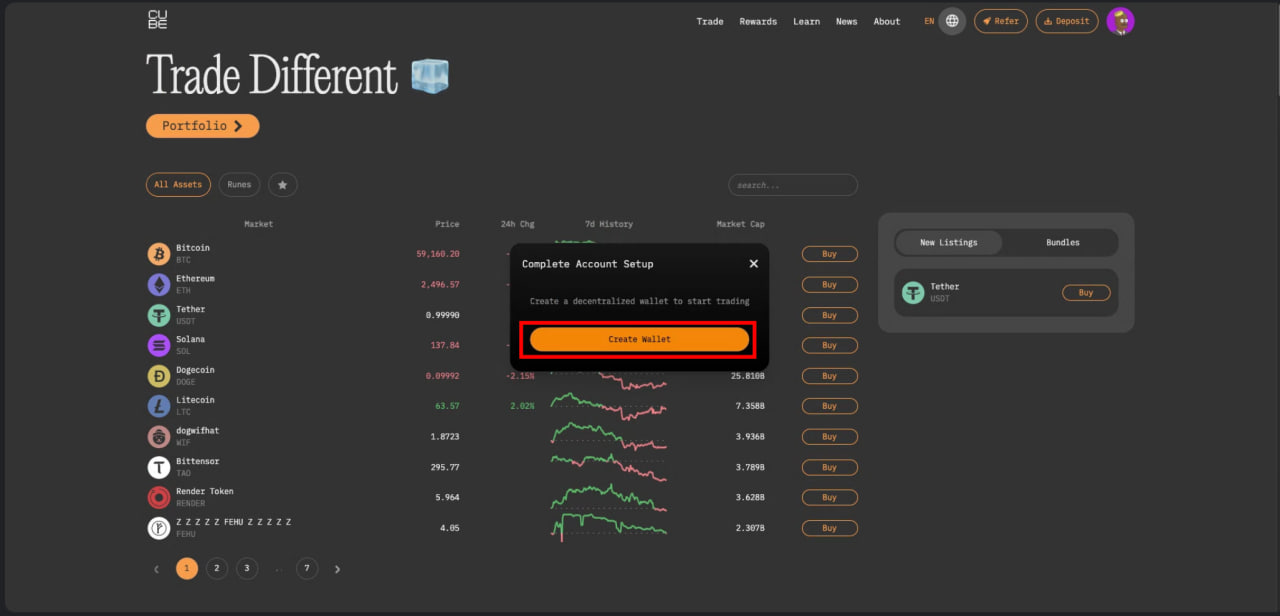
- Hit “Create Wallet,” and in about 30 seconds, your wallet will be generated and ready for rewards arrival!
- Don't forget to click “Download” to save the PDF with your wallet keys.
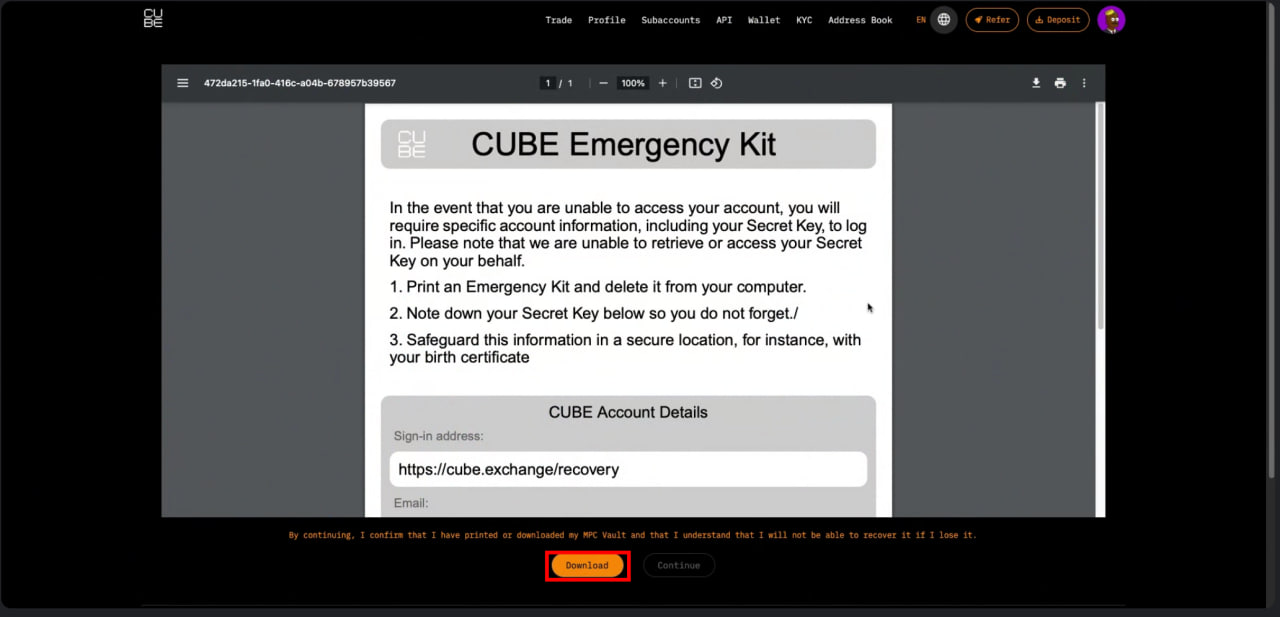
Important: Store the PDF in a secure location. This document is vital for accessing your wallet and should be protected from unauthorized access.