How to Download Malayalam Subtitle Directly Via MX Player
Cinema Company
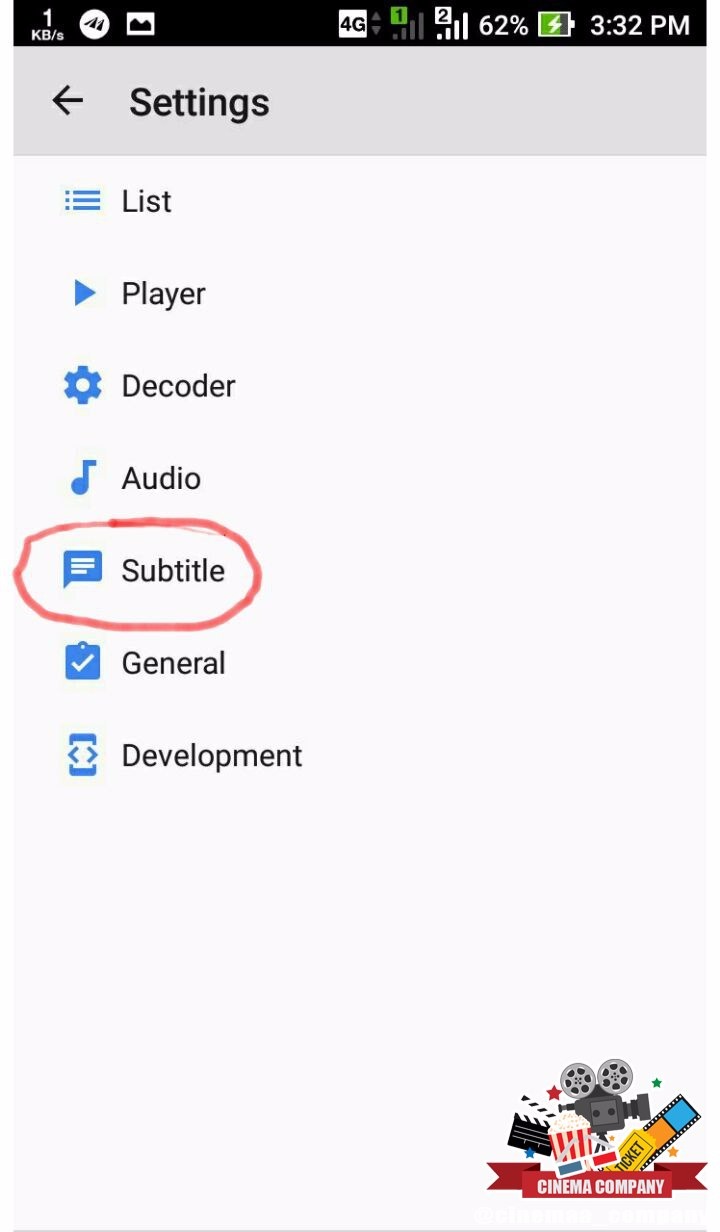
🔶 Step 1
Open Subtitle Option in Settings In MX Player
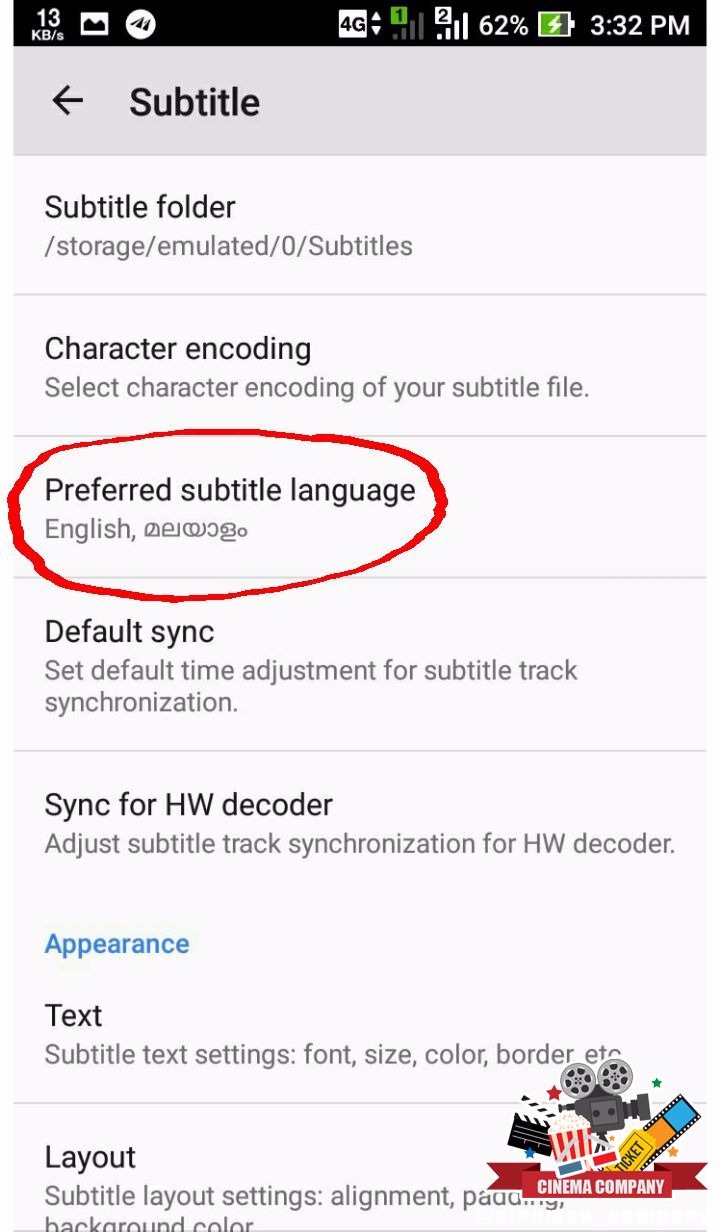
🔶 Step 2
Select Preffered Subtitle Language Option
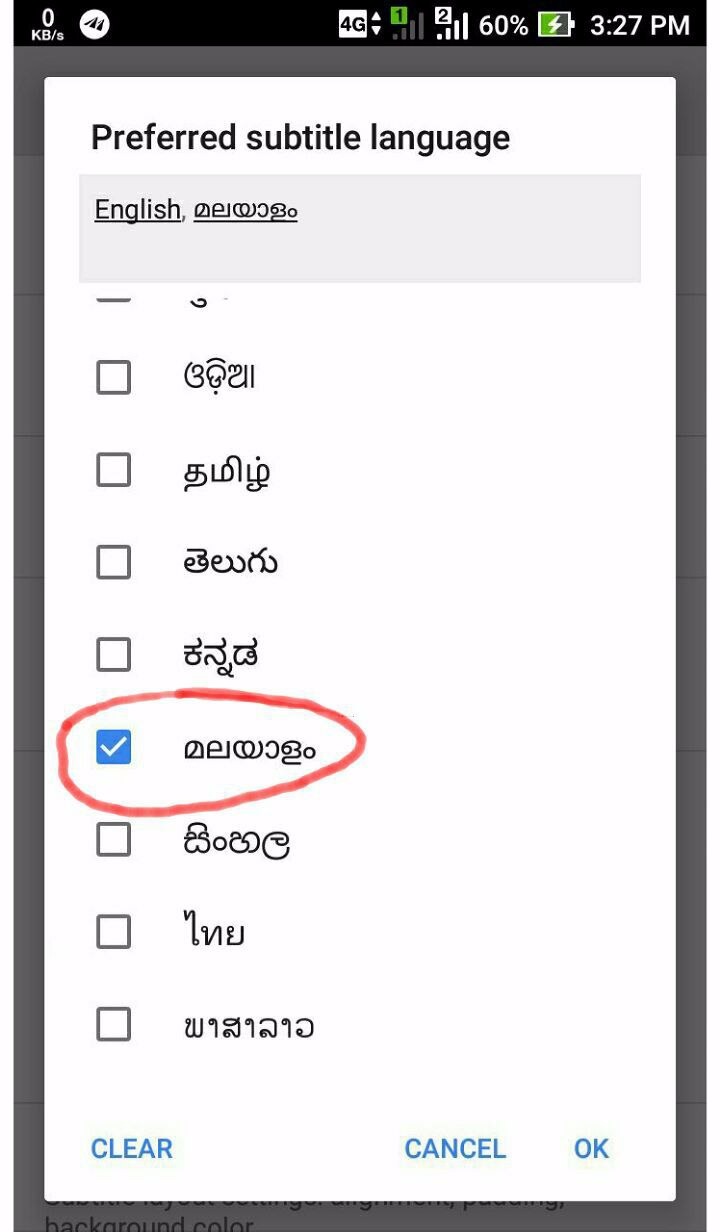
🔶 Step 3
Check Malayalam Language From given Preffered Language Box
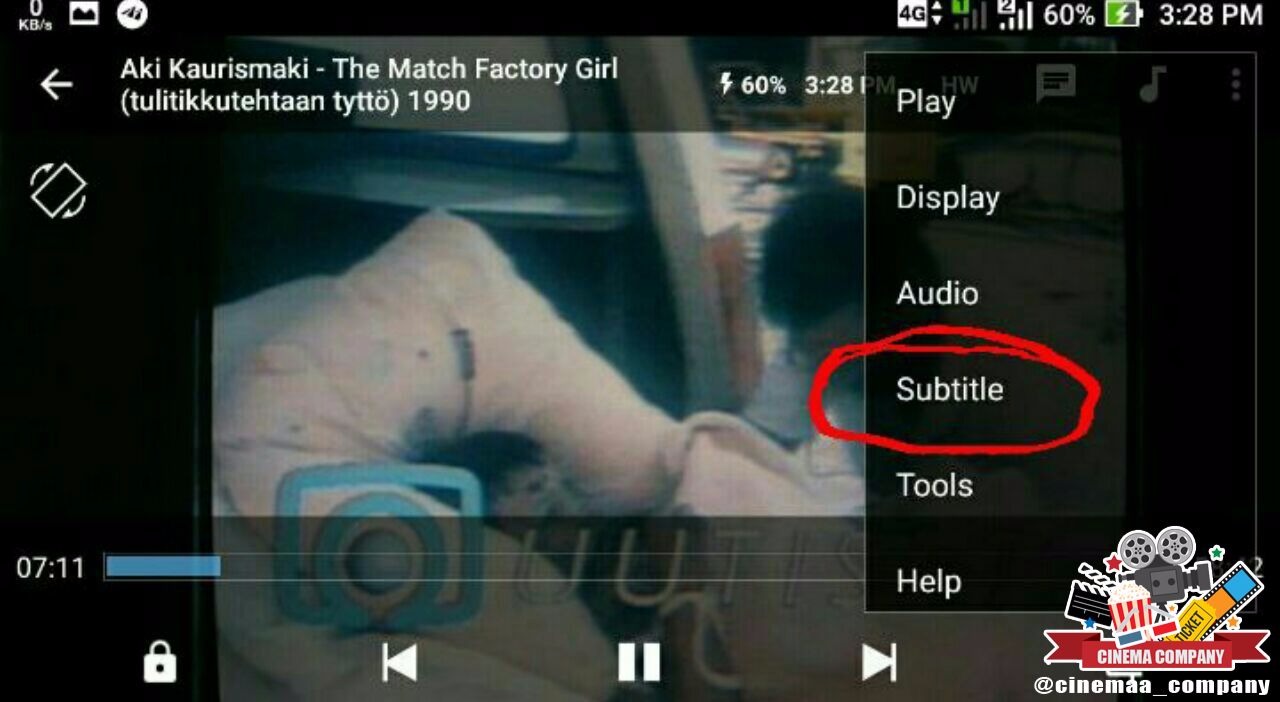
🔶 Step 4
Select Subtitle Option From The 3 Dot Menu on the upper right Corner
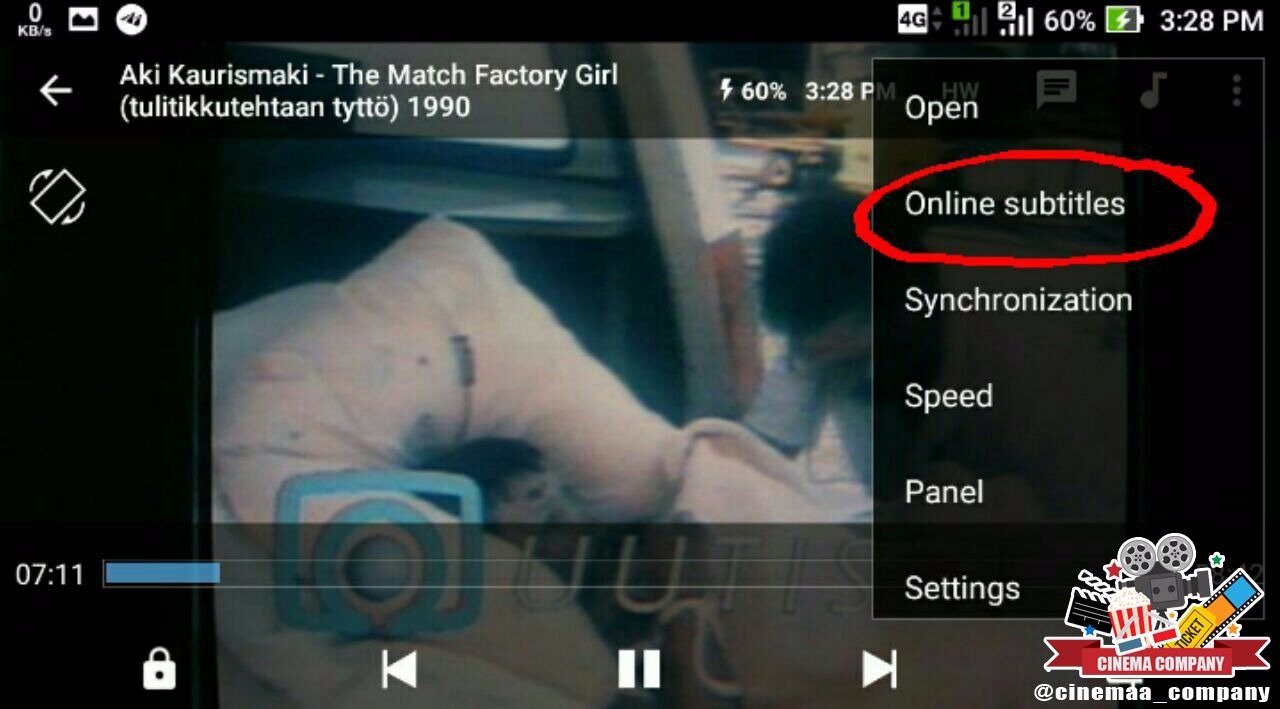
🔶 Step 5
Select Online Subtitles From the Given Menu
🔶 Step 6
Select Search Option From The Given Menu

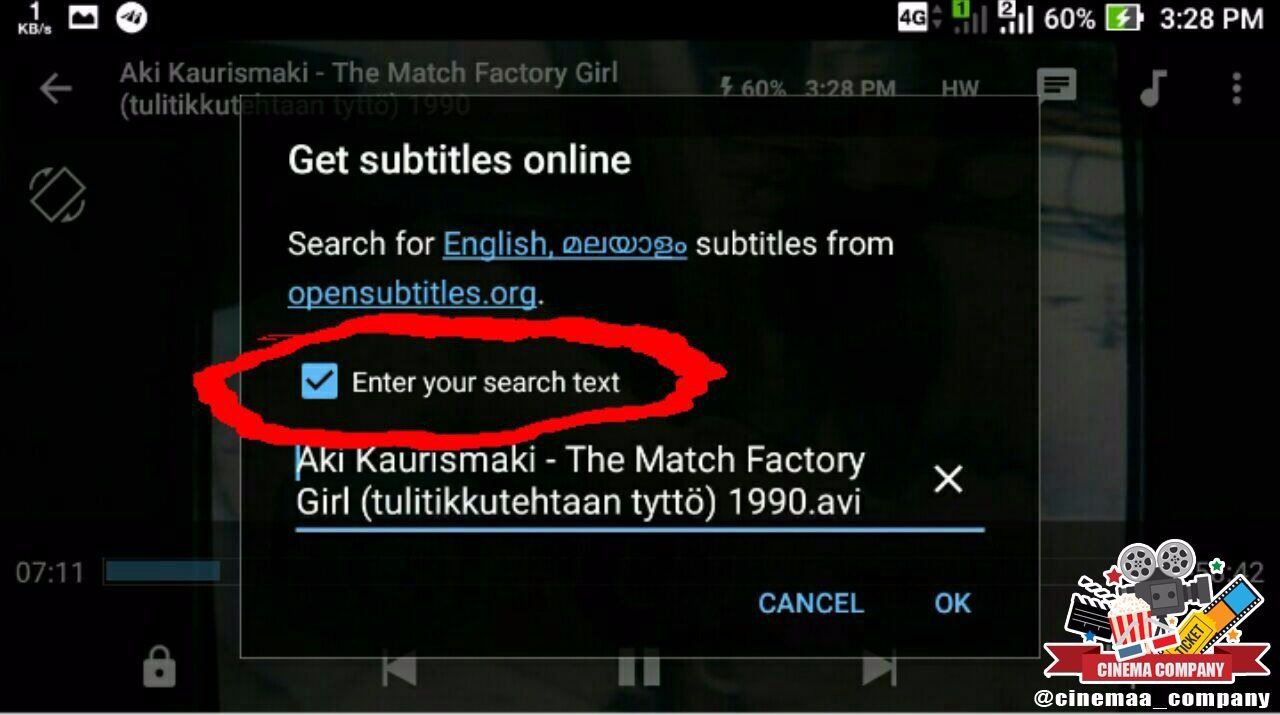
🔶 Step 7
Enter Your Search Text (It Will will automatically in MX Player Latest Version)
🔶 Step 8
Check The Malayalam Subtile and Press the Download Button

➖➖➖➖➖➖➖➖➖➖➖➖➖➖
Watch More Foreign Movies With Malayalam Subtitles
Visit
For Malayalam Subtitled Movies, Request Here cinema company