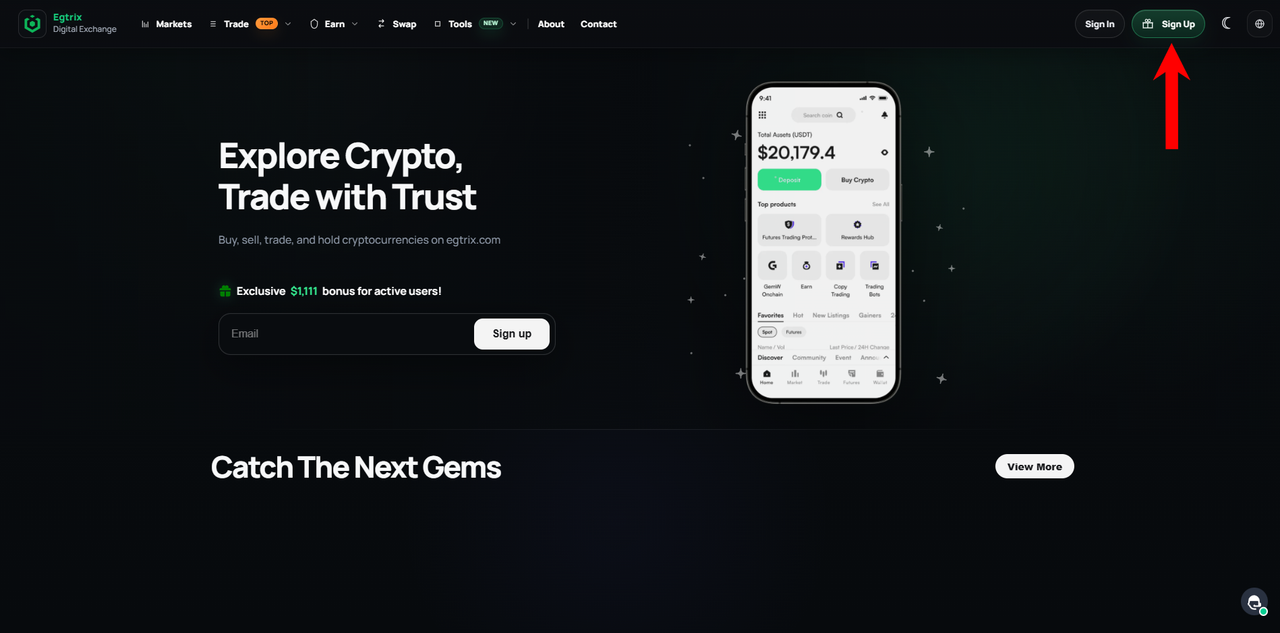
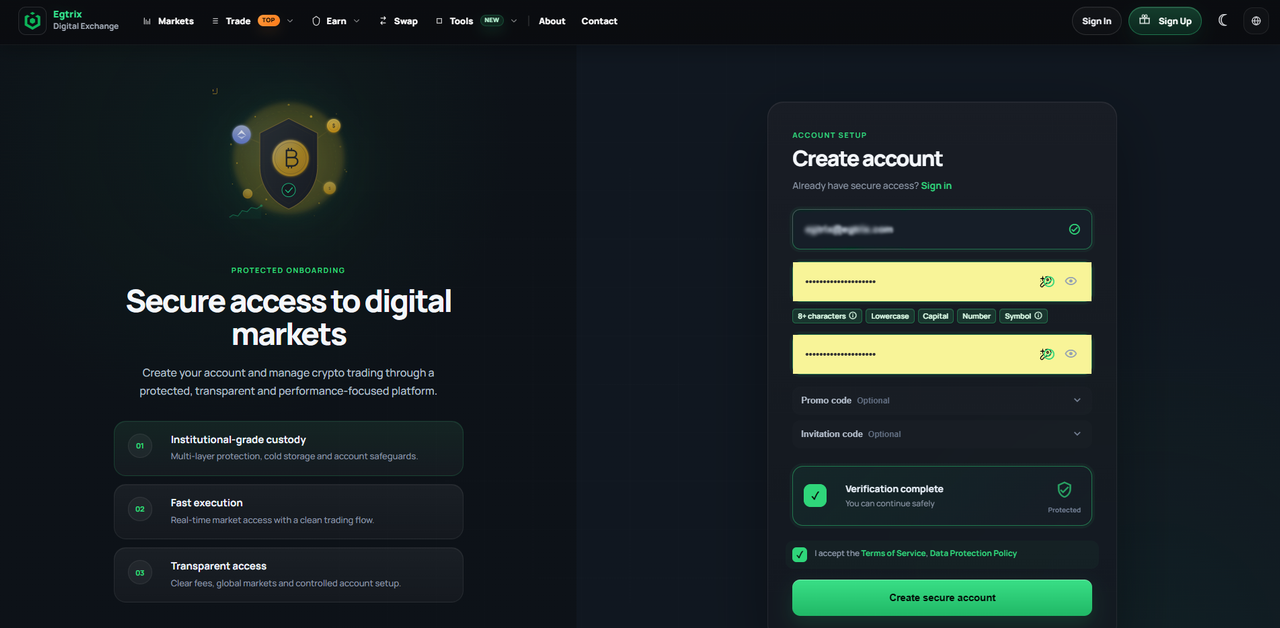
Open the website and click "Sign Up" to create your account.Fill in the required details in the registration form, double-check that everything is correct, then click "Continue" to move to the next step.
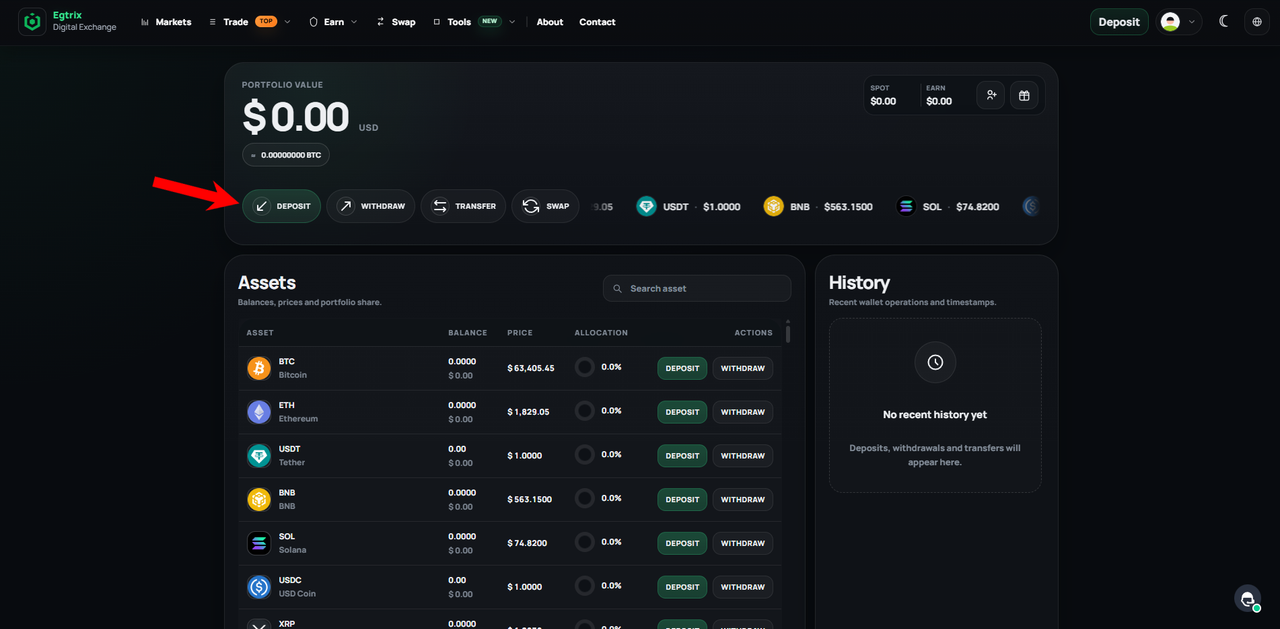
2️⃣ Once your account is successfully registered, fund it by making a deposit in any cryptocurrency supported by the platform.
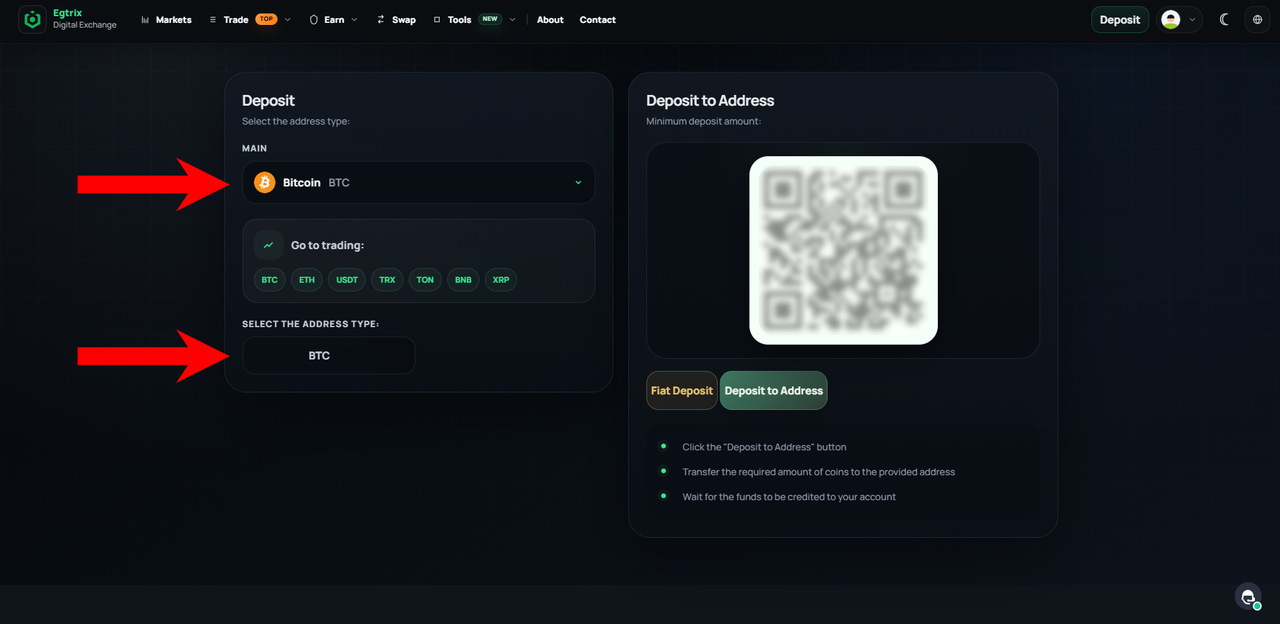
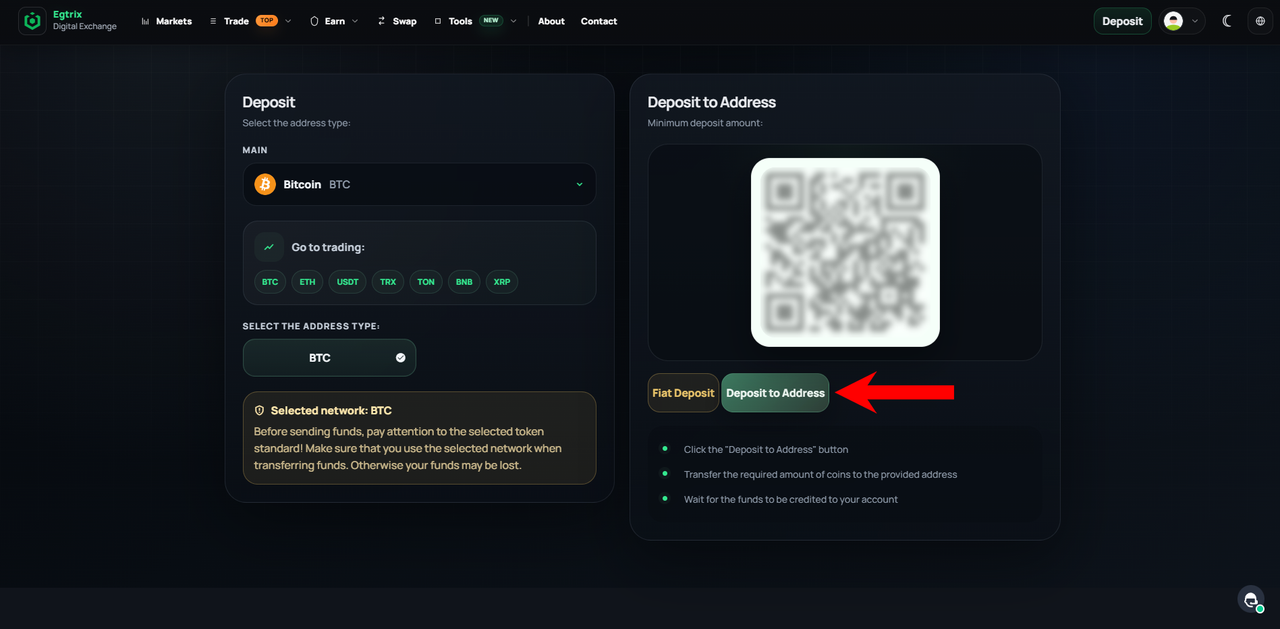
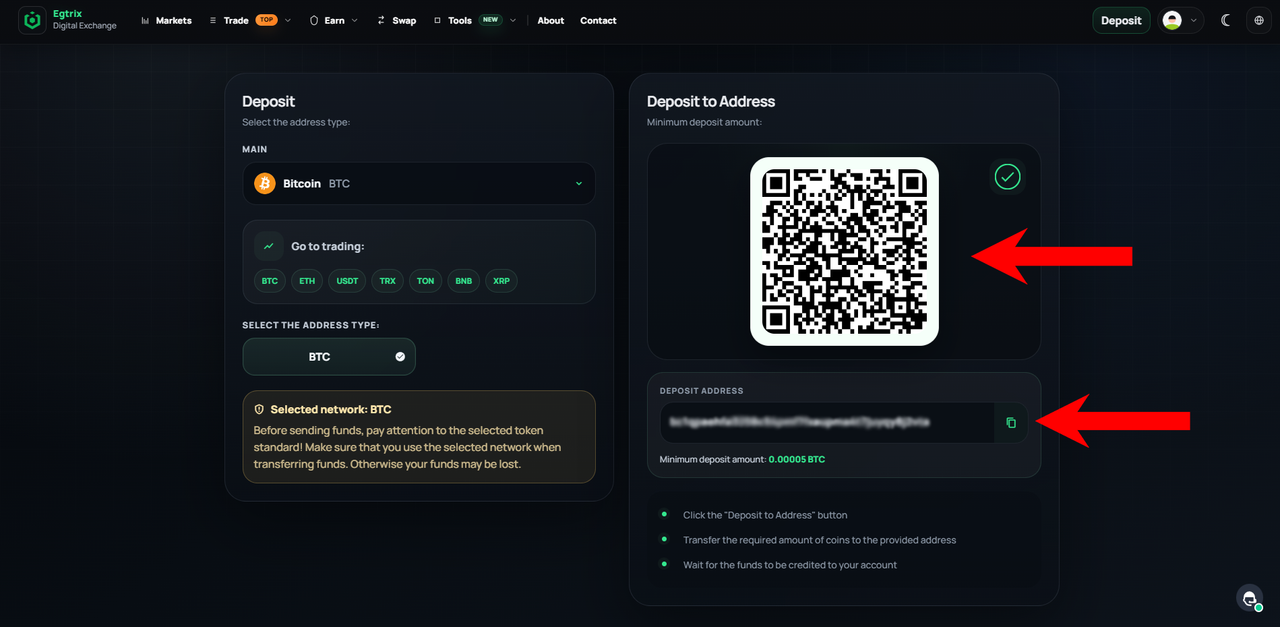
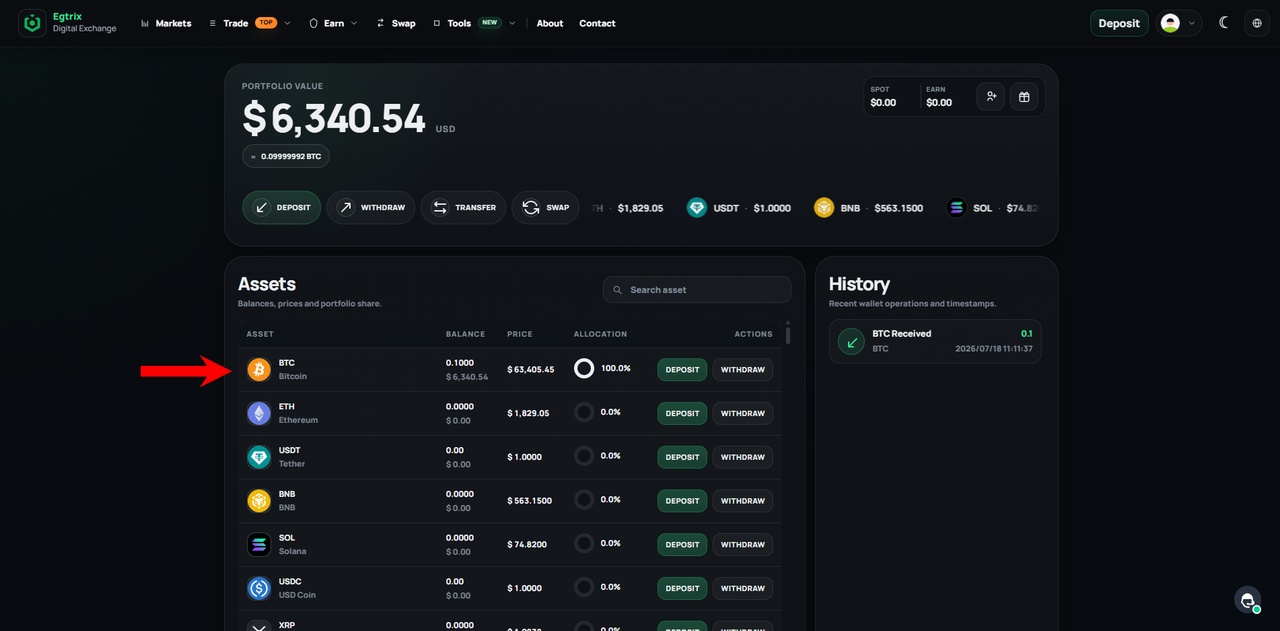
To make a deposit, go to the Deposit section.In the deposit window, select the currency you want to deposit.Make sure to select the correct network — BTC in this example. Then, copy the deposit address shown on the right.You can make a deposit by scanning the QR code or using the wallet address manually.After making a deposit, it will appear in the Transaction History section, where you can check its status, time, and amount. You can also view your deposit in the Assets section, where it will be reflected in your account balance.
❗If you don’t already hold any cryptocurrency, you can easily purchase it before making your deposit through one of the well-known platforms listed below.
🏦 Major Cryptocurrency Exchanges
You can create an account on any of these trusted exchanges and buy crypto using USD:
Both apps offer a simple interface and allow users to purchase cryptocurrency directly from their mobile devices.
🏧 Bitcoin ATMs
Another option available in many U.S. cities is Bitcoin ATMs. These machines allow you to purchase Bitcoin and sometimes other cryptocurrencies using cash.
To locate the nearest machine, you can use the Coin ATM Radar website.
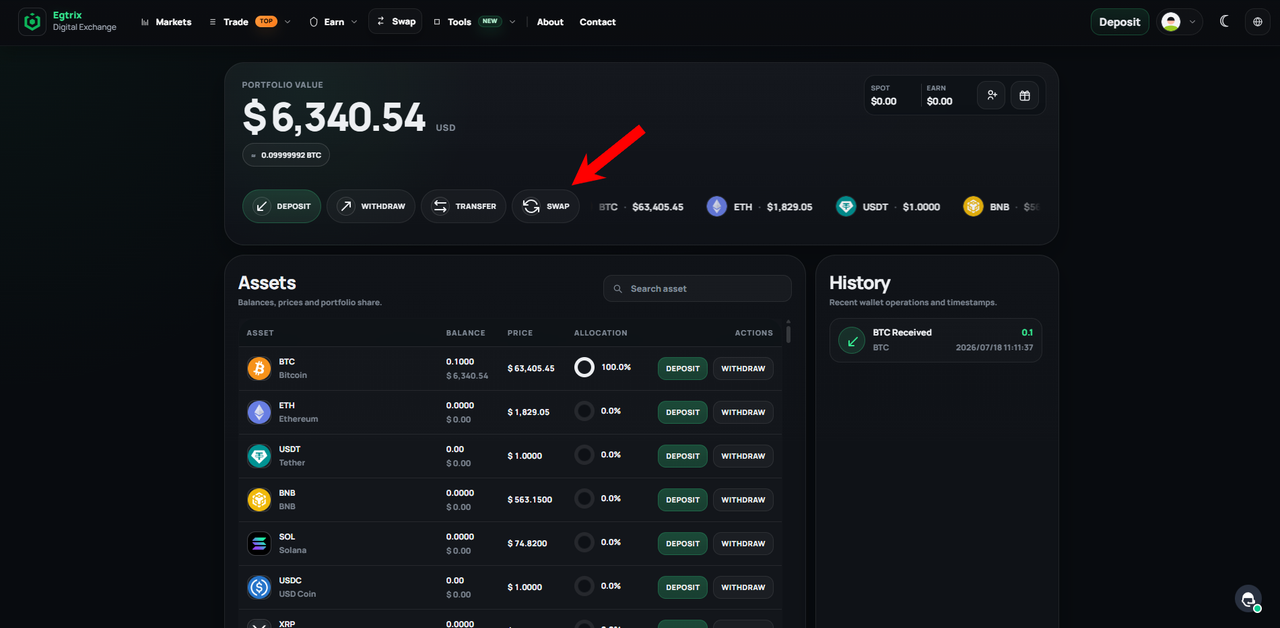
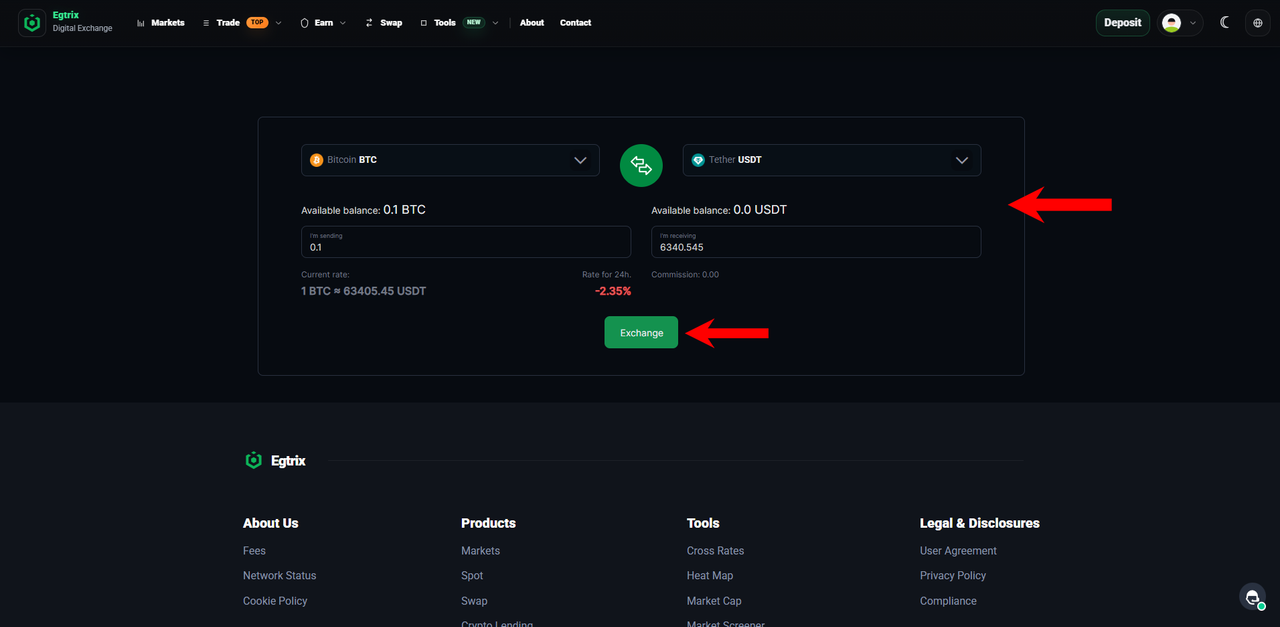
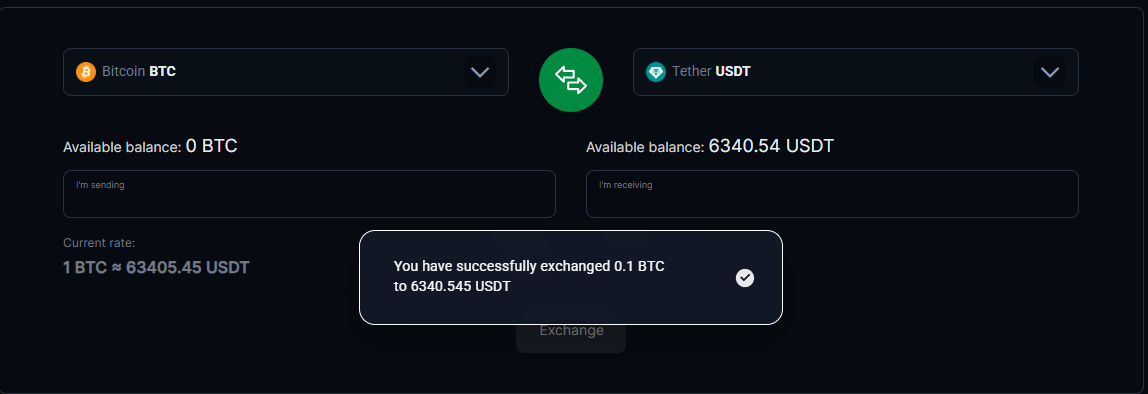
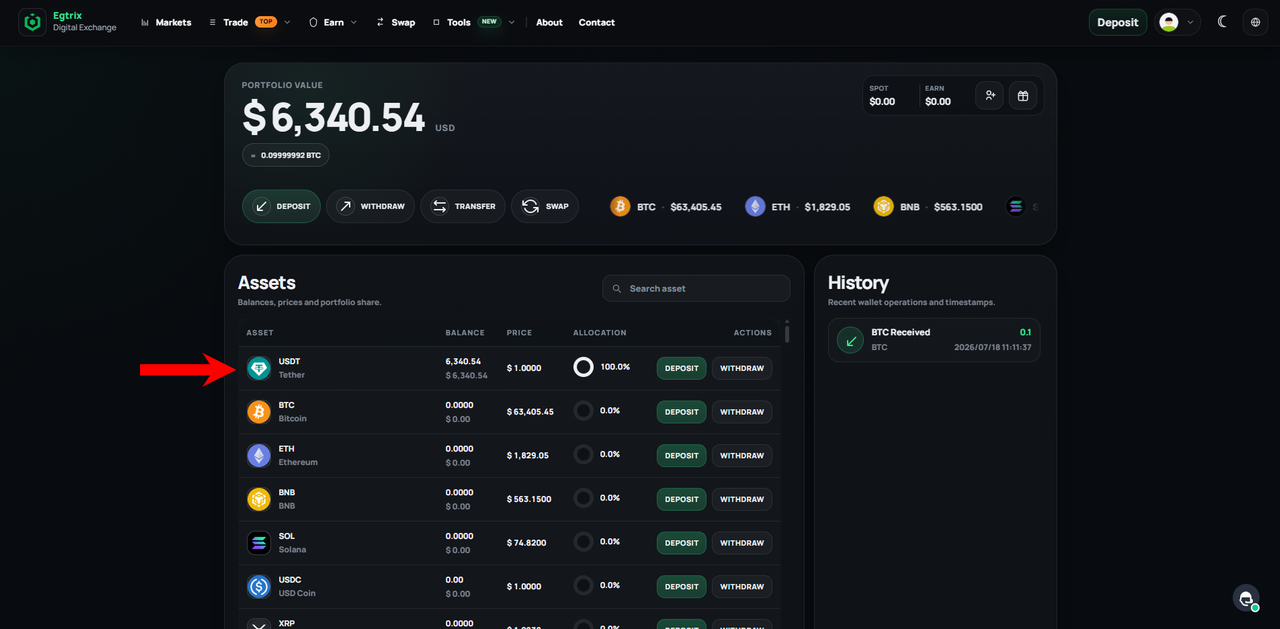
t trading, you will need USDT. If you deposited BTC, as in this example, or any other cryptocurrency, go to the Swap section to exchange it for USDT.On the left, select the cryptocurrency you want to exchange, and on the right, select USDT. Enter the amount you wish to swap, then click Exchange to complete the transaction.Once the exchange is complete, you will see a confirmation message indicating that the swap was successful.You can now see USDT in the Assets section, confirming that your BTC has been successfully exchanged for USDT.
4️⃣ Use the search bar to find the coin you want to trade and buy it with USDT.
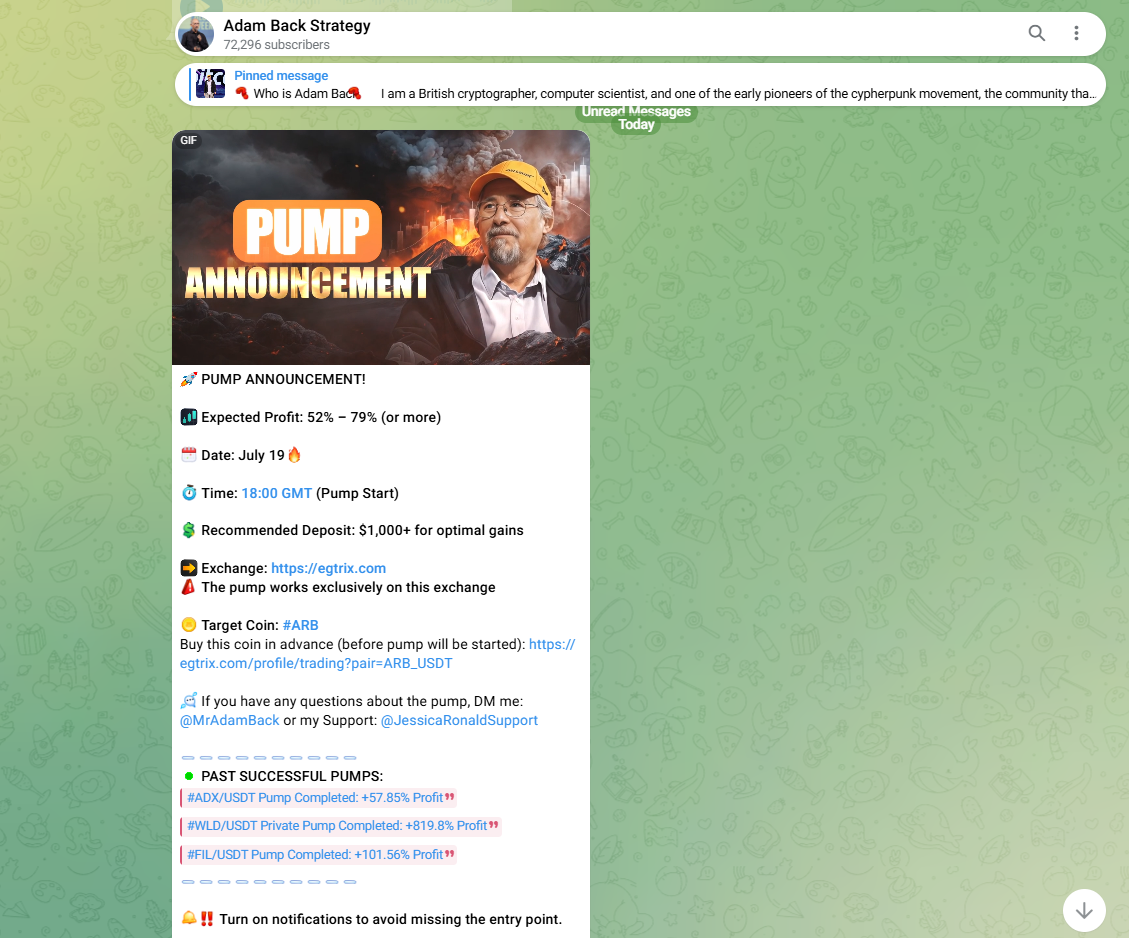
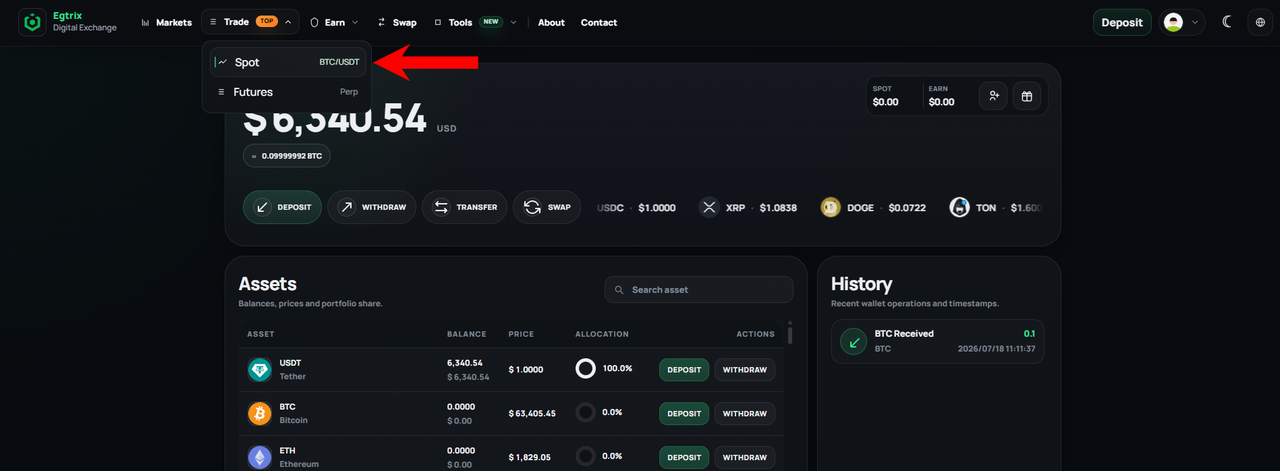
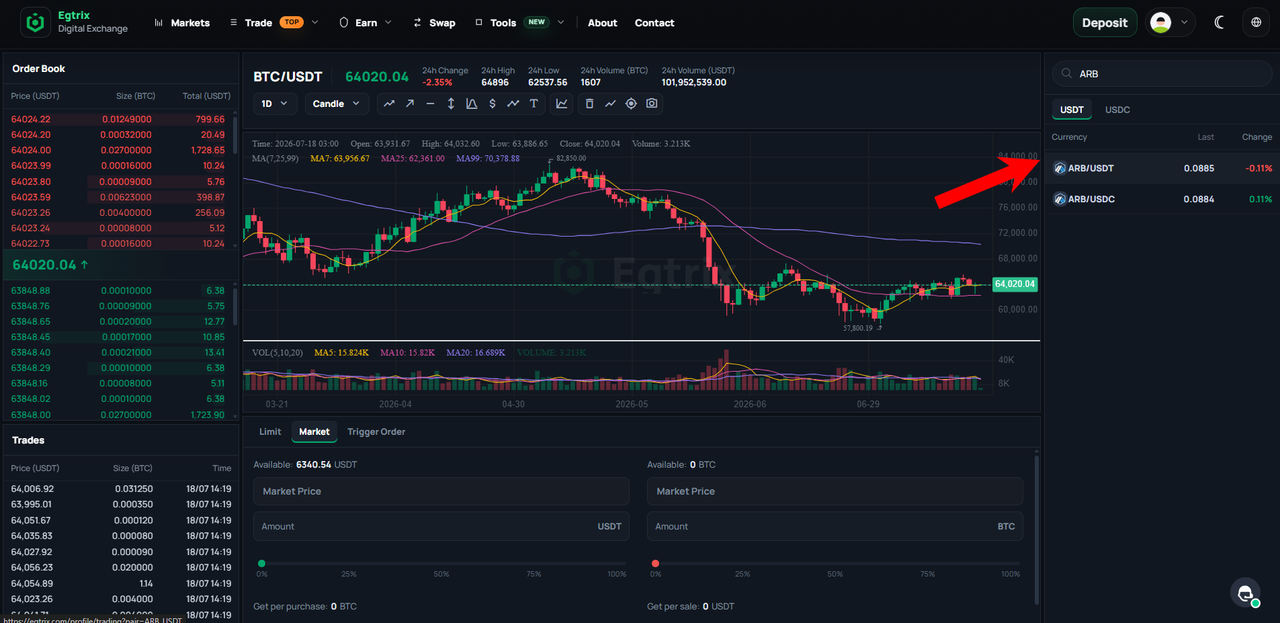
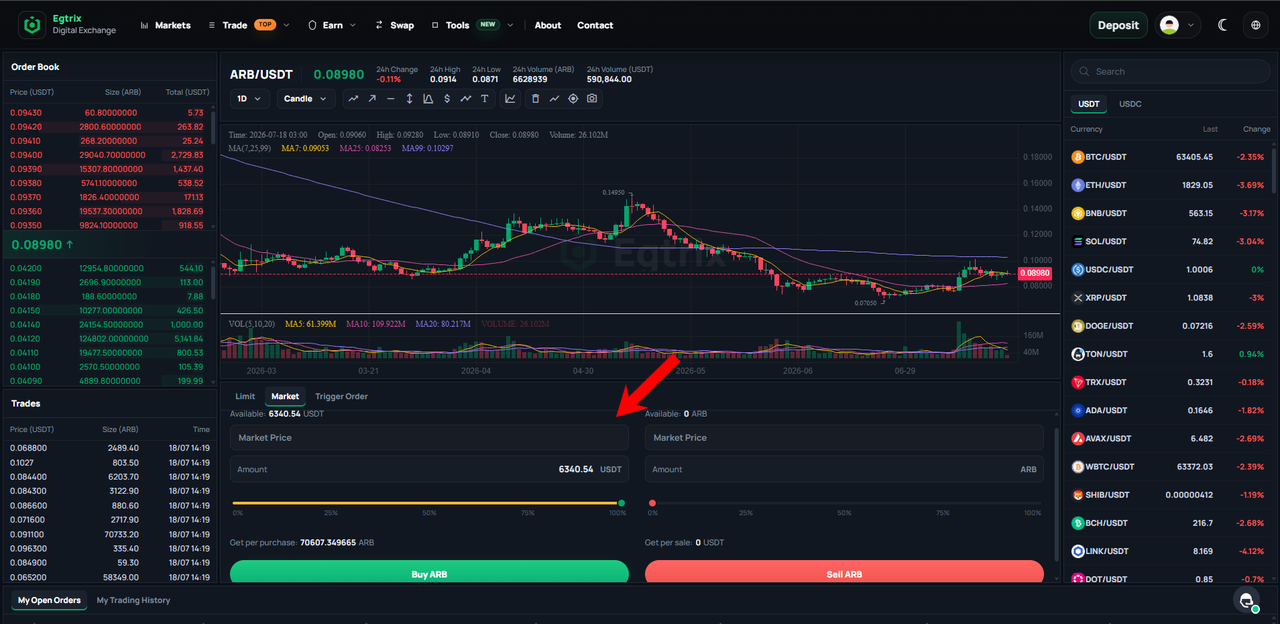
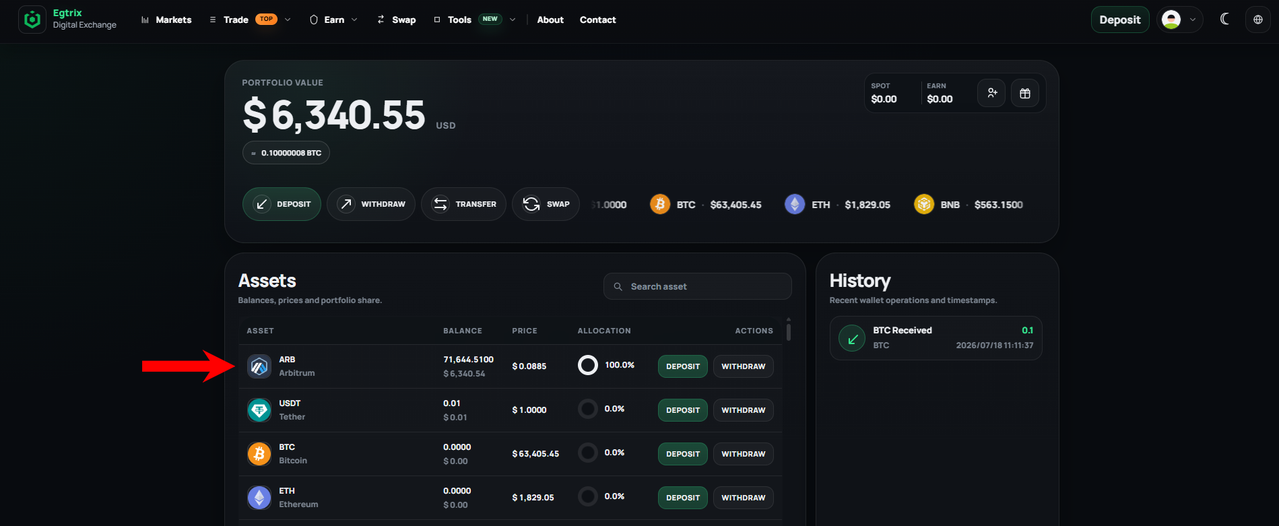
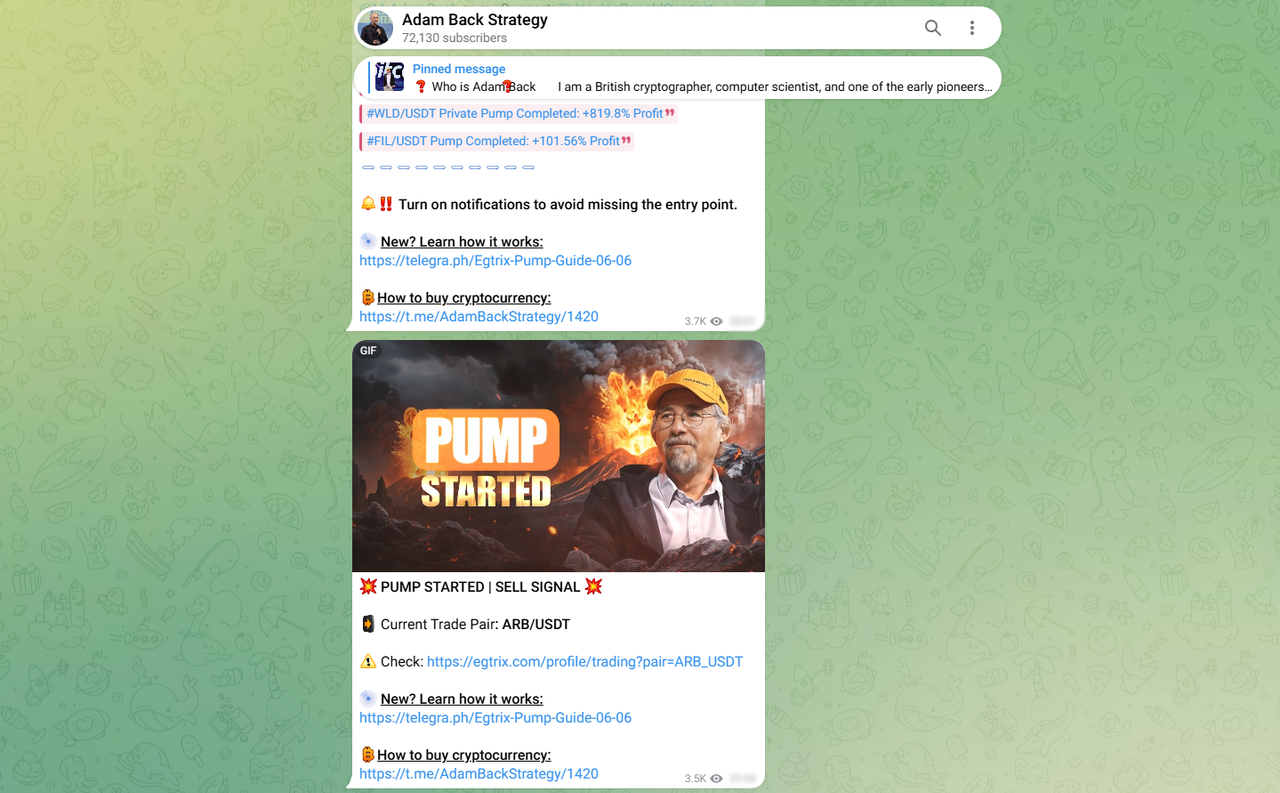
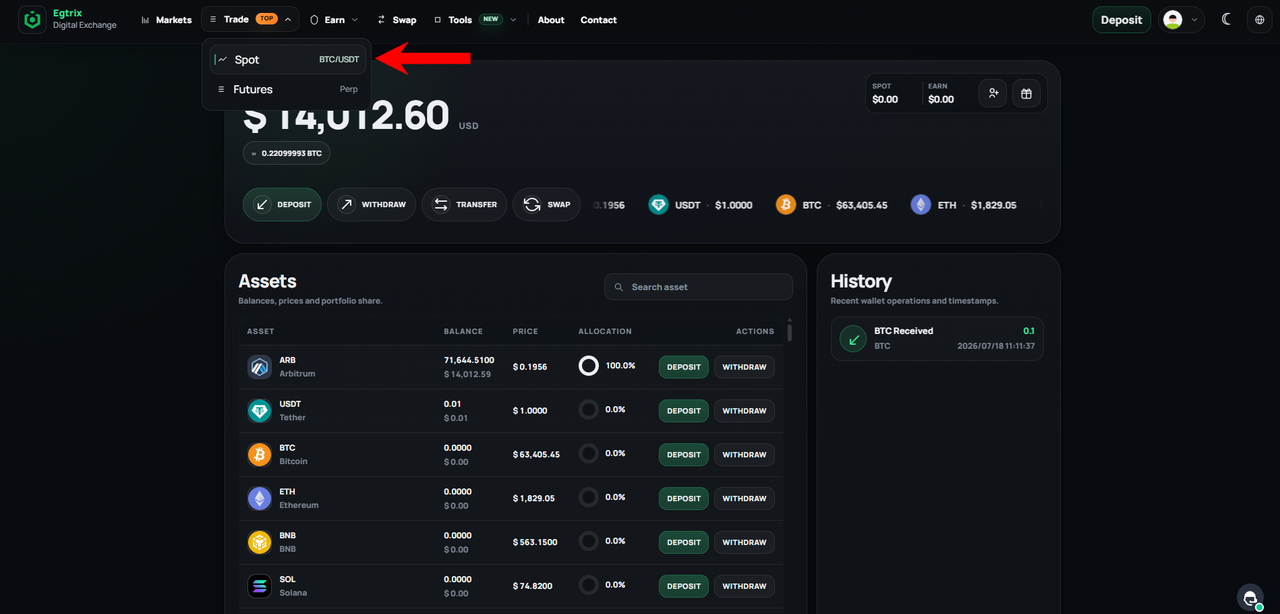
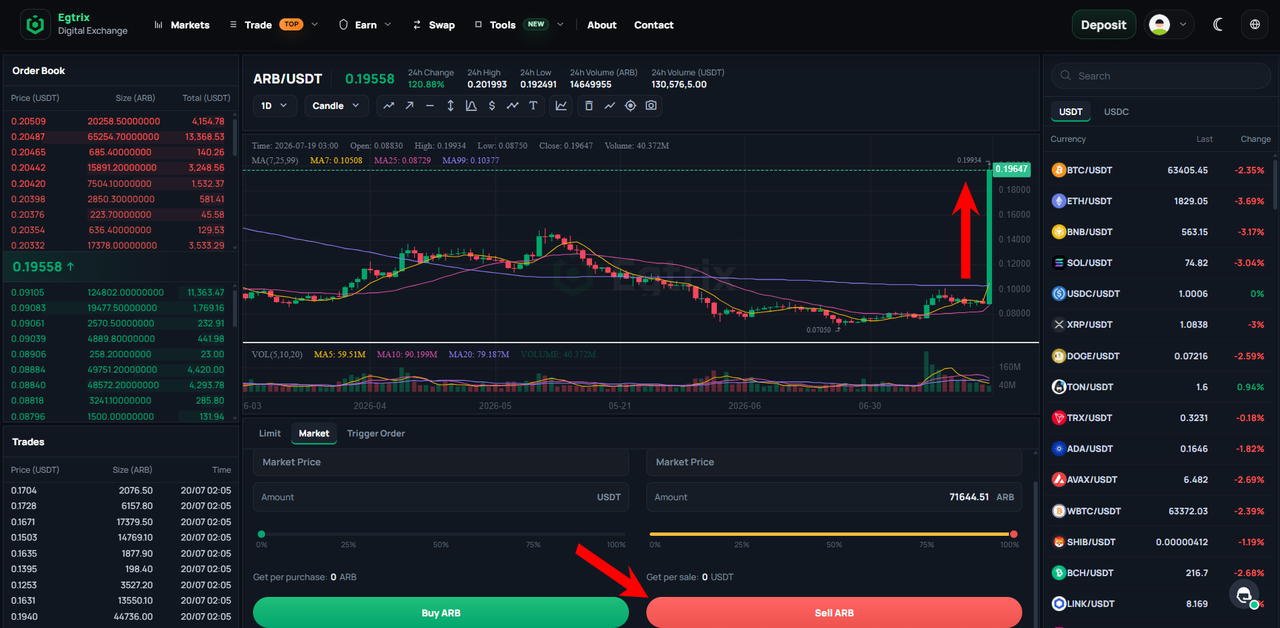
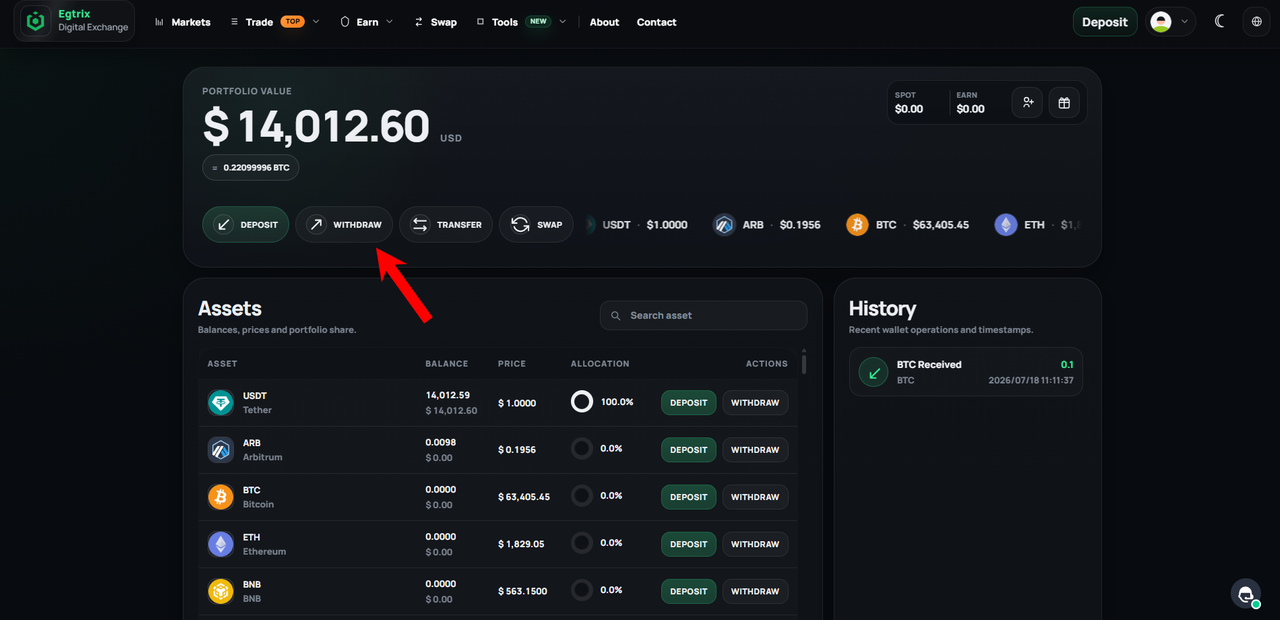
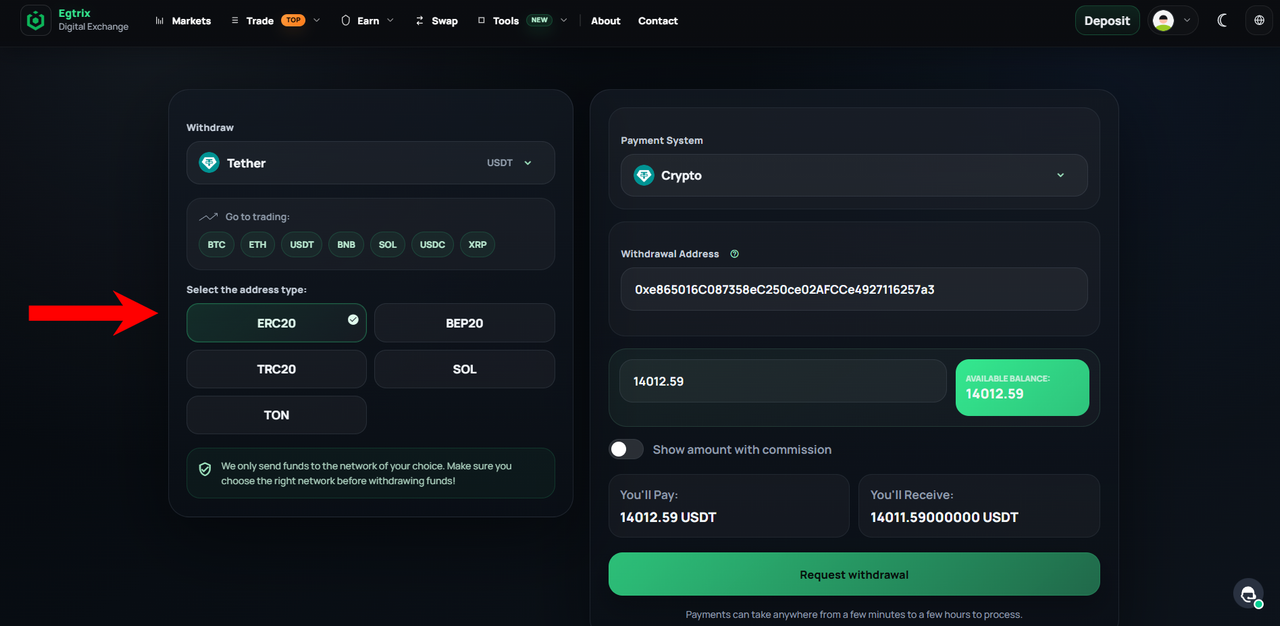
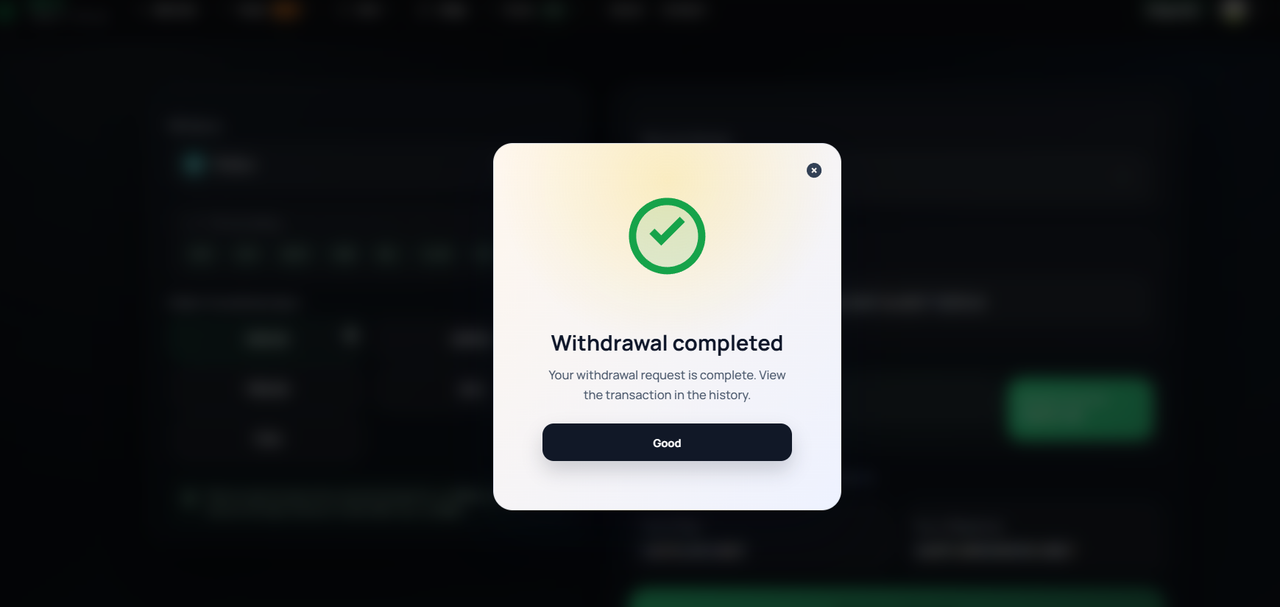
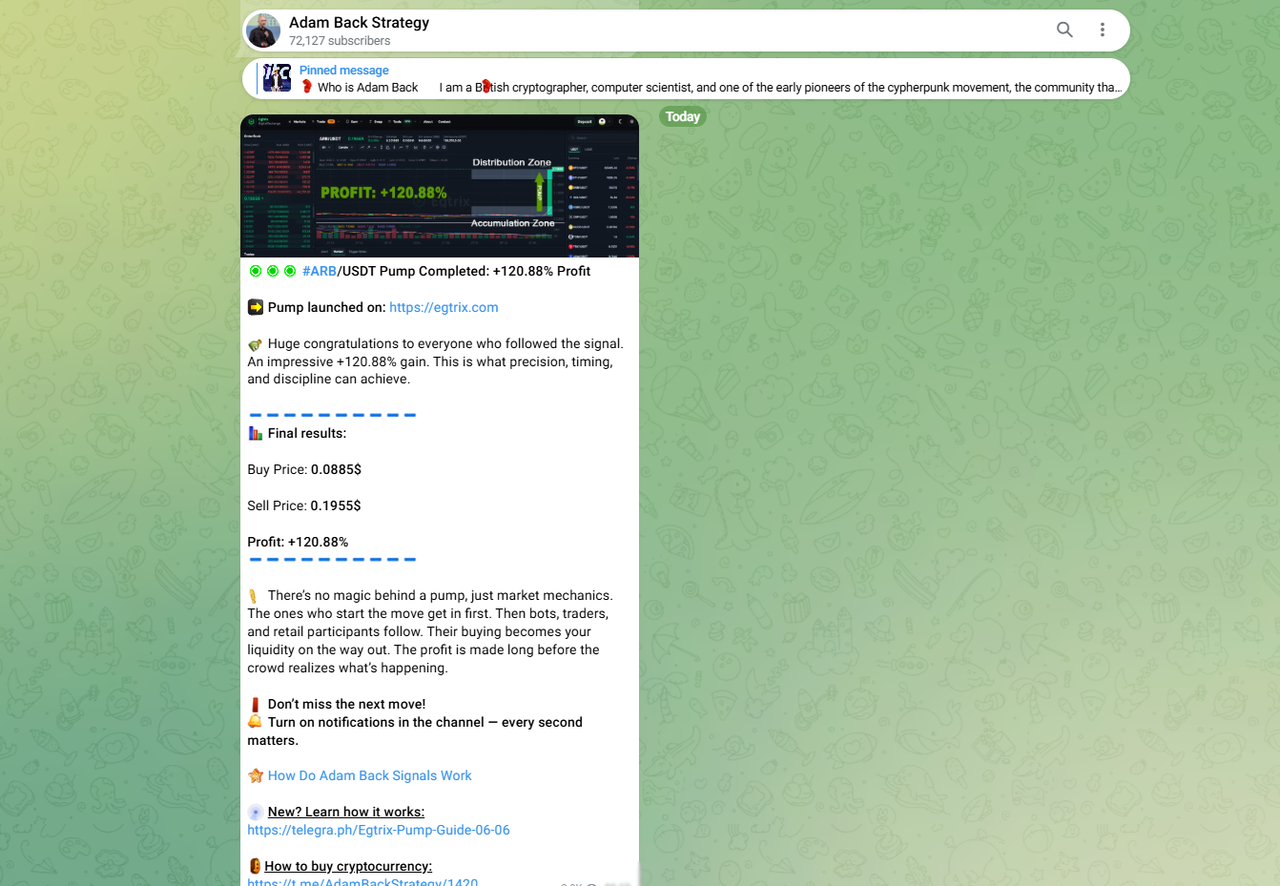
Example of a Pump Announcement Now, go to the Spot section to open the trading interface.In the trading interface, use the search bar on the right to find the cryptocurrency you want to trade. In this example, search for ARB.Use the Buy panel at the bottom of the page. Make sure Market mode is selected, then enter the amount you want to purchase or adjust it using the slider. Finally, click Buy to place your order.Once your purchase is complete, you can verify that the trade was successful by checking the Trade History. Alternatively, open the Assets section, where you will see your ARB balance, confirming that the purchase was completed successfully.Example of a Pump Started Post Now, return to the Spot trading page.Find the coin you want to sell and check the chart. In this example, the indicator shows that the price is moving up, meaning it's time to sell. Use the Sell panel at the bottom, select Market mode, enter the amount manually or use the slider, then click Sell.Congratulations! Your $6,300 trade generated a profit of $14,012. You can now go to the Withdraw section to withdraw your funds.Enter the withdrawal address, select the coin and network you want to use, and specify the withdrawal amount. If you are withdrawing to an exchange, don't forget to enter the Memo/Tag if it is required.After submitting your withdrawal, you will see a confirmation message. You can track its status and view all transaction details in the Transaction History section.After each pump is completed, we publish the results. Follow the channel so you don't miss important updates.
If you have any questions or run into any issues, Egtrix support is available 24/7 through the support window. Feel free to contact the team for assistance.
For questions about the strategy or participation in pump events, please contact our manager directly at @JessicaRonaldSupport.